
 Carylee Gali
EMR Integration Success Story: A Small Clinic’s Actual Experience
Learn about the actual EMR integration success story of a small practice. This is how one clinic fixed its workflow and boosted patient satisfaction.

Your patients text their friends, their pharmacy, and even their dog walker. Then they need to confirm an appointment with your office, and suddenly they're listening to hold music.
That gap costs your practice more than patience. Every routine phone call your front desk handles pulls attention away from the patient standing at the counter. Every paper form someone retypes into the chart creates another opportunity for a typo in a birth date or phone number.
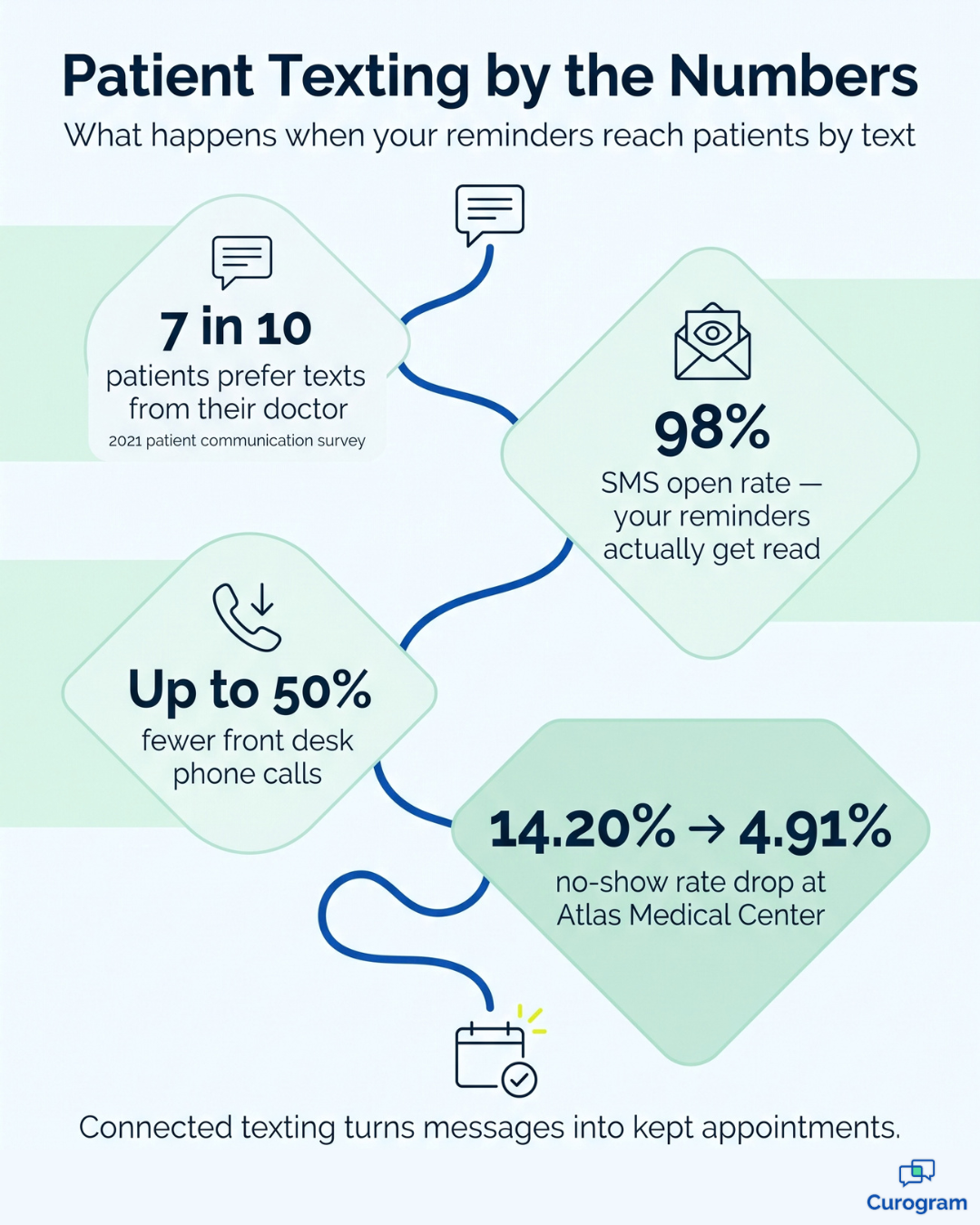
Most patients would rather skip the call completely. A 2021 patient communication survey found that seven out of 10 patients prefer text messages from their doctor for confirmations, reminders, and care instructions. The demand is clear. The real question is whether your current tools can keep up with it.
If you run your practice on Practice Fusion, you already have a solid cloud-based EHR for charting, e-prescribing, labs, and scheduling. What many practices still need is a simple, connected way to communicate with patients by text in real time, without putting HIPAA compliance at risk.
That's where a Practice Fusion integration with Curogram comes in. Curogram adds secure 2-way texting, automated reminders, digital intake forms, and telemedicine tools that sync with your Practice Fusion data. Your team manages every conversation from one shared inbox, and your patients get replies from a local number they recognize.
It sounds like a small change. For a busy front desk, it isn't.
In this guide, you'll learn what telemedicine integration really means and why it matters for Practice Fusion users. You'll see how Curogram helps you reduce phone traffic, prevent data entry errors, and deliver the convenience patients already expect.
You'll also find out which features make the biggest difference day to day, from custom reminders to HIPAA-compliant SMS.
Let's start with the basics of how it works.
You've probably heard the term "telemedicine integration." It simply means connecting a telemedicine or patient communication platform to your existing electronic health record (EHR) system so the two can share information automatically.
You might wonder why that matters if your EHR already has some digital features.
The answer is simple:
Not every tool is built for remote care and patient messaging.
An app that doesn't talk to your EHR creates more work, not less, because your staff ends up copying details from one screen to another.
When the systems are connected, the entire workflow changes.
For example:
That's exactly what connecting Practice Fusion with Curogram does.
Let’s face it — everyone these days is busy. And nobody is thrilled about waiting hours in line at a clinic just to get a check-up.
A 2021 survey found that seven out of 10 patients prefer receiving healthcare text messages from their physicians for appointment confirmations, reminders, and pre-visit and care instructions.
Telemedicine solutions like Curogram allow patients to schedule appointments from their phones and connect with doctors via teleconferencing.
Today, clinical labs, pharmacies, imaging centers, health systems, and other healthcare providers use Practice Fusion, a cloud-based electronic health record (EHR) system used to connect health professionals and patients.
According to its website, Practice Fusion offers EHR, charting, electronic prescribing, labs and imaging, among other features. Practice Fusion features efficient tools for practice management. However, if you provide telemedicine services, it lacks the essential tool patients opt for — texting solution.
If you want to integrate Practice Fusion with a telemedicine solution, there’s no better option than Curogram.
Curogram offers a HIPAA-compliant, 2-way text messaging solution and other essential telemedicine tools. Not all telemedicine platforms offer this all-in-one solution, but Curogram does.
More importantly, Curogram provides a centralized database that integrates with every aspect of your EHR. You can offer secure, 2-way texting along with virtual appointments. The software integrates with your patient database of record and schedule of record to provide a streamlined experience for both staff and patients.
Other telemedicine platforms take months and thousands of dollars to integrate. Meanwhile, Curogram fuses EHR seamlessly within 48 hours and provides one of the best platforms for telemedicine.
Curogram uses modern integration technology that works with most EHR systems. That includes app-based, server-based, cloud-based, and browser-based EHRs. Practice Fusion, as a cloud-based platform, is a natural fit.
Practice Fusion gives independent practices simple charting, easy e-prescribing, and access from almost any device. Curogram fills in the patient communication side.
Here's how the two work together:
| Daily workflow | What Curogram adds to Practice Fusion |
|---|---|
| Patient records | Syncs patient demographics so every message reaches the right person |
| Scheduling | Sends reminders based on appointment type, provider, and location |
| Patient messaging | One shared, HIPAA-compliant 2-way text inbox from your local number |
| Patient intake | Digital forms patients fill out on their phone, sent back to the EHR |
| Virtual care | Secure visit links sent by text, next to your in-person reminders |
In short, Practice Fusion stays your system of record. Curogram becomes the way your team talks with patients.
|
Key Takeaway: Texting Only Helps When It's Connected A texting tool that doesn't sync with your EHR simply moves the busywork somewhere else. Look for a platform that pulls appointment details from your schedule and writes patient information back to the chart. That connection is what turns texting from "one more inbox" into measurable time savings. Practices using Curogram have experienced up to 50% fewer front desk phone calls. |
There are also other notable benefits when integrating Curogram with Practice Fusion or any other EHR.
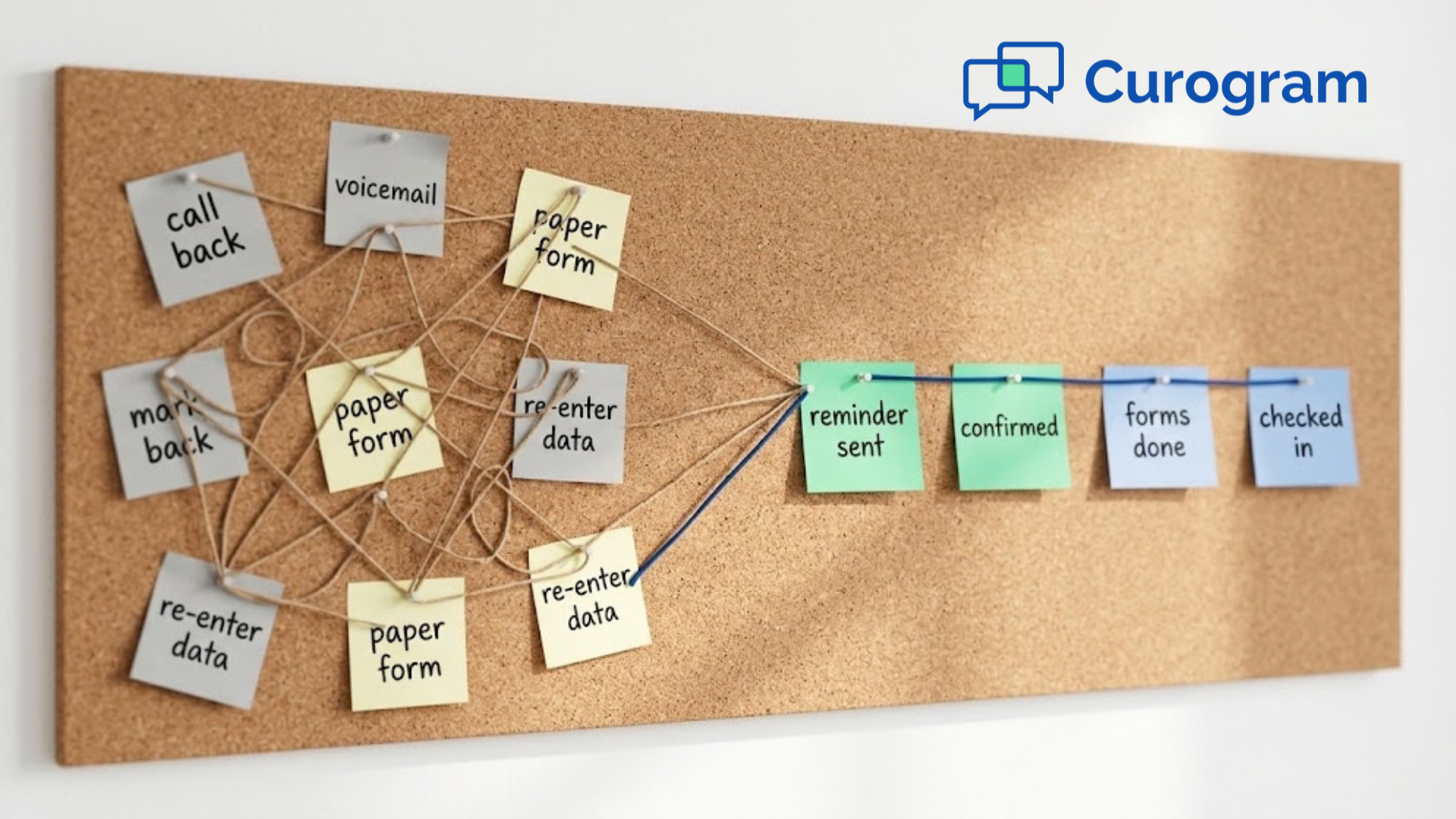
A telemedicine solution cuts routine admin work by moving it online, including data entry. Curogram sends data into your EHR automatically, so your team doesn't have to transcribe paper forms. Staff can pull up patient info in a few clicks instead of digging through files.
Instead of asking rural patients to come to the clinic, you can communicate with them through a virtual visit. If they have to provide documents or lab results, you can easily and securely send them through Curogram. Everything is integrated into the EHR, making it easy for the doctor to access the info during an appointment.
When your staff enters patient data in the EHR manually, there’s always a risk of human error. Patient info must be accurate and presented exactly as the patient submitted it.
To avoid the risk of manual duplicate and data entry errors, you can send Curogram’s electronic patient intake form. Patients can fill out the forms using their smartphones or computers, and the data is automatically sent to your EHR without any manual entry, reducing the risk of mistakes.
When you connect Curogram to Practice Fusion, it will auto-import these patient demographics:
Curogram differentiates between appointment types as it imports appointment data, such as:
Instead of wasting time dealing with administrative tasks and paperwork, let Curogram do it for you while you focus on patient care. With more time, you can admit more patients and increase your revenue.
With most telemedicine solutions, clinic staff requires extensive training to adapt to the new system. With Curogram, learning how to use the software is easy. The UI is simple and intuitive, requiring minimal staff training.
After about five minutes of introduction, clinic staff may use Curogram to its full potential. By simplifying your processes, Curogram saves your clinic thousands of dollars that you would otherwise spend on training personnel to use the software.
Moreover, when integrating Curogram, you automatically enter into a Business Associate Agreement without the need to draw up a contract or deal with any other paperwork.
Some clinics turn to apps like Zoom, Slack, and Skype, which Microsoft retired in 2025. But these apps lack patient scheduling and secure patient messaging. Free versions don't include the safeguards HIPAA requires, such as encryption, user logins, and automatic log-off.
Paid versions still put the burden on you. You have to confirm the plan meets HIPAA rules, sign a BAA with each vendor, and keep up with the paperwork.
Curogram takes that weight off your team. Its platform handles everything from appointment scheduling to data organization, with features built for healthcare. Here are the ones Practice Fusion users rely on most.
Many patients still need to come in for tests and treatment. Curogram tracks both in-person and virtual visits and lets you schedule reminders for each.
A good rule of thumb:
Each reminder can include the exact time, your clinic's address, and your contact number.

Curogram imports appointment types from your EHR, so each type can get its own reminder. The handoff from Practice Fusion is smooth, with no manual setup for every visit.
If a patient needs to send extra details or photos before a visit, you can ask for them in the reminder. That helps the provider prepare and helps the patient show up ready.
Practices with more than one location get an extra benefit. Curogram can include the exact clinic address, so patients are less likely to drive to the wrong office.
Processing intake forms is one of the slowest front desk tasks. Patients crowd the waiting room, rushing through clipboards. Then staff type everything into the EHR by hand.
Curogram's electronic forms fix this. You can send custom forms based on appointment type, with questions tied to the patient's symptoms or reason for the visit. Patients complete them on a phone or computer and send them back through Curogram.
Instead of messy handwriting, you get a clean PDF with everything you need. Patients finish forms before they arrive, so the front desk stays clear. That means no unreadable forms, no manual data entry, no stacks of paper, and no scanning forms into the chart.
Here's an illustrative example of what that can mean for your team:
| Example scenario (illustrative) | Paper forms | Digital forms |
|---|---|---|
| New-patient forms per day | 20 | 20 |
| Staff time to type each form | 6 minutes | 0 minutes (review only) |
| Typing time per day | 2 hours | None |
| Typing time per month (20 workdays) | 40 hours | None |
This means one staff member could get back about a full work week every month. Your numbers will vary, but the pattern holds for most busy practices.
According to the Patient Communication Preferences 2021 survey, texting is the most wanted form of digital communication, for patients and providers alike.
People love how easy texting is. But clinics can't use regular texting for patient care. A lost or unlocked phone could expose private health details and lead to a HIPAA violation.
Curogram offers HIPAA-compliant texting that keeps patient conversations safe and effective. Patients can even book appointments by text and join virtual visits through a secure link sent by SMS.
Curogram also gives your practice a local business number. When you link it to your Google Business Profile, patients can find and text you more easily. As more people search for care online, that visibility helps your reputation and your growth.
Not every texting platform is a good match for your EHR. Before you commit to one, it helps to know which questions to ask vendors. Clear answers up front can protect your team from a complicated rollout and a tool nobody ends up using consistently.
| Question to ask | Why it matters |
|---|---|
| Does it sync with my Practice Fusion schedule? | Reminders pull the right time, provider, and location without manual entry. |
| Will the vendor sign a BAA? | HIPAA requires a signed BAA before any vendor handles patient health information. |
| Can patients text back? | 2-way texting lets patients confirm, reschedule, or ask questions without calling. |
| Does patient data flow back into the chart? | Your staff avoids retyping forms and the errors that come with it. |
| How long do setup and training take? | A long rollout delays results and frustrates an already busy front desk. |
| Does it use a local business number? | Patients are more likely to trust and reply to a number they recognize. |
If a platform can't provide a confident yes to most of these questions, keep looking at other options. For your team, the goal is straightforward: a communication tool that removes admin work instead of creating more of it.
Curogram was designed around each of these requirements, from real-time schedule synchronization to a signed BAA. That makes the final choice much easier.
The right telemedicine solution makes care more convenient and secure for patients. It also gives your team technology that fits the way they already work, instead of adding another system to manage.
Practice Fusion already handles your charts, prescriptions, and schedule. Curogram connects to that foundation and adds what patients now expect: fast, secure, 2-way texting. Reminders go out automatically, and intake forms flow directly into the chart. Patients reach you from their phones instead of waiting on your hold line.
The results show up where it counts. Text messages see a 98% open rate, so your reminders actually get read, and practices using Curogram have cut front desk call volume by up to 50%. At Atlas Medical Center, the no-show rate dropped from 14.20% to 4.91% after the practice adopted Curogram.
For your team, that means fewer empty appointment slots, fewer daily interruptions, and more time for the patients in front of you.
Connecting an EHR with a communication platform does take collaboration, trust, and commitment. It doesn't have to be complicated or slow, though. Curogram's integration specialists manage the technical setup, and your staff can learn the platform in just a few minutes.
So ask yourself a few practical questions. How many calls does your front desk take each day just to confirm appointments? How many forms get retyped each week? How many of your patients would genuinely prefer texting over calling?
If those answers point to lost time, it's worth seeing what a connected texting platform can do for your practice. The change is simple to implement, and your patients will notice the difference immediately.
Ready to give your patients the convenience they want and your staff the time they need? See how Curogram works with Practice Fusion and schedule a personalized demo with our team today.
Frequently Asked Question
Learn about the actual EMR integration success story of a small practice. This is how one clinic fixed its workflow and boosted patient satisfaction.
See how unified data helps healthcare practices give providers the full chart, stop retyping intake forms, and send reminders that match each...

Learn how two-way SMS can streamline telehealth, boost patient communication, and ensure HIPAA compliance for your care practice with an actual case...