
14 min read

PF Patient Video Visits | Tap a Text Link, See Your Doctor

PF Patient Video Visits | Tap a Text Link, See Your Doctor
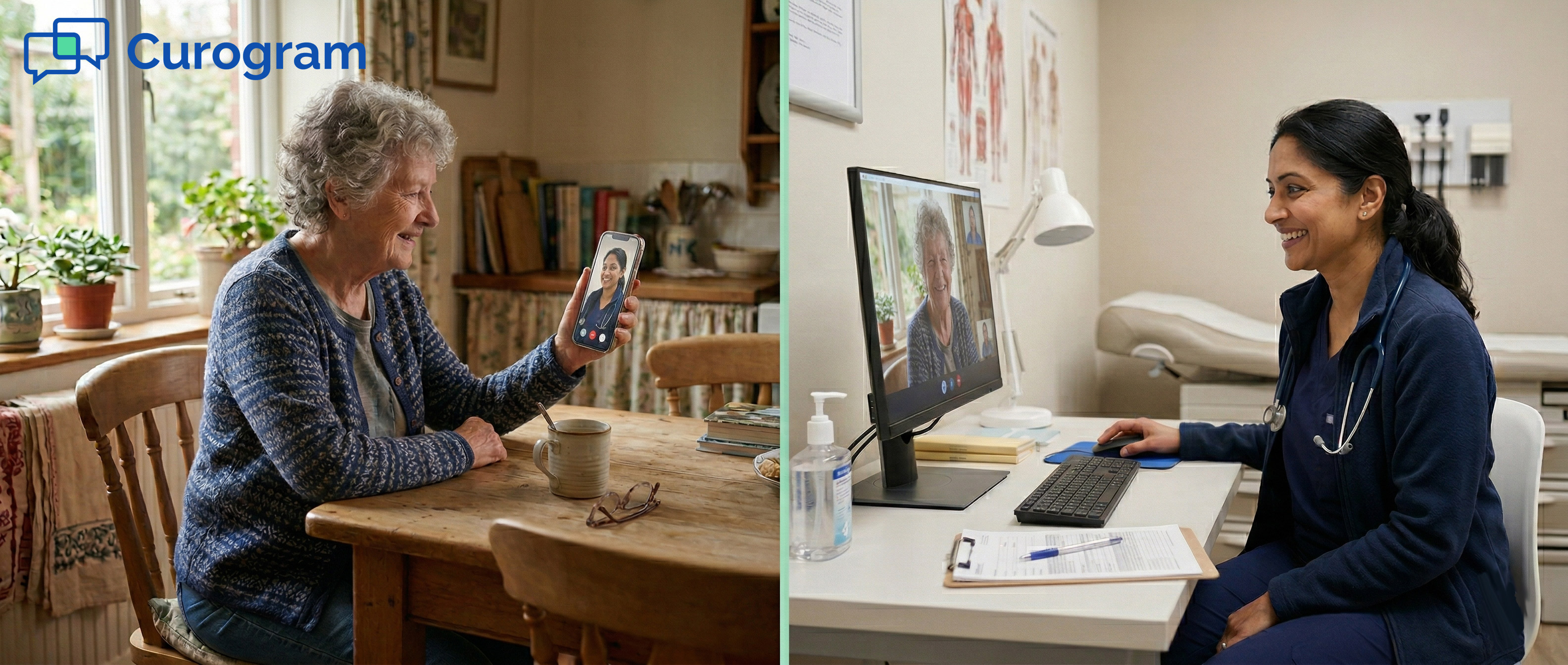
💡 For patients in Practice Fusion clinics, telemedicine video visits do not need an app download or a portal login. Curogram sends a single SMS to the patient. They tap the link. The video room opens in about 30 seconds. That is the entire process.

This text-link approach removes the biggest barriers to virtual care, especially for elderly patients, rural patients, and anyone who avoids new apps. Portal-based systems like Updox often exclude these groups by asking patients to create accounts and install software they may never use again.

Curogram's model works on any phone, any browser, and any connection speed. For Practice Fusion practices that serve a wide range of patients, this means telemedicine can reach close to 100% of the patient population, not just the tech-savvy 40 to 50% who are comfortable with smartphone software.

Imagine you are 71 years old. You live 45 minutes from the nearest clinic. Your doctor offers a video visit to save you the drive. Then you hear: "You need to download the app first and create an account."

For millions of patients, the answer is simple: "Never mind. I'll just come in."

This is the quiet failure of app-based telemedicine. The technology works, but only for patients who already know how to use it.

For elderly patients, rural patients, and anyone who is cautious about new apps, a portal-based system is not a shortcut. It is a barrier.

Practice Fusion clinics serve all kinds of patients. Many are over 65, live in rural areas, or use older smartphones. These patients often miss out on virtual care, not because they do not want it, but because the setup process has too many steps.

Think about what portal-based systems actually ask of a patient. Download an app. Create an account. Choose a password. Verify an email. Then log in at the right moment.

For someone who only uses their phone to text family and call the clinic, this process is not simple. It is stressful.

The fix is much simpler than most providers expect. A telemedicine text link, sent directly to the patient's phone via SMS, opens a video room with one tap.

No download. No login. No new password to remember.

This is the model Curogram built for Practice Fusion users. It makes accessible virtual care available to patients who would otherwise say no to telemedicine.

This article explains why app-based systems fall short for elderly and rural patients. It shares a real patient story. And it gives practice managers the data they need to make a smarter choice for their entire community.

The Villain: The Tech Barrier That Prevents Patients From Getting Care

App-based telemedicine works for some patients. For others, it does not work at all. The gap usually comes down to one thing: how much effort a patient has to make before the visit even starts.

Why App-Based Telemedicine Falls Short

Portal-based telemedicine systems, including tools like Updox, require patients to take several steps before joining a video visit. They must find the right app, download it, and create an account. Then they need a login and a password they will likely use only once. For many patients, this process ends before it begins.

The issue is not that patients are unwilling. It’s that these steps create real friction. A patient who has never downloaded an app before does not know if they are doing it right.

A patient on a limited data plan cannot afford to install a new app for a single visit. A patient who values privacy may refuse to create yet another account with a company they do not know.

These are not edge cases. Research shows adults over 65 are the least likely group to install new apps on their phones. For small and mid-size practices, this group often makes up 30 to 40% of the patient base.

The Patient Perspective on Tech Friction

Patients who decline app-based telemedicine rarely describe it as a tech problem. They say things like: "I don't know how to download apps."

Or: "I don't want another account to remember." Or simply: "I'm not comfortable with that." These are all rational responses.

App-based telemedicine asks patients to adopt new tools for a single visit. Many decide it is not worth the effort. They are not wrong to think that way.

Who Gets Left Behind

The patients most hurt by app-based barriers are the ones who need virtual care the most. Elderly patients with long-term conditions benefit from frequent check-ins.

Rural patients save hours of driving when they can get care from home. Patients with limited mobility depend on skipping the in-person trip.

When the system excludes them, it does not just inconvenience them. It reduces their access to care.

The Real Cost of a Missed Virtual Visit

When a patient declines a telemedicine visit, the practice loses more than a single appointment. It loses a chance to provide care on time. Medication reviews get delayed.

Follow-up visits that could be quick video calls turn into in-person appointments that take more staff time.

For elderly patients managing chronic conditions, delayed care is not a minor issue. It can lead to bigger problems down the road.

Lost Revenue and Access for Practices

Each missed virtual visit is a time slot that goes unused. Practices that rely on portal-based telemedicine often see much lower adoption among older and rural patients.

Based on our internal research, telemedicine adoption can drop well below 50% when patients face app-based barriers. That is both revenue and care left on the table.

The Ripple Effect on Patient Health

For a patient managing diabetes or high blood pressure, skipping a routine check-in can mean bigger problems later. A missed medication review can lead to a preventable hospital visit.

The barriers created by complex telemedicine portals do not just frustrate patients. They put health outcomes at risk.

The Feature: The Text-Link Visit

The text-link model removes every step that gets in the way of care. There is no app to download, no account to create, and no portal to navigate.

A patient gets a text, taps a link, and joins the visit. That is the entire process.

What Makes the Text-Link Model Different

Portal-based telemedicine starts with technology and asks patients to adapt. The text-link model starts with how patients already behave and builds around that.

Most patients, including those over 65, already use SMS text messaging every day. They text their families. They get appointment reminders by text. A text message is familiar. It is trusted.

When a patient receives a telemedicine link by SMS, they do not need to figure anything out. They tap the link, just like they would tap any other link in a message.

The video room opens within about 30 seconds. No prompts. No forms. No passwords. No confusion.

No App. No Account. No Problem.

The absence of steps is the point. With portal-based telemedicine, each extra step is a chance for a patient to quit. Download the app: some patients stop here. Create an account: more stop here. Set a password: more still. With a text-link video visit, there is only one step: tap the link. Done.

This is not a small improvement. It is the difference between a visit that happens and one that does not.

Works on Any Device, Any Connection

The text-link model works on any smartphone, any browser, and any operating system. It does not require a recent device. A 5-year-old Android phone works. A basic iPhone works. A phone set up by a patient's family member works. There are no software version requirements.

For rural patients with slower internet, the text-link approach also helps because there is no app to download first. The video visit uses a fair amount of bandwidth, but the entry barrier, the download, is gone entirely.

How It Fits Into Your Current Workflow

For practices using Practice Fusion as their EHR, adding text-link telemedicine through Curogram does not require a full system change.

The tool works alongside what your team already uses. Staff can send a telemedicine link through the platform the same way they send any other patient text.

There is no separate app to manage, and no new login system to learn. The workflow is simple, and the time savings add up quickly.

Sending the Link Through Practice Fusion

When a virtual visit is scheduled, a staff member sends an SMS through Curogram. The patient gets a text with a direct link tied to that appointment.

Staff do not need to walk patients through an app install or troubleshoot login errors. The process takes less staff time than a phone call. Based on our internal data, practices using this model cut phone call volume by up to 50%.

What Patients Experience on Their End

From the patient's side, the process is as close to smooth as telemedicine can get. They get a text from a number they know.

At the time of the visit, they tap the link. The video opens. They see their provider. The visit ends. There is nothing to close, uninstall, or sign out of.

For elderly patients who are fine with texting but cautious about apps, this is the difference between joining a visit and skipping it.


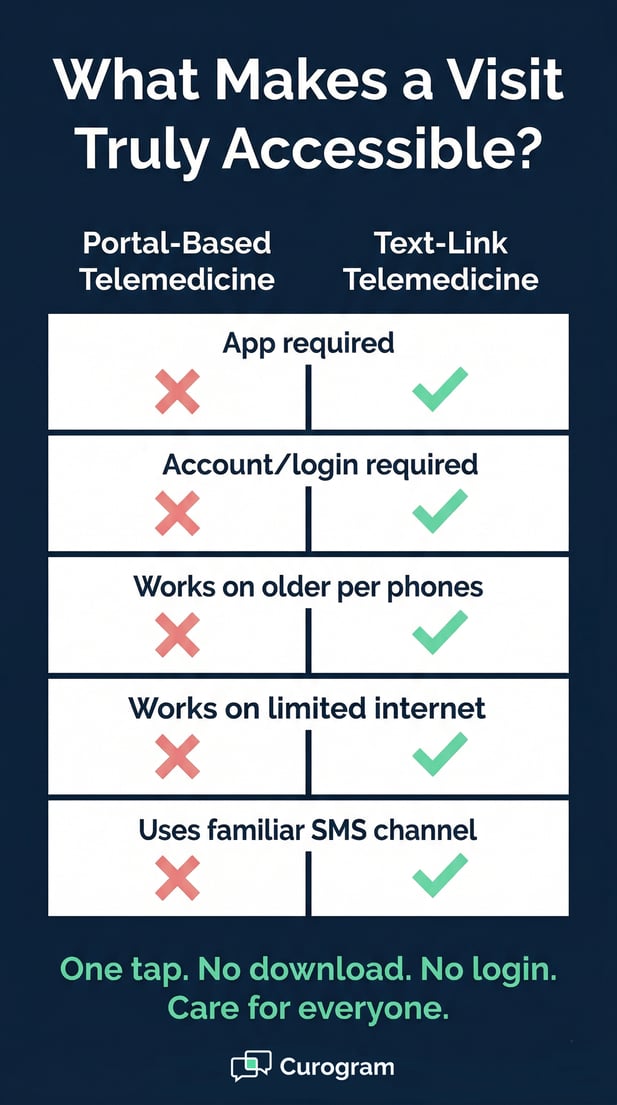
Comparison chart showing why text-link telemedicine is more accessible

The Narrative: How Dorothy Finally Got Telemedicine to Work

Not every patient who struggles with telemedicine says so directly. Some quietly ask to come in person instead. Dorothy is one of those patients, and her story shows exactly why the text-link model changes things.

A 45-Minute Drive That Did Not Have to Happen

Dorothy is 71 years old. She lives alone in rural Vermont. She has type 2 diabetes and high blood pressure.

She sees her primary care provider, Dr. Patel, every few months for medication checks and blood sugar reviews.

Dorothy has a smartphone. Her daughter helped her set it up. She texts her family and the clinic. But she has never downloaded an app in her life.

Three months into her diabetes care, Dr. Patel offered a telemedicine video visit. It would save Dorothy a 45-minute drive each way.

The clinic sent instructions that required downloading an app and creating an account. Dorothy called back: "I don't know how to do that. Can I just come in?"

The staff tried to help. They sent step-by-step instructions. They offered to walk her through the setup by phone.

Dorothy was still not comfortable. She made the 90-minute round trip for a 15-minute visit that could have been a video call.

The First Attempt: A Portal, A Barrier, A No

The problem was not Dorothy's attitude toward virtual care. She would have loved to skip the drive. The problem was that the tool asked her to do something outside her comfort zone.

An app install felt risky and hard to do alone. The barrier was not her mindset. It was the design of the system.

This pattern plays out in countless practices every day. Patients say no to telemedicine not because they dislike it, but because the way it is offered does not match how they use technology.

The Second Attempt: One Text, One Tap, Done

Two months later, Dr. Patel offered a telemedicine visit again. This time, the system was different. Dorothy got a text: "Hi Dorothy! Your video visit with Dr. Patel is ready. Join here: [link]."

No app. No account. No instructions.

At the time of her visit, Dorothy tapped the link. Within 30 seconds, she was looking at Dr. Patel on her screen. They reviewed her blood sugar readings.

Dr. Patel adjusted her medication. The visit took 12 minutes. When it ended, Dorothy said, "That was so easy. Why couldn't we do that before?"

What Changed After That First Video Visit

Once Dorothy had a good experience, her view of telemedicine shifted entirely. She no longer saw it as risky or confusing. She saw it as a regular part of her care routine. That one easy visit changed everything.

From Reluctant Patient to Regular User

Over the next six months, Dorothy completed four telemedicine visits and one in-person visit. The video visits covered routine medication checks that did not need a physical exam. The in-person visit was for her annual physical.

This is exactly how telemedicine should work: as a complement to in-person care, not a full replacement. Dorothy's case is not rare. It reflects what many elderly patients can do, once the barrier is removed.

What Her Doctor Noticed

Dr. Patel noted a clear change: Dorothy's medication routine improved. She missed fewer check-ins. Her follow-up schedule became more consistent.

"Dorothy is a big part of my patient population," Dr. Patel said. "When telemedicine works for her, it works for a lot of others just like her. Offering this option doesn't just help her access care. It reduces her no-shows and improves how well she manages her conditions." 

Why It Matters for Patient Access and Practice Decision-Makers

Patient access is not just a moral issue. It is a practical one too. If a large part of the patient base cannot use the telemedicine tool on offer, the practice is not fully serving its community. Decision-makers need to understand who is being left out and why.

Understanding Your Patient Population

Most small and mid-size practices see a large share of elderly and rural patients. These two groups often overlap. Rural areas tend to have older populations.

Practices in farming towns and semi-rural regions serve patients who drive long distances for routine care. For these patients, telemedicine is not a nice-to-have. It is a real solution to a real problem.

The trouble is that most telemedicine tools were not designed with these patients in mind. They were built for tech-savvy users who are at ease with apps and online accounts. That leaves a large segment of the patient population without a real virtual care option.

Older Patients Are Selective, Not Afraid

It is easy to label elderly patients as "tech-averse." A more accurate word is selective. Patients over 65 use text messaging.

They check email. Many video call with family. But they make careful choices about what new tools they adopt and why.

An app from a company they have never heard of, for a single visit, does not make the cut. A text message from their doctor's office does.

Practices that understand this stop trying to push elderly patients onto portal systems and start offering options that match how these patients already behave.

Rural Patients Face Real Limits

Rural patients are not being difficult. They are working within real limits. Slower internet speeds, older devices, and less tech support from family make app-based telemedicine harder to access.

A patient 45 minutes from the clinic with a slow rural connection cannot always afford the bandwidth to install a new app.

Text-link telemedicine removes the download barrier. It does not require fast internet to start. It works on older phones.

These are not small details. For rural patients, those factors are the difference between getting care and not getting care.

The Case for Equitable Telemedicine

Offering app-based telemedicine as the only virtual care option creates a two-tier system. Tech-savvy patients get the benefit. Elderly and rural patients do not. That gap is not just a business problem. It is a fairness problem.

The goal of telemedicine is to expand access, not recreate the same gaps that exist in in-person care.

Practices that offer text-link video visits give all patients the same option. They do not require patients to pass a tech test before getting virtual care.

Avoiding a Two-Tier System

When a practice uses portal-based telemedicine, the patients who benefit most tend to be younger, urban, and more comfortable with apps.

The patients who need virtual care most, older patients and those in remote areas, are the ones who often get left out. That is the opposite of what telemedicine was meant to do.

The text-link model levels that playing field. It starts where patients are, not where a tech company assumes they should be.

What Practices Owe Their Communities

Small practices are often the main source of care for their local communities. In rural areas, the local clinic may be the only provider within a reasonable drive. When these practices adopt telemedicine tools that only work for some patients, they are not fully meeting that responsibility.

Choosing accessible tools is part of being a responsible provider. It is also good for the practice.

More patients able to do video visits means fewer in-person no-shows, less staff time spent on scheduling, and better health outcomes across the board.


Patient Experience Metrics: Measuring Telemedicine Accessibility

Good intentions are not enough. Practices need data to know whether telemedicine is actually reaching all patients.

The right metrics tell you where gaps exist and whether your current tools are closing them or creating them.

Completion Rates Across Age Groups

Telemedicine completion rates vary by age, and this is one of the clearest signs of whether your system is truly accessible. Portal-based telemedicine typically shows a sharp drop in completion for patients aged 75 and older, sometimes as low as 40%.

With a text-link model, completion rates should stay much closer together across age groups, ideally 85% or higher across the board.

Tracking this is straightforward. Most practice management tools can filter appointment data by patient age.

Split your telemedicine visits into three groups: under 65, 65 to 75, and 75 and older. If older groups show significantly lower completion rates, that signals a system barrier, not a patient attitude problem.

What Good Looks Like by Demographics

A healthy benchmark for text-link telemedicine is an 85% or higher completion rate across all age groups. If your rates stay consistent across demographics, your system is truly accessible. If they fall off sharply for older patients, the tool itself is the problem, not the patients.

Completion rates are not just a quality metric. They are a direct indicator of whether your telemedicine investment is serving the patients who need it most.

Benchmarks Worth Tracking

The table below compares typical results for portal-based telemedicine with targets for a text-link system:

Metric

Portal-Based (Typical)

Text-Link (Target)

Completion rate, under 65

70-80%

85%+

Completion rate, ages 65-75

55-65%

85%+

Completion rate, ages 75+

35-45%

80%+

Patient ease-of-use (% "very easy")

60-70%

95%+

No-show rate, elderly patients

Higher than average

Similar to all patients


Satisfaction and No-Show Data

Ease-of-use surveys tell you a great deal about whether telemedicine is actually working. After each visit, one simple question can reveal whether patients found the process easy or stressful: "How easy was it to join today?"

Portal-based systems typically see 60 to 70% of patients rate the join process as "easy." Text-link systems consistently reach 95% or higher on the same question.

No-show data is just as telling. For elderly and rural patients using portal-based telemedicine, no-show rates tend to run higher than average. When the barrier to joining is removed, those rates should fall in line with the general patient population.

Based on our internal research, practices using Curogram's text-link telemedicine see no-show rates 53% lower than the industry average. That gap is not just about reminders. It is about making the visit easy enough for patients to actually join.

Ease-of-Use Survey Results

Ask patients one question after every telemedicine visit: "How easy was it to join today?" Track this data by age group and by location.

If elderly or rural patients consistently report a harder experience, that is a design issue. The fix is the tool, not the patient.

Demographic No-Show Benchmarks

No-show rates for elderly patients should not be higher than rates for younger patients. If they are, the access barrier has not been removed.

Based on our internal data, practices that switch from portal-based telemedicine to text-link telemedicine see the largest drop in no-shows among patients over 65. That result is direct evidence that removing the app barrier changes behavior.


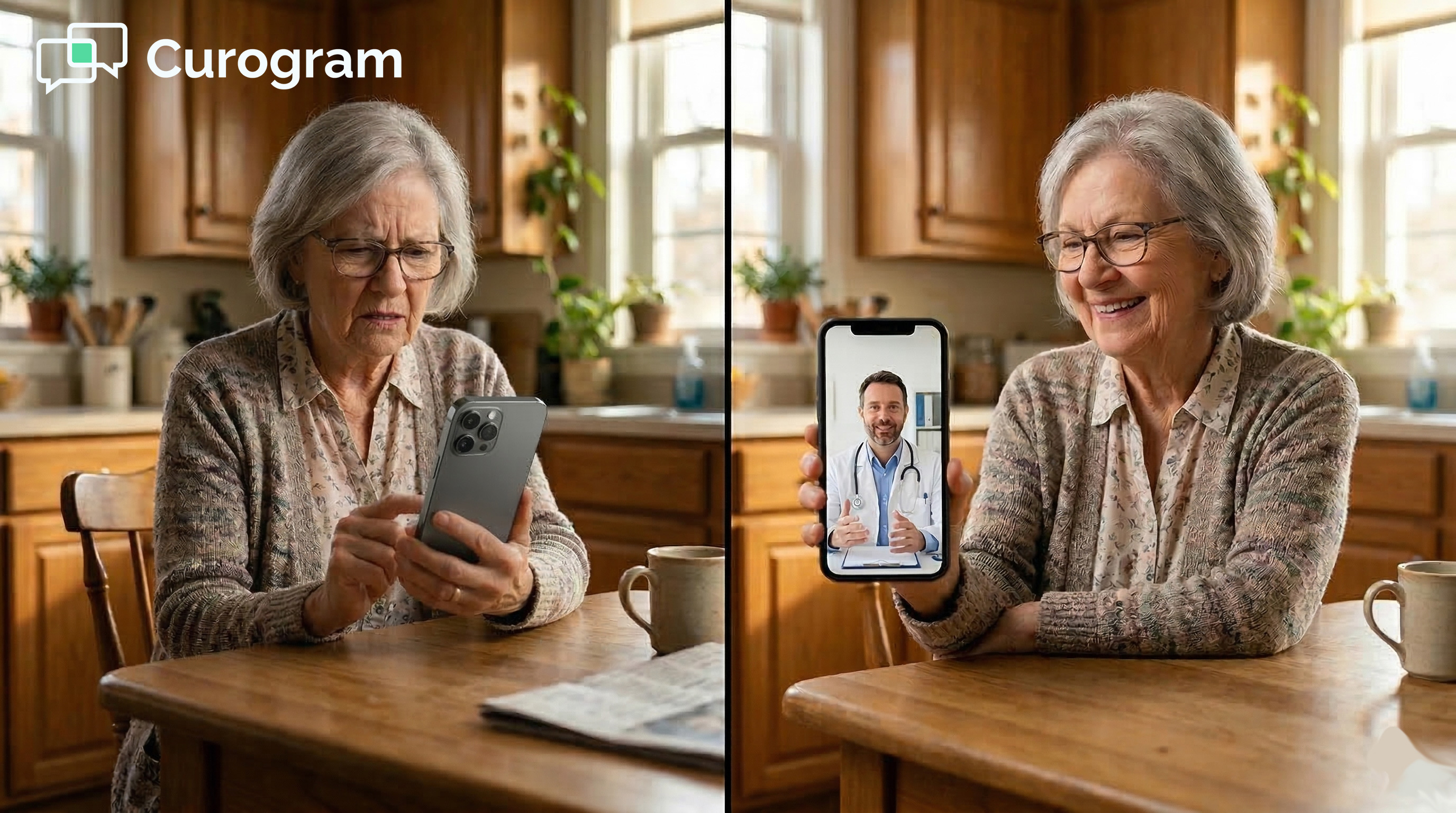
Elderly hands holding a smartphone during a telemedicine video visitTelemedicine That Works for Your Entire Patient Population
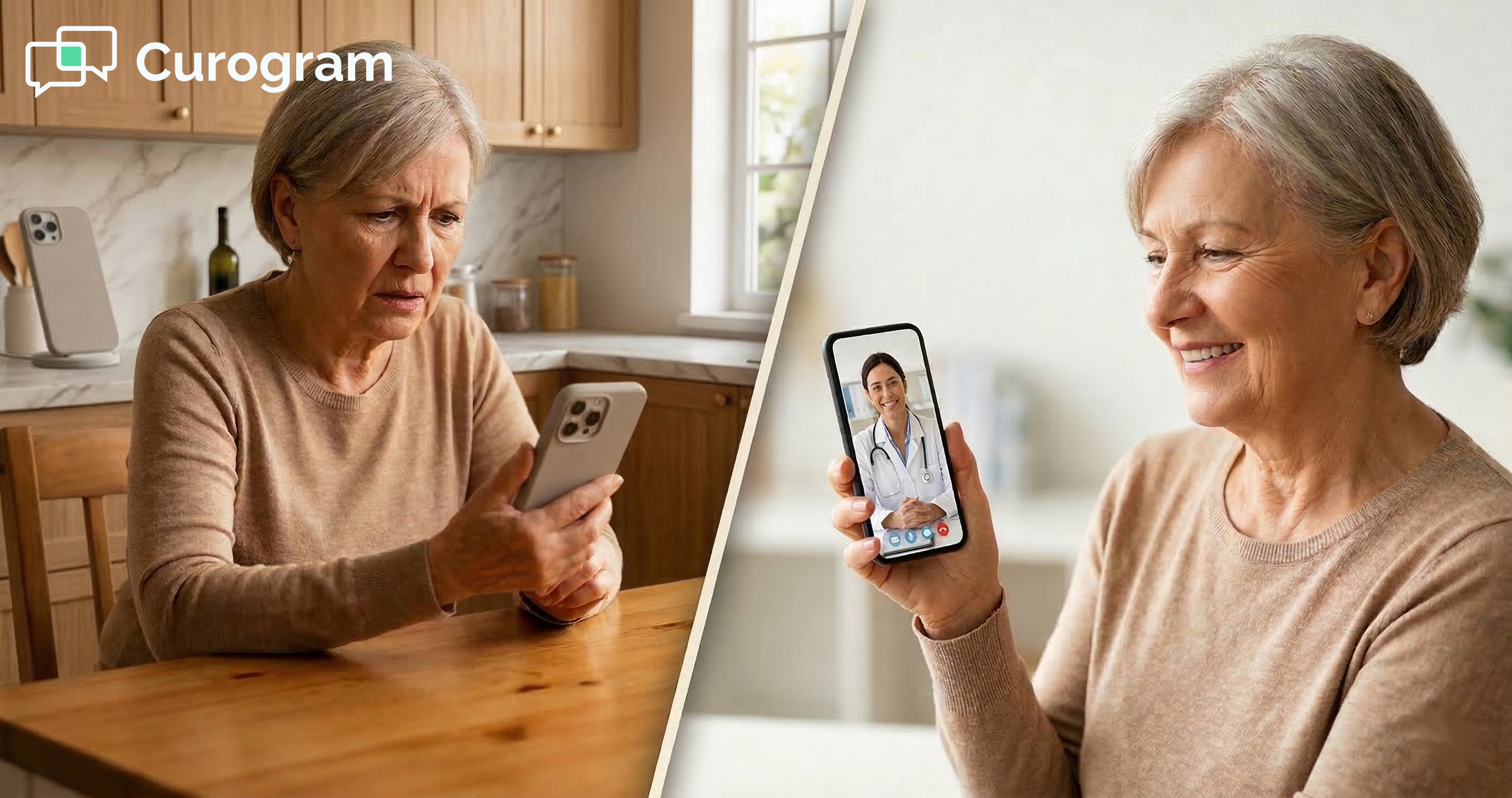
Most practices do not set out to exclude elderly or rural patients from virtual care. But when a portal-based system is the only option, that is often the result.

The fix does not require a major overhaul. It starts with choosing a telemedicine model that matches how your patients already communicate.

Not all telemedicine tools are built the same. When you are evaluating options, the most useful question is not "What features does it have?" The more important question is: "Who can actually use it?"

A tool with strong features is only valuable if patients can access it. That means asking hard questions about how patients join, what devices are supported, and how many steps they have to take.

Before choosing a telemedicine solution, ask these questions:

  • Does it require an app download?
  • Does it require patients to create accounts?
  • Does it work on older smartphones?
  • Does it work with limited internet bandwidth?
  • How many steps does a patient take before the video starts?

If the answer to the first two questions is "yes," a significant part of your patient population may not be able to use the tool. That is not a patient problem. That is a product problem.

Text-link telemedicine wins on accessibility because it removes the barriers before they form. Patients tap a link. The visit starts. That is it. There is no download, no password, and no account to manage.

For practices serving elderly, rural, and mixed-tech patient populations, this is not just a nice-to-have feature. It is the only model that works for everyone.

When telemedicine works for everyone, practices see higher adoption, lower no-show rates, and better care across the board.

The fastest way to know if a telemedicine solution fits your patient population is to watch it work.

Schedule a demo today and see what truly accessible telemedicine looks like.

Frequently Asked Questions

How does a text-link telemedicine visit work for elderly patients who are not used to apps?

When a visit is scheduled, the patient gets a text message with a direct link to the video room. They tap the link, just like tapping any other link in a text. The video call opens within about 30 seconds.

There is no app to download, no account to set up, and no login required. For elderly patients who are comfortable with texting but cautious about new apps, this process feels familiar and easy.

Why do rural patients struggle more with portal-based telemedicine?

Rural patients often have slower internet speeds, older devices, and less access to tech support from family or friends. Downloading a new app on a limited data plan can be costly or simply not possible.

Portal-based systems ask rural patients to clear a higher tech bar than many can manage. The text-link model removes the download step entirely, which is often the single biggest barrier for rural users.

How does telemedicine accessibility affect patient health outcomes?

For patients with long-term conditions like diabetes or high blood pressure, regular check-ins matter. When a patient cannot access telemedicine, they often skip the visit rather than drive long distances.

Missed check-ins can lead to delayed care, unmanaged symptoms, and preventable hospital visits. Removing access barriers keeps patients engaged in their care and improves outcomes over time.

Why does the telemedicine completion rate drop for patients over 75?

Patients over 75 are less likely to install new apps or create online accounts. When portal-based telemedicine requires those steps, many older patients simply decline the visit.

This is not a lack of interest in virtual care. It is a mismatch between how the tool works and how older patients use technology. The text-link model matches how these patients already communicate, which is why completion rates stay high across all age groups.

How does the text-link model fit into a Practice Fusion workflow?

Curogram integrates directly with Practice Fusion, so staff can send telemedicine links through the same platform they use for text reminders and patient messages. No separate app or new system is needed.

When a virtual visit is scheduled, the staff sends a link via SMS and the patient joins at appointment time. Staff do not need to walk patients through any setup, which saves time and reduces friction on both sides.


PF Staff Telemedicine | 1-Click Video Visit Launch, Zero Tech Support

PF Staff Telemedicine | 1-Click Video Visit Launch, Zero Tech Support

💡 The Practice Fusion staff telehealth workflow can become a daily source of friction when Updox is part of the picture.Staff must log into a...

Read More
How One-Tap Telemedicine Reaches the Patients Apps Leave Behind

How One-Tap Telemedicine Reaches the Patients Apps Leave Behind

💡 eClinicalWorks patient telemedicine without app downloads works through a single text message link. Patients tap it, their phone browser opens,...

Read More
eClinicalWorks Telemedicine | Zero-Download Video Visits via SMS

eClinicalWorks Telemedicine | Zero-Download Video Visits via SMS

💡 eClinicalWorks telemedicine with zero-download, browser-based video visits lets enterprise networks launch virtual appointments directly from the...
Read More