
Before vs. After Integration: EMR Integration Daily Workflow Changes
Learn how integration with your EHR replaces confirmation calls, paper forms, and mailed statements with texts that sync, so your front desk works...
15 min read
-featured.png?width=2000&height=1125&name=What%20Is%20Clinic%20Workflow%20Management%20(and%20Why%20It%20Matters%20in%20Healthcare)-featured.png)
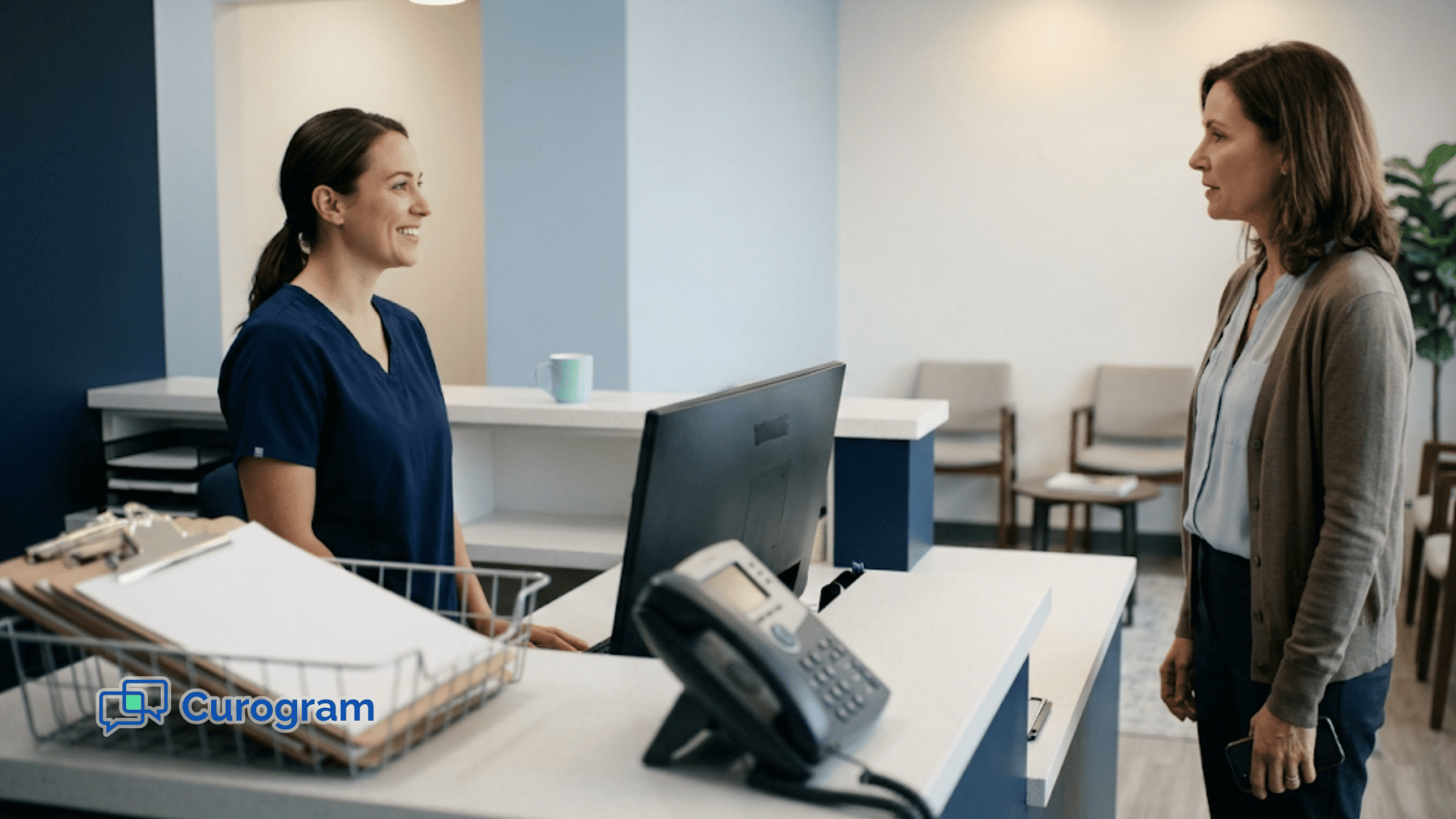
A patient hands over a clipboard. Nine minutes later, someone at your front desk has read the handwriting, typed the demographics into eClinicalWorks, typed the history, scanned the insurance card, and fixed two fields that came out wrong.
The patient still hasn't been roomed. Nine minutes went to moving data from paper into a system that could have received it directly.
That step repeats a few hundred times a month. So does the eligibility check your billers run again before a claim goes out. So does the confirmation call that lands in voicemail.
Clinic workflow management is the work of deciding where each piece of information enters your system, and who touches it after that.
Below, we cover where the handoffs break in a typical eClinicalWorks practice, which fixes move which numbers, and what order to run them in.
Reminders first. Intake second. Texting and recall third. Ninety days, one change at a time, measured against a week you logged before you started.
Clinic workflow management is how a practice plans, tracks, and fixes the way work moves through the office. It covers intake, scheduling, charting, billing, and follow-up. Every one of those steps hands something to the next one.
The handoffs are where care quality is decided. An intake form that doesn't reach eClinicalWorks before rooming forces the provider to ask for a medication list the patient already wrote down.
Break any single link in that chain and the cost shows up somewhere else — at the window, in the chart, or in accounts receivable.
A 12-provider practice runs the same handful of steps a few hundred times before Friday. Check-in, insurance check, chart review, claim submission, balance follow-up. Each one is simple. The trouble starts when one hands off to the next.
Take insurance verification. Your front desk pulls up eligibility in the portal, confirms the plan is active, and moves on. If that result never gets noted in eClinicalWorks, billing runs the same check again before the claim goes out. Same patient, same plan, two people, twice the time.
That pattern repeats across the day in small amounts:
| The step | Where it gets done twice |
|---|---|
| Demographics | Patient writes it, staff types it |
| Insurance check | Front desk verifies, billing re-verifies |
| Appointment confirm | Reminder sent, then a call to confirm the reminder |
| Balance follow-up | Statement mailed, then a collections call |
None of these cost more than a few minutes on their own. Across 300 visits a month, the minutes add up to staff hours you're paying for twice.
Workflow management is the work of deciding, on purpose, where each piece of information enters the system and who touches it after that.
When the eligibility result lands in the chart the first time, billing reads it instead of redoing it. When the intake form syncs before rooming, your medical assistant stops retyping a medication list.
Three groups touch the same workflow, and each one feels a break in a different place.
Your providers feel it at the start of the visit. A patient's medication list sits in an intake form that never synced to eClinicalWorks, so the first two minutes of the appointment go to asking questions the patient already answered at home.
Your front desk feels it as volume. Confirmation calls, insurance re-checks, forms scanned and retyped — the same information handled two or three times before it settles anywhere.
Patients feel it as waiting. Confusing prep instructions, a reminder that arrives too late to reschedule, a clipboard handed over for the fourth visit in a row.
| Group | Where a broken workflow lands | What a working one gives back |
|---|---|---|
| Providers | Chart is incomplete at rooming | Current data before the door opens |
| Front desk | Same record touched repeatedly | Information entered once |
| Patients | Late reminders, repeat paperwork | Shorter check-in, clearer instructions |
Clinic workflow management is the work of keeping all three sides fed from the same source. The numbers move when it works.
Atlas Medical Center cut its no-show rate from 14.20% to 4.91% in three months, based on our internal data. That drop protects provider hours, cuts the rebooking calls your staff makes, and gets patients seen closer to when they expected.
The case for fixing workflows isn't abstract.
It shows up in four places you can measure: what patients experience at the window, how many hours your front desk loses to repeat work, how much revenue walks out with an empty slot, and whether you can produce a record when an auditor asks.
Each one moves independently, and each responds to a different fix.
Patients rate the visit on more than the exam. A patient who gets a reminder two days out with the right provider name, the right time, and the fasting instruction shows up ready. One who gets a generic text the night before shows up unsure, or doesn't show at all.
Digital intake changes the first ten minutes. Forms arrive by text before the visit, the patient fills them at home, and the answers land in eClinicalWorks before rooming. Nobody hands over a clipboard asking for the same allergy list they gave in March.
The rating follows the experience. Across our clients, one practice generated 1,064 new 5-star reviews in three months, with roughly 90% of all responses landing at five stars, based on our internal data.
Count what your front desk actually does between 8 and 10 AM. Confirmation calls. Voicemails nobody returns. Insurance re-checks. Scanning yesterday's paper forms and typing them into the chart.
This leads to burnout and high turnover — and replacing a trained front desk hire costs weeks of onboarding you hadn't budgeted for.
Most of that volume is answerable by text. One practice cut inbound phone calls by 24% after moving confirmations and reschedules off the phone line, based on our internal data. That's not a small reallocation — it's hours back per week for the same headcount.
The retyping problem is separate and worth naming on its own. When intake syncs directly to eCW, your medical assistant reads the medication list instead of entering it. The keystrokes disappear, and so does the transcription error that follows them into the chart.
A 2 PM slot that empties at 1:55 rarely gets refilled. The provider hour is spent, and the waitlist patient who wanted it never got the call.
Reminders only close that gap when the patient can act inside the message. A text that says "reply C to confirm or R to reschedule" gets a decision. A one-way "you have an appointment Thursday" gets read and forgotten.
| Practice | Result | Timeframe |
|---|---|---|
| Atlas Medical Center | No-show rate 14.20% → 4.91% | 3 months |
| Covina Arthritic Clinic | 1,100+ appointments confirmed | Monthly |
| Platform-wide | 75%+ confirmation rate | Ongoing |
Based on our internal data.
Billing runs on the same principle, one step later. Claims go out clean when the eligibility check and the completed intake are already in eClinicalWorks at the time of service. Your billers stop chasing a missing member ID after the fact, which is where a share of preventable denials starts.

Two rules govern most patient texting, and they aren't the same rule. Informational messages — appointment reminders, prep instructions — require prior express consent.
Marketing messages require prior express written consent under the TCPA. Sending a promotion to a list that only consented to reminders is where practices get caught.
Behavioral health carries a second layer. Records covered by 42 CFR Part 2 have disclosure restrictions that sit on top of HIPAA, not inside it.
Logging is what makes either provable. When every reminder, form, and reply is captured in one HIPAA-compliant thread, producing a record takes a search, not an afternoon of reconstruction.
OCR fined Manasa Health Center $30,000 for exposing patient information in Google review responses — a reminder that the record of what you sent matters as much as what you meant.
Four problems account for most of the friction in a typical eClinicalWorks practice. Each one is small on its own — a form retyped, a call returned, a slot left open. What follows is where they start, what they cost, and which of them internal data shows actually moves when you change the workflow.
A patient hands over a clipboard at 9:05. By 9:14, someone at your front desk has read the handwriting, keyed the demographics into eCW, keyed the history, scanned the insurance card, and fixed the two fields that came out wrong.
The failure point isn't the patient. It's the transcription step, and it's the longest block in the check-in sequence. An illegible allergy entry becomes a wrong allergy entry, and it carries into the chart the provider reads at rooming.
Pre-visit digital intake removes that step entirely. Forms go out by text before the appointment, the patient completes them on a phone, and the answers land in eCW ahead of arrival. Check-in becomes ID confirmation and a seat.
-mid.png?width=1080&height=1350&name=What%20Is%20Clinic%20Workflow%20Management%20(and%20Why%20It%20Matters%20in%20Healthcare)-mid.png)
Your phone lines don't spike evenly. They spike at open, before lunch, after lunch, and at 4 PM — and a large share of those calls are confirmations, address questions, and reschedules that never needed a voice.
Two-way texting absorbs that category. One practice cut phone calls by 24% after moving confirmations and reschedules to text, based on our internal data. The remaining calls are the clinical ones your staff should be taking anyway.
Every text is logged against the patient record automatically, which matters when you need to show what was sent and when.
A generic reminder gets read. A reminder the patient can act on gets a decision. The difference is whether the message carries the real appointment time, the provider's name, the prep instruction, and a reply option.
| Practice | Result | Timeframe |
|---|---|---|
| Atlas Medical Center | No-show rate 14.20% → 4.91% | 3 months |
| Covina Arthritic Clinic | 1,100+ appointments confirmed | Monthly |
| Platform-wide | 75%+ confirmation rate | Ongoing |
Based on our internal data.
When reminders pull times and provider names directly from eCW, the details are right every time. Nobody is copying tomorrow's schedule into a messaging tool by hand.
The hours lost here aren't dramatic. They're 90 seconds of insurance re-verification because the first check never made it into the chart, four minutes of scanning yesterday's paper forms, six minutes of confirmation voicemails nobody returns.
Multiply by your daily visit count and the number stops being small. Turnover follows, and replacing a trained front desk hire costs weeks of onboarding.
Recall outreach is where reclaimed time pays back fastest. Texting patients overdue for follow-up reconverted 35% of them and recovered 1,240 patients, based on our internal data. That's revenue your team couldn't chase while it was on the phone.
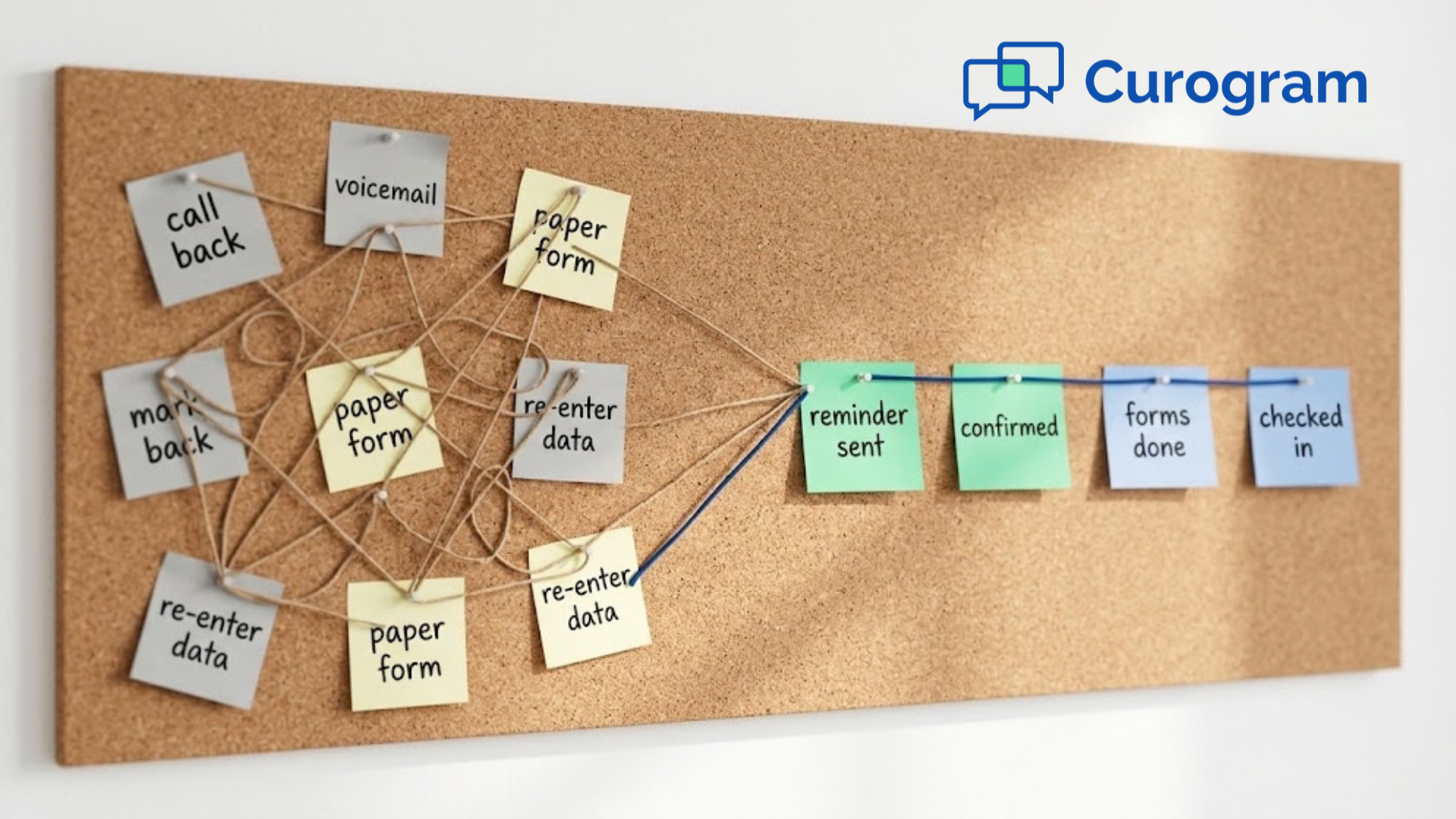
The Ripple Effect of Poor WorkflowsThe four problems above feed each other in a specific order. Manual intake pushes rooming late, so providers run behind. Patients waiting past their appointment time call to ask what's happening, which adds to the call queue. Staff answering those calls stop working the recall list, so overdue patients stay overdue. Revenue drops last and gets noticed first. By the time it shows up in a monthly report, the cause is three steps upstream at the check-in window. |
Four pieces make up a working system, and they're defined by where data enters and who touches it next. Intake sets the record.
Scheduling controls the calendar. Documentation and billing turn the visit into a claim. Follow-up decides whether the patient comes back. A gap in any one of them shows up as rework somewhere downstream.
Digital intake forms cut down the number of hands a single patient record passes through before it settles in eClinicalWorks. The patient enters demographics, history, and insurance details once, from a phone, on their own time.
What arrives in the chart is typed, legible, and already structured. Your front desk verifies rather than transcribes.
Scheduling is the component that decides how full tomorrow looks. Reminders pull the appointment time and provider name straight from eCW, so nothing gets copied by hand into a second tool.
The reply path matters as much as the send. A patient who can cancel by text on Tuesday gives your staff two days to fill the slot. A patient who has to call during business hours usually just doesn't show.
This component runs on timing. A visit charted the same day submits inside its clean-claim window. A visit charted Friday for Tuesday's appointment often submits with a gap someone has to reconcile.
Capturing eligibility and intake data at the point of service is what keeps your billers from re-verifying coverage after the fact — the step where preventable denials tend to begin.
Automated follow-ups and two-way texting close the loop after the patient leaves. A post-op check goes out on day three. A lab result notice goes out when the result posts. An overdue recall goes out on a schedule your team sets once.
The return on this component is measurable. Recall outreach reconverted 35% of overdue patients and recovered 1,240 of them, based on our internal data.
The tools below are common enough that most eClinicalWorks practices already own one or two.
What separates a working setup from a shelved one is configuration — when the message fires, what reply it accepts, which list it goes to. This section covers those settings rather than the feature descriptions, because that's where most rollouts stall.
Online intake speeds up check-ins when the form goes out with enough lead time to actually get completed.
Two days out works for established patients. New patients need the link at booking, because their form is longer and they'll want to find their insurance card.
Send it as a text link, not an email attachment. Email open rates for pre-visit forms run well below text, and a patient who never opens the form arrives with nothing done.
Set the form to write back to eCW automatically, or your front desk ends up reading it on a screen and typing it into another one.
-inline.png?width=2000&height=1125&name=What%20Is%20Clinic%20Workflow%20Management%20(and%20Why%20It%20Matters%20in%20Healthcare)-inline.png)
The send schedule matters more than the message wording. A single reminder the night before leaves no time to fill a canceled slot. A sequence at seven days, two days, and same-day gives your schedulers a working window.
Reply syntax is the second setting. A reminder that accepts a one-character confirm and a one-character reschedule request gets acted on.
One that ends with "call our office" gets ignored. Pull the appointment time, provider name, and location directly from eCW so nobody maintains a second copy of tomorrow's schedule by hand.
Two-way texting only reduces workload if the inbox is shared. A thread sitting on one staff member's login stalls when she's at lunch. Route incoming messages to a queue your whole front desk can see and claim.
Every message needs to land against the patient record, not just in a messaging app. That's what lets you produce a thread when an auditor asks what was sent and when. Staff cell phones can't do this, which is the specific reason personal-phone texting fails a HIPAA review.
Telehealth expands access for patients who can't attend in person — the ones two hours out, the ones without childcare, the ones whose follow-up is a five-minute conversation about a lab result.
Two configuration points decide whether it gets used:
The join link has to work from a text message without a download or an account login, or your staff spends the visit troubleshooting instead of documenting.
The visit type has to be set up in eCW before launch so the encounter codes correctly the first time.
Note the prescribing deadline: The current DEA flexibility for controlled substances via telemedicine runs through December 31, 2026.
Mass messaging splits into two categories with different legal requirements, and mixing them is where practices get exposed.
| Message type | Example | Consent needed |
|---|---|---|
| Informational | Closure notice, schedule change | Prior express consent |
| Marketing | Wellness campaign, new service | Prior express written consent |
Build your lists to match. A patient who consented to appointment reminders has not consented to a promotion, and the TCPA treats those as separate permissions. Segment by visit type or last-seen date rather than blasting the full roster, and keep the opt-out instruction in every send.
Most rollouts fail on sequence, not on software. A practice buys three tools, turns them all on in the same month, and none of them stick because nobody had time to learn any of them.
The 4 steps below run in order for a reason — each one produces the information the next one needs. Expect roughly 90 days from audit to a measurable change.
Spend one week timing what actually happens rather than diagramming what's supposed to.
Have someone at your front desk note the clock at three moments for every patient: arrival, form completion, and rooming. Log the same week's inbound calls by reason — confirm, reschedule, prep question, billing question, clinical.
The bottleneck is usually visible by Wednesday. If the same insurance ID gets keyed into eClinicalWorks and then again into a portal, you've found rework. If 60 calls in a week were confirmations, you've found a category that shouldn't be on the phone at all.
Write down the numbers. You need them for Step 4.
Pick one thing for the first 30 days. Not three.
Reminders are usually the right first move because the change is small on your side and the result appears fast. Nobody has to learn a new charting habit, and the confirmation rate tells you within two weeks whether it's working.
Intake comes second, once your team is used to messages going out. It touches more people — front desk, medical assistants, whoever handles scanning — so it needs a quieter month to land.
Two-way texting and recall outreach go third. Both change how your staff spends the morning, and that's harder to absorb while something else is new.
Two questions decide whether a tool reduces work or adds to it. Does it write back to your EHR, or does someone re-key what it collects? And can your staff run it from the same screen they already have open?
A reminder tool that requires exporting tomorrow's schedule to a spreadsheet has moved the work, not removed it. For eCW users, solutions like Curogram plug into existing systems, so appointment data and completed forms move between the two without a manual step in the middle.
Ask any vendor to show the write-back live, using a test patient, before you sign.
Keep training under 30 minutes and run it on the actual schedule your team works with, not a demo dataset. Assign one person as the internal owner — the one who answers questions in week two, when the vendor's onboarding call is over and something small breaks.
Then measure against the week you logged in Step 1:
| What to track | Where it should move |
|---|---|
| No-show rate | Down, visible by month 2 |
| Confirmation rate | Up, visible in 2 weeks |
| Inbound calls per day | Down, visible by month 2 |
| Minutes from arrival to rooming | Down, once intake is live |
For reference points, our platform-wide confirmation rate runs above 75%, and Atlas Medical Center moved its no-show rate from 14.20% to 4.91% in three months, based on our internal data.
Your eClinicalWorks database already answers most of the questions a workflow audit asks. Appointment history, cancellation reasons, visit types, last-seen dates — the record of what went wrong is sitting in the system that scheduled it.
Pull no-shows by appointment type for the last quarter. The rate is rarely uniform. New patient visits, procedures requiring prep, and Monday morning slots tend to miss at different rates, and each one needs a different fix.
A procedure that gets skipped because the patient didn't fast doesn't need a better reminder — it needs the prep instruction inside the reminder.
Two other queries are worth running:
| What to pull | What it tells you |
|---|---|
| Patients not seen in 12+ months | The size of your recall list |
| Cancellations by day and hour | When your schedulers have time to refill |
Recall is where this pays off directly. Texting overdue patients reconverted 35% of them and brought back 1,240, based on our internal data. That list came from data the practice already had.
Curogram extends the power of eCW by handling the patient-facing side of work eCW wasn't built to do.
Two-way texting takes the confirmation and reschedule traffic off your phone lines — one practice saw inbound calls drop 24% after the switch, based on our internal data.
Intake forms go out by text and write back to the patient chart, so the answers are in eCW before rooming instead of on a clipboard waiting to be typed. Telehealth visits launch from a link in that same thread, with the encounter already set up against the right visit type.
One multi-specialty clinic using eCW moved its intake to pre-visit text delivery. Forms went out ahead of each appointment, patients completed them on their phones, and the data landed in eCW automatically.
The retyping step at the front desk disappeared, and check-in became ID confirmation rather than transcription.
Clinic workflow management comes down to a small set of decisions about where information enters and who touches it after that.
Fix the reminder first. Atlas Medical Center's no-show rate fell from 14.20% to 4.91% in three months, based on our internal data. Move intake next, so the answers reach eClinicalWorks before rooming.
Two-way texting and recall come third. One practice cut inbound calls 24%, and recall outreach brought back 1,240 overdue patients at a 35% reconversion rate.
None of it requires replacing eCW. It requires the patient-facing layer to write back into the chart your team already works in.
See how Curogram connects with eCW for intake, messaging, and reminders. Schedule your demo today.
Learn how integration with your EHR replaces confirmation calls, paper forms, and mailed statements with texts that sync, so your front desk works...

Learn how to improve clinic efficiency without hiring more staff. Discover workflow strategies, automation, and eCW integrations that maximize...
Learn about the actual EMR integration success story of a small practice. This is how one clinic fixed its workflow and boosted patient satisfaction.