
Contactless Patient & Hospital Check-In: The Ultimate Guide
Discover how contactless patient and hospital check-in improves safety, efficiency, and patient experience with seamless implementation.
9 min read

Most of the paperwork your front desk handles at check-in could be finished before the patient leaves home.
Name, address, insurance details, medical history, consent forms, co-pay: patients already know every one of those answers. Paper intake makes them write it all down in your lobby so someone on your team can type it in again.
That double handling costs more than lobby time. Each retyped form takes minutes of staff time. It also creates a chance for a typo on a member ID, and a co-pay can slide to “bill later” when the line backs up.
Patients notice it too. They checked in for their last flight on their phone, so a clipboard and a pen on a string stand out.
Contactless patient intake moves that work onto the patient’s own phone, days before the visit. A secure link arrives by text or email. The patient fills out their forms, snaps a photo of their insurance card, signs, and pays. A returning patient just confirms what’s already on file.
Our view: intake belongs before the visit, on the patient’s device, synced straight into your EHR. Nobody on your team should be retyping what a patient already entered.
The payoff shows up in four numbers your practice already tracks: staff hours, collections, no-shows, and claim denials.
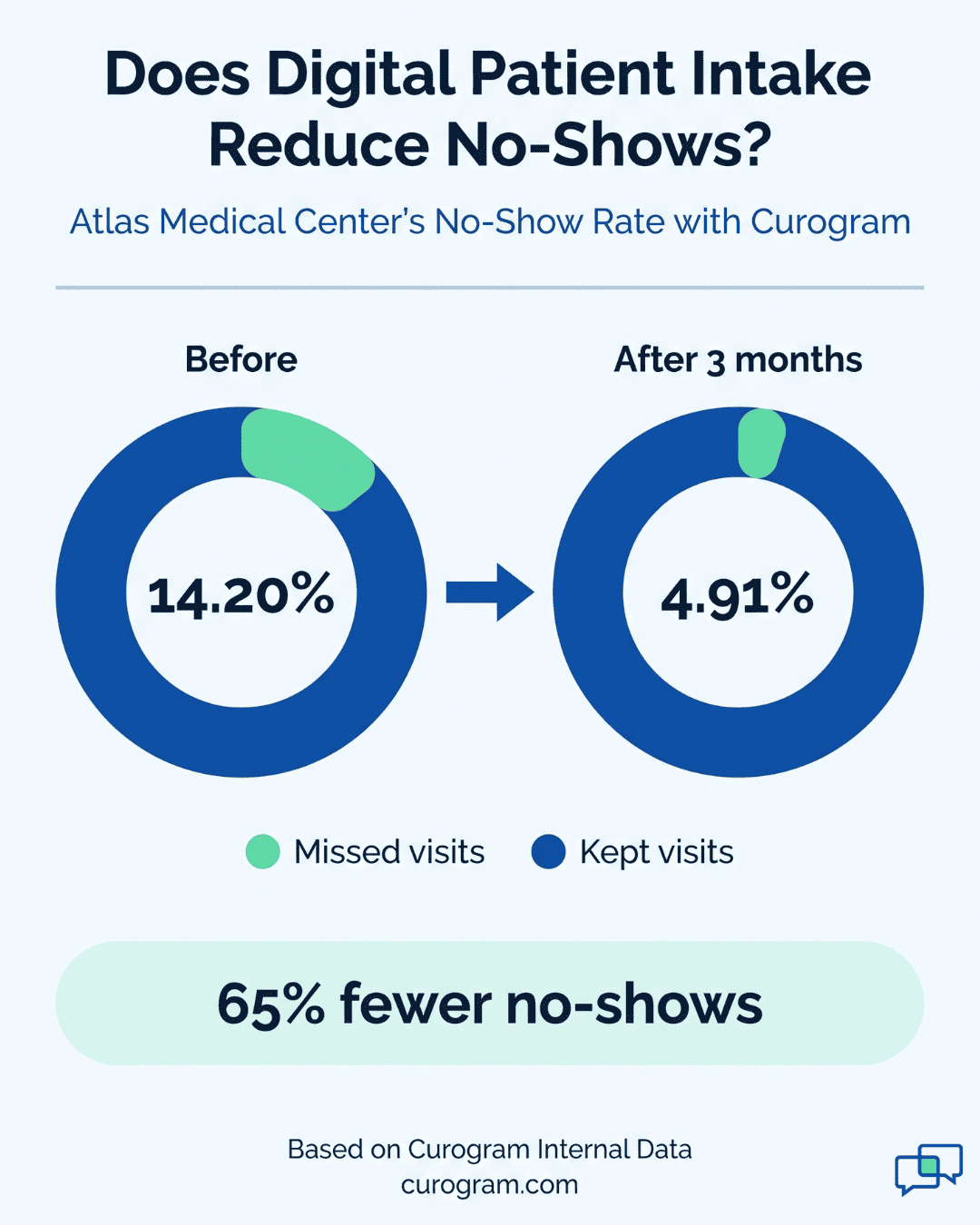
Based on our internal data, practices using Curogram see a front desk productivity lift of 30% or more. Atlas Medical Center cut its no-show rate from 14.20% to 4.91% in three months.
Your patients checked in for their last flight from the couch. A text arrived the day before, they confirmed in two taps, and a boarding pass dropped into their phone. At the airport, they skipped the counter and walked to the gate.
Then they show up at your clinic. At many practices, the same patient now goes through this:
| Step | Airline check-in | Paper intake |
|---|---|---|
| Before arrival | Phone alert, check in online | Told to arrive 15 minutes early |
| At the door | Walk straight to the gate | Wait in line at the front desk |
| Paperwork | Nothing to fill out | A clipboard and a stack of forms |
| Details | Already on file | Recall exact drug doses and surgery dates |
| Afterward | Boarding pass on the phone | Staff retype every page into the computer |
Picture the moment at the desk. A patient writes “small white pill, once a day” because the bottle is at home. Now someone on your team has to call her back, decode the line, and type it into the chart while two more people wait with clipboards.
Patients feel that gap the second they walk in. We think the first ten minutes cost more than most practices count. A patient who starts the visit annoyed is easier to lose to the clinic down the street.
A contactless patient intake platform moves the clipboard work onto the patient’s phone, days before the visit. Forms, insurance card photos, signatures, and co-pays all get done at home. Your front desk stops collecting and starts confirming.
That shift shows up at four points in the visit:
A few days before the appointment, the patient gets a text or email with a secure link. One tap opens the intake forms on their own phone, tablet, or laptop. From there, four tasks that used to happen at your counter get done at home:
| Task | What the patient does | What your front desk skips |
|---|---|---|
| Forms | Fills in contact details, medical history, and consent forms. A returning patient only confirms what’s on file and notes changes. | Retyping the same details every visit |
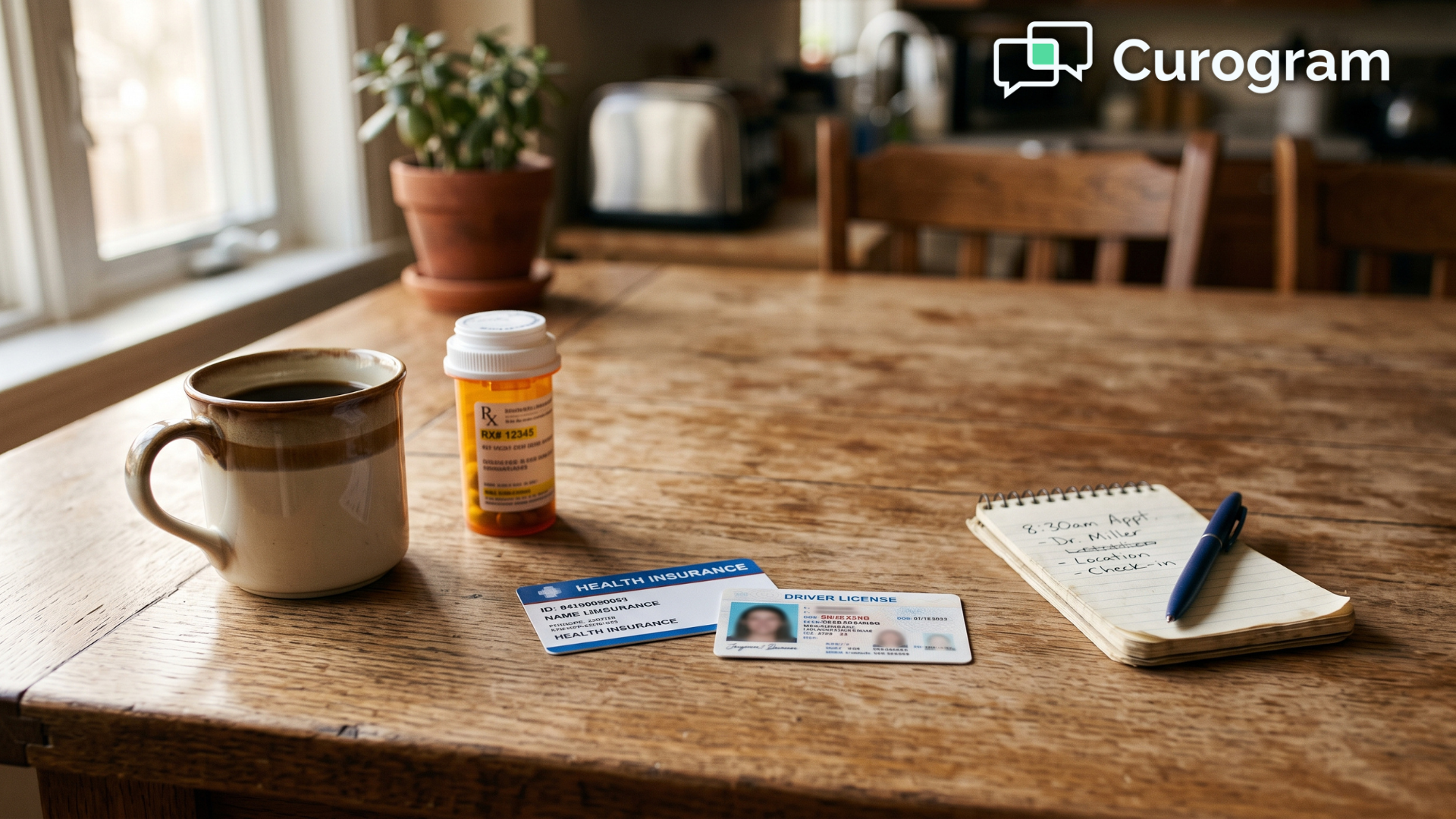
| Insurance and ID | Snaps a photo of their insurance card and driver’s license, which upload securely | Scanning cards at the window |
| Signatures | Reads the HIPAA and financial policies, then signs with a finger or a mouse click | Chasing missing signatures |
| Co-pay | Sees exactly what they owe and pays by credit card or digital wallet | The money talk at check-in |
Each signed form is saved as a secure, legally binding digital record.
This contactless patient registration step can turn a 15-minute clipboard session into a 5-minute task. Patients can finish it on a lunch break or after the kids are in bed. By the time they walk in, their card is on file, their forms are signed, and their co-pay is paid.
Sarah walks up to the desk at 9:58 for her 10:00 visit. Your front desk types her name and sees that her forms are signed, her card is on file, and her co-pay is paid. “Hi, Sarah. You’re all set. The doctor will be with you shortly.”
That’s the whole check-in. Nobody hands her a clipboard, there’s no line behind her, and she never digs through her bag for an insurance card.
When patients stop filling out forms in the lobby, fewer of them sit in the waiting room at the same time. Less crowding means less chance of a sick patient passing a cold or flu to the person in the next chair. It also lowers exposure for your front desk staff, who face every patient who walks in.
Contactless patient intake puts the patient’s answers into your EHR before they arrive. Your medical assistant and provider can read the history, chief complaint, and questionnaire answers at the workstation, before anyone knocks on the exam room door.
A provider who has read the chart can open with a real question. “Your knee started hurting three weeks ago. Is it worse on stairs?” The visit time goes to the exam, the diagnosis, and explaining the treatment plan, with no minutes lost to confirming a birth date or a pharmacy.
Chart accuracy improves as well. What’s in the EHR is what the patient typed, so nobody on your team copies it from a clipboard.
That removes two common sources of error: messy handwriting and typos made while retyping. A dose of 25 mg misread as 75 mg is exactly the kind of mistake that disappears when there’s no retyping step.
Providers who skip the paperwork questions in each room are less likely to be running 40 minutes behind by 3 p.m.
Checkout can skip the clipboard too. Say the provider adds a strep test, and the patient now owes $35 on top of the co-pay they paid at home. They walk past the front desk, get a payment link by text, and pay from the parking lot.
Follow-up visits work the same way. If the provider wants a recheck in six weeks, the patient books it through your patient portal or by replying to an automated message. Your front desk doesn’t have to catch them at the door or call them the next morning to get it on the calendar.
Patients like a faster check-in. Whoever signs off on the software budget will still ask what it pays back. A contactless patient intake platform shows up in four places on your books:
Every paper form creates a chain of desk work. Someone prints it, squints at the handwriting, types it into the EHR, and scans the insurance card. At 5 to 10 minutes per patient, a 40-patient day adds up fast:
| Time per patient | Per day (40 patients) | Per month (20 workdays) |
|---|---|---|
| 5 minutes | 3.3 hours | 67 hours |
| 10 minutes | 6.7 hours | 133 hours |
Illustrative math, assuming 20 working days a month.
Even at the low end, that’s more than 60 hours a month, roughly a part-time hire’s schedule, spent retyping what patients already wrote down. Contactless intake takes the typing and scanning off that list, since patient answers go straight into the chart.
Based on our internal data, practices using Curogram see a front desk productivity lift of 30% or more. Your staff can put that time into work that paper intake keeps pushing aside: calling patients who are due for recalls, picking up the phone on the first ring, and helping the person at the window.
Asking for money at the window is where check-in tends to stall. A patient says their card is in the car, three people are waiting behind them, and your front desk marks the co-pay “bill later.” That small balance now means a mailed statement and, often, a call from billing weeks after the visit.
Pre-visit intake moves that moment to the patient’s own phone. They see what they owe days ahead, with no one standing behind them. Paying takes a few taps with a card or digital wallet, so the balance is cleared before they arrive.
Every co-pay collected this way is one less statement to mail and one less phone call your billing team has to make.
A 10:30 no-show leaves a slot you can’t fill on 20 minutes’ notice. The provider’s hour is paid for either way, and the patient still needs to be rebooked.
Contactless patient intake gives patients more reasons to show up. The text that carries the intake link also opens a two-way thread with your office.
Reminders go out on their own, and patients can reply to confirm or ask to reschedule. A patient who has already uploaded a card, signed forms, and paid a co-pay has put real effort into the visit and is less likely to skip it.
Based on our internal data, Atlas Medical Center cut its no-show rate from 14.20% to 4.91% within three months of using Curogram. Across our clients, more than 75% of patients confirm their appointments, and no-show rates run 53% below the industry average.
A single wrong character can sink a claim. Picture a member ID ending in a zero that gets typed as the letter O. The payer can’t match the patient, and a denial shows up weeks later. Someone in billing has to find the typo, fix it, and resubmit while the payment sits on hold.
Paper intake gives that error two chances to happen. The patient writes the number by hand, and then your front desk retypes it from the clipboard.
Digital intake cuts out the second step, so what the patient enters goes into the EHR and onto the claim. Your team also has the photo of the insurance card in the chart to check a number against.
Fewer bad IDs and birth dates mean fewer claims bounce back. Your billing team can spend those hours posting payments instead of reworking denials.
Putting forms online is only part of the job. Three features decide whether the results above actually show up at your practice.
Integration comes first. The platform should sync with your EMR/EHR and practice management system in both directions. Intake answers land in the chart on their own, and chart updates carry into the next form the patient sees.
If someone on your team still copies answers from a PDF into the chart, most of the time savings disappear.
Automation decides whether patients finish their forms. The intake link should go out by itself, and reminders should follow when the forms sit untouched for a day or two. Your front desk shouldn’t be keeping a list of who still owes paperwork.
Patients hand over insurance cards, medical history, and signatures during intake, so security has to be airtight.
Look for a platform that is fully HIPAA-compliant and encrypts data from end to end. Patients who trust the link are more likely to use it, and that trust is a key step in improving your patient in-take.
We think the paper clipboard is the most expensive form in most practices. It eats hours of typing at your front desk every week. Every handwritten member ID is one more chance for a denied claim.
Contactless patient intake hands that work to the person who knows the answers best: the patient, on their own phone, days before the visit. Your staff check a name and wave them through. Your providers walk into the exam room with the chart already read.
You don’t have to change everything at once. Start with one form, such as new-patient history, then add insurance card photos and co-pay collection once your team is comfortable.
Want to see how this would work with your EHR and your current forms? Book a demo with Curogram and we’ll walk you through the full intake flow.
Discover how contactless patient and hospital check-in improves safety, efficiency, and patient experience with seamless implementation.

Compare the best patient check-in system options for your practice, and see how the top ten platforms rank on integration, cost, and real patient...

Find out how HIPAA-compliant patient check-in procedures modernize your front desk, cut manual data entry, and improve satisfaction from arrival to...