
Contactless Patient & Hospital Check-In: The Ultimate Guide
Discover how contactless patient and hospital check-in improves safety, efficiency, and patient experience with seamless implementation.
15 min read

A claim gets rejected at the clearinghouse. Your biller opens the file, finds a member ID with a capital O where a zero belongs, corrects it, and refiles. Six weeks earlier, someone at your front desk had squinted at a handwritten form during the 8:15 rush and made a reasonable guess.
That's not a billing problem. It's a check-in problem that surfaced in billing, which is why most practices never trace it back.
Paper intake asks your staff to do something people are bad at: read a stranger's handwriting under time pressure, then type it accurately into a chart.
The errors it produces don't show up that day. They show up as denials, wrong phone numbers, missed allergy entries, and eligibility mismatches, weeks after anyone remembers the form.
Digital patient check-in removes the reading step. The patient enters their own information on their phone, days before the visit, and those answers land in your EHR without anyone retyping them.
That single change ripples further than practices expect. Lobby waits shrink because the paperwork is already done. Copays get collected before arrival instead of chased by mail. Your medical assistant walks into the exam room already knowing why the patient is there.
The eleven benefits below cover where that shows up: wait times, data accuracy, staff hours, patient experience, collections, supply and labor costs, HIPAA exposure, clinical prep, intake analytics, telehealth, and your Google rating.
One thing separates the practices that get real value from the ones that just move their paperwork around. Whether the platform writes into discrete chart fields, or drops a PDF into the documents tab and lets someone else do the typing.
Paper check-in has barely changed in 30 years. A patient shows up 15 minutes early, waits in line, then writes out the same address and medication list they gave you last visit. They sit back down. Someone at your front desk then types that handwriting into the system.
That retyping step is where most of the damage starts. A member ID with a zero that reads like a capital O lands in the chart wrong. Nobody catches it that day. Six weeks later the claim comes back rejected and your billing staff opens the file again.
The rest of the cost spreads out thin enough to stay invisible:
| Paper step | What it actually costs you |
|---|---|
| Printing and restocking forms | Paper, toner, and a task nobody owns |
| Passing the clipboard around | PHI sitting face up in an open lobby |
| Retyping handwriting | Front desk minutes during your busiest hour |
| Scanning, filing, shredding | Storage space plus a second handling of one record |
Each line looks minor on its own. Stacked across a full schedule, they pull your front desk away from the work patients actually notice. Coverage questions go unanswered. The nervous pre-procedure patient waits for someone to look up.
Digital patient check-in moves the typing to the patient, days before the visit. What the patient enters becomes the record, so no one at your desk has to read anyone's handwriting.
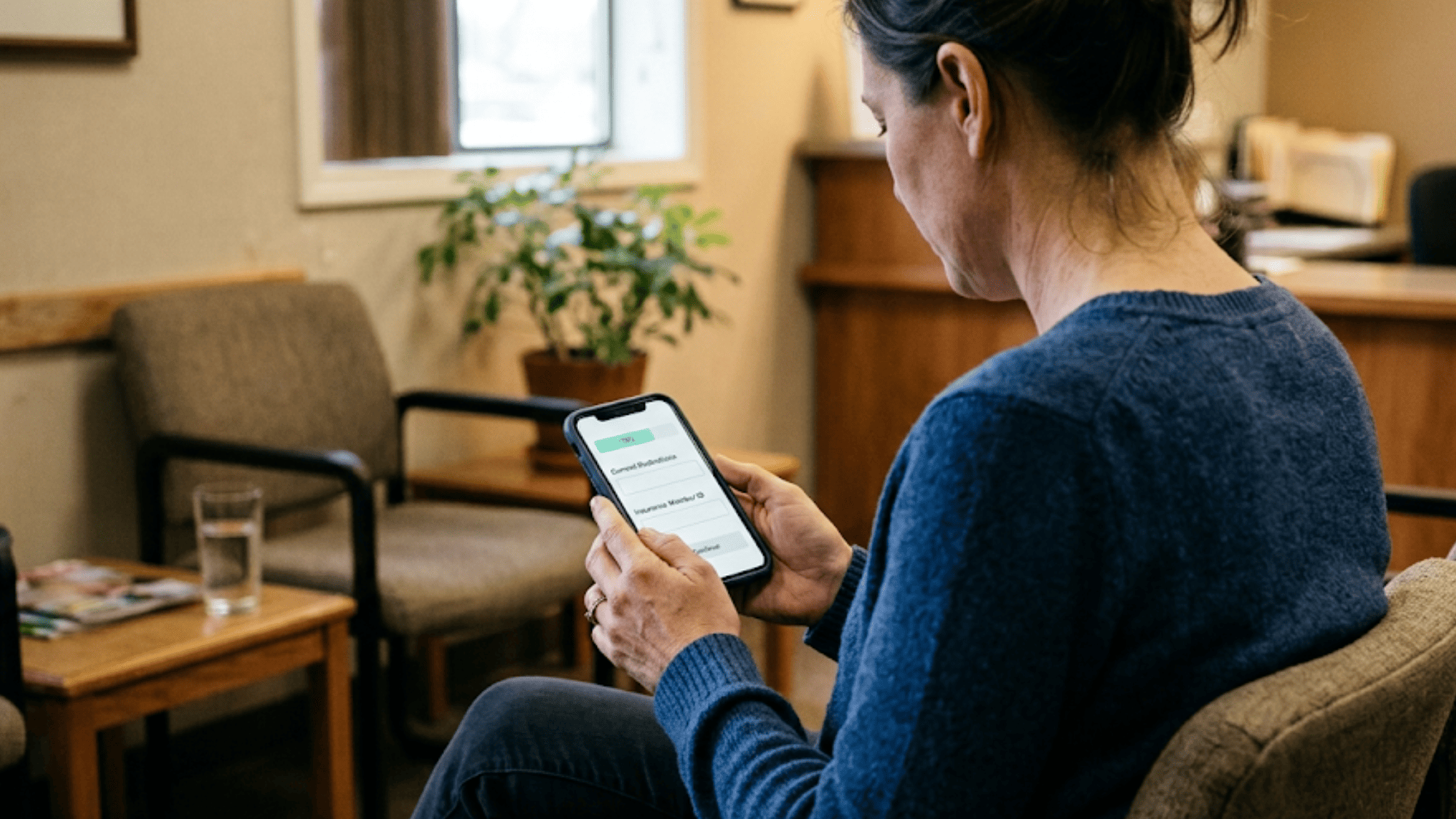
Digital patient check-in moves intake off the clipboard and onto the patient's own phone. Your office sends a secure link by text or email before the visit.
The patient taps it, fills out their history, confirms insurance, and pays their copay. All of it happens before they park the car.
Most practices send the link two to three days out, then follow with a reminder text the day before for anyone who hasn't finished. No app download. No portal password to reset.
The part that matters on your end is where the answers land. Ask any vendor this directly:
| Question to ask | Why it decides the value |
|---|---|
| Does it write to discrete EHR fields? | Populated allergy and medication fields save real chart time |
| Or does it attach a PDF? | Someone still has to read it and type it in |
| Which fields map to your system? | Unmapped fields become manual work again |
| Does it verify insurance before the visit? | Catches a dead policy while there's time to fix it |
A system that writes back into your chart removes the retyping step completely. A system that drops a PDF into the documents tab just relocates it.
Adopting an online patient check-in solution provides a cascade of benefits that ripple through every part of your organization. It’s a strategic investment that enhances operational efficiency, financial health, and the quality of patient care.
Wait time isn't one long block. It's a stack of small steps that each take a few minutes, and most of them happen before the patient ever sees a provider.
Here's where those minutes sit on a paper workflow, compared to a digital one:
| Step after arrival | Paper | Digital check-in |
|---|---|---|
| Wait for the desk to free up | 4 min | 1 min |
| Complete forms in the lobby | 9 min | Done at home |
| Staff types answers into the chart | 6 min | Done at home |
| Copay collected at the window | 3 min | Paid with the form |
| Total before rooming | 22 min | 1 min |
Illustrative timing example, not sourced data.
Move those steps to the phone and arrival becomes a name check. The patient walks in, confirms who they are, and sits down. Your medical assistant can room them while the desk handles the next person.
The schedule effect compounds. An 8:00 patient who runs 12 minutes long pushes the 8:15, and by 10:30 you're a full slot behind. Clearing the intake stack at the front of the day keeps that gap from opening.
Patients notice the difference before they notice anything else about your office. A short lobby wait is the first thing they experience and often the first thing they mention in a review.
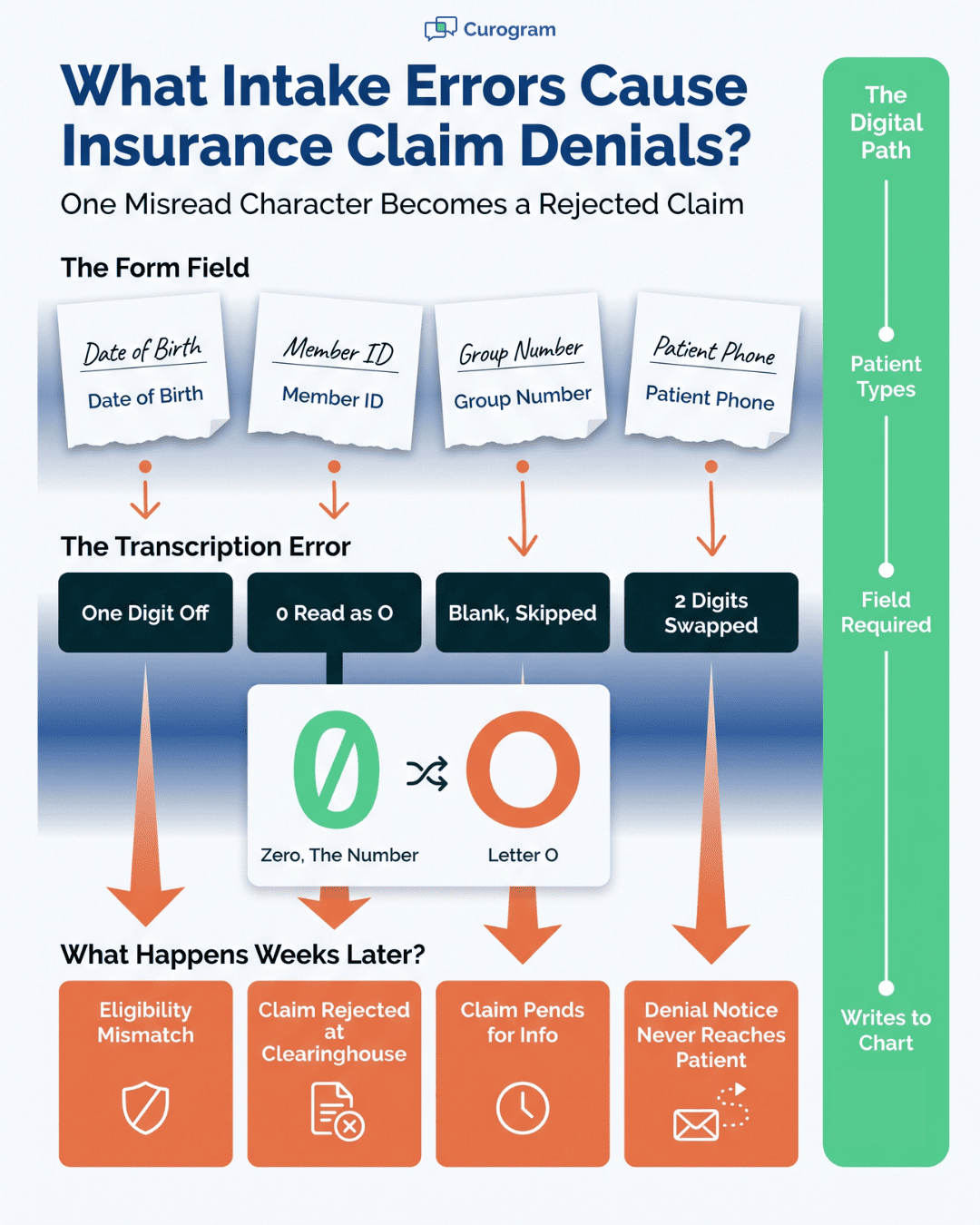
Bad chart data almost never starts as a clinical mistake. It starts with someone at the front desk reading a handwritten form and typing what they think it says.
One character is enough to break a claim:
| What the patient wrote | What got typed | What happened weeks later |
|---|---|---|
| Member ID with a zero | Capital O | Claim rejected at the clearinghouse |
| Birth date, tight handwriting | One digit off | Eligibility mismatch |
| Group number, left blank | Nothing entered | Claim pends for more info |
| Phone number, rushed | Two digits swapped | Denial notice never reaches the patient |
None of these surface the same day. Your billing staff finds them a month later, reopens the file, calls the patient, and refiles. That's the real cost of handwriting: not the misread, but the rework.
Digital forms remove the reading step. What the patient types is what lands in the chart, so nobody is interpreting a stranger's penmanship at 8:15 in the morning.
Required fields catch the other common failure. A form won't submit with the allergy field blank or the member ID missing, so incomplete records stop arriving in the first place.
Patients also answer better at home. Someone updating a medication list in their kitchen has the pill bottles in front of them. The same person in your lobby, with three people waiting behind them, guesses at the dosage.
This doesn't make errors impossible. A patient can still mistype their own ID. What changes is the number of hands the data passes through before it reaches your chart.
Count what your front desk actually does with a paper form. Print it. Hand it over. Wait. Take it back. Read the handwriting. Type it into the chart. Scan the insurance card. File or shred the original.
That's eight touches per patient for information the patient already knows.
Digital patient check-in removes six of them. The form arrives by text, the patient fills it out at home, and the answers land in the chart before anyone at your desk looks up.
The phone load drops too. Based on our internal data, practices using Curogram saw a 24% reduction in phone calls. Fewer inbound calls means fewer interruptions during the exact window your desk is checking people in.
Here's what the reclaimed time tends to get spent on instead:
| Freed-up minutes go to | Why it matters |
|---|---|
| Working the rescheduling list | Fills gaps left by cancellations |
| Sorting out benefit questions | Catches coverage problems before the visit |
| Prior auth follow-up | Keeps procedures from slipping a week |
| Actually looking up when someone walks in | The part patients remember |
Volume growth is where this shows up on the P&L. A desk that isn't retyping forms can absorb more patients per day without a new hire. That's the difference between adding a provider and adding a provider plus another front office salary.
Think about what a new patient goes through on a paper workflow. They block out an extra twenty minutes, arrive early, and get handed a clipboard with 6 pages stapled together.
They fill in their address for the third time this year. Then they sit down and wait to be called.
Digital check-in changes what that morning looks like. The link comes by text 2 days out. They finish it on the couch, take a photo of their insurance card, and pay the copay while they're at it. On the day of the visit, they leave the house at the normal time.
Small things carry more weight than practices expect:
| The moment | Paper | Digital |
|---|---|---|
| Medication list | Guessed from memory in the lobby | Copied from the bottles at home |
| Insurance card | Handed over, photocopied | Photographed once, stored |
| Arrival | Early, then waiting | On time, then roomed |
| Copay | Card out at the window | Already paid |
Older patients handle this better than most staff assume. The ones who prefer paper still get paper, and a tablet at the desk covers anyone who forgot. Adoption tends to land highest with parents booking for kids, who are filling out forms one-handed anyway.
Check-in shapes the mood of the whole visit because it's the first real interaction. A patient who spent nine minutes on a clipboard walks into the exam room already annoyed. For more on the moments that follow, read our guide on improving the overall patient experience.
Money is easiest to collect while the patient is still paying attention. Once they've left the parking lot, you're chasing a balance by mail.
Digital check-in puts payment inside the intake form. The system checks eligibility ahead of the visit, shows the patient what they owe, and takes the card on the last screen. Nobody has to bring it up at the window.
Each step down the collection ladder costs more and returns less:
Eligibility checks are the underrated half of this. A policy that lapsed in January surfaces before the appointment, while someone still has time to call the patient. Catching it afterward turns a $45 copay into a full-balance invoice nobody agreed to.
Patients want the number in advance anyway. Someone who sees the amount two days out shows up ready to pay it. Someone hearing it for the first time at the window asks whether that's right, and now your desk is explaining deductibles with three people waiting.
Paper never shows up as one line item, which is why practices underestimate it. The spend scatters across office supplies, equipment, labor, storage, and vendor services, and no single budget line looks alarming on its own.
Office supplies covers paper, toner, clipboards, and pens that walk off. Equipment covers the front desk printer, the scanner, the shredder, and the service calls when one of them jams. Offsite shredding pickup sits under vendor services. Storage costs you actual floor space.
Labor is the biggest line and the hardest to see. Say six minutes of retyping per new patient, forty new patients a month, at $22 an hour. That's roughly $530 a year on transcription alone.
Digital patient check-in takes most of that close to zero. Some of it stays. You'll still print for patients who decline the link, and existing paper charts sit in the cabinet until they age out under your retention schedule.
Walk your lobby at 10 a.m. and count how many places PHI is sitting in the open.
| Exposure point | Who can see it |
|---|---|
| Clipboard handed between patients | The next person in line |
| Completed forms face up on the counter | Anyone standing at the desk |
| Insurance card left on the copier glass | Whoever uses it next |
| Stack waiting to be scanned | Everyone behind the desk, all afternoon |
| Unlocked shred bin | Anyone with a hand |
None of these require a hacker. They're ordinary front-desk moments, and each one is a disclosure your privacy officer would rather not write up.
Digital patient check-in removes most of them by removing the paper. Answers travel encrypted from the patient's phone to your chart, and nothing physical sits on a counter waiting for someone to file it.
The vendor question that matters is short: will they sign a Business Associate Agreement? Any platform touching PHI has to. If a vendor hesitates or offers a generic terms-of-service instead, that's your answer.
Enforcement is real and it reaches small practices. In 2023, Manasa Health Center settled with the HHS Office for Civil Rights for $30,000 after disclosing patient information in responses to online reviews.
The penalty came from routine communication, handled carelessly, by a practice about the size of yours.
Ask your vendor where the data lives, who on their side can see it, and whether access is logged. A platform that can't answer those three questions in writing hasn't thought about them.
Rooming a patient on paper starts with catching up. Your medical assistant reads a form that was scanned four minutes ago, asks about the medication list again because the handwriting is unclear, and types it in while the patient waits on the table. Vitals come last, if the schedule allows.
When intake finished two days earlier, that whole sequence collapses. Allergies are already populated and flagged.
The medication list was copied off actual pill bottles at the patient's kitchen table. Your MA reads the chief complaint during the morning huddle instead of hearing it cold.
The first question in the room changes because of it. Not "so what brings you in today," but something specific about the knee, or the refill, or the lab result the patient booked around.
All of it depends on how the data lands. Forms that write into discrete chart fields let your MA scan the allergy line at a glance. Forms that arrive as a PDF in the documents tab just move the reading work from the front desk to the clinical side.
Every digital form leaves a trail your paper packets never did. Who opened the link, who finished it, who dropped out on page three, and how long the whole thing took.
That last one is worth watching closely. If completion rates sag on a specific form, the form is usually too long or asking something patients can't answer from memory.
Four questions your intake data can settle without guesswork:
Digital patient check-in also gives you a delivery channel for anything else you want to ask. Patient-reported outcome surveys, a post-visit satisfaction question, or a one-line screener your quality program requires. The patient is already in the form, so response rates run far above what a mailed survey gets.
Watch what you do with it. Sending everyone a satisfaction survey is fine. Filtering those responses to decide who gets asked for a public review is review gating, and the FTC's 2024 rule prohibits it. Ask everyone the same way, every time.
A video visit has no waiting room, so there's nowhere to hand someone a clipboard. Whatever intake you skip beforehand has to happen on the call, while both people stare at each other over a laggy connection.
That's how a 15-minute telehealth slot turns into 9 minutes of clinical time. The provider spends the first stretch confirming a birth date, asking which pharmacy, and figuring out whether the copay ever got paid.
Virtual visits also need a few things a normal check-in doesn't:
All four are ordinary form fields when intake runs ahead of the appointment. They're awkward questions when asked live.
Payment is the other piece. Collecting a copay over video means reading a card number aloud or emailing a link mid-visit. Taking it inside the intake form removes that conversation entirely.
Digital patient check-in matters more for virtual care than for in-person visits, because the fallback doesn't exist. An in-office patient who arrives with nothing filled out still gets a clipboard. A telehealth patient who shows up unprepared just eats the appointment.
Reputation gets decided before anyone meets your staff. Based on our internal data, 90% of new patient leads check a practice's Google Business Profile first. They read the recent reviews, look at the star average, and decide whether to call.
What patients write about most is rarely clinical. It's the wait, the paperwork, the front desk. A visit where check-in took ninety seconds gives someone nothing to complain about, which matters more than it sounds.
The volume side is where practices see movement. One Curogram client collected 1,064 new 5-star reviews in three months, running at roughly a 90% five-star rate. Another rebuilt from a 1.67 average to a 5.0 over 22 months.
Digital patient check-in feeds this in two ways. Fewer bad visit moments means fewer one-star reviews. And a patient who already got a text from you before the visit will open the next one.
One caution on the review side. Asking only the happy patients, or screening responses before deciding who gets the Google link, is review gating. The FTC's 2024 rule and Google's April 2026 Maps policy both prohibit it. Send the same request to every eligible patient and let the ratings land where they land.
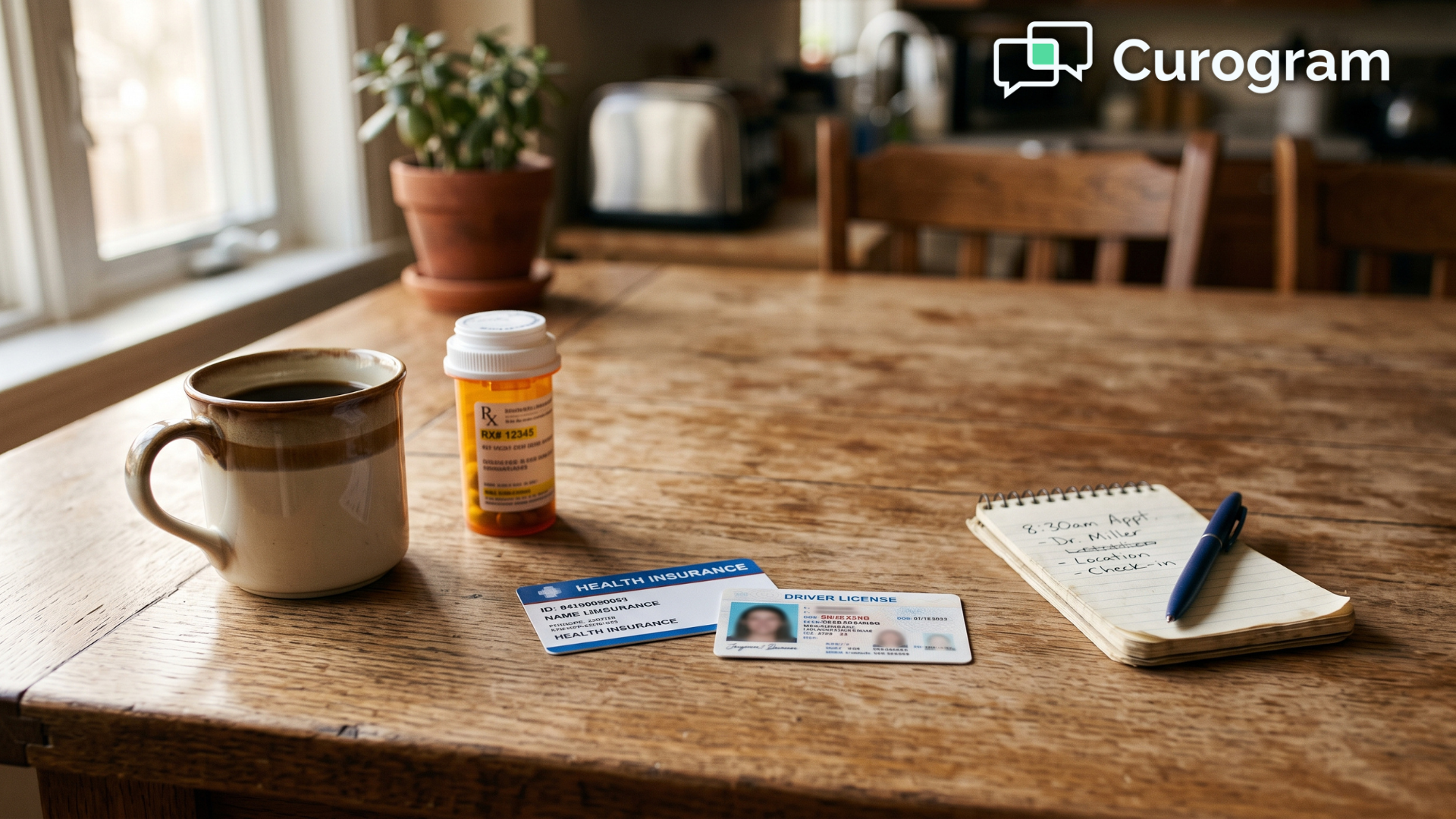
Most rollouts fail on the same thing: nobody decided which problem they were solving first. Pick that before you take a single demo.
Reduce lobby wait time? Cut claim denials from bad data? Collect more at the point of service? Each goal points at a different platform strength. Write down where you are today, so you can tell in ninety days whether anything changed.
Skip the feature list. Four questions do most of the sorting: Will you sign a BAA? Which of my EHR fields do you write to? What happens when a patient doesn't finish the form? Who at your company do I call on a Tuesday morning when it breaks?
Get the field mapping in writing. A platform that writes allergies, medications, and insurance into discrete chart fields saves your staff real time. One that drops a PDF into the documents tab hands the retyping to somebody else in your office.
Your front desk needs to know two things cold: how to resend a link, and what to do when a patient shows up with nothing filled out. Keep a tablet at the window for that case. Patients learn it from the appointment reminder text, not from a sign in the lobby.
Run one provider's schedule for two weeks. Watch completion rates and listen to what your MAs say about the data quality. A 50% to 60% completion rate in month one is a normal starting point. Fix the form length before you roll it out to everyone.
Every practice still running paper intake is paying for it somewhere. The cost just doesn't show up on one line, so it never gets discussed at a staff meeting.
It sits in the claim your biller refiled because a zero read as a capital O. In the 40 minutes your front desk spent retyping handwriting during the exact window patients were walking in. In the review that mentioned a 20-minute wait before it mentioned the doctor.
None of that is a technology problem. It's a workflow that asks your staff to be transcriptionists during the busiest hour of the day, then acts surprised when the data comes out wrong.
Digital patient check-in fixes it by moving one step. The patient types their own information, 2 days early, at their kitchen table with the pill bottles in front of them. What they enter is what lands in your chart. Nobody in your office reads anyone's handwriting.
The practices getting the most out of this aren't the ones with the biggest budgets. They're the ones who picked a platform that writes into discrete EHR fields instead of attaching a PDF, and who asked the vendor hard questions before signing.
Curogram connects with your existing EHR to handle digital intake, appointment reminders, and payments in one place.
Book a demo and bring your own workflow to the conversation. Ask what happens on a Tuesday morning when the schedule is full.
Discover how contactless patient and hospital check-in improves safety, efficiency, and patient experience with seamless implementation.

Find out how HIPAA-compliant patient check-in procedures modernize your front desk, cut manual data entry, and improve satisfaction from arrival to...

Compare the best patient check-in system options for your practice, and see how the top ten platforms rank on integration, cost, and real patient...