
1 min read
The #1 Cause of Administrative Burnout in Medical Practices
💡Administrative burnout in healthcare builds when staff spend the day on manual work a connected system could handle. Disconnected tools are the...
7 min read

Your front desk has been one person short for four months. Two applications came in last week, both from candidates who ghosted the interview. And every morning the same 40 patients call to ask what time their appointment is.
Hiring is the obvious fix. It is also the one you can't get approved. MGMA's 2026 data shows costs still climbing while front desk and medical assistant roles stay hard to fill, and its own advice is to redesign the work rather than add people.
What follows: where clinic hours go, the four manual jobs that cost the most, and what changes when you automate each one.
Inefficiency rarely announces itself. It shows up as an extra hour of overtime, a claim denied for a typo, and a medical assistant who quits in March. Knowing how to make clinics more efficient starts with seeing those three as the same problem.
Every missed appointment costs a practice $150 to $300 in lost revenue. Overtime at the front desk raises payroll without raising patient volume. Manual data entry errors lead to denied claims and delayed payments. The rework then lands on the same short-staffed team that made the first entry.
The national numbers show the same pattern. CAQH found $21 billion in savings still on the table if the industry moved its last manual transactions to fully electronic ones. And MGMA's 2026 Regulatory Burden Report found 40% of practices now keep more than one full-time admin staffer per physician.
Patients experience inefficiency as long waits, unclear prep instructions, and hold music. If booking takes three weeks and check-in takes 40 minutes, your satisfaction scores drop before the provider walks in.
Three effects repeat across clinics. Long waits discourage patients from booking follow-up care. Vague prep instructions turn into same-day cancellations. A practice that only accepts phone calls looks unresponsive beside one that answers by text in four minutes.
Ask a medical assistant what she did between 8:00 and 10:00. Much of the answer will be retyping: an insurance card into the EMR, a phone message onto a sticky note, a fax into a chart. None of it is the work she trained for.
In the same MGMA report, 77% of practice leaders tied regulatory and admin burden to physician burnout. Turnover then costs you twice. First in hiring, then in the four to six months before the new person is up to speed.
Four processes account for most of the wasted hours in a typical outpatient clinic. Each repeats hundreds of times a month, which is exactly why automating them returns real time. Any serious plan to reduce admin burden starts with this list rather than with a software demo.
Paper-based intake is one of the most visible bottlenecks in clinics. Patients fill out forms in waiting rooms, staff retype information into EMRs, and errors creep in. This wastes time for everyone and creates billing delays.
The cost surfaces weeks later. A transposed digit in a member ID becomes a denial 30 days out, and by then nobody can say which form it came from. EMR integration removes the second entry entirely, which is where both the hours and the error rate live.
Most clinics still run appointment requests, confirmations, and simple questions through the phone. That means hold times for patients and an interrupted front desk that never finishes a task in one sitting. Curogram clients have cut call volume by as much as 50% after moving routine questions to secure text, based on our internal data.
No-shows and late cancellations make the schedule unpredictable and waste provider time. Manual reminder calls are inconsistent, since they only happen on days nobody called in sick. Reminders tied to the EMR go out whether or not the front desk had a spare hour, and patients can confirm or reschedule in the same message thread.
Consents, records requests, and billing forms make paper at every stage. Files get misfiled, signatures get missed, and someone spends Friday afternoon at the scanner. Digital forms cut that step and keep a dated record for audits. Payers ask for more of those records each year.

Five changes do most of the work. Sequence them by how often the manual version repeats in your clinic, largest count first. Read them as clinic productivity moves rather than a shopping list, since the sequence matters more than the vendor.
Reminders tied to the EMR send accurate times through text, email, or voice, and patients confirm or reschedule with one reply. Those replies update the schedule without staff involvement. Atlas Medical Center cut its no-show rate from 14.20% to 4.91% within three months using this approach, based on our internal data.
Include prep instructions in the reminder itself. A fasting note in the 24-hour message prevents the same-day cancellation that would otherwise leave a 45-minute slot empty.
Digital intake forms let patients register, photograph an insurance card, and sign consents before they arrive. Data flows into the chart rather than through a second pair of hands. Patients fill them out on the couch the night before, which produces more legible answers than a clipboard balanced on a knee.
Some questions clog a phone queue: parking, results timing, refill status, whether to hold a pill before a procedure. HIPAA compliant texting takes all four. Staff work several threads at once instead of one call at a time, and every message is logged for audits. Our internal data shows front desk productivity gains above 30% after the switch.
Med checks, results reviews, and stable chronic care visits do not need a room. Move them to video, and you free rooms for the visits that need hands. That is how to improve patient flow without hiring anyone new. Attendance holds up too, because a video visit survives the childcare problem that would have killed the in-person one.
Healthcare staff efficiency covers internal messages too. Plenty of clinics still route updates through sticky notes and hallway conversations, so a provider's callback request dies when the note falls behind the monitor. Secure staff messaging leaves a record of who asked for what and when, which ends the second round of asking.
|
Manual process |
What replaces it |
What we measured |
|---|---|---|
|
Confirmation calls |
Automated reminders with reply handling |
More than 1,100 confirmations per month, Covina Arthritic Clinic |
|
Reminder call list |
EMR-tied reminder cadence |
No-show rate 14.20% down to 4.91%, Atlas Medical Center |
|
Phone queue for routine questions |
Two-way HIPAA-compliant texting |
Call volume down by as much as 50% |
|
Paper intake and re-entry |
Digital forms writing to the chart |
Double entry removed at the source |
|
Chasing patients overdue for follow-up |
35% booked within a month; 1,240 patients seen |
Based on our internal data, drawn from the Curogram case studies.
Three results are worth walking through. Each came from cutting one manual task, not from adding a person. They also show what healthcare cost-saving strategies look like once the math meets a real schedule.
Covina Arthritic Clinic confirmed visits by hand, one call at a time, until the volume outran the staff free to make the calls. Automating it moved more than 1,100 confirmations a month off the phones. Nobody was replaced. The hours went back into check-in and eligibility.
Atlas Medical Center went from a 14.20% no-show rate to 4.91% in three months. Across our client base, no-show rates run 53% below the industry average, and practices recovering those slots report revenue gains in the 10% to 20% range. All of these figures come from our internal data.
One multi-location practice sent SMS recalls to patients overdue for follow-up care. Within a month, 35% of those patients had booked, and 1,240 patients were seen from recall messages alone. Reaching people already in your chart costs a fraction of acquiring new ones.

eClinicalWorks handles the clinical and billing record well. The gap sits in patient communication, where most clinics still fill it with staff time.
Reminders that read straight from eCW send the schedule as it stands. That includes the 4:50 PM move nobody had time to call about. Replies post back, so your front desk opens a schedule that is already current instead of fixing one.
Forms and texting sync directly with eCW. Intake answers land in the chart, and patient threads log against the right record. The paper step goes away. When a payer or an auditor asks for a message history, you can pull it.
Curogram sits on top of eCW as a messaging and automation layer. Charting does not change, and nobody has to relearn it. Clinics running both see fewer no-shows, lower call volume, and faster check-in. Those are the clinic efficiency tools that show up in a staffing conversation, not on a feature list.
Count one thing: how many times a day your staff types patient information that already exists somewhere else. Intake, confirmations, phone messages, consents. That largest count is your first target, and it tells you which clinic efficiency tools to shortlist.
None of this repairs a schedule that is overbooked or a phone system nobody can get through. It does return hours you are currently paying for twice, which is the closest thing to a new hire that a budget freeze allows.
See how Curogram handles intake, reminders, and patient messaging inside eCW or your current EMR. Book a demo and bring one week of your front desk call log.

1 min read
💡Administrative burnout in healthcare builds when staff spend the day on manual work a connected system could handle. Disconnected tools are the...
-featured.png)
1 min read
💡Clinic workflow management is how a practice controls the way patient data moves through intake, scheduling, charting, billing, and follow-up. For...
1 min read
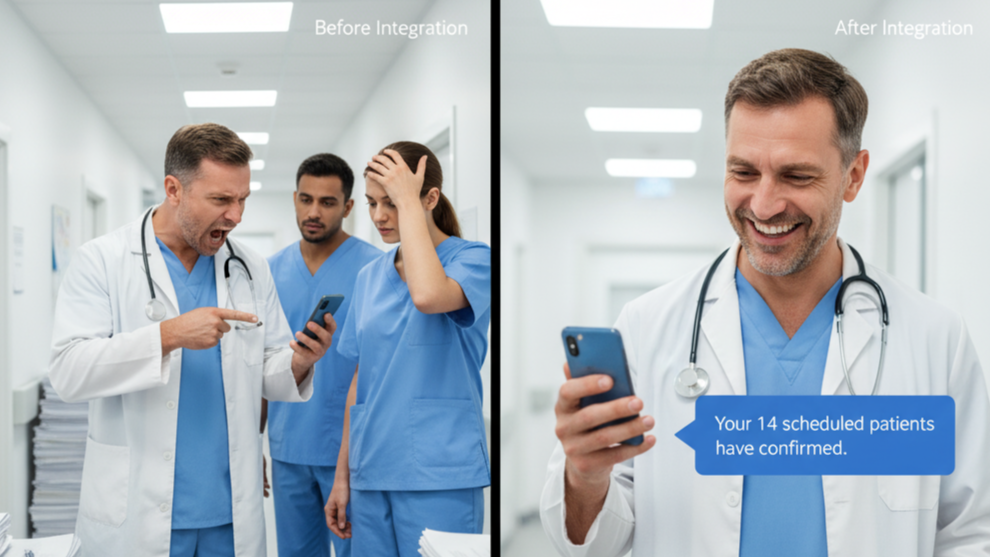
💡Clinic workflow integration changes everything. Before integration, staff juggle phone calls, paperwork, and disconnected systems. After...