
The 10 Best Patient Check-in System & Software Solutions
Compare the best patient check-in system options for your practice, and see how the top ten platforms rank on integration, cost, and real patient...
9 min read

Two patients booked the same appointment slot. One filled out her forms and confirmed her arrival by text the night before.
She walks in, checks a screen, and sits down. The other reaches the desk, digs for an insurance card, and waits while a staffer retypes it into the EMR. Same visit, very different starts. The gap between them is almost all check-in.
The patient check-in procedure is the process a practice uses to confirm arrival, verify details, and get patients ready to be seen. It's a routine desk task that sets the pace for the entire visit. A smooth check-in keeps providers on time and the waiting room calm. A clumsy one stacks people at the window and pushes the schedule back all day.
We'll cover what a modern patient check-in process should include, where the old way breaks down, and how digital tools fix it without touching compliance. That means the six pain points slowing most front desks, the steps that move work earlier, and what a practice gains when arrival stops being a bottleneck.
Most check-in friction comes from doing at the desk what could have happened before the patient arrives. Move those tasks earlier, and the line mostly vanishes.
Small private practice or multi-location group, upgrading how patients check in is one of the cheapest ways to run a calmer, faster clinic.
The patient check-in procedure is the set of steps a practice uses to confirm a patient has arrived, verify their details, and get them ready to be seen.
It usually happens at the front desk. It can include signing forms, checking insurance, collecting a co-pay, and letting the provider know the patient is here.
That sounds routine. It shapes the whole visit anyway. A quick check-in keeps the schedule moving and the waiting room calm. A slow one stacks people at the desk, pushes appointments back, and wears down staff before lunch.
The cost shows up in numbers most practices already track. When patients don't confirm and arrive on time, no-shows climb and revenue leaks.
Practices that tightened how they confirm appointments saw real movement: Atlas Medical Center cut its no-show rate from 14.20% to 4.91% in three months, based on our internal data.
The old way put patients in line to fill out paper and talk to a front desk person. On a full morning, that line backs up fast, especially when someone needs an insurance update or a long form.
Online forms moves most of that work earlier. Patients complete forms and confirm details on their phone before they walk in.
A solid check-in covers a few basics, no matter how it's done:
Handle those four well and the rest of the visit has room to breathe. Providers stay on schedule, rooms turn faster, and the desk isn't buried.
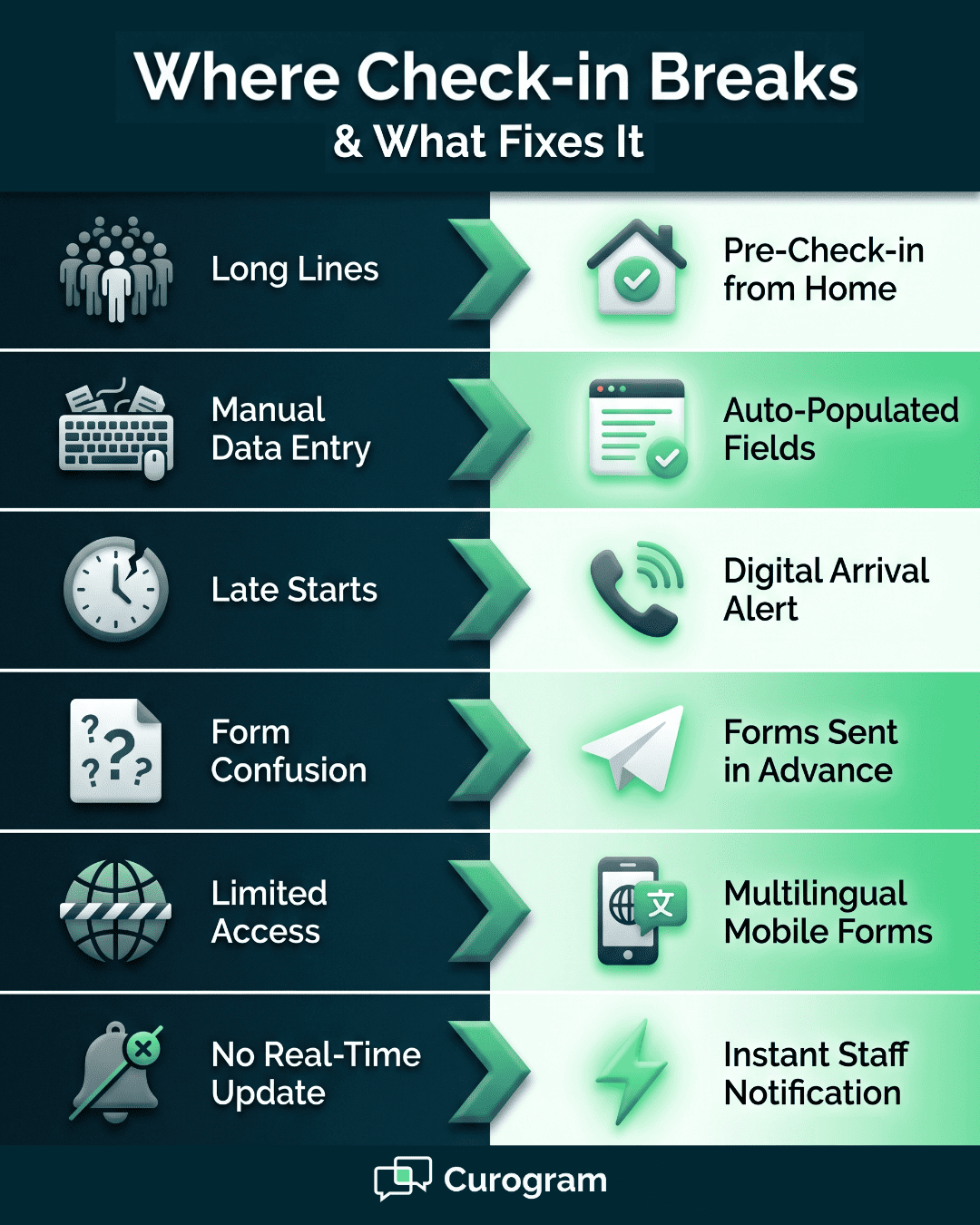
Every visit starts at check-in, and that's often where the friction starts too. Outdated steps, no automation, and a short-staffed desk all pile onto the same few minutes. Six problems come up again and again.
| Pain Point | What It Costs the Practice |
|---|---|
| Long lines and delays | Patients arriving together overwhelm the desk; queues frustrate new and returning patients alike |
| Manual data entry | Staff retype insurance cards, addresses, and signatures into the EMR, which doubles the work and adds errors |
| Missed or late starts | A slow check-in pushes the whole schedule back; providers fall behind and some patients walk out |
| Confusion about forms | Patients arrive unsure what they need, and explaining paperwork on the spot stalls the line |
| Limited accessibility | Paper-only forms shut out patients with disabilities or limited English, creating access gaps |
| No real-time updates | Staff don't know a patient arrived, so the front desk and providers fall out of sync |
Each of these hits the same two places: how fast the clinic runs and how the visit feels. Fix them and both improve at once.
Improving the patient check-in process is one of the fastest wins for both patients and staff. It cuts wait times, trims errors, and keeps the front desk and clinical team on the same page. Small clinic or multi-location group, the payoff shows up quickly. Here's a working sequence.
Move the paperwork off the morning. Send digital intake forms by text or email a day or two ahead, so patients complete them at home instead of at the window.
New-patient forms run long, covering medical history, medications, consent, and insurance. Filling those out in the waiting room can eat 10 to 15 minutes and back up everyone behind them.
When forms come in early, staff review them before the patient arrives. They can flag a missing signature or fix a wrong policy number by phone, not at the desk with a line forming.
Returning patients get a shorter version and just confirm what's on file. The data flows into the chart, so no one retypes it. By the time the patient walks in, the only thing left is to say they're here.
Getting a patient from the door to a room shouldn't depend on someone noticing them.
A kiosk or a mobile check-in link lets patients mark themselves arrived the moment they walk in, or even from the parking lot. That timestamp drops straight to the clinical team, so the medical assistant preps the room without a front desk handoff.
It also closes the gap where a patient sits for ten minutes because no one told the back office they came in.
For telemedicine, the same alert tells the provider a patient is in the virtual waiting room and ready to start. The schedule holds because the signal is automatic, not a sticky note passed down the hall.
Typing the same data twice is where errors creep in. Modern check-in systems auto-fill fields from what a patient already submitted, so a phone or policy number is entered once and carried forward.
Instead of retyping an insurance card into the EMR, staff confirm the details on screen and move on.
That matters at the exact spot where a transposed digit in a member ID turns into a denied claim weeks later. It also saves the desk from re-keying the same address every visit for a patient who's come for years.
A quick glance to confirm beats a full field-by-field retype, and the patient isn't standing there while it happens.
Even the best tools fall flat if every staffer runs check-in a different way. Write down the steps: how to greet a patient, what to verify, when to collect a co-pay, and how to mark arrival in the system. New hires should follow the same script the front desk lead uses.
Doing it the same way every time also keeps errors and privacy slips low. Build in a quick check for the details that get skipped when the desk is slammed, like a current phone number or an updated address.
Keep the tone warm while you do it, so a patient never feels processed. A short refresher when you add a feature keeps the whole team moving together.
You can't fix a bottleneck you're not measuring. Track a few numbers each week: average check-in time, how long patients wait before rooming, how many forms arrive early, and satisfaction scores.
If check-in creeps from three minutes to seven, that's a signal to find where it stalls—a form nobody completes early, or a co-pay step that always sparks questions.
Watch staff load too. One person handling every arrival at the 9 a.m. rush is a scheduling problem, not a people problem.
Small adjustments compound. Shaving two minutes off each check-in across a hundred daily visits gives the front desk hours back every week. Let the data point to the next fix instead of guessing.
Patients expect to handle most things from their phone, and check-in is no exception. The clipboard-and-waiting-room routine asks them to do at the desk what they'd rather do beforehand. Text-based check-in closes that gap.
Curogram’s HIPAA-Compliant 2-Way Text Messaging lets patients check in by SMS before they reach the building. A quick text confirms they've arrived, which alerts your staff and starts the next steps: sending forms, collecting a co-pay, or routing them to the right department.
That upfront confirmation carries weight. Across Curogram practices, more than 75% of patients confirm by text, based on our internal data. When arrival happens before the door opens, the desk stops being the bottleneck.
Text-based check-in changes a few things patients feel right away:
For practices running high volume or telemedicine, the same messaging handles virtual visits. Patients get links, reminders, and pre-visit instructions by text, so everyone's aligned before the appointment starts.
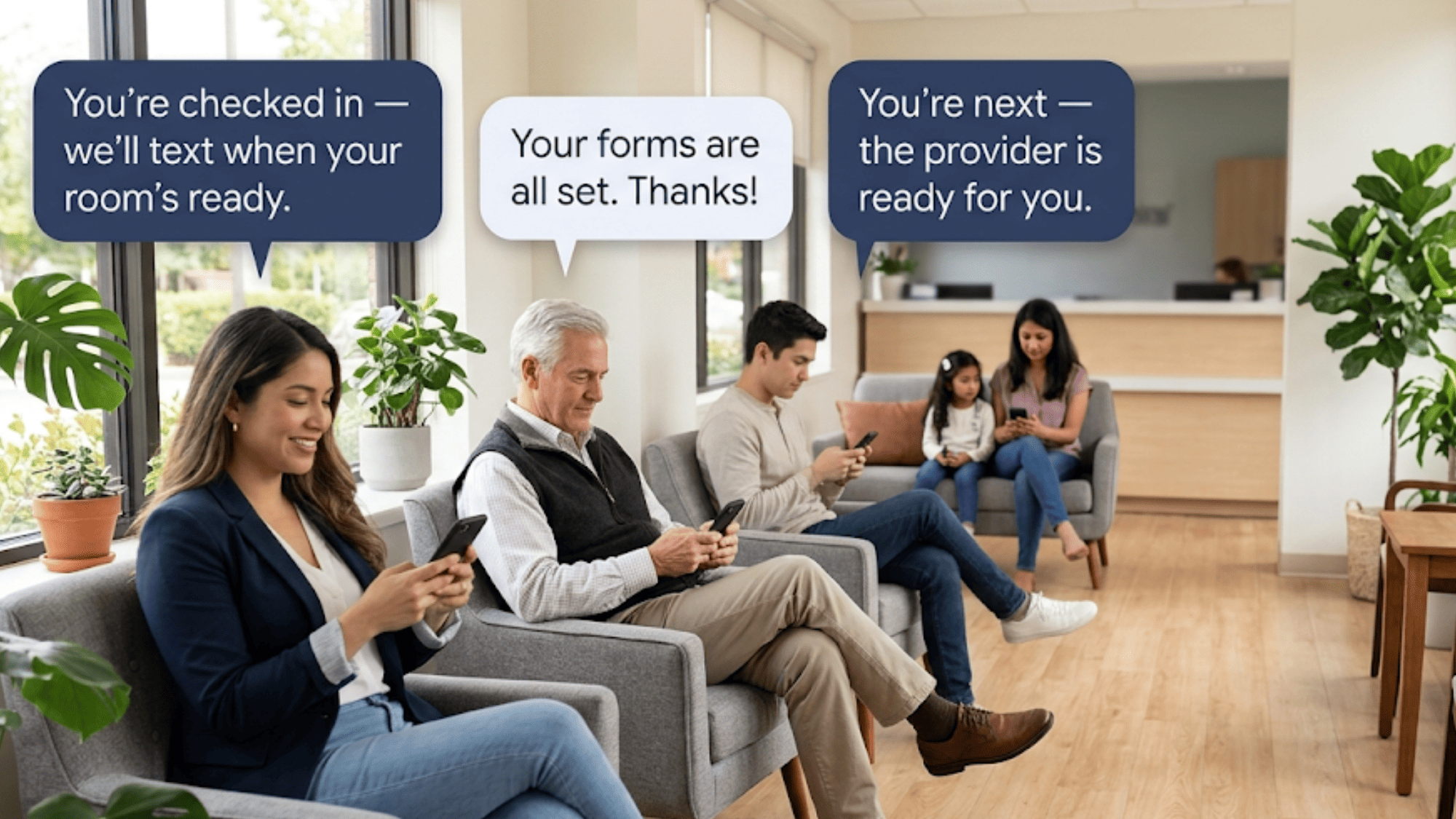
The patient check-in experience is the first thing a patient meets when they walk in. It colors how they feel about the visit before a provider ever says hello. A slow or confusing start can sour an appointment even when the care itself is excellent.
The check-in desk is where a patient decides, often before they sit down, whether this place has its act together. A long wait and a flustered front desk read as a warning about the care to come.
A quick, warm greeting reads as competence. That first read shapes trust in the provider, willingness to follow the plan, and whether the patient books the next visit here or somewhere else.
It also drives reviews. Someone who waited 40 minutes at the window tends to mention it in the Google review, right next to the doctor's bedside manner.
Nearly 90% of new patient leads check a practice's Google profile before its website, based on our internal data, so those reviews shape who walks in next. Getting the first two minutes right protects the rest of the relationship.
Check-in is the first domino in the visit. When it runs clean, the provider gets pinged on time, the medical assistant rooms the patient without hunting for them, and the schedule stays close to plan.
When it drags, the delay doesn't stay at the desk. A ten-minute backup at the 9 a.m. rush still shows up at 4 p.m., because every appointment behind it slid.
Rooms turn slower, providers run behind, and the last patients of the day wait longest through no fault of their own.
Staff feel it too, since a desk buried in paperwork can't answer the phone, so calls roll to voicemail and callbacks pile up. Smooth arrivals keep all of that from stacking.
A calm check-in lowers the temperature for patients and staff at once. Patients who finished forms and verification at home aren't digging for an insurance card while a line builds behind them. They walk in, confirm, and sit down.
Staff aren't stuck retyping the same address between calls, so they have attention left for the patient who actually needs help, like the one confused about a referral or worried about a bill.
Front desk burnout is real, and a lot of it comes from repetitive data entry under time pressure. Cutting that work keeps good staff longer and keeps the waiting room settled. A patient picks up on a frazzled desk fast, and it colors the whole visit.
Patients handle banking, travel, and food orders from a phone, and they expect healthcare to keep pace.
Younger patients especially treat a paper clipboard as a red flag. If booking, forms, and check-in aren't on a phone, a practice down the street that offers them starts to look easier.
Parents managing a family calendar and working adults squeezing in a visit want the same convenience. Digital and text-based check-in signals that the practice runs on the patient's schedule, not just the front desk's.
It also widens access, since mobile forms can offer larger text and other languages a printed sheet can't. Meeting that expectation is table stakes now, not a perk.
Check-in is the front door to your practice, and most of what goes wrong there traces back to one thing: work happening at the desk that could have happened before the patient arrived.
The forms, the insurance check, the arrival confirmation—pull those earlier and the line at the window mostly disappears. Wait times drop. Staff stop drowning in retyped data. Patients start the visit already at ease.
That shift pays off well past the front desk. A calm arrival keeps the schedule on track, frees staff to help the patients who actually need it, and shapes the first impression that follows a patient into the exam room and onto your Google reviews.
Atlas Medical Center moved to text confirmations and cut no-shows from 14.20% to 4.91% in three months, based on our internal data. The gains compound once arrival stops being a bottleneck.
None of it means loosening compliance. With HIPAA-compliant messaging, digital intake forms, and real-time arrival alerts, we help practices modernize check-in while keeping patient data protected. The front desk runs quieter, and the same tools handle forms, co-pays, and virtual visit check-in.
If your check-in still lives on a clipboard, the fix is closer than it looks. Book a demo and see how we help practices cut wait times and smooth every step from arrival to exam room.

Compare the best patient check-in system options for your practice, and see how the top ten platforms rank on integration, cost, and real patient...
.jpg?width=30&name=square-formal-photo%20(1).jpg) Mira Gwehn Revilla : 4/12/26, 1:00 PM
Mira Gwehn Revilla : 4/12/26, 1:00 PM
A patient communication platform does more than send reminders. Learn about the features, its differences from your EMR, and how to choose the right...
 Mira Gwehn Revilla : 7/22/26, 5:00 PM
Learn how HIPAA texting shortens patient response time, cuts front-desk phone tag, and helps your practice confirm more appointments in far less time.