
EMR Integration Success Story: A Small Clinic’s Actual Experience
Learn about the actual EMR integration success story of a small practice. This is how one clinic fixed its workflow and boosted patient satisfaction.
13 min read

Most practices treat a no-show as a patient problem. The patient forgot, or didn’t bother to call. But across outpatient care, the average no-show rate sits between 18% and 30%. A rate that steady, across that many clinics, points to the process.
For a practice booking 20 visits a day, that’s 4 to 6 empty slots every day. Look at how those patients were reminded. Often, someone printed the next day’s schedule and called down the list. Most calls ended in voicemail, and patients who needed to cancel had to call back during office hours.
Compare a practice whose appointment reminder software reads straight from the EHR. A reminder goes out three days before the visit with the current time and the right prep steps. The patient replies “X” from the bus. Your front desk sees the open slot the next morning and texts the waitlist to fill it.
Connecting reminders to your EMR is the most direct way we know to reduce no-shows. Every reminder goes out on time, matches the real schedule, and takes a reply.
Atlas Medical Center is one example: based on our internal data, its no-show rate fell from 14.20% to 4.91% in three months. Practices also cut call volume by up to 50% once confirmations move to two-way texting.
The sections below cover why patients miss visits, why adding phone staff rarely moves the number, and how EMR integration changes patient attendance, staff time, and revenue. We close with what practices see after switching to Curogram.
It’s 9:40, and the patient in that slot hasn’t checked in. Your provider is ready, and your front desk is calling a number that rolls to voicemail. By 9:55, that slot is gone.
Across outpatient care, the average no-show rate sits between 18% and 30%. For a practice that books 20 visits a day, that’s 4 to 6 patients who never walk in.
| Time frame | Missed visits (20 bookings/day) |
|---|---|
| One day | 4–6 |
| One week (5 days) | 20–30 |
| One year (50 weeks) | 1,000–1,500 |
Illustrative math based on the 18–30% range above.
Depending on what each visit bills, that can reach six figures in lost revenue a year. Then there’s the time.
Every empty slot is provider time you can’t sell twice, plus a round of callbacks and rebooking for your staff. Patients who keep missing visits also get care later, and they trust the practice a little less each time.
Most of those misses trace back to how, and when, reminders reach patients. That’s the gap EMR integration is built to close.
Some no-shows are out of your hands. A patient can’t cover the copay, or a family emergency comes up that morning.
Most misses start earlier, in the days before the visit. The reminder went to an old number. The fasting rule was on page three of a handout. The only way to reschedule was to call during lunch, when the line was busy. Each of these is a communication or workflow gap, and each one can be fixed.
A follow-up booked six weeks out is easy to lose. Between work, school runs, childcare, and other appointments, the date slips out of mind.
The usual fix is a reminder call two days before. It often lands at 2 p.m., while the patient is at work. The voicemail sits unheard under a dozen others, and calling back during office hours never makes it onto their list.
When reminders reach patients through a channel they don’t check, forgetting becomes one of the most common reasons visits get missed.
The cost goes past the empty slot. A patient who misses a blood pressure check waits weeks longer for a med change. Each gap breaks continuity of care, and the next visit starts with catching up. Patients who miss visits again and again often move on to a clinic that reaches them by text.
A patient shows up for a 7:30 a.m. colonoscopy after eating breakfast. The prep sheet said “clear liquids only,” but it was handed over at check-out three weeks ago and never seen again. Your nurse sends them home, and the procedure room sits empty.
Prep steps like fasting or bringing insurance papers are often explained once, out loud, or buried in a paper packet. Patients who don’t get clear reminders before the day either cancel at the last minute or don’t come at all. The risk is highest for visits that need prep:
| Visit | Common prep | If the patient misses it |
|---|---|---|
| Colonoscopy | Bowel prep and liquid diet the day before | Procedure canceled and rebooked |
| Lab draw | Fasting beforehand | Results unusable, so the patient comes back another day |
| Imaging or surgical consult | Bring insurance papers or prior records | Visit delayed or pushed while your staff track them down |
Each of those rows sends someone on your front desk back to the phone to rebook, often the same morning. Meanwhile, the provider’s time in that slot goes unbilled. The patient leaves embarrassed and less sure your clinic has its act together.
At 6:45 a.m., a mom’s son wakes up with a fever. She has a 9:00 visit she now can’t make. Your phones open at 8:00, and by then she’s on hold with work, then with the pediatrician. Calling you to cancel falls off the list.
Plenty of patients have real reasons to miss a visit: a shift change, a sick kid, a ride that doesn’t show. When the only way to cancel is a phone call during office hours, many of them skip the call and skip the visit. Most mean to rebook later. Many don’t.
Your clinic takes two losses here:
A reminder the patient can answer with a text, “can’t make it, can I move to Thursday?”, closes both gaps. Without two-way communication, a hard-to-reach front desk keeps turning cancellations into no-shows.
Picture tomorrow’s schedule printed out at 1 p.m. Someone at your front desk works down it, one call at a time:
By 4 p.m., most of the list says “LM,” and only a few say “confirmed.” Robocalls save the dialing but get hung up on or ignored. Plenty of patients, especially younger ones, don’t check voicemail at all.
That afternoon of calls buys you very little. The no-show rate barely moves, and your staff do it all again the next day. Patients, for their part, get a call in the middle of a work meeting about a visit they’d rather confirm with one tap.
One administrator described it plainly: “We were working harder every day to confirm appointments, but it wasn’t making a dent in no-shows.”
Follow one missed 10:00 visit through the clinic, and you can count the people it reaches before lunch.
| Who | What happens |
|---|---|
| Provider | Sits through an empty 30-minute slot. That’s time that can’t be billed later. |
| Front desk | Calls the patient, tries the waitlist, then rebooks. On a full day, that work runs past closing. |
| Billing | Has one less claim to send. A few of these a week shrink the month’s revenue with no cut in costs. |
| Patient | Waits weeks for the next opening. A test, a refill, or a check on a chronic condition gets pushed back with it. |
Now repeat that four to six times a day. The front desk spends the afternoon chasing patients by phone, with little to show for it. Over months, that kind of work wears people down, and tired staff are harder to keep.
When no-shows climb, the usual response is more of the same. Clinics hire another person to work the phones, or add robocalls on top of the manual calls. The no-show rate barely moves, because each extra call goes out through the same weak channel.
Patients respond to reminders that meet three needs. Reminder tools that sit apart from your EHR tend to miss at least one:
| What patients need | Where a disconnected reminder tool falls short |
|---|---|
| Timely: arrives when they can act on it | Someone has to export tomorrow’s list or make the calls, so timing depends on staff time |
| Accurate: matches the real schedule | A visit moved from 2:00 to 3:30 still gets a “see you at 2:00” text |
| Easy to act on: a reply is enough | Messages are one-way, so a patient who can’t come still has to call |
Most patients who miss visits do care about their health. They just got the wrong message, at the wrong time, with no easy way to answer. EMR integration fixes that at the source. The reminder pulls from the live schedule, goes out on its own, and lets the patient reply.
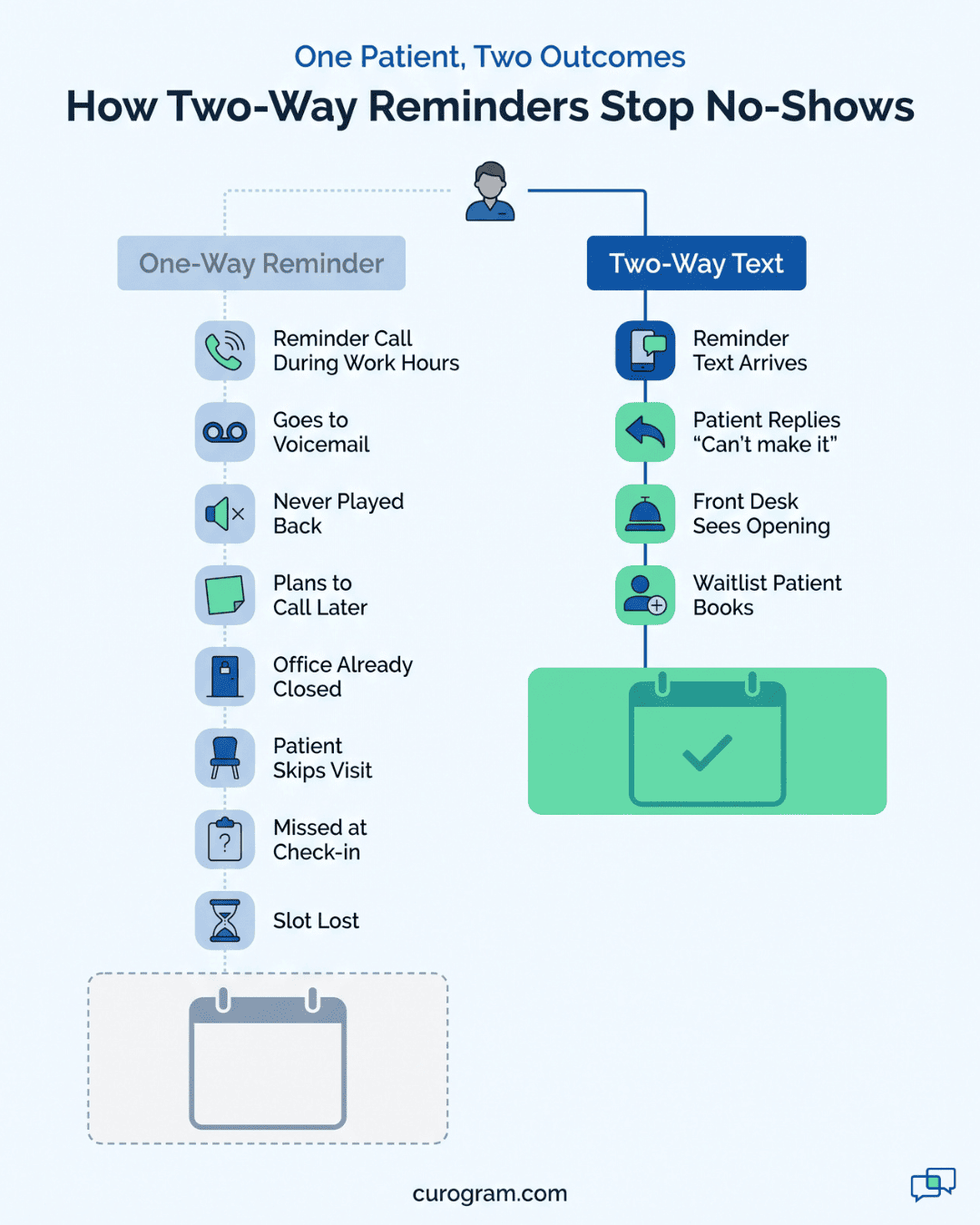
Connecting your reminder tool to your EHR is a setup you do once. Your team maps appointment types and message wording, and from then on, the schedule drives every reminder. The ten changes below show what clinics notice after that link goes live, from week one to year one.
When your appointment reminder software, reads from the EMR, a reminder is set the moment a visit is booked. Nobody on your team has to pull a list or pick up the phone.
A common schedule is three messages: 72 hours, 24 hours, and 2 hours before the visit. You can change that by appointment type, so a quick follow-up gets less and a procedure gets more.
| Appointment type | Example reminder schedule |
|---|---|
| Routine follow-up | 24 hours and 2 hours before |
| Procedure with prep | 72 hours (with prep steps), 24 hours, and 2 hours before |
Example schedules; set yours to fit each visit type.
Every booked patient gets every message on that schedule, including on the day your front desk is down a person. Because the messages run off the live schedule, a visit moved on Monday gets reminders for its new time.
With EMR integration, a reminder is a text the patient can answer. A typical one reads: “You’re booked with Dr. Ortiz on Thu at 10:00 AM. Reply C to confirm, X to cancel, or R to reschedule.” (Illustrative wording.)
A C reply marks the visit confirmed, and nobody on your team has to call that patient. An R reply opens a short text thread where your front desk offers a new time. There’s no phone tag and no hold music on either end.
The X reply is the one that saves you money. A patient who texts “can’t make it” at 7 p.m. lands in your inbox right away, attached to the appointment.
Your staff see the open 10:00 slot first thing in the morning and can text the waitlist to fill it. Reached only by voicemail, that same patient usually says nothing, and you find out when the slot sits empty at 10:05.
Reminder tools that run off an exported list fall out of date fast. A patient moves her visit from Tuesday at 2:00 to Thursday at 9:00.
On Monday she still gets a text for Tuesday at 2:00, so she calls to ask which one is right, or shows up on the wrong day. Canceled visits keep getting reminders, and old prep steps keep going out after the order changed.
With EMR integration, every reminder reads the live schedule when it’s sent. When your staff move an appointment in the EHR, the next text shows the new time. Cancel it, and the reminders stop.
Accurate texts mean fewer “is this still right?” calls to your front desk. The one condition is that the schedule itself has to be right. A visit booked on a sticky note and entered the next day gets its reminders from that point on.
Look at your Monday 8 a.m. phone queue. A big share is routine: “Just confirming my Wednesday,” “What time was I booked?” “Do I need to fast?” Once reminders run through your EHR and patients can answer by text, most of those calls never get made.
Based on our internal data, practices that move routine contacts like these to text cut phone volume by up to 50%. That’s time your front desk gets back for insurance checks, walking a new patient through intake, or answering the calls that do need a person.
Patients feel it too. A text reply comes back in minutes, while a phone call can mean 10 minutes on hold.
“Reminder: you have an appointment tomorrow” tells a patient almost nothing. They don’t know who it’s with, what to bring, or whether to skip breakfast.
An integrated reminder fills in those blanks from the appointment record in your EHR. It can pull the provider’s name, the visit type, and the prep steps or forms tied to that visit type. A GI clinic’s day-before text might read:
Your colonoscopy with Dr. Patel is tomorrow at 8:00 AM. Start clear liquids now and begin your prep at 6 PM. Questions? Reply here.”
A pediatric clinic can attach the vaccine consent form to the reminder for a well-child visit, so a parent signs it on the couch instead of at the front desk.
When patients know what to do before they arrive, more of them follow the prep and fewer cancel that morning.
Reminder calls eat a few hours of front desk time every day, and they happen during business hours, the same hours patients are calling in and checking in. Once reminders send from the EHR on their own, those hours go back to your team.
One administrator told us: “We got back 15 staff hours a week just by automating reminders.” Fifteen hours is close to two full shifts. That’s enough to clear the prior auth backlog, call patients overdue for recall, or keep a second person at the window during the morning rush.
Across practices, our internal data shows a front desk productivity lift of 30% or more after routine reminders and confirmations move to automated texting.
The same EHR connection that sends reminders can also send forms before the visit and a survey after it. Each piece picks up where the last one stops.

Atlas Medical Center had a no-show rate of 14.20% before connecting reminders to its EHR. Three months later, it was 4.91%. That’s roughly two out of every three no-shows gone, using the same staff and the same schedule.
Phones get quieter as well. Based on our internal data, practices cut call volume by up to 50% once confirmations and reschedules move to text.
Reviews were the result clients expected least. Across practices that sent a review request to every patient after the post-visit survey, our internal data counted 1,064 new five-star Google reviews in three months. About 90% of all reviews in that period were five stars.
The math is short enough to run on a sticky note. Here’s an example with illustrative numbers:
Illustrative figures. Swap in your own average visit value and weekly no-show count.
That total only counts the visits that now happen. It leaves out the staff hours that used to go into reminder calls, and the provider time that’s now filled instead of sitting empty. Both show up on your books too, just less directly.
Most patients judge a practice by its front desk long before they judge the care. A parent who moved a sick visit with one text, at 9 p.m., remembers that. So does the patient who had to call three times to cancel.
That memory shapes what happens next. When it’s easy to reach you, patients are more likely to book the follow-up instead of letting it slide. When a coworker asks about a good family doctor, “they just text you” is an easy thing to pass along.
The same reminders that reduce no-show appointments also set the tone for every visit after this one. A patient who got the right time, the right prep, and a quick answer walks in already expecting the visit to run on time.
Curogram is a HIPAA-compliant texting platform for medical practices. It connects with your EMR, reads the schedule, and sends reminders patients can answer, with no export or call list in between.
Here’s what that covers:
Based on our internal data, practices on Curogram confirm more than 75% of appointments. At Covina Arthritic Clinic, that’s over 1,100 confirmed appointments every month.
At Atlas Medical Center, the no-show rate fell from 14.20% to 4.91% in three months. Based on our internal data, results like that are typical: practices using Curogram reduce no-shows by 50–75% and cut call volume by up to half.
Staff at one practice called it a “lifesaver” for confirmations. Much of that comes from how little changes for them. Replies show up in an inbox that works like a phone’s text thread, so there’s no new screen to learn. Most front desk staff are up and running in under 10 minutes.
Patients reply on their own time, whether that’s a quick “C” from the parking lot or a reschedule on a lunch break. Each reply that lands before the visit gives your team a chance to fill the slot. That’s how Curogram helps practices reduce no-show appointments and improve patient attendance, week after week.
When no-shows climb, most practices add effort. Another person works the phones, robocalls go on top, the cancellation policy gets stricter. Our view is that the effort lands in the wrong place.
A no-show usually starts days before the empty slot. The reminder went to voicemail, listed the old time, or gave the patient no easy way to say “I can’t come.”
Fix that, and the morning of the visit takes care of itself. Atlas Medical Center’s no-show rate fell from 14.20% to 4.91% in three months once its reminders ran off the live schedule.
Your own numbers are the place to start. Take last month’s no-shows and multiply by what an average visit bills. That’s what the phone calls haven’t been catching.
Then book a demo with Curogram. We’ll show you how reminders go out from your EHR schedule, how replies land in your team’s inbox, and how a canceled slot gets back to the waitlist.
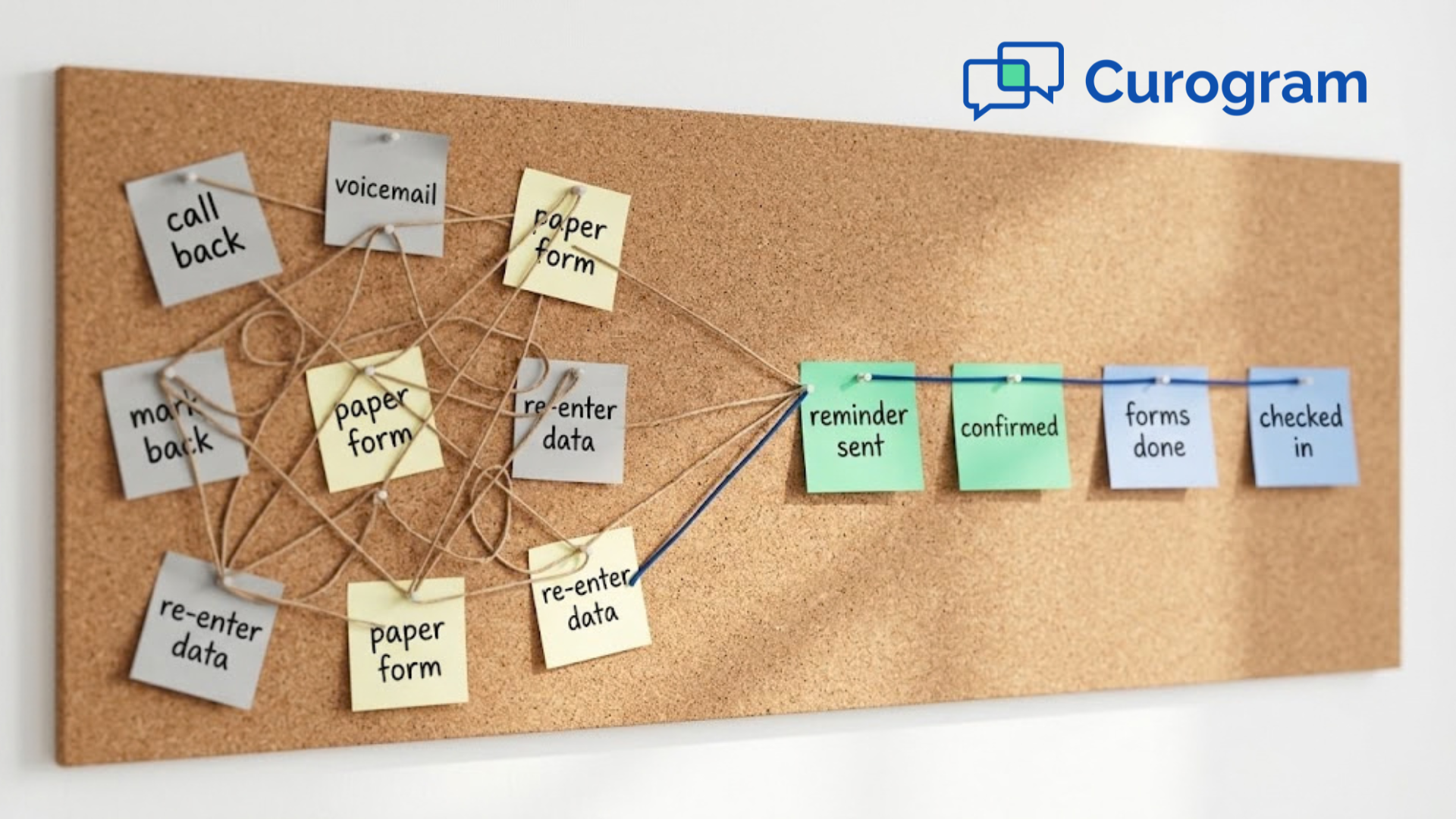
Learn about the actual EMR integration success story of a small practice. This is how one clinic fixed its workflow and boosted patient satisfaction.
See how unified data helps healthcare practices give providers the full chart, stop retyping intake forms, and send reminders that match each...
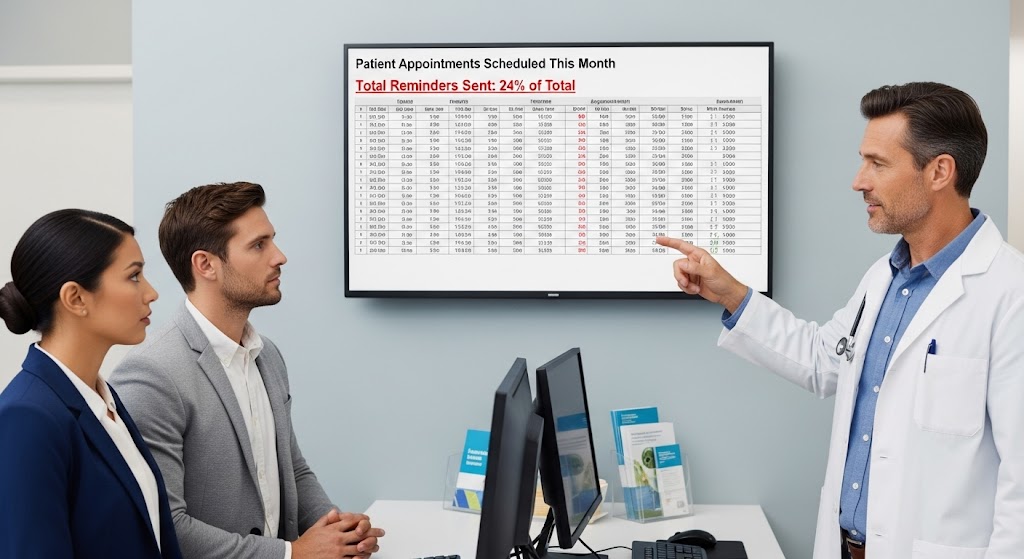
Boost attendance with reminders powered by EMR data. Data from your EMR system is the key to enhancing your doctor appointment reminder system.