
.jpg?width=30&height=30&name=square-formal-photo%20(1).jpg) Mira Gwehn Revilla
Mira Gwehn Revilla
AdvancedMD A/R Recovery | From 90-Day Cycles to Same-Week Collection
 Jo Galvez : Apr 6, 2026, 12:00:00 PM
Curogram's text payment links collect AdvancedMD patient balances same week, with real-time A/R tracking and zero statement costs.

Ask any billing manager what eats up their week, and the answer is often the same. Mailed statements. Phone calls. More mailed statements. More phone calls. The cycle never really ends, and the patient balance often goes unpaid anyway.
For practices running on Elation Health, this is a daily reality. Elation is a strong clinical EHR, but it does not offer native text-to-pay. So billing teams stay locked into paper-first workflows that drain staff time and shrink margins. Reducing patient billing costs Elation Health text-to-pay SMS collections is now a top concern for practice leaders trying to fix this.
Here is the harsh math. A mid-sized practice can spend $800 to $1,000 a month just on first-round statements, based on industry cost ranges. Second and third rounds push that even higher. By the time a balance ages past 90 days, the chance of full payment drops fast.
What if you could swap most of that paper for a single text? What if your billing staff could stop dialing patients and start working denied claims that bring in real revenue? That is the shift more Elation practices are making with Curogram's text-to-pay.
This article is built for the people doing the work. Billing managers. Revenue cycle leads. Practice operations directors. We will walk through the true cost of paper billing, the step-by-step text-to-pay workflow, and how to roll it out in your office without breaking your current process.
By the end, you will have a clear picture of how the billing team text-to-pay workflow saves money, saves time, and lifts collection rates. You will also see why Curogram is the only billing tool built to plug into the Elation ecosystem in a meaningful way.
Most practices know paper billing is costly. Few have ever sat down and added up just how costly it gets. The numbers shock most billing leaders the first time they see them in full.
Each paper statement carries four direct cost layers. Printing runs $0.50 to $1.00 per sheet. Postage adds another $0.60 to $0.80. Envelope and paper supplies cost $0.15 to $0.25. Then add labor for stuffing, sealing, and prepping the mail run, which lands around $1.00 to $2.00 per statement.
Add those up and one statement costs $2.25 to $4.05. That is just one round. Most practices send two or three rounds before they give up or send the account to collections.
Now multiply by volume. A 15-provider Elation practice often sends 300 to 500 statements a month. At $3 per piece, that is $900 to $1,500 just for the first round. Statement cost reduction Elation is not a small win. It is a real line item on your monthly P&L.
|
Cost Layer |
Per Statement |
Monthly (400 statements) |
|
Printing |
$0.50–$1.00 |
$200–$400 |
|
Postage |
$0.60–$0.80 |
$240–$320 |
|
Envelope/Paper |
$0.15–$0.25 |
$60–$100 |
|
Labor |
$1.00–$2.00 |
$400–$800 |
|
Total (first round) |
$2.25–$4.05 |
$900–$1,620 |
The bill on the printer is only half the story. The bigger drain is staff time. Billing teams spend 8 to 12 hours a week on payment follow-up calls. At $20 to $30 per hour in loaded cost, that is $800 to $1,440 a month in wages just to chase money.
Then come the collection agency fees. When an account goes to a third-party agency, the fee is usually 25% to 50% of what they recover. So the practice loses half the balance just to see any of it.
Finally, there is bad debt. Balances older than 120 days have less than a 10% chance of full payment. Those write-offs are pure lost revenue.
Here is the part that hurts most. Every hour your billing specialist spends dialing patients is an hour not spent on claims work, denial appeals, or payer contract reviews. Those tasks have 5 to 10 times the revenue impact per hour.
Picture this scenario. A billing specialist who can recover $500 per hour in denied claims is spending 10 hours a week on $50 per hour payment calls.
The practice is leaving up to $4,500 a week in claims recovery on the table. Over a year, that is more than $230,000 in revenue the practice never collects.
This is why accelerating collections Elation Health practices need a new playbook. Paper billing is not just slow. It is actively pulling your top revenue staff away from work that pays the bills, the salaries, and the bonuses. Billing staff efficiency drops when your team becomes a call center for unpaid balances instead of a true revenue cycle team.
The fix is not to call more or print more. It is to swap the channel. Move payment requests from paper to text, and the cost and time problems both shrink at the same time.
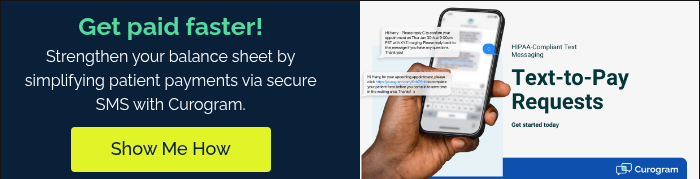
The good news is that text-to-pay does not ask your team to learn a brand new job. It just changes how the same job gets done. Here is what the full billing team text-to-pay workflow looks like in practice:
The moment a patient balance is set in Elation, Curogram steps in. The system sends a secure SMS with a payment link, usually 30 to 60 minutes after the visit. The patient sees the message while the visit is still fresh in their mind.
The text itself is fully editable. You can set the template to show your practice name, the visit date, the balance amount, and a branded payment link. So the patient knows exactly what the charge is for before they even tap the link.
Better yet, the workflow runs end-to-end with no manual steps. Your billing team does not have to push a button, print a slip, or dial a number. The system handles it for every patient with a balance.
What happens if the patient does not pay right away? Curogram sends an automated reminder text 24 to 48 hours later. This is the same idea as a second statement, but it costs almost nothing and lands the same day or the next.
Now compare the timing to paper. A second mailed statement takes 30 to 60 days to land and get a response. With SMS, you can run three full reminder rounds in less time than one paper round takes to come back.
For accounts that still do not pay, your billing team can step in with a personal text or a phone call. The dashboard shows which patients have not responded, so staff only spend manual time on the accounts that truly need it. No more cold-calling people who already paid online last week.
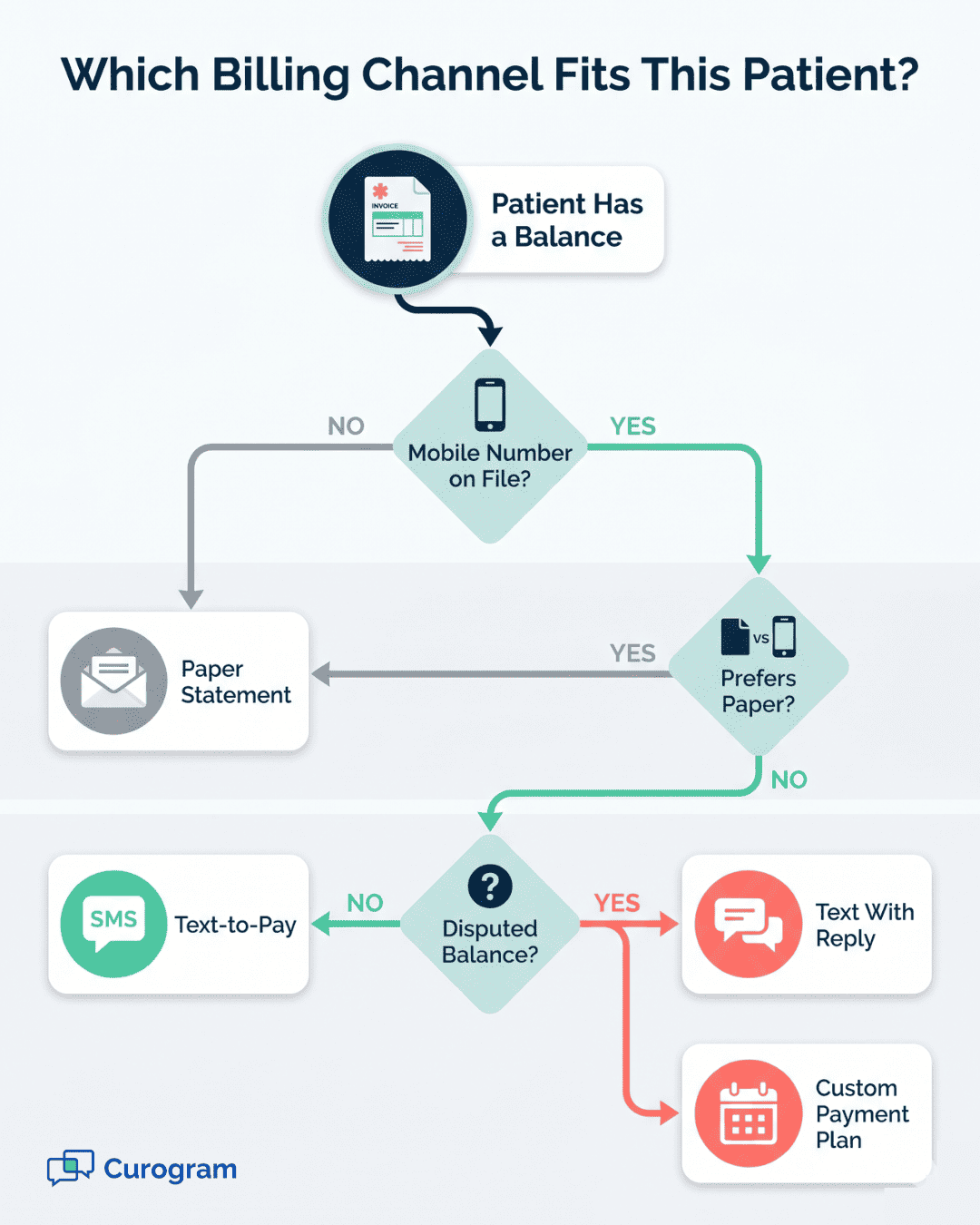
The Curogram billing dashboard replaces the guesswork. You can see how many payment requests were sent, opened, and completed in real time. You can also see which balances are still outstanding and how old they are.
Your team can pull reports by provider, date range, or patient group. So if one provider has high outstanding balances or one cohort is paying slower, the data is right there. No more digging through Elation reports and cross-checking against bank deposits.
Payments collected through text-to-pay also flow back for reconciliation with Elation's billing records. So the audit trail stays clean and clear.
|
Workflow Step |
Paper Statement |
Text-to-Pay |
|
Delivery time |
5–7 days |
30–60 minutes |
|
Cost per request |
$2.25–$4.05 |
Near zero |
|
Follow-up cycle |
30–60 days |
24–48 hours |
|
Response visibility |
Manual tracking |
Real-time dashboard |
|
Patient response rate |
20–30% |
85–90% |
The shift here is not just faster billing. It is a totally different working pace for the billing team. Instead of waiting weeks to see if a statement worked, your staff can see payment activity by the hour.
This is how forward-thinking Elation practices reduce statement waste, lift collection rates, and free up staff hours. The workflow does the chasing so your people do not have to. And the patient gets a payment option that matches how they pay for everything else in their life.
Rolling out text-to-pay sounds like a big project. In reality, most Elation practices go from sign-up to full use within three weeks. Here is the week-by-week plan most billing teams follow when they switch over with Curogram.
The first three days are about getting the plumbing in place. Your Curogram team handles account setup so your office does not have to dig through technical menus. The work breaks into three pieces.
The Curogram account is built and tied to your Elation environment.
Your payment processor gets connected. Curogram works with Stripe, Square, and most major processors, so you likely keep the one you already use.
Your team picks the payment link template. You set the practice name, the message tone, the timing, and the look of the patient-facing payment page. Everything stays branded to your practice, not generic.
By the end of day 3, the system is technically ready to send. No payments go out yet, though. The next phase is about your people.
A typical training session runs 60 to 90 minutes. That is it. The interface is built for billing staff, not for IT teams.
The training covers four core areas:
Dashboard navigation, so staff know where to find sent requests, open balances, and reports.
Payment request management, so they can pause, resend, or edit a request if needed.
Follow-up sequences, so staff can set the timing and tone of reminder messages.
Reporting, so the billing lead can pull weekly numbers on collection rates, time-to-payment, and outstanding balances.
After training, your team gets a short practice run in the live system using test patients. This builds confidence before any real payment request goes out.
This is the safety net step most billing leaders love. For one full billing cycle, you send text-to-pay messages alongside your existing paper statements. You change nothing about your current process.
The point is to compare. After two weeks, you can see which patients paid through SMS, which paid through paper, and which did neither. Most practices find that 85% to 90% of patients respond to the text version, often within 24 hours.
The parallel run also gives your team time to spot edge cases. Patients without mobile numbers. Patients with unusual balance disputes.
Patients who already use a payment plan. You can build small workflow tweaks for each of these before going fully live.
This week often surprises billing managers in a good way. They see their dashboard fill with same-day payments while paper statements are still in the mail. The proof is right there in the data.
By week 3, most Elation practices are ready to make text-to-pay the primary channel. Paper statements stay in the toolkit, but they get used only when needed. The typical rule looks like this:
|
Patient Type |
Primary Channel |
Backup |
|
Mobile phone on file |
Text-to-pay |
None needed |
|
No mobile number |
Paper statement |
Phone call |
|
Disputed balance |
Text-to-pay with reply |
Phone call |
|
Payment plan setup |
Text-to-pay with custom link |
Paper if requested |
The result is a leaner mailroom and a leaner phone schedule. Most practices cut their monthly statement volume by 80% to 90% within 60 days. The savings show up on the next month's print and postage invoice.
The savings stack up further when you pair text-to-pay with time-of-service collection at the front desk. Practices that close the gap on both ends typically see the fastest cash flow improvements within a single quarter.
Want to put a real number on the impact? Use this calculator to estimate your potential ROI in increasing payment collection.

How Curogram Becomes Your Statement Replacement Engine
Curogram is built to be more than a texting app. For Elation Health practices, it acts as a full statement replacement engine. It takes the billing workflow you already run and swaps the slow, costly paper layer for a fast, low-cost SMS layer.
The platform is HIPAA-compliant by design, so your billing team can send payment requests without breaking patient privacy rules. Every message is encrypted and tracked. Every payment link routes to a secure payment page that does not expose PHI.
What makes Curogram different is the depth of the integration with Elation. Patient data, balance data, and payment data all move between the two systems without manual work. Your team manages one dashboard, not two.
The platform also goes beyond billing. The same texting infrastructure powers appointment reminders, patient recalls, intake forms, and two-way patient messaging. So when you bring Curogram in for text-to-pay, you also get a full patient communication stack.
Based on our internal data, the results add up fast. Atlas Medical Center cut no-show rates from 14.20% to 4.91% in three months using the reminder side of the same platform. Covina Arthritic Clinic confirms over 1,100 appointments a month through Curogram's automation.
On the patient recall side, 35% of patients who got an SMS recall scheduled an appointment within a month. One multi-location practice saw 1,240 patients return from recall messages alone. These are real practices, with real revenue, generated from the same texting backbone that powers text-to-pay.
Curogram is the platform Elation practices reach for when they want to stop chasing paper and start running a true revenue cycle program. The billing team gets time back. The practice gets revenue back. And the patient gets a better experience.
Paper billing is not going to fix itself. The costs will keep rising. The labor hours will keep stacking. The aging buckets will keep filling with balances that may never get paid.
The fix is not more effort. It is a better channel. Text-to-pay does the same job as a paper statement, but it does it in 30 minutes instead of 30 days. And it does it for pennies instead of dollars.
For Elation Health practices, the path forward is clear. Elation handles the clinical side beautifully. Curogram handles the billing communication side. Together, they form a complete operations stack for a modern, independent practice.
The win is not just financial, though the dollars matter. The bigger win is what your billing team gets to do with the hours they get back. Claims appeals. Denial work. Payer contract reviews. The work that actually moves revenue.
If you have read this far, you already know paper billing is dragging your practice down. The next step is small but powerful. See the workflow in action with your own Elation data.
A short demo will show you the dashboard, the reports, and the patient-facing payment page. Your billing manager can walk through the parallel-run option and see how setup works in week one. There is no big lift to test it. Just a quick look at what your practice could be.
Reducing patient billing costs and lifting collection speed is no longer a future project. It is a today decision. The practices that act now will see the savings within their next billing cycle. The ones that wait will keep paying for paper that patients no longer read.
Get a side-by-side look at your current statement costs and what text-to-pay would replace them with. Schedule a demo and leave with a clear savings estimate for your practice.
 Jo Galvez : Apr 6, 2026, 12:00:00 PM
Curogram's text payment links collect AdvancedMD patient balances same week, with real-time A/R tracking and zero statement costs.
.jpg?width=30&name=square-formal-photo%20(1).jpg) Mira Gwehn Revilla : Mar 4, 2026, 4:00:01 PM
Mira Gwehn Revilla : Mar 4, 2026, 4:00:01 PM
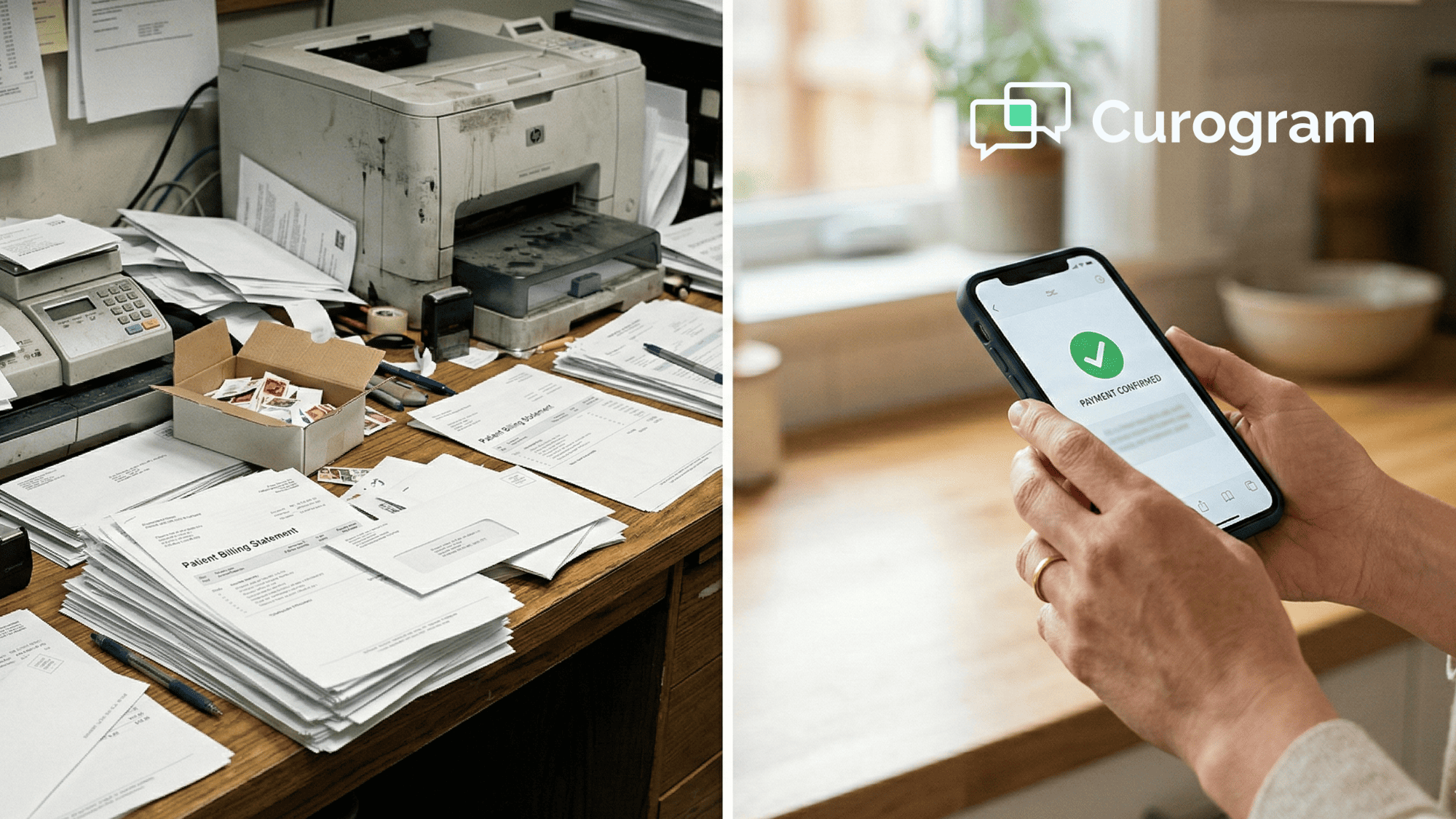
At $1.50 per bill, the cost of paper patient statements for MD Systems drains thousands a year. Discover how Curogram's text-to-pay eliminates it.
 Jo Galvez : Apr 17, 2026, 5:00:01 PM
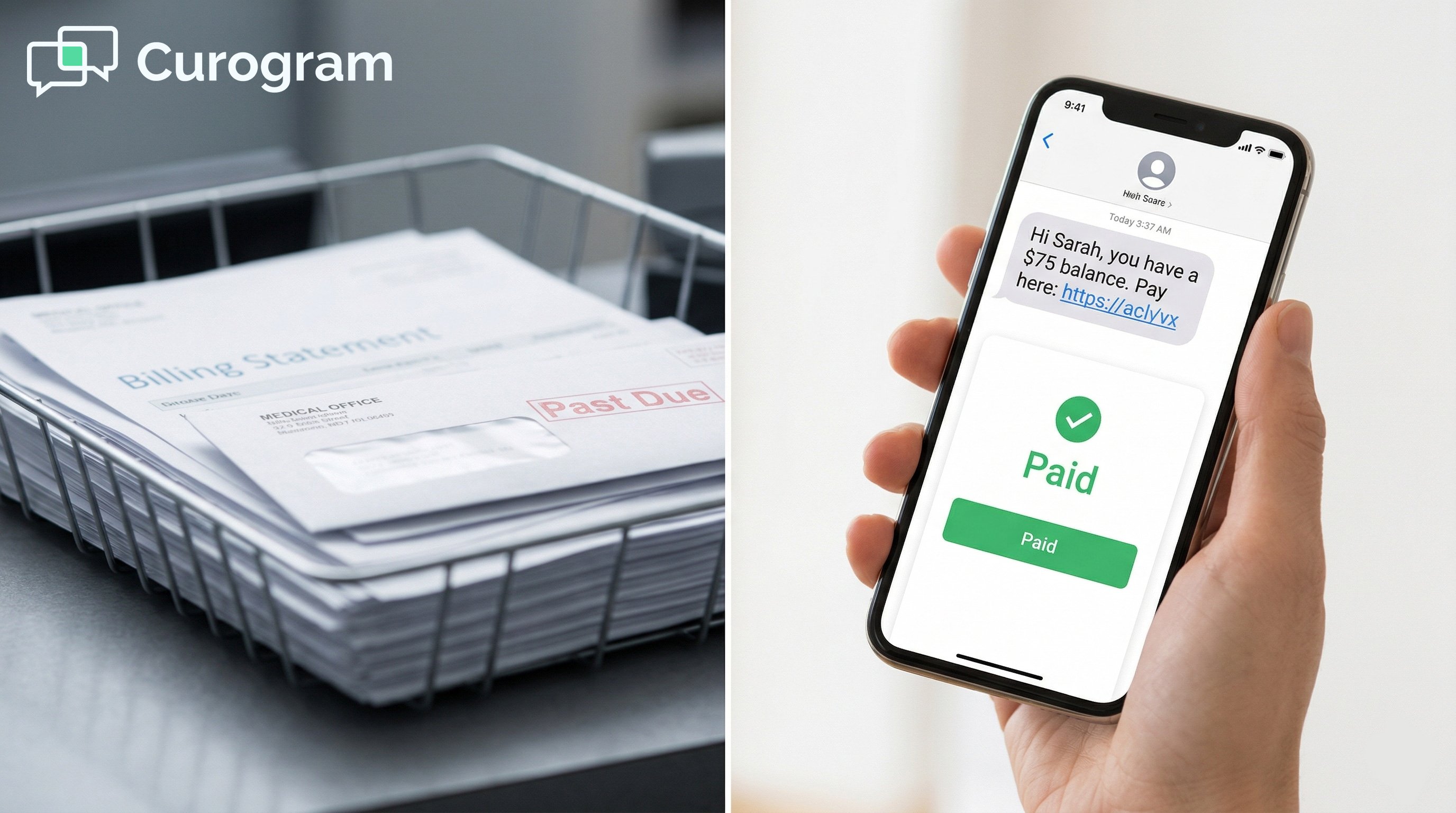
Office Ally patients don't log in to pay. Curogram texts a payment link — patients pay in two taps. Collect balances faster than portal or paper...