10 min read

eCW Patient Digital Forms: Complete Intake at Home, Skip the Clipboard

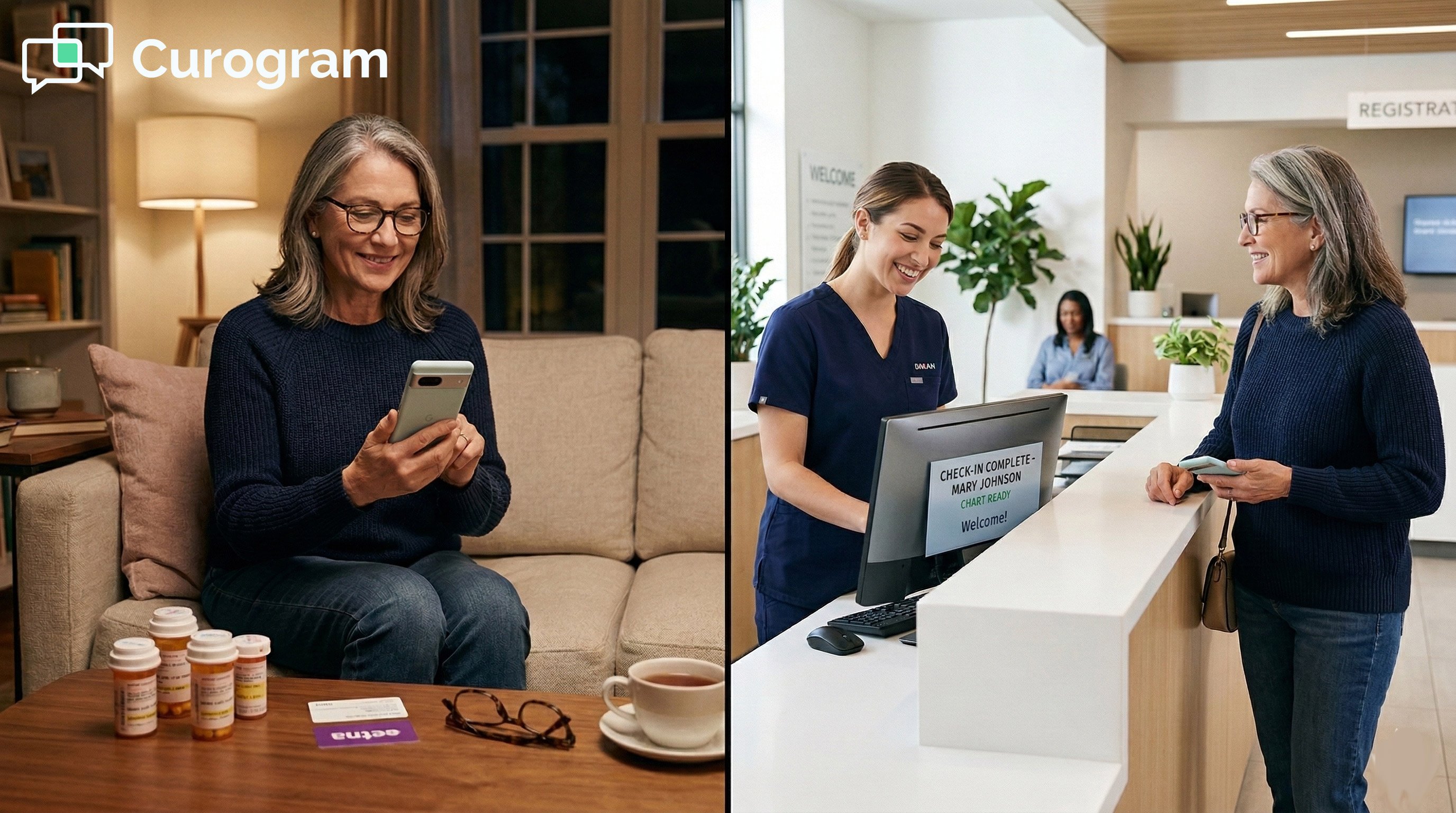
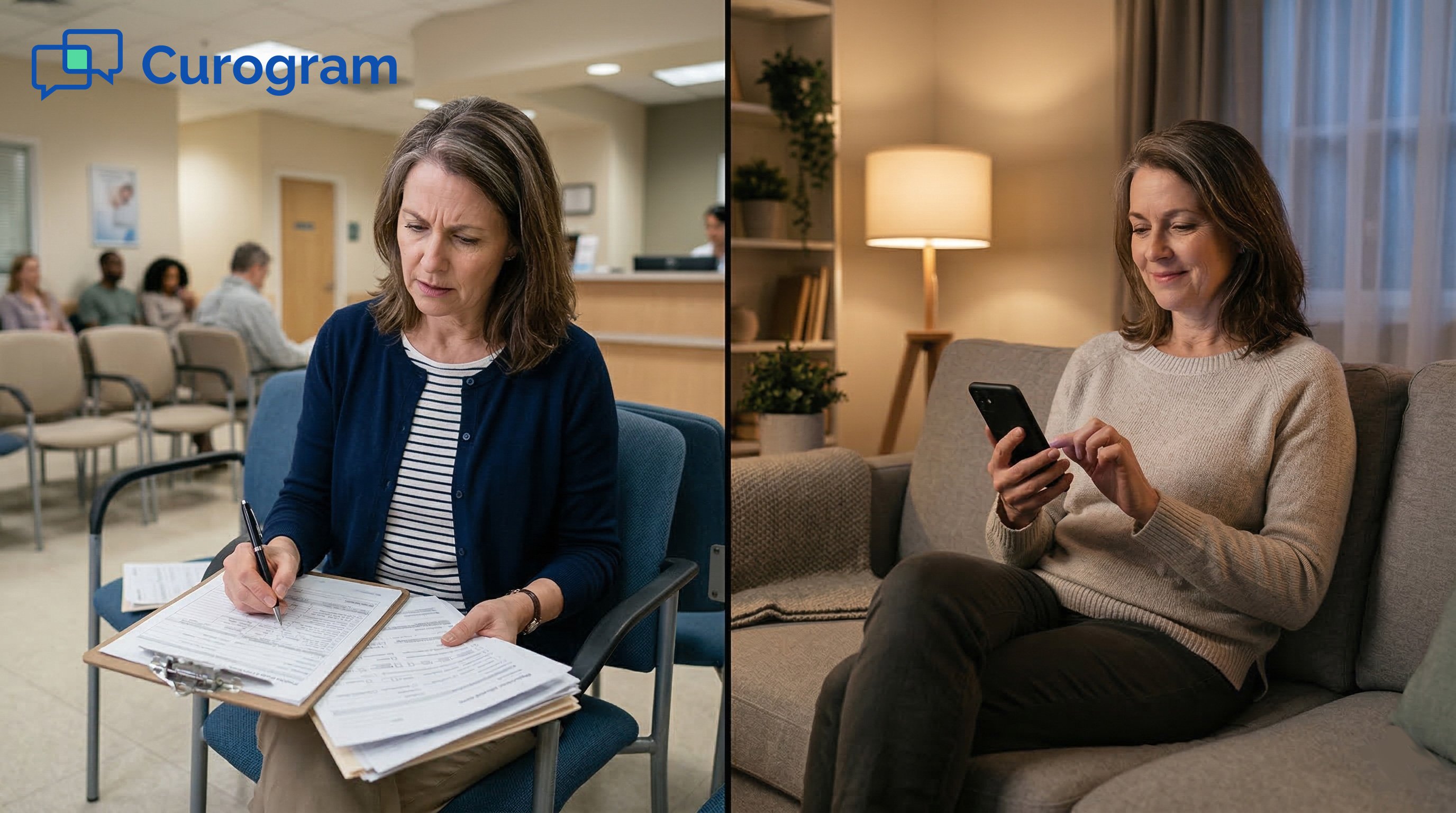
Patient experience comparison: Complex form sign-up vs. streamlined check-in
💡 Curogram delivers the eClinicalWorks patient digital form experience through text — with no app download, no clipboard, and no lobby wait.

Patients receive a secure link 48 hours before their visit, tap it, fill out the intake form on their phone, and submit — all from home.

No portal login. No activation code. No paper forms.
When patients arrive, their completed form has already reached eCW as a PDF document.

Staff stop handing out clipboards and scanning paper packets. Patients go straight to the exam room.

For CIOs and operations leaders at eCW enterprise networks, Curogram integrates with eClinicalWorks, and completed intake forms reach eCW as PDF documents.

The result is  faster check-ins, typed forms instead of handwriting, and an intake experience that meets the standard patients already expect — one that works without a clipboard or an app.


You told patients to arrive 15 minutes early. They did. Now they're filling out the same paper forms they've filled out at every visit before this one.

For patients at eClinicalWorks practices, intake rarely changes. They walk in, get handed a clipboard, and write their name, date of birth, phone number, insurance details, medication list, allergy history, and surgical history.

Then they hand it back to the front desk, wait while a staff member types it into eCW, and finally get called to the back.

It's slow. It's repetitive. And patients notice.

Think about how they spend the rest of their day. They book flights from their phones. They pick up grocery orders without talking to anyone.

Then, when they walk into a multi-specialty eCW network, a clinic with real clinical technology, they get handed a pen and a paper form. The gap is hard to miss.

There's a better approach, and it starts before patients ever walk through the door. Curogram integrates with eClinicalWorks and sends forms to patients by text.

The patient taps a link in their text message, fills out the form on their phone at home, and submits. Every answer flows into the correct eCW field. When they arrive, the completed form has already reached eCW as a PDF document.

That's what this article covers: the shift from the lobby clipboard to a form completed from the couch. From the patient who dreads the paperwork to the one who walks in and goes straight to the exam room.

The fix isn't complicated. But it changes how patients feel about your practice — and how your team spends their time.

The Villain: The Clipboard and the Clock

Every practice that relies on paper intake has the same quiet problem: the form arrives too late. By the time patients are filling it out, they're already in the lobby, already behind schedule and already forming an impression of your clinic.

This section breaks down exactly what that costs, and why the common digital alternatives haven't solved it.

The Arrival Tax

Many practices ask patients to arrive 10 to 15 minutes early for paperwork. But that buffer rarely holds.

Patients come from work, from school drop-off, from a parking lot two blocks away. Many arrive right on time, which means they're already late for the forms before they even sit down.

That gap costs everyone. The patient feels rushed. The front desk scrambles. And the schedule starts slipping before the first exam room is used.

What It Costs Patients

A typical paper intake packet runs 4 to 6 pages. For a patient managing multiple conditions, the clipboard alone can take 15 to 20 minutes. Here's how practices replace paper intake in their eCW practice.

Some patients struggle more than others. Older adults with arthritis, patients with limited English, or anyone who has forgotten their insurance card faces a longer, harder process.

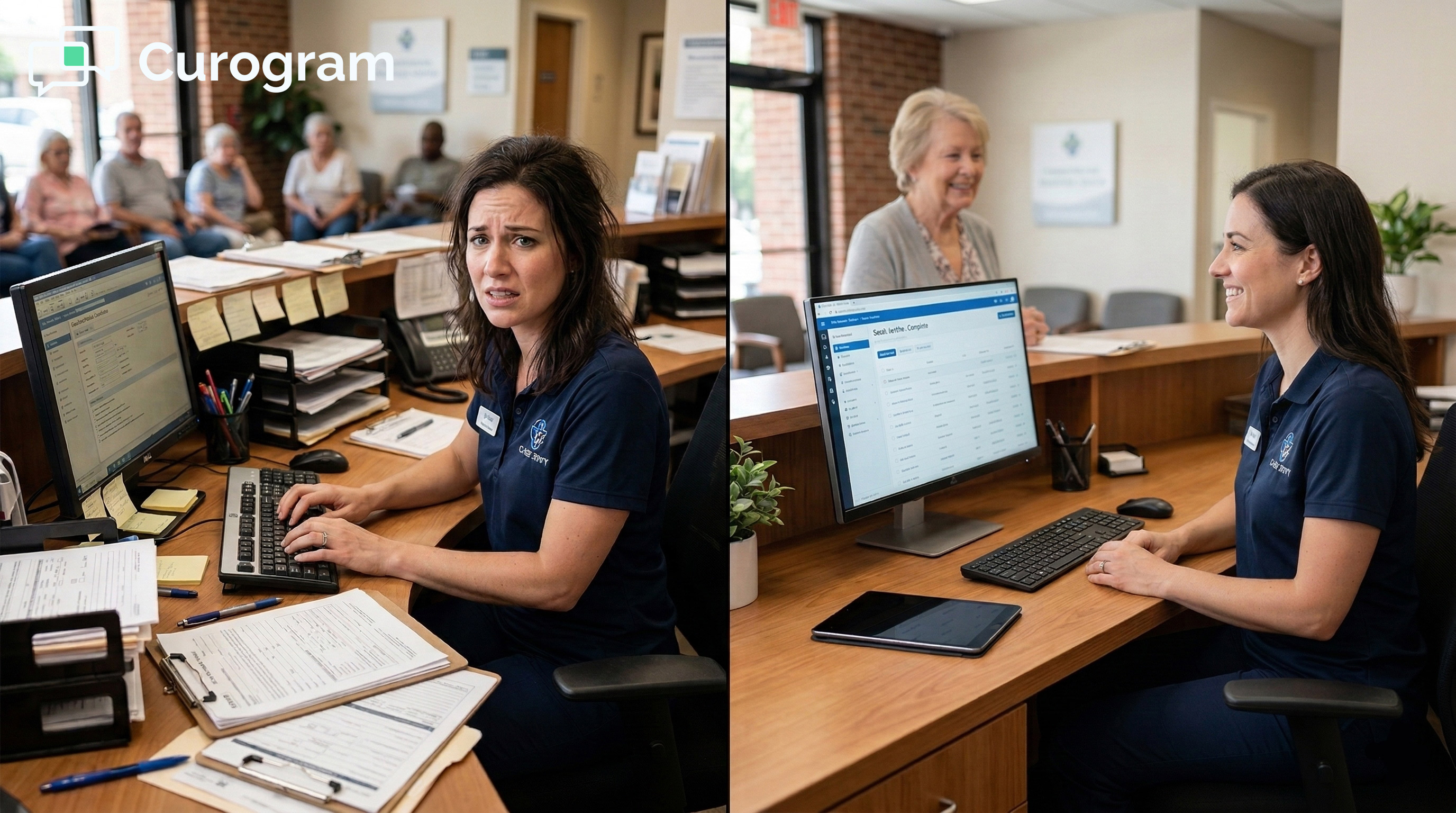
When the form is finally done, it gets handed to the front desk, where staff have to read the handwriting, interpret abbreviations, and manually type the data into eCW. That's not patient intake. That's a transcription job.

What It Costs Your Schedule

The math compounds quickly. For example, if 10 patients per day spend 15 extra minutes on lobby paperwork, that's 150 minutes of compounding delay across a single day. Providers run late. Rooms sit empty between patients.

And the next patient — who did arrive 15 minutes early — waits longer because the person before them didn't finish their forms in time. The clipboard doesn't just slow down individual patients. It slows down the entire day.

The Portal Alternative That Isn't

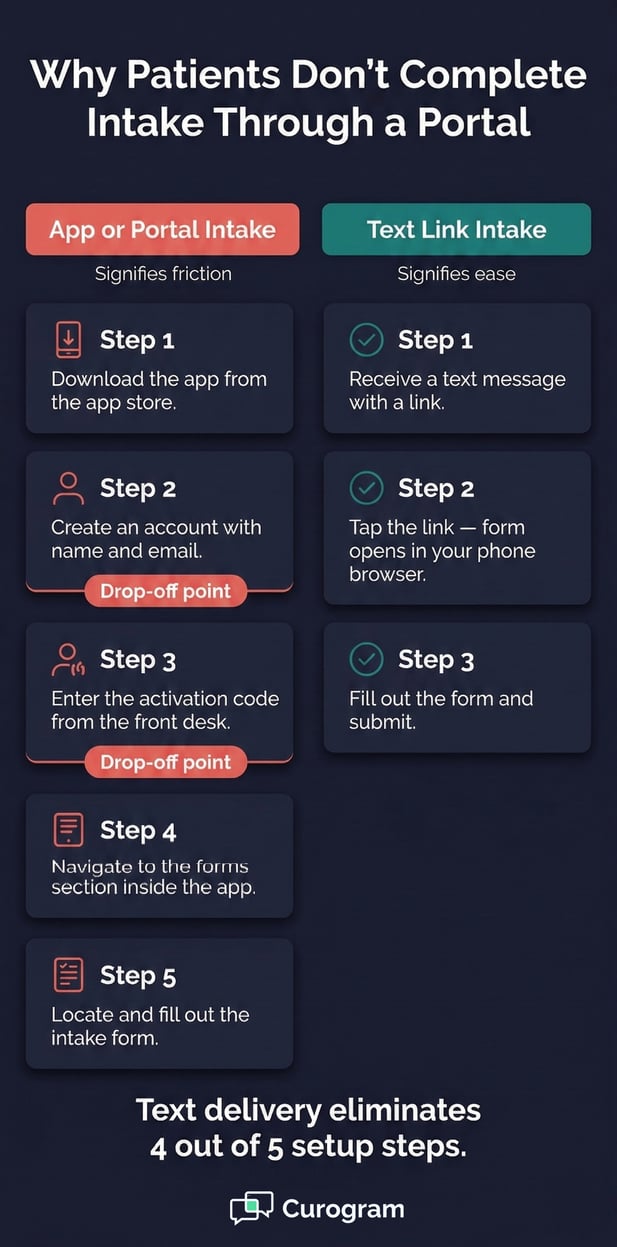
Healow does offer digital form functionality. Patients complete those forms in the healow app or portal. For patients who haven't set up the app or portal, that's an extra step before they can start their paperwork.

Why App-Based Intake Fails at Scale

App-based intake has an adoption ceiling. For patients already managing multiple provider relationships — each with its own portal — adding another app isn't a solution. It's one more thing to fail.

Even at well-run practices, patient portal adoption stays low. Not because patients don't want digital options, but because the setup requires steps they simply won't take.

A text link removes every one of those barriers. The patient doesn't need a portal. They don't need to remember a password.

They just tap a link. That's the difference between a tool patients use and a tool that sounds good on paper.

The Experience Gap

Patients don't grade clinics in isolation. They compare them to every other service they interact with daily. They've ordered food by text.

They've checked into a hotel on their phone without stopping at the front desk. Then they walk into a sophisticated enterprise eCW network and get handed a clipboard.

That contrast shapes how they feel about your practice — even if they never say it out loud. For eCW enterprise networks competing for patient loyalty, the clipboard is a brand liability. 


Infographic comparing complex patient portal intake to simple text-based form completion

The Guide: The Couch Intake Experience

The patient intake form preference at eCW networks is shifting. Patients don't want a clipboard in the lobby. They want a form that arrives before their visit.

One they can handle from home, on their own time, without downloading anything. This section walks through how Curogram's eClinicalWorks integration and why the experience works for patients of all kinds.

How the Form Gets to the Patient

Curogram sends a text message 48 hours before the appointment. The message includes the patient's name, the provider's name, the appointment date, and a unique secure link.

The patient taps the link, their phone's browser opens the form, and they fill it out — with their medication bottles on the table and their insurance card in hand — and submit.

No app. No password. No activation code. The form works on any smartphone, tablet, or desktop. The entire experience is designed for the way patients actually use their phones.

A Mobile-First Design That Works

The form is built for mobile from the ground up. Fields are large and easy to tap. Medication fields include auto-suggest to reduce typing.

Insurance card fields let patients use their phone's camera to capture the card instead of typing the numbers manually.

Date fields use tap-to-select pickers, not free-text entry. Conditional logic hides questions that don't apply — so a patient with no surgical history doesn't see the surgery detail section at all.

In a typical example, the form takes new patients about 6 to 8 minutes, compared to 15 to 20 minutes on a paper clipboard.

What Happens When the Patient Submits

The signed consent is part of the completed intake form, which reaches eCW as a PDF document.

When the patient arrives, staff work from a typed, complete form instead of handwriting.

The Multi-Specialty Advantage

For patients who see multiple providers within the same eCW network, the form experience keeps getting easier over time.

Every visit after that, the patient gets the same short text link for their mobile patient forms, with no new app or login to learn.

The more specialists a patient sees within the network, the less paperwork they face, not more.

The Network Feels Connected

Patients who see multiple specialists within the same network often feel like they're starting over at every office. Different staff. Different clipboards. Same questions.

Curogram changes that impression. When every specialty office sends the same kind of text link, the network feels like one practice.

That feeling of connection is what drives loyalty at the enterprise network level. And it starts with a text message sent 48 hours before the visit. 


The Success: Complete It on the Couch, Walk In, and Sit Down

The shift from paper to text-delivered intake isn't theoretical. It shows up in real check-in times, real patient feedback, and real differences in how staff spend their mornings.

This section looks at what the numbers reveal and what the experience actually feels like for patients — both new and returning.

What the Numbers Look Like

Practices that deploy Curogram's digital intake across eCW see the impact within the first few weeks. Pre-arrival form completion climbs quickly. Lobby wait times drop.

Staff who used to spend the first hour transcribing clipboards can now focus on greeting patients and managing the schedule. Based on our internal data, eCW patient check-in digital form completion satisfaction improves measurably as lobby wait times decrease.

The table below captures the core difference between paper clipboard intake and Curogram's text-delivered form experience:

Metric

Paper Clipboard

Curogram Text Form

New patient intake time

15–20 minutes

6–8 minutes

Returning patient intake time

10–15 minutes

Same text link

Where intake happens

Lobby (day of visit)

Home (before visit)

Handwriting to read

Yes

No

App or portal required

No

No

How the form reaches eCW

 Scanned or typed in by staff

 As a PDF document 

Times are typical examples, not measured averages.

Pre-Arrival Completion Rates

Most patients who get the intake link 48 hours ahead finish it before they arrive.

The pre-arrival completion rate is highest among patients who receive the form 48 hours in advance.

That’s enough lead time to complete it without feeling rushed, but close enough to the visit that it stays top of mind.

Practices that send a 24-hour reminder text see even higher completion rates among patients who didn't open the first link. The combination of early send and a timely reminder has proven to be the most effective deployment pattern in our internal research.

New vs. Returning Patient Time

New patients average 6 to 8 minutes to complete the digital intake form. That's roughly the same time they'd spend on a clipboard.

But they're doing it from home, at their own pace, with their information right in front of them.

The difference compounds across a full day's schedule.

What the Patient Actually Experiences

The eCW patient pre-visit intake text link experience changes more than just over time. It changes how the visit starts.

A patient who filled out their form at home the night before arrives differently from one who's still rushing through a clipboard in the waiting room. They're calmer. They're ready.

That first impression — set before the visit ever begins — shapes how patients rate their experience afterward.

The First Visit

Consider a patient with a 9:00 AM cardiology appointment. She completed the form the night before in 7 minutes.

She entered her medications from the bottles on the coffee table, photographed her insurance card, and signed the consent form with her finger. When she arrived at 8:58, the receptionist already had her completed form.

"Your forms are all done — let me confirm your ID, and we'll get you right back."

She was in the exam room by 9:02. No clipboard. No wait. No lobby time spent writing the same information she'd written a dozen times before.

Every Visit After That

Her next appointment — rheumatology, one week later — came with another text link.

She tapped the link, updated the one medication that had changed, and submitted from the couch.

She told her daughter, "They finally figured out the paperwork."

Should she need to make a virtual visit in the future, the digital form makes her experience frictionless.That's the patient intake form preference eCW networks need to deliver.


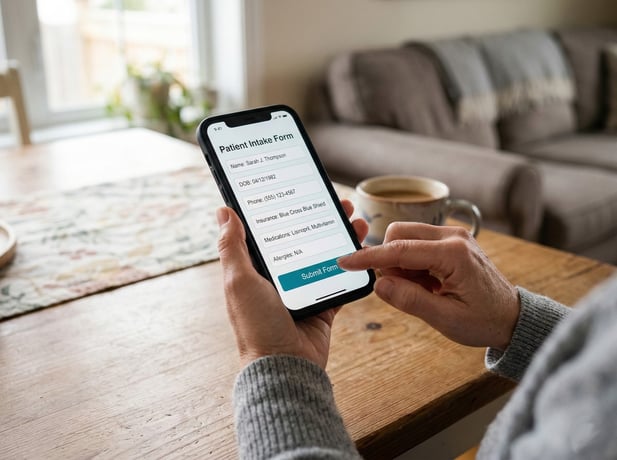
Patient submits online intake form using smartphone, showing form details

Give Patients an Intake Experience Worth Their Time

The clipboard has had a long run. But it was never a great solution — it was just the only one most practices had.

Patients at eCW networks today expect more. They're used to handling tasks on their phones before they ever leave the house.

When a clinic hands them a clipboard in the lobby, it isn't just an inconvenience. It's a signal that the practice hasn't caught up to the way people live now.

Curogram closes that gap. The eClinicalWorks patient digital form experience that Curogram delivers — by text, with no app to download and no portal to log into — gives patients what they actually want.

They want a form they can fill out from their couch, in their own time, before they get in the car. That shift changes more than the check-in flow. It changes how patients feel about the practice.

When forms arrive by text, and completed intake forms reach eCW as PDF documents, staff are free to focus on what matters: greeting patients, managing the schedule, and keeping the day on track.

Lobby wait times drop. Providers start on time more often because patients arrive ready.

Based on our internal research, practices that streamline patient intake see measurable gains in staff productivity alongside improvements in patient satisfaction.

For enterprise eCW networks, the impact scales. A single-location pilot gives you pre-arrival completion rates and check-in time data within the first 30 days.

Expand across specialties, and the results compound. Patients who see multiple providers within the network start to notice: no clipboard at any office, a practice that's easy to deal with, and a front desk that greets them instead of handing them a pen.

eCW handles your clinical data. Curogram handles the patient's side of intake: a form on their phone that's easier than a clipboard, faster than the lobby, and reaches eCW as a PDF document. Together, they create the intake experience patients remember — and tell others about.

For more on running Curogram alongside eCW, see our eClinicalWorks integration guides. Stop handing patients clipboards in the lobby. Text them a form the night before. Either way, the form ends up in eCW.

But one path takes up lobby time, and the other happens on the couch the night before.

Schedule a demo today. Deploy at two to three locations, measure the results, and ask patients what they think.


Frequently Asked Questions

How does a patient fill out the Curogram intake form without downloading an app?

The form link opens directly in the patient's phone browser. There's no app download, no account creation, no password, and no activation code.

The patient taps the link from their text message, fills out the form, and submits. This is the key difference from app-based intake: Curogram requires zero patient setup. If the patient can receive a text, they can complete the form.

Why do patients prefer text-delivered intake forms over app-based options?

Text-delivered forms remove the setup barrier entirely. App-based intake usually needs a download or a portal account first, which some patients never set up.

A text link skips all of that. The patient gets the message, taps the link, and the form is already there. No prior knowledge of a portal or app is needed.

How secure is a form that opens in a regular phone browser?

Curogram's forms are HIPAA-compliant and encrypt data in transit and at rest. Each form link is unique to the patient and expires after a set time window, and the platform is SOC 2 Type II certified.

Browser-based forms are no less secure than app-based forms. They remove the risk of sensitive information sitting on paper that passes through multiple hands before reaching the chart.

What happens if a patient starts the form but doesn't finish before their appointment?

Curogram forms auto-save progress, so partial work is preserved if a patient closes the browser and returns later. If a patient arrives without completing the form, staff can offer a tablet with the same Curogram form, and the completed form still reaches eCW as a PDF document. The system accommodates patients who complete forms at check-in without reverting to clipboards.

How does Curogram reduce paperwork for patients who see multiple specialists in the same eCW network?

Every specialty office in the network sends the same text link, so patients never have to learn a new portal or app. They fill out each form on their phone before the visit, and each completed form reaches eCW as a PDF document.

PF Patient Intake Forms | Complete on Your Phone via Text Link

PF Patient Intake Forms | Complete on Your Phone via Text Link

Practice Fusion patients complete intake forms on their phone via text link — no app, no portal, no clipboard. Two-minute check-in before arrival.
Read More
eCW Front-Desk Intake Automation | Eliminate Transcription

eCW Front-Desk Intake Automation | Eliminate Transcription

eCW frontdesk teams eliminate transcription with Curogram digital forms that patients complete before arrival, writing structured data to eCW...

Read More
AdvancedMD Intake Automation | Eliminate Data Entry Before Check-In

AdvancedMD Intake Automation | Eliminate Data Entry Before Check-In

AdvancedMD staff spend hours on intake data entry. Curogram automates pre-visit forms via text—patients complete before arrival, data flows to the...

Read More