

8 min read

AdvancedMD Intake Automation | Eliminate Data Entry Before Check-In

AdvancedMD Intake Automation | Eliminate Data Entry Before Check-In
💡 AdvancedMD intake automation through Curogram removes one of the biggest time drains in a medical practice: front desk data entry.

When patients arrive without completed intake forms, staff spend 10 to 15 minutes entering every field into AdvancedMD by hand.

For a practice with 20 to 30 patients per day, that adds up to 3 to 5 hours of lost staff time each day.
Curogram fixes this by sending intake forms to patients via text link before their visit. Patients complete the forms on their phones. The data maps directly to the

AdvancedMD chart with no manual entry required.
A real-time dashboard shows which patients have finished their forms and which still need a follow-up text.

The result is a check-in process that takes 2 minutes instead of 15, and a front desk team that can focus on patients instead of paperwork.

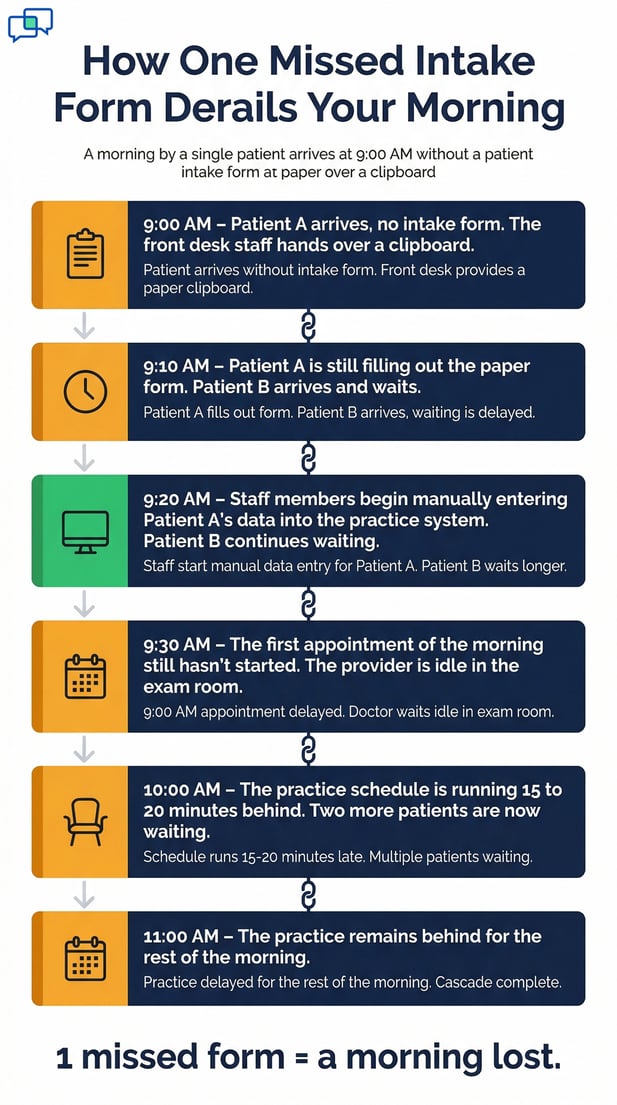
The clock hits 9:00 AM. The waiting room fills fast. Three patients walk in without completed intake forms. Your front desk team reaches for the clipboards.

By 9:20 AM, two staff members are still typing data into AdvancedMD. Patient B is still waiting.

The first appointment hasn't started yet. The rest of the morning schedule is already slipping.

This is not rare. It happens in nearly every AdvancedMD practice that depends on portal-based intake. Patients skip the portal. They show up empty-handed.

The burden falls on the front desk to collect and enter every piece of data by hand. Demographics, insurance, medications, allergies, consent signatures. Field by field.

For a practice seeing 20 to 30 patients a day, a 40 to 60% portal non-completion rate means 8 to 18 patients need manual entry.

At 10 to 15 minutes each, that's 3 to 5 hours of staff time gone. Every single day.

AdvancedMD intake automation through Curogram changes this entirely. Instead of waiting for patients to log into a portal they rarely use, Curogram sends intake forms straight to their phones via text link.

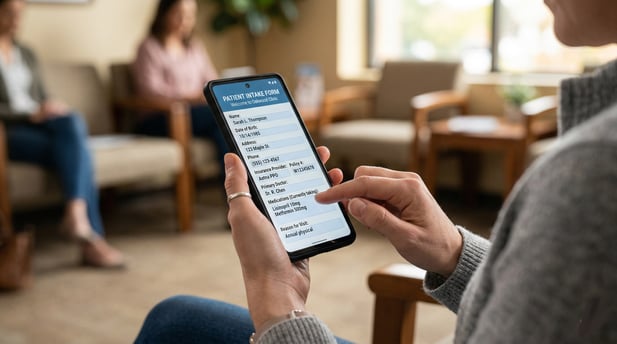
No app download. No portal login. Patients tap the link, fill out the form, and submit before they leave the house.

The data maps directly to the AdvancedMD chart. Staff don't retype a single field. The front desk arrives to a queue of pre-completed intakes, not a stack of empty clipboards.

This article breaks down how the automated intake workflow works, why portal-based intake keeps falling short, and what it looks like when check-in takes two minutes instead of fifteen.

The math is simple. The fix is even simpler.

The Villain: The 10-Minute Check-In

For many AdvancedMD practices, the biggest time drain isn't clinical. It's the intake process. When patients skip the portal, the front desk pays the price.

Understanding how this plays out explains why the problem keeps growing with every new patient added to the schedule.

The Data Entry Burden

When a patient arrives without a completed intake form, check-in becomes a data entry session. The front desk hands them a clipboard. The patient fills in fields by hand for about 10 minutes.

Then, the staff spends another 10 to 15 minutes entering every field into AdvancedMD: name, date of birth, address, phone, insurance carrier, policy number, group number, medications, allergies, surgical history, and consent signatures.

Each incomplete intake absorbs 20 to 25 minutes of combined patient and staff time. That is the real cost of portal-dependent intake when the portal goes unused.

The data entry burden is not a one-off event. It repeats, patient after patient, morning after morning.

The Cascade Effect

Front desk data entry doesn't just eat up time. It starts a chain of delays. While staff enter data for Patient A, Patient B waits at check-in.

That wait pushes the appointment start time back. The provider's schedule drifts.

One incomplete intake at 9:00 AM can push the whole morning 10 to 15 minutes late. Multiply that by several missed intakes before noon, and the practice is running behind by mid-morning. Not from any clinical issue. From the paperwork at the front desk.

The Error Multiplier

Paper-to-screen data entry also introduces mistakes. A transposed digit in an insurance ID triggers a claim rejection.

A misspelled medication name creates a drug interaction risk. An illegible address sends a patient statement to the wrong place.

Each error costs staff time to find and fix, often days later, when the downstream issue surfaces. The practice pays twice: once for the original data entry, and again for the correction. Digital forms with structured fields stop both problems at the source.

The Staffing Trap

As a practice grows from 5 to 10 to 20 providers, patient volume goes up. More patients mean more intake forms.

If portal completion rates stay at 40 to 60%, the number of manual entries per day grows with each provider added to the schedule.

Practices face a tough choice. They can hire more front desk staff to handle the added entry load, which is an overhead cost that doesn't generate revenue.

Or they accept longer check-in times and slower schedules. Neither option supports growth.

The real solution isn't more staff. It's removing the manual step entirely.   

Timeline infographic of clinic morning delays from missed forms

The Guide: The Data Entry Eliminator

Curogram's automated intake workflow is built around one goal: forms completed before patients walk in.

This section covers how the system works, what staff see in real time, and why it scales without adding overhead.

The Solution

Curogram triggers form delivery the moment an appointment is booked. The patient gets a text with a link to their intake forms. No portal login. No app to download. Just a link that opens on their phone.

A completion tracker monitors each submission. If the patient hasn't finished the forms by a set deadline, such as 24 hours before the visit, an automated follow-up text goes out. When the patient submits, data maps to their AdvancedMD chart fields without any staff action.

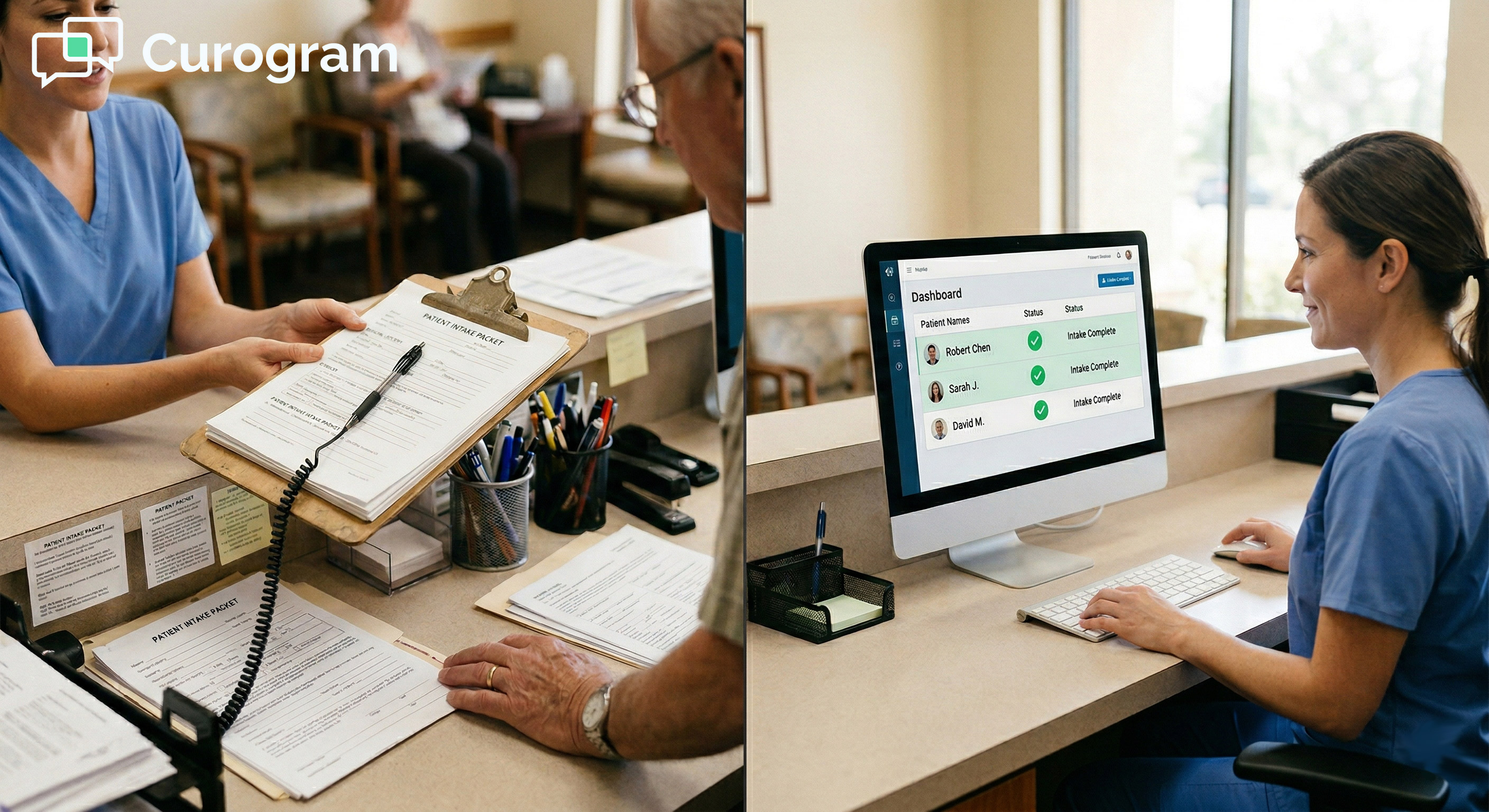
The front desk sees a live dashboard showing who has completed intake and who still needs a nudge. This is how you automate AdvancedMD intake forms for pre-visit completion and genuinely reduce front desk data entry time.

The workflow runs in the background while staff focus on patients who are already in the building.

The Completion Tracking Dashboard

The dashboard gives front desk staff real-time visibility into form status for every upcoming appointment. Each patient is marked with a clear status: green for complete, yellow for partial, and red for not started. Staff can send a one-tap follow-up text to anyone who hasn't finished.

This turns intake management from reactive to proactive. Instead of finding out at 9:00 AM that six patients have blank charts, staff can resolve gaps the afternoon before. The morning starts clean.

The Integration

Curogram's intake data connects to AdvancedMD patient records through available API pathways. Submitted form fields map to demographics, insurance, medical history, and consent sections in the chart.

Insurance card photos are attached to the billing record. Consent forms are stored with e-signatures and timestamps.

Staff doesn't retype anything. The data flows from the patient's phone to the chart and is ready for the provider to review before the appointment begins.

This is AdvancedMD digital intake staff workflow automation done right: no manual steps, no re-entry, no gaps.

The Scalability Advantage

One of the most overlooked benefits of this system is how well it scales. A 5-provider practice and a 20-provider practice use the same workflow.

As patient volume grows, more automated form deliveries go out. But the front desk workload does not grow at the same rate.

The intake automation absorbs volume growth. Staff stay focused on patient-facing duties instead of scaling data entry headcount with every new provider.

This is the foundation of a workflow built to eliminate AdvancedMD front desk data entry through automated intake forms and pre-visit text delivery: the system grows with the practice, not against it.  


The Success: Check-In in Two Minutes

Practices that fully adopt AdvancedMD intake automation see a clear shift in how their mornings run.

The data entry disappears. Check-in speeds up. Staff are freed to do what they were actually hired to do.

The Metric

When 80 to 90% of patients complete forms before arrival, versus the 40 to 60% typical of portal-based intake, the math changes fast.

Based on our internal data, practices using Curogram's automated intake workflow recover 3 to 5 hours of daily staff time previously spent on manual entry.

That is roughly half a full-time equivalent of administrative labor, redirected every single day.

To make the impact concrete, here is how the recovered time stacks up for a typical practice:

Scenario

Portal-Based Intake

Text-Based Intake (Curogram)

Daily patients

25

25

Completion rate

45%

85%

Manual entries needed

14

4

Time per manual entry

12 min

12 min

Daily staff time on data entry

168 min (~2.8 hrs)

48 min

Time recovered daily

~2 hours


Based on our internal data, practices with higher patient volumes and lower baseline completion rates recover even more time each day.

From Data Entry Team to Welcome Team

The front desk role changes when intake is automated. Instead of spending the first two hours of the day typing insurance IDs and medication lists, staff can greet patients, confirm appointments, and handle questions.

Check-in goes from 'here's a clipboard, please fill this out' to 'we have everything ready for you, let me walk you back.' The patient experience starts on a better note. Staff morale tends to follow.

This is the shift that AdvancedMD intake form automation for staff time recovery and front desk efficiency is designed to create.

The repetitive, low-value task of re-entering paper form data is removed. The work that actually requires a human gets the attention it deserves.

The Outcome

The AdvancedMD practice onboards patients before they walk in the door. Charts are complete. Insurance is on file. Consent is signed. The provider can review the intake before entering the room.

The appointment starts on time because check-in took 2 minutes instead of 15. When the data entry bottleneck is removed, the schedule stays intact.

Providers see the same number of patients with less friction. The practice runs more smoothly without adding a single staff member.


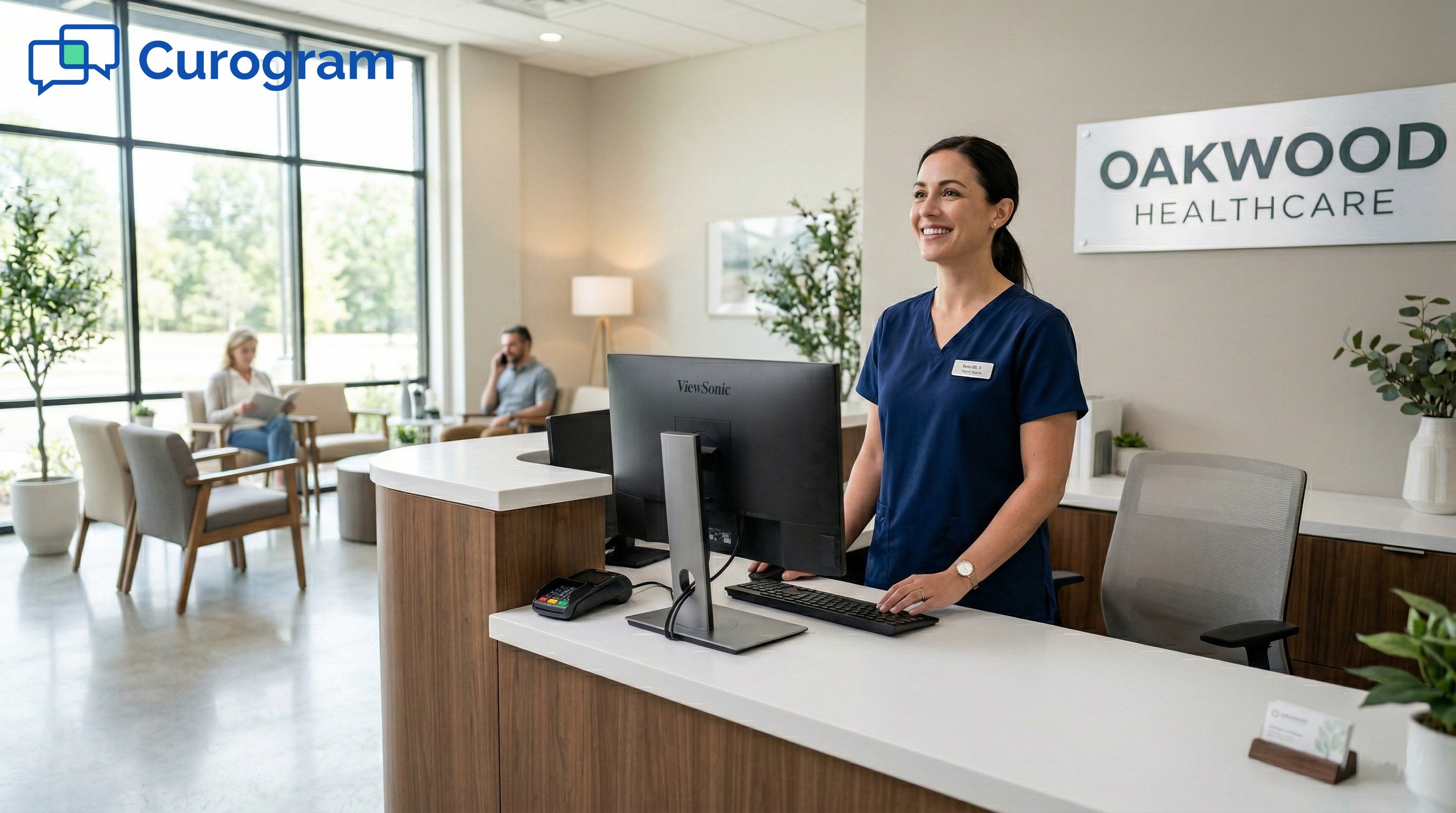
Smiling receptionist greets patients at Oakwood Healthcare front desk

Automate the Intake, Keep the Humans for Care

The core problem is straightforward. AdvancedMD's portal-based intake leaves 40 to 60% of patients arriving with blank forms. When that happens, the front desk absorbs the data entry burden.

Curogram's automated intake workflow sends forms via text, tracks completion, follows up automatically, and maps data to the chart.

The result is 3 to 5 hours of daily front desk data entry recovered and redirected to patient care.

For any AdvancedMD practice dealing with slow check-ins, backed-up schedules, or staff stretched thin on admin work, this is a practical fix.

The workflow replaces a broken process with one that actually matches how patients use their phones.

Your front desk staff was not hired to retype insurance ID numbers from paper clipboards. Every minute spent on manual data entry is a minute not spent on the patient standing in front of them.

This is what AdvancedMD intake automation is meant to solve. Not just efficiency for its own sake, but the ability to staff your front desk for the work that requires a human, and automate everything else.

When front desk staff are no longer tied to data entry tasks, they can give patients more attention. They can catch issues before they become problems. They can do the parts of the job that a form-delivery system cannot.

Practices that automate pre-visit form delivery see higher completion rates, faster check-ins, and less staff burnout from repetitive tasks. The front desk team arrives to pre-completed charts instead of empty clipboards.

If manual data entry is still a daily reality at your AdvancedMD practice, the workflow can change.

Curogram handles form delivery, completion tracking, and chart integration from the moment an appointment is booked.

Schedule a demo today to see how it works for a practice your size.

Frequently Asked Questions

How does Curogram send intake forms to patients in AdvancedMD?

Curogram sends a text message to the patient when an appointment is booked. The text includes a secure link to their intake forms. Patients tap the link, fill out the forms on their phone, and submit without logging into any portal. The system works with any smartphone and does not require an app download.

How does Curogram track which patients have completed intake forms before their appointment?

Curogram's Completion Tracking Dashboard gives front desk staff a real-time view of form status for each upcoming appointment. Each patient shows as green for complete, yellow for partial, or red for not started. Staff can send a one-tap follow-up text to anyone who hasn't finished their forms. This lets the team resolve gaps the day before, not the morning of.

How does the intake data get into AdvancedMD without manual entry?

Curogram maps submitted form fields directly to the matching sections of the AdvancedMD patient chart through available API pathways. Demographics, insurance details, medical history, and consent documentation all populate automatically. Insurance card photos are attached to the billing record. Staff do not need to retype or copy any data.

Why do patients complete text-based forms at a higher rate than portal forms?

Portal-based intake requires patients to remember login credentials, navigate a separate system, and often use a desktop browser. Text-based forms remove all of those steps.

Patients receive a link in a text message, tap it, and fill out the form on their phone in a few minutes. The lower barrier leads directly to higher completion rates, often reaching 80 to 90% versus the 40 to 60% typical of portals.

Why does portal non-completion cause such a big slowdown at check-in?

When a patient arrives without completed intake forms, the front desk must collect paper forms and manually enter each field into AdvancedMD. This takes 10 to 15 minutes per patient per incomplete intake.

For a busy morning, this creates a chain of delays that can push the entire schedule back by mid-morning. The root cause is not clinical; it is administrative, and it is entirely preventable with automated pre-visit intake.


AdvancedMD Intake Forms via Text | No Portal, Higher Completion

AdvancedMD Intake Forms via Text | No Portal, Higher Completion

💡 AdvancedMD intake forms are housed inside the patient portal. To complete them, patients must have an active account with valid login credentials.
Read More
Secure Online Forms for eClinicalWorks | Structured Data Intake

Secure Online Forms for eClinicalWorks | Structured Data Intake

💡 eClinicalWorks secure online forms with structured data intake for enterprise networks replace clipboard-based check-in with text-delivered...

Read More
eCW Patient Digital Forms: Complete Intake at Home, Skip the Clipboard

eCW Patient Digital Forms: Complete Intake at Home, Skip the Clipboard

💡 Curogram delivers the eClinicalWorks patient digital form experience through text — with no app download, no clipboard, and no lobby wait....

Read More