
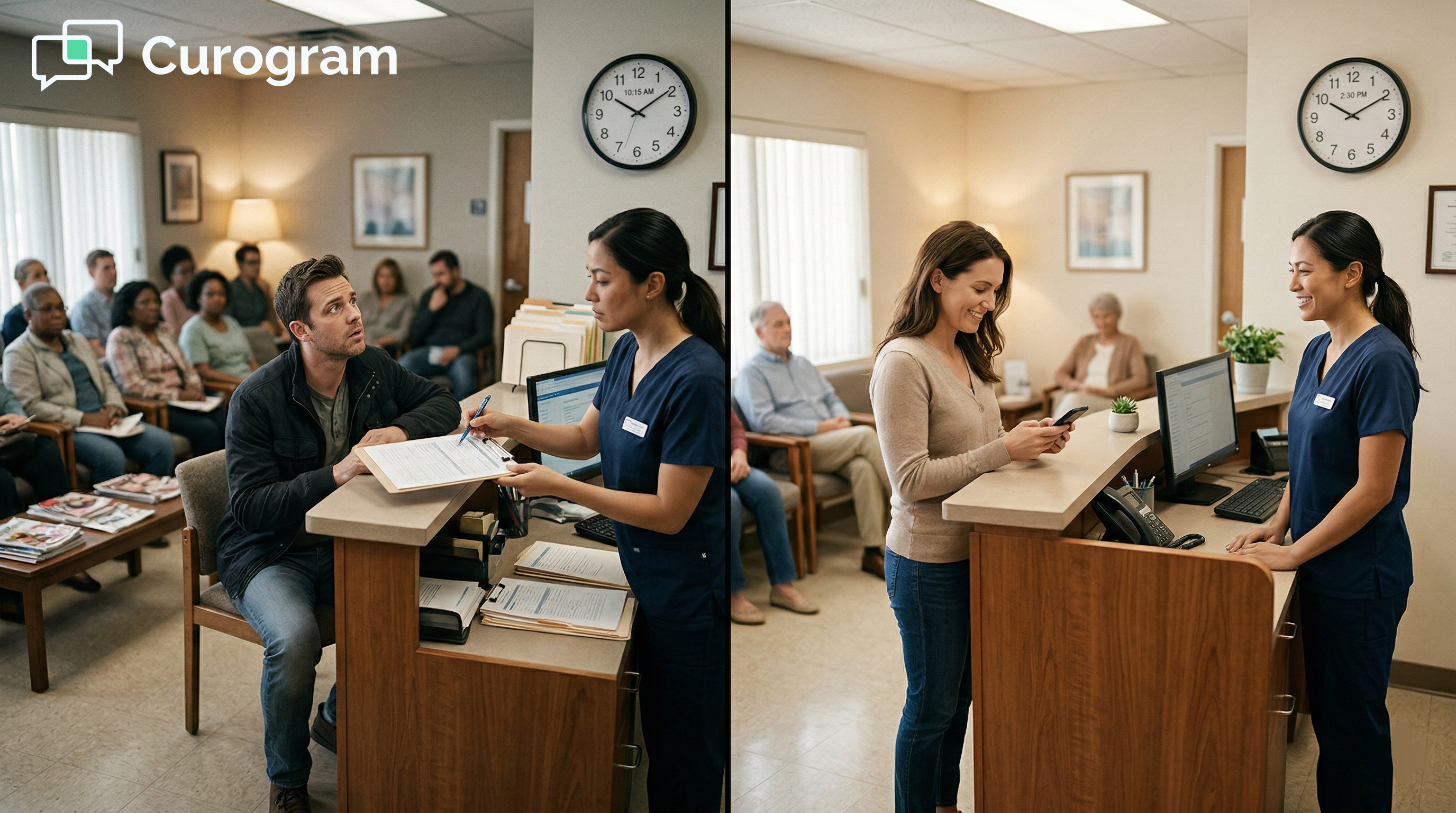
Curogram fixes this with pre-visit text delivery. When a patient is booked in Practice Mate, Curogram sends a text link 48 hours before the visit. The patient fills out their forms on their phone. By the time they walk in, intake is done.
Based on our internal data, this approach reaches 80%+ pre-visit form completion. For a practice seeing five new patients a day, that recovers up to 60 minutes of staff time daily. Clipboard intake ends. Patient care starts on time.
Picture this: it is 8:55 AM. A new patient walks in at 9:00. The front desk hands over a clipboard. The patient sits down and starts writing. Everyone waits.
That is how the Office Ally front desk intake process works for most small practices today. And it is costing them more than they realize.
When you add it up, clipboard intake takes 10 to 15 minutes per new patient. With five new patients a day, that is up to 75 minutes of staff time spent on paper, pens, and data entry.
Most of that time does not go toward care. It goes toward transcription. Decoding handwriting. Entering the same data twice. Chasing incomplete forms.
The Office Ally staff intake workflow with digital forms and pre-visit text delivery through automation solves this. Instead of managing clipboards, staff review completed intake data before the patient even arrives.
This is not a small upgrade. It changes how the whole morning runs. And for practices where one person handles scheduling, billing, and check-in all at once, that shift matters a great deal.
This article breaks down how the clipboard check-in creates a daily bottleneck, how text-delivered forms fix it, and what that looks like in practice for Office Ally users.
The Villain: The 15-Minute Check-In
The clipboard check-in looks simple on the surface. But for a small practice, it is a multi-step task that blocks the whole schedule before the day even starts. Every new patient visit sets off the same chain of events, and each link in that chain costs time.
The Clipboard Assembly Line
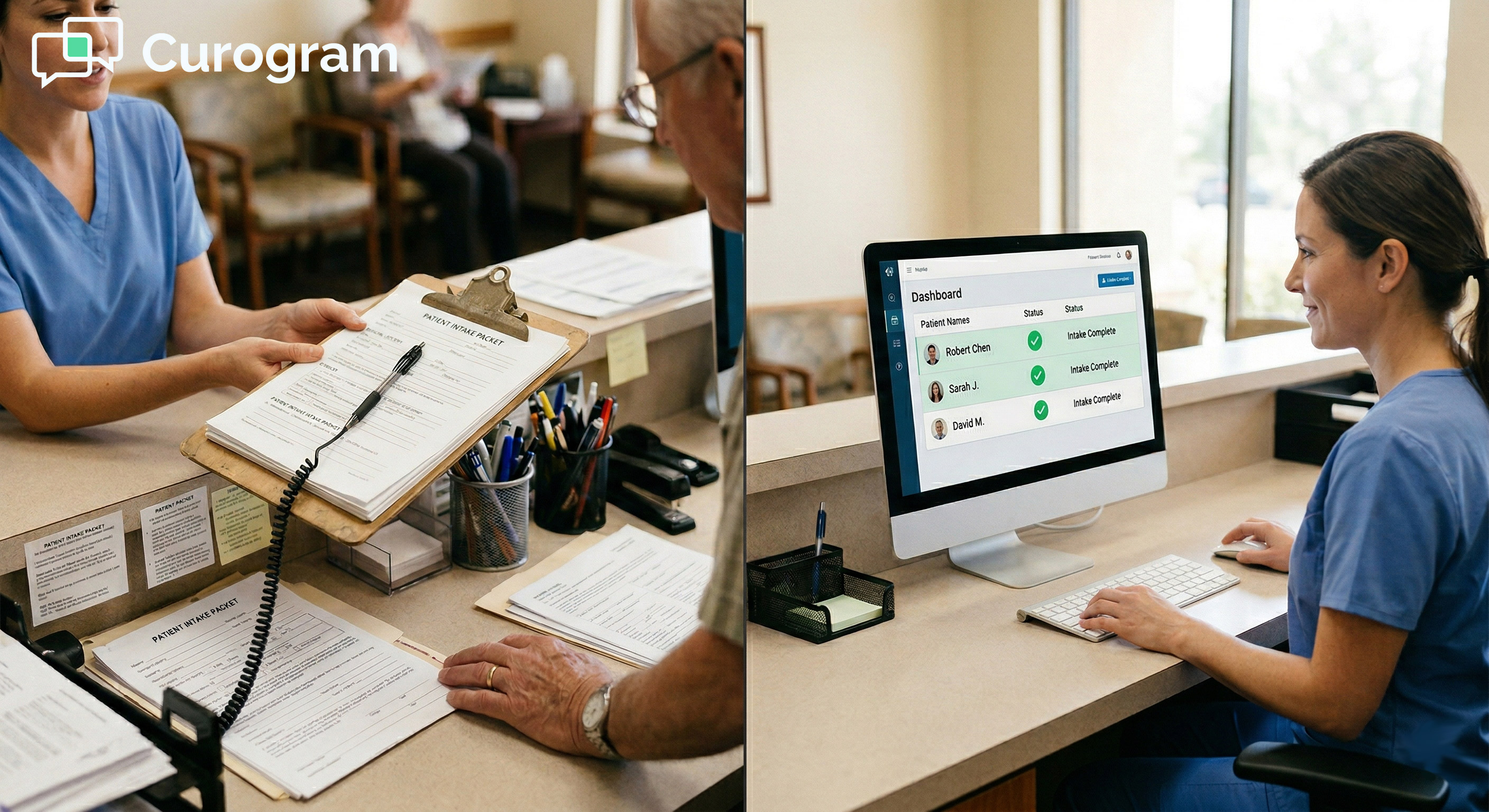
The morning starts before any patient arrives. Someone prints the intake packet. They clip the pages together, attach a pen, and stack them at the check-in window.
When a new patient arrives, they get the packet. Then they sit down and write. The front desk waits. The room waits. The schedule waits.
A full intake packet runs four to six pages: demographics, insurance, medical history, medications, allergies, consent forms, and privacy notices. Even a fast writer takes 10 to 15 minutes to finish.
Every minute the patient is writing is a minute the appointment has not started. That delay stacks up fast in a practice with back-to-back visits.
The Handwriting Problem
Once the patient hands back the clipboard, someone has to read it. And reading handwritten medical forms is not always easy.
Insurance ID numbers with unclear digits. Medication names that are hard to spell even when typed. Allergies written in margins. These gaps are more than an annoyance. They create errors.
Every field that cannot be read clearly means a follow-up. A phone call to the patient. More time spent on a task that should have been done already.
The Data Entry Tax
After reading the form, staff enter the data into Practice Mate or EHR 24/7 by hand. This is the step that most people think of last, but it is often the slowest.
Typed data entry from a handwritten source is not just slow. It is error-prone. A wrong digit in an insurance ID can delay a claim. A missed allergy can affect care.
This is the hidden cost of clipboard intake. The time is not just lost at check-in. It is lost again at billing, at follow-up, and sometimes at the point of care.
The Dual-Entry Problem With On-Site Tablets
Some practices have moved from paper to in-office tablets, using tools like Intake Pro to collect forms digitally at the front desk. That is a step forward. But it does not fully solve the problem.
When a patient completes a tablet form at check-in, the data still lives in the Intake Pro system. Staff still need to verify that it shows up correctly in Practice Mate and EHR 24/7. That review step still happens after the patient arrives, during the appointment window.
The Intake Pro staff workflow improvement is real. But the intake still happens in the office, not before the visit. The schedule still pauses while intake catches up.
The core issue is timing. Any intake that happens after the patient walks in creates a gap at the start of the appointment. Text-delivered forms close that gap entirely.
The Solo Practitioner's Intake Load
In practices without a front desk, the problem is worse. The practitioner handles every step themselves.
They hand the clipboard to the patient. They wait for it to come back. They scan the pages. They enter the data. Then, finally, they begin the visit.
For a solo chiropractor or therapist with a full schedule, this means one of two outcomes: run behind on every new patient, or rush the visit to stay on time.
Neither option serves the patient. And neither is a sustainable way to run a practice.
Time Cost of Clipboard Intake vs. Text-Delivered Forms
|
Task |
Clipboard Check-In |
Text-Delivered Forms |
|
Form distribution |
2-3 min (print, clip, hand out) |
Automated (sent 48 hrs prior) |
|
Patient completion |
10-15 min (in office) |
Done before arrival |
|
Staff data entry |
5-10 min (manual transcription) |
Review only (structured data) |
|
Total staff time per new patient |
15-25 min |
2-3 min |
|
Schedule impact |
Appointment starts late |
Appointment starts on time |

The Guide: The Intake Autopilot
Text-delivered intake is not just a digital version of the clipboard. It is a completely different approach to how and when intake happens. The shift is simple: forms go out before the visit, not during it.
How the Automated Pre-Visit Text Sequence Works
When a new patient is booked in Practice Mate, Curogram triggers an automated text sequence. The patient receives a link to the practice's intake forms 48 hours before their appointment.
The link opens a mobile-friendly form. The patient fills in demographics, insurance, medical history, consent, and any other required fields, all from their phone, on their own time.
No app download is needed. No patient portal login. Just a text, a tap, and a form that works on any smartphone browser.
The system does not rely on a single message. It sends a 48-hour reminder, then a follow-up if forms are still incomplete at 24 hours, then a morning-of nudge for anyone who has not finished. Based on our internal data, this multi-touch sequence reaches over 80% pre-visit completion.
What the Message Looks Like
The texts are written to feel personal, not automated. A typical message might read: "Hi Maria, we're looking forward to seeing you Thursday! Please complete your intake forms here so your visit can start right on time."
That tone matters. Patients are more likely to complete forms when the message feels like it came from the practice, not a software system.
Short, friendly, and clear. That is the standard. And it works.
What Happens When the Patient Arrives
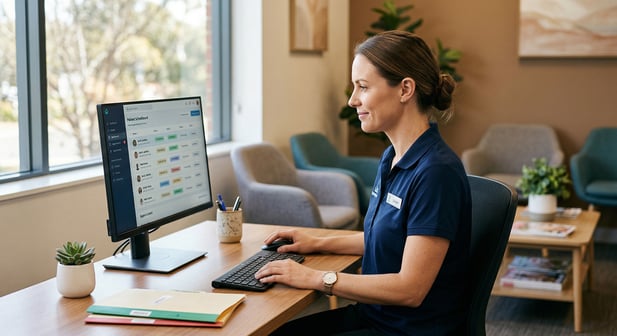
By the time the patient walks in, the intake data is already in Curogram's dashboard. Staff can review it before the appointment starts.
Insurance details are visible. Medical history is filled in. Consent is signed. The front desk does not hand out a clipboard. They confirm the information and move on.
The check-in takes two minutes instead of fifteen. The appointment starts on time.
How This Fits the Office Ally Ecosystem
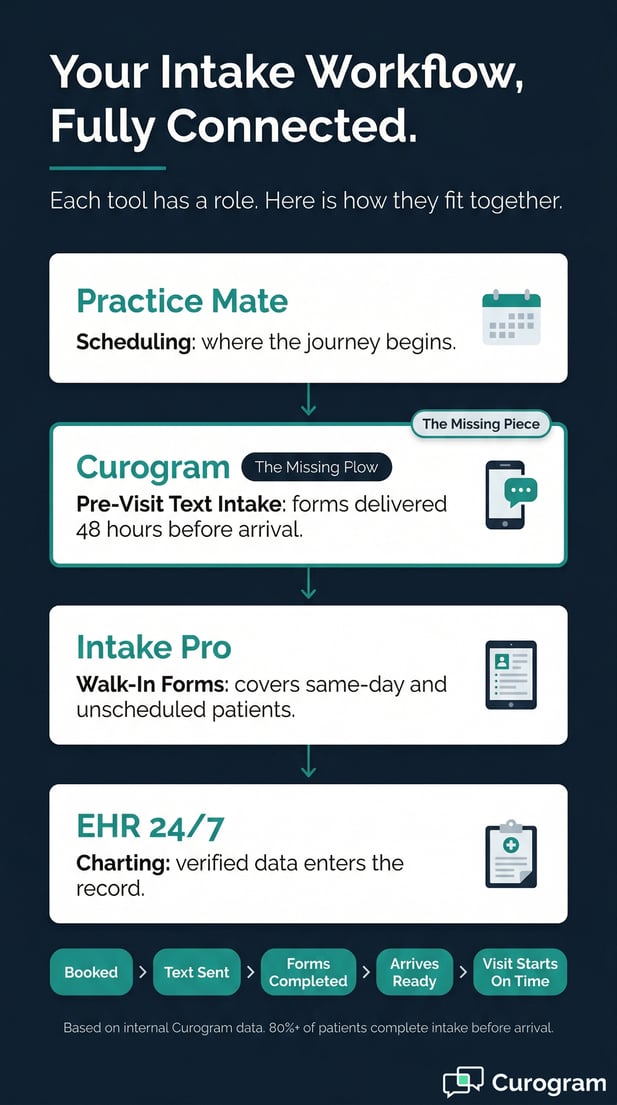
The Office Ally clipboard to digital intake conversion does not mean replacing the tools that already work. Practice Mate handles scheduling. EHR 24/7 handles charting. Curogram handles pre-visit preparation.
Staff review the submitted intake data on Curogram's dashboard, then enter it into Practice Mate and EHR 24/7 as part of the check-in process. But now they are entering verified, typed data, not guessing at handwriting.
This is a meaningful change. The small practice intake form efficiency gain comes not just from saving time, but from reducing errors at the source.
For practices that keep Intake Pro for walk-in patients, Curogram works alongside it. Curogram covers the scheduled patients with pre-visit texts. Intake Pro handles the exceptions. The two tools are not in conflict.
The Office Manager Win
For the office manager who starts the day with a stack of tasks, the shift from clipboard intake to pre-visit digital forms changes how the morning feels.
Instead of assembling packets and chasing incomplete forms, the first task of the day is a review. Open Curogram's dashboard. See who has completed intake. Flag anything that needs attention.
The role shifts from reactive to proactive. That is the real win for small Office Ally practices.
Staff productivity goes up. Stress goes down. And the practice runs closer to on-time, all day.
The Success: Intake Complete Before the Door Opens
Changing the intake process is not just a workflow fix. It has real, measurable effects on how a practice runs and how much it can do each day. The numbers are clearer than most people expect.
The Pre-Visit Completion Rate
Text-delivered forms through Curogram reach a pre-visit completion rate of over 80%, based on our internal data. By comparison, portal-based or email-delivered forms typically land between 30 and 40%.
That gap matters. With portal intake, six out of ten patients still need to complete forms at the desk. With text-delivered intake, only about two in ten do.
For a practice with five new patients per day, that means four patients arrive with intake already done. Only one still needs in-office help. That is a very different morning.
Pre-Visit Completion Rate Comparison
|
Delivery Method |
Avg. Pre-Visit Completion Rate |
In-Office Intake Still Needed |
|
Clipboard (paper) |
0% |
100% of patients |
|
Patient portal / email |
30-40% |
60-70% of patients |
|
Text-delivered (Curogram) |
80%+ |
~20% of patients |
The Time Math
At 10 to 15 minutes saved per new patient, the daily time recovery adds up fast.
Five new patients per day, four with pre-completed intake, at 10 to 15 minutes each: that is 40 to 60 minutes of daily staff time returned to the practice.
Across a five-day week, that is up to five hours. Over a month, it approaches 20 hours of recovered capacity.
At a conservative $100 to $200 per appointment slot, recovering even two to three extra slots per week represents $200 to $600 per week in additional capacity. Based on our internal research, practices that switch to text-delivered intake see meaningful gains in this range within the first few months.
What That Time Looks Like in Practice
It is 8:45 AM. The first new patient arrives at 9:00. The office manager opens Curogram's dashboard. Intake is done. Insurance is in. History is submitted. Consent is signed.
At 9:00, the patient walks in. No clipboard. No wait. They are in the room by 9:02. The practitioner greets them already knowing their history. The visit starts on time.
The 9:15 appointment starts on time. The 9:30 appointment starts on time. The day stays on track.
That is what 80% pre-visit completion looks like in practice. Not a number on a dashboard. A day that runs the way it was supposed to.
From Data Entry to Patient Preparation
The Practice Mate patient form automation changes more than just the time. It changes what the front desk job actually involves.
Instead of transcribing handwritten forms, staff spend check-in time reviewing completed data, preparing the treatment room, and making sure the practitioner has everything they need.
The intake bottleneck becomes the intake head start. Staff are not catching up when the patient arrives. They are already ready.
And the EHR 24/7 intake data entry elimination means less room for error. Verified, typed data goes into the chart. Not guesswork from a clipboard.
The Shift From Reactive to Proactive
The most important change is not the time saved. It is the mindset shift.
When intake is done before the patient arrives, the front desk is no longer playing catch-up. They are prepared. That preparation shows up in how the patient’s experience during check-in.
No awkward clipboard hand-off. No waiting. No paperwork piling up at the window. The patient walks in and the visit starts. That is a different kind of welcome.
And for the practice, it means every new patient visit starts from a position of readiness, not recovery.
Let the Forms Arrive Before Your Patients Do
Clipboard intake has been the default in small practices for a long time. But the cost of that default is real: 10 to 15 minutes per new patient, every day, every week.
The Office Ally front desk intake process does not have to work that way. Text-delivered forms shift intake out of the appointment window and into the 48 hours before the visit.
Practice Mate manages your schedule. EHR 24/7 manages your charts. Intake Pro handles walk-in forms. Curogram handles the time before the patient arrives.
Each tool has a role. Curogram fills the gap that the others leave open: the pre-visit period, when forms can be completed without slowing the schedule.
This is not about replacing what works. It is about completing the workflow.
The Key Takeaways
|
The Problem |
The Solution |
The Result |
|
Clipboard intake wastes 10-15 min per new patient |
Text-delivered forms sent 48 hrs before visit |
80%+ complete intake before arrival |
|
Handwriting creates errors and follow-up calls |
Structured digital fields, no transcription needed |
Cleaner data in Practice Mate and EHR 24/7 |
|
Solo practitioners handle intake themselves |
Automated text sequence requires no staff action |
More time for clinical work |
|
Portal/email forms see 30-40% pre-completion |
SMS text links see 80%+ pre-completion |
Fewer in-office interruptions |
Most practices that switch to text-delivered intake eliminate 80% of clipboard check-in within the first month, based on our internal data.
That is a meaningful shift. And it is one of the fastest wins available to an Office Ally practice.
Stop assembling clipboards. Start reviewing completed forms. The difference will show up on day one.
Schedule a demo today to see how Curogram completes your Office Ally setup.
Frequently Asked Questions
When a new patient is booked in Practice Mate, Curogram automatically picks up the appointment and sends a text with the intake form link, 48 hours before the visit. No manual steps are needed from staff. The sequence runs on its own, and completed forms show up in Curogram's dashboard ready for review before the patient arrives.
Text messages have a much higher open rate than email, and they require no login or app download. A patient who gets a text link can tap it, fill in the form, and be done in a few minutes. Patient portals add steps: create an account, remember a password, find the right section. That friction is why portal-based intake sees only 30 to 40% pre-visit completion, while text-delivered forms reach over 80%.
Curogram captures intake in structured digital fields. Staff review the submitted data on Curogram's dashboard at check-in, then enter it into Practice Mate and EHR 24/7. The key difference is that they are entering clean, typed data, not transcribing handwriting. That step is faster and significantly more accurate than traditional clipboard entry.
Many practices use Curogram for scheduled appointments and keep Intake Pro for walk-ins or same-day patients who did not receive a pre-visit text. The two tools are not in conflict. Over time, as the 80%+ pre-visit completion rate reduces the volume of in-office intake, Intake Pro handles a smaller share of exceptions. The Intake Pro staff workflow improvement and Curogram's pre-visit automation work together to cover the full range of patient types.
Based on our internal data, most practices eliminate 80% of clipboard intake within the first month. The automated text sequence requires no ongoing setup. Once the integration is live, every new patient booking triggers the pre-visit form flow automatically. Staff see the change in their daily workload from the first week.