


11 min read

Office Ally Patient Text Intake | Forms Before Arrival

Office Ally Patient Text Intake | Forms Before Arrival
💡 When a patient receives a text link to their intake form before a visit, they use it. Practices using Office Ally can deliver patient intake forms via text message to patients on mobile, in their own time, and see over 80% pre-visit completion. That is well above the 30 to 40% seen with portal or email delivery.

Patient Ally works for active portal users. But new patients rarely create an account just for a one-time form. Curogram sends a secure form link by text 48 hours before the appointment. The patient taps the link, opens a mobile-friendly form, and completes it in about 6 minutes. No app needed. No password required.

For small Office Ally practices, this one shift in delivery changes the entire pre-visit experience. Patients arrive ready for care, not for paperwork.


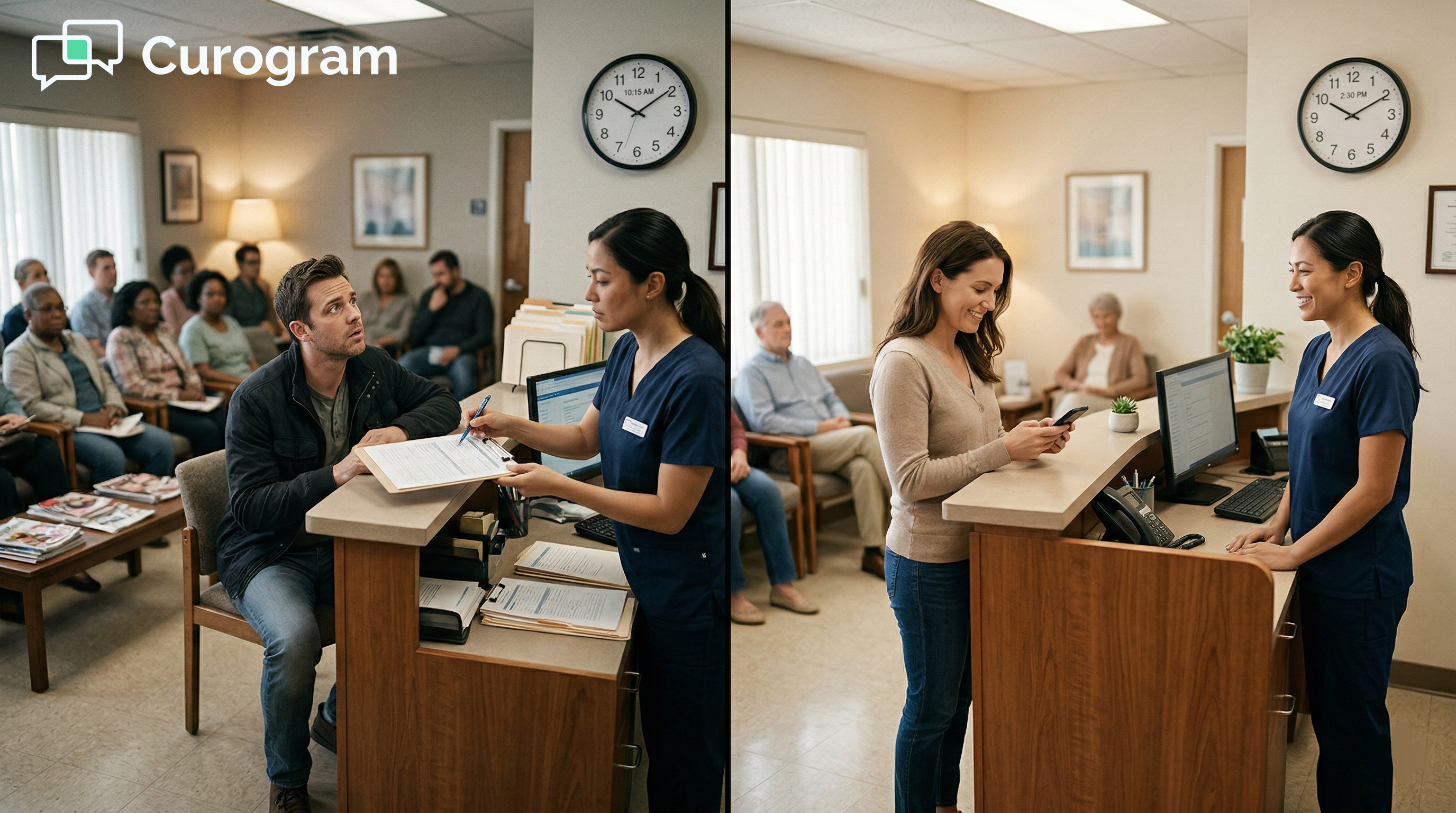
You ask your new patients to arrive 15 minutes early. They do. They check in at the front desk. Then you hand them a clipboard.

This moment happens in small practices every day. The patient sits down, borrows a pen, and begins writing. Name, date of birth, address, insurance number.

All the details they have written at every other office they have ever visited. By the time their appointment starts, they have spent more time filling out forms than they will with the doctor.

It does not have to work this way.

Today, patients check their phones dozens of times each day. They use text to confirm plans, pay bills, and schedule rides. When a practice sends a patient intake form via text message, patients respond.

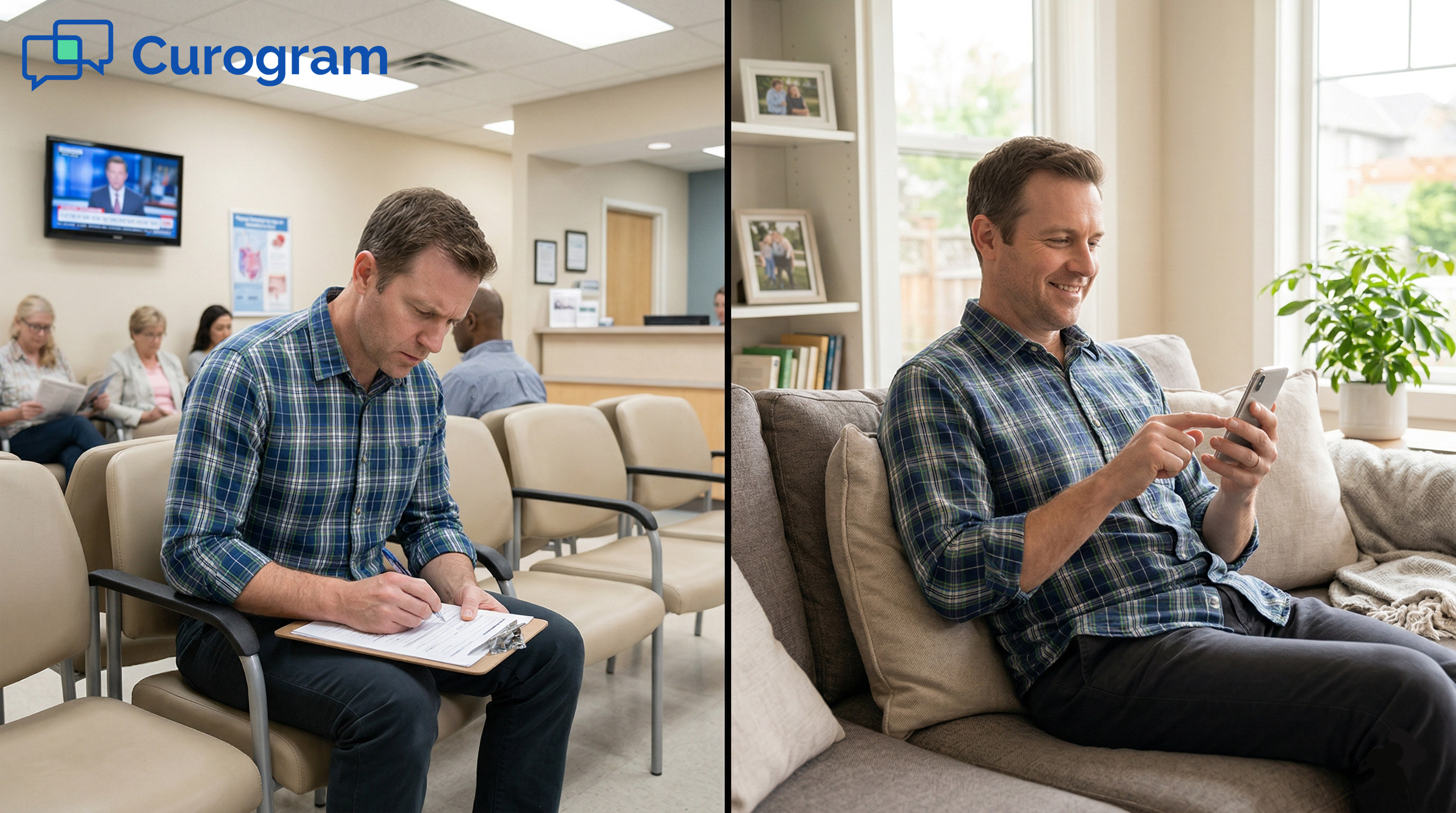
They tap the link, open the form on their phone, and finish it in about 6 minutes. From their couch. Before they ever pull into your parking lot.

For Office Ally practices, this is a real shift in how the pre-visit process works. The digital patient intake experience on mobile does not have to start at the front desk. It can start two days before the visit, on the patient's own phone, at their own pace.

Patient Ally's portal is a useful tool. But portal adoption among new patients at small practices tends to sit between 20 and 40%. Most new patients will not create an account just to fill out a form once.

Curogram delivers that same form via text, with no account needed, no password to create, and no app to download. Sending a small practice patient intake text message simply works better because it meets patients where they already are.

This article explains why patients skip clipboards, avoid portals, and respond to text. It also shows what that shift means for your practice.

The Villain: The Clipboard Nobody Wants to Fill Out

The way most practices collect patient information has not changed much in decades. Paper forms and waiting room tablets are still the norm for many offices. But patient behavior has shifted.

Understanding the gap between what practices ask for and what patients prefer is the first step toward fixing intake.

The Same Form, Every Single Visit

Most patients have filled out a new patient form more times than they can count. At the dentist, the specialist, the urgent care clinic.

Each visit, the same blank fields appear on a new sheet of paper. And each time, the patient picks up a pen and starts again.

The forms are nearly identical from one practice to the next. Name, address, insurance details, allergies, medications, surgical history.

Patients know this list well because they have written it at dozens of offices. They are not confused by your form. They are just tired of it.

What Gets Written Every Time

Every new patient form asks for the same core information. Full name. Date of birth. Address. Phone and email. Insurance provider and policy number. Primary care physician. Allergy and medication lists. Surgical and family history.

This information does not change from visit to visit. Yet patients write it by hand, on paper, every time they go somewhere new.

The repetition is not the only issue. The act of writing it on a clipboard, in a public waiting room, makes the process feel impersonal. It signals that the practice has not found a better way. For a patient choosing where to receive regular care, that signal matters.

Why That Repetition Builds Friction

Friction in the intake process does not disappear once the form is done. It carries into the visit itself. A patient who spent 15 minutes writing in the waiting room arrives at the exam room already a little frustrated. That mood shapes how they engage with the provider.

Reducing intake friction is not just about convenience. It is about the tone of the entire visit. A patient who completed their form at home, on their phone, before the appointment begins in a different state of mind. They feel prepared. They feel respected. And that changes the dynamic.

The Portal Problem

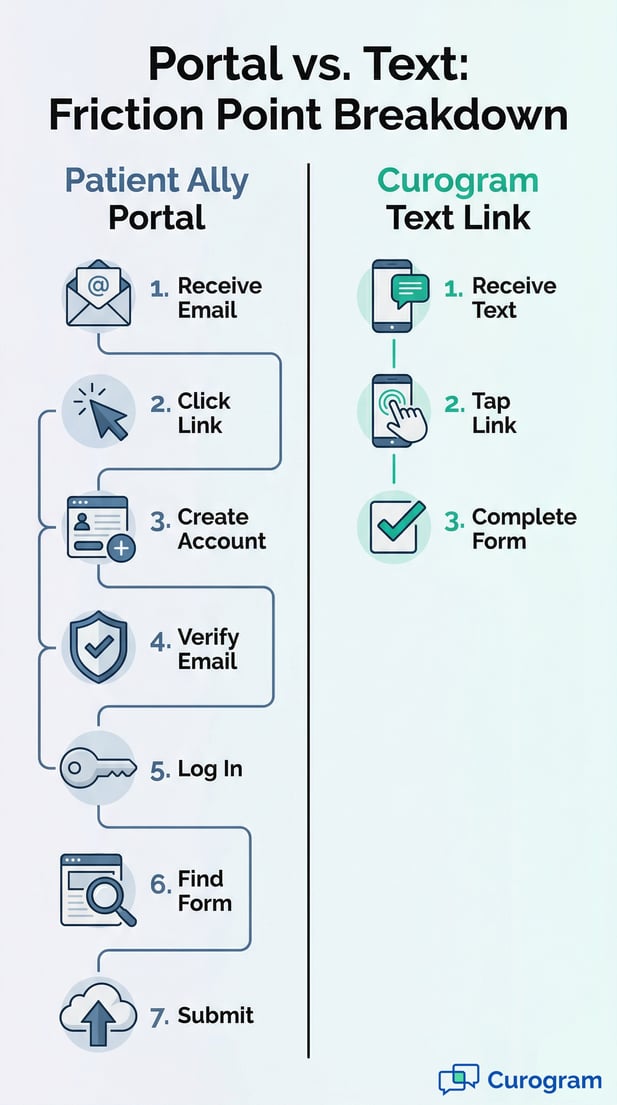
The Office Ally Patient Ally portal intake alternative is a real option, but it works best for patients who already use the portal regularly. For a first-time visitor, the steps required create a whole new barrier.

Creating an account, setting a password, and navigating an unfamiliar login system takes effort that most new patients will not spend on a form they plan to fill out once.

The password they set gets forgotten before the next visit. The portal login never opens again. The access credentials are lost in an inbox.

What was meant to reduce paperwork ends up creating a different kind of paperwork. For practices that want high patient form completion rates, portal delivery consistently falls short.

This is not a flaw in Patient Ally. It is a channel problem. Portals work for active, returning patients. They are not designed to onboard a new patient in under five minutes. Text is.

The Waiting Room Tax

A patient arrives 15 minutes early, just as your front desk asked them to. They check in and receive the clipboard. Ten minutes pass. Then fifteen. Their scheduled time comes and goes. They are still writing. No one meant for this to happen. But it did.

This experience sends a message to the patient, even if no one says a word. It says the practice values compliance over the patient's time.

For patients choosing between two chiropractors or two therapists, the one who respects their time before the appointment wins their loyalty after it.

Intake Delivery Method Comparison

Delivery Method

Where Patient Completes Form

Avg. Completion Rate

Paper clipboard

Waiting room (required)

~100% (no choice)

Patient portal

Before visit (desktop/mobile)

20-40%

Email link

Before visit (desktop/mobile)

30-40%

Text message link

Before visit (mobile)

80%+


When Intake Causes Real Stress

For some patient groups, in-office paperwork is more than inconvenient. A mental health patient filling out a depression screen in a public waiting room faces real emotional barriers.

An elderly patient with limited hand strength may struggle to write clearly. A parent with a toddler on their lap, trying to recall dosage names and dates, is under real pressure.

The clipboard does not adapt to any of these situations. Moving toward a digital patient intake experience on mobile, in the comfort of a patient's own home, changes the context.

Patients who feel at ease when providing their information are more likely to provide it clearly and completely. That matters for clinical accuracy, not just convenience.


Infographic comparing patient portal friction to the Curogram 3-step text link process

The Guide: The Form Patients Actually Complete

The intake form has not changed. The delivery method has. When you put that same form in a text message instead of on a clipboard, patients complete it at a much higher rate.

This section covers how text-delivered intake works, what makes it easy for patients, and how it fits into the tools an Office Ally practice already uses.

How Text Delivery Works

Curogram sends a text message with a form link to the patient 48 hours before their appointment. The message comes from the practice's name, not from an unknown system address.

The patient taps the link, and the form opens in their phone's browser. No download. No login. No account to create.

The form is built to work on any smartphone, any browser, and any operating system. The patient completes it at their own pace and submits.

Most patients finish in about 6 minutes. The practice receives the completed form before the patient ever walks through the door.

The 48-Hour Window

Sending the form 48 hours before the visit gives patients time to complete it without rushing. They can look up insurance card numbers, check medication names, or ask a family member for help with medical history details. They do not have to recall everything from memory while sitting in a waiting room.

The timing also reduces last-minute cancellations. When a patient has already invested time in completing their intake form, they are more committed to showing up. This is a quiet benefit that adds up across a full schedule.

Built for Phones, Not Paper

The form itself is designed for thumbs, not pens. Medication fields use drop-down menus, so patients do not have to type drug names from memory. Medical history uses tap-to-select checkboxes.

Insurance card fields include a photo upload option, so patients can snap a picture instead of reading small text off a card. Signature capture works with a simple finger swipe.

Every element is designed to reduce friction and increase accuracy. The form also auto-saves progress as the patient moves through each section.

If they get interrupted by a phone call or a child who needs attention, they can close the form and pick up exactly where they left off when they tap the link again.

Mobile-First Form Design

The patient intake form text delivery mobile experience is different from filling out a form on a desktop computer. Patients on their phones expect things to be quick, clear, and easy to tap.

Curogram's forms are built with this in mind. Large fields, clear labels, and tap-to-select options keep the process moving without frustration.

Forms that are not built for mobile create drop-offs. A field that requires typing a long policy number on a tiny keyboard is a barrier. A question that requires scrolling sideways to read is a barrier.

Every barrier reduces the chance that the patient finishes the form. Removing those barriers is why text-delivered, mobile-optimized intake reaches 80%+ completion rates, based on our internal data.

The auto-save feature deserves special mention. Completion rates for digital forms drop sharply when patients feel they have to finish in one sitting.

Auto-save removes that pressure. Patients who know they can pause and return are more likely to start in the first place.

It Works Alongside Your Existing Tools

Curogram does not replace Patient Ally or Intake Pro. It works alongside them. Patients who prefer the portal can still use it.

Patients who are comfortable with a tablet in the waiting room can still use that. Curogram simply handles the delivery channel that achieves the highest completion rate.

For Office Ally practices already using Practice Mate, the patient pre-visit form process via text fits into the existing workflow. Staff do not need to learn a new scheduling system.

The intake data flows back into the existing setup without creating double entry. The practice keeps what works and adds what is missing.

It Feels Personal, Not Clinical

The text message itself matters as much as the form. A message that comes from "NOREPLY@healthportal.com" feels like a system.

A message that reads, "Hi Sarah, we're looking forward to your visit on Thursday. Complete your intake form now so we can focus on your care," feels like a practice that cares.

For patients who choose a small practice specifically for its personal touch, this text reinforces that choice before they ever walk through the door.

It is a small detail with a meaningful effect on first impressions. The practice has not just sent a form link. It has sent a message that says: "We are ready for you."


The Success: Tap. Complete. Arrive Ready.

Higher completion rates are the outcome that matters most. But the impact of text-delivered intake goes beyond a number.

It changes the experience for the patient, the workflow for the staff, and the start of every visit. This section looks at what that shift looks like in practice.

The Completion Rate Difference

Portal-based and email-based intake forms typically see completion rates between 30 and 40%, based on our internal research. Text-delivered forms consistently reach 80% or higher.

That means 4 out of every 5 new patients arrive with their intake already complete. The remaining 1 in 5 can be handled quickly at the front desk.

This gap is not a small improvement. It is a fundamental change in how pre-visit preparation works. A practice seeing 20 new patients a week goes from roughly 7 completed forms before arrival to 16. That is 9 more patients who walk in ready for care, every single week.

What 80%+ Completion Means for Your Practice

When patients arrive with forms already done, the front desk workflow changes. Check-in takes less time.

The provider starts the visit with complete information already in hand. Staff spend less time entering data from paper forms. The schedule runs closer to its intended timeline.

The downstream effects add up. Fewer delays at check-in mean shorter wait times across the board. Providers who start visits with full intake data can focus the appointment on care, not on collecting information they should already have. Patient satisfaction improves. So does staff efficiency.

Why Text Outperforms Email and Portal

Text messages have an open rate of around 98%, compared to roughly 20 to 30% for email. That difference alone explains a large portion of the gap in patient form completion rates. An email can sit unread in an inbox for days. A text is seen within minutes.

Portal-based delivery adds friction that email does not. Creating an account, setting a password, and logging in to a new system is work that most new patients will not do for a single form.

Text removes all of that friction. One tap. One form. Done. The patient form completion rate for text vs portal reflects this difference directly.

From Obligation to Convenience

The psychological shift that comes with text-delivered intake is real. When patients fill out a form in the waiting room, intake feels like something the practice imposes before allowing care.

When they fill it out at home, on their phone, at their own pace, it feels like something they did to prepare for their care.

That shift is not trivial. Patients who feel in control of the intake process arrive at the visit in a different frame of mind. They feel proactive. The practice feels organized. The appointment begins with engagement, not administration.

The form did not change. The experience did.

A Real Patient Story

A new mental health patient receives a text on Tuesday for a Thursday therapy session. They complete the intake form at home that evening, including the PHQ-9 screening they would have found uncomfortable filling out in a public waiting room. Thursday arrives. They walk in, check in, and are seated in the therapist's office within 3 minutes.

The therapist has already reviewed the screening scores, the history, and the patient's primary concerns. The session begins with connection, not paperwork. The patient leaves thinking: "They already knew what I needed before I sat down."

That is the practice they return to. That is the practice they tell others about. And it started with a text message sent two days before the visit.

This same pattern applies to the chiropractic patient beginning a new care plan, the physical therapy patient starting a treatment program, and any new patient who walks through your door for the first time. The intake experience shapes the relationship before the clinical one begins.

Woman using a smartphone to complete digital patient intake forms at home

Give Patients the Intake Experience They Prefer

Patients tell practices what they want through their behavior. They skip portals. They ignore email links. They resent clipboards. And they respond to text messages.

The solution to low intake completion rates is not a better form. It is a better delivery channel.

Office Ally patient intake delivered via text message on mobile consistently outperforms every other delivery method. Over 80% of patients complete the form before they arrive, based on our internal data. Portal delivery reaches 20 to 40%. Email sits at 30 to 40%.

The gap is not close, and it is not random. It reflects how patients actually use their phones and how they respond to different channels.

Most practices know their portal completion rates are low. What changes with text is not the form itself.

It is the delivery timing, the channel, and the level of effort asked of the patient. Reducing that effort drives the result.

Patient Ally is for your portal. Intake Pro is for your waiting room tablet. Curogram is for your patients, specifically for reaching them in the channel they check most, on their phones, before they walk through your door.

These tools do not have to compete. A practice can use Patient Ally for portal messaging, Intake Pro for in-office fallback, and Curogram for text-delivered pre-visit intake.

Each serves a different use case. Curogram handles the channel with the highest completion rate, and that is where most new patient intake belongs.

Most practices that switch to text-delivered intake see 80%+ pre-visit completion within the first month. Staff spend less time on data entry at check-in.

Providers start visits with full patient information already in hand. Patients arrive feeling ready rather than rushed.

The shift is small. A text message, 48 hours before the appointment, with a link to a mobile-friendly form. The impact on the patient experience, and on daily workflow, is significant.

Your patients do not want to fill out a clipboard. Give them a text link instead. 

Schedule a demo today to see how Curogram completes your Office Ally setup and what 80%+ pre-visit completion looks like for your practice.


Frequently Asked Questions

Why do patients complete intake forms at higher rates via text than through a portal?

Text messages do not require an account, a password, or any setup. Patients see the text, tap the link, and the form opens right in their browser. A patient portal requires new patients to create login credentials before they have even met the provider. That extra step is enough friction to cause most new patients to skip it entirely.

How does text-delivered intake protect patient privacy and stay HIPAA-compliant?

The text message itself contains no medical information. It is simply a link to a secure, HIPAA-compliant form. All data the patient enters is encrypted in transit and at rest, meeting the same security standards as data entered directly into an EHR. The form link is unique to each patient and expires after the form is submitted.

Why is mobile-first form design important for patient intake completion?

Most patients open the form on a smartphone, not a desktop. Forms that are not designed for mobile require patients to zoom in, scroll sideways, or type long strings of text on a small keyboard. Each of those friction points increases the chance that the patient stops and never finishes. Mobile-first design removes those barriers so the form gets done.

How does auto-save affect patient form completion rates?

Patients are more likely to start a form when they know they do not have to finish it in one sitting. Auto-save means a patient who gets interrupted by a phone call, a child, or a work meeting can close the form and return to it later.

Their progress is saved, and they pick up exactly where they left off when they tap the link again. This is one of the key reasons text-delivered forms reach 80%+ completion rates.

Why does a small practice benefit more from text intake than from asking patients to use a portal?

Patients choose small practices for the personal experience. A portal that requires account creation before a first visit works against that expectation. A friendly text from the practice, using the patient's name and mentioning their upcoming appointment, reinforces the personal feel that brought them to the practice in the first place. Small practice patient intake via text message is a better match for the relationship a small practice is trying to build.