
How eCW Teams Reduce Confirmation Calls with Automated Text Reminders
💡 eClinicalWorks front desk automated text reminders that eliminate confirmation calls give scheduling teams a practical way to stop spending hours...
10 min read
Jo Galvez
:
March 31, 2026
Your AdvancedMD appointment reminders are going out. Texts fire. Emails land. Calls get made. But are patients actually confirming?
There is a big difference between a reminder and a confirmation. A reminder tells a patient they have a visit. A confirmation tells you they plan to show up.
Most reminder systems, including AdvancedMD’s built-in tools, are designed for the first job. The second is where the gap opens.
Here is the problem in plain terms. AdvancedMD sends automated reminders via text, email, and phone. Patients can confirm by clicking a link or cancel via text.
But if a patient does not respond, the appointment still shows as “scheduled.” Your team does not know if that person is coming. So they start calling.
That is the confirmation chase. And it happens every single day.
The national no-show rate sits at 27%. That means more than one in four appointments ends with an empty room and no revenue earned.
For independent practices with 1 to 20 providers, those numbers stack up fast. Losing $20,000 to $30,000 a month to no-shows is not unusual, even with reminders running.
Curogram’s two-way SMS reminders solve this with a closed confirmation loop. Patients get a text. They reply YES, NO, or RESCHEDULE. The AdvancedMD schedule updates on its own. No one on staff has to make a follow-up call.
The results are real. Based on our internal data, Curogram clients see confirmation rates above 75% and no-show rates 53% below the industry average. Atlas Medical Center brought their no-show rate down from 14.20% to 4.91% in just three months.
That is what happens when reminders become confirmations. The rest of this article shows exactly how it works.
AdvancedMD’s reminder system is built to notify. It does that job well. But notifying a patient and confirming their visit are two very different things.
This section breaks down what happens in the space between the two, and why that gap is costing your practice more than you think.
AdvancedMD sends automated reminders via text, email, and phone before each visit. Patients can confirm by clicking a link or cancel within a set window.
This works when patients take action. But when they do not, the practice is left without a clear answer.
The reminder goes out with the date, time, and provider name. It may include a link to confirm or cancel. The system has done its part. The ball is now in the patient’s court.
If the patient does not click the link or reply, nothing changes. The slot still shows as “scheduled.” There is no signal to your team that the patient did not respond. Staff have to find out by scanning the schedule and checking each unconfirmed slot by hand.
Once reminders fire, the work shifts to the front desk. Staff look at the schedule and spot every appointment still marked “scheduled.” Then the calling begins.
They dial, leave a voicemail, wait, and call again. Automation was supposed to remove phone tag. Instead, it just changed who gets called.
For a five-provider practice running 30 to 50 appointments per day, this chase can take one to two hours of front desk time daily.
That is time pulled away from check-ins, billing questions, and patients standing at the window right now.
Multiply those hours across a full month and the loss becomes clear. Staff can spend up to 40 hours monthly just trying to confirm appointments that may never happen. The cost is not just phone minutes. It is staff capacity that could go to better use.
No-shows are not just a scheduling problem. They are a revenue problem. When a patient does not show and the slot does not get filled, the practice absorbs the full cost of that visit without earning a single dollar.
Based on our internal research, practices in the small to mid-market range lose an estimated $20,000 to $30,000 per month to no-shows and late cancellations. Each open slot means a provider’s time, a room, and support staff all go to waste.
Once the slot is gone, it cannot be taken back. There is no way to re-book that hour after the fact.
Without a system to fill cancellations quickly, every no-show is a permanent loss. The reminder was sent, but the revenue still walked out the door.
The schedule is supposed to tell your team what the day looks like. But a schedule full of “scheduled” statuses is not a plan. It is a list of possibilities.
The 8:00 AM slot says “scheduled.” So does the 2:00 PM. Neither of those tells you if the patients are actually coming. The status reflects a booking, not a confirmed visit.
Without a two-way appointment reminders system to close the loop, your schedule cannot be fully trusted. Providers cannot plan with confidence.
Staffing stays unclear. The whole day rests on a best guess rather than a confirmed list.

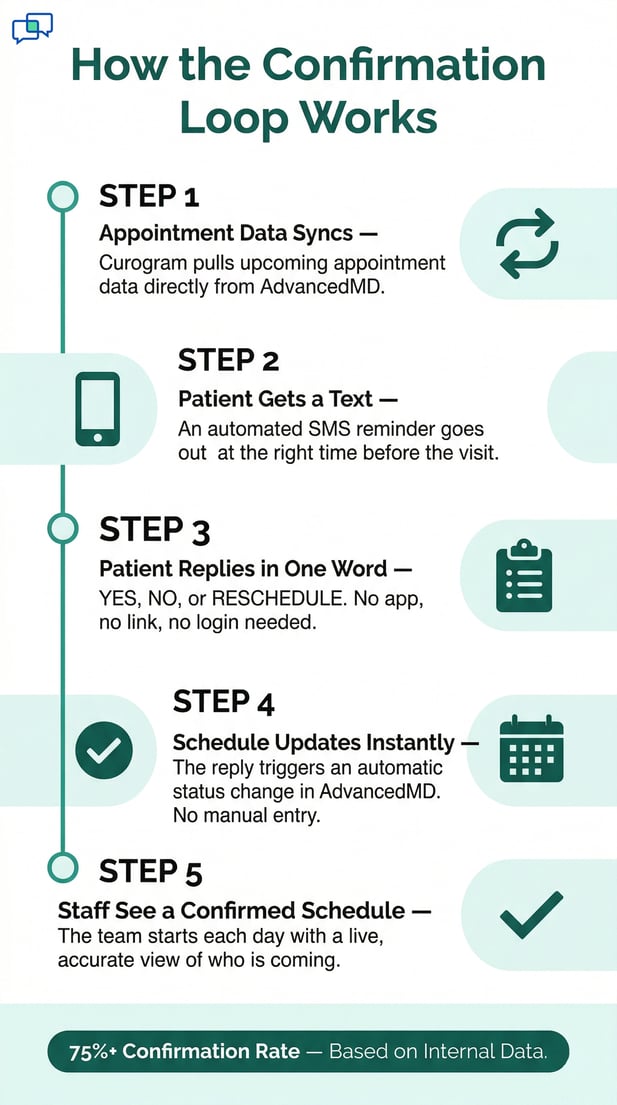
There is a better way to handle appointment reminders. It does not involve more phone calls or more staff hours. It works through a simple loop: send a text, get a reply, update the schedule.
This section explains how Curogram’s two-way SMS reminder system works with AdvancedMD in practice.
Curogram sends automated two-way SMS reminders at set intervals before each appointment.
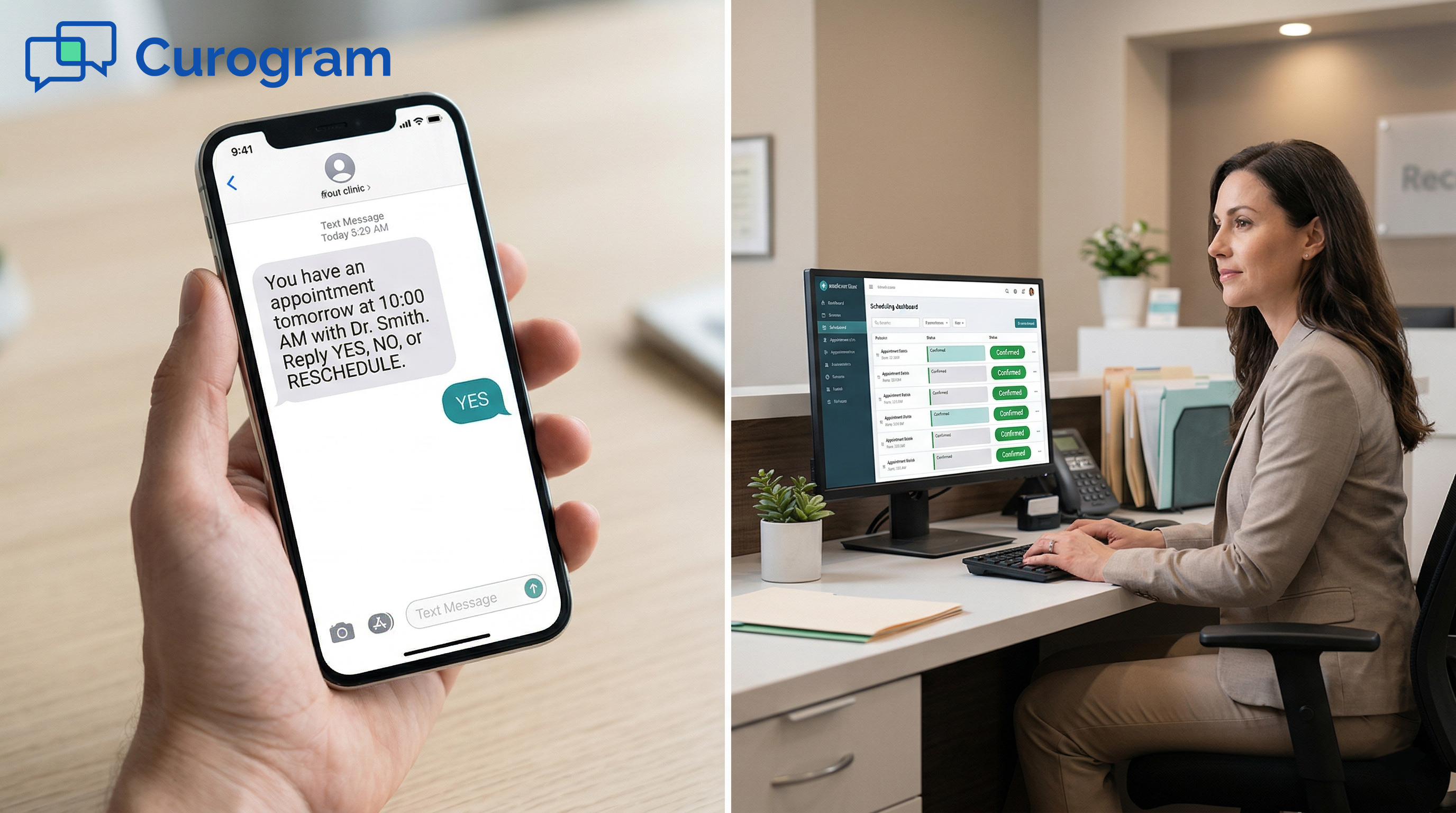
The patient gets a text in plain language: “You have an appointment tomorrow at 10:00 AM with Dr. Smith. Reply YES to confirm, NO to cancel, or RESCHEDULE to find a new time.”
The patient replies with one word. The schedule updates on its own.
No staff member has to read the reply or update the record manually. The response feeds directly into the system.
The appointment status changes to confirmed, cancelled, or reschedule-requested right away. The front desk sees accurate data without lifting a finger.
Patients respond to texts faster than to emails or phone calls. Text has a much higher open and reply rate across all age groups.
When the only action needed is a single word, the barrier to respond drops almost to zero. That is why the AdvancedMD patient confirmation text reply flow delivers results that phone-based reminders simply cannot match.
Curogram does not just send reminders and wait. It tracks every reminder’s outcome across your full schedule. You can see which patients confirmed, which cancelled, and which did not respond at all. That data turns into action.
For patients who do not reply, the system sends a second reminder at a later interval. This gives them another chance to confirm before anyone on your staff picks up the phone. Most non-responders confirm on the second text. Only a small group need a manual call.
The system shows confirmation rates by provider, day of week, and appointment type. If Tuesday afternoons have a low confirm rate, you can see that clearly and adjust. Practice managers get real data they can use to plan better and reduce no-shows over time.
Curogram connects to the AdvancedMD scheduling system. Appointment data flows from AdvancedMD into Curogram, which triggers reminders at the right time. When patients reply, the AdvancedMD schedule update happens automatically. Nothing needs to be done by hand.
Staff see confirmed appointments, cancellations, and reschedule requests all in one place. There is no need to toggle between platforms or update records manually. AdvancedMD stays the scheduling engine. Curogram handles the confirmation layer sitting on top of it.
Before the day starts, the team opens the schedule and sees which patients have confirmed. Slots cancelled overnight are flagged right away.
The waitlist is already being notified. Your team walks in with a clear picture of the day, not a page full of unknowns.
AdvancedMD serves practices across many specialties. Curogram’s smart reminders are built to match. Reminder timing, tone, and follow-up steps can all be adjusted per provider, appointment type, or specialty.
A behavioral health practice may need 48-hour advance reminders with a gentle tone. A primary care clinic may need a same-day morning text. Each practice sets its own rules so the reminder flow matches how its patients behave.
No matter the specialty, the core confirmation loop works the same way. The patient replies. The schedule updates. Staff stay informed.
Two-way appointment reminders through AdvancedMD close the confirmation gap regardless of what kind of care the practice provides.
The real measure of any reminder system is not how many texts go out. It is how many patients actually show up.
This section covers what changes when the confirmation loop is fully in place, backed by data from real practices.
The numbers behind Curogram’s confirmation system come from real practices using it every day. Based on our internal data, Curogram clients achieve over 75% average appointment confirmation rates.
That is a major shift from the industry average, where no-shows still run at 27% nationally.
Atlas Medical Center is one of the clearest examples of what a closed confirmation loop can do.
Based on our internal data, they cut their no-show rate from 14.20% to 4.91% in just three months. That is three times better than the national benchmark.
Covina Arthritic Clinic started with 369 confirmed appointments per month. After switching to Curogram’s automated system, they grew to over 1,100 average confirmed appointments monthly, based on our internal data.
The process moved from time-intensive manual follow-ups to a fully automated confirmation loop.
Before two-way SMS, reminders were one-way alerts. They went out and nothing came back. The practice had no real idea who read the message or who planned to show. That changes with a closed-loop confirmation flow.
A one-way reminder asks for nothing. A two-way reminder asks for a reply. When patients are prompted to respond, they engage.
They confirm, cancel, or request a new time. Each outcome gives the practice something it can act on right away, instead of just waiting and hoping.
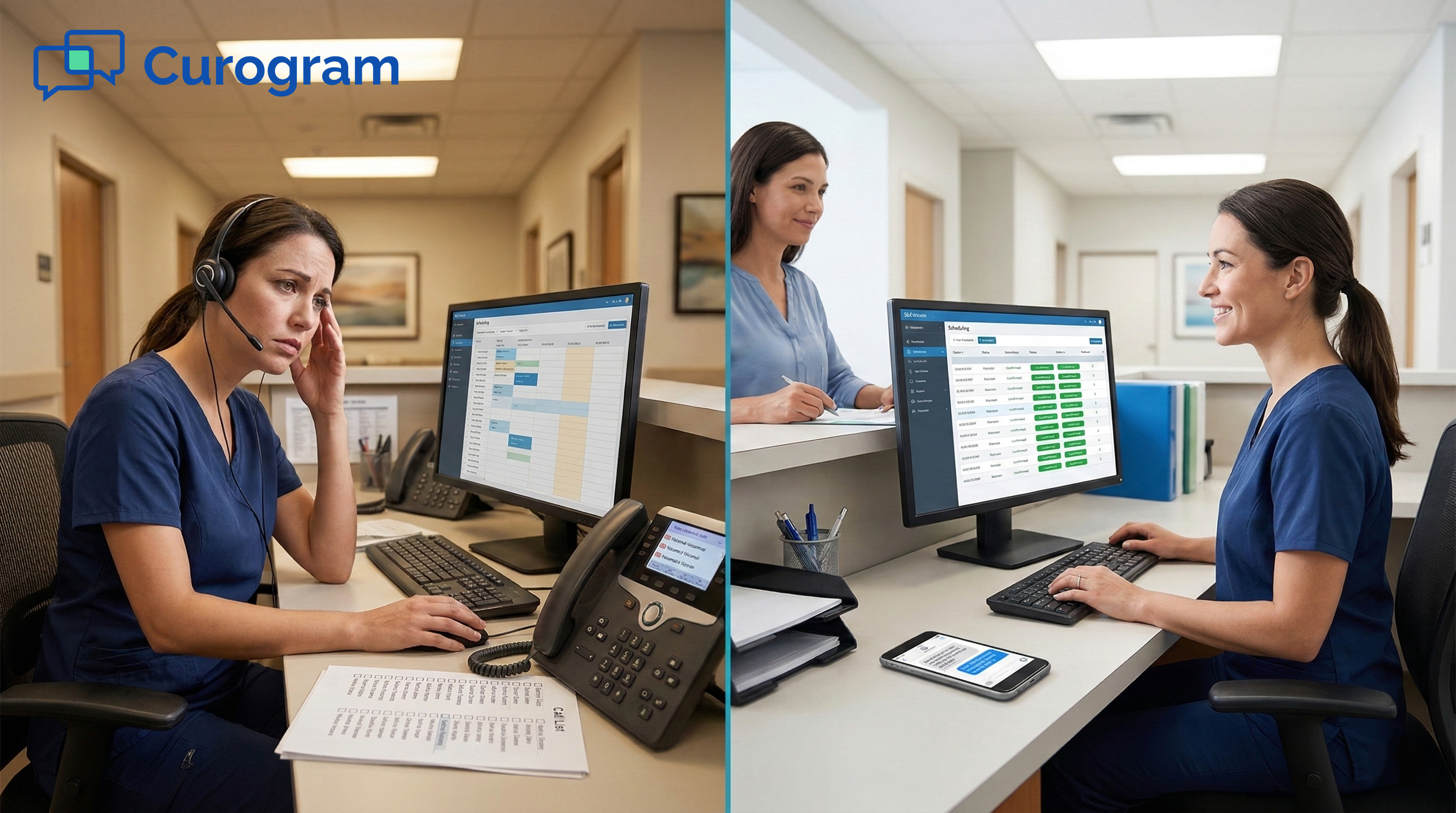
Front desk teams stop making confirmation calls and start managing confirmed appointments. The schedule stops being a list of bookings and starts being a live view of the day.
Staff know by mid-morning which slots are confirmed and which may open up. That kind of clarity changes how the whole day runs.
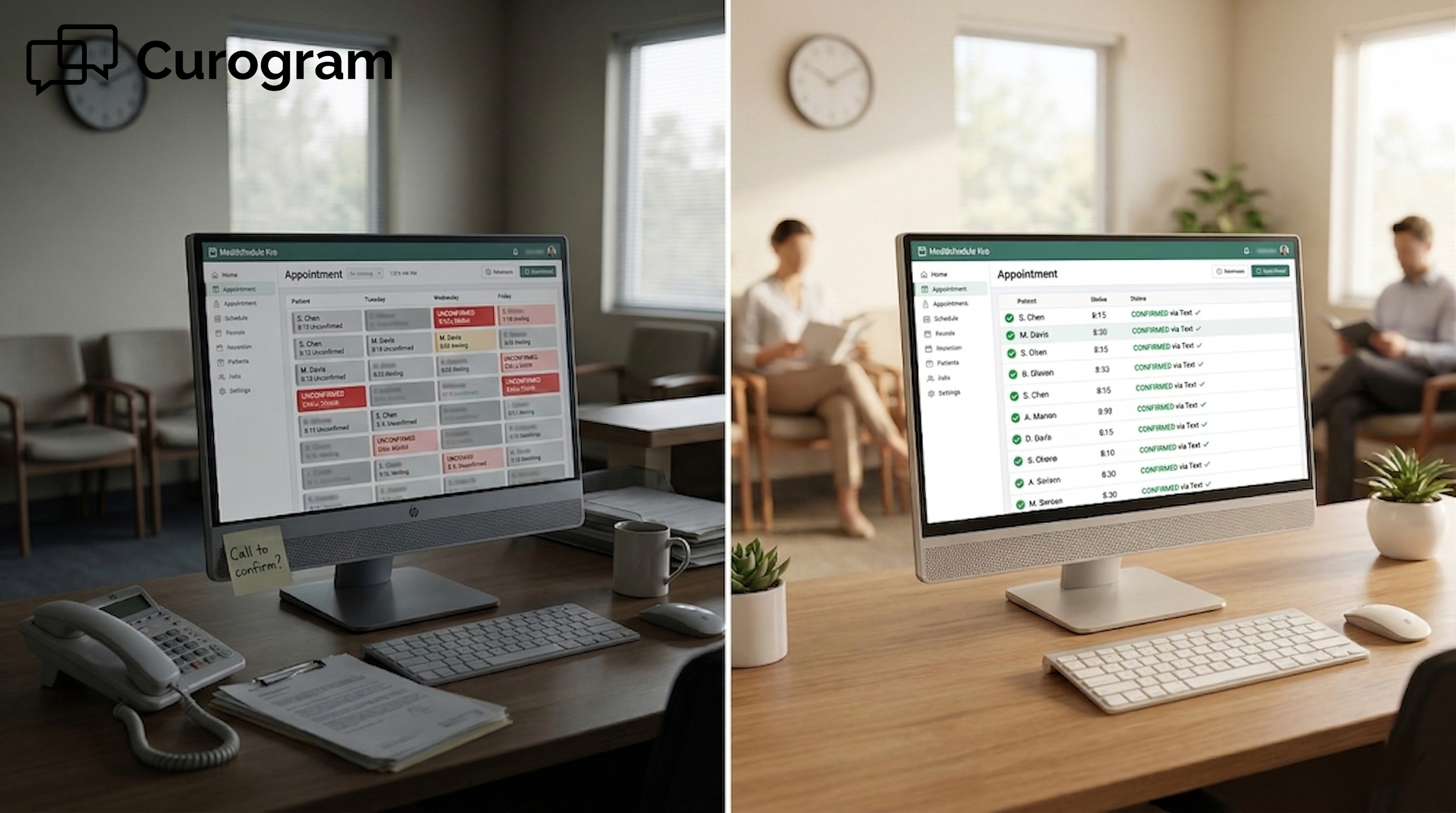
Before vs. After: Confirmation Workflow Comparison
|
Before Curogram |
After Curogram |
|
One-way text and email reminders |
Two-way SMS with YES, NO, or RESCHEDULE reply |
|
Appointment stays “scheduled” with no update |
Status auto-updates: confirmed, cancelled, or rescheduled |
|
Staff spend 1 to 2 hours per day on calls |
Confirmation calls drop sharply |
|
No-show rate near 14 to 27% |
No-show rate cut by up to 53% |
|
Empty slots found the morning of the visit |
Waitlist notified automatically when a slot opens |
When the confirmation loop is running, the schedule reflects reality. Every slot has a clear status before the day begins.
Providers know who is coming. Staff know which rooms to prep. There is no more guessing what the day will look like.
Based on our internal research, practices that reduce no-shows through smart reminders see a 10 to 20% increase in revenue.
Each recovered slot adds directly to the bottom line. That gain compounds every week the system keeps running.
When staff are not stuck on confirmation calls, they can focus on the patients in front of them. Check-ins move faster. Questions get answered sooner.
The front desk runs at full capacity because the AdvancedMD SMS reminders confirmation system is handling the follow-up work in the background.

Every reminder that goes out without a confirmed reply is a missed chance. Missed chances become no-shows. No-shows become lost revenue.
The good news is that this is a solvable problem, and fixing it does not require rebuilding your entire workflow.
AdvancedMD appointment reminders do exactly what they were designed to do. They reach patients before their visit. But reaching a patient is not the same as confirming they will be there. The gap between those two things is where revenue goes missing every single day.
Curogram’s two-way SMS system adds a response layer on top of AdvancedMD’s scheduling platform. Patients text back YES, NO, or RESCHEDULE.
The schedule updates on its own. No phone calls, no manual data entry, and no uncertainty about who is actually coming in.
Based on our internal data, Curogram clients see over 75% confirmation rates and no-show rates 53% lower than the industry average.
For a five-provider AdvancedMD practice, that kind of shift can mean tens of thousands in recovered revenue every year.
You chose AdvancedMD for its scheduling and clinical tools. It handles a lot. But the confirmation gap is not a flaw in AdvancedMD. It is a job the platform was simply not designed to do on its own.
A dedicated confirmation system closes that gap without replacing anything you already use. AdvancedMD stays the scheduling engine.
Curogram adds the two-way confirmation layer that turns every scheduled appointment from a booking into a verified visit.
Your team walks in each morning with a confirmed schedule, not a page of open questions. Cancellations get flagged. Waitlist patients get notified.
Providers start their day knowing who is coming. That kind of clarity is not a small change. It reshapes how the whole practice operates.
Stop letting revenue slip through the gap between “reminder sent” and “appointment confirmed.” The fix is not more staff or more phone calls.
It is a smarter reminder workflow that gets patients to respond and keeps your schedule accurate in real time.
Schedule a demo today to find out how much revenue your practice could recover by turning reminders into real confirmations.
Curogram does not replace AdvancedMD’s built-in reminder tools. It works alongside them, adding a two-way SMS layer that lets patients reply YES, NO, or RESCHEDULE directly from their phone.
Many practices keep AdvancedMD’s email and phone reminders running while using Curogram as their primary text confirmation channel. Patients tend to respond to texts faster and more often than to emails or calls.
Curogram connects to AdvancedMD through available API pathways. When a patient texts back, the appointment status updates in the AdvancedMD schedule right away, without anyone on staff touching the record.
Confirmed, cancelled, and reschedule-requested statuses all appear in one place. There is no need to switch between systems or update records by hand.
Reminders notify patients, but they do not require a response. When patients do not reply, the appointment stays “scheduled” and staff have no way to know if the patient is coming. Without a confirmed reply, the practice cannot act on a potential cancellation or fill the slot in time. The gap between “reminder sent” and “appointment confirmed” is where most no-shows are born.
Results can come quickly. Based on our internal data, Atlas Medical Center cut their no-show rate from 14.20% to 4.91% in just three months.
Covina Arthritic Clinic grew from 369 to over 1,100 confirmed appointments per month within the same general timeframe. Most practices see meaningful improvement in confirmation rates within the first few weeks of going live.
Curogram automatically sends a follow-up reminder at a later interval for patients who did not reply the first time. This gives them a second chance to confirm before your staff needs to make a manual call.
Most non-responders confirm on the second text, which means fewer calls for your team overall. Only a small group at the end of that sequence requires personal outreach.
💡 eClinicalWorks front desk automated text reminders that eliminate confirmation calls give scheduling teams a practical way to stop spending hours...
💡 Athenahealth appointment reminders powered by Curogram's Schedule Filler use 2-way SMS to keep your schedule full and cut no-shows. Sends text...
💡 NextGen Enterprise appointment reminders powered by Curogram send 2-way texts patients can reply to — confirming, cancelling, or rescheduling. ...