

8 min read
Confirm Your AdvancedMD Appointment via Text | One Reply, Confirmed
Jo Galvez
:
May 12, 2026
They see the reminder, plan to come back to it, and never do. That leaves the practice with a schedule full of unconfirmed slots and a front desk making follow-up calls.
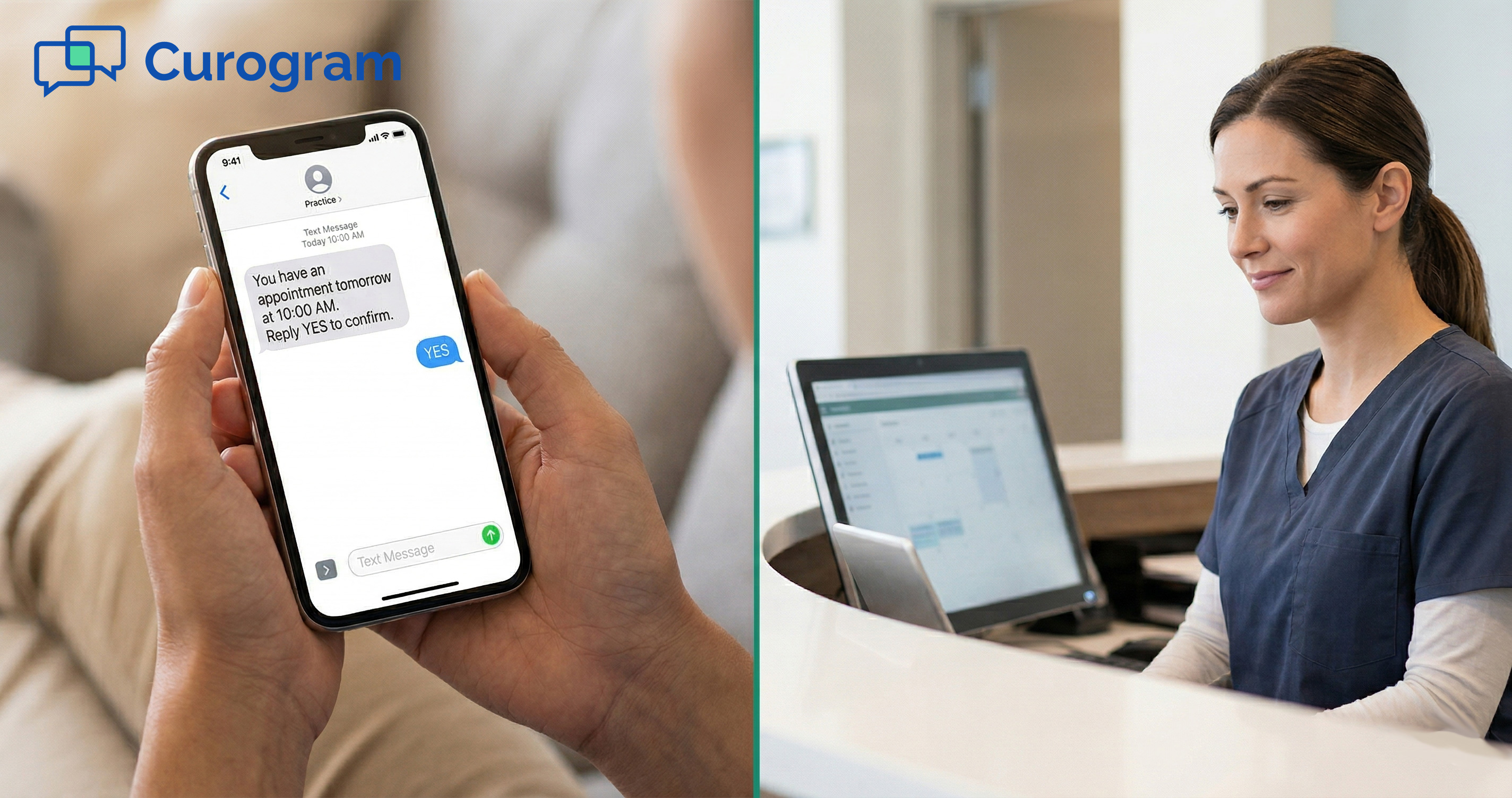
Curogram solves this with one-reply confirmation. Instead of a link, patients get a simple text and reply with one word: YES, NO, or RESCHEDULE. The reply syncs to the AdvancedMD schedule right away. No app, no portal, no phone call needed.
Based on our internal data, practices using Curogram see over 75% of their patients confirm on their own. It is the easiest improvement an AdvancedMD practice can make to how they connect with patients before an appointment.
Your patient got the reminder. They saw it. They read it. But they did not click the link.
That plays out dozens of times a day at practices on AdvancedMD. The reminder goes out. The link sits there unclicked. Someone on the front desk picks up the phone. What should take 2 seconds now takes 5 minutes.
AdvancedMD appointment confirmation via text, powered by Curogram, cuts the link out of the process entirely. Patients reply to a text with one word: YES.
That reply confirms the appointment, updates the schedule, and ends the conversation. No portal login. No app to download. No phone call needed. Just a single SMS reply, and the job is done.
Think about how patients confirm things every day. A dinner spot holds their table after one reply. A delivery service locks in the window after a single tap. A rideshare shows up without a call. The action is instant. No browser, no login, no form.
The question is why a healthcare visit should require more effort than any of those things. It should not. And yet, for most patients on AdvancedMD, it does.
Curogram works on top of AdvancedMD to close that gap. When patients get a Curogram reminder, they can reply YES, NO, or RESCHEDULE right from their text app.
The reply flows into the AdvancedMD schedule automatically. Staff start the day knowing who is confirmed, who cancelled, and who needs a new slot.
Based on our internal data, practices using this approach confirm over 75% of their appointments without any follow-up calls.
This article covers why the link-based process falls short, how one-reply confirmation works in practice, and what changes when friction drops to almost nothing.
The Villain: The Link They Never Click
AdvancedMD sends appointment reminders with a confirmation link built in. On the surface, this seems like a solid approach.
In practice, the link is where the process breaks down. Patients see the reminder, but most of them never tap the link.
The Click Barrier
Getting from “I saw the reminder” to “I confirmed my appointment” takes four steps when a link is involved. The patient opens the text, taps the link, waits for the browser to load, then acts on the confirmation page.
Each step is small on its own. Together, they add up to more effort than most patients will spend on a routine task.
One Notification Among Many
The average person receives dozens of texts and alerts every day. Delivery updates, bank alerts, social pings, and now a healthcare reminder with a link. None of these links feel urgent.
The reminder gets read, maybe even noted, but the link stays untapped. It is not that patients do not care. It is that the link looks like every other link they scroll past.
Why I’ll Do It Later”Never Happens
Most patients do not ignore the link on purpose. They see the reminder, decide the link can wait, and move on. But later never comes. The text gets buried.
The appointment is the next day, and the patient assumes the confirmation went through. It did not. That gap between intention and action is where practices lose confirmed appointments.
The Silent Non-Responder
When a patient does not click the link, the practice gets no signal. The slot shows as “scheduled” but not “confirmed.” Staff cannot tell who is planning to come and who is not.
Every unclicked link is an unknown. Multiply that across a full day of appointments, and the picture gets murky fast.
The Phone Call Loop
When links go unclicked, the front desk calls. The patient may answer, or they may not. If they do not answer, staff leave a voicemail. If the patient calls back, they may go on hold. A task that should take 2 seconds now takes 5 to 10 minutes per patient.
Practices that want to text confirm their AdvancedMD appointment by patient SMS, getting replies like YES, NO, or RESCHEDULE without a phone call, end up relying on calls anyway because the link never converted.
The Patient Frustration
Patients are not against reminders. They are against reminders that require too much. A text that says “click this link to confirm” asks patients to leave their messaging app and navigate a browser page just to say yes.
Then, when they skip the link, they get a call asking them to do the same thing out loud. That cycle feels clunky and unnecessary.
Patients who want to confirm their AdvancedMD appointment via text and reply YES, NO, or RESCHEDULE through SMS without a portal are looking for the simplest possible action. They should not need a browser to let you know they are coming.

The Guide: The One-Reply Confirmation
Curogram replaces the link with a plain text message. The patient receives a clear reminder and replies with one word.
That reply handles everything the link was meant to do, but in a fraction of the time. This section covers how the system works and why it connects with patients of every age and background.
The Solution
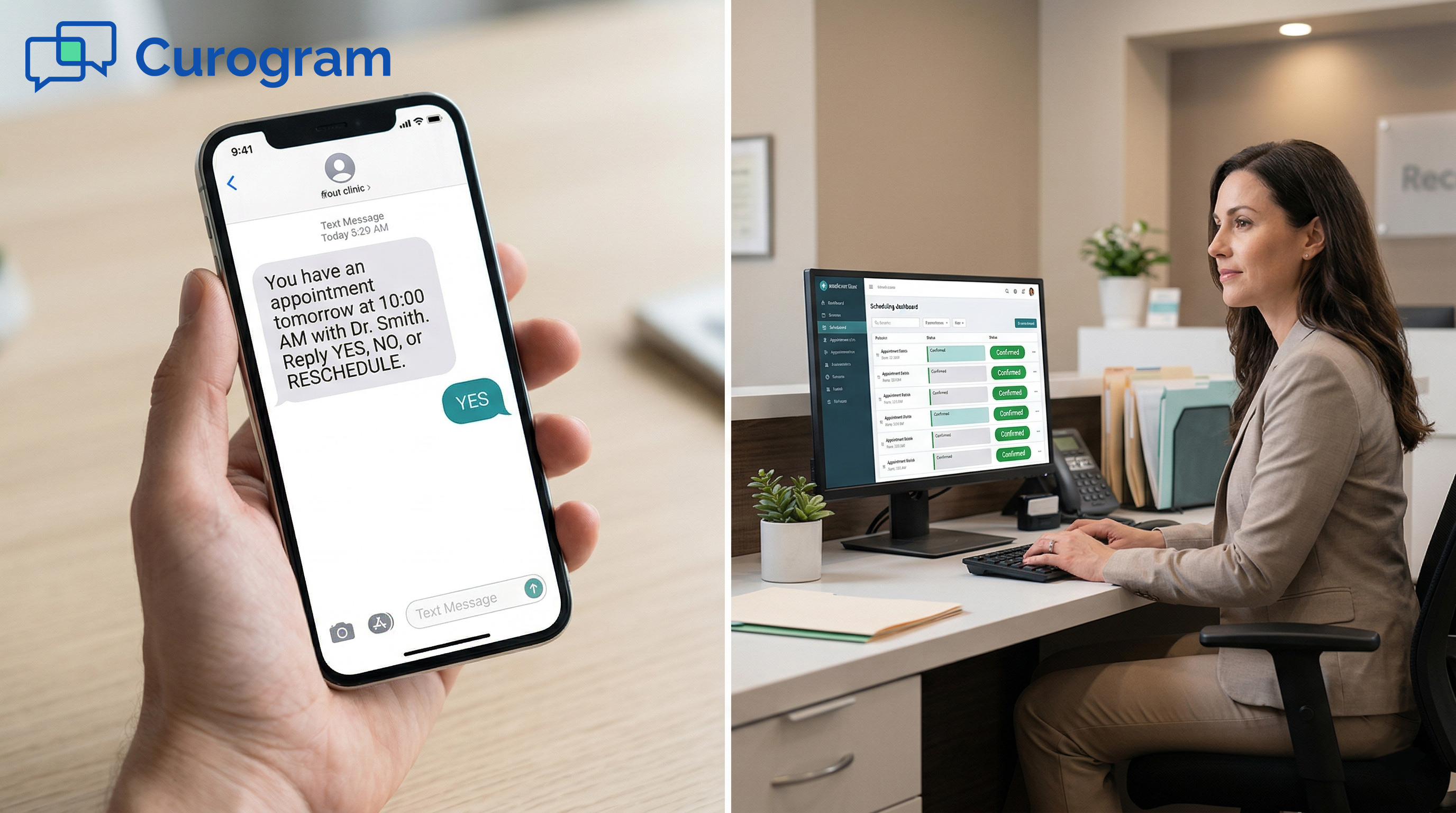
Curogram sends a message in plain, everyday language: “You have an appointment tomorrow at 10:00 AM with Dr. Smith. Reply YES to confirm, NO to cancel, or RESCHEDULE to find a new time.”
The patient texts back one word. The reply is processed right away, the schedule updates on its own, and the interaction is over.
AdvancedMD patient appointment text confirmation works best when it only takes one tap to reply, with no app to open and no login required. That is the core of what Curogram provides.
Natural Language Confirmation
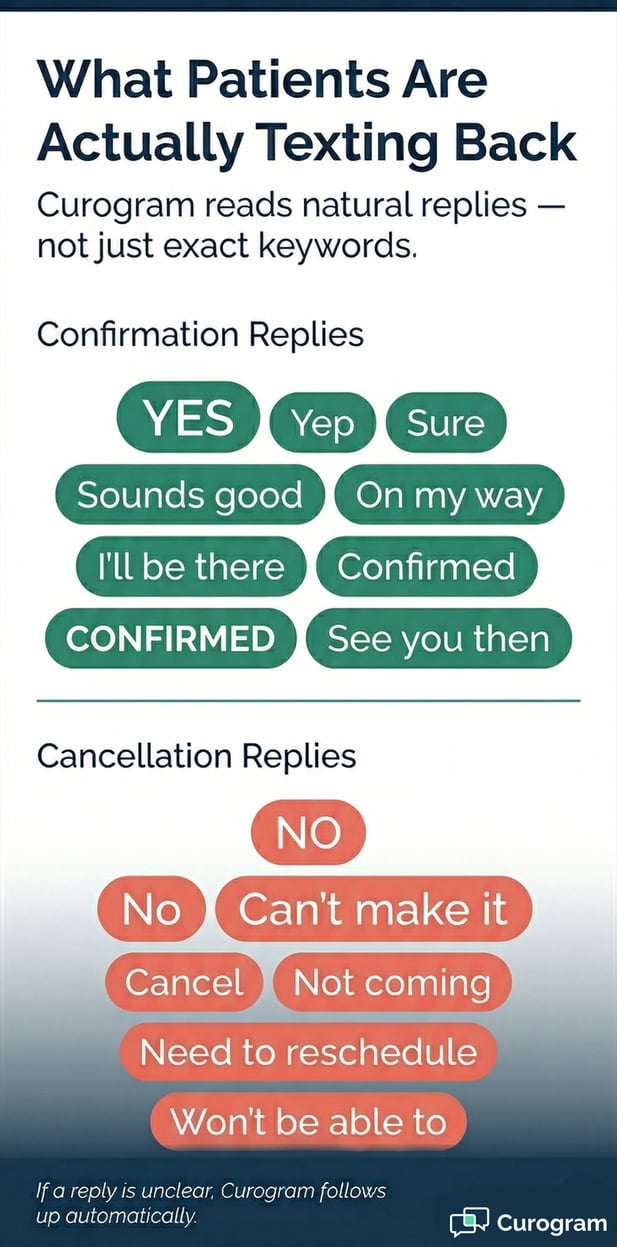
Not every patient will type the exact word YES. Some will send “yep,” “sure,” “sounds good,” or “on my way.” Curogram reads intent, not just exact matches.
Affirmative replies are logged as confirmations. Phrases like “I can’t make it” are treated as cancellations. The system works the way people actually text, not the way a form expects them to.
How Ambiguous Replies Are Handled
If a reply is unclear, Curogram sends a gentle follow-up: “Would you like to confirm, cancel, or reschedule? Reply YES, NO, or RESCHEDULE.” No message goes without a response.
Patients who want to confirm their AdvancedMD appointment via text and reply through patient SMS can do so without any friction, even if their first message was not a perfect match.
Why This Matters for Patient Trust
When a patient texts back and gets a response that makes sense, it builds confidence. The interaction feels human. It does not feel like a machine running a checklist. In healthcare, where trust between patient and practice shapes everything, that kind of small moment matters more than it looks.
The Integration
When a patient replies to a Curogram reminder, the status syncs to the AdvancedMD schedule right away. Staff arrive to a schedule that already shows who confirmed, who cancelled, and who asked to reschedule.
There is no manual entry, no status toggling, and no jumping between systems. The patient’s one-word reply goes straight from their phone to the AdvancedMD record.
The Generational Appeal
Text-based confirmation works for every age group and comfort level with technology. Younger patients like it because it is faster than loading a link.
Older patients find it simpler because one word beats a browser-based page. Busy parents and working professionals can reply with one hand in under 5 seconds.
When patients confirm AdvancedMD appointments by text message reply, they do not need to call, log into a portal, or do anything more than type one word. That simplicity removes the barrier for everyone, not just the most tech-comfortable patients on the list.
The Success: Confirmation as Easy as Conversation
The goal of a reminder is not just to remind. It is to get a response. When the confirmation step is easy, more patients follow through.
When more patients follow through, fewer appointments go unconfirmed, and fewer slots go empty.
The Metric
Based on our internal data, practices using Curogram confirm over 75% of their appointments without follow-up calls. That result does not come from sending more reminders or using stronger language.
It comes from making the confirmation step as small as possible. When the AdvancedMD appointment confirmation text patient experience delivers zero friction and one reply is all it takes to confirm, patients respond. The math is direct: smaller barrier, more responses.
|
Link-Based Confirmation |
Curogram One-Reply |
|
|
Steps to Confirm |
4 |
1 |
|
App or Login Required |
Yes (portal) |
No |
|
Phone Call Needed |
Often |
Rarely |
|
Avg. Confirmation Rate |
Variable |
75%+ |
The Shift: From Click to Reply
The patient experience changes from a multi-step process to a quick text reply. “Receive reminder. Skip the link. Get a call.” becomes “Receive reminder. Reply YES. Done.”
The whole exchange takes 3 seconds instead of 30. Appointment reminders shift from annoying tasks to simple questions patients can answer in the moment.
What This Means for Staff
Staff who used to spend part of each morning making follow-up confirmation calls now have that time back. The process runs on its own.
The schedule updates without anyone in the middle. The front desk starts each day with clear, accurate information instead of a to-do list of calls.
What This Means for Revenue
A confirmed appointment is a protected appointment. When practices know who is coming, they can act on cancellations early, fill gaps with waitlisted patients, and avoid revenue loss from no-shows. Each recovered appointment adds directly to the bottom line, and the math adds up fast.
The Outcome
When confirmation is easy, patients confirm more. When patients confirm more, no-shows fall. Based on our internal data, Curogram practices see no-show rates that are 53% lower than the industry average.
One clinic, Atlas Medical Center, cut its no-show rate from 14.20% to 4.91% in just three months. That is the kind of result that reshapes how a practice plans its week.
At another practice, Covina Arthritis Clinic, the automated system confirmed over 1,100 appointments per month on its own.
No manual follow-up, no extra staff hours. Just the system running, patients replying, and the schedule filling in.
The broader impact goes beyond no-shows. Higher confirmation rates give staff more time for patient-facing work. They give providers a cleaner schedule to work from.
Based on our internal data, practices also see a 10% to 20% increase in revenue, as recovered appointments add back to overall capacity.
One Word. Confirmed.
Most of what makes a confirmation system work comes down to one question: how much do you ask of the patient? AdvancedMD asks for several steps. Curogram asks for one.
AdvancedMD reminders include a link. Curogram reminders ask for a reply. The difference in patient effort is small. The difference in outcomes is not.
Practices using Curogram see over 75% of their patients confirm their own appointments, without calls, without portals, and without follow-up from staff. The one-word reply does what four browser steps were supposed to do. And it actually works.
Your patients already confirm things by text every single day. A restaurant holds their table after one reply. A delivery window locks in after a single tap.
Their ride shows up without a phone call. The only appointment in their week that still requires a browser to confirm is the one that matters most: their visit with you.
That gap matters. Patients feel it. The AdvancedMD appointment confirmation text patient experience should feel as natural as every other confirmation in their daily life. One word. No extra steps.
Give your patients the confirmation experience they already expect from every other service they use. One text. One word. The schedule updates. Curogram fits inside your existing AdvancedMD workflow, so the shift feels smooth from the first day.
Schedule a demo today to see one-reply confirmation working alongside your AdvancedMD scheduling workflow.
Frequently Asked Questions
Curogram’s system reads natural language, so common replies like “yep,” “sure,” or “I’ll be there” are all treated as confirmations. Replies like “I can’t make it” are read as cancellations. If a message is unclear, the system sends a follow-up asking the patient to reply YES, NO, or RESCHEDULE. No message is left without a response.
Patients opt in during intake or through a consent form, in line with TCPA and HIPAA guidelines. Once opted in, they receive reminders and can reply via text to manage their appointments. They can opt out at any time by texting STOP. The process is straightforward and usually completed during the first visit or via a consent link.
Replying to a text is a familiar, one-step action that takes under 5 seconds. Clicking a link requires leaving the messaging app, loading a browser, and acting on a page. Every extra step gives the patient a chance to stop and move on. When the action matches how people already communicate, more of them follow through.
When a patient replies to a Curogram reminder, the confirmation status updates in AdvancedMD right away. There is no manual entry or status toggle required. Staff can log in and see a current, accurate picture of the day’s schedule. The sync happens automatically, from the patient’s phone to the AdvancedMD record.
Curogram’s reminder system is fully configurable by provider, appointment type, and specialty. A new patient visit might get a 72-hour reminder with prep details, while a follow-up gets a 24-hour message. Timing, wording, and follow-up sequences can all be adjusted to match the practice’s style and patterns. This makes it easy to set up reminders that feel right for each type of appointment on the schedule.