11 min read

Confirm a Dolphin Orthodontic Appointment With One Text Reply

Confirm a Dolphin Orthodontic Appointment With One Text Reply
💡 Parents can confirm a Dolphin orthodontic appointment with one text reply through Curogram. No link. No app. No menu.
  • Reply "yes," "yep," "confirmed," or "we'll be there"
  • Curogram's Natural Language Understanding reads plain text
  • Works with Dolphin Desktop, Cloud, and Blue
  • Updates appointment status in real time
  • Drives >75% confirmation rates (based on our internal data)
For busy parents juggling two or three kids' adjustments, one message is all it takes. Two seconds, done.

You get a text about your child's braces check. You reply "yes." That's it. No link to tap. No app to open. No portal login. The appointment is confirmed in two seconds.

This is what confirming an orthodontic appointment should feel like in 2026. Simple. Quick. Like texting a friend. But most systems still ask parents to tap a link, wait for a page, log in, then click a button. By the time the page loads, the parent is already driving to soccer practice.

Curogram makes it easier. You can confirm a Dolphin orthodontic appointment with a text reply and one message. The patient side is easy and quick, even with three kids on three different schedules. Whether you say "yes," "confirmed," or "we'll be there," Curogram understands.

Here's why this matters. A reminder is only useful if the parent confirms. Every extra tap, page load, or menu step is a chance to lose that confirmation. Based on our internal data, practices using Curogram see >75% confirmation rates, well above link-based systems.

In this article, we'll walk you through three things. First, why link-based confirmation fails busy parents. Second, how Curogram's Natural Language Understanding replaces links with plain-text replies. Third, how one-reply confirmation works across Dolphin Desktop, Cloud, and Blue.

If you run a Dolphin ortho practice, this is the shift worth making. The goal is simple: turn every reminder into a confirmed chair time without a single phone call back to the front desk. Let's break it down.

The Villain: The Link That Loses Patients

Most confirmation systems have the same design flaw. They send a reminder, then ask the parent to tap a link to confirm. That link opens a browser. The browser loads a page. The page asks for a click. Somewhere in that chain, a huge chunk of parents drop off.

This is "The Link That Loses Patients." And it costs ortho practices real money.

The Extra Tap Problem

Let's walk through what actually happens. Mom gets a text reminder for Emma's Tuesday adjustment. She taps the link.

The page is slow to load because she's in a parking lot with two bars of service. By the time the page opens, she's already backing out to pick up her other kid. She meant to go back. She forgot.

That's one lost confirmation. Now multiply it by 50 patients a day. The treatment coordinator has to call each one.

The Menu System Problem

Some systems use numeric menus. "Reply 1 to confirm. 2 to cancel. 3 to reschedule." This feels like a phone tree, which is exactly what texting was meant to replace.

Parents don't want to parse a menu. They want to type "yes" and move on. When the system forces a number reply, many just ignore the text. That's another lost confirmation.

The Drop-Off Math

Here's a simple example. Say your Dolphin ortho practice books 50 adjustments per day. Your reminder system uses a confirmation link. Industry patterns suggest link-based systems lose 20–40% of replies.

That means 10 to 20 parents saw the reminder but never confirmed. Your coordinator now has to call each one. Each call takes 3 to 5 minutes. That's up to 100 minutes of staff time, every day, chasing confirmations that should have been automatic.

Now compare that to a plain-text reply system. Based on our internal data, Curogram drives >75% confirmation rates. For the same 50-appointment day, that's around 38 confirmed without any staff effort. The call list drops to a handful.

What Parents Actually Say

Here's the feedback we hear again and again:

"They sent me a link to confirm Emma's braces adjustment. The page took 10 seconds to load. By then I was driving. I meant to go back to it, but I forgot. Now the office is calling me. I just wanted to text 'yes.'"

That quote sums up the whole problem. The parent wanted to confirm. The system got in the way.

Why Ortho Parents Feel It Worst

Orthodontic patients have monthly adjustments for 18 to 24 months. Many families have two or even three kids in treatment at the same time. That's up to 72 reminders per family, per treatment cycle.

If each confirmation takes 30 seconds of tapping, loading, and clicking, that's 36 minutes of link-chasing per family. For one reply. Across three kids.

Now picture the same parent with a plain-text system. Reply "yes." Reply "yes." Reply "yes." Three kids, three texts, 15 seconds total. Done.

The Cost of Friction

Every extra tap costs you a confirmation. Every missed confirmation costs you staff time. Every unfilled call list costs you a chair.

This is why the link model is the villain. It looks convenient on paper, but it fails in real life. Real parents are in parking lots, soccer pickup lines, work breaks, and grocery aisles. They don't have 30 seconds. They have two.

The good news? There's a better way. Let's look at what one-reply confirmation actually does.

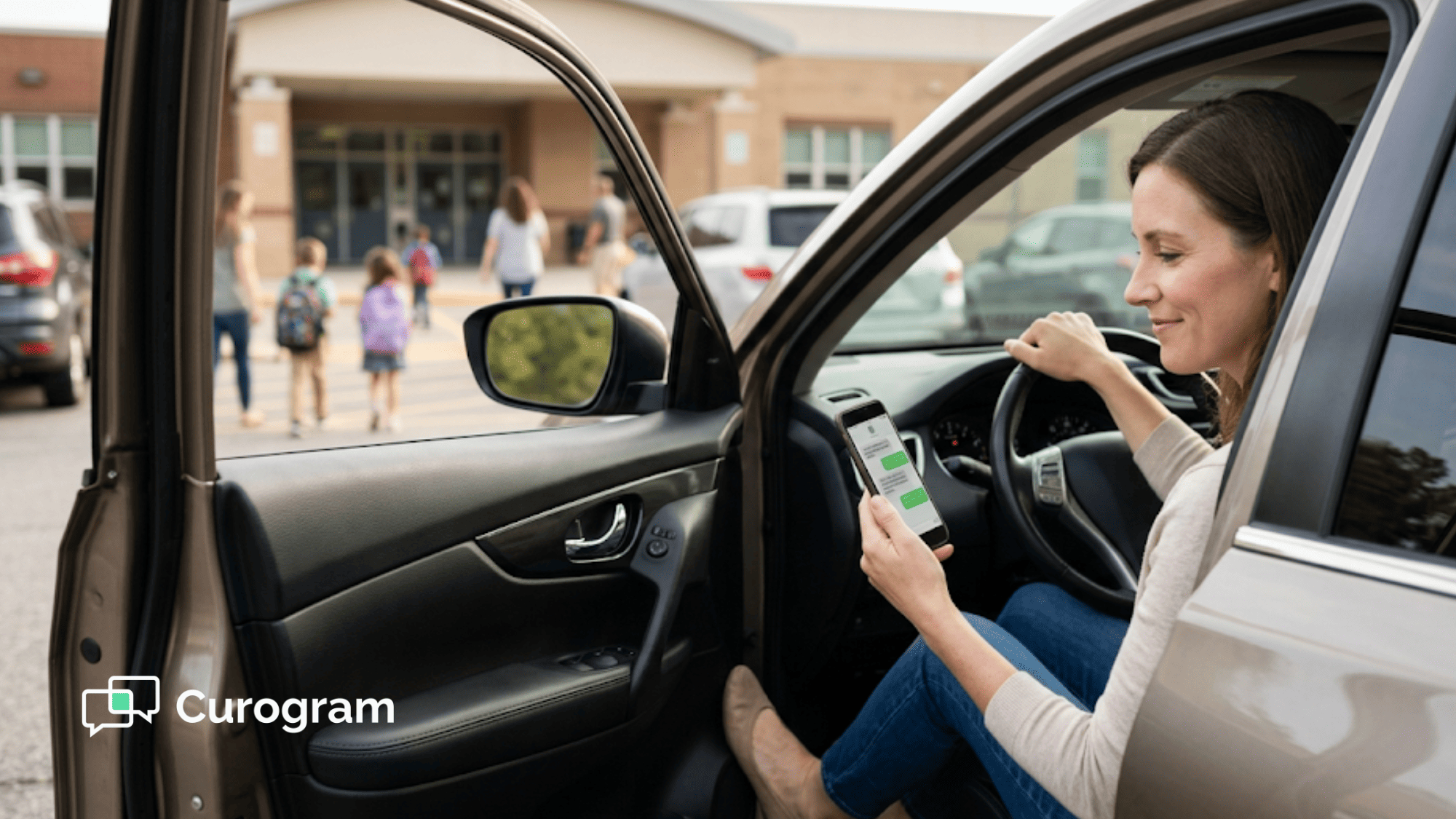
Mom at soccer practice casually confirming her child's Dolphin orthodontic appointment with a quick text reply

The Guide: The Confirmation Intelligence Dashboard

The fix is simpler than you'd think. Instead of a link, send a reminder that asks for a plain-text reply. Instead of a menu, let patients answer however they normally would. Instead of a portal, handle the whole thing in one text thread.

That's what Curogram built. We call it Natural Language Understanding for appointment confirmation. It reads what the patient actually types and updates the schedule automatically.

How the Technology Works

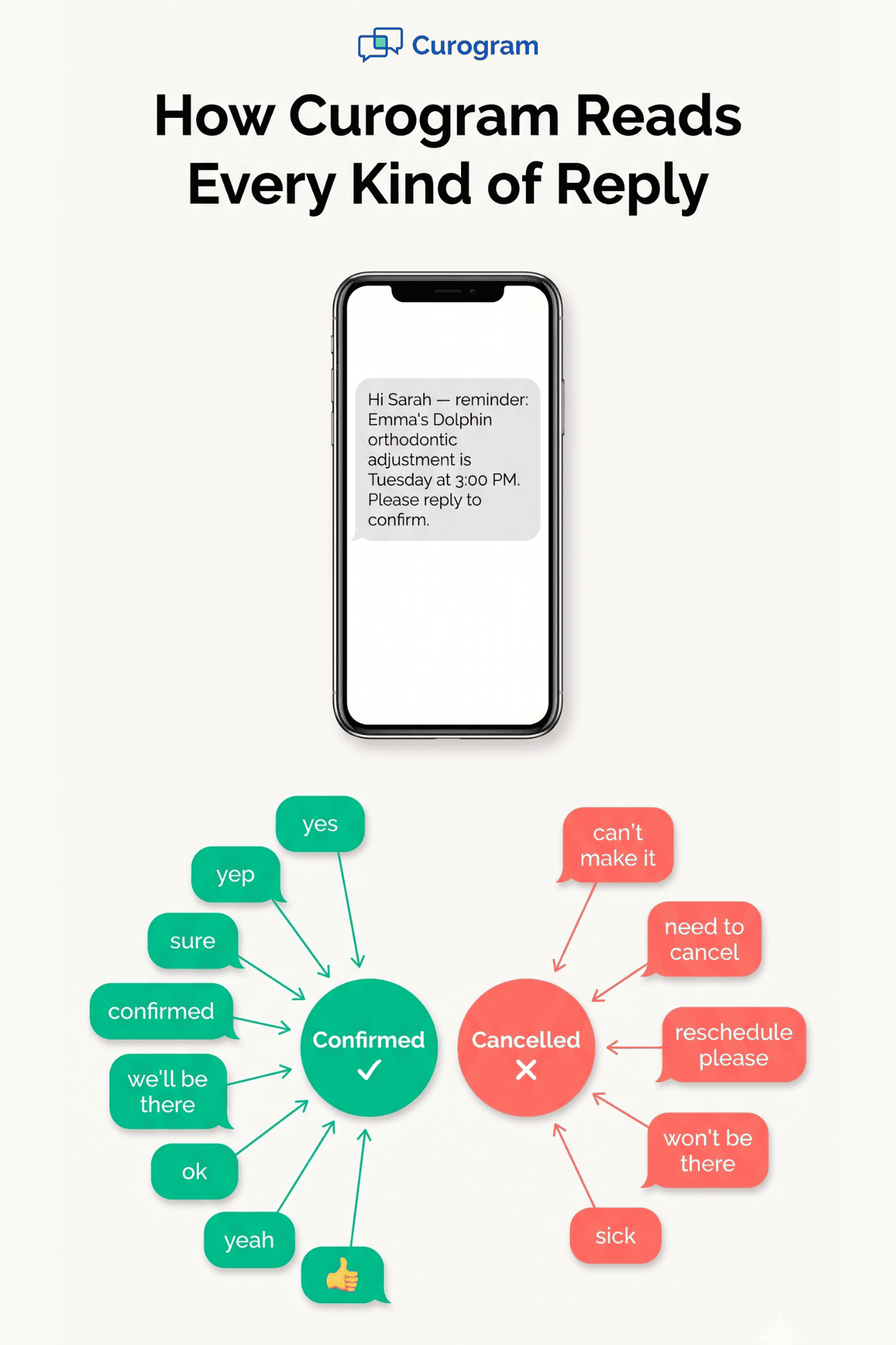
Curogram's system scans the reply for meaning, not exact words. "Yes" confirms. "Yep" confirms. "Sure" confirms. "We'll be there" confirms. "Confirmed" confirms. "OK" confirms.

On the other side, "can't make it," "need to cancel," and "reschedule" are tagged as cancellations. The system then updates the Dolphin appointment status in real time. No staff click needed.

If a reply is truly unclear, it's flagged for a staff member to review. That way, nothing slips through the cracks. Accuracy stays high even when replies are messy.

One-Reply Confirmation in Practice

Here's the full flow. The practice sends a reminder. The parent replies "yes." Curogram updates the status to confirmed. The parent gets no follow-up. Staff sees a green check on the dashboard.

That's it. The whole confirmation lives inside one text thread. No browser. No app. No login. The same thread the parent uses for every other text in their life.

Think of it like texting a friend to confirm plans. You don't open a web form. You just type "yes, see you at 6." Curogram makes ortho confirmation feel the same way.

Wheel diagram of natural language replies Curogram accepts to confirm or cancel orthodontic appointments by text

Works Across All Dolphin Versions

One of the biggest wins: the patient experience stays the same no matter which Dolphin your practice runs. Desktop, Cloud, or Blue — same text thread, same reply, same result.

This matters because parents don't care what software the office uses. They just want the confirmation to work. Curogram hides all the backend complexity behind a single text.

For practices thinking of switching Dolphin versions later, there's no patient retraining needed. The confirm-by-text flow stays identical.

Why This Fits Parents of Ortho Patients

Ortho parents are in a unique spot. Their kids need monthly checks for almost two years. Many parents handle two or three kids at once. Each kid has a different chair, a different day, and sometimes a different office location.

With one-reply confirmation, a parent can handle the whole roster in under 30 seconds. Here's a real example:

Child

Day

Time

Parent Reply

Result

Emma

Tuesday

3:00 PM

"yes"

Confirmed

Liam

Thursday

4:30 PM

"we'll be there"

Confirmed

Ava

Friday

10:00 AM

"yep"

Confirmed


Three reminders. Three replies. Three confirmations. Total time: under 30 seconds.

Compare that to the link model. The same parent would need to tap three links, wait for three pages to load, and click three confirm buttons. On a mobile browser. In spotty service. That's a minute or two of friction, and a high chance at least one gets forgotten.

The Shift in Patient Effort

The move from links to plain-text replies sounds small. But the effort drop is huge. Parents go from about 30 seconds and 4 taps per appointment to 2 seconds and 3 keystrokes.

That's a 15x drop in friction. And lower friction means higher confirmation rates. When confirming is easy and quick, patients do it. When it's slow, they forget.

This is the core shift. Confirmation should feel like replying to a text. Nothing more. Curogram is built to make that the default.

The Success: Reply, Confirmed, Move On

So what does this look like when it's running day to day? Let's walk through the real outcomes — the metrics, the staff time saved, and the parent experience. This is where Curogram's one-reply model pays off.

The Metric That Matters Most

Based on our internal data, Curogram practices see average confirmation rates above 75%. That's a big jump over link-based and menu-based systems, which often sit in the 40% to 55% range.

Why the gap? It comes down to friction. When the reply takes two seconds, parents reply. When it takes thirty, they put it off and forget.

This isn't a theory. It's what the data shows across hundreds of practices. More friction, fewer confirmations. Less friction, more confirmations. Simple math.

Let's break this down with a concrete example. A Dolphin ortho practice books 1,200 adjustment appointments per month.

At a 50% confirmation rate, 600 are confirmed before the visit. Staff has to call the other 600 to confirm — about 30 hours of phone time per month.

At a 75% confirmation rate, 900 are confirmed automatically. Staff only needs to chase 300. That's 15 hours saved, every month.

The Staff Time Saved

Let's put a number on that. Say a front-desk coordinator earns $22 per hour. 15 hours of saved phone time equals $330 per month, or about $4,000 per year. For one staff member. At one practice.

That's not counting the softer gains — less burnout, more time for patient care, fewer missed messages. For a multi-location practice, the savings multiply fast.

Take Covina Arthritic Clinic, one of our reference cases. They confirm over 1,100 appointments per month using Curogram's automated system. Before switching, that confirmation work was manual and slow. Now it runs without staff touching it.

The Parent Experience

Here's a day-in-the-life for a parent with three kids in ortho. Call her Sarah. It's Monday morning. She's at her desk between meetings.

Her phone buzzes three times. Three reminders from the Dolphin ortho office. One for Emma's Tuesday adjustment. One for Liam's Thursday retainer check. One for Ava's Friday bracket repair.

Sarah taps her messages. She replies "yes" to the first. Then "yep" to the second. Then "confirmed" to the third. Total time: 15 seconds.

She goes back to her email. No link loading. No portal login. No menu navigation. Just three text threads, three replies, three green checks on the practice dashboard.

Compare that to Sarah's old practice, which used a link-based system. Same three reminders. Each required tapping a link, waiting for a page, and clicking confirm. On her work Wi-Fi, the pages loaded in 5 to 10 seconds each. That was a minute of her lunch break, not 15 seconds.

Two of the three times, she got distracted before the page loaded. Her old office had to call her to confirm. That's two lost confirmations and two staff phone calls — for one parent.

The Practice Dashboard View

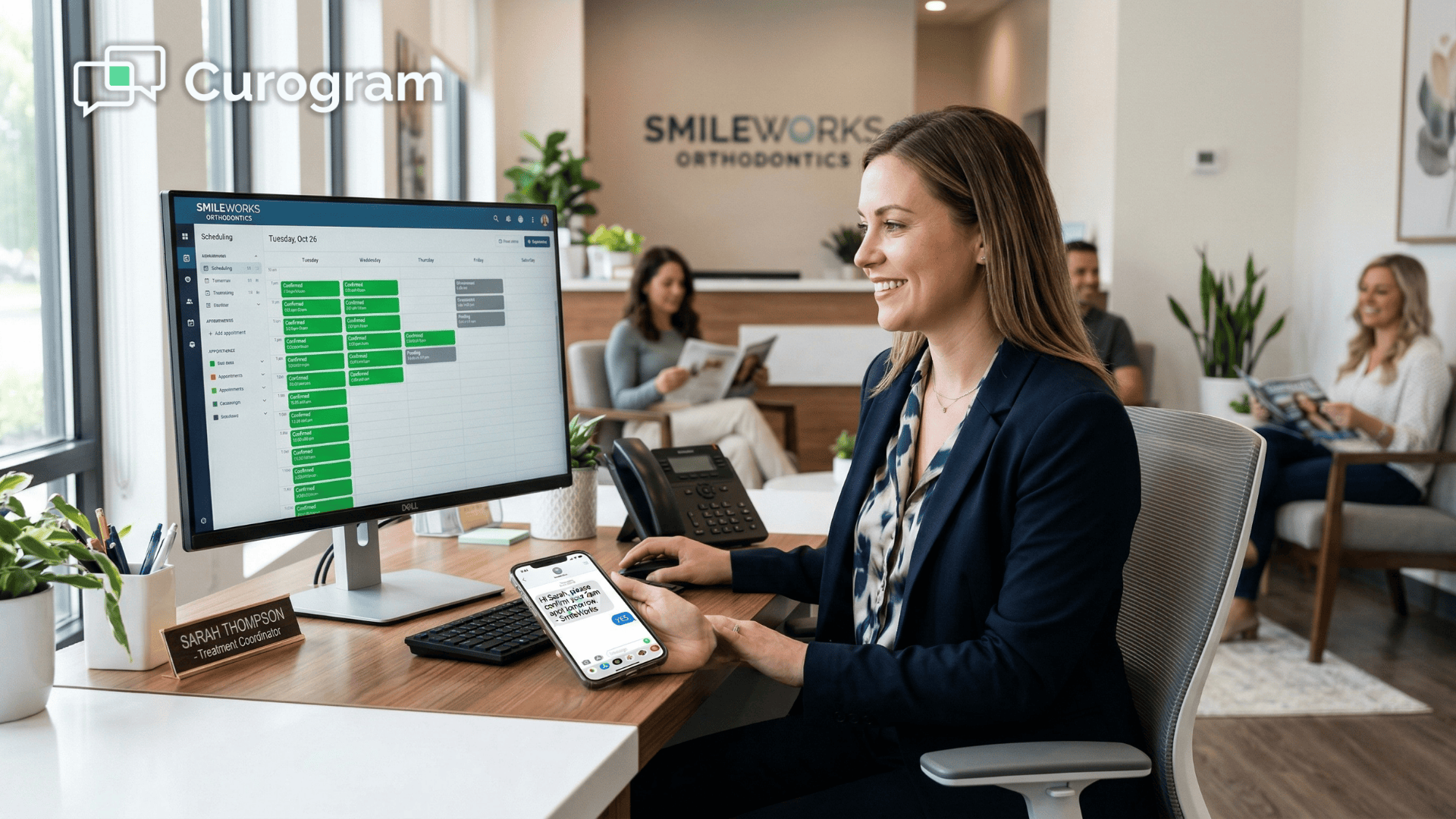
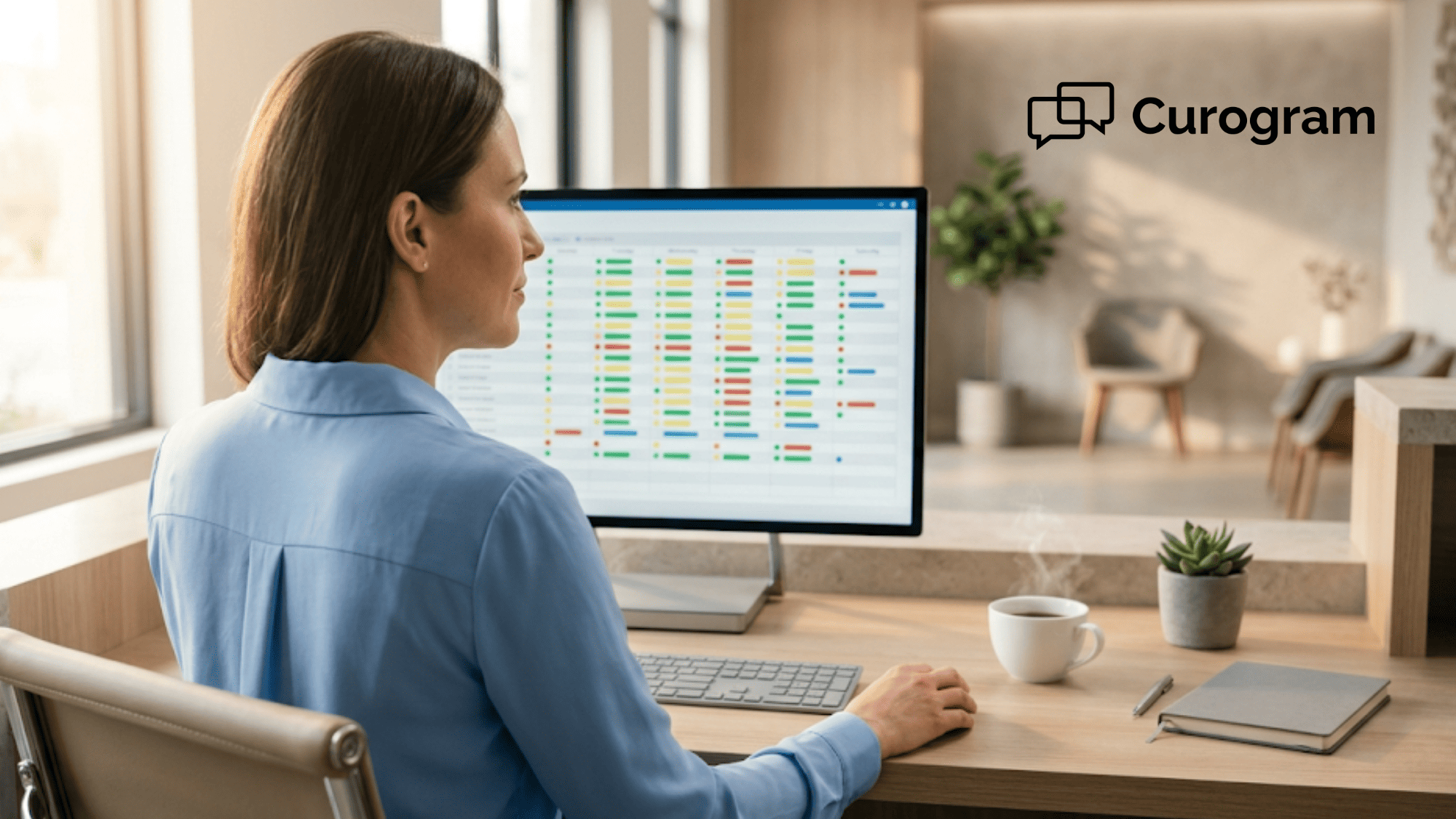
On the practice side, the win is just as clean. The treatment coordinator opens the dashboard in the morning. She sees tomorrow's schedule. Each appointment has a status: confirmed, unconfirmed, or cancelled.

With Curogram, the confirmed column fills up throughout the day as parents reply. No manual entry. No data double-handling. The Dolphin system reflects the current status in real time.

When a parent cancels with "can't make it" or "need to reschedule," the slot is flagged. The coordinator can then reach out to fill it, either with a waitlist patient or a new booking. The chair doesn't sit empty.

This matters because, based on our internal data, Curogram clients see no-show rates 53% lower than the industry average. Faster confirmations and cancellations mean faster rebooking. Faster rebooking means fuller chairs.

The Revenue Math

Let's put revenue numbers on this. An average orthodontic adjustment is billed at $150 to $250. Say your practice sees 50 adjustments per day, 5 days a week, 50 weeks per year. That's 12,500 appointments annually.

A 5% no-show reduction saves 625 appointments from being missed. At $200 each, that's $125,000 in recovered revenue per year. At 10%, it's $250,000.

Curogram clients see, based on our internal data, revenue lifts of 10% to 20% tied to reduced no-shows and automated reminders. The confirmation system pays for itself many times over.

The End Result for the Practice

Here's the before-and-after snapshot:

Before one-reply confirmation:

  • Confirmation rate: around 50%
  • Staff time on confirmation calls: 30+ hours per month
  • No-shows: industry average
  • Parent complaints about the reminder system: frequent

After switching to Curogram:

  • Confirmation rate: >75% (based on our internal data)
  • Staff time on confirmation calls: cut roughly in half
  • No-shows: 53% below industry average
  • Parent complaints: mostly gone

The staff gets their day back. The parents get a system that respects their time. The practice gets fuller chairs and cleaner schedules.

The Parent's Final Verdict

When you ask parents why they prefer Curogram's system, the answer is almost always the same. It just feels like texting.

That's the whole point. Confirmation should feel like the simplest text message you send all week. Not a mini website visit. Not a menu quiz. Just a two-second reply.

When a system gets out of the parent's way, parents confirm. When it blocks them, they forget. The shift to natural language confirmation is the shift from "please complete this process" to "just reply yes." And for every practice running Dolphin ortho, that shift is what turns reminders into confirmed chair time.


How Curogram Makes One-Reply Confirmation Work


Curogram is a HIPAA-compliant patient communication platform built to plug into any EMR, including Dolphin Desktop, Cloud, and Blue. We handle appointment reminders, two-way texting, patient forms, text-to-pay, and review requests — all in one tool. No need to juggle three different systems.

Our system reads plain-text replies the way a staff member would. "Yes," "yep," "confirmed," "we'll be there," and dozens of other natural phrases all get understood correctly. No rigid commands. No numeric menus.

Once a patient replies, Curogram updates the Dolphin appointment status automatically. Staff sees it on the dashboard within seconds. No double data entry.

Every confirmation lives in an ongoing text thread. If a parent has a follow-up question — "can we push it to 4 PM?" — they can ask it right there. Staff can reply without picking up the phone.

Text messages get read. Unlike email, which sits in inboxes, or voicemail, which gets ignored, text hits the parent's lock screen immediately. That's why text-based reminders drive higher confirmation rates across specialties.

We designed the system with multi-kid families in mind. Each child's appointment gets its own reminder, its own thread, and its own reply. Parents can confirm three kids' adjustments in under 30 seconds.

Based on our internal data, practices using Curogram hit confirmation rates above 75% and cut no-show rates by 53% against industry averages. That translates to fuller chairs, less front-desk phone time, and happier parents. If you run Dolphin ortho, Curogram is the layer that makes every reminder count.

Conclusion: Your Patients’ Parents Just Want to Text ‘Yes

Confirmation should feel like texting a friend. Nothing more. That's the whole idea behind Curogram's one-reply approach. No links. No apps. No menus.

Dolphin is the right tool for clinical work — cephalometric tracings, treatment planning, case tracking. But for the two-second reply that turns a reminder into a confirmed visit, you need a patient-facing layer that respects parents' time. That's where Curogram fits.

The math is simple. Every extra tap between a reminder and a confirmation loses patients. Links, portals, and menu systems add friction. Natural Language Understanding strips that friction out. Reply "yes." Confirmed. Move on.

Based on our internal data, Curogram practices see confirmation rates above 75% and no-show rates 53% lower than the industry average. That's more chairs filled, more staff time saved, and more revenue recovered. For a mid-sized ortho practice, the gains often run into six figures annually.

But the bigger win is the patient experience. Parents juggling two or three kids' adjustments don't have 30 seconds to burn on a confirmation page. They have two. When your system matches that reality, confirmation becomes automatic. When it doesn't, it becomes a phone call.

If you're running Dolphin Desktop, Cloud, or Blue, the switch is easy. Curogram plugs in as an add-on. Your Dolphin setup stays exactly as it is. The only change is that your patients' parents finally get the simple, one-reply flow they've wanted.

Every missed confirmation is a missed adjustment — and $200 left on the table. Schedule a call with us to see how >75% confirmation rates change your bottom line.


Frequently Asked Questions

How does Curogram handle replies that aren't a clear yes or no?
Curogram's Natural Language Understanding flags unclear replies for staff review instead of guessing. If a parent writes "maybe Tuesday?" or "need to check with my husband," it's marked for manual follow-up, so nothing gets miscategorized.
Why do text replies work better than confirmation links for ortho practices?
Text replies cut out the extra steps — no page load, no login, no button click. Based on our internal data, this pushes confirmation rates above 75%, compared to 40-55% for link-based systems. Less friction means more parents actually reply.
How do parents confirm multiple kids' appointments without confusion?

Each child's appointment gets its own reminder and its own text thread. Parents reply "yes" separately to each one, and Curogram updates each appointment in Dolphin independently. Three kids, three replies, no mix-ups.

Why does Curogram work with all Dolphin versions — Desktop, Cloud, and Blue?

Curogram runs as an add-on layer, not a Dolphin-specific feature. The patient side uses standard text messaging, which doesn't depend on your Dolphin setup. That means the same flow works whether you're on Desktop, Cloud, or Blue.

How long does it take for a new practice to switch from link-based reminders to Curogram?

Most practices go live within one to two weeks. Curogram syncs with your existing Dolphin schedule, and patient data transfers automatically. Staff training takes under an hour because the system runs itself once it's set up.