
9 min read

Cloud 9 Ortho Reminders | Close the Loop on Every Appointment

Cloud 9 Ortho Reminders | Close the Loop on Every Appointment
💡 Cloud 9 orthodontic appointment reminders powered by Curogram's Confirmation Loop Engine send automated text reminders that patients and parents confirm with a simple text reply — YES to confirm, NO to cancel, or RESCHEDULE to request a new time.       

Unlike Cloud 9's native reminders or tools like Legwork, Curogram closes the full confirmation loop. The schedule updates automatically. No link. No app. No phone call.  

Orthodontic patients average 15–25 appointments per treatment arc.    


Curogram achieves over 75% appointment confirmation rates and reduces no-shows from the industry average of 15–30% to under 5% — keeping every adjustment on schedule and every chair filled.

Your reminder went out. The patient got it. And then… nothing.

No confirmation. No cancellation. No call.

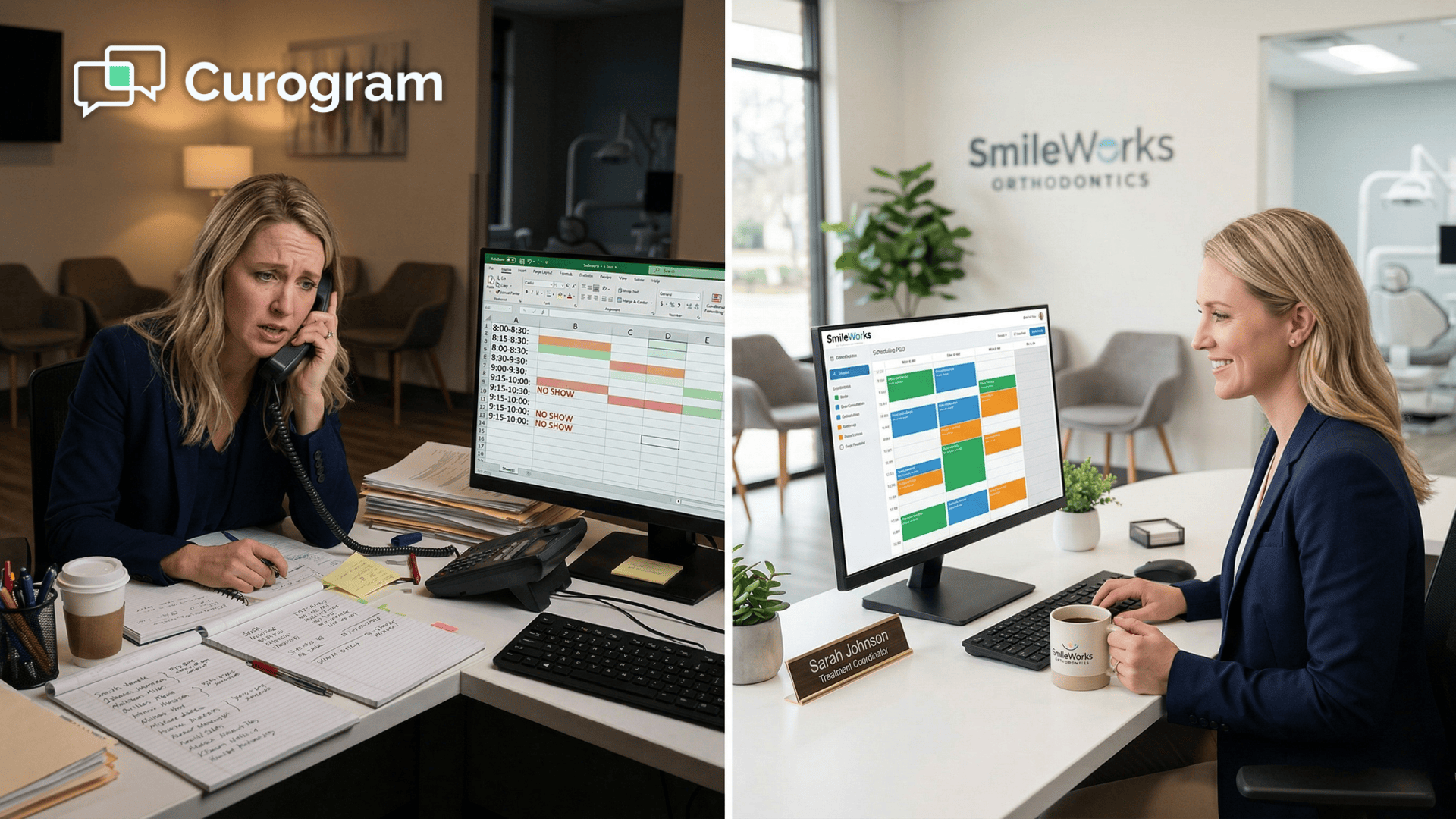
Just a slot on the schedule that may or may not be filled when tomorrow arrives. Your treatment coordinator spent the morning dialing parents who don't answer unknown numbers during work hours.

She left three voicemails. Got one callback. The other two appointments are still a mystery — and the day starts in four hours.

This is the reminder problem in orthodontics. And it is not a small one.

Think about what's actually at stake here. An orthodontic patient doesn't have one appointment. They have 15 to 25 of them — records, bonding, monthly adjustments, wire changes, debond, retainer checks — spread across 18 to 30 months of active treatment.

Every single one of those appointments needs a reminder. Every reminder needs a confirmation. That's 15 to 25 confirmation loops per patient, multiplied across your entire active panel of 300 to 500 patients.

The math gets uncomfortable fast.

The industry-wide no-show rate for orthodontic appointments sits between 15% and 30%. On a day with 50 scheduled patients, that's up to 15 empty chairs. At $150 to $400 per adjustment, you're looking at $2,250 to $6,000 in lost revenue — from a single day.

Here's the thing:

Your reminder system is working. The notifications go out. Patients know about their appointments. The problem isn't the reminder. It's what happens — or doesn't happen — after it's sent.

Cloud 9 orthodontic appointment reminders, when paired with Curogram's two-way SMS confirmation system, don't just notify patients. They get a definitive response, update the schedule automatically, and close the loop on every appointment in the treatment arc.

That's the difference between a notification and a confirmation. And in orthodontics, it's everything.

Why Your Reminders Aren't Actually Confirming Anything

Most reminder platforms solve the same problem:

Making sure patients know about their upcoming appointments.

Cloud 9's native reminders do this. Legwork does this. Most dental engagement tools do this.

They are all solving the notification problem. The confirmation problem is something else entirely.

The Gap Between "Sent" and "Confirmed"

A notified-but-unconfirmed appointment is operationally identical to no reminder at all. You know the patient got the message. But you don't know if they're coming. You can't confidently backfill the slot. You can't plan the day's workflow.

You've paid for reminder technology and you're still guessing.

That gap — between the reminder sent and the confirmation received — is where your no-shows live.

Why Confirmation Links Don't Work Either

Some systems try to close this gap with a confirmation link inside the text or email.

The patient taps the link. A web page loads — sometimes slowly, sometimes not at all on a weak mobile signal. The page asks them to confirm. They tap a button. The process takes 15 to 30 seconds.

It sounds simple. It isn't.

Here's where patients fall off at each step in the link confirmation flow:

  • The page loads too slowly on mobile and the patient abandons it
  • They plan to come back to it later — and never do
  • They don't recognize the sender and won't tap an unfamiliar link
  • They get a notification from another app mid-process and lose their place

The confirmation link creates friction at exactly the moment when the patient's attention is already elsewhere.

Replying "YES" to a text takes two seconds. No link. No page load. No dropout.

The Orthodontic Compounding Effect

In primary care or dermatology, a missed appointment is a one-time event. In orthodontics, it cascades.

When a patient misses an adjustment, the wire doesn't get changed on schedule.

Tooth movement stalls. The next appointment has to compensate for two months of drift instead of one. Treatment extends — sometimes by weeks, sometimes longer. The empty chair costs you revenue today, and the disrupted timeline costs you efficiency for the rest of that patient's arc.

Now multiply that across every unconfirmed appointment in your practice. If you have 400 active treatment patients and each has 20 appointments, that's 8,000 confirmation loops in a single treatment cycle.

Even a 10% failure rate on confirmations creates 800 appointments that could go sideways.

The Parent Problem

For pediatric and adolescent patients — which is the majority of most orthodontic practices — the confirmation has to come from a parent or guardian. That parent is at work when the reminder arrives.

They see the notification, intend to respond, get pulled into a meeting, and forget.

Phone call follow-ups go to voicemail because parents don't pick up unfamiliar numbers during the workday.

The only confirmation mechanism that works for busy parents is one they can respond to in two seconds, between meetings, without opening anything. That's a text they can reply to directly.

How the Confirmation Loop Engine Actually Works

Curogram's Confirmation Loop Engine is built for exactly this scenario.

It doesn't just send reminders — it gets definitive responses and closes the loop automatically.

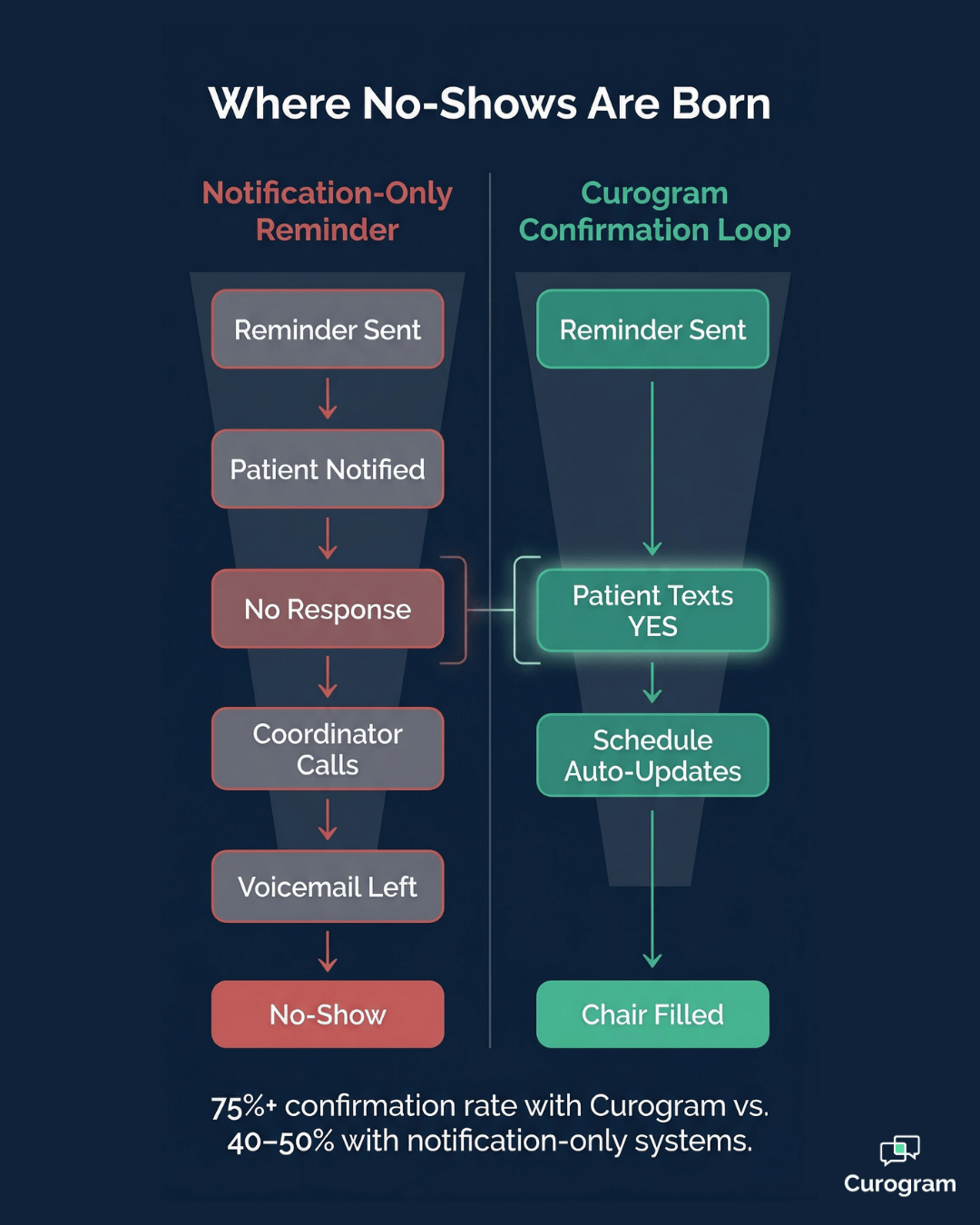
Notification-only reminders vs. Curogram two-way SMS confirmation loop funnel

The Basic Flow

The system sends automated text reminders at configurable intervals before each appointment — typically 72 hours, 24 hours, and 2 hours out. Each message includes a plain-language prompt: "Reply YES to confirm, NO to cancel, or RESCHEDULE to pick a new time."

The parent replies with a single word. The system processes it in real time:

  • YES — appointment status updates to confirmed in Cloud 9
  • NO — appointment is flagged as cancelled, backfill workflow triggers
  • RESCHEDULE — an automated text conversation begins to select a new date and time

No link. No portal. No phone call to the front desk.

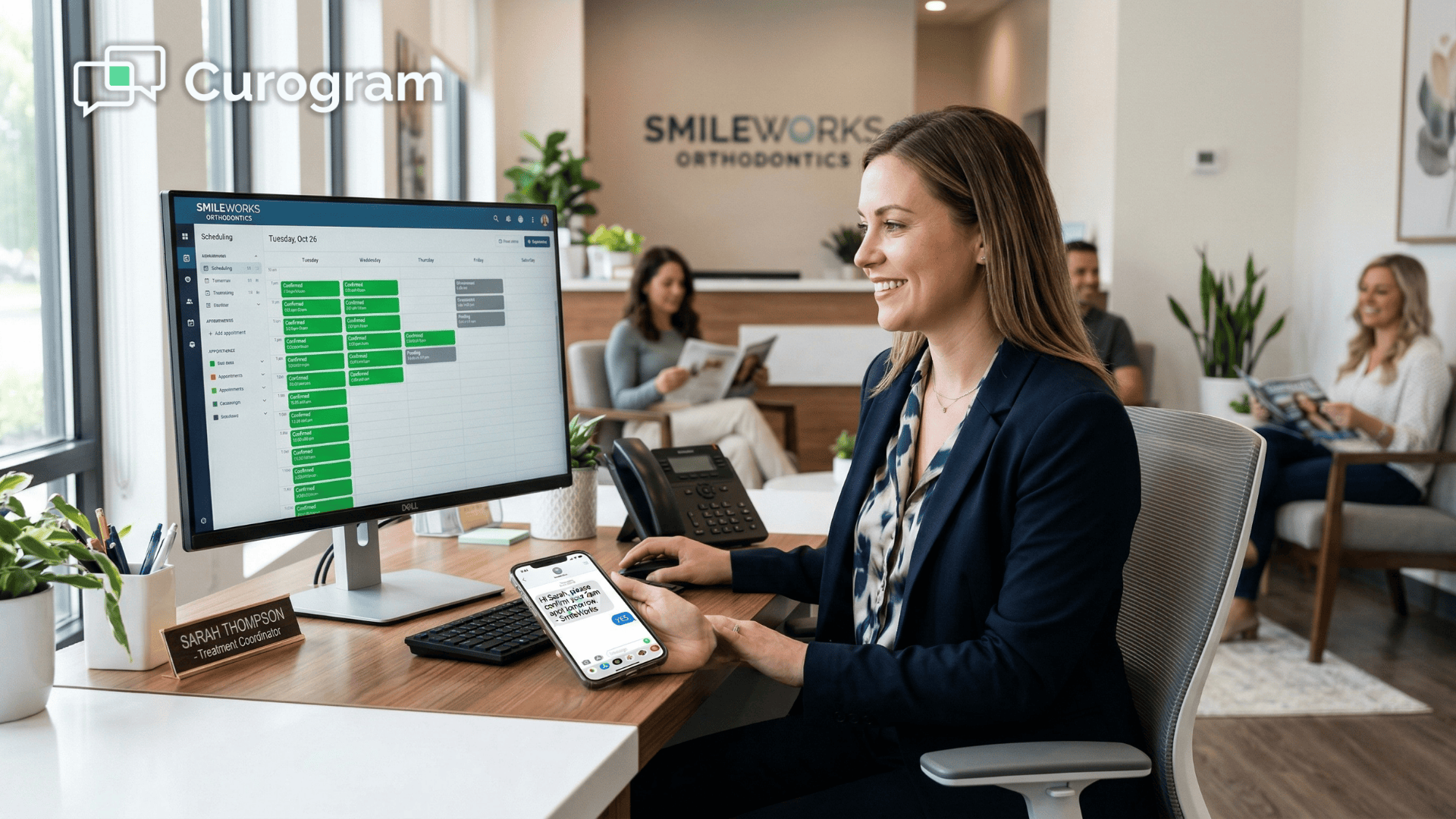
The Cloud 9 schedule updates automatically through API integration, and your treatment coordinator sees confirmed, cancelled, and rescheduled statuses — not a wall of unknowns requiring manual follow-up.

This is what it means to close the confirmation loop on Cloud 9 orthodontic appointment reminders with a patient confirmation text reply and two-way SMS.

A Cadence That Matches the Treatment Arc

Not every orthodontic appointment carries the same risk or the same clinical weight. Curogram's reminder system is configurable by appointment type — a feature that matters a lot in orthodontics.

Appointment Type Suggested Cadence Why
New patient consultation 72 hrs, 24 hrs, 2 hrs High value, first impression
Bonding appointment 1 week, 72 hrs, 24 hrs Longer chair time, more prep
Routine adjustment 72 hrs, 24 hrs Standard, efficient
Debond appointment 72 hrs, 24 hrs, same-day High value, emotionally significant
Retainer check 48 hrs, day-of Lighter touch, retention phase

Your reminders adapt to where the patient is in their treatment arc — not just when their next appointment happens to fall. A bonding appointment three weeks after the initial consult gets a high-touch sequence. A routine adjustment in month 14 gets a streamlined one.

The system treats each appointment for what it actually is, not just a calendar event.

The Backfill Trigger

When a parent replies "NO," the cancellation is confirmed immediately — often days before the appointment.

That's not just a heads-up. That's a window to act.

Knowing early that a slot is open creates options your team wouldn't otherwise have:

  • Notify patients on the waitlist while there's still time to rearrange their day
  • Avoid the last-minute scramble that happens when a cancellation surfaces the morning of
  • Redirect chair time to higher-priority appointments rather than leaving it empty

A cancelled slot that gets filled within an hour is recovered revenue. A cancelled slot you only discover at 8 AM is a write-off. The earlier you know who's not coming, the more time you have to fill the chair.

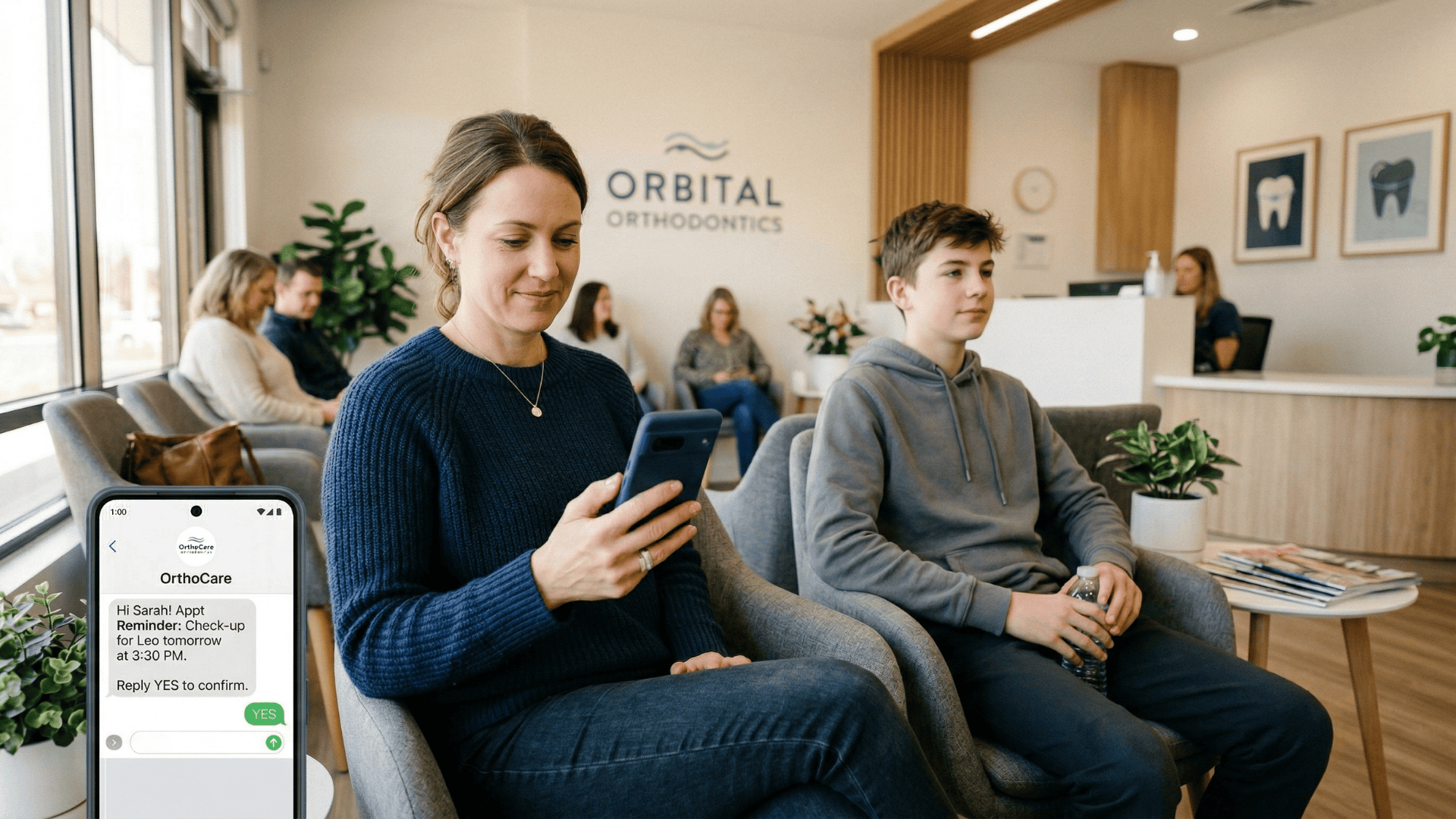
Parent confirms child's orthodontic appointment via SMS text reply in waiting room

What Happens When Replies Are Unexpected?

Not every parent will type "YES." Some will say "yep," "we'll be there," "confirmed," or "can't make it today."

Curogram's natural language processing handles these common variations and maps them to the correct confirmation status automatically.

For replies that don't match any confirmation pattern — "What time is the appointment?" or "Is there parking?" — the message routes to your practice's two-way texting inbox for a team member to handle personally.

The system manages the automation; Your team handles the exceptions.

What Confirmed Appointments Actually Do for Your Revenue

Numbers make this concrete. Let's walk through what closing the confirmation loop looks like in financial terms.

The No-Show Math

Take a practice running 50 patients per day. With an industry-average no-show rate of 15%, that's 7 to 8 empty chairs daily. At an average adjustment value of $200 per appointment, that's $1,400 to $1,600 in lost revenue every day.

Over a full month (22 working days), that's $30,800 to $35,200 in vanished revenue — from no-shows alone.

Curogram clients average no-show rates under 5%. For the same 50-patient day, that means only 2 to 3 empty chairs.

Here's how that compares:

Metric Industry Average (15%) Curogram (Under 5%) Difference
No-shows per day (50 pts) 7–8 2–3 5 fewer
Daily lost revenue ($200/appt) $1,400–$1,600 $400–$600 ~$1,000 recovered
Monthly lost revenue (22 days) $30,800–$35,200 $8,800–$13,200 ~$22,000 recovered

That's roughly $22,000 per month in revenue that stops disappearing — just by closing the confirmation loop.

The Staff Efficiency Shift

Beyond revenue, there's the time your team gets back. Treatment coordinators currently spend an estimated 1 to 2 hours each day making confirmation calls, leaving voicemails, and manually updating schedule statuses.

That's 20 to 40 hours per month of staff time spent chasing information that a two-second text reply could have delivered automatically.

What does a coordinator do with that time instead? The high-value work that actually grows the practice:

  • Following up on pending treatment starts and converting consultations that haven't committed
  • Walking new patients through treatment presentations with full attention, not half a mind on the call queue
  • Handling insurance pre-authorizations, financial arrangements, and onboarding for incoming patients

Every additional consultation that converts to a new start is worth $5,000 to $7,000 in treatment revenue.

The coordinator's role shifts from chasing confirmations to generating growth — and that shift compounds month after month.

Real-World Proof: Atlas Medical Center

This isn't theoretical. Atlas Medical Center reduced their no-show rate from 14.20% to 4.91% in just three months using Curogram's automated reminder system.

That's three times better than the industry average — achieved purely through closing the confirmation loop faster and more reliably than their previous approach.

Separately, Covina Arthritic Clinic confirmed over 1,100 appointments per month through Curogram's automated system, eliminating the manual follow-up process entirely.

These results aren't outliers. They reflect what happens when notification becomes confirmation.

Stop Chasing Confirmations. Start Filling Chairs.

Cloud 9's native reminders notify. Legwork adds cadence options and reminder sequences. Neither one closes the confirmation loop.

The gap between "reminder sent" and "confirmation received" is where no-shows live in every orthodontic practice. And in orthodontics, that gap compounds — across 15 to 25 appointments per patient, multiplied across hundreds of active treatment patients, over 18 to 30 months of care.

Curogram's two-way smart reminders solve this by getting patients and parents to confirm, cancel, or reschedule via a direct text reply.

Not a link. Not an app. Not a portal. A reply. One word. Two seconds.

The result: over 75% appointment confirmation rates, no-show rates under 5%, and a Cloud 9 schedule that reflects reality — confirmed, cancelled, and rescheduled, all updated automatically.

For your practice, that means chairs that stay filled, treatment timelines that stay on track, and coordinators who spend their time on new patient growth instead of chasing down voicemails.

Sending a reminder that doesn't get a response isn't a reminder system. It's a notification system with a confirmation problem.

Schedule a demo to see how Curogram's two-way SMS reminders integrate with Cloud 9 and compare your current confirmation rate against the 75%+ benchmark Curogram clients achieve. 


Frequently Asked Questions

Can Curogram's reminders handle different appointment types with different cadences?

Yes. Curogram's reminder system is fully configurable by appointment type. New patient consultations, records appointments, bonding visits, routine adjustments, debond appointments, and retainer checks can each have their own reminder timing, cadence, and message content. Longer or more clinically significant appointments — like bonding and debond — can receive earlier and more frequent reminders, while routine adjustments use a streamlined standard cadence. The system adapts to the orthodontic workflow, not the other way around.

What happens when a patient replies with something other than YES, NO, or RESCHEDULE?

Curogram's natural language processing handles common variations: "yep," "confirmed," "we'll be there," "can't make it," "need to change the time" — these all map to the appropriate confirmation status automatically. For replies that don't match any confirmation pattern, such as "What time is the appointment?" or "Is there a copay?", the message routes to the practice's two-way texting inbox for a team member to handle directly. The system takes care of the confirmations; your team handles the exceptions.

How does this compare to Legwork's Fast Fill feature for backfilling cancellations?

Legwork's Fast Fill manages a waitlist and notifies patients when appointment slots become available. Curogram's confirmation loop captures cancellations the moment a parent replies "NO" — often days before the appointment — giving your practice maximum lead time to fill that slot. The two approaches are actually complementary: Curogram closes the confirmation loop and captures the cancellation early, while Fast Fill can be used to fill the newly opened slot. If your practice runs both, the workflows integrate rather than conflict.

Does Curogram's integration update the Cloud 9 schedule in real time?

Yes. Confirmation replies update appointment statuses in Cloud 9 automatically through API integration. When a parent replies YES, the appointment is marked confirmed. A reply of NO flags it as cancelled. A RESCHEDULE reply initiates the rescheduling flow and captures the new appointment details. Your treatment coordinator sees a live, accurate schedule — not a queue of statuses that require manual updating.

Is two-way SMS texting through Curogram HIPAA compliant?

Yes, within defined boundaries. Curogram's platform is built for HIPAA-compliant communication. Appointment reminders sent via SMS are designed to contain only general scheduling information — appointment date, time, and confirmation prompts — without including protected health information such as diagnosis details or treatment specifics. For any communication that involves PHI, Curogram routes those messages through its encrypted secure messaging system. Your team is guided through proper usage during onboarding.