

8 min read

Secure Online Forms for eClinicalWorks | Structured Data Intake

Secure Online Forms for eClinicalWorks | Structured Data Intake
💡 eClinicalWorks secure online forms with structured data intake for enterprise networks replace clipboard-based check-in with text-delivered digital forms. These forms write patient data directly to eCW fields via API — no scanning, no re-entry.

Curogram sends a form link by text 48 hours before the appointment. Patients fill it out on any phone. Every answer maps to the right field in eCW: demographics, insurance, medications, allergies, and e-signatures.

For CIOs and Operations VPs managing 20–200+ provider networks, this means the chart is ready before the patient walks in.

Staff confirm identity instead of typing handwritten notes. Providers see clean, structured data from the start. SOC 2 Type II certified. HIPAA-compliant under a signed BAA.


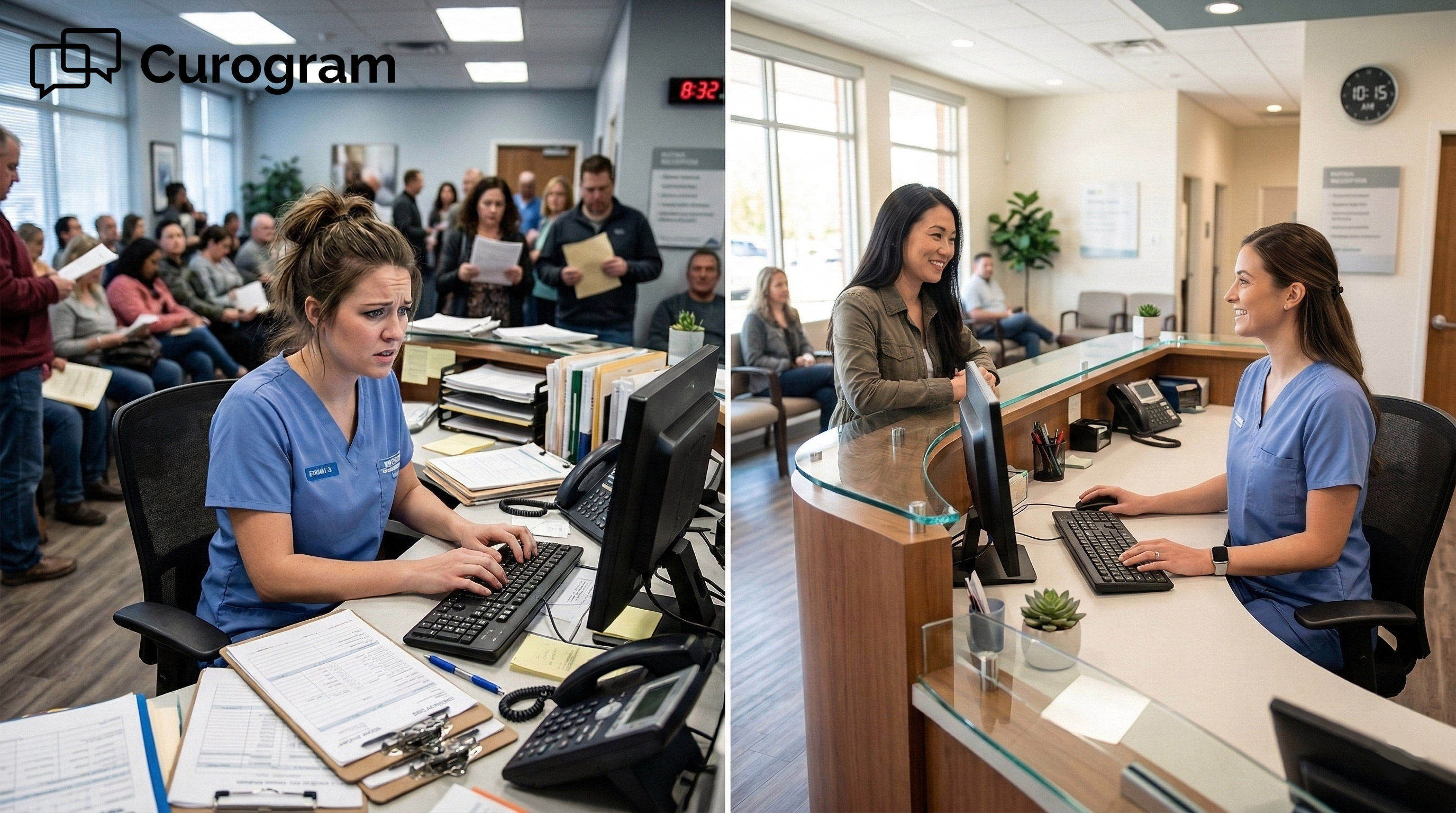
It’s 8:45 AM. Patients are lining up. At the front desk, a staff member is still typing from the clipboard the last patient handed in.

The waiting room is filling up. The 9:00 AM appointment is going to start late. Again.

This is what clipboard-based intake looks like at scale. It’s slow, error-prone, and hard to fix when you’re managing 20, 50, or 100+ providers across multiple sites.

The worst part? The problem starts long before the patient sits down with their doctor.

eClinicalWorks is built around structured data. Every field matters. Every entry feeds billing, clinical alerts, quality reports, and care decisions.

But the biggest data event of the whole visit — patient intake — still runs through paper forms and manual transcription at many enterprise eCW networks. That gap is costly.

Curogram’s digital intake forms close that gap. They deliver form links by text before the visit. Patients complete the form on their phone.

The data goes straight into the right eCW fields via API. No clipboard. No scanning. No typing. The chart is ready before the patient arrives.

This article walks through how eClinicalWorks secure online forms with structured data intake work at the enterprise level.

We’ll see why the old way fails, what a better process looks like, and what networks actually see when they make the switch.

The Villain: The Clipboard Bottleneck

Paper intake feels like a small problem until you run it across 30 locations and hundreds of daily check-ins.

The clipboard bottleneck isn’t just slow. It actively works against the system eClinicalWorks was designed to be. Here’s why.

The Structured Data Paradox

eClinicalWorks is built on structured data. Every field has a specific place. That structure is what makes clinical alerts, billing automation, and quality reporting work.

But most enterprise eCW networks feed that system through the least structured method possible: a patient writing on paper. A staff member then reads the handwriting, guesses at abbreviations, and types it into eCW. If they get it right, the data lands in the right field. If they don’t, the error spreads.

An incorrect insurance member ID results in a claim denial weeks later. A missed allergy disables a clinical alert. An outdated medication list means a provider makes decisions with bad data.

These aren’t rare edge cases. At enterprise volume, they happen every day.

Where Errors Enter the Chart

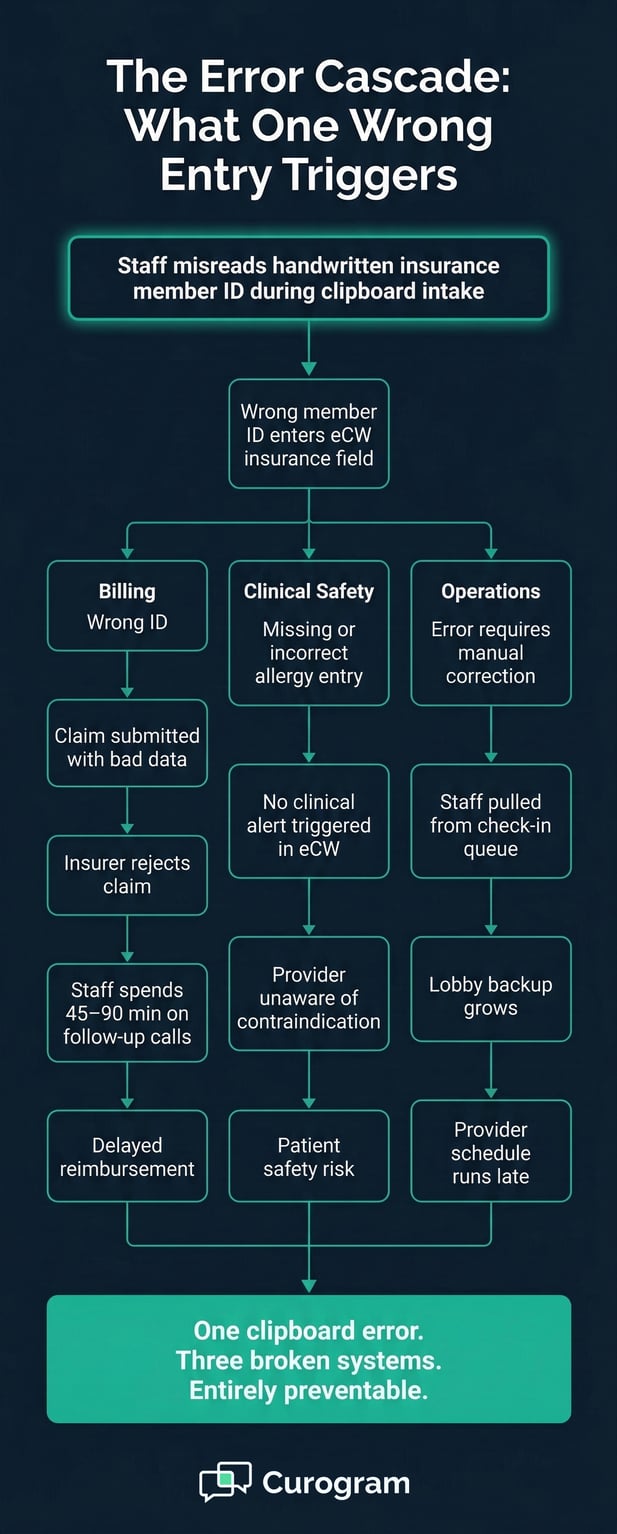
Transcription errors don’t stay in one place. They move through every system that depends on that data — billing, care decisions, population health queries, and compliance reports.

A single wrong digit in a member ID can cause a claim denial that requires hours of staff follow-up. A missed allergy entry creates a patient safety gap that no alert can catch.

At scale, thousands of daily intake sessions create a steady baseline of small errors. Each one seems minor.

Together, they add up to real cost: in denied claims, in staff time spent on corrections, and in clinical risk.

The Cost of Getting It Wrong

Based on our internal data, practices using clipboard-based intake spend 8–12 minutes per patient on transcription alone.

For a 50-provider network seeing 500 patients a day, that’s thousands of minutes every morning just entering data that patients could have submitted themselves.

And that time is not neutral. Every minute spent transcribing is a minute not spent on insurance questions, patient concerns, or anything else that actually needs a human.

The Check-In Gridlock

The clipboard bottleneck doesn’t just hurt data quality. It backs up the lobby. When each patient needs 10–15 minutes of front-desk transcription time, the check-in line grows fast during peak hours.

Patients arrive at 8:50 for their 9:00 appointment. They fill out forms in the lobby.

Then they wait while the staff transcribes those forms. The 9:00 appointment starts at 9:25. The rest of the morning runs late.

The root cause isn’t understaffing. It’s a workflow that forces in-lobby, paper-based data collection. At enterprise scale, that structural flaw affects every location, every day.


Healthcare error cascade flowchart showing the downstream impact of one wrong patient ID

The Guide: The Enterprise Digital Intake Engine

Curogram acts as the structured data pipeline between the patient and the eCW chart. Form links go out by text before the visit.

Patients fill them out on their phones. Answers write directly to eCW fields via API. The clipboard is out of the picture entirely.

Structured Field Mapping: From Patient Phone to eCW Field

The core feature behind Curogram’s digital intake is what makes it different from a simple online form. Each form field maps to a specific eCW data element through a process called structured field mapping.

Demographics go to the demographics fields. Medications move to the medication list. Allergies populate the allergy record. Insurance photos are attached to the insurance module.

This isn’t a PDF that gets attached to a chart for someone to read later. It’s field-level data entry.

It’s done by the patient, validated by the system, and written to eCW in the same structured format that powers billing automation, clinical decision support, and quality reporting.

The form builder is drag-and-drop, with ready-made templates for common specialties: orthopedics, cardiology, pediatrics, and gastroenterology. You can also build custom forms for any workflow.

Conditional logic lets you show or hide fields based on patient answers. E-signature collection and insurance card photo capture are built in.

How the API Write-Back Works

When a patient enters “Metformin 500mg twice daily” into the medication field, that entry goes into eCW as a structured medication record.

When they upload their insurance card, it attaches to the eCW insurance module directly. When they sign a consent form, the signature and timestamp write to the eCW consent record.

Every response travels through the patient online forms eClinicalWorks API integration, landing in the right place without any manual steps. The data enters eCW clean, structured, and ready to power every downstream system that depends on it.

Delivering Forms Before the Appointment

Curogram sends form links by text message 48 hours before the scheduled visit. Patients open the link on their phone and complete it at home, in the car, or wherever they have a few minutes.

That simplicity is what drives completion. Mobile patient forms through eClinicalWorks with no app download remove the biggest barrier most patient portals face.

The form is a text. The patient taps it, fills it out, and submits. By the time they arrive, their chart is already populated.

Enterprise-Scale Configuration and Compliance

Enterprise IT teams have different needs than a single-location practice. Curogram’s admin panel lets IT directors set up form templates centrally and push them to all locations — with per-location and per-specialty adjustments as needed.

Form submission analytics show completion rates, average completion times, and where patients drop off. This lets operations teams spot workflow issues before they become larger problems.

On the compliance side, Curogram is SOC 2 Type II certified and HIPAA-compliant under a signed BAA. For enterprise CIOs evaluating vendor risk, that matters.

The structured data write-back also removes the data quality risk that paper intake introduces — a risk that grows more expensive at higher patient volumes.


The Success: The Chart That’s Ready Before the Patient Arrives

Switching from clipboard intake to digital pre-arrival forms changes more than the check-in flow. It changes what the front desk does, what the provider sees, and how the whole visit starts.

Here’s what that shift looks like in practice.

The Numbers: What Enterprise Networks Actually See

Based on our internal data, enterprise eCW networks that deploy Curogram’s digital intake typically see check-in time drop from 12–18 minutes with clipboard-based intake to 2–3 minutes with pre-arrival digital forms.

Staff recovers 5–8 hours per location per day that were previously spent on manual data entry.

The table below shows what that comparison looks like across key areas:

Metric

Clipboard Intake

Curogram Digital Intake

Avg. check-in time

12–18 min per patient

2–3 min per patient

Staff transcription time

8–12 min per patient

0 min (automated)

Daily staff hours on data entry

5–8 hrs per location

Recovered for other tasks

Data entry into eCW

Manual, error-prone

API write-back, structured

Claim denial risk from intake errors

Higher

Significantly reduced

Patient wait time at check-in

15+ min

2–3 min


These aren’t just efficiency numbers. Fewer transcription errors mean fewer claim denials.

Fewer claim denials means less staff time spent on follow-up calls to insurers. Less rework means more capacity for the work that actually moves the practice forward.

A Real Example: 50-Provider Multi-Specialty Network

A 50-provider multi-specialty eCW network deployed Curogram’s digital intake across all 10 locations. Within 45 days, a large majority of patients were completing their intake forms before arrival using the text-delivered link.

Check-in time fell from an average of 14 minutes to under 3 minutes at locations with high pre-arrival completion rates.

The front desk lead at one location put it simply: “I used to spend my mornings transcribing clipboards. Now I spend them greeting patients and handling things that actually need a human.”

The billing team saw measurably fewer claim denials tied to incorrect patient demographics or insurance data. The IT director confirmed that the eCW intake automation via structured fields was populating records accurately with no manual steps. Every specialty had its own custom intake form configured within the first two weeks.

What Staff Do With the Time Back

When staff aren’t typing from clipboards, they’re not idle. They’re doing work that clipboards were blocking.

They’re answering insurance questions, helping patients with concerns, handling scheduling issues, and giving new patients a real welcome instead of a stack of forms.

That is the shift this model enables. The front desk becomes a patient engagement function again, not a data entry station.

What Providers See at the Start of Each Visit

When the chart is ready before the appointment, the provider walks in with complete, structured data. No deciphering handwriting.

No waiting for a staff member to finish transcribing. No “can you run through your medications again?” to verify what’s already in the chart.

The eCW chart becomes what it was designed to be: a reliable source of structured information that drives better care decisions, faster. The patient’s data is already there, already validated, already in the right fields.


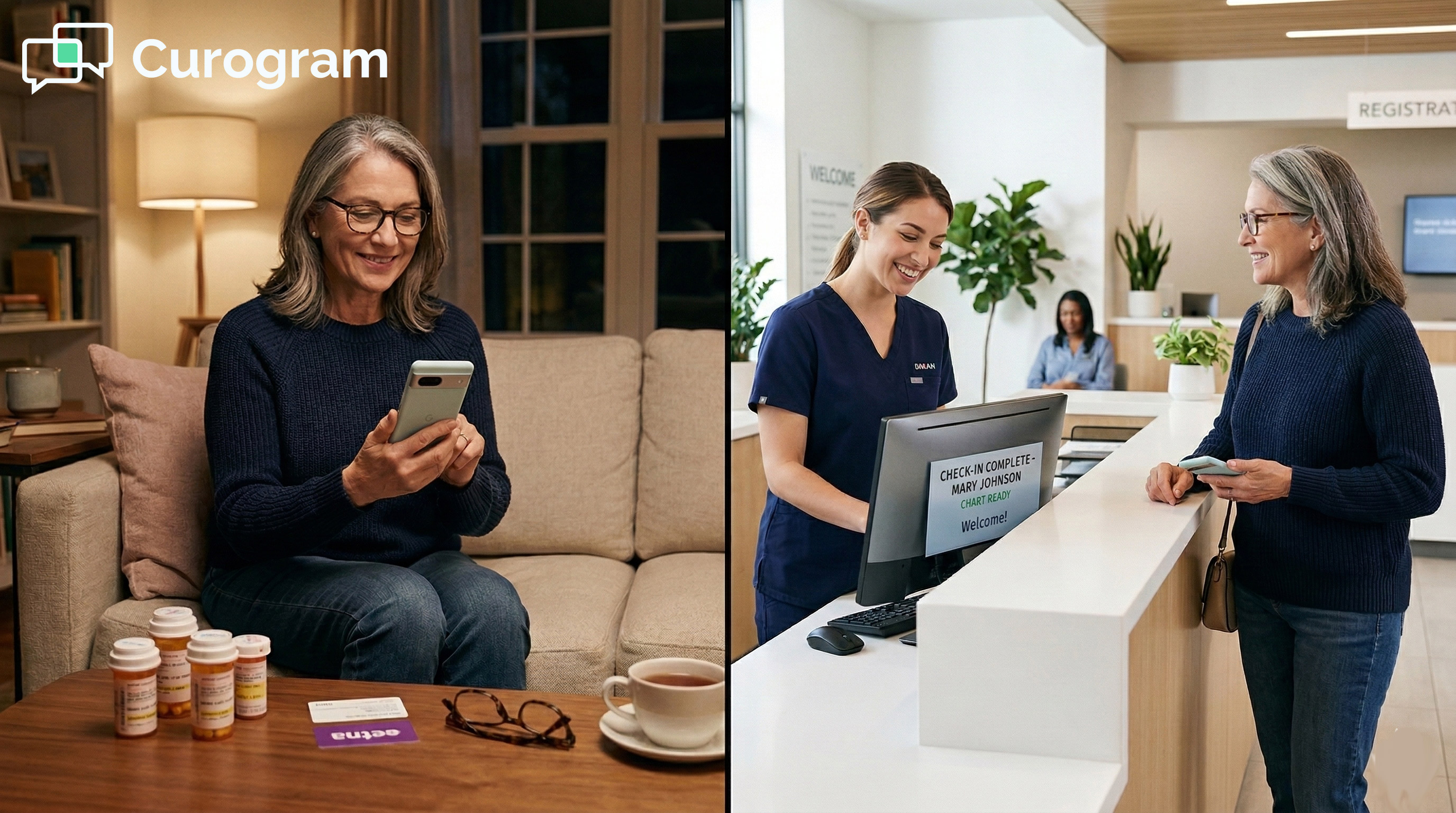
A patient comfortably uses a smartphone while waiting in a modern medical clinic lobby

Stop Transcribing What Patients Can Enter Themselves

The core problem with clipboard intake is simple: it asks staff to do a job the patient could do — and do more accurately. The patient knows their own medications, their allergies, and their insurance details. They just need a way to enter that data directly into the system that needs it.

Curogram’s secure online forms add the structured intake pipeline that eClinicalWorks needs. Forms go out by text.

Patients fill them out before they arrive. Every answer writes to the right eCW field via API. No transcription. No scanning. No re-entry. The chart is ready.

eClinicalWorks is built for structured clinical data — fields, alerts, analytics, billing logic. Curogram is built for effortless patient data entry. A form on their phone that takes 8 minutes and feeds directly into that structure.

Together, they create an enterprise intake workflow where the patient is the data source, not the clipboard.

Stop paying staff to transcribe handwriting into structured fields. Let patients enter their own data directly into the system that needs it.   

Schedule a demo today so the eCW chart will be ready before the patient walks through the door.


Frequently Asked Questions

How does the form data actually get into eCW structured fields?

Curogram’s Structured Field Mapping Engine connects each form field to a specific eCW data element via API.

Demographics write to demographics fields. Medications go to the medication list. Allergies populate allergy records. Insurance photos attach to the insurance module.

This is field-level data integration — not a PDF scan attached to the chart. The data enters eCW in the same structured format that powers clinical decision support, billing, and quality reporting.

How can we build custom forms for different specialties and appointment types?

Curogram provides a drag-and-drop form builder with pre-built templates for common specialties and full customization capability.

Cardiology forms can include cardiac history questions. Orthopedics forms can include injury-specific screens. Pediatric forms can include developmental milestones and immunization history.

Conditional logic lets you show or hide fields based on patient answers, and enterprise networks can create a base form for all patients plus specialty-specific sections that activate based on appointment type.

Why do patients complete digital forms at a higher rate than patient portal forms?

The biggest reason is simplicity. A text message with a form link requires no app download, no portal login, and no account setup. Patients tap the link and fill out the form on their phone — the same way they use any other message.

Patient portals add friction at every step, which is why completion rates tend to be low.

When the barrier is low, completion goes up, and based on our internal data, most enterprise networks see strong digital adoption quickly when forms are delivered by text.

What happens with patients who prefer paper or can’t complete digital forms?

Practices can still offer a limited clipboard option or a front-desk tablet that uses the same Curogram form with the same structured data write-back.

The goal isn’t to force every patient into a digital flow overnight. It’s to shift the majority of intake to pre-arrival digital so that clipboard intake becomes the exception, not the rule.

Even a 70% digital completion rate dramatically cuts the transcription workload and improves data quality across the board.

How does eliminating clipboard intake affect billing accuracy?

When patients enter their own demographics and insurance data directly into structured eCW fields, the most common sources of billing errors are removed.

Transposed member IDs, misread group numbers, and outdated coverage information no longer enter the chart through manual transcription. Cleaner intake data means fewer claim denials, less staff time spent on rework, and faster reimbursement cycles.

eCW Front-Desk Intake Automation | Eliminate Transcription

eCW Front-Desk Intake Automation | Eliminate Transcription

💡 Most eClinicalWorks front-desk teams spend 8–12 minutes per patient typing clipboard data into eCW fields. That's not a staffing problem. It's a...

Read More
eCW Patient Digital Forms: Complete Intake at Home, Skip the Clipboard

eCW Patient Digital Forms: Complete Intake at Home, Skip the Clipboard

💡 Curogram delivers the eClinicalWorks patient digital form experience through text — with no app download, no clipboard, and no lobby wait....
Read More
Digital Intake Workflow in StreamlineMD for Imaging Practices

Digital Intake Workflow in StreamlineMD for Imaging Practices

💡 StreamlineMD practices use online patient forms to cut intake delays and boost exam readiness for radiology, vascular, and IR workflows. ...

Read More