
Before vs. After Integration: EMR Integration Daily Workflow Changes
Learn how integration with your EHR replaces confirmation calls, paper forms, and mailed statements with texts that sync, so your front desk works...
6 min read

Ask a vendor whether they connect to your EMR and you will hear yes. The word covers a lot of ground. It can mean a nightly file drop. It can mean a live link that updates the chart while the patient is still typing.
Four questions separate them. What comes in, what goes out, which appointment statuses write back, and how long setup takes.
Our own integration records list 126 EMRs. Sixty-seven have a route that is ready today, and 42 can write an appointment status back.
Thirty-six have no route at all. That figure is from our internal data and it is the one nobody puts on a website.
Below: what goes wrong without a connection, what changes with one, and the four questions to ask before signing.
Somebody pulls tomorrow's list, opens the texting tool, and types names. Two minutes a patient, every afternoon. The list is also stale by the time it is sent. Appointments booked that morning are missing from it.
A phone number updated in the texting app does not reach the chart. The next reminder goes to the old number.
Two records for one patient is the version that costs money. The claim goes out under whichever chart the biller opened. Duplicates are also hard to spot from the front desk. They surface in billing, weeks later, as a denial.
A patient who texted on Monday and called on Wednesday expects you to remember Monday. Staff in a separate app cannot. Asking the same question twice reads as disorganization, and patients are rarely wrong about that.
The balance after insurance arrives by post three weeks later, when the visit has stopped being real to the patient. Ask what share of patient balance gets collected after the visit rather than at it. That figure is usually worse than anybody guesses.
Front desk time is the constraint in most practices, not clinical time. Retyping is the cheapest thing to remove from it. Count the outbound calls your desk makes in one week, then multiply by two minutes. That number is the budget for automation.
Clipboard at the desk, a form they filled in last year, a reminder for an appointment they already moved. Each one is small. Together they are the reason a patient tries the practice down the road.
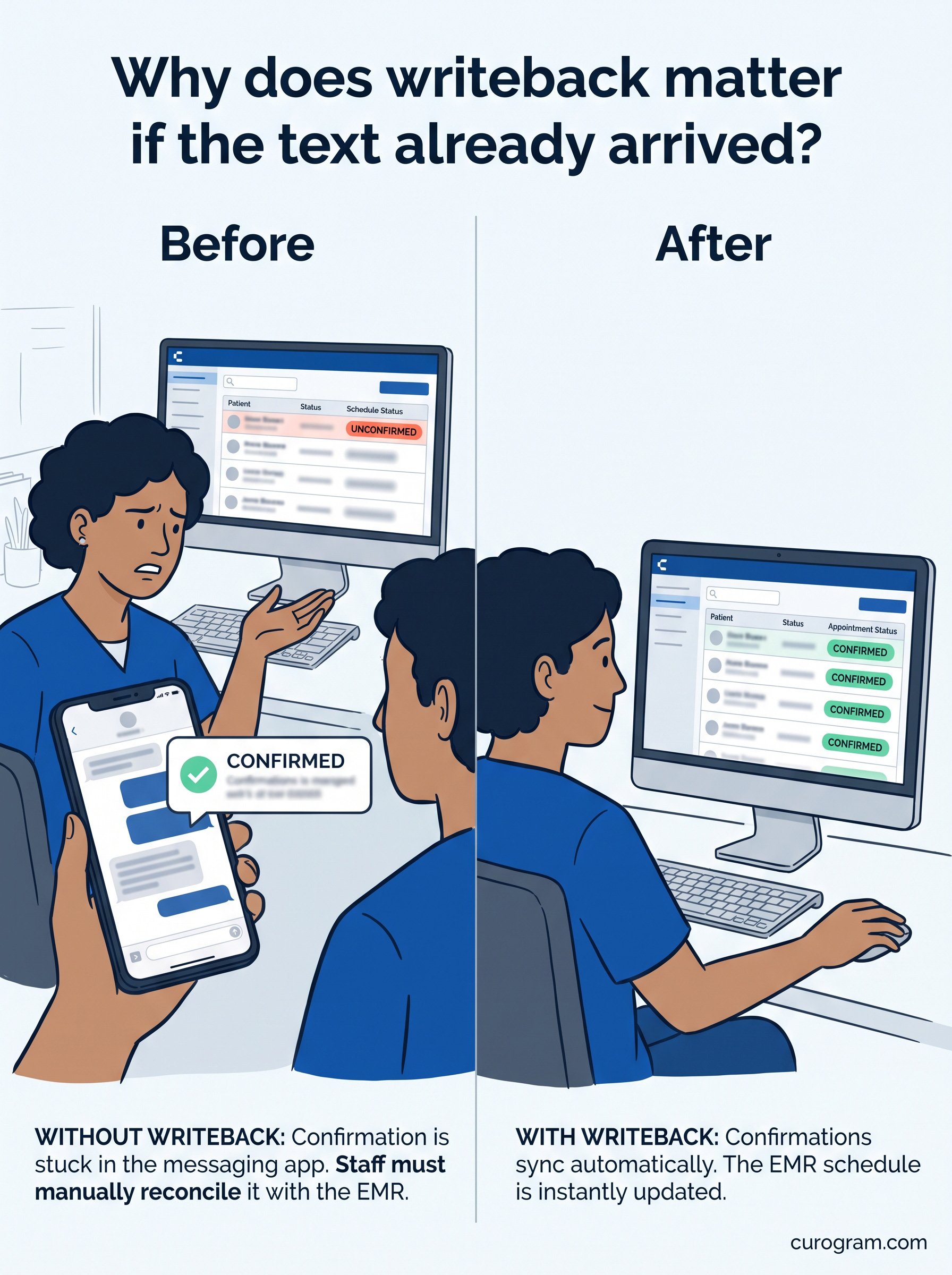
A synced reminder reads the schedule itself. It knows the visit type and the time without anyone pulling a list.
Sync frequency is worth asking about in minutes. Several of our connections refresh appointments every 15 minutes for the next three days, then every 30 minutes further out. That window is why a booking made at nine still gets a reminder the same afternoon.
Ask for the interval in minutes rather than accepting near real-time. The phrase means nothing until somebody gives you a number.
Half is our own figure, based on our internal data rather than published research. Treat it as a ceiling rather than a promise.
The mechanic behind it is dull and reliable. Questions that would have been a call get answered in a thread somebody can read later.
Measure your own inbound call volume for four weeks first. Without that number you cannot tell a working tool from a quiet week.
Intake sent by text and written straight to the chart removes the retyping step and the typo with it.
This is the capability that varies most between EMRs. Some of our connections push the completed form, the insurance card, and the driver's license image into the chart.
Others carry appointments and patient records only. Ask which group yours is in before you plan the rollout around it. DrChrono is in the first group, and Elation Health is in the second. Same product, different reach into the chart.
A payment link in a text gets paid from a phone, usually in under a minute. Send it before the statement rather than after. A balance explained at the visit gets paid faster than one arriving cold in an envelope.
Ask every patient rather than the memorable ones. Volume is what moves a star rating.
One multi-location practice in our case files collected 1,064 new five-star reviews in three months. About 90% of responding patients left five stars, based on our internal data.
Route low scores to a named person the same day. A complaint answered within the hour often never becomes a public review.
Three numbers cover most decisions. No-show rate, inbound call volume, and days in accounts receivable. Take four weeks of each before switching anything on, then change one thing at a time.
Two changes in the same week means you cannot attribute either result, which is how renewals turn into arguments.
The figures below come from our own case files rather than published research. They are first-party, and we label them that way.
Atlas Medical Center moved its no-show rate from 14.20% to 4.91% over three months, running automated reminders with confirmations. Covina Arthritic Clinic now confirms more than 1,100 appointments a month without staff working the phones for them.
A multi-location practice sending SMS recalls saw 35% of those patients book within a month. That came to 1,240 patients seen from recall messages alone. None of those numbers transfer automatically to your practice. They tell you the size of the prize, not your share of it.
Each of those three cases ran on a connection rather than an export. That distinction is the whole reason the figures held up over months.

Any is doing too much work in that heading, and our own records say so. Thirty-six of the 126 EMRs we track have no route at all. Sixty-seven have a route ready to go today. The rest sit somewhere between, which is a better sentence than any.
Setup time follows the route rather than the brand. Credential-based connections usually take a day. Agent and database setups run two to five, and an HL7 build two to three weeks.
Three EMRs, one product, three different answers. This is what the four questions look like filled in.
|
Elation Health |
Centricity |
DrChrono |
|
|---|---|---|---|
|
Connection type |
Private API |
Public API |
Public API |
|
Patients and appointments in |
Yes |
Yes |
Yes |
|
Intake forms and ID images out |
No |
No |
Yes |
|
Statuses written back |
Confirmed, Cancel |
Confirmed, Cancel, Noshow |
Confirmed, Cancelled, Noshow |
|
Patient language sync |
No |
No |
Yes |
|
Typical setup |
1 day |
Credential based |
1 day |
We went through the detail for each. Start with HIPAA-compliant texting for Elation Health if that is your system. Our writeup on compliance texting in GE Centricity covers the older on-premise side of this. And secure patient communication in DrChrono covers the fullest version, where intake and ID images travel too.
None of the three needs access to your EMR server. All three run on a user credential, which is usually the question IT actually cares about.
Elation Health and Centricity carry no integration fee from the EMR side. Fees, where they exist, come from the EMR vendor rather than from us.
Automated reminders with two-way texting cut no-shows, and the confirmation is only worth something if it writes back. A shared inbox keeps replies where more than one person can see them, which is what makes same-day routing realistic.
Digital intake forms sync into the EMR on the connections that support them. Text-to-pay shortens the gap between statement and payment.
Automated surveys build the review volume that dilutes an old bad rating. Five features, and only some of them depend on your EMR.
Curogram HighlightCurogram's HIPAA-Compliant Texting sends a secure link rather than putting patient detail in the message body. Threads attach to the patient record, and a business associate agreement comes as standard rather than as an upgrade. Where the EMR supports writeback, a patient confirming by text changes the status in the chart. No separate app holds the only copy. |
Ask the four questions in writing before you sign anything. What comes in, what goes out, which statuses write back, how long setup takes.
Add a fifth about upgrades. When your EMR ships a change, ask who tests the connection and who pays for the fix.
National data says this variation is normal. ASTP reported that 91% of hospitals pulled data from third-party technology for a clinical purpose in 2024. Only 52% did it through a standards-based API.
The standards exist and are tightening. Certified systems have to expose a FHIR interface under 45 CFR 170.315(g)(10). That is why public API routes keep appearing.
Then take your baseline before the rollout, not after. Four weeks of no-show rate, call volume and days in AR.
Book a Curogram demo. One pass covers the schedule read, a confirmation writing back to the chart, and where a reply lands.
Learn how integration with your EHR replaces confirmation calls, paper forms, and mailed statements with texts that sync, so your front desk works...

EMR system integration can cut your medical practice’s no-shows in half. Here’s the proof.
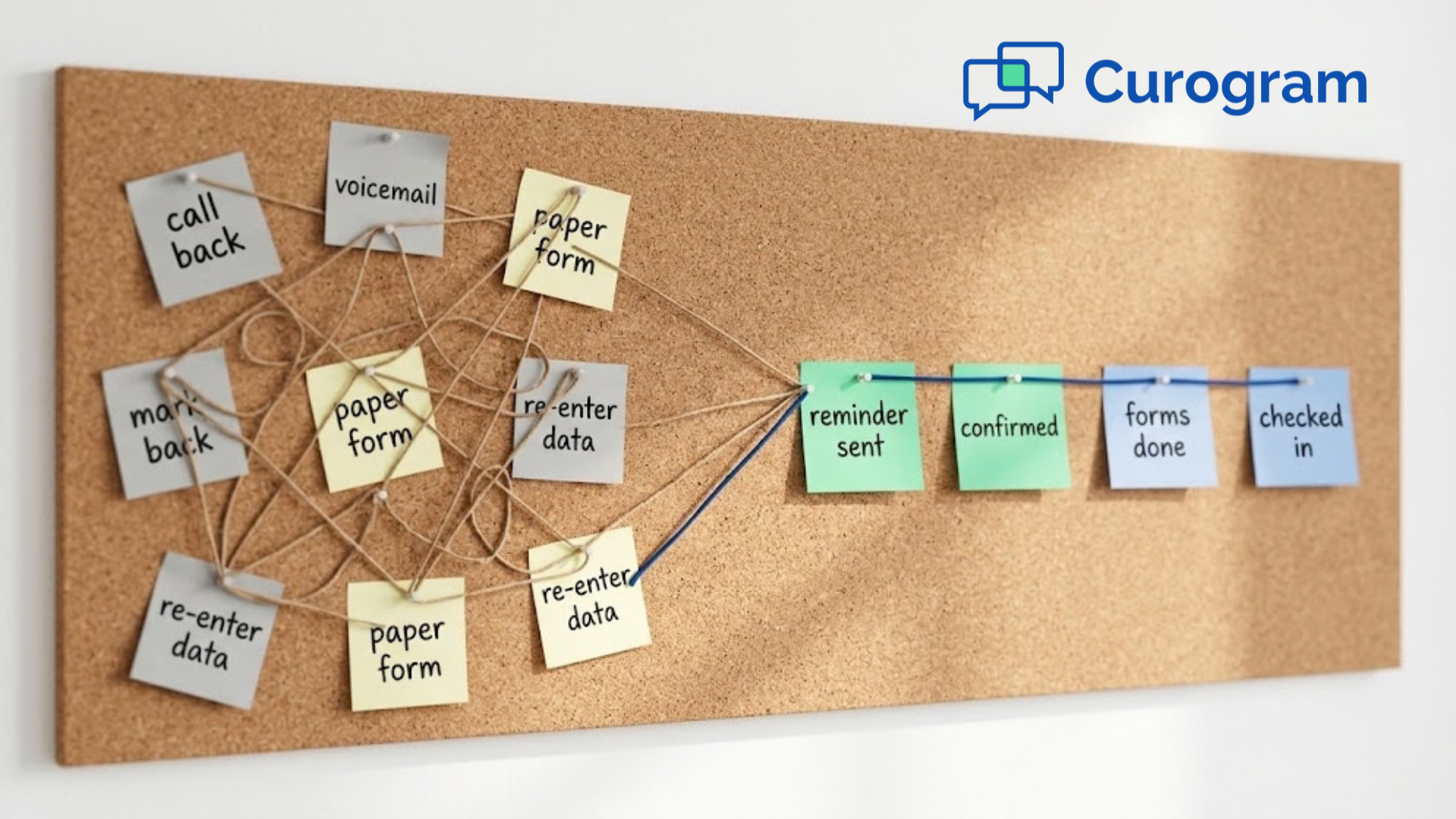
Learn about the actual EMR integration success story of a small practice. This is how one clinic fixed its workflow and boosted patient satisfaction.