10 min read
Patient Outreach Strategies That Work: From Phone Calls to SMS
Mira Gwehn Revilla
:
April 19, 2026
Practices that use text-based outreach see higher confirmation rates, fewer no-shows, and better patient retention. The key is choosing a platform that supports two-way messaging, templates, automation, and EMR integration while staying HIPAA compliant.
Your front desk calls a patient three times. No answer. They leave a voicemail, mark the task as done, and move on. The appointment slot stays empty, and nobody follows up again. This cycle repeats every day in practices across the country, and it quietly drains both revenue and staff energy.
Patient outreach should not feel like a guessing game. When done right, it keeps your schedule full, your patients engaged, and your revenue steady.
But most practices still rely on methods that waste time and get poor results. Phone calls go unanswered. Emails sit unread. Patient portals gather dust after the first login.
The shift from phone calls to text messages is not just a trend — it is a proven upgrade. Texting gets a 98% open rate, which means your message almost always gets seen.
Compare that to emails that sit unread or calls that go straight to voicemail. Patients today expect quick, easy ways to confirm, reschedule, or ask a question. A short text does what three phone calls cannot.
The good news is that building a strong outreach plan does not require a huge budget or a tech overhaul. What it takes is a clear strategy, the right templates, and a platform that automates the work for you.
When these three pieces come together, your front desk stops chasing patients and your schedule starts filling itself.
In this guide, you will learn which outreach methods work, which ones fall short, and how to build a strategy that fits your practice. We will also share ready-to-use templates and show you how to track what matters. Whether you run a solo clinic or a multi-location group, these steps will help you reach more patients with less effort.
What Is Patient Outreach and Why Does It Matter?
Patient outreach is any time your practice reaches out to a patient first. It is not about waiting for the phone to ring. It is about being proactive — sending reminders, recall notices, follow-ups, and wellness campaigns before a gap in care opens up.
Think of it this way. A patient visits your office for a check-up in January. Their next visit should be in July. Without outreach, that patient may forget, get busy, or simply not think about it. Six months pass, then a year. Now you have lost both the visit and the revenue that came with it.
This is why outreach matters so much to your bottom line. Every missed visit is a missed charge. Based on our internal data, practices that use automated outreach see a 10–20% increase in revenue because recovered appointments go straight to the bottom line. That is real money from patients who were already in your system.
But the business case goes beyond revenue. Strong outreach reduces gaps in care. Patients who come back for follow-ups get better outcomes. Chronic conditions are managed sooner. Screenings happen on time. Your practice builds trust, and patients are more likely to stay with you long-term.
Here is a simple breakdown of what patient outreach covers:
|
Outreach Type |
Purpose |
Example |
|
Reminders |
Confirm upcoming visits |
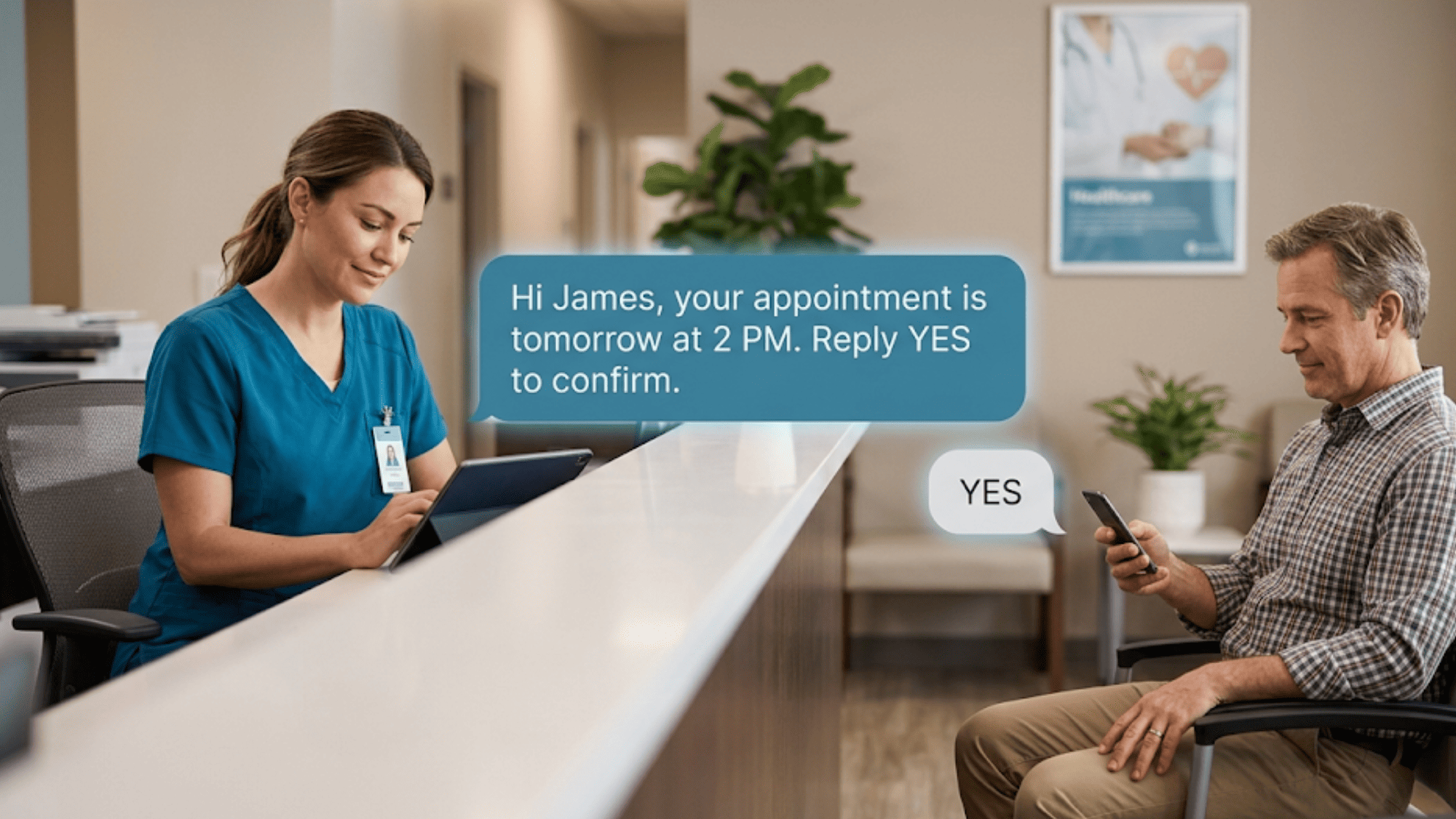
"Your appointment is tomorrow at 2 PM." |
|
Recalls |
Bring back overdue patients |
"You're due for your annual check-up." |
|
Follow-ups |
Check in after a visit |
"How are you feeling after your procedure?" |
|
Wellness campaigns |
Promote preventive care |
"Flu shots are now available — reply to book." |
When you map out these touchpoints, you stop relying on patients to remember. You take the lead, and your schedule stays full.

The Most Common Patient Outreach Methods (and Their Limits)
Most practices use a mix of outreach methods. Some work better than others. Let's look at the most common ones and where they fall short.
-
Phone calls are the oldest method in the book. Your front desk staff dials each patient, leaves a voicemail, and hopes for a callback. The problem? It takes a lot of time. A single staff member might spend hours each day just making reminder calls. And many patients simply do not pick up.
-
Email sounds like a modern fix, but the results tell a different story. Open rates for healthcare emails tend to hover around 20–25%. That means 3 out of 4 patients never see your message. Emails also end up in spam folders or get buried under other inbox clutter.
-
Patient portals were supposed to solve everything. In practice, adoption is low. Many patients create an account once and never log in again. The portal becomes a dead end for your outreach efforts, especially for older patients who find the login process confusing.
-
Direct mail still has a place for certain campaigns. But it is slow, expensive, and hard to track. You cannot tell if a patient opened the letter, and there is no easy way for them to respond.
|
Method |
Avg. Response |
Cost |
Speed |
Two-Way? |
|
Phone calls |
Low |
High (staff time) |
Slow |
Yes |
|
|
20–25% open |
Low |
Fast |
Limited |
|
Patient portals |
Very low adoption |
Medium |
Fast |
Yes |
|
Direct mail |
Low |
High |
Very slow |
No |
|
Text messaging |
98% open |
Low |
Instant |
Yes |
The pattern is clear. Each of these methods has a gap — whether it is speed, cost, or response rate. That gap is exactly where text messaging steps in.
Why Text-Based Patient Messaging Services Change the Game
Text messaging fixes the biggest problems with traditional outreach. It is fast, cheap, and nearly everyone reads their texts. That is not just a hunch — texting has a 98% open rate, which towers over every other channel.
Patient messaging services let your practice send and receive texts the same way your patients already talk to friends and family. There is no app to download, no portal to log into, and no voicemail to check. The message lands right on their phone, and they can reply in seconds.
Speed matters here. When you send an appointment reminder by text, most patients see it within three minutes. Compare that to a phone call that goes to voicemail or an email that sits unread for days. Based on our internal data, Curogram clients see an average appointment confirmation rate above 75% — and the entire process is automated.
Patient messaging also works across all age groups. Younger patients prefer texting by default. But older patients use text too — especially when the message is simple and clear. A short text like "Reply YES to confirm your visit on Thursday at 10 AM" is easy for anyone to act on.
Two-way texting takes it further. Instead of just blasting reminders, your staff can have real conversations. A patient can ask to reschedule, request a form, or ask a quick question — all through text. This cuts down on phone calls and frees up your front desk to handle in-person tasks.
The results speak for themselves. Based on our internal research, one multi-location practice used SMS recalls to bring back patients who had not scheduled follow-ups. Within a month, 35% of those patients booked an appointment. That added up to 1,240 recovered visits from recall messages alone.
Building a Patient Outreach Strategy for Your Practice
Having the right tools is only half the battle. You also need a clear plan. A good outreach strategy maps every patient touchpoint to the right message and the right channel.
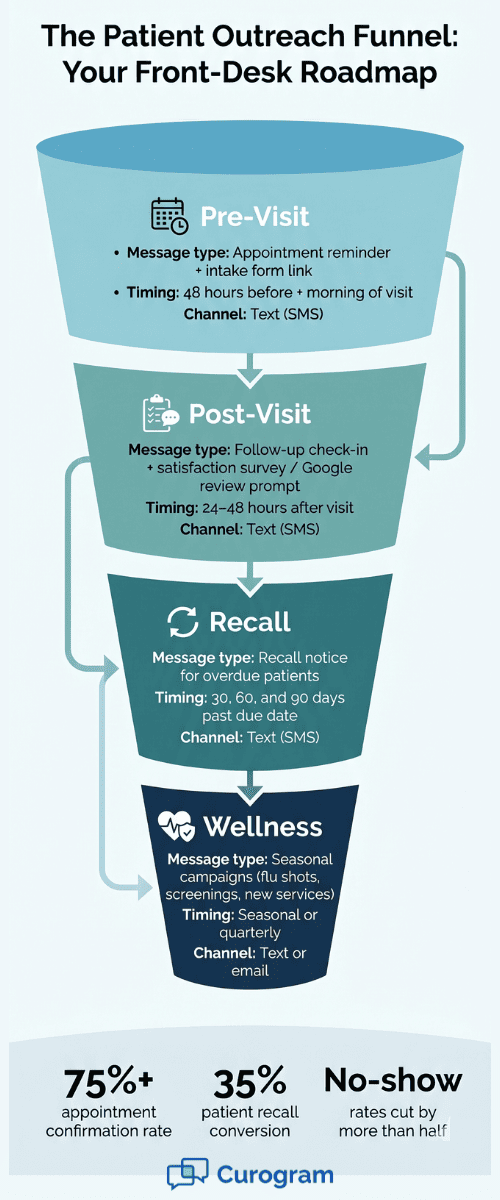
Start by listing your key touchpoints. Most practices have four main ones: pre-visit, post-visit, recall, and wellness. Each one calls for a different kind of message at a different time.
-
Pre-visit touchpoints include appointment reminders and intake form links. Send a reminder 48 hours before the visit, then a second one the morning of. This two-step approach gives patients time to confirm or reschedule without rushing them.
-
Post-visit touchpoints cover follow-up care and feedback. After a visit, send a quick check-in text within 24–48 hours. You can also send a link to a satisfaction survey or prompt them to leave a Google review. Based on our internal data, one practice collected 1,064 new 5-star Google reviews in just three months using automated post-visit surveys.
-
Recall touchpoints target patients who are overdue for care. Set up recall messages for patients who have not been seen in 6 or 12 months. These are some of the highest-value messages you can send because they bring back revenue that would otherwise be lost.
-
Wellness touchpoints promote seasonal or preventive care. Think flu shot campaigns, annual screening reminders, or new service announcements. These keep your practice top of mind even when the patient does not have an active issue.
Once you map these touchpoints, build templates for each one. Then use patient interaction software to automate the process.
Automation means your staff does not have to remember to send each message by hand. The system does it based on triggers — like an upcoming appointment or a lapsed visit — so nothing falls through the cracks.
A simple planning table can help you organize your strategy:
|
Touchpoint |
Timing |
Channel |
Message Type |
|
Pre-visit |
48 hrs + morning of |
Text |
Reminder + confirm |
|
Post-visit |
24–48 hrs after |
Text |
Follow-up + survey |
|
Recall |
6 or 12 months overdue |
Text |
Recall notice |
|
Wellness |
Seasonal |
Text or email |
Campaign blast |
Patient Outreach Templates You Can Use Today
Templates save your team time and keep your messaging consistent. Below are six ready-to-use examples. Adjust the details to match your practice name, hours, and tone.
1. Appointment Reminder
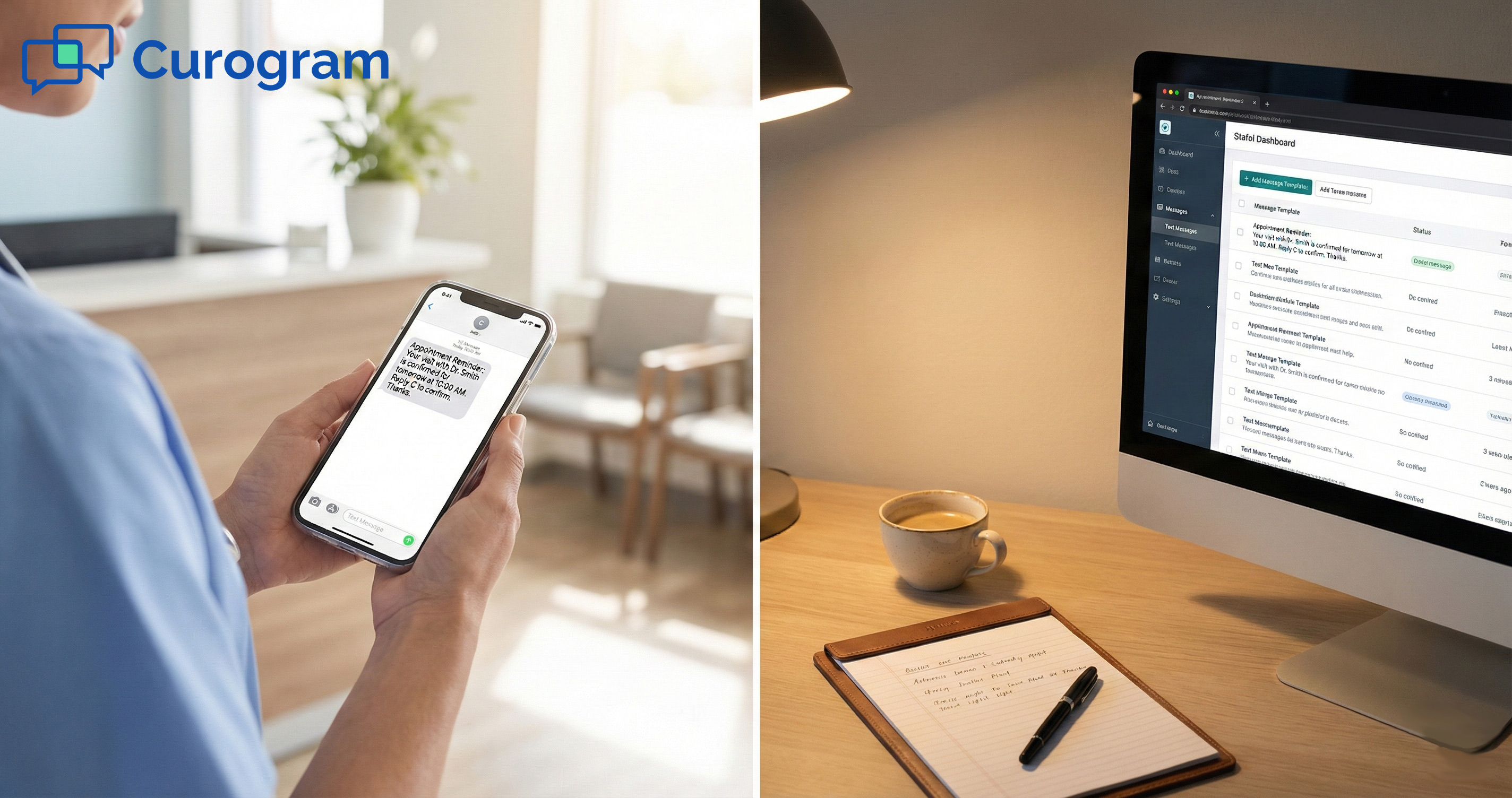
Hi [First Name], this is [Practice Name]. You have an appointment on [Date] at [Time]. Reply YES to confirm or call us at [Phone] to reschedule.
2. Post-Visit Follow-Up
Hi [First Name], thank you for visiting [Practice Name] today. We hope you are feeling well. If you have any questions about your visit, reply to this message and we will get back to you.
3. Annual Check-Up Recall
Hi [First Name], it has been a while since your last visit at [Practice Name]. You are due for your annual check-up. Reply BOOK to schedule or call us at [Phone].
4. Test Result Notification (General — No PHI)
Hi [First Name], your recent test results are ready. Please log into your patient portal or call our office at [Phone] to review them with your care team.
5. Satisfaction Survey Prompt
Hi [First Name], how was your visit at [Practice Name]? We value your feedback. Tap the link below to share your experience — it only takes 30 seconds: [Survey Link]
6. Wellness Campaign (Flu Shot)
Hi [First Name], flu season is here. [Practice Name] now has flu shots available. Reply BOOK to schedule yours or walk in during office hours.
A few tips for writing your own templates. Keep messages under 160 characters when you can. Use the patient's first name — it feels personal. Always include a clear action step like "Reply YES" or "Call us at." And never include protected health details in a text message.
For more guidance on crafting effective messages, check out our guide on patient text messaging best practices.

How to Measure the Success of Your Patient Outreach Efforts
You cannot improve what you do not measure. Tracking the right numbers tells you if your outreach is working — or if you need to change your approach.
Here are the five key metrics every practice should watch:
-
Appointment confirmation rate - This tells you how many patients confirm after receiving a reminder. Based on our internal data, Curogram clients see an average confirmation rate above 75%. If yours is below 60%, your reminder timing or message may need a refresh.
-
Response rate - This is the share of patients who reply to your texts. A healthy response rate for text outreach is between 30–45%. If you are sending messages that do not ask for a reply, you are missing a chance to engage.
-
No-show rate - This is the big one. Every empty slot costs your practice money. Based on our internal research, one clinic dropped its no-show rate from 14.20% to 4.91% in just three months after switching to automated text reminders. That is 3X better than the average. For more on how to use reminders to cut no-shows, read our article on appointment reminder text messages.
-
Patient recall rate - This tracks how many overdue patients come back after a recall message. Based on our internal data, 35% of patients who received an SMS recall booked a visit within one month. If your recall rate is under 20%, try adjusting your message or sending a second follow-up.
-
Google review score - Outreach does not stop at the visit. Post-visit surveys that link to Google Reviews can boost your online reputation fast. One practice gained over 1,000 new 5-star reviews in three months through automated survey texts.
Set a baseline for each metric before you start. Then track changes monthly. Even small gains — like moving your no-show rate down by 3–5 points — can mean thousands of dollars in recovered revenue each year.
Choosing the Right Patient Communication Platform for Outreach
The best strategy in the world will not work if your tools hold you back. Choosing the right platform is what turns a plan into a system that runs on its own.
When you look at patient communication platforms, focus on five things:
1. Automation
The platform should send reminders, recalls, and follow-ups without your staff pressing a button. Look for trigger-based workflows — for example, a reminder that fires 48 hours before every appointment. This is what turns outreach from a task into a habit.
2. Template Management
You need the ability to create, save, and reuse message templates. Your staff should not be typing the same reminder from scratch each time. Good healthcare engagement platform tools make it easy to build a library of templates and assign them to different touchpoints.
3. Two-Way Messaging
One-way blasts are not enough. Patients need to reply, ask questions, confirm, or reschedule — all through the same channel. Two-way texting makes your practice feel responsive without adding more phone calls.
4. EMR Integration
Your platform should sync with your existing EMR system. This means patient names, appointment times, and visit history pull in automatically. No double entry, no manual uploads.
Curogram, for example, integrates with any EMR so your outreach runs from the same data your clinical team already uses. To see how this kind of integration also improves your front desk workflow, explore our guide on patient intake software.
5. HIPAA Compliance
This is not optional. Any digital patient engagement platform you use must protect patient data and meet HIPAA standards. Make sure the platform encrypts messages, limits access, and gives you an audit trail.
Conclusion
Patient outreach is not about sending more messages. It is about sending the right message, at the right time, through the right channel.
The practices that get this right see real results. Their schedules stay full. Their no-show rates drop. Their patients come back for follow-ups instead of falling off the radar. And their front desk spends less time on the phone and more time on the people standing in front of them.
The old playbook — phone calls, voicemails, letters in the mail — simply does not keep up anymore. Patients expect quick, easy communication. A short text message does what three phone calls cannot.
You do not need to overhaul everything at once. Start with one touchpoint, like appointment reminders. Set up a template, turn on automation, and track your numbers for 30 days. Then expand to recalls, follow-ups, and wellness campaigns. Small steps lead to big gains.
The tools exist to make this easy. The strategy in this guide gives you the roadmap. All that is left is to take the first step.
Put your patient outreach on autopilot — reminders, recalls, and reviews, all from one platform. Book a demo and watch your confirmation rate climb past 75%.
Frequently Asked Questions
Send the first recall when the patient is 30 days overdue, then follow up at 60 and 90 days. Space them out so they feel like helpful nudges, not spam.
Use the patient's first name, keep the tone friendly, and include a clear action step. Templates should sound like a helpful text from your front desk — not a mass blast.
EMR integration pulls patient data in automatically so your team avoids manual entry. It also ensures reminders and recalls go out with the correct appointment details every time.