Skip to the main content.

8 min read

Automate Patient Notifications at Scale Without Administrative Chaos

Automate Patient Notifications at Scale Without Administrative Chaos
💡 Medical practices can automate patient notifications at scale by using EMR-integrated mass texting tools that trigger alerts in seconds instead of hours. This removes the need for manual call trees and lets clinical teams reach thousands of patients right away.

Use cases include urgent practice updates SMS for weather closures, schedule changes, or health alerts. EMR-integrated mass texting ensures every message stays HIPAA-compliant while pulling patient lists straight from your records. The result is faster response times, less front desk chaos, and a smoother healthcare communication workflow across all your clinic locations.

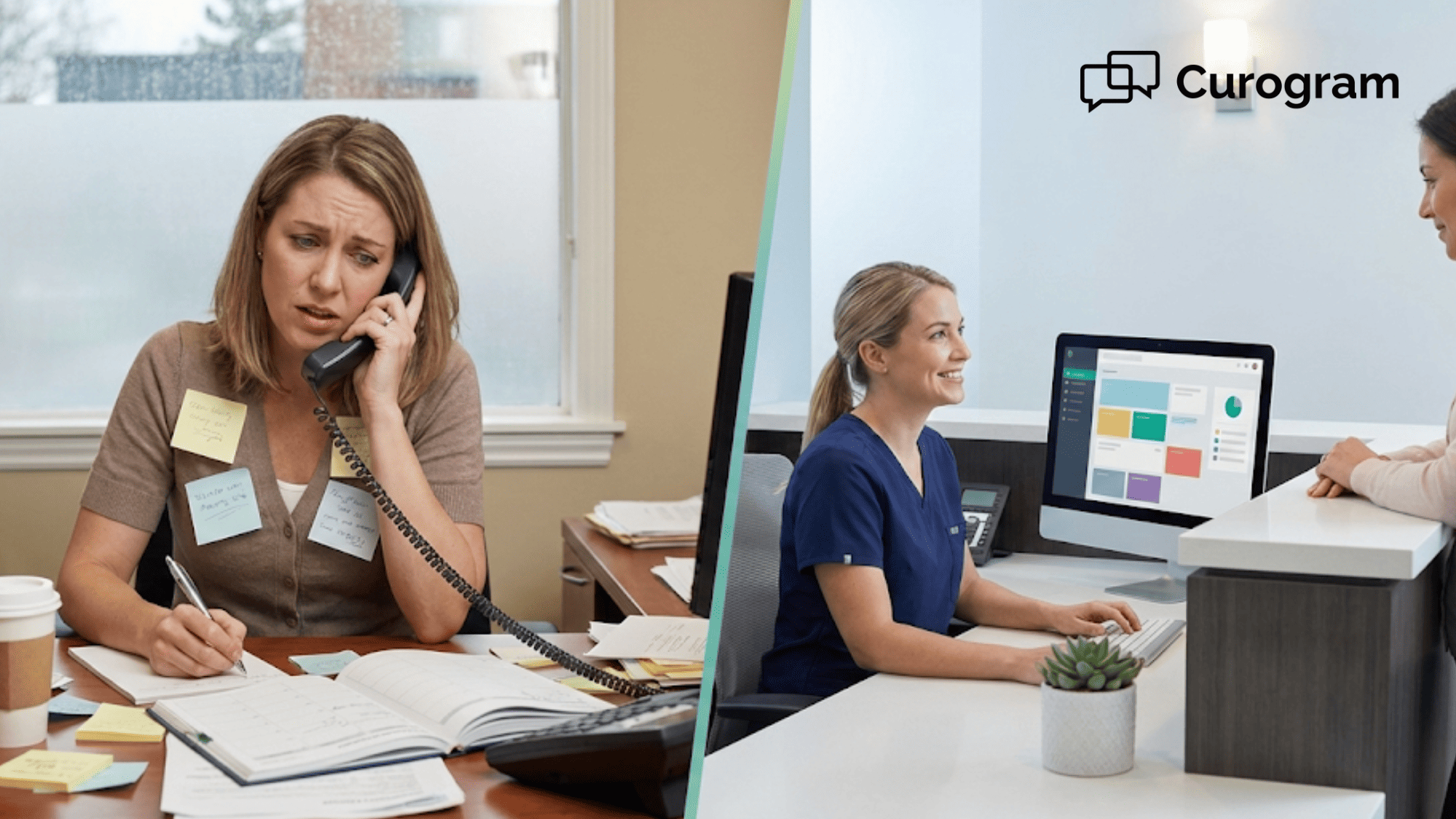
Picture this: A winter storm warning just hit your area. You have 400 patients booked across three clinic sites tomorrow. Your front desk staff starts making calls—one by one.

Four hours later, they've reached less than half the list. Voicemails pile up. Patients keep calling back asking the same question. Staff are burned out. Some patients still show up to locked doors.

This scene plays out in clinics across the country. Manual outreach simply cannot keep up with urgent events. The old way of doing things—phone trees, sticky notes, and crossed fingers—fails when speed matters most.

The good news? There is a better way. Automated patient notifications at scale let you send urgent practice updates SMS to your entire patient base in under five minutes. 

With EMR-integrated mass texting, your patient lists pull straight from your records. This means no manual data entry and no outdated contact info. Your message goes out fast and reaches the right people.

Think about what this means for your team. Instead of spending hours on the phone, they can focus on patients who need real help. Your front desk stays calm. Your clinical workflow stays on track.

This guide will show you how to set up smart healthcare communication workflows that work. You will learn why manual outreach fails at scale, how to trigger urgent alerts in minutes, and how to create a standard patient experience across all your locations.

Whether you run a single clinic or a large network, these steps will help you reach patients faster, cut admin burden, and keep your operations running smooth.

Let's dive in.

The Fragmentation Villain: Why Manual Outreach Fails at Scale

Manual patient outreach sounds simple until you try it with hundreds or thousands of patients. What starts as a quick task becomes a massive time drain that pulls staff away from their real work.

Here is why the traditional way falls apart when your practice grows:

Communication Silos

In clinics with more than one location, manual processes create gaps. Each site may use different scripts, different contact methods, and different timing. One office sends emails while another leaves voicemails. Some staff text from personal phones—a HIPAA risk waiting to happen.

The result? Patients get mixed messages. One location says the clinic opens at 9 AM. Another says 8:30 AM. This makes your practice look careless, even if your team is working hard.

For multi-site groups, these silos grow fast. Without a central system, there is no way to know which patients got the message and which did not. You lose track of who knows what.

The Time Drain

Let's do some quick math: Say, you have 200 patients to notify about a schedule change. Each call takes about 3 minutes, including dial time and voicemail. That is 600 minutes—or 10 hours of phone work.

Now, add in callbacks. Patients who missed the message call back asking questions. Each callback takes another 2-3 minutes. Your front desk is now drowning in calls instead of helping patients in the lobby.

This is time your staff cannot get back. If you pay hourly wages, it is also money out the door.

Delayed Response

Emergencies do not wait. When a pipe bursts, a doctor calls out sick, or a storm rolls in, patients need to know right away. Manual call trees take hours to complete. By the time you reach the last patient, the first one may have already driven to your closed office.

Delays cause confusion, frustration, and even safety risks. Patients with mobility issues may travel in bad weather. Those with chronic conditions may miss time-sensitive care.


"Smart" Workflows for Urgent Practice Updates

When you need to reach patients fast, smart workflows make all the difference. These are preset systems that let you send urgent practice updates SMS with just a few clicks.

Here is how to set them up:

Weather and Emergency Closures

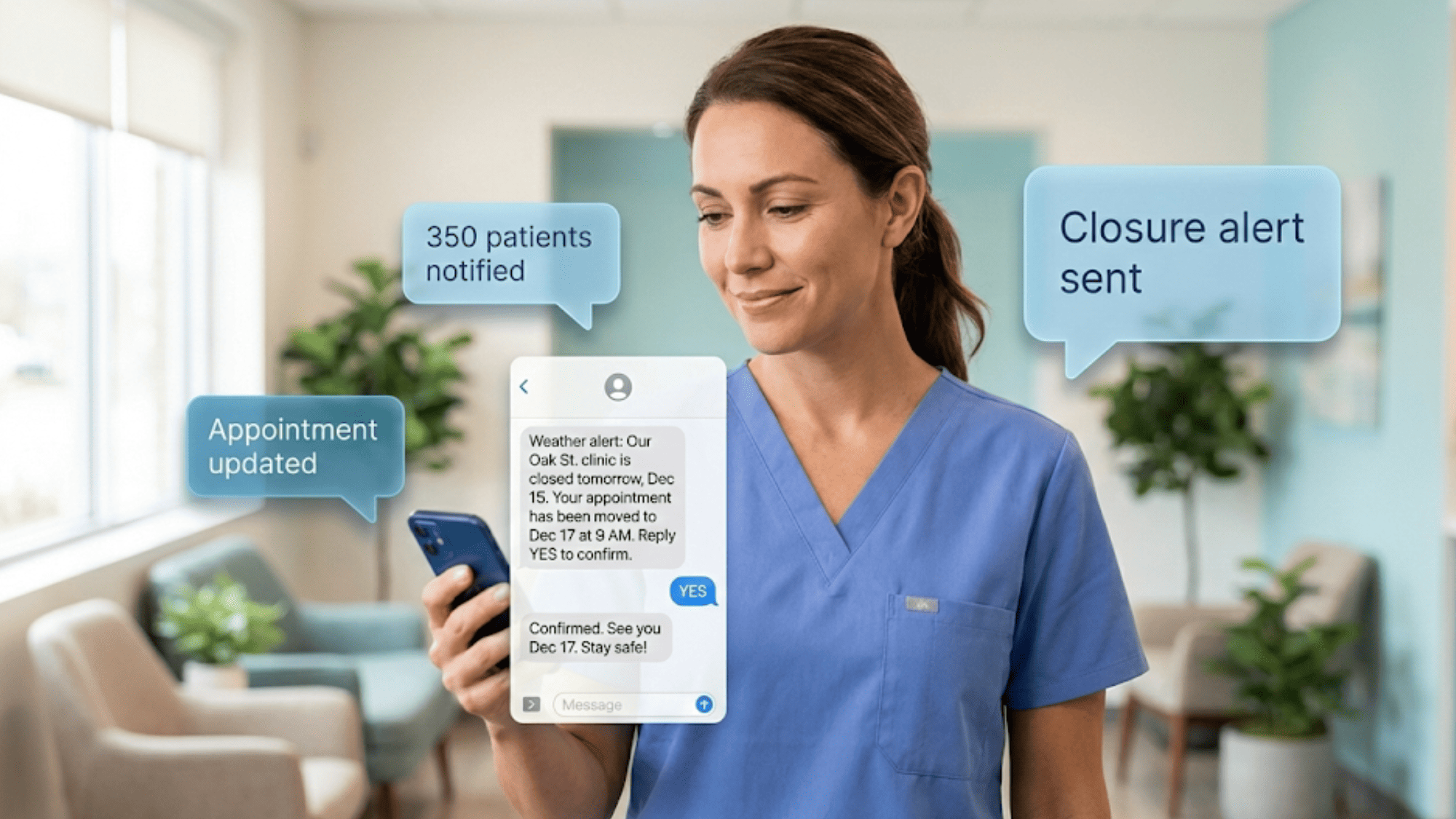
Bad weather hits without warning. Your workflow should not require a meeting to figure out what to do. Set up a "closure" template ahead of time. This message should include the date, which locations are closed, and what patients should do next.

When the need arises, pull your same-day appointment list from your EMR. With an EMR-integrated mass texting tool, this takes under a minute. Select the closure template, review the list, and hit send. All patients get the same message within seconds.

For example, a clinic in Denver faced a sudden snowstorm. Using a preset closure workflow, they notified 350 patients in under 4 minutes. Staff spent the morning handling real emergencies instead of phones.

Standardized Messaging

Consistency builds trust. When every patient gets the exact same message, there is no room for confusion. This is especially true for multi-location practices.

Create message templates for common scenarios: closures, provider absences, schedule changes, and health alerts. Store these in your texting platform so any staff member can send them. This removes the risk of typos, wrong info, or off-brand language.

Standardized messaging also helps with compliance. Your legal and admin teams can approve templates once, and they stay approved for future use.

Reduced Front Desk Noise

Phone tag is one of the biggest drains on front desk time. A patient misses a call, calls back, and asks the same question 50 other patients already asked. Staff repeat themselves all day.

When you automate alerts, you cut this cycle. Patients get the info they need on their phones. Most read texts within 3 minutes of getting them. They do not need to call back because the message is clear and complete.

This gives your front desk room to breathe. They can greet patients, handle check-ins, and focus on tasks that need a human touch.

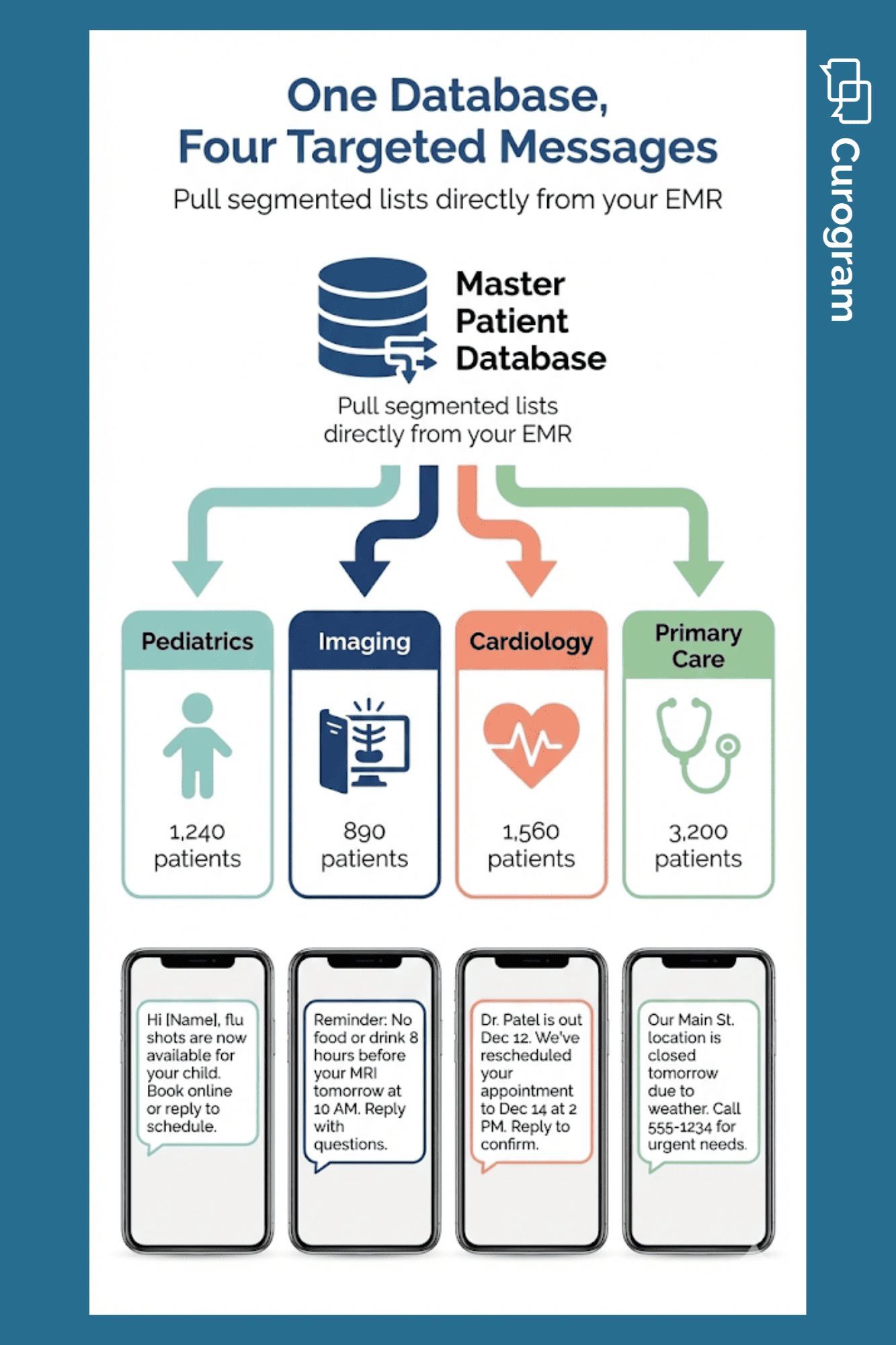
Infographic showing a patient database splitting into four specialty lists with sample text messages for each group

Integrating Mass Notifications into Multi-Specialty Workflows

Large practices often serve many patient types. A pediatric clinic has different needs than an imaging center. Your healthcare communication workflows should reflect this.

Here is how to make mass texting work across multiple specialties:

Specialty-Specific Alerts

Not every patient needs the same message. A flu shot reminder makes sense for your pediatric patients. But your orthopedic patients may need prep steps for an upcoming MRI.

Your EMR holds this data already. Segment your patient lists by provider, visit type, or diagnosis code. Then send targeted alerts that match each group's needs.

For example, a multi-specialty clinic can create three lists: patients with imaging appointments, patients due for vaccines, and patients seeing a specific provider. Each list gets its own message. This makes your outreach feel personal, even at scale.

No Double Entry

Double entry is a time waster and an error risk. If your outreach tool does not connect to your EMR, staff have to export lists, clean them up, and import them somewhere else. That takes time and invites mistakes.

EMR-integrated mass texting pulls data straight from your records. Patient names, phone numbers, and appointment info stay in sync. When a record updates in your EMR, the texting platform sees it too.

This keeps your single source of truth intact. You do not have to worry about sending alerts to the wrong number or missing a new patient.

Automated Logic

The best workflows run without you thinking about them. Set triggers based on events in your EMR. When a provider marks themselves out, the system sends a text to all affected patients. When a new patient books online, they get a welcome message.

This is where automation shines. You set it up once and let it run. Your team does not have to remember to send every message. The system handles it based on rules you define.

For instance, a cardiology group set a trigger for same-day cancellations. When an appointment opens, the system texts patients on the waitlist. The slot gets filled faster, and revenue stays on track.

Healthcare worker holding a smartphone showing an SMS conversation about a clinic closure and rescheduled appointment

Workflow Success: Standardizing the Patient Experience

Automation is not just about saving time. It is about making patients feel valued. When your outreach is fast, clear, and consistent, patients notice. Here is how to use these tools to build stronger patient bonds.

Proactive Engagement

There is a big gap between "reactive" and "proactive" care. Reactive means waiting for patients to call with questions. Proactive means reaching out before they even ask.

When you text patients about closures, schedule changes, or care reminders, you show you care about their time. They do not have to wonder what is going on. They feel informed and respected.

This shift changes how patients view your practice. Instead of feeling like a number, they feel like a priority. That builds loyalty and trust over time.

Consistent Care Coordination

In large networks, patients often visit more than one site. A patient might see their primary care doctor at one clinic and a specialist at another. If those sites send mixed messages, the patient gets confused.

Automated workflows create a standard experience. Every text uses the same tone, format, and branding. Whether the patient is at Site A or Site B, the message looks and feels the same.

This is key for integrated delivery networks. When patients move between care settings, they should feel like they are still in good hands. Consistent outreach reinforces that feeling.

Feedback Loops

Mass texting is not just for alerts. You can also use it to gather input. After a visit, send a quick survey link by text. Ask patients how their experience went and if they would recommend your practice.

This data helps you spot problems early. If one location gets lower scores, you can dig into why. If a certain provider gets praise, you can share that with the team.

Surveys sent by text have higher response rates than email. Patients can tap a link and answer in under a minute. That makes feedback easy to collect and act on.


What Scalable Outreach Really Means for Your Practice

Reaching 500 patients in five minutes is impressive. But the real win is what happens after you hit send.

Your front desk stays calm during a storm closure. Your phones stay quiet because patients already have answers. Your staff finish the day without burnout from endless callbacks.

This kind of control changes how your team shows up to work. They trust the system. They stop dreading schedule disruptions. They have space to focus on the patients standing in front of them.

Patients also notice it. They feel informed, not forgotten. They see a practice that respects their time enough to send a quick text instead of making them wait on hold.

Once you experience this shift, you start asking different questions. Where else can we remove friction? What other manual tasks are eating up hours we could spend on care? The ripple effect is real, and it starts with one workflow done right. 


Conclusion

Get Started

If you have read this far, you know the old way of patient outreach does not work. Manual calls drain time, burn out staff, and leave patients in the dark. The stakes are too high for "good enough."

Automated patient notifications at scale solve these problems. With the right tools, you can reach your entire patient base in minutes. You can send urgent practice updates SMS without tying up your front desk. You can keep your clinical workflow on track, even during chaos.

The key is finding a platform built for healthcare. You need HIPAA-compliant texting that protects patient data. You need EMR-integrated mass texting that pulls lists from your records without double entry. You also need smart workflows that let you set triggers, templates, and rules that run on their own.

Curogram was built for exactly this. The platform connects to almost any EMR and makes it easy to send mass texts, two-way messages, and automated reminders. Staff can learn it in under 10 minutes. Patients get the info they need, when they need it.

Think about what this could mean for your practice. No more frantic call trees during storms. No more missed messages during provider absences. No more hours lost to phone tag.

Instead, your team focuses on care. Your patients feel informed and valued. Your operations run smooth across every location.

Take the first step today. Schedule a demo today to see how Curogram's smart outreach tools can help you standardize your healthcare communication workflows.


Frequently Asked Questions

How does EMR-integrated mass texting reduce errors in patient outreach?
It pulls patient data straight from your records, so there is no manual entry or copy-paste mistakes. Contact info stays in sync with your EMR, which means fewer wrong numbers and missed patients.
Why is HIPAA compliance important for automated patient notifications at scale?
Patient contact info and health details are protected data. HIPAA-compliant tools encrypt messages and limit access, which shields your practice from fines and keeps patient trust intact.
How can small practices benefit from healthcare communication workflows designed for large networks?

Small practices still deal with closures, no-shows, and last-minute changes. Automated workflows save hours of staff time each week, even with a smaller patient base.

What types of urgent practice updates SMS can be automated?

Common examples include weather closures, provider absences, schedule changes, prep reminders for procedures, and public health alerts like flu season notices or vaccine drives.

How quickly can staff learn to use an automated patient notification platform?

Most user-friendly platforms take less than 15 minutes to learn. The interface works like regular texting, so staff do not need special training or tech skills.


What Is Patient Engagement in Healthcare (and Why It Matters)

What Is Patient Engagement in Healthcare (and Why It Matters)

💡Patient engagement in healthcare drives real outcomes. Patients who stay involved in their care are more likely to follow treatment plans. They...

Read More
Text-to-Pay for Multi-Location Clinics: Simplified Centralized Billing

Text-to-Pay for Multi-Location Clinics: Simplified Centralized Billing

💡 Multi-location healthcare networks face a common challenge: managing payments across different sites with separate systems. This creates billing...

Read More
Why EMR Integration Is a Compliance Lifesaver

Why EMR Integration Is a Compliance Lifesaver

💡EMR integration is a compliance lifesaver because it eliminates double entry, centralizes communication, and ensures every patient interaction is...

Read More