
8 min read

No App Telehealth for Prime Clinical | Barrier-Free Care

No App Telehealth for Prime Clinical | Barrier-Free Care
💡 Reducing telehealth no-shows at Prime Clinical practices starts with removing tech barriers. When patients must download an app, create an account, or recall a password, many give up before the visit begins.

Curogram solves this with browser-based telemedicine that works through a simple SMS link. The patient taps the link, enters their date of birth, and joins the video call right in Safari or Chrome. No app store. No login screen.

This approach can reduce virtual visit technical issues by over 30%, making it an elderly friendly telehealth option that helps every patient connect with ease.

For practices that rely on Prime Clinical remote care workflows, it is the fastest path to fewer missed visits and more face-to-face time with patients.

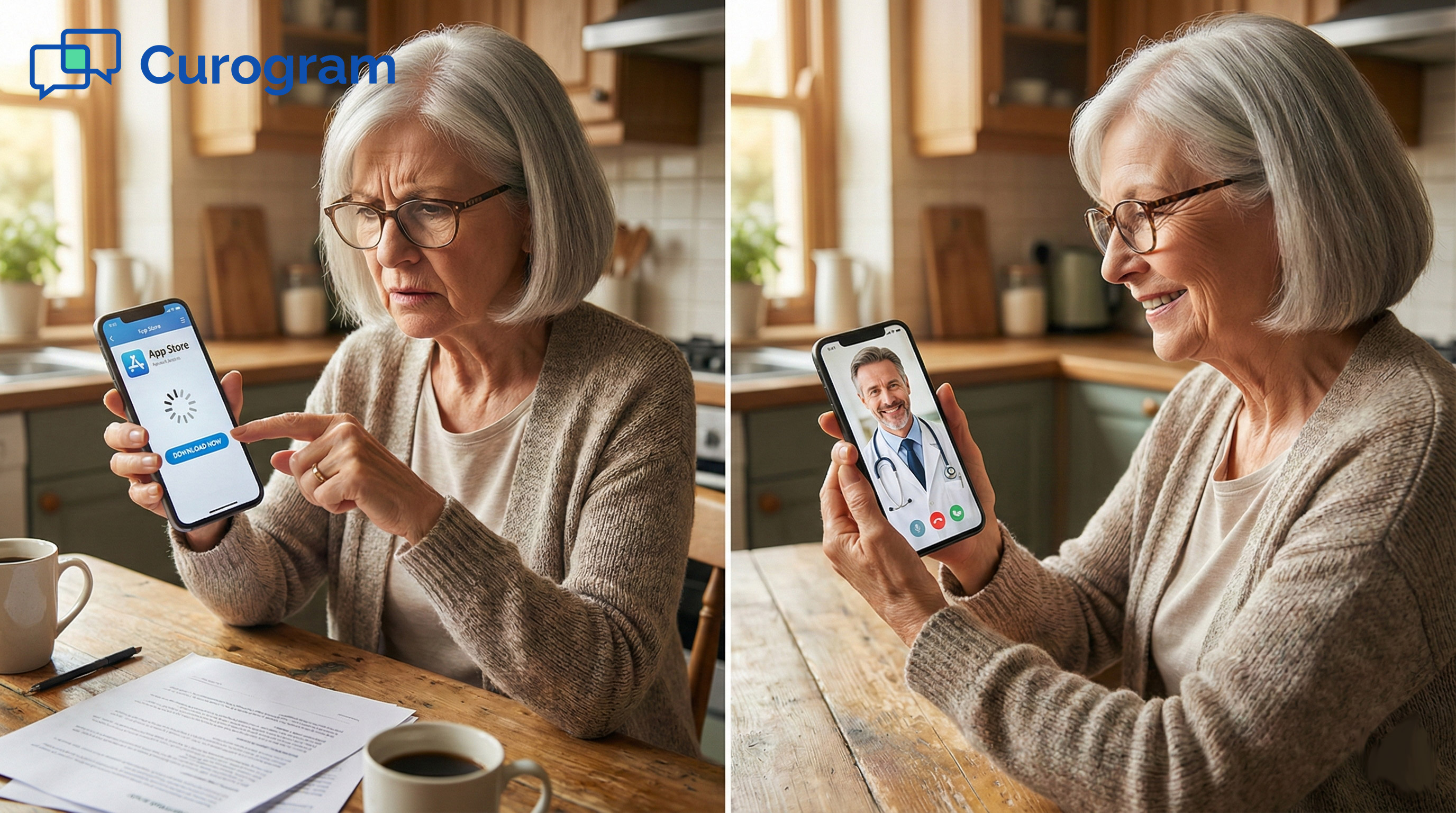
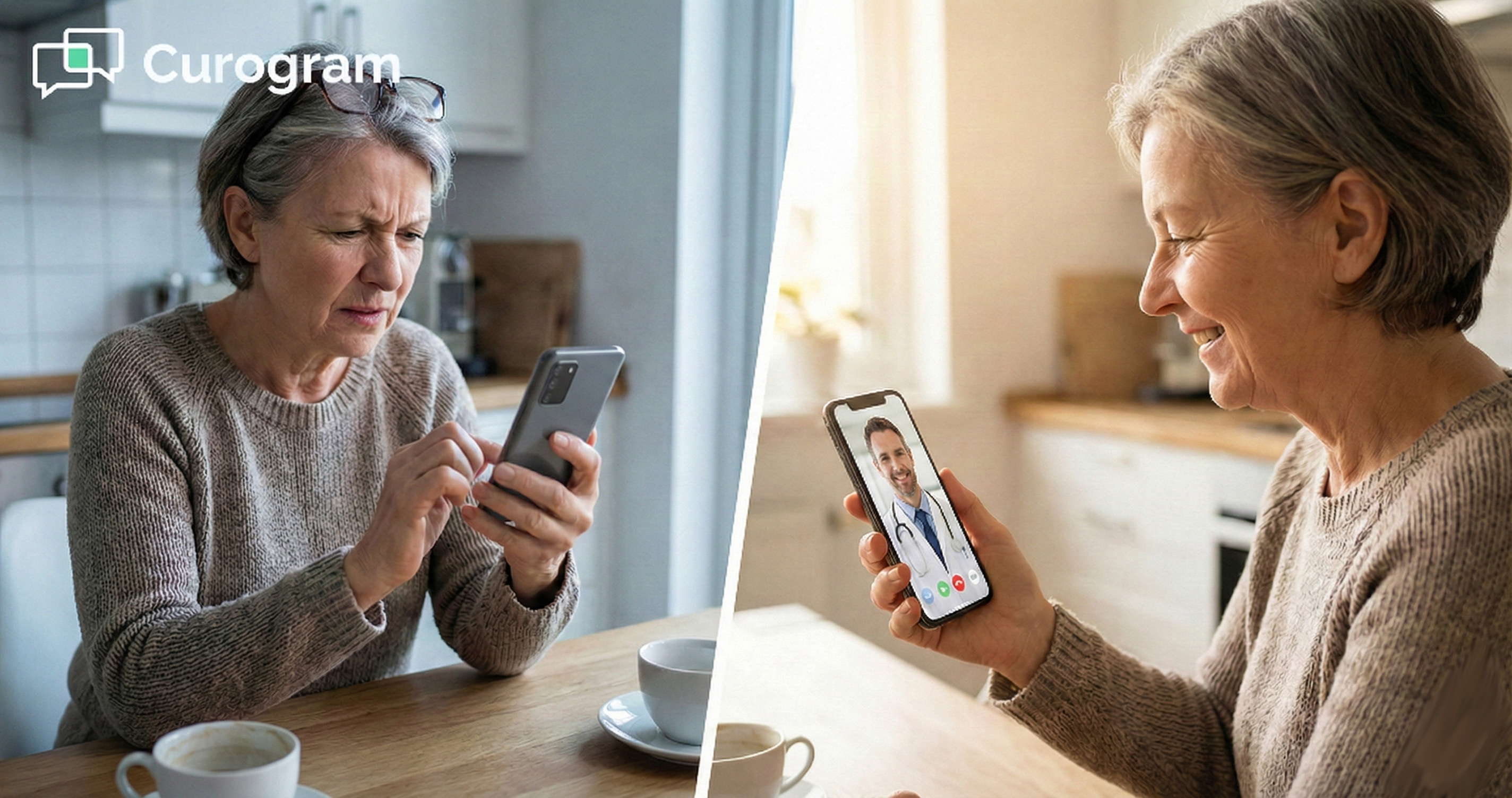
Your patient is 74 years old. She has a follow-up in ten minutes. She got the Zoom link by email, tapped it, and now her phone wants her Apple ID password.

She does not remember it. She tries three times, gets locked out, and calls your front desk in a panic.

Sound familiar? This scene plays out in clinics every single day. The visit gets marked as a no-show, but the patient did try. She wanted to be there. The tech just got in the way.

Telehealth no-shows at Prime Clinical offices are rarely about patients who forget or do not care. Most of the time, the real cause is friction.

Every extra step you add to a virtual visit—download this app, make this account, update this software—drops the chance a patient will connect. Studies suggest each added step can cut success rates by roughly 10%.

That is why the "no app" approach matters so much. When you simplify the patient video connection down to a single tap on a text message, you remove the wall between your patient and their care. Browser-based telemedicine takes the tech out of the picture so the medicine can take center stage.

In this article, we will walk through why app-based visits fail, how a link-based approach works, and what it means for practices that want to reduce virtual visit technical issues once and for all.

The Villain: Password Purgatory and App Fatigue

Before we talk about fixes, we need to name the problem. Most telehealth no-shows are not really "no-shows" at all. They are tech fails dressed up as patient failures.

The root cause almost always comes down to too many steps between the patient and the screen.

The Download Trap

App-based visits put a maze between the patient and the doctor. What looks like a simple link on screen often leads to a chain of hurdles that many patients cannot clear.

When Apps Become Barriers

Picture a typical scenario. A patient gets an email or a text telling them to join a video visit. The link opens a page that says "Download our app."

The patient heads to the App Store or Google Play. If they are on an older phone, the app may not even be compatible.

Even when the download works, the patient now faces a sign-up screen. They need an email, a password, maybe a phone number for two-factor checks.

For younger, tech-savvy patients, this takes two minutes. For an elderly patient or someone who barely uses their phone, it can take twenty—or it never happens at all.

The Password Problem

Passwords are the silent killer of virtual visits. Patients forget them constantly. They mix up which email they used.

They get locked out after too many wrong tries. Then they call your front desk, and your staff becomes an unpaid tech support line.

This is what we call "Password Purgatory." The patient wants care. The provider is ready.

But a forgotten Apple ID or a Zoom login stands between them. It is not a medical problem. It is a design problem.

The Real Cost to Your Practice

Tech-fail visits do not just frustrate patients. They cost your practice real time and real money every week.

Lost Time for Providers

When a patient cannot connect, the provider sits idle. Ten minutes pass while the front desk tries to walk the patient through the app over the phone. Sometimes that works. Often it does not, and the slot goes to waste.

Multiply that by a few patients a week and you have hours of lost clinical time each month. That is revenue lost, patients unseen, and staff morale drained—all because the tech asked too much of the person trying to use it.

Mislabeled No-Shows

Here is the worst part. Most systems mark these failed visits as "no-shows." That label hides the real story. The patient tried. They did their part. The system failed them.

When you look at your telehealth no-show data with fresh eyes, you may find that a large chunk of missed visits are really "tech-fails." Fixing the tech fixes the number.

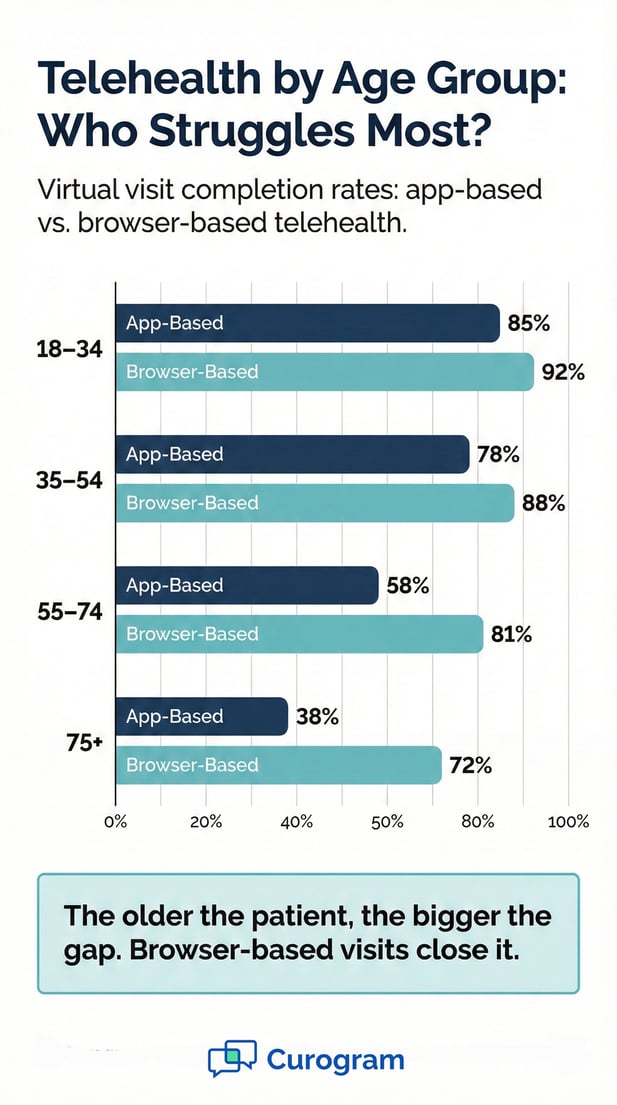
Infographic: Browser-based vs app-based telehealth completion rates by age group

The Guide: The Power of the Magic Link

If app downloads and passwords are the problem, the answer is simple: remove them. That is the core idea behind Curogram’s approach to Prime Clinical remote care. Instead of asking patients to jump through hoops, the practice sends one text message with one link.

How the Link Works

The whole process is built around one idea: fewer steps mean more patients on the screen. Here is what happens from start to finish.

One Tap to Connect

The workflow is short on purpose. The practice sends a secure SMS as a reminder to the patient’s phone. The text contains a unique, one-time-use URL.

The patient taps the link and it opens right in their phone’s browser—Safari on iPhone, Chrome on Android.

There is no app to download. No account to create. No software to update. The browser does all the work. This is what makes browser-based telemedicine so powerful for day-to-day clinical use.

Built-In HIPAA Verification

Security matters in health care, and skipping an app does not mean skipping safety. After the patient taps the link, they are asked to enter their date of birth. This matches the data already stored in the Prime Clinical system and serves as HIPAA-compliant identity verification.

Once the date of birth is confirmed, the video launches right away. The whole process  takes about fifteen seconds. That is a far cry from the five-to-twenty-minute ordeal of downloading and logging into an app.

Why It Works for Every Patient

A telehealth tool only works if every patient can use it, not just the ones who grew up with smartphones. The link-based model levels the playing field.

Elderly Friendly Telehealth in Action

Older patients are the group most likely to struggle with app-based visits. Many do not keep track of passwords. Some have never downloaded an app on their own. A few still use flip phones with basic web access.

The "magic link" approach is elderly friendly telehealth at its simplest. If a patient can receive a text and tap a link, they can join the visit. There is no learning curve and no tech support call needed.

Works on Any Device

The link opens in any modern browser on any device with a camera. Smartphones, tablets, laptops, and desktops all work. There are no app updates to worry about and no storage space needed on the phone.

This makes it easy to simplify the patient video connection across your entire patient panel, not just the ones who are good with tech.


Feature Focus: Multi-Party Calling for Caregivers

Health care rarely happens in a vacuum. Patients often need a family member, a caregiver, or a translator on the call. Traditional telehealth platforms make this hard.

Adding a third person usually means sending a separate invite, creating another account, or walking someone through yet another download. Curogram handles this differently, and it matters a lot for practices that use Prime Clinical for chronic care and complex visits.

The Need for More Than Two People on a Call

Many visits work best when a third person is present. Whether it is a family member or a language interpreter, the extra voice on the call can make or break the outcome.

When Family Members Need to Be There

Think about a patient with early-stage memory loss. The doctor explains a new care plan, but the patient may not recall the details an hour later. Having a son or daughter on the call changes everything. They can take notes, ask questions, and help the patient follow through at home.

Or consider a patient who just had surgery. They are groggy, maybe in pain. Their spouse needs to hear the post-op instructions so they can help manage wound care and medications. Without a caregiver on the call, key details get lost.

In both cases, the caregiver does not live with the patient. They might be in another city or even another state. A phone call after the visit is not the same as being there live.

Language Barriers and the Need for Translators

Many practices serve patients who speak little or no English. In-person visits solve this with on-site interpreters or bilingual staff. But what happens when that visit moves to video?

With most telehealth apps, adding a translator means a separate login and link. The translator may not have the app installed. The result is delay, confusion, and sometimes a missed visit. The ability to add a third party with a simple text message removes that barrier entirely.

How Curogram Makes Multi-Party Calls Simple

Adding a third person to a video visit should not require a second round of tech support. Curogram keeps the process just as simple for three people as it is for two.

Sharing the Link by Text

With Curogram, adding someone to a telehealth visit is as easy as sending a text. The provider or the patient simply forwards the same kind of secure SMS link to the third person. That person taps the link, enters a date of birth or name, and joins the video.

There is no separate portal. No extra app. No need to be in the same household or on the same network. The third party just needs a phone or computer with a camera and a browser.

This keeps the process in line with the same barrier-free design that makes the platform work so well for two-person visits.

Real-World Impact for Prime Clinical Practices

For general practice doctors who manage chronic conditions, multi-party calls are not a luxury. They are a need.

When a provider changes a medication for a diabetic patient, the family member who does the cooking and shopping should hear why. When a patient with heart failure gets new fluid intake rules, the caregiver at home needs to know.

Practices running on Prime Clinical can now keep care instructions from falling through the cracks. The multi-party call feature pairs well with automated reminders that deliver the telehealth link before the visit.

The result is fewer missed steps, fewer repeat calls, and better follow-through after the visit ends.

It also reduces the number of times a provider has to repeat themselves. Instead of doing the visit, then calling the family, then sending written notes, the provider covers it all in one session. That saves time and keeps the message consistent.

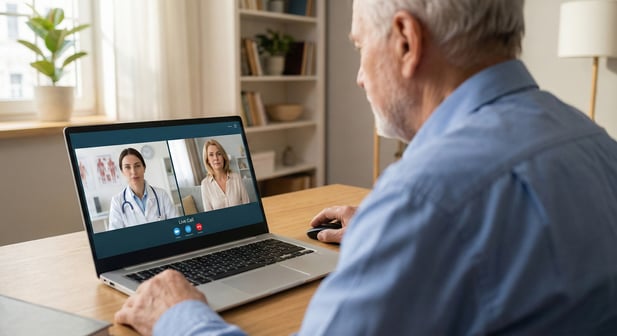
Multi-party telehealth visit with an elderly patient, doctor, and daughter on a laptop

Tech Should Be Invisible

The best technology is the kind you do not notice. It does its job and gets out of the way. That is the standard telehealth should meet. More importanly, it is the standard that most video visit platforms fall short of.

When tech fades into the background, care moves to the front. That shift starts with cutting every step that does not serve the patient.

Every minute your staff spends helping a patient download an app is a minute taken away from care. Every missed visit caused by a password error is a gap in treatment and payment.

The goal is not better tech support. The goal is no need for tech support at all.

When you simplify the patient video connection to a single tap, the tech fades into the background. The doctor sees the patient.

The patient gets their answers. The front desk moves on to the next task instead of playing help desk.

Practices that reduce virtual visit technical issues see real gains. Fewer no-shows mean more filled slots. More filled slots mean more revenue and better patient outcomes.

It is a cycle that starts with removing friction. When tech gets out of the way, care gets better—for everyone.

Simplify your virtual care. Try the Patient Experience yourself to see how fast a connection can happen.


Frequently Asked Questions

How does browser-based telehealth reduce no-show rates?

It removes the steps that trip patients up: app downloads, account creation, and password entry. When a patient only needs to tap a text link and enter their date of birth, far fewer visits fail due to tech problems. Practices that switch to this model often see no-show rates drop by over 30%.

Why do older patients struggle with app-based telehealth visits?

Many older patients are not used to downloading apps or managing passwords. They may forget their Apple ID or Google account login. A browser-based approach skips all of that and lets them join a video call with a single tap on a text message.

How does multi-party calling work with Curogram telehealth?

The provider or patient simply texts the secure visit link to a family member, caregiver, or translator. That person taps the link and joins the video through their browser. No extra accounts or downloads are needed.

How does this approach stay HIPAA compliant without an app?

The patient verifies their identity by entering their date of birth after tapping the link. This data matches what is stored in the Prime Clinical system. The connection uses encrypted, browser-based video that meets HIPAA standards.

Why should practices using Prime Clinical consider app-free telehealth?

Telehealth no-shows at Prime Clinical practices often stem from tech friction, not patient apathy. An app-free model cuts those barriers and keeps the workflow simple for both staff and patients, leading to more completed visits and better care.


Snow Days to Virtual Days: Save Revenue in Prime Clinical

Snow Days to Virtual Days: Save Revenue in Prime Clinical

💡 Converting snow days to virtual days in Prime Clinical practices helps providers keep up to 90% of daily revenue during office closures.Using...

Read More
Telehealth for Cerbo: Scaling High-Touch Integrative Care Digitally

Telehealth for Cerbo: Scaling High-Touch Integrative Care Digitally

💡 Telehealth for Cerbo through Curogram helps integrative and functional medicine practices grow their reach with ease. Send secure video visit...

Read More
How GE Centricity Clinics Streamline Telehealth Workflows

How GE Centricity Clinics Streamline Telehealth Workflows

💡 GE Centricity specialty clinics face unique workflow challenges when managing virtual visits across multiple locations. Traditional telehealth...

Read More