
9 min read

Integrated Telehealth for Prime Clinical EHR: End the Double Workflow

Integrated Telehealth for Prime Clinical EHR: End the Double Workflow
💡 Integrated telehealth for Prime Clinical Systems lets practices run virtual visits without leaving their existing schedule. Curogram syncs with Prime Clinical Intellect to send secure, 1-click video links straight to patients via SMS.

Patients tap the link on their phone and join the visit in their browser. There is no app to download and no portal password to remember. This removes the biggest barrier to virtual care access.

Practices that use this workflow cut setup time by up to 50% and see fewer video no-shows. The staff stay in one system instead of toggling between Prime Clinical and a separate tool like Zoom or Doxy.me.

The result is a faster, simpler path from schedule to screen for both provider and patient.

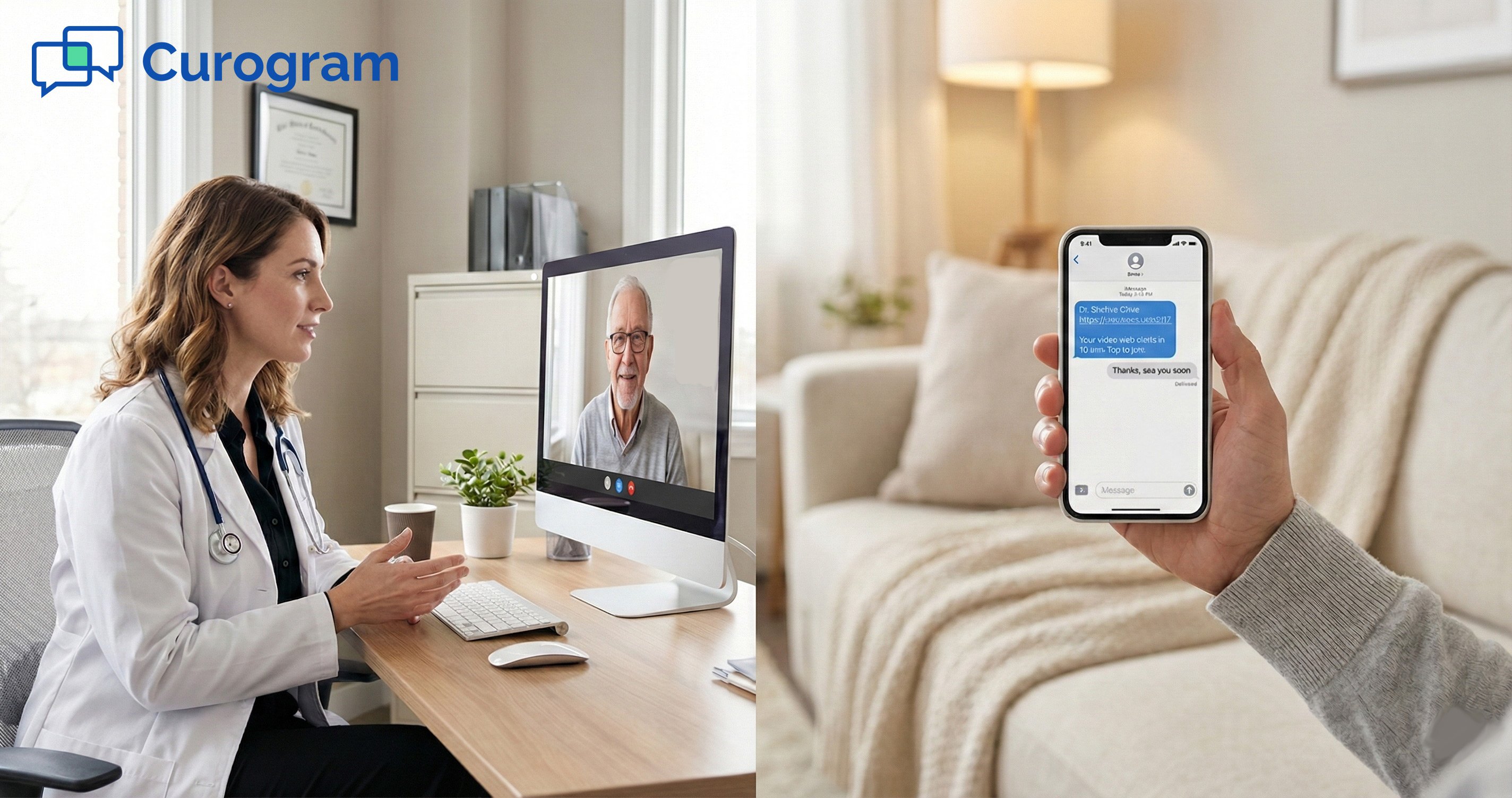
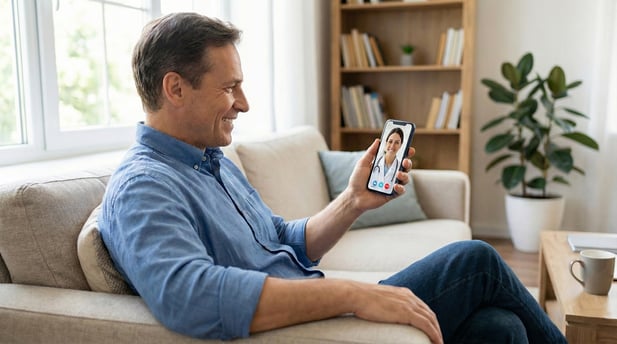
A patient gets a text ten minutes before their visit. They tap a link and see their doctor on screen within seconds.

No app store. No login page. No fumbling with a password they forgot last month. That is what integrated telehealth for Prime Clinical Systems looks like in action.

For too long, virtual visits have felt like extra work. Many clinics still run their schedule in Prime Clinical Intellect, then switch to a separate video tool on another tab.

They copy a link, paste it into an email, and cross their fingers the patient finds it before the appointment window closes. The whole process takes longer than it should.

This split workflow drains time, frustrates staff, and leaves patients confused. When a patient can't connect in the first two minutes, the visit often doesn't happen at all. That missed visit means lost revenue, wasted time, and a gap in care.

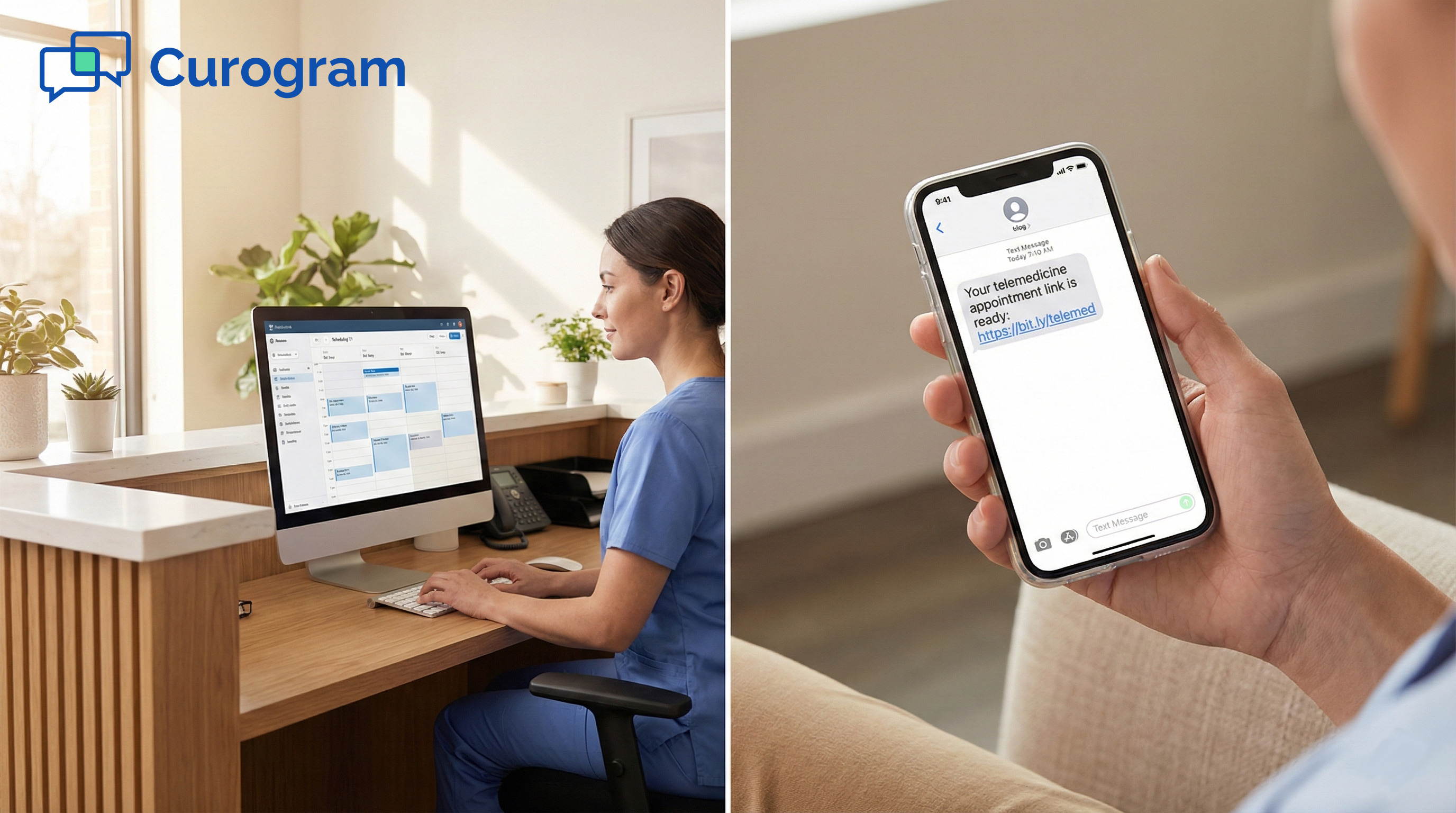
Curogram changes this by syncing directly with Prime Clinical. When staff book a telemed visit, the system creates a secure video link and texts it to the patient on its own.

The patient clicks the link, joins in their phone browser, and the provider meets them from the Curogram dashboard. No extra logins. No second platform.

The result is a smooth path from the schedule to the screen. Connection times drop. No-show rates fall. And staff spend their energy on patient care, not tech support.

In this guide, we walk through the real cost of using standalone tools, show how Curogram's integration works step by step, and share the numbers behind faster virtual visits.

If your practice runs on Prime Clinical and wants a simpler way to offer virtual care, this is for you.

The Double Workflow of Standalone Tools

Most clinics that offer virtual care didn't plan on running two systems at once. But that is exactly what happens when you pair Prime Clinical with a standalone video tool. The day-to-day friction adds up fast and turns what should be a simple visit into a stressful process.

The Alt-Tab Fatigue

Switching between screens sounds minor until you do it thirty times a day. Staff who manage the schedule in Prime Clinical and run video calls through a tool like Zoom or Doxy.me know this pain well.

Scattered Attention, Scattered Data

Every toggle between windows is a chance to miss a detail. A name gets mixed up, or a time slot gets skipped. When the schedule lives in one place, and the video link lives in another, there is no single source of truth.

Staff end up checking two dashboards just to see who has joined and who hasn't. This kind of split focus slows the whole clinic down and makes errors more likely.

Lost Minutes Before the Visit Starts

Providers often spend the first few minutes of a consult waiting for the patient to connect. If the video tool needs a plugin or a browser update, that wait can stretch to five or ten minutes.

On a 15-minute visit, that delay eats into half the time. Multiply that across a full day of virtual consults, and you lose hours of clinical time each week.

The Link Friction and the Tech Support Trap

Sending a video link should take seconds. In practice, it often kicks off a chain of small problems that snowball into a missed visit.

When Emails Vanish Into Spam

The most common way clinics share a meeting URL is by email. But patients don't always check their inbox before a visit. Worse, many email providers flag unknown senders and push the link into spam or junk folders.

By the time a patient finds the link, the provider has moved on. This turns a simple step into a major source of video no-shows for medical practices.

The 'Can You Hear Me? ' Loop

Even when the patient clicks the right link, trouble isn't over. Many tools ask the patient to download a plugin or grant mic and camera access for the first time. If they can't figure it out, the provider becomes the help desk.

Virtual care becomes a burden rather than a time saver. Instead of talking about health, the first half of the call is spent on "Can you see my screen?" and "Try refreshing the page." That is not the patient experience anyone wants.

Seamless Sync with Prime Clinical

The core idea behind Curogram's approach is simple. If the schedule already knows the visit type, the video link should take care of itself.

This is what makes integrated EMR telehealth so different from bolted-on tools. The connection between your system and the video call happens in the background, with no manual steps.

The Zero-Touch Setup

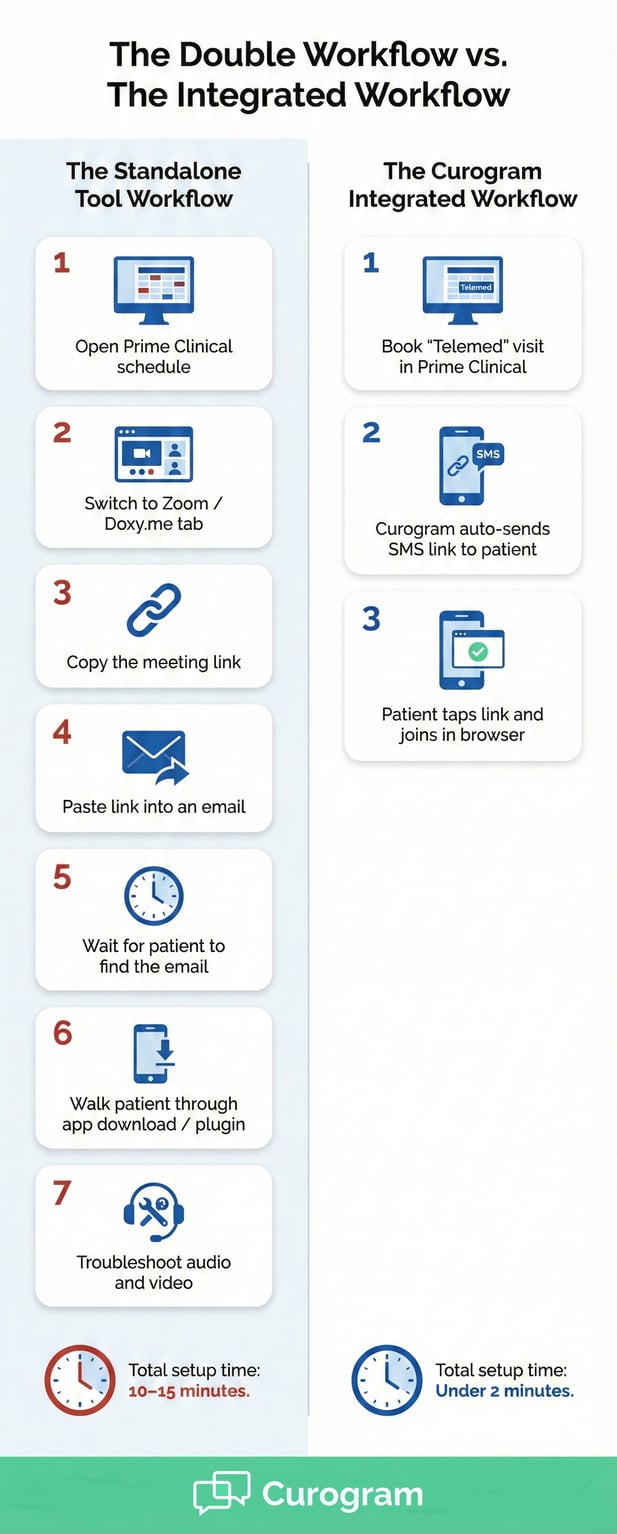
Setting up a virtual visit through Curogram and Prime Clinical takes three steps, and staff only handle the first one.

Book the Appointment

A staff member opens the schedule in Prime Clinical Intellect and books a "Telemed" visit type. This is the only manual step in the whole chain.

Once the visit is on the books, Curogram detects the type and gets to work. It creates a unique, encrypted room link tied to that patient and that time slot. It will also automatically send a reminder to the patient. No copy-paste needed.

Auto-Deliver the Link

Ten minutes before the visit, the system texts the link to the patient's phone. This timing is adjustable, so your practice can set it to five minutes, fifteen minutes, or whatever fits your flow.

Because the link arrives by text, patients see it right away. SMS open rates sit above 90%, which is far higher than email. This is the power of 1-click telemedicine via SMS. The patient taps the link, and they are on their way.

The App-Less Patient Experience

One of the biggest hurdles in virtual care is the app download barrier. Many tools force patients to install software before they can join a call. Curogram's approach is to remove the app download barrier entirely.

From Text to Waiting Room in Seconds

Here is how the patient journey works. The patient gets a text. They tap the link. Their phone browser opens a secure page. They verify their identity and land in the virtual waiting room. No App Store required.

This browser-based path means Prime Clinical virtual visits work on any phone, tablet, or computer. The patient doesn't need to plan ahead or set up an account.

What the Provider Sees

On the other side, the provider logs into the Curogram dashboard and sees the patient's name with a "Join" button next to it. One click, and the visit begins.

There is no need to switch software or open a second portal. The provider can move from an in-person exam to a virtual consult without breaking stride. That smooth handoff is what makes this workflow feel effortless.


Healthcare infographic showing Curogram's integrated workflow is faster than standalone tools

50% Faster Connection Times

Speed matters in virtual care. The longer it takes to connect, the higher the chance the patient gives up. eturn is built to cut the gap between the scheduled start time and the moment the provider and patient are face-to-face on screen.

Reduce Setup Time by 5 to 10 Minutes Per Visit

Time saved per visit might sound small on its own. But when you look at it across a full day or a full week, the gains are hard to ignore.

Why More Reviews Always Win

With a standalone tool, setup time includes finding the link, sending it to the patient, waiting for them to open it, and walking them through any tech issues. Each step is a small delay. Together, they add five to ten minutes per visit.

For a provider who sees ten virtual patients a day, that means up to 100 minutes lost to setup alone. Over a week, that's more than eight hours. That is an entire workday spent not on patient care, but on getting the call to start.

How the Integration Closes the Gap

Curogram's automated link delivery removes most of those steps. The patient already has the link on their phone. They've already clicked it and entered the waiting room before the provider even sits down.

Practices that switch to this app-free workflow report cutting their setup time by 50%. That means each visit starts closer to the scheduled time, and providers can see more patients without rushing.

Decrease Video No-Shows by 20%

No-shows are one of the highest costs in virtual care. A patient who forgets or can't connect is a slot that goes unfilled. The way the link reaches the patient plays a huge role in whether the visit happens.

Why SMS Beats Email for Visit Links

Emails are easy to miss. They land in a crowded inbox or get caught in a filter. Text messages, on the other hand, are seen within minutes. Most people check a text within three minutes of it arriving.

When the video link comes as an SMS, the patient sees it in real time. They don't have to search for it or dig through old messages.

This simple shift makes HIPAA-compliant video calls for medical practices feel like a natural part of the patient's day.

The Ripple Effect on Revenue and Care

A 20% drop in video no-shows means more visits completed, more billing codes captured, and fewer gaps in care plans. For a mid-size practice, that can translate to thousands of dollars in recovered revenue each month.

Beyond the numbers, fewer no-shows mean better follow-up. Patients stay on track with their care, and providers keep a clearer picture of each patient's progress. It's a win for the clinic's bottom line and for the people it serves.

One Screen, One Flow

The final piece of the speed puzzle is the provider's own workflow. When everything lives in one place, there is no context switching.

From In-Person to Virtual Without a Pause

Imagine a provider finishes an in-person exam and walks to their desk. The next patient is a virtual visit. Instead of logging into a new system, they simply click "Join" on the Curogram dashboard.

This seamless shift means the provider's focus stays where it should be, on the patient. There is no delay to load a second app, no new password to type, and no wasted time.

A Smoother Day for Everyone

When providers move faster between visits, the whole schedule stays on track. Front desk staff field fewer calls about connection issues. Patients feel respected because the visit starts on time.

That ripple of speed touches every part of the practice. It's the kind of gain that compounds over weeks and months, turning virtual care from a chore into a natural part of the day.


Frequently Asked Questions for Prime Clinical Users

Switching to a new telehealth workflow raises fair questions. Below are the most common concerns from practices that run Prime Clinical, along with clear answers about how the integration handles each one.

Does this write back to Prime Clinical?
Many practices need a clear record of each virtual visit for billing and compliance.

Curogram tracks the check-in time and the length of each video call. This gives your staff a log they can use to verify billing codes, such as GT modifiers, inside Prime Clinical Intellect.

Having this data on hand makes it easier to defend claims during audits. CMS guidelines on telehealth billing stress the need for accurate duration records, and this log helps you meet that standard.

While the call log stays in Curogram, your staff can reference it when they update the patient chart. This means you still have a single source of truth in your EMR for clinical notes.

The goal is to reduce double entry, not create more of it. The log works as a bridge between the visit and the billing record.

Is it HIPAA-compliant if it's on a phone?
This is one of the first questions any practice asks, and rightly so. Patient privacy can't be an afterthought.

The video stream between the patient and provider is encrypted from start to finish. No video or patient data is stored on the patient's device after the call ends.

The SMS link itself uses secure token access. This means only the intended patient can open the room. Even if someone else sees the text, they can't join the call.

Curogram's platform is built to meet HIPAA standards for electronic health communication. That includes the video stream, the text messages, and any data exchanged during the visit.

For practices that worry about using phones for care delivery, the key takeaway is this: the device itself never holds patient data. The session exists only in the encrypted channel.

Can we use this for group therapy or family meetings?
Virtual care isn't always one-on-one. Sometimes a family member needs to join from another city, or a group session needs to happen by video.

Curogram supports multi-party calls. You can add a family member, such as a daughter in another state, to an elderly patient's consult with a simple text invite.

Each person gets their own secure link and joins from their own device. There's no limit on distance, so a care team spread across multiple locations can still meet in one room.

Group therapy sessions, care plan reviews with specialists, and family update calls all work through this same flow. The setup is the same: book the visit in Prime Clinical, and Curogram handles the rest.

This flexibility makes the platform useful well beyond standard follow-ups. It adapts to the way your practice actually delivers care.


integrated-telehealth-prime---mid-stock

Bring Your Schedule and Your Video Visits Into One Place

Virtual care should feel like a natural part of your day, not a detour. When your practice runs on Prime Clinical, the schedule is already the center of your workflow. The missing piece is a video tool that works with that schedule instead of beside it.

Curogram fills that gap. By syncing with Prime Clinical Intellect, it turns a booked telemed visit into an automatic chain of events.

The link gets created. The patient gets a text. The visit starts on time. No extra tabs, no copied links, and no frantic calls to the help desk.

The numbers tell the story. Setup times drop by up to 50%. Video no-shows fall by 20%. Staff stay focused on care instead of tech issues.

Patients get the simple, app-free experience they expect from modern health care. All of this happens through HIPAA-compliant video calls that protect patient data from start to finish.

If you still rely on standalone tools for virtual visits, you know the pain of the double workflow. The toggle between screens, the lost links, the wasted minutes. It doesn't have to be that way.

Curogram's integrated EMR telehealth solution is built for practices that want to keep things simple, stay compliant, and give patients a better way to connect. Whether you run a small family clinic or a busy multi-site group, the workflow stays the same.

Ready to see how it works with your setup? Book a quick demo and find out how fast your next virtual visit can start.

Snow Days to Virtual Days: Save Revenue in Prime Clinical

Snow Days to Virtual Days: Save Revenue in Prime Clinical

💡 Converting snow days to virtual days in Prime Clinical practices helps providers keep up to 90% of daily revenue during office closures.Using...

Read More
No App Telehealth for Prime Clinical | Barrier-Free Care

No App Telehealth for Prime Clinical | Barrier-Free Care

💡 Reducing telehealth no-shows at Prime Clinical practices starts with removing tech barriers. When patients must download an app, create an...

Read More
Telehealth for Osmind: Extending Care Beyond the Infusion Suite

Telehealth for Osmind: Extending Care Beyond the Infusion Suite

💡 Telehealth for Osmind lets clinics extend care beyond in-person treatments. Patients get Ketamine, Spravato, or TMS at the clinic. But follow-up...

Read More