


8 min read

Telehealth Billing for Lytec | Stop Giving Away Free Advice

Telehealth Billing for Lytec | Stop Giving Away Free Advice
💡 Telehealth billing for Lytec phone consultations lets practices turn unpaid patient calls into real revenue.

Many doctors spend hours each day on the phone giving free medical advice. These calls often go unbilled because they lack the right format for a proper claim.

Curogram fixes this by letting providers text a secure video link during any phone call. Once the patient clicks the link, the visit shifts to video.

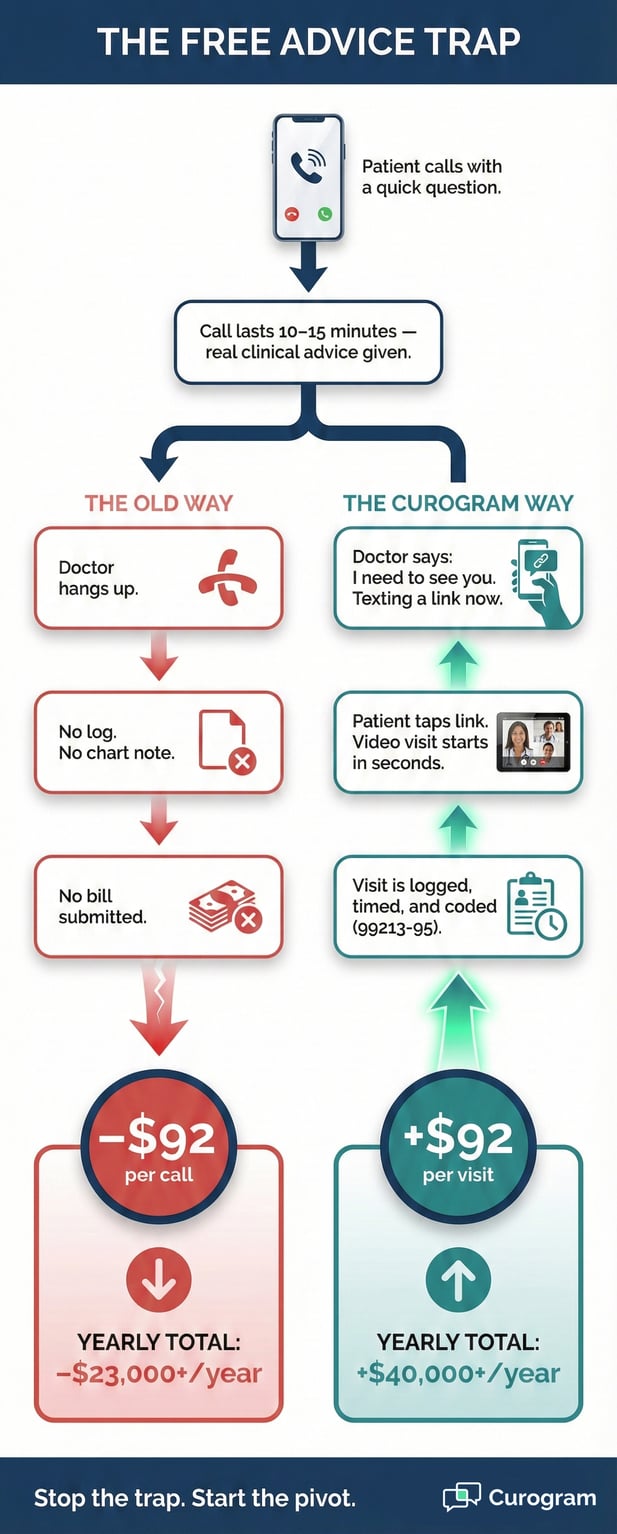
That video visit now meets the standard for billable virtual encounters using CMS telehealth codes like 99213-95. The visit logs into Lytec with no extra admin work.

By converting just two calls per day, a practice can add roughly $40,000 in new yearly revenue. This approach helps with stopping free medical advice and increasing Lytec practice revenue at the same time.

Think about your last work day. How many patient calls did you take between visits?

If you are like most Lytec providers, the answer is "too many." Each call eats into your schedule. Worse, most of those calls never show up on a bill.

Here is the hard truth. When a patient calls with a "quick question," you are giving away your most prized asset: your clinical skill.

That 10-minute call about a new rash or a drug change is real medical care. But without the right setup, it stays off the books.

This is what we call the Free Advice Trap. It is the habit of doing high-value work for zero pay. And it is one of the biggest drains on small practice income.

The good news? There is a simple fix. Telehealth billing for Lytec phone consultations gives you a clear path to turn those calls into paid visits.

The shift takes seconds, not minutes. And it does not add stress to your front desk team.

In this guide, we will walk you through the problem, the fix, and the math. You will learn how monetizing medical phone calls works in a Lytec workflow.

You will see how converting calls to video visits creates billable virtual encounters. Lastly, you will find out how much revenue your practice is leaving on the table right now.

No complex tech. No steep learning curve. Just a smarter way to get paid for the work you already do every day.

The Villain: The Free Advice Trap

Every practice deals with this. The phone rings. A patient wants "just a quick word" with the doctor. What happens next costs you real money. Let us break down why the Free Advice Trap is so costly and so hard to escape.

The Habit: Why Patients Keep Calling

Patients call because it is easy. They do not want to drive to the office for what feels like a small issue. But that small issue rarely stays small.

The Quick Question That Never Is

It starts the same way each time. "Can I just ask the doctor one thing?"

The front desk puts it on the call-back list. The doctor rings the patient between visits or at the end of the day.

But that one thing turns into three things. A new symptom. A drug side effect. A concern about lab results. Before you know it, 15 minutes have passed.

The doctor gave a full consult, but it happened over a plain phone call. This is the core of stopping free medical advice: knowing when a call becomes real clinical work.

The Patient Mindset Behind the Call

Patients do not mean to waste your time. They just think a phone call is no big deal.

In their mind, it is a quick chat, not a visit. They do not know the rules around billing. They do not think about the cost to the practice.

This mindset means they call often. They expect a fast, free answer every time. Over weeks and months, these calls pile up into hours of unpaid work.

The Loss: What Free Calls Really Cost

The money lost on free phone advice adds up fast. Most practices do not even track it, which makes the problem worse.

Hidden Revenue That Walks Out the Door

Most practices don't track what the link juggle actually costs them. When you add up lost visits, free phone advice, and shortened encounters, the numbers are hard to ignore.

Here's a quick look at how it breaks down each week:

Scenario

Time Lost Per Visit

Visits Affected Per Week

Est. Weekly Revenue Lost

Patient can't find video link

10 min

5

$400–$750

App download / password reset

8 min

4

$320–$600

Connection drops mid-visit

12 min

3

$240–$450

Visit canceled due to tech issues

20 min (full slot)

2

$160–$300

Free phone advice (no video)

5 min

10

$800–$1,500

Total


24 visits/week

$1,920–$3,600


This is why practices that want HIPAA-compliant telemedicine for small practice settings need more than a video app.
They need a system that works inside the tools they already use.

Staff Burnout and Admin Gaps

It is not just the doctor who pays the price. Front desk staff spend time routing calls, taking messages, and playing phone tag.

None of that time is billed either. It pulls them away from tasks that keep the practice running smoothly.

On top of that, when calls are not logged, there is no record of the advice given. This creates gaps in the patient chart and raises risk.

Increasing Lytec practice revenue starts with closing these gaps and making every clinical touch count.   

The Guide: The Billable Pivot

The fix is not about working more. It is about working smarter. With one small change, you can turn a phone call into a paid video visit. Here is how the pivot works from start to finish.

The Tactic: A Simple Script That Pays

The shift starts with a single sentence. When a patient calls with a medical question, the provider just needs to redirect the call to video.

What to Say When the Phone Rings

The script is short and easy. When the doctor picks up, they say: "I need to see you to answer that the right way. I am texting you a link right now."

That is it. No long speech. No hard sell. Just a clear pivot.

Most patients do not push back. In fact, they like it. They feel the doctor is going the extra mile to look at them.

Converting calls to video visits feels natural when you frame it as better care, not a billing tactic.

Training Your Team on the Redirect

Front desk staff can learn this in minutes. When a patient calls for medical advice, the team member says: "Let me get you set up with a quick video visit so the doctor can take a proper look."

Then they send the link through Curogram.

This works just like rooming a patient in the office. The assistant gets the patient ready. The doctor joins when free. The whole flow feels normal to both sides.

The Tech: How Curogram Makes It Easy

The tool behind the pivot is built for speed. Curogram works inside your Lytec workflow, so there is no need to switch screens or learn new software.

One Click to Launch the Video Visit

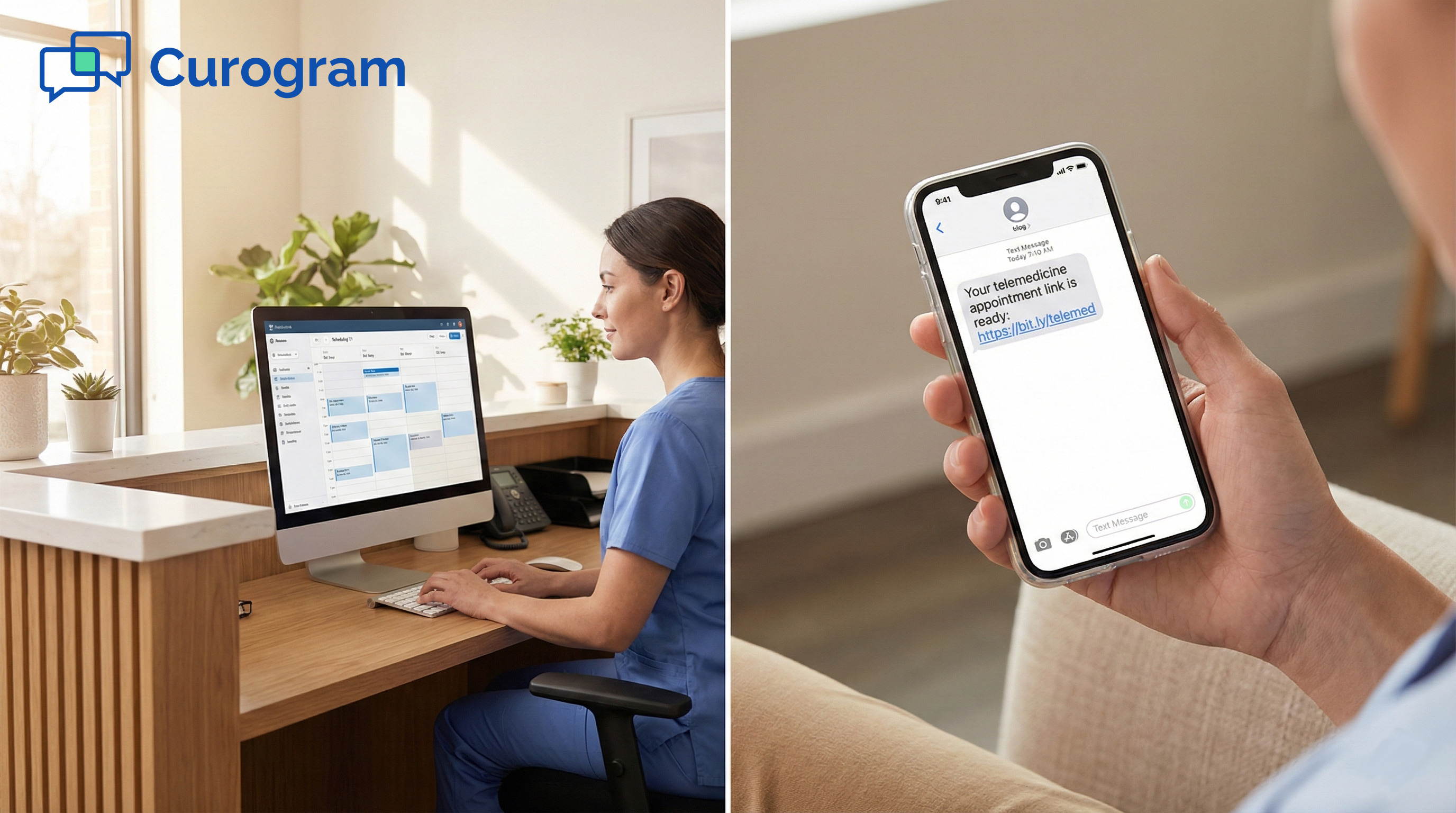
Inside Curogram, you click "Video Chat." The platform sends a secure SMS link to the patient. The patient taps the link on their phone. No app to download. No login needed. The visit starts in seconds.

This matters because tech friction kills patient follow-through. If they have to download an app or create an account, many will just hang up.

Curogram removes that wall. The path from phone call to billable virtual encounters is fast and smooth.

Meeting CMS Telehealth Code Standards

Here is the key to the whole pivot. A phone call alone does not meet the bar for many billing codes. But once the camera turns on, you now have a visual part to the visit.

That visual part is what CMS telehealth codes require for higher-level claims.

With video active, the visit can qualify for standard E/M codes like 99213-95. The Place of Service code changes to 02 or 10 based on current payer rules.

Telehealth billing for Lytec phone consultations becomes real the moment the camera goes live.


Infographic titled "The Free Advice Trap" comparing lost revenue from calls vs billable video visits

The Success: Found Revenue

So what does all this mean in real dollars? The math is simple, and the results are hard to ignore. Let us look at how this one change can reshape your bottom line.

The Math: Revenue You Can Count On

You do not need to convert every call. Even a small shift makes a big difference in your yearly income.

Two Calls a Day Changes Everything

You don't need to convert every phone call to see a big impact. Even turning two free calls per day into billable video visits adds up fast.

The table below shows what that looks like over time at different reimbursement rates.

Calls Converted Per Day

Avg. Reimbursement Per Visit

Weekly Revenue Gained (5 days)

Monthly Revenue Gained

Annual Revenue Gained

2

$80

$800

$3,200

$38,400

2

$120

$1,200

$4,800

$57,600

2

$150

$1,500

$6,000

$72,000

3

$80

$1,200

$4,800

$57,600

3

$120

$1,800

$7,200

$86,400

3

$150

$2,250

$9,000

$108,000


For a small practice, even the lowest row means over $38,000 per year in revenue that was previously walking out the door for free.

That's enough to cover a part-time hire, upgrade your equipment, or simply strengthen your bottom line.

Scaling Up Without Adding Hours

The best part is that no one works harder. The doctor was already taking the call. The patient was already asking the question. The only change is the format of the visit.

You do not need to add clinic hours or hire more staff. You just need to capture the value that already exists. That is why this approach works so well for small Lytec practices with lean teams.

The Proof: Tracking and Patient Response

Good billing needs good records. The system handles this for you so nothing slips through the cracks.

Built-In Time Tracking for Claims

Curogram logs the start and end time of each video call. This gives you the time-based proof you need for your Lytec claim. No more guessing how long a call lasted. No more scribbling notes on a pad.

The auto-tracked data pairs well with time-based billing. If a call runs 20 minutes, you have the record right there. This helps your billing team code with confidence and avoid audits.

Patients Feel the Difference

There is a side benefit that surprises most doctors. Patients like the video visits more. When a doctor looks at them through the screen, they feel seen. They feel cared for. It is a small shift that has a big impact on trust.

Patients who feel heard are more likely to follow advice and come back for future care.

So not only are you creating billable virtual encounters, but you are also building stronger ties with your patients. That kind of loyalty is hard to put a price on.  


Frequently Asked Questions for Lytec Users

Still have questions? Here are some of the most common things we hear from Lytec practices about this workflow.

Do patients resist the switch to video?

Rarely. The key is how you frame it. When you say, "I need to look at you to be sure," the patient sees it as extra care.

They do not see it as a billing move. They feel valued and looked after.

On the tech side, there is almost zero friction. The Curogram link works in any mobile browser. No app download. No account setup. No login.

The patient taps the link, and they are in. Most patients are on the video call within 30 seconds of getting the text.

In our experience, fewer than 5% of patients push back. And those who do are usually fine once they try it one time.

Which codes do we use in Lytec?

You will use standard Evaluation and Management codes. The most common range is 99202 through 99215. The level depends on the scope and time of the visit, just like an in-person encounter.

For the Place of Service, you will enter code 02 for telehealth or code 10 for the patient's home, based on current payer rules. You also add Modifier 95 to show the visit was done through real-time audio and video.

Your billing team should check each payer's latest guide, since rules shift from time to time. These are the same codes used for any billable virtual encounters in a Lytec system.

Can staff initiate the video call for the doctor?

You bill exactly as you do now. The encounter lives in your Lytec schedule. You simply add the right modifier—like -95 or -GT—to the claim. Nothing changes in your billing workflow.

Telehealth visits use the same evaluation and management codes as in-person visits. The only addition is the modifier that tells the payer it was done via video. Your billing team likely already knows the process.

Each insurance payer may have slightly different rules for telehealth billing. It’s always a good idea to verify modifier needs with the payer before submitting claims. CMS.gov has a current fact sheet on telehealth services that can help.


Smiling female doctor conducting a billable telehealth video consultation with a patient

Value Your Time

Your medical skill is not free. It took years of training and hard work to earn it. Every call where you give that skill away for nothing chips away at your practice and your time.

Doctors do not sell pills or devices. They sell knowledge, judgment, and care. Those things have real worth.

When you hand out medical advice on a phone call with no bill, you are telling the world your time does not matter.

You would never let a patient walk out of the exam room without a charge. So why let them hang up the phone without one?

The Free Advice Trap is a mindset as much as a workflow issue. Stopping free medical advice starts with the belief that your work deserves to be paid for. The tech just makes it easy to act on that belief.

Curogram gives you a fast, simple way to shift any phone call into a paid video visit. The link goes out by text.

The patient clicks it. The visit is live, tracked, and ready to bill. No extra steps for your team.

If you are already doing the work, you deserve to get paid for it. Increasing Lytec practice revenue is not about doing more. It is about capturing what you are already doing.

Schedule a Demo to see how fast you can switch from Audio to Video. Your bottom line will thank you.

Integrated Telemedicine for Lytec | Stop The Link Juggle

Integrated Telemedicine for Lytec | Stop The Link Juggle

💡 Integrated telemedicine for Lytec practice workflows cuts the chaos of juggling video links and separate apps.When a visit is marked as...
Read More
Integrated Telehealth for Prime Clinical EHR: End the Double Workflow

Integrated Telehealth for Prime Clinical EHR: End the Double Workflow

💡 Integrated telehealth for Prime Clinical Systems lets practices run virtual visits without leaving their existing schedule. Curogram syncs with...

Read More
Snow Days to Virtual Days: Save Revenue in Prime Clinical

Snow Days to Virtual Days: Save Revenue in Prime Clinical

💡 Converting snow days to virtual days in Prime Clinical practices helps providers keep up to 90% of daily revenue during office closures.Using...

Read More