


11 min read

Automated Reminders for Prime Clinical Systems | Stop Manual Calls

Automated Reminders for Prime Clinical Systems | Stop Manual Calls
💡 Automated appointment reminders for Prime Clinical Systems let practices drop the daily call list and cut no-show rates by up to 53%.

Curogram connects to Prime Clinical Intellect or On-Line Power through HL7 reminder integration and sends two-way SMS texts that patients can reply to right away.

When a patient confirms, the status updates in the dashboard with no extra clicks. This patient scheduling automation means 75% of visits get confirmed without staff ever picking up the phone.

The system reads appointment types in Prime Clinical and sends the right message to the right person. It works for single offices and multi-site groups alike. Curogram is SOC2 Type II and HIPAA compliant, so your data stays safe on your server.

For practices still printing a call list, SMS reminders for medical practices offer a faster, simpler way to keep the schedule full and reduce no-shows across your Prime Clinical setup.

It is 4:00 PM, and your front desk just printed the call list. The next 90 minutes will be spent dialing patients, leaving voicemails, and waiting for callbacks that may never come. Sound familiar?

This is the daily reality for thousands of practices running Prime Clinical. Staff spend their afternoons stuck on the phone, trying to confirm visits for the next day.

Patients rarely pick up. When they do call back, it is during the busiest part of the morning, tying up lines just to say two words: “I’m coming.”

The cost is not just time. Every hour spent on confirmation calls is an hour not spent on intake, billing, or tasks that bring in revenue.

When patients slip through the cracks, they simply don’t show up. That empty slot is money your practice will never get back.

There is a better path. Automated appointment reminders for Prime Clinical Systems take the call list off your desk and put the confirmation process on autopilot. Instead of phone tag, patients receive a text. They reply in seconds. The status updates in the system. Done.

Curogram makes this possible by syncing with Prime Clinical Intellect or On-Line Power through a direct connection. It reads your schedule, sends the right message at the right time, and captures the reply without your team lifting a finger.

The result? Up to 53% fewer no-shows and 75% of visits confirmed before your staff even starts their day.

This is not about adding one more tool to the stack. It is about giving your team the one thing they never have enough of: time.

In this guide, we will walk through how patient scheduling automation works inside Prime Clinical, why it outperforms the old way, and what practices like Atlas Medical Center have gained since making the switch.

The Villain: The Tyranny of the Call List

Every Prime Clinical office knows the drill. The day is not over when the last patient walks out. It is over when the call list is done.

This routine eats up staff energy, clogs phone lines, and quietly drains revenue. Here is how it plays out and why it needs to stop.

The Manual Anchor That Holds Your Team Back

In most Prime Clinical offices, someone prints the next day’s schedule around 4:00 PM. That stack of names becomes the call list. A staff member then dials each patient, one by one, to confirm their visit.

A Routine Built on Guesswork

Some patients pick up. Most don’t. Voicemails pile up, and there is no real way to know who plans to show until the next morning. Staff mark names off the list by hand, often guessing which patients will come and which won’t.

This manual process has not changed in decades for many offices. Even as the rest of the practice moves to digital tools, the confirmation step stays stuck in the past. It is the one task that still depends on a printed page and a phone.

The Time It Really Takes

A front desk team member can spend 60 to 90 minutes just on this task each day. That is close to 7 hours a week, per person. For a practice with two or three people sharing the duty, the total time lost each month is staggering. And it happens every single day, with no days off.

That time adds up fast, but because it is baked into the daily routine, most offices never stop to measure it. They just accept it as normal.

The Phone Tag Fatigue That Drains the Front Desk

The problem does not end with the call list. What follows is a cycle of missed calls and voicemails that keeps the front desk spinning in circles.

Voicemails That Go Nowhere

Staff leave a message. The patient does not call back by the end of the day. The next morning, they call during check-in rush. Phones ring nonstop. And instead of helping patients in the lobby, your team is fielding calls from people who just want to say “yes.”

This is phone tag at its worst. It wastes time on both sides and adds stress to an already hectic morning. The front desk ends up juggling live patients and phone calls at the same time, and neither gets full attention.

The Ripple Effect on Patient Flow

When the phone lines are tied up with confirmation callbacks, new patients cannot get through. Existing patients on hold grow frustrated. Some hang up and call a different office.

The problem that started as a simple confirmation task now touches scheduling, patient satisfaction, and even new patient growth.

SMS reminders for medical practices solve this loop. A text message takes seconds to send and seconds to reply to. There is no hold time, no voicemail, and no need to call back during the morning rush.

The patient confirms on their own terms, and your front desk stays focused on the people standing in front of them.

The Opportunity Cost You Cannot Ignore

Every hour your team spends on confirmation calls is an hour they are not spending on revenue tasks. Intake forms sit unfinished. Insurance checks get pushed to the next day. New patients wait longer to get scheduled.

What Your Staff Could Be Doing Instead

Freed from the call list, your front desk can verify benefits before the visit, complete intake ahead of time, and prepare the schedule for a smooth morning. These are the tasks that keep revenue flowing and patients happy.

The Hidden Revenue Leak

An empty slot from a no-show is lost money. With no system to catch cancellations in time, there is no chance to fill that gap. The daily call list does not just cost time. It costs your practice real dollars every week.

The Guide: Modernizing the Prime Clinical Workflow

Fixing the call list problem starts with the right tool. Curogram plugs into your existing Prime Clinical setup and handles confirmations without changing the way your office runs. Here is how the system works and why it fits so well.

How Curogram Connects to Prime Clinical

Curogram links to Prime Clinical Intellect or On-Line Power through a direct data connection. It reads your schedule in real time and sends reminders based on what it sees. There is no manual upload and no double data entry.

Built on HL7 Reminder Integration

The connection relies on HL7 reminder integration, which is the standard format used to move data between health care systems.

Curogram reads appointment details like the date, time, provider, and patient contact info. It then sends a text based on rules you set.

Because the link is live, any changes to the schedule show up right away. If an appointment gets moved or cancelled, the system adjusts. Your patients always get the right message at the right time.

No Changes to Your Current Setup

You do not need to swap out your server or change your Prime Clinical settings. Curogram sits on top of your existing system. It works alongside your dashboard, not in place of it. Staff still use Prime Clinical the same way they always have.

This matters because many offices resist new tools that force them to learn a whole new system. With Curogram, the learning curve is measured in minutes, not weeks. Most teams are up and running in under 10 minutes.

The 2-Way Difference That Changes Everything

Most basic reminder tools blast out a one-way text. Curogram does something different. It opens a real conversation between your office and the patient.

Real Replies, Real Time

When a patient gets a reminder, they can text back. They can confirm, cancel, or even ask a question. Staff see the reply on the Curogram dashboard and respond in seconds. There is no need for the patient to call.

Think about what this means for the morning rush. Instead of a patient calling in to say they are running late, they send a quick text.

Staff reply, “Got it, drive safe,” and keep moving. The workflow stays smooth. The phone stays quiet.

Replies That Update the Schedule

When a patient confirms by text, the Prime Clinical Intellect appointment confirmation status can be updated with a single click on the Curogram dashboard. Some setups support a direct sync back, depending on your server. Either way, your team always knows who is coming.

This 2-way flow is the core of what makes patient scheduling automation through Curogram different from basic blast services. It turns a one-sided alert into a real exchange that saves time on both ends.

Smart Logic That Knows Your Appointment Types

Not every visit is the same, and the reminder should not be either. Curogram reads the appointment type from Prime Clinical and adjusts the message to match.

Custom Messages for Every Visit

A new patient gets a welcome text with office directions and intake forms. A lab-only visit gets a short reminder with prep instructions. A follow-up gets a simple confirmation request. Each message fits the visit because the system knows the difference.

For multi-location groups, Curogram maps each site to its own set of templates. The downtown office can include parking info, while the suburban site shares a different address. Everything stays tailored, with no manual sorting.

Rules You Control

You decide when the reminder goes out, how many times, and what it says. Want a text 48 hours before and another one the morning of? Done. Want to skip reminders for same-day visits? Also done. The system follows your rules, not the other way around.


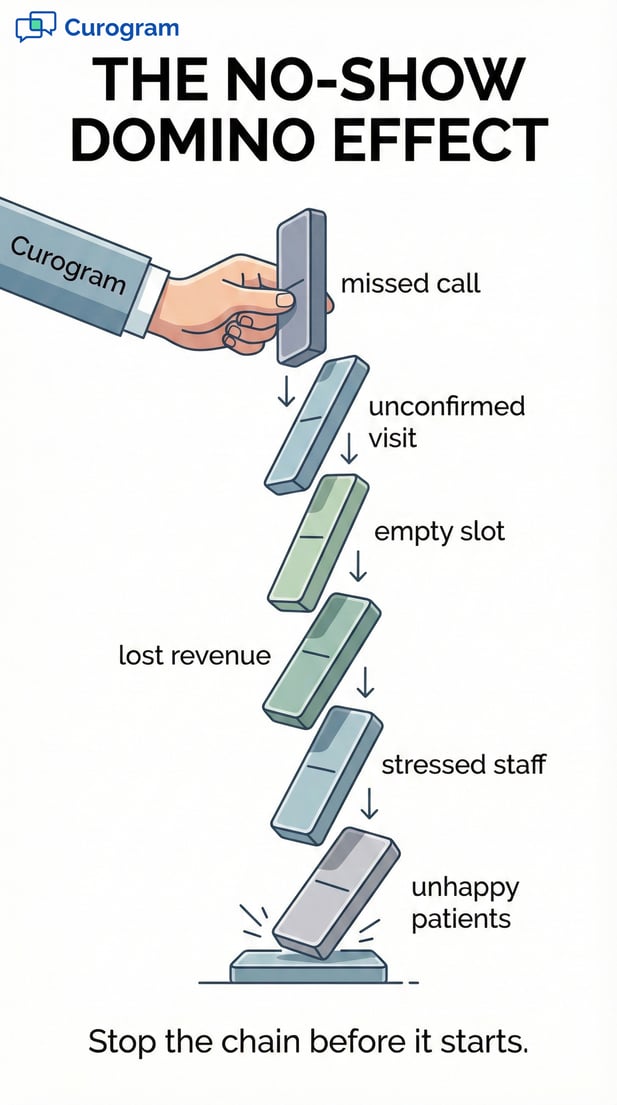
Curogram infographic illustrating the patient no-show domino effect leading to lost revenue

The Success: 53% Fewer No-Shows (Atlas Medical)

It is one thing to talk about what automated reminders can do. It is another to see the numbers. Atlas Medical Center put Curogram to the test, and the results speak for themselves. Here is what happened, how it worked, and what it means for practices like yours.

The Numbers That Tell the Story

Before Curogram, Atlas Medical dealt with the same problems most Prime Clinical offices face. Missed calls, unconfirmed visits, and a schedule full of question marks every morning.

A 53% Drop in No-Shows

After switching to automated appointment reminders for Prime Clinical Systems through Curogram, Atlas Medical cut its no-show rate by 53%. That is not a small shift. For a busy practice, even a 10% drop in missed visits can mean thousands of dollars saved each month.

The change did not take months to show up. Because SMS reminders for medical practices reach patients within seconds, the impact started almost right away. Patients who used to slip through the cracks began confirming the same day they received the text.

This kind of drop matters because no-shows do not just waste a time slot. They throw off the entire day. Providers sit idle. Revenue vanishes. Staff scramble to fill gaps that should not exist.

75% of Visits Confirmed Without a Call

At Atlas Medical, three out of four appointments now get confirmed with no phone call at all. The patient gets a text, taps a reply, and the job is done. The front desk sees the update on the dashboard and moves on.

That 75% figure is key. It means the bulk of the confirmation work is handled before staff even start their day. The remaining 25% can be followed up with a quick second text or, if needed, a short call. Either way, the team is no longer buried under a full call list every afternoon.

What Changed for the Front Desk

The numbers are powerful, but the day-to-day shift is where you really feel the difference. For front desk staff, the change was immediate.

Mornings Without the Call List Scramble

Picture your staff walking in at 8:00 AM. The schedule is already marked with confirmed check marks. There is no stack of papers. No list of names to dial. The morning starts with patients, not phone calls.

At Atlas Medical, this became the new normal within the first few weeks. Staff said the stress level dropped fast. Instead of rushing to catch up on callbacks, they could greet patients, handle intake, and start the day on their terms.

More Time for Tasks That Drive Revenue

With the call list gone, front desk staff gained back more than an hour each day. That time went to checking insurance before visits, finishing intake forms, and filling last-minute openings. These are the tasks that protect revenue and keep the schedule tight.

When your team is not stuck on the phone, they can also give better attention to the patients standing in front of them. Wait times shrink. The lobby runs more smoothly. Patient satisfaction goes up because the staff is present, not distracted by a ringing phone.

Why This Works for Prime Clinical Offices

Atlas Medical runs on Prime Clinical, which means their results map directly to offices with a similar setup. The same HL7 reminder integration that powers their system can work for yours.

A System Built for Your Workflow

Curogram was designed to work with Prime Clinical, not against it. The system reads the schedule, knows the appointment types, and sends the right text at the right time.

Staff do not need to learn a new platform or change their process. They just open the dashboard, and the confirmations are already there.

For practices that want to reduce no-shows in their Prime Clinical setup, this is the path that Atlas Medical has proven to work. The data backs it up, and the switch takes less time than most offices expect.

Scaling the Results Across Locations

If you run more than one site on Prime Clinical, the same setup applies to each location. Curogram maps templates by site, so the downtown office and the suburban office each get their own messages. You manage it all from one dashboard.

Atlas Medical’s results are not a one-off. They reflect what happens when a practice replaces a dated, manual process with a system built for the way patients prefer to communicate today. A quick text beats a long phone call every time.


Frequently Asked Questions for Prime Clinical Users

If you run your practice on Prime Clinical, you likely have a few questions about how automated appointment reminders for Prime Clinical Systems work in the real world.

Below are the answers to the most common ones we hear from offices like yours.

Does Curogram write the confirmation back into Prime Clinical?
Curogram runs on its own dashboard that sits right next to your Prime Clinical screen. When a patient replies to a reminder and confirms their visit, that status shows up on the Curogram side in real time.

Your staff can then update the Prime Clinical Intellect appointment confirmation with a single click — no toggling between screens and no double entry.

For some server setups, Curogram also supports a direct two-way sync. This means the confirmed status can write back into Prime Clinical on its own, without staff doing anything at all.

Whether you use the one-click method or the full sync depends on your specific server setup. Either way, your team always has a clear view of who is coming and who is not, before the day even starts.

Is this secure for our server-based Prime Clinical setup?
Yes. Security is built into every layer of the system. Curogram is SOC2 Type II and HIPAA compliant, which means it meets the strict standards that health care offices are held to every day.

The connection between Curogram and your server uses secure, encrypted links. Your patient data never sits in an exposed location. The system talks to your database through a protected channel, and your records stay right where they belong — on your server, under your control.

There is no need to move data to a third-party cloud or open ports that put your network at risk. For practices that worry about adding outside tools to a server-based system, this setup was built with that exact concern in mind.

Can we customize messages for different locations?
Yes, and this is where the system really shines for multi-site groups. If you manage more than one location on Prime Clinical, Curogram maps each site to its own set of message templates.

That means the text a patient gets from your downtown office can look and read differently from the one sent by your suburban location.

For example, your city office might include parking garage directions and a note about street access. Your suburban site might share a different address, a map link, and a reminder about which entrance to use. Each location gets its own rules, its own wording, and its own branding if needed.

You set the templates once, and the system handles the rest. When a reminder goes out, Curogram checks which location the visit belongs to and picks the right template on its own.

There is no manual sorting and no risk of sending the wrong info to the wrong patient. For groups that have grown to three, five, or even ten-plus sites, this keeps every message clean, correct, and on brand without adding more work to anyone's plate.


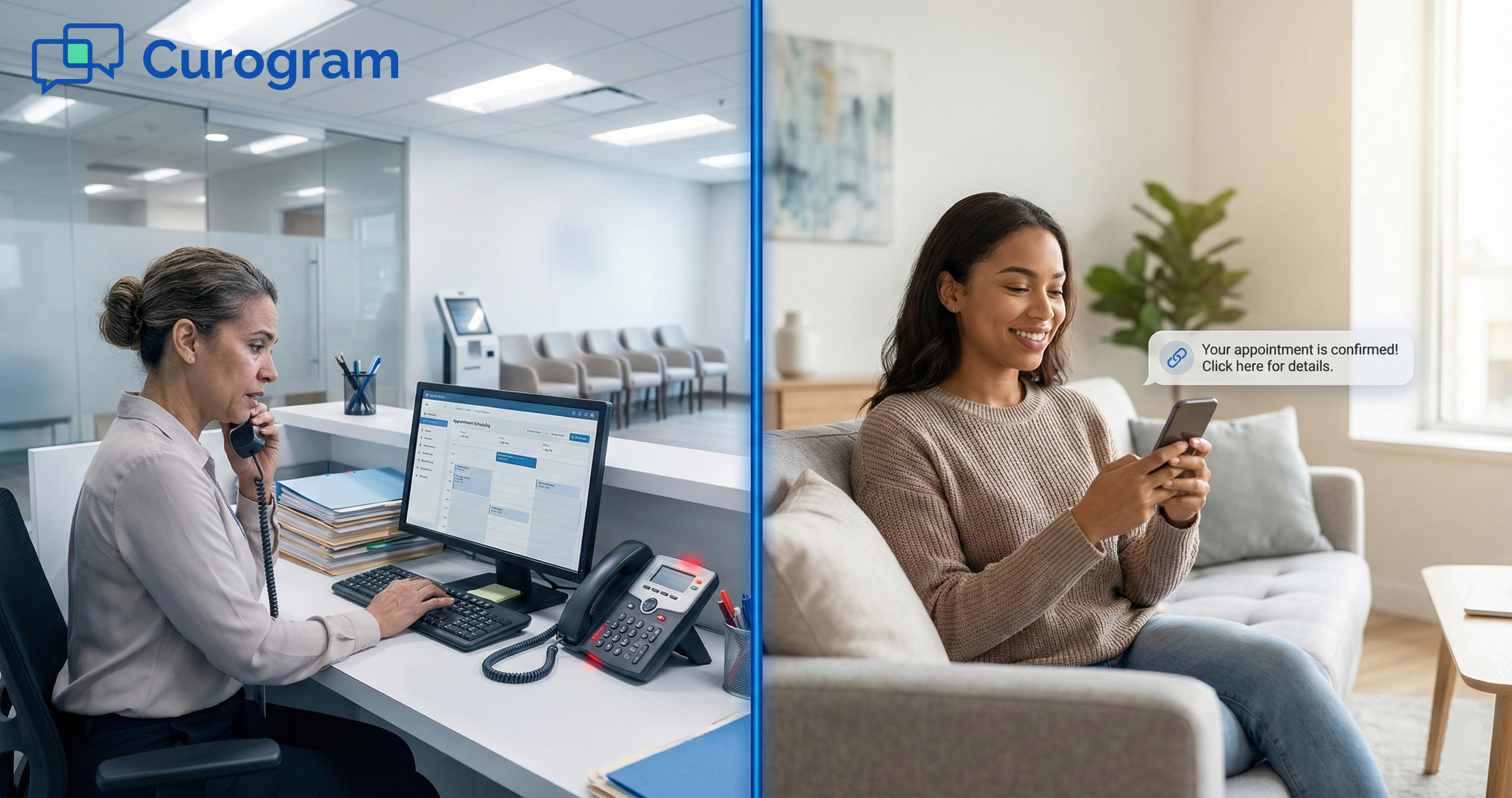
Patient hands holding a phone confirming a medical appointment via text message

Stop Printing the Call List: Your Schedule Can Run Itself

The daily call list has been part of the Prime Clinical routine for years. But it does not have to stay that way. What once seemed like a necessary task is now a bottleneck you can remove in minutes.

Automated appointment reminders for Prime Clinical Systems replace the afternoon phone marathon with a simple, hands-off process. Patients get a text. They reply. The dashboard updates. Your team never touches a phone for a routine confirmation again.

Here is what that shift looks like in real numbers. Practices using Curogram cut no-shows by up to 53%. Three out of four appointments confirm on their own. Staff gain back over an hour each day to focus on intake, billing, and the work that keeps revenue flowing.

The system works because it meets your practice where it already is. Curogram connects through HL7 reminder integration, reads appointment types in Prime Clinical, and sends the right message to the right patient at the right time. There is no new platform to learn. There is no disruption to your current workflow. Setup takes less than 10 minutes, and most offices see results within the first week.

For front desk teams, the difference is felt on day one. No more voicemails that go nowhere. No more phone tag during the morning rush. Just a clean schedule with confirmed visits waiting when you walk in.

If your practice still relies on a printed list and a phone to fill tomorrow’s schedule, there is a faster way.

Book a free demo to see how Curogram works with your Prime Clinical setup.

Using Prime Clinical Customizable Reminders to Send the Right Message

Using Prime Clinical Customizable Reminders to Send the Right Message

💡 Customizable patient reminders for Prime Clinical Systems let practices send the right message for every visit type. Instead of one generic text,...
Read More
Maximize ROI: Automated Reminders for Elation Health Practices

Maximize ROI: Automated Reminders for Elation Health Practices

💡 Independent practices lose thousands each month from empty exam rooms. A single no-show can cost up to $500 in lost revenue. When you add up just...

Read More
The Financial Cost of Manual Confirmation Calls

The Financial Cost of Manual Confirmation Calls

💡 When you eliminate manual appointment calls in Prime Clinical practices, you can reclaim up to 10 hours of staff time each week. Instead of...

Read More