

8 min read

The Financial Cost of Manual Confirmation Calls

The Financial Cost of Manual Confirmation Calls
💡 When you eliminate manual appointment calls in Prime Clinical practices, you can reclaim up to 10 hours of staff time each week. Instead of playing phone tag, your team sends automated SMS texts that patients reply to on their own time.

Industry data shows that manual calls cost a practice around $15,000 per year in wasted labor for each full-time staff member. By linking Curogram with Prime Clinical Intellect, you turn a low-value chore into a hands-free process.

Staff then shift to high-value work like billing, intake, and patient care. The automated reminder ROI speaks for itself when you look at the hours and dollars saved.

Your front desk team is one of the most valued parts of your practice. They greet patients, handle intake, manage referrals, and keep your day running smoothly. So why are they spending two hours each morning reading off a call list?

Manual phone calls might feel like "just part of the job." But when you add up the wages, the time, and the missed tasks, the real cost is staggering. That daily call list is quietly draining your budget in ways most practice managers never think to measure.

The problem is not just about money, either. It is about what your staff could be doing instead. Every minute spent dialing a number and leaving a voicemail is a minute not spent on collections, prior auths, or helping the patient standing right in front of them.

This article breaks down the true cost of manual patient scheduling by the numbers. We will show you exactly how much you spend each year on calls that a simple text could handle.

We will also walk through why voice calls no longer work for most patients and how Curogram helps you eliminate manual appointment calls in Prime Clinical practices without adding any extra steps.

Whether you run a solo clinic or a group practice, the math applies. The labor cost is real, the waste is clear, and the fix is simple.

If you have ever looked at your payroll and wondered where the hours go, keep reading. The answer might be sitting on a sticky note next to your front desk phone.

The Math of the Call List

Before you can fix the problem, you need to identify it. Most practice managers know that calls take time. But few have ever sat down and done the math.

Once you see the numbers, it becomes clear why Prime Clinical's administrative costs tied to phone calls are one of the easiest line items to cut.

How Much Does Each Call Really Cost?

Let us walk through a simple breakdown. The average medical practice sees about 30 patients per day. Each one needs a reminder call the day before. A single call takes about three minutes when you factor in dialing, waiting, talking or leaving a voicemail, and updating the chart in Prime Clinical.

That adds up to 90 minutes per day. Over a five-day work week, that is 7.5 hours. Over a full year of 260 work days, your staff spends roughly 390 hours just making reminder calls.

The Dollar Amount

At an average staff wage of $22 per hour, those 390 hours cost you about $8,580 per year. And that is just one staff member at one location. If two people share the call list, or if you have more than 30 patients a day, that figure climbs fast.

Some larger practices report spending over $15,000 a year on this single task. That is real money leaving your practice for a job that a text message can do in seconds.

Hidden Layers of Cost

The cost of manual patient scheduling goes beyond the hourly wage. You also lose time to rework when calls fail. A voicemail that never gets returned means the cycle starts again the next morning.

Factor in hold times, repeat dials, and wrong numbers, and the true cost creeps even higher. These are hours no one tracks, but everyone feels.

What Else Could That Staff Member Be Doing?

Think about 390 hours in a different light. That is nearly ten full work weeks. Imagine giving your front desk person ten extra weeks each year to work on accounts receivable, follow up on denied claims, or verify patient benefits.

Revenue Tasks Left Undone

When staff spend their mornings on the phone, the A/R aging bucket grows. Claims sit untouched. Patient balances go unpaid. Those are real dollars lost because your team was busy leaving voicemails instead of chasing revenue.

Staff efficiency in a medical practice hinges on how you use the hours you already pay for. Moving calls off their plate is the fastest way to boost output without hiring.

The Morale Factor

No one went into healthcare admin to be a robotic dialer. Repetitive call work leads to burnout, errors, and turnover. When you free your team from that grind, they do better work, and they stick around longer.

Cutting the call list is not just a budget win. It is a culture win.

Infographic showing the efficiency of digital patient scheduling dashboards over manual paper lists

Why Voice Calls Are Obsolete for Confirmations

Even if the labor cost did not matter, voice calls still would not be the best tool for the job. Patient habits have changed. The way people use their phones has shifted, and practices that rely only on voice calls are fighting a losing battle.

If your goal is to reduce front desk call volume, you have to meet patients where they are.

The Generation Gap Is Closing

It is easy to assume that only younger patients prefer texts. But data tells a different story. Across all age groups, most people now ignore calls from numbers they do not know. Spam calls have trained everyone to screen.

Older Patients Text Too

Adults over 55 use text daily for personal and business tasks. They text their family, their bank, and their pharmacy. A text from their doctor fits right in.

The myth that older patients "need" a phone call is outdated. What they need is a clear, simple message they can read and reply to at their own pace.

Spam Filters and Unknown Numbers

Most phones now flag or block calls from unknown numbers by default. Your staff could dial a patient ten times and never get through. Meanwhile, a text lands in their inbox within seconds and stays there until they read it.

Voice calls worked when people answered their phones. They do not answer them anymore.

The Phone Tag Loop

Even when a patient does pick up or call back, the process rarely goes smoothly. The classic phone tag loop wastes time on both sides and creates friction that texts simply avoid.

A Typical Scenario

Staff call the patient. The patient ignores the call. Staff leaves a voicemail. Two hours later, the patient calls back. But the front desk is busy checking in a patient in the lobby. The patient gets voicemail. Now no one has confirmed, and the cycle restarts.

This back-and-forth is not rare. It happens dozens of times a day in busy practices. It eats time and creates frustration for both staff and patients.

How Curogram Breaks the Loop

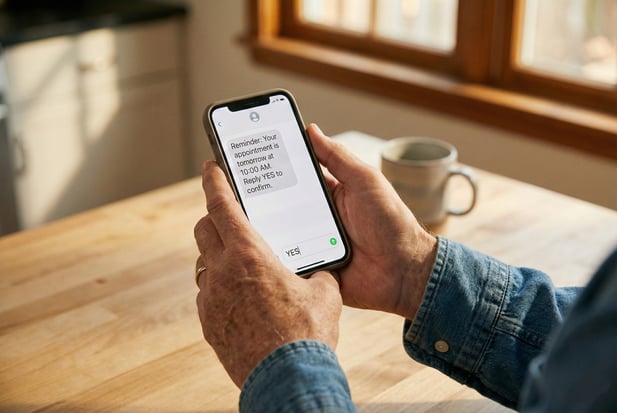
A text is different because it is not a live exchange. The patient gets the message and replies "Yes" while sitting in a meeting or waiting in line.

Curogram picks up the reply and updates the Prime Clinical schedule right away. There is zero staff friction.

No callback needed. No voicemail tag. No wasted minutes. The automated reminder ROI becomes clear once you see how many hours of phone tag disappear from your week.


Feature Focus: The Dashboard vs. The Sticky Note

Switching from calls to texts is only half the story. The real shift happens when you compare how your team tracks the results.

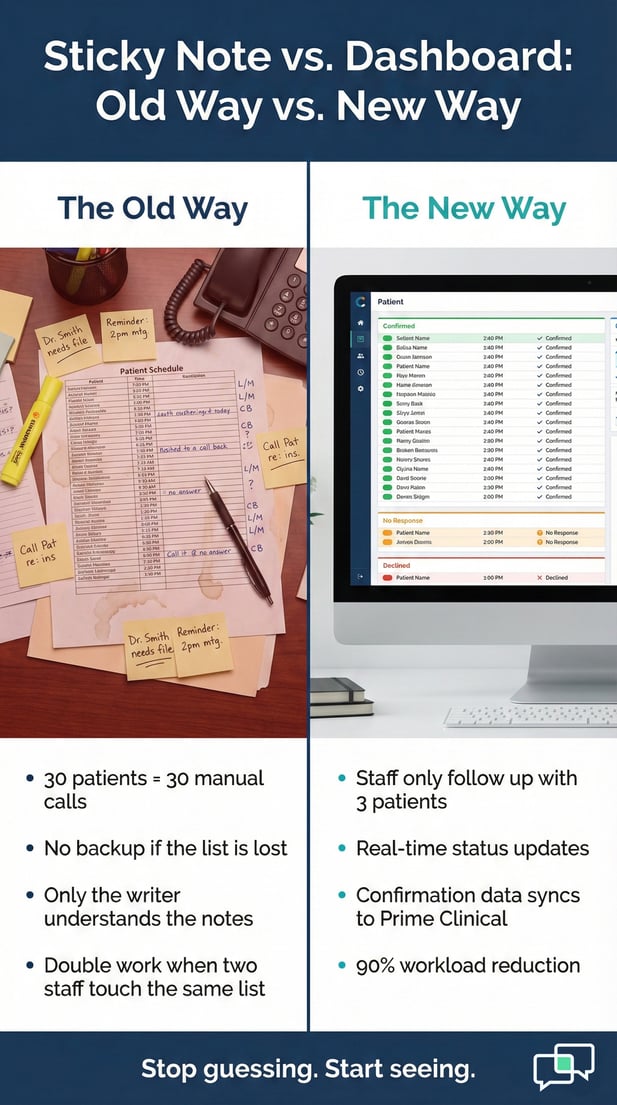
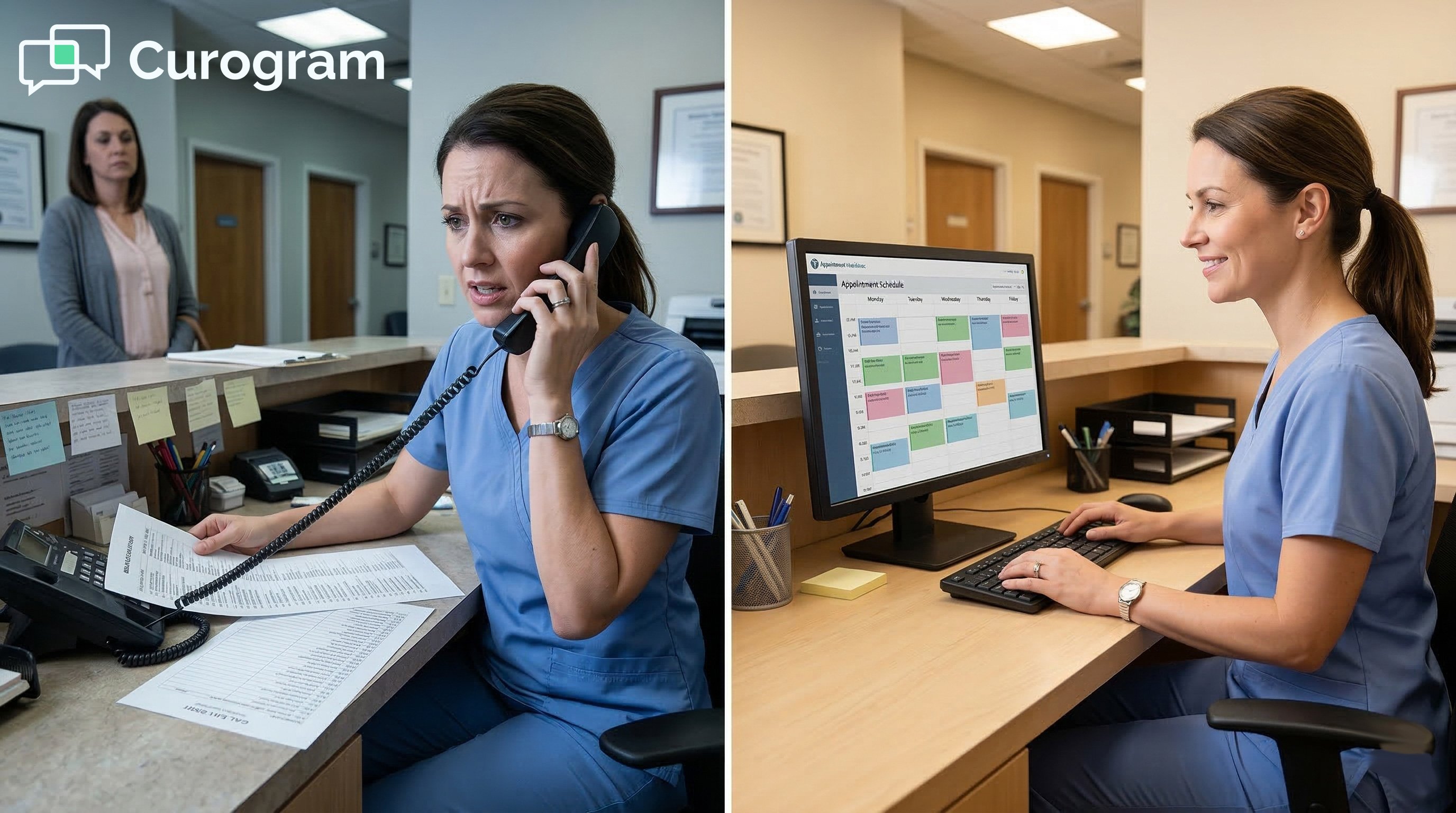
In most Prime Clinical offices, the old way involves a printed report, a highlighter, and a lot of handwritten notes. The new way replaces all of that with a clean, live view that updates on its own.

The Old Way: Paper, Pens, and Guesswork

Walk into most front desks today, and you will see a version of the same scene. A printed schedule from Prime Clinical sits next to the phone. Each line has a patient name, a time slot, and a phone number. As staff make calls, they scribble notes in the margin.

The Shorthand Problem

You will see codes like "L/M" for left message, "CB" for call back, or a question mark for no answer. The issue is that these notes only make sense to the person who wrote them. If a second staff member picks up the list, they have to guess what happened.

There is no single source of truth. One person may mark a patient confirmed while another tries to call that same patient ten minutes later. This creates double work and confusion at a time when the front desk is already stretched thin.

What Happens When the List Gets Lost

Paper gets buried under forms, charts, and faxes. Sticky notes fall off monitors. A spilled coffee can wipe out a morning of work. These are small things, but in a fast-paced office, small things add up to big problems.

When confirmation data lives on paper, there is no backup. If the sheet is gone, so is the record. Your team starts the process from scratch, which doubles the labor and the Prime Clinical administrative costs tied to that day.

The New Way: Curogram's Live Dashboard

With Curogram linked to Prime Clinical, the entire process changes. Reminders go out by text on a set schedule. Patients reply, and the system sorts them into clear groups: confirmed, declined, and no response.

Work the Exception List, Not the Whole List

Instead of calling all 30 patients, your staff only needs to follow up with the few who did not reply. In most cases, that is about three people. That means the workload drops by roughly 90%.

This is where staff efficiency in a medical practice jumps. Your team goes from managing 30 calls to handling 3 follow-ups. The rest of the morning opens up for tasks that actually move the needle on revenue and care.

Real-Time Updates, No Guesswork

Every reply shows up on the dashboard in real time. There is no need to check a voicemail box, decode handwriting, or ask a coworker what happened. The status is right there, clear and current.

Managers can also pull reports at the end of the day or week. They can see how many texts went out, how many got replies, and what the confirm rate looks like. This kind of data helps you spot trends and make smarter choices about staffing and scheduling.

Why This Matters for Growing Practices

As your patient volume grows, the old way does not scale. You cannot just print a longer list and hire more staff to dial. That approach adds cost without adding value.

Scale Without Adding Headcount

Curogram handles the volume for you. Whether you see 30 patients a day or 130, the system sends every text on time and tracks every reply. There is no extra labor needed.

That is the real power of this approach. You grow your practice without growing your phone bill or your payroll.

One System, One View

Because Curogram ties directly into Prime Clinical Intellect, all the data stays in one place. There is no switching between apps or double-entering information. What the patient confirms in a text shows up in the schedule right away.

This tight link is what makes the process seamless. It is not just about sending a text. It is about closing the loop so nothing falls through the cracks.


Close-up of a patient replying YES to a mobile text message appointment reminder

Stop Buying Expensive Robo-Dialers

Your front desk staff are skilled workers. They handle complex tasks every day, from verifying benefits to calming upset patients. Paying them to sit and dial numbers is a waste of their talent and your budget.

The math is plain. Manual calls cost thousands each year in labor alone. They burn staff time, slow down revenue tasks, and create a cycle of phone tag that no one enjoys.

When you eliminate manual appointment calls in Prime Clinical, you free your team to focus on tasks that need a human touch. Collections calls, patient questions, and care follow-ups all matter more than reading a script into a voicemail box.

Automation does not replace your staff. It elevates them.

Take the number of daily appointments at your practice. Multiply by three minutes per call. Then multiply by your average staff wage and 260 work days. That is your annual cost. For most practices, the number lands somewhere between $8,000 and $15,000 per year.

Now compare that to the cost of an automated system. The savings are clear, and the automated reminder ROI pays for itself within weeks. 

Calculate your labor savings. Get a Demo to see how Curogram integrates with Prime Clinical to stop the calling cycle..


Frequently Asked Questions

Why do patients ignore phone calls from their doctor's office?

Most patients screen calls from numbers they do not know, largely due to the rise in spam calls. Phones now flag or block unknown callers by default.

A text message gets through instantly and stays visible until the patient reads it, which makes it a far more reliable way to reach people.

How much time do manual confirmation calls take each day in a typical practice?

For a practice with about 30 daily appointments, manual calls take around 90 minutes each day. Each call averages three minutes when you include dialing, talking or leaving a voicemail, and updating the chart. Over a full year, that adds up to roughly 390 hours of staff time spent on calls alone.

How does Curogram update the Prime Clinical schedule after a patient confirms by text?

When a patient replies to a Curogram reminder text, the system reads the response and updates the Prime Clinical Intellect schedule in real time. Staff do not need to enter anything by hand. The confirmed status shows up on the dashboard right away, so the team always has a current view of the day.

How can automated reminders help reduce front desk workload by 90%?

With automated texts, the system handles outreach to all patients on the schedule. Most patients reply on their own. Staff only need to follow up with the few who do not respond, which is usually about three out of every 30. That shift cuts the call workload by roughly 90%.

Why is the cost of manual patient scheduling often higher than practices expect?

Practice managers tend to look only at the hourly wage. But the true cost also includes rework from failed calls, lost revenue from untouched A/R tasks, and staff burnout that drives turnover. When you add those layers, the real cost often tops $15,000 per full-time employee each year.


Using Prime Clinical Customizable Reminders to Send the Right Message

Using Prime Clinical Customizable Reminders to Send the Right Message

💡 Customizable patient reminders for Prime Clinical Systems let practices send the right message for every visit type. Instead of one generic text,...

Read More
Automated Reminders for Prime Clinical Systems | Stop Manual Calls

1 min read

Automated Reminders for Prime Clinical Systems | Stop Manual Calls

💡 Automated appointment reminders for Prime Clinical Systems let practices drop the daily call list and cut no-show rates by up to 53%.Curogram...
Read More
Reclaim Clinical Hours: The Staff ROI of Osmind Appointment Automation

Reclaim Clinical Hours: The Staff ROI of Osmind Appointment Automation

💡 Mental health practices see a strong Osmind appointment reminders ROI when they automate patient contact. Staff spend less time on phone calls...

Read More