
13 min read

How the Text-to-Chart Pipeline Ends the Paper Clipboard

How the Text-to-Chart Pipeline Ends the Paper Clipboard
💡 Practice Fusion digital intake forms, powered by Curogram's Text-to-Chart Pipeline, replace paper clipboards with text-linked mobile forms patients complete before arrival.

Every field writes back to structured chart notes in Practice Fusion automatically. No re-typing, no PDF dumps, no manual data entry. For small practices with 1-5 providers, this means the front desk reclaims hours each day.

Charts are ready when the provider walks in. The pipeline works even when Practice Fusion's built-in check-in tool goes unused, which is common in clinics without IT staff. Patients simply tap a link, fill out the form on their phone, and show up ready to be seen.

Your patients fill out forms on their phones every single day. Restaurant reservations. Insurance quotes. Bank applications.

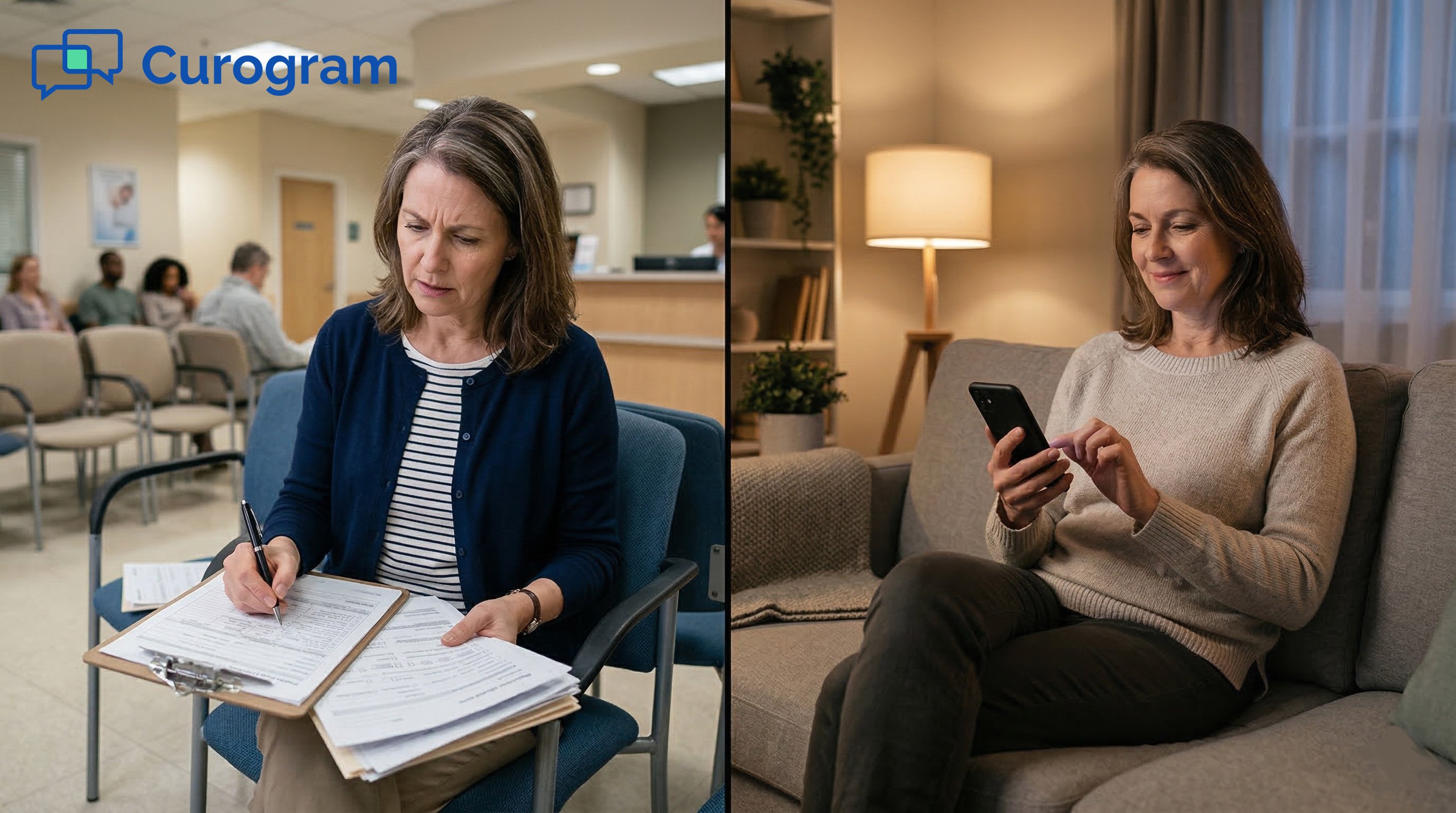
But when they arrive at your Practice Fusion clinic, you hand them a clipboard with 19 pages.

It feels like a small thing. It is not. That clipboard costs your practice more time, money, and goodwill than most owners realize.

For small practices running Practice Fusion, the gap between what's possible and what's actually in place is wider than it should be.

Practice Fusion has a built-in Online Check-In tool. But most small clinics never use it fully. The setup is complex.

Patient adoption is low. The form data often ends up as a flat PDF that staff still have to re-type. So the paper stays.

This is the core problem: the same information gets recorded twice. The patient writes it. Staff types it. Every single visit.

Curogram's Text-to-Chart Pipeline is built to break that cycle. It sends patients a text link before their visit. They complete their intake on their phone.

That data writes directly into Practice Fusion chart notes, structured and ready. No re-entry needed.

This pillar covers everything small Practice Fusion clinics need to know: why paper intake persists, what the pipeline does, what it costs to stay on paper, how a real practice made the switch, and how to measure results.

The Clipboard: Why Practice Fusion Practices Still Run on Paper Intake

Paper intake is not just an inconvenience. It is a daily drain on your staff, your schedule, and your charts. Understanding why most small Practice Fusion clinics still rely on paper is the first step toward fixing it.

Practice Fusion's Built-In Check-In Tool Falls Short for Small Clinics

Practice Fusion includes an Online Check-In feature. On paper, it should solve the problem. In reality, most small clinics with 1 to 5 providers do not use it at all, or barely use it. The reason is setup.

Configuring the tool requires technical steps that practices without IT staff struggle to complete. There is no one to call for help on a Tuesday morning when the front desk is already backed up.

Even when the feature is configured, patient adoption is the next wall. Patients need to log into a portal, use a specific browser, or click an email link they may have ignored.

The form does not feel like texting. It feels like a chore. So most patients skip it and show up ready to fill out paper instead.

Why Low Portal Adoption Keeps Paper Alive

Portal-based intake has one key flaw: it requires the patient to do something before they arrive that feels optional. Email links get buried. Portal logins get forgotten.

Based on our internal data, portal-based form completion rates at small Practice Fusion clinics often sit below 15%. That means 85% or more of patients still walk in without completing any pre-visit paperwork.

When most patients skip the digital option, the clinic cannot eliminate the paper fallback. So both systems run in parallel, which is actually worse. Staff must check the portal for the few who completed it, and hand clipboards to everyone else.

The 19-Page Intake Packet and What It Actually Asks

The standard new patient packet covers demographics, insurance information, medical history, current medications, allergies, consent forms, a HIPAA acknowledgment, and a financial responsibility agreement.

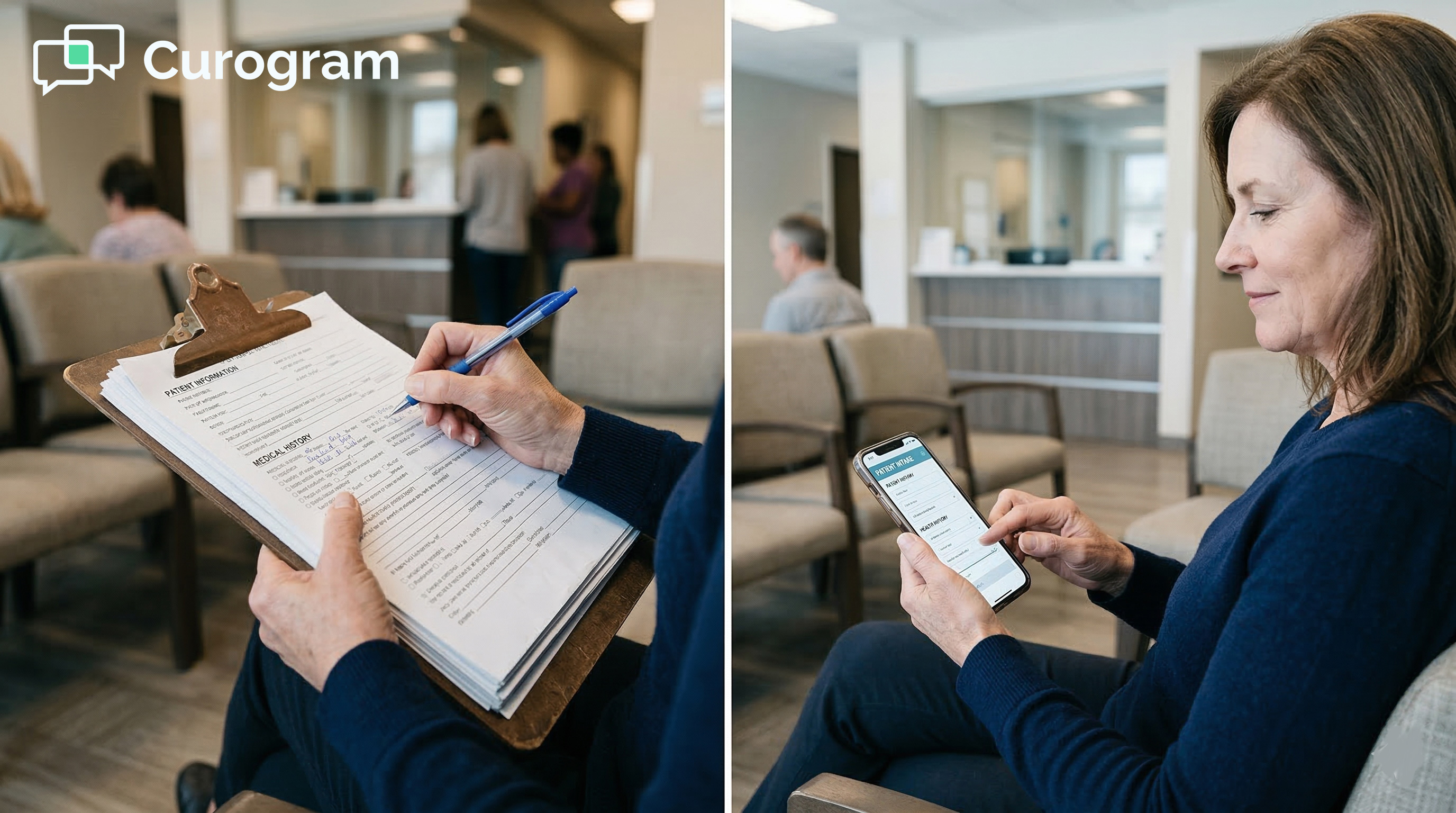
For specialty clinics, there are extra questionnaires on top. That stack can reach 15 to 19 pages. The patient fills it out in the waiting room. In 10-point font. With a pen that may or may not work.

Returning patients are not spared either. Annual forms, insurance updates, and medication reviews mean repeat paperwork every few visits.

The patient experience is identical to a visit five years ago, while their dentist down the street already sends them a text link.

The Double-Entry Trap: How Staff Lose Hours Every Day

After the patient is called back, a staff member picks up the paper form. They read it. They interpret the handwriting. They type each field into Practice Fusion.

This takes 10 to 15 minutes per patient. For a practice seeing 20 to 30 patients a day, that adds up to 3 to 7 or more hours of pure transcription work. Every day.

This is the double-entry trap: the practice does every piece of intake work twice. The patient writes it. Staff types it. Each step introduces room for error.

A misread medication name. A transposed phone number. An insurance ID that is one digit off.

These are not rare events. They are the predictable outcome of asking humans to copy handwriting under time pressure.

The Downstream Cost of Transcription Errors

A wrong insurance ID leads to a denied claim. An incorrect phone number means a patient is unreachable for follow-up.

A misread allergy note becomes a clinical risk. The errors from paper intake do not stay in the waiting room. They travel downstream into billing, scheduling, and care delivery.

The cost of fixing these errors is real, even if it is hard to measure on a single bad day. Over time, transcription errors become a recurring tax on every department in the practice.

The Text-to-Chart Pipeline: How One Text Link Replaces 19 Pages

Curogram's Text-to-Chart Pipeline replaces every step of the paper intake process. The key is that it works through text messaging, which patients already use daily, with no app, no portal, and no extra friction.

How Text-Linked Forms Work

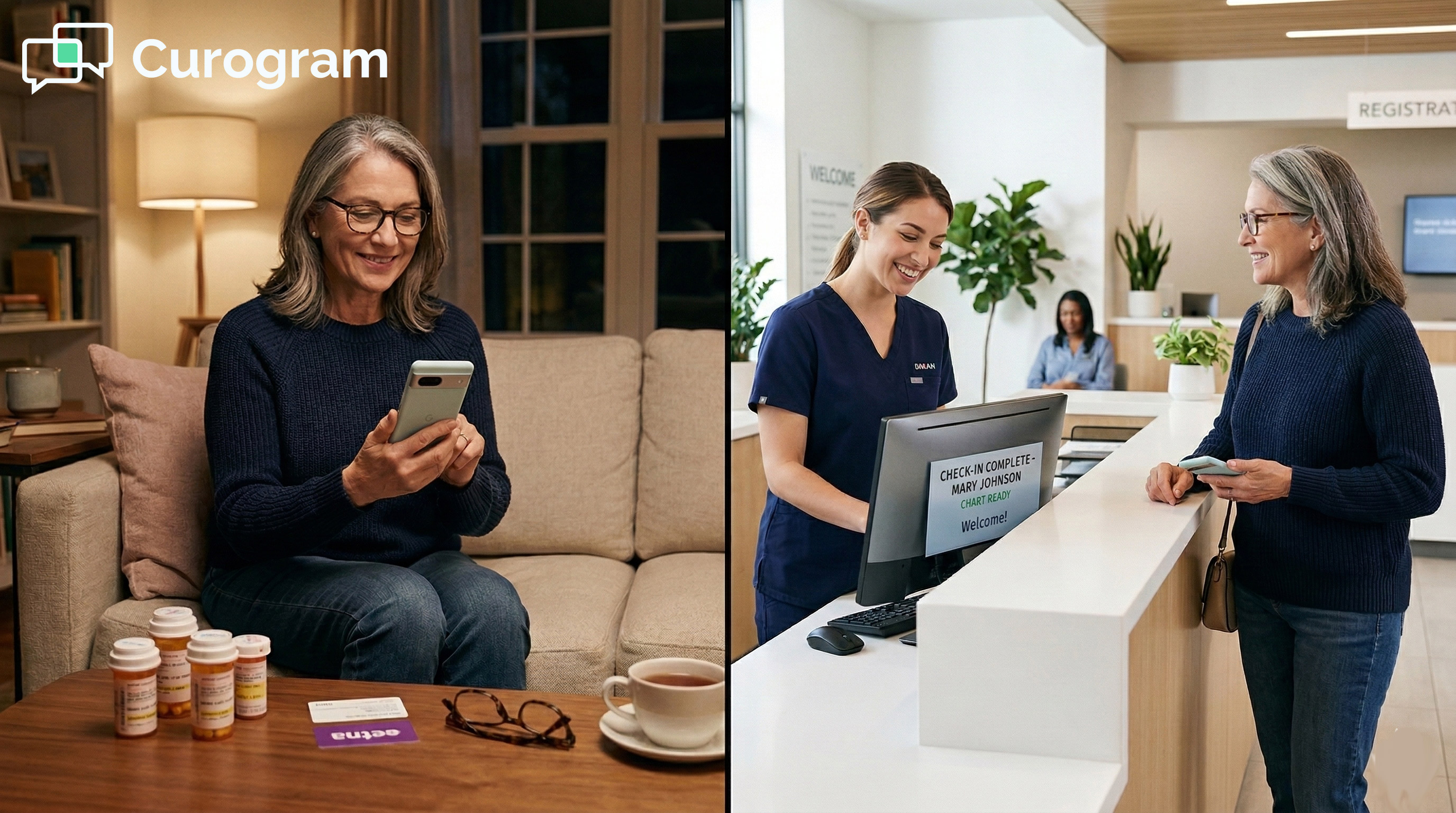
Before the appointment, the patient gets a text from the practice's own number. The message is short and clear: please complete your intake forms before your visit, followed by a link.

The patient taps it. A mobile-optimized form opens in their phone's browser. There is no app to download and no account to create.

The form is designed for thumbs. Dropdowns, checkboxes, and auto-fill replace blank lines. Most patients complete it in under five minutes. They can do it at home, in the car, or in the parking lot before walking in.

No App Download Required

One of the biggest barriers to digital intake adoption is asking patients to install something. Curogram's text-linked forms skip that entirely.

The link opens in the default mobile browser. It works on any smartphone. There is nothing to set up on the patient's end and no account to remember.

This matters most for older patients and those less comfortable with technology. If it opens when you tap a link, patients will use it. If it requires steps before you can even see the form, most will give up.

What Patients Actually See on the Form

The form matches the practice's existing intake packet. Demographics, insurance details, medical history, medication list, allergies, consent forms, and HIPAA acknowledgment can all be included.

Fields are laid out for mobile screens. Required fields are clearly marked. The patient can complete and submit in one session without needing to print, sign, or scan anything.

Bilingual delivery is also supported. Practices serving diverse communities can send the form in the patient's preferred language. The data still writes back to Practice Fusion in the format the practice needs.

Structured Write-Back to Practice Fusion Chart Notes

This is the part that most Practice Fusion practice owners are skeptical about, and for good reason.

Many third-party tools promise digital forms but deliver a PDF that staff still have to open, read, and re-type. That is not a solution. That is the same problem with extra steps.

Curogram's write-back is different. When the patient submits the form, the data flows into structured fields in Practice Fusion. Demographics go to demographic fields. Medications go to the medication list.

Allergies go to the allergy section. Insurance information populates insurance fields. The chart is ready before the provider walks in.

Structured Data vs. PDF Attachment

A PDF attachment is searchable only if you open it. A structured field is searchable, auto-populates clinical forms, and feeds into billing and reporting.

The difference matters for every downstream task: prescription writing, insurance verification, care documentation, and follow-up scheduling.

Feature

Paper + Manual Entry

PDF Attachment

Curogram Write-Back

Patient completes before visit

Rare

Possible

65-70% completion

Staff re-entry required

Yes (10-15 min)

Yes (still re-typed)

No

Data in structured fields

After re-entry

No

Yes, automatically

Handwriting errors

Common

Common

Eliminated

HIPAA compliant storage

Paper (risky)

Depends

Yes, encrypted


Custom Form Builder and Specialty Workflows

Not every clinic needs the same form. A family medicine practice collects different information than a dermatology office or a pediatric clinic.

Curogram's form builder lets practices create intake forms that match their specialty and their workflow. Consent forms, screening questionnaires, and patient history sections are all customizable.

Forms are sent 24 to 48 hours before the appointment as part of the reminder sequence.

They arrive when patients are at home and have time to fill them out carefully, not when they are standing at the front desk trying to remember their insurance plan name.

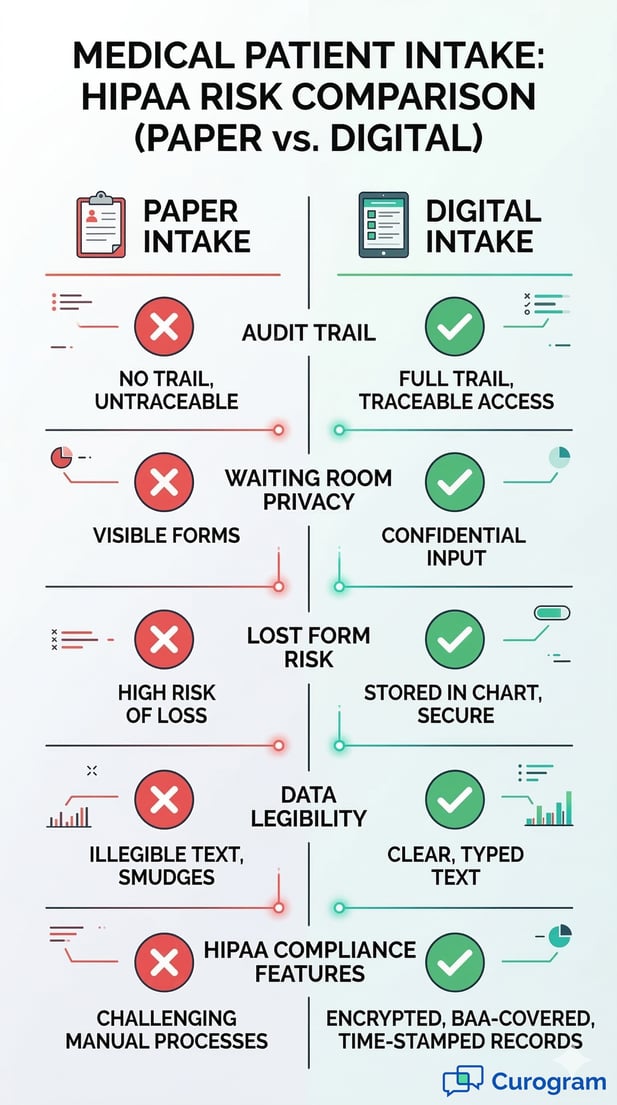
Infographic: HIPAA Risk Comparison of Paper vs. Digital Patient Intake

The Math: What Paper Intake Actually Costs a Practice Fusion Practice

Most practice owners think of paper intake as a minor operational hassle. The numbers tell a different story.

The cost of staying on paper shows up in staff hours, printed supplies, downstream billing errors, and slower patient flow every single day.

Staff Time: The Biggest Line Item

Manual data entry takes 10 to 15 minutes per patient. For a practice seeing 20 to 30 patients per day, that is 3 to 7 or more hours of staff time spent on transcription alone.

At $18 to $25 per hour for front desk staff, that works out to $1,000 to $3,000 or more per month in labor costs just for typing in what patients already wrote down.

That time is not idle time. It is time taken away from insurance verification, billing follow-ups, patient calls, and everything else that keeps a small clinic running. When staff are transcribing, they are not doing anything else.

Hourly Labor Cost Snapshot

Patients/Day

Entry Time/Patient

Daily Hours Lost

Monthly Labor Cost (at $20/hr)

20

10 min

3.3 hrs

~$1,320

25

12 min

5.0 hrs

~$2,000

30

15 min

7.5 hrs

~$3,000


These are conservative estimates. They do not include time spent hunting down illegible entries or correcting errors found during billing.

Paper and Printing Costs

A 19-page intake packet per new patient adds up quickly. Paper, toner, printing, clipboards, and document storage are recurring expenses.

Add HIPAA-compliant shredding for disposed forms and the cost compounds further. These are not large single expenses, but they are entirely avoidable with digital forms.

Online patient forms eliminate these costs completely. There is nothing to print, nothing to store, and nothing to shred. The savings are modest per patient but meaningful at scale.

The Hidden Cost: Waiting Room Bottlenecks

When patients arrive without pre-completed paperwork, check-in takes 15 to 20 minutes for new patients. That creates a bottleneck that ripples through the entire schedule.

The provider starts late. Exam rooms back up. Patients who arrived on time end up waiting longer because the patient before them was still filling out forms.

Pre-visit digital intake cuts check-in to under five minutes. For a practice seeing 25 patients per day, that recaptured time translates directly into better patient flow and fewer late-running appointments.

Based on our internal research, practices that switch to text-linked intake see check-in times drop by more than 60%.

The Narrative: How a 3-Provider Family Practice Eliminated Paper Intake

Numbers are useful, but a real story makes the stakes concrete. Here is how one small Practice Fusion clinic made the switch from paper to digital intake and what happened next.

The Practice Before the Switch

A three-provider family medicine practice in suburban Atlanta had been running on Practice Fusion for four years.

The office manager, Denise, oversaw a two-person front desk team that handled check-in, phone calls, and chart preparation. The practice saw 60 to 70 patients per day across three providers.

Every new patient received a 19-page intake packet at the door. Returning patients filled out updated forms for medication changes, insurance updates, and annual questionnaires. Front desk staff estimated they spent 4 to 5 hours per day on manual data entry into Practice Fusion.

What They Had Already Tried

Denise's team had attempted to use Practice Fusion's built-in Online Check-In feature. Setup was complicated, and only about 10% of patients completed it before arrival.

The rest showed up expecting the clipboard. The practice had also looked at Updox as an alternative, but the added cost layered on top of the Practice Fusion subscription was a dealbreaker.

The result was that both systems ran in parallel: some patients came in with digital forms, most did not, and staff had to manage both. It created more confusion than it solved.

What Changed After Activating the Text-to-Chart Pipeline

Denise activated Curogram's Text-to-Chart Pipeline. Custom intake forms were built to match the existing paper packet: demographics, insurance, medical history, medications, allergies, and consent forms.

The forms were set to send via text 24 hours before each appointment. Staff learned the system in a single morning session.

Within four weeks, 65 to 70% of patients completed their intake forms before arrival. New patient check-in dropped from 20 minutes to under five.

Data entry hours were cut by more than half. Staff redirected that time toward insurance verification and billing follow-ups.

What the Providers Noticed

The improvement was not invisible to the clinical team. Providers opened charts that were already complete instead of seeing notes that said "pending intake."

Medications were spelled correctly. Insurance IDs were accurate. Phone numbers were validated. Transcription errors dropped noticeably in the first month.

Denise's summary was direct: "We stopped buying paper. We stopped printing packets. My staff stopped squinting at handwriting. The patients love it because they do it on their phone in two minutes. This should have been the default from day one."

Compliance and Trust: HIPAA-Compliant Digital Intake

Moving from paper to digital raises a fair question: is it actually more secure? The answer is yes, and by a wide margin.

A paper form sitting on a clipboard in a waiting room is far less protected than encrypted data moving through a HIPAA-compliant platform.

How Curogram Protects Patient Health Information

All data transmitted through Curogram is encrypted and HIPAA compliant. Curogram signs a Business Associate Agreement (BAA) with every practice before any patient data is exchanged.

This means Curogram operates as a covered business associate under HIPAA, with the same obligations and protections that apply to the clinical data in your chart.

Compare that to paper. A filled-out intake form can be left on a desk, seen by someone walking by, or misplaced during a busy morning.

There is no audit trail for paper. There is no access log. Digital intake, managed through a HIPAA-compliant platform, provides both.

What the BAA Covers

The Business Associate Agreement defines how Curogram may use and safeguard patient data, what happens in the event of a breach, and the remedies available to the practice.

It is not optional. Every practice using Curogram for patient intake has a signed BAA on file before the first form goes out.

Practices are also required to use the platform in ways that stay HIPAA-compliant on their end, including not modifying default SMS templates to include protected health information and restricting platform access to authorized staff only.

Consent, Signature Capture, and Document Storage

Digital intake forms include e-signature capture for consent forms, HIPAA acknowledgments, and financial responsibility agreements.

Patients sign on their phone. Signed forms are stored securely and linked to the patient's record in Practice Fusion.

This replaces the chronic problem of missing paper consents. No more searching through a file cabinet for a form the patient swears they signed.

No more "did they initial this page?" questions. Every signed document is in the chart, accessible when needed.

Is a Signed Digital Form Legally Valid?

Yes. Electronic signatures on medical consent forms are valid under the Electronic Signatures in Global and National Commerce Act (E-SIGN Act) and the Uniform Electronic Transactions Act (UETA).

Digital consent forms captured through a HIPAA-compliant platform meet the same legal standard as a wet signature on paper.

The additional benefit is that digital signatures are time-stamped, tied to the patient's identity, and stored with an audit trail. A paper signature has none of those attributes.


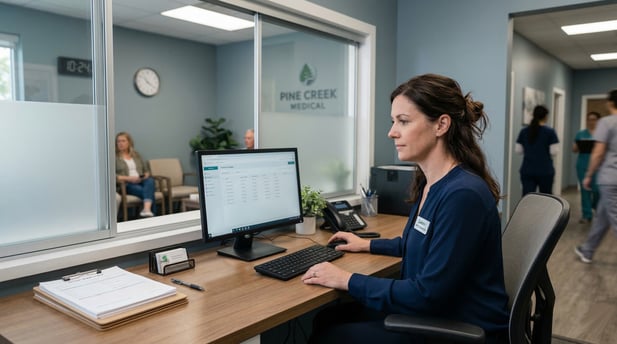
Modern medical office manager at her reception desk using a patient data dashboard and form


Measuring the Text-to-Chart Pipeline Effect

Switching to digital intake should show up in your numbers. Here are the key metrics that practice owners and office managers should track before and after activating the Text-to-Chart Pipeline.

Pre-Visit Form Completion Rate

This is the first metric to watch. Track the percentage of patients who complete their intake forms before they arrive.

A healthy target is 60 to 75% within the first month of launch. For context, portal-based completion rates at small Practice Fusion clinics often sit below 15%.

Text-linked forms perform better because patients do not need to log in or remember a password. They tap a link in a text message, which is something most people do dozens of times a day. That low barrier is what drives higher completion rates.

How to Track Completion Rate

Curogram's dashboard shows which patients completed their forms and which did not before each appointment.

Practices can monitor this weekly and see the completion rate trend upward as patients become familiar with the new process.

Within 30 days, most clinics reach a stable completion rate well above what any portal-based system achieved.

Daily Data Entry Hours

Before switching, ask your front desk team to log the time they spend on manual chart entry for one week. This gives you a baseline.

After activating digital intake, repeat the measurement. The target is a reduction of 50% or more.

For a practice that was spending 4 to 5 hours per day on data entry, that means recovering 2 to 3 hours daily.

Based on our internal data, practices using Curogram's text-linked intake cut manual data entry hours by more than half within the first month.

Where That Recovered Time Goes

The hours recovered from data entry do not disappear. They go back into the work that matters. Insurance verification. Billing follow-ups. Patient callbacks. Prior authorization requests

These are high-value tasks that get deferred when staff are tied up with transcription. Reducing data entry frees your team to do work that directly affects revenue and care quality.

Check-In Time and Patient Flow

Track average check-in time for new patients before and after the switch. With paper, new patient check-in typically runs 15 to 20 minutes.

With pre-completed digital intake, it drops to under five minutes.

Faster check-in has a compounding effect on the rest of the day. The provider stays closer to schedule. Rooms turn over faster.

Patients in the waiting room wait less. The entire day runs more smoothly when the front desk is not managing a paper-filling queue at 9 a.m.

Metric

Before (Paper)

After (Digital Intake)

Target Improvement

Pre-visit completion rate

<15%

60-75%

4x increase

New patient check-in time

15-20 min

<5 min

60%+ reduction

Daily data entry hours

3-7 hrs

1-2 hrs

50%+ reduction

Transcription error rate

Common

Near zero

Significant drop

See the Text-to-Chart Pipeline in Action

Moving from the "clipboard era" to a digital-first workflow isn't just about following a trend—it’s about closing the security gaps and efficiency drains that paper intake creates.

As we’ve explored, the risks of untraceable audit trails and manual data entry aren’t just administrative headaches; they are direct threats to HIPAA compliance and your practice's bottom line.

The most effective way to eliminate these risks is to meet patients where they already are: on their smartphones.

By integrating Curogram with Practice Fusion, your practice can finally replace the physical stack of paper with a seamless, text-linked digital experience.

Unlike traditional "digital" solutions that merely generate a flat PDF for you to download and manually upload later, this integration focuses on structured data.

Modern healthcare requires modern tools. Your patients already manage their banking, travel, and shopping from their phones.

They expect (and appreciate) that same level of convenience from their healthcare provider. When you remove the friction of the waiting room clipboard, you aren't just improving their experience; you are giving your front-desk staff the gift of time.

Instead of hunting down missing signatures or squinting at illegible ink, your team can focus on what they do best: patient care.

Schedule a demo to watch a live text link go out, see the patient-side experience, and witness the data flow directly into Practice Fusion. It’s time to put the clipboard away for good.

Frequently Asked Questions

How does Curogram write data back to Practice Fusion chart notes?

Curogram integrates with Practice Fusion through its API. When a patient submits a form, the data maps to specific structured fields in the chart.

Demographics go to the demographics section. Medications go to the medication list. Allergies go to the allergy section.

The data does not arrive as a PDF attachment. It arrives as usable, structured information in the right field.

Why do text-linked forms get completed more than portal forms?

Text messages get opened. Research consistently shows SMS open rates above 90%, while email open rates hover around 20%. Patients who receive a text link do not need to remember a password, navigate a portal, or use a specific browser. They tap the link, fill out the form, and submit. That simplicity is what drives higher completion rates.

How long does it take to set up digital intake in a small Practice Fusion clinic?

Most small clinics are up and running within a few days of activating Curogram. Custom form building takes a few hours. Staff training typically takes a single morning session. Forms go out automatically as part of the reminder sequence, so there is no new manual step for the front desk to remember after the initial setup.

Why do errors happen so often with paper-based intake?

Paper intake introduces errors at every step. Patients fill out forms quickly in a waiting room. Handwriting varies. Staff read under time pressure.

A medication name written in cursive can look like a completely different drug. A phone number with one digit transposed is permanently wrong in the chart until someone catches it.

Digital forms with validated fields remove all of those error points because the patient types the information directly and the system checks the format.

How does digital intake affect the patient experience?

Patients who receive a text link before their visit report a more positive first impression of the practice. They arrive knowing exactly what to expect. Check-in is fast. They are not standing at the front desk filling out paper while other patients pile up behind them.

For practices that serve diverse communities, bilingual form delivery also removes a significant barrier that paper intake cannot address.