7 min read
End Front Desk Data Entry: Medstreaming OBL Forms for Staff Relief
Mira Gwehn Revilla
:
May 13, 2026
- A mobile-friendly form tool that works on any smartphone
- A direct integration that pushes data into the Medstreaming chart
- Brief staff training on how to verify data, not retype it
- A clear plan for patients who don't fill forms out ahead of time
- A monthly audit to spot gaps and fix them fast
Walk into a busy vascular OBL at 9 AM. The clinical area is calm. The front desk? On fire. Three staff members are on the phone. Two are sorting paper forms. One is hunting for an insurance card image that was scanned but never linked to the chart.
This is intake at most office-based labs today. It's loud, slow, and built around manual work that staff hate. Worse, it costs more than you might think.
Based on our internal data, the right tools can cut front-desk and call-center phone volume by up to 50%. Staff productivity can rise by 30% or more. Yet many Medstreaming users still rely on paper forms, prep calls, and manual data re-entry.
The cost adds up fast. Staff burnout climbs. New hires take weeks to learn the intake routine. And small data errors lead to billing delays or denied claims.
There's a better way. When patients fill out secure forms before they arrive, the data flows straight into Medstreaming. Your front desk verifies instead of retypes. Your nurses open a chart that's already filled in. Your billing team finds the insurance image already attached.
This isn't a future state. It's how the best vascular and cardiology OBLs run today. The result: faster check-in, fewer cancellations, and a happier team.
In this guide, you'll see how to set this up in three weeks. We'll cover form design, staff training, and the full workflow. You'll also learn how to handle older patients, audits, and rare data issues. By the end, you'll have a plan to free up 10-15 hours of staff time each week.
Implementation and Integration: A 3-Week Launch Timeline
Going from paper to digital intake doesn't take six months. With a clear plan, you can launch in three weeks. Here's how the timeline works for a typical Medstreaming OBL.
Week 1: Form Design and API Mapping
Start with an audit. Pull every form your front desk hands out today: patient demographics, cardiac history, MRI safety, allergies, and insurance authorization. Mark each field as required or optional.
This list becomes your blueprint. It also gives you a baseline to measure gains after launch. Skip this step and you'll have nothing to compare against later.
Next, map each field to a slot in the Medstreaming chart. Your IT lead or vendor handles the API setup. This is where Medstreaming double-entry elimination starts to take shape.
Then build the form in a no-code tool. Add logic so that a "Yes" answer reveals follow-up questions. Test the form on iPhone and Android before you deploy. Run it past 2-3 front-desk staff for feedback.
Week 2: Staff Training and Workflow Rollout
Train your team on the new flow:
- Patients get a text 3-5 days before their visit
- Staff log into Medstreaming and see the data already there
- Verification takes 2-5 minutes, not 20-30
- Billing accesses insurance details without downloading files
Print a one-page workflow guide for the front desk. Post it at reception. A 30-minute hands-on training session is enough for most teams.
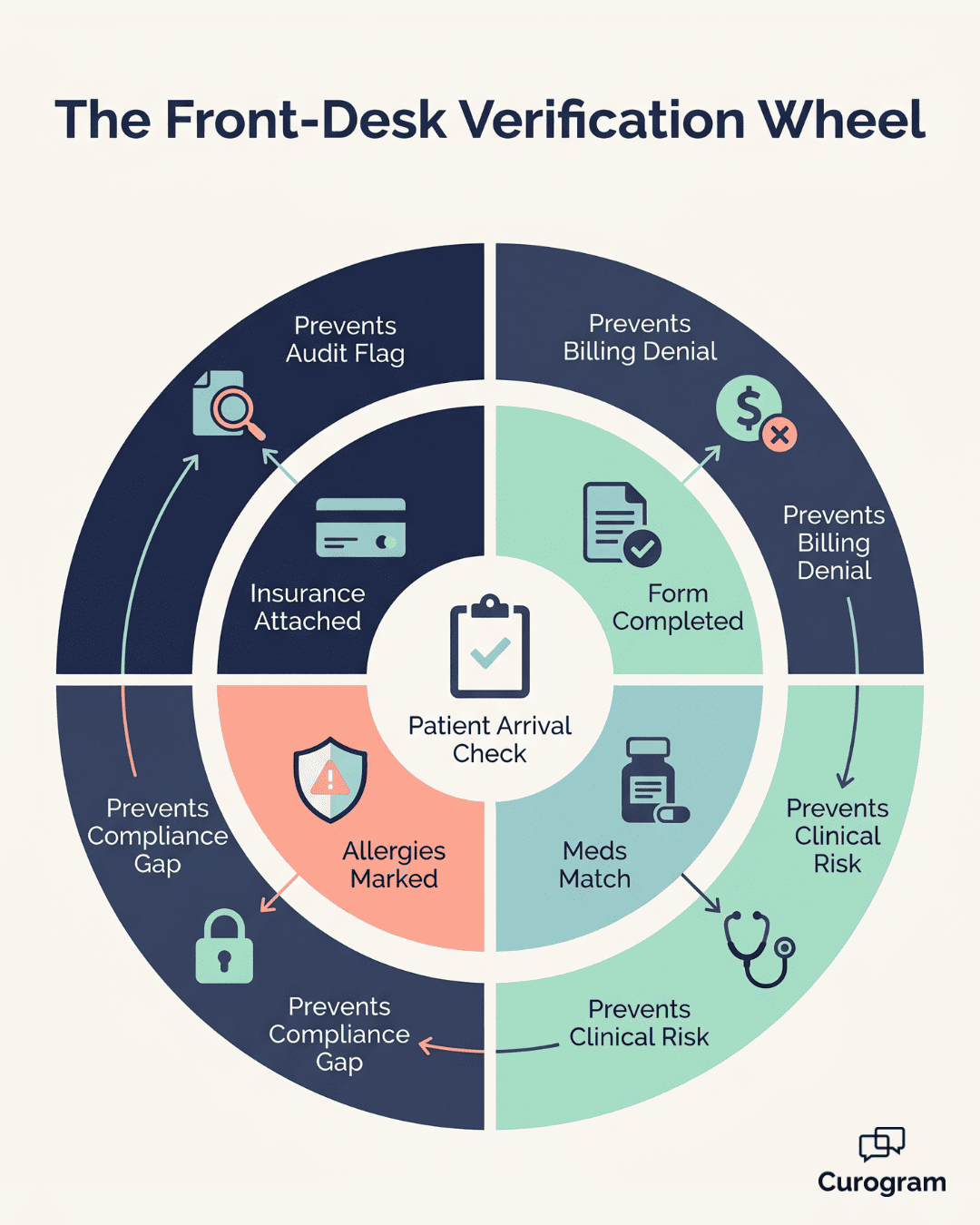
Build a verification checklist for arrival:
- Is the intake form done? If not, hand the patient a kiosk tablet.
- Does the medication list match what they take today?
- Are allergies clearly marked?
- Is the insurance card image attached?
This list keeps your OBL intake workflow staff aligned. It also catches data gaps before they reach the clinical team.
Plan for exceptions, too. If a patient hasn't filled out the form 24 hours before the visit, staff get an alert. They can call or offer kiosk completion at arrival.
Week 3: Monitoring, Audit, and Compliance Verification
Track the numbers in week three. How many patients filled out the form? How long did check-in take? How many used the on-site kiosk?
Run a compliance audit at week's end. Pick 10 to 15 patient charts and check:
- Was the intake form timestamped?
- Is the insurance card image linked to the record?
- Is allergy info clearly noted?
- Did a clinician sign off on the medication list?
A SOC 2 Type II compliant tool logs every action. Your compliance officer can spot-check encounters in minutes. Share findings with leadership to show the audit trail at work.
Watch for staff feedback, too. Are some questions confusing? Are older patients struggling on mobile? Adjust the form before week four.
|
Week |
Focus |
Main Deliverable |
|
1 |
Form design and API mapping |
Working digital intake form |
|
2 |
Staff training and rollout |
Verified workflow in daily use |
|
3 |
Monitoring and audit |
Clean audit trail and metrics |
Three weeks. That's it. Most teams report visible time savings by the end of week two. By week four, the front desk has its rhythm back.
For Medstreaming OBL front desk form data entry elimination, staff buy-in matters as much as the tech. Spend time on training. Listen to feedback. Keep the form simple. The fewer fields you ask for, the higher the completion rate.
Workflow Integration: Front-Desk, Clinical, and Billing Handoffs
A digital intake form is only useful if the data flows where it needs to go. Three teams need access: front desk, clinical, and billing. Each team has its own process. Each handoff is a chance for things to break—or to run smoothly.
Here's how the handoffs work when chart write-back is set up right.
Front-Desk Process Flow
T-5 days before the visit: The patient gets a text.
Hi [Name], your appointment is [date] at [location]. Tap here to fill out your intake: [link]. Questions? Call [phone]."
This text fires automatically based on the Medstreaming schedule. No staff member has to send it. No manual list, no missed patient.
T-1 day before: The system sends a summary alert to the front desk. "15 of 18 patients done. Follow up with Smith, Garcia, and Lee." Staff make 3 quick calls instead of 18.
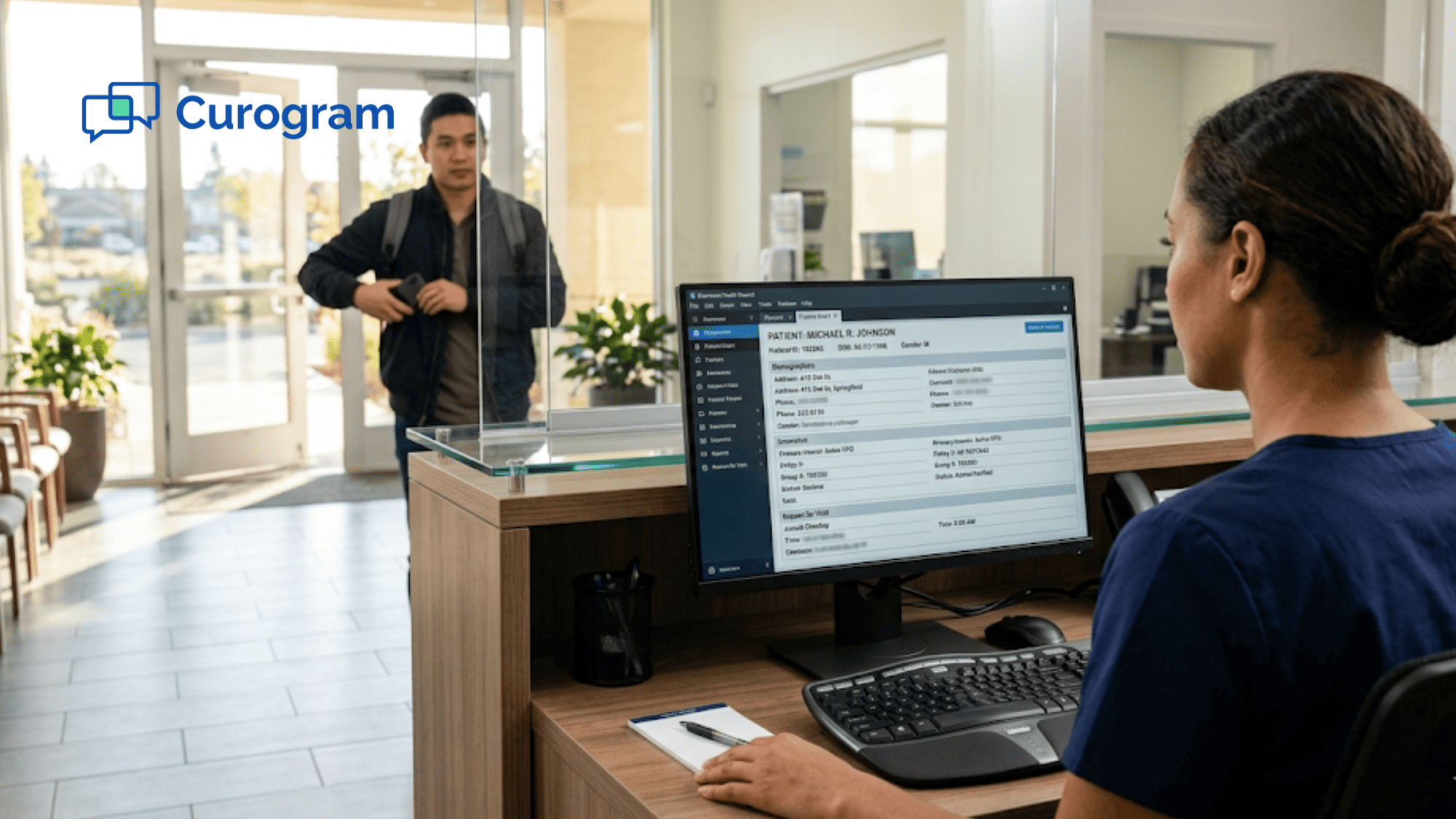
Day of arrival: Staff open the chart. Demographics, allergies, meds, and insurance are all there. They verify in 3 to 5 minutes. The patient moves to the clinical area without delay.
Clinical Process Flow
30 to 60 minutes before the procedure: Nurses review the chart. The cardiac history is flagged. Past stents, MIs, and arrhythmias show up clearly. Medications are screened for issues.
Nurses note their review in a "Pre-Procedure Verification" tab. This creates a clear audit trail. Every check is timestamped and tied to a user.
During the procedure: The clinical team works from verified data. No surprise allergies. No missing prior imaging. No paper packets to dig through. Decisions are made on accurate, current info.
This is where chart write-back staff efficiency really shows. Nurses spend their time on care, not chart cleanup.
Billing Process Flow
After the procedure, the billing team takes over. The insurance card image is already attached. Demographics are verified. Authorization codes are easy to confirm.
Claims go out 24 to 48 hours faster. There's no waiting for someone to chase a missing form. Patient balance collections start sooner because contact info is current.
For practices using digital intake Medstreaming staff workflows, this is where the ROI compounds. Faster claims mean faster cash flow. Cleaner data means fewer denials.

What Each Team Gains
|
Team |
Old Way |
New Way |
|
Front Desk |
20 min retyping per patient |
3-5 min verifying |
|
Clinical |
Paper forms, missing data |
Pre-loaded chart |
|
Billing |
Chase missing info |
Submit clean claims |
The biggest win isn't any one of these. It's how they connect. When data moves cleanly between teams, you stop losing time at every handoff.
Most OBLs report that the front desk feels the change first. By month two, the clinical team notices the difference. By month three, billing sees faster reimbursement.
This is what vascular practice form automation looks like in real life. Not a fancy demo. Just three teams getting their time back—and a workflow that finally fits how an OBL actually runs.
How Curogram Fits Into Your Medstreaming Workflow Without Slowing Your Team Down
Most software promises smooth integration. Few deliver. Here's how Curogram approaches it in OBL settings.
Curogram works as a plug-in to your existing Medstreaming setup. There's no rip-and-replace. No long migration. Your team keeps using Medstreaming for charting and clinical work. Curogram handles the patient-facing layer—forms, texts, reminders, and write-back.
The setup is hands-on. The Curogram team maps each form field to your Medstreaming chart. They test the flow with sample patients. Then they train your front desk in under 30 minutes.
Front desk staff learn the system in less than 5 minutes of basic training. That's not a marketing claim—it's based on our internal training data across hundreds of practices. The interface looks like texting. There's nothing complex to memorize.
For OBLs, the platform handles three things at once:
- Secure SMS forms that patients fill out on any smartphone
- Automatic write-back of data into Medstreaming charts
- A SOC 2 Type II compliant audit trail for every action
You also get appointment reminders, two-way texting, and online review collection in the same tool. Most teams replace 2-3 separate vendors when they switch.
The result is what our clients describe as "the day suddenly got quieter." Phone volume drops. The waiting room moves faster. Staff have time to talk to patients again.

Conclusion
Front-desk burnout in OBLs isn't a staffing problem. It's a workflow problem. When your team spends 40-60% of the day on calls, paper, and double-entry, no amount of hiring will fix it.
The fix is to move intake out of the office and onto the patient's phone. Secure forms, automatic chart write-back, and a clear verification checklist do most of the heavy lifting. Your team stops chasing data and starts using it.
The numbers speak for themselves. Based on our internal data, practices that automate intake see staff productivity rise by over 30%. Phone volume drops by up to 50%. Most OBLs break even on cost within 2 to 3 months.
This isn't just about saving time. It's about giving your team a better day. Front-desk staff get to support patients instead of fighting with paper. Nurses see clean charts. Billing teams submit cleaner claims.
The three-week launch plan in this guide is meant to be practical. Audit your forms in week one. Train staff in week two. Monitor and adjust in week three. By week four, your team is in a new rhythm.
If your OBL uses Medstreaming, you already have the foundation. Adding a secure forms layer is the next step. Pair it with chart write-back and a clear staff workflow, and you'll see the change quickly.
Picture your front desk handling check-ins in under 5 minutes per patient instead of 20. Schedule a demo and see how Medstreaming chart write-back makes this your new normal.
Frequently Asked Questions
All photos are encrypted in transit and at rest. Curogram is SOC 2 Type II compliant and keeps a full audit trail of every view, download, or share. Images live inside your Medstreaming environment and follow your existing retention rules.
Most EMRs, including Medstreaming, were built for clinical charting—not patient-facing intake. Without a connected forms tool, staff manually retype paper data into the chart. Adding chart write-back closes that gap and ends the double-entry cycle.
Most teams notice front-desk relief by the end of week two. Clinical workflow gains show up by month two. Billing teams see faster reimbursement cycles by month three, with full ROI typically reached in 2-3 months.