💡 The best patient texting software for multi-location practices, ranked for central routing and fewer inbound calls, is Curogram, then Klara, Artera, Luma Health, Solutionreach, and TigerConnect.

Curogram ranks first because it runs every site from one inbox, sends each message to the right team, and cuts calls by automating reminders and confirmations.

Klara is strong for messaging that mixes patients and staff. Artera and Luma Health suit large health systems that can staff a longer setup. Solutionreach works as an engagement suite with lighter routing. TigerConnect handles clinical staff chat, not patient texting.

If you run many sites, judge each tool on one shared inbox, role-based access, cross-site reports, and native EHR sync.

Run patient texting one location at a time, and the cracks show fast. A patient books at your north clinic, texts the south clinic's number, and no one reads it for a day.

Each site keeps its own inbox, its own phone tree, and its own backlog. Staff copy replies between systems by hand, and calls pile up because texting never covered the gap.

Groups with five, ten, or fifty sites need a single inbox that every location shares. That one change, routing every text to the right team from one screen, is what separates a solo-office tool from patient texting software for multi-location practices. It also drives the outcome administrators care about most: fewer calls ringing at the front desk.

We compared six patient communication platforms on what matters at scale. The list is short: central routing, role-based access, cross-site reporting, native EHR sync, and proven call deflection.

This piece ranks them, gives you a quick comparison table, and walks through how texting pulls scheduling and reminder calls off your phones.

Curogram lands at the top for multi-location groups, and we back that with real numbers. Klara, Artera, Luma Health, Solutionreach, and TigerConnect each fit a different kind of practice, so we call out where each one earns its place and where it falls short.

By the end, you'll know which platform matches your org's size, structure, and EHR.

What Large & Multi-Location Practices Need

A shared inbox puts every location's texts on one screen. A scheduler covering three sites sees all threads without logging into three accounts.

Role-based access keeps it clean: the billing lead sees payment threads, each front desk sees only its own patients, and a regional manager sees everything.

Skip shared access, and staff forward screenshots and copy replies by hand, which is where messages get lost.

Routing to the Right Team

Routing decides who handles each text. Refill questions go to the clinical team. Billing questions land in the payments queue. A new-patient text at your Pasadena site stays with Pasadena's front desk.

Good routing runs on rules you set once, so a group with 12 locations doesn't hand-sort hundreds of daily threads. Weak routing dumps everything into one pile and leaves staff to triage by hand.

Fewer Inbound Calls

Most front desk calls are predictable: scheduling, reminders, confirmations, refill status, and repeat FAQs. Automation answers those before the phone rings.

Covina Arthritic Clinic confirms more than 1,100 appointments a month through automated texts, based on our internal data. Each confirmation is a call the front desk didn't place or field.

Reducing patient call volume at scale depends on how much of this the platform automates, not just whether it can send a text.

Scale, Reporting, and Admin Controls

At scale, you need to see performance by site. Which location has the highest no-show rate? Where are response times slipping? Cross-site reports answer that.

Admin controls let one person add a location, set permissions, and push a template to every site at once. Multi-location practice tools without central reporting force managers to pull numbers from each site by hand, which stops happening after month one.

EHR Sync and Compliance

Bi-directional EHR sync keeps texting and your chart in agreement. When a patient reschedules by text, the EHR updates, and the next reminder shows the new time. Ask each vendor what data writes back and how often.

On compliance, confirm a signed BAA, HIPAA-compliant messaging, and TCPA consent handling for outbound texts. Ask for security attestations like SOC 2 in writing, rather than trusting a logo on a slide.

Quick Comparison Table

Six platforms, four criteria that decide fit at scale. Full write-ups follow the table.

Platform

Multi-location routing

Call-volume reduction

EHR integration

Best for

Curogram

Yes, rule-based

Strong

Native, bi-directional

Large/multi-location overall

Klara

Partial

Strong

Select EHRs (deepest with ModMed)

Patient-and-team messaging

Artera

Yes

Strong

Broad

Enterprise orchestration

Luma Health

Yes

Strong

Broad

Enterprise engagement

Solutionreach

Partial

Moderate

Select EHRs, batch sync

Engagement suite

TigerConnect

Clinical only

Not patient-facing

Clinical systems

Care-team messaging

#1 Curogram: Best Overall for Large Practices

Curogram earns the top spot for one reason that scales: it runs every location from a single Unified Inbox and routes each text to the right site or team without manual sorting. One scheduler can cover several clinics from one screen, with role-based access keeping each site's threads separate.

The call-volume math is where it shows. App-free two-way texting, automated reminders, and confirmations pull routine scheduling off your phones.

Curogram clients average above a 75% appointment confirmation rate, based on our internal data. No-show rates run 53% below the industry average. Covina Arthritic Clinic confirms more than 1,100 visits a month through automated texts alone.

Past messaging, Curogram folds in mass texting, online scheduling, e-forms, telehealth messaging, and text-to-pay, so a group isn't stitching five vendors together.

Native, bi-directional EHR sync writes changes back to the chart in real time, which keeps reminders accurate across every site. Cross-site reporting shows no-show and response numbers by location, so a regional manager can spot the clinic that needs help.

On compliance, Curogram provides HIPAA-compliant messaging, a signed BAA, and TCPA consent handling for outbound texts.

Honest limitation: an enterprise rollout takes planning. Mapping routing rules, permissions, and templates across many sites is real setup work, and larger groups should budget time to set up and train staff before go-live.


Best fit: Multi-location physician groups that want one standard for patient communication across every site.


Infographic comparing ten tangled patient inboxes to one unified inbox for multi-location practices


#2 Klara: Best for Patient-and-Team Messaging

Klara built its name on a single thread that pulls patient texts, web chat, and voicemails together, with telehealth video and call-to-text on top.

Front desk and clinical staff can pass a conversation between them without losing context. Skin care and aesthetics practices favor it, since photo sharing and quick back-and-forth suit that work.

The multi-location picture turns on one fact: Klara was acquired by Modernizing Medicine (ModMed) in 2022.

Its deepest EHR integration runs with ModMed, so a group on that system gets tight, real-time syncing. Practices on other EHRs often get lighter connections and more manual cleanup.

Two gaps matter for larger groups. Klara doesn't offer native patient recall or built-in text-to-pay, so overdue-visit outreach and text payments lean on outside tools.

Multi-location routing is partial rather than rule-based across every site, which means more hand-sorting as your location count climbs. Pricing also tends to rise once you add the full feature set.

Where Klara shines is team messaging inside one shared inbox, and that strength holds up well for a single busy practice. A five-site group standardizing on ModMed can make it work. A mixed-EHR group usually feels the syncing limits first.


Best fit: Practices that want strong patient-and-staff messaging, especially on ModMed. See the full comparison of Curogram vs Klara for how the two handle EHR sync and multi-site routing.


#3 Artera: Best for Enterprise Orchestration

Artera, formerly WELL Health, plays at the top of the market. Its AI virtual agents handle text and voice across scheduling, intake, and billing.

The company reports supporting about 2 billion messages a year in 109 languages across voice, text, and web. It engages roughly 100 million patients annually for 900-plus provider groups, from large health systems to federal agencies.

Scale like that comes with real automation depth. Artera says its Flows agents handle about 94% of patient chats with no staff input, which appeals to systems fielding millions of messages. For a network running hundreds of sites, that automation earns its keep.

The cost and weight are the catch for everyone else. Artera is an enterprise platform, and mid-size groups often find it over-built, with higher entry costs and a longer setup.

Some contracts run on annual financing, a heavier commitment than a regional group of 10 clinics usually wants. You can end up paying for capacity you never touch.

Rollout is another factor. Cross-channel orchestration across many sites needs configuration and IT support, so a lean front office team won't stand it up alone. Groups with dedicated technical staff get the most from it.


Best fit: Massive health systems and IDNs that need multi-step, cross-channel automation and have the IT to run it. For a size-by-size look, see the full comparison of Curogram vs Artera.


#4 Luma Health: Best for Large-System Engagement

Luma Health markets itself as a "Patient Success Platform," built to cover the full span of patient engagement rather than texting alone.

Waitlist tools fill canceled slots, recall campaigns bring overdue patients back, and an AI layer it calls Spark automates multi-step workflows. It targets mid-size to large practices, health systems, and FQHCs.

That breadth is the draw for big organizations. A system that wants custom, branching outreach across dozens of sites can build it here, and the platform is made to run a lot of moving parts at once. Broad EHR support helps it fit into varied environments.

Breadth also sets the price of entry. Users often report a longer setup and a real learning curve.

As the AI grows more capable, daily setup gets harder for non-technical staff. A practice without dedicated IT can stall during setup or lean on the vendor for changes that should be quick.

For a regional group that just wants reliable routing and reminders running next week, that weight can feel like too much. Larger teams with technical support and custom workflow goals are the ones who see the payoff.


Best fit: Large organizations that can invest in setup and want highly customized, multi-step engagement. To weigh setup time and daily use against a leaner build, see the full comparison of Curogram vs Luma Health.


#5 Solutionreach: Best for Reputation-Focused Practices

Solutionreach comes out of the patient relationship and marketing world, and it shows in the toolset. Reminders, review generation, and branded email campaigns are its strengths.

Its post-visit review requests help a practice build up Google ratings over time. For offices that care most about reputation and steady outreach, that coverage is solid.

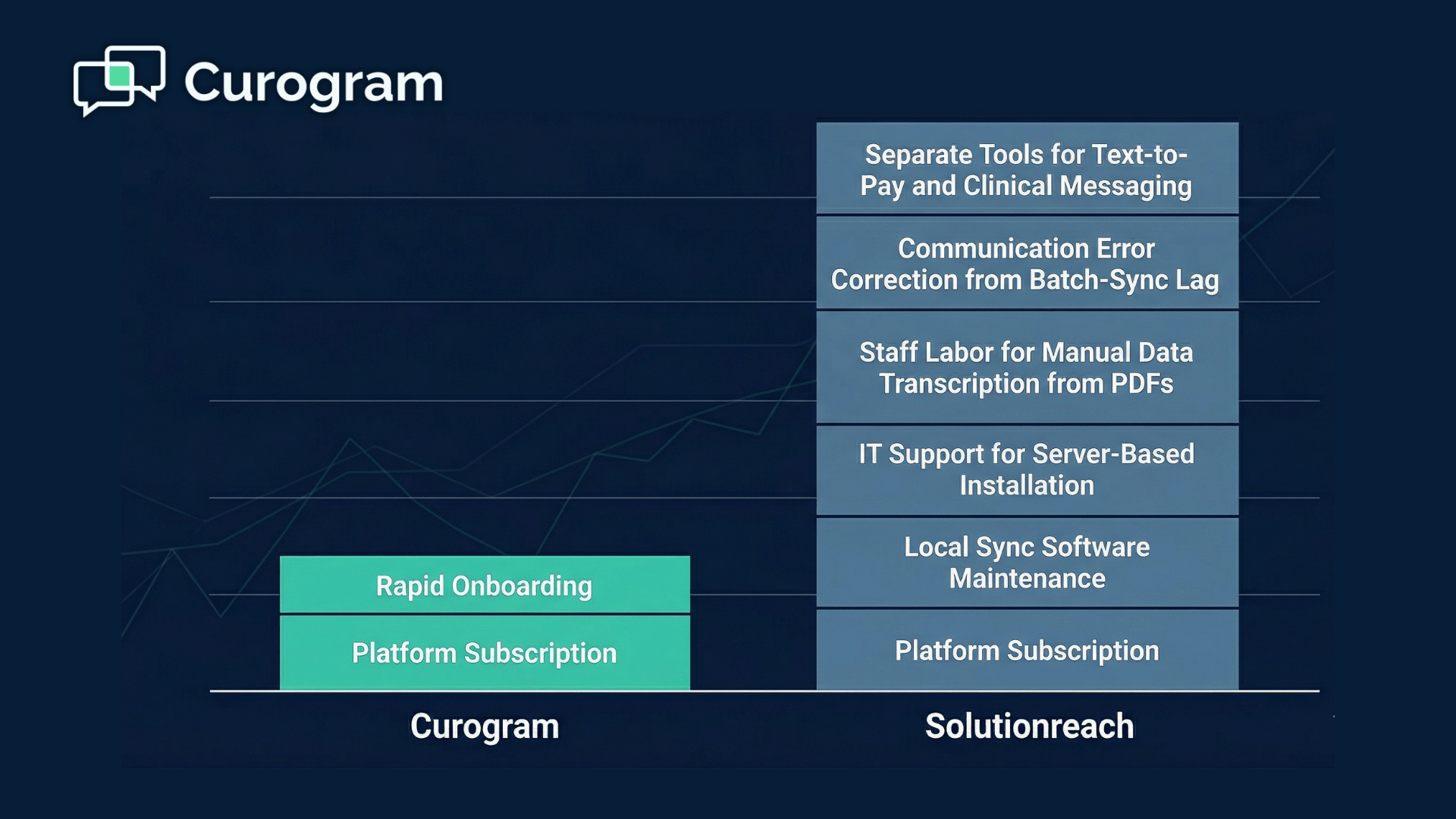
The architecture is where multi-location groups hit friction. Solutionreach runs on batch-sync software installed on a clinic workstation, pulling schedule data a few times a day rather than in real time.

Between those uploads, the platform works from stale information, so a reminder can go out for a slot that already changed. That mismatch creates the exact confirmation calls a texting tool is supposed to remove.

Routing is lighter too. Messages don't sort to the right site and team by rule the way an enterprise system does, so staff at a larger group end up triaging replies by hand. Text payments aren't native either, which leaves another workflow to an outside vendor.

None of that sinks a single busy office focused on reviews and reminders. The strain shows up once you're coordinating many locations that need real-time accuracy and clean routing.


Best fit: A single site or small group that leans on reputation management and can live with batch updates. For a routing and sync comparison, see the full comparison of Curogram vs Solutionreach.


#6 TigerConnect: Best for Clinical Team Messaging

TigerConnect solves a different problem than the rest of this list. It's built for staff communication, the secure messaging doctors, nurses, and on-call teams use to coordinate care. Hospitals rely on its alerting and escalation features to reach the right person fast during a shift.

At that job, it's genuinely strong. Role-based alerts, on-call schedules, and priority messages reach whoever is covering. That speed matters in a large system with many departments and shift handoffs.

Patient texting sits outside its lane. TigerConnect focuses on staff-to-staff messaging, not patient texting for scheduling, reminders, or intake. A multi-location group trying to cut front desk call volume won't find patient-facing routing, reminder automation, or review requests here.

That's why most systems that use it pair it with a separate patient communication platform. TigerConnect covers the clinical side, and a tool like the others on this list covers the front desk and patient-facing side. The two aren't competing for the same slot.

Because the products solve separate problems, there's no Curogram comparison page for TigerConnect. If your gap is secure messaging among staff, it's a strong pick. For patient texting across locations, you'll want one of the platforms above.


Best fit: Health systems that need secure clinical messaging among staff, usually alongside a dedicated patient texting tool.


Practice leaders in a boardroom reviewing a projected patient texting routing diagram for multiple locations

How Texting Reduces Inbound Call Volume

Most inbound calls at a busy front desk fall into a handful of buckets. Secure provider-patient texting handles each one before a patient reaches for the phone.

Call driver

Texting automation that deflects it

"Am I still on for Tuesday?"

Automated reminder and confirmation

"I need to reschedule"

Two-way text reply; EHR updates the slot

"Are my forms done?"

Digital intake link sent by text

"What do I owe?"

Text-to-pay balance and link

"Is my refill ready?"

Routed text to the clinical team

"What are your hours?"

Auto-reply or a saved template


A Worked Example

Say one location books 60 appointments a day and, without texting, fields 40 inbound calls: reminders, reschedules, and "did you get my form" checks.

Turn on automated reminders and confirmations, and those calls mostly stop. Covina Arthritic Clinic confirms more than 1,100 visits a month by text, based on our internal data, with no staff dialing.

Put rough numbers on it. If automated confirmations and two-way replies deflect even half of those 40 daily calls, that's 20 fewer calls a day, close to 400 a month per site, freed up for your front desk.

Those figures are illustrative, scaled from a typical call mix, not a measured client result. The measured result we can point to: confirmation rates above 75% and no-show rates 53% below the industry average across Curogram clients.

Why Real-Time Sync Makes It Stick

Real-time sync is what keeps the deflection from unraveling. When a reschedule updates the chart instantly, the next reminder goes out correct, and you skip the follow-up call a stale reminder creates.

Batch-sync tools that update a few times a day can send wrong-time reminders between uploads, which puts calls right back on your phones.


How to Choose Patient Texting Software for Multiple Locations

Match the platform to how your organization is actually built, not to the longest feature list.

By Size and Structure

Regional group, 3 to 15 sites: prioritize rule-based routing, cross-site reporting, and native EHR sync. You want one standard, a fast setup, and staff who can manage rules without IT. Curogram, and within ModMed, Klara, fit here.

Large system or IDN, 50-plus sites: automation depth and custom workflows carry more weight, and you likely have the IT to run them. Artera and Luma Health are built for this.

Single site or small group leaning on reputation: Solutionreach can cover it, if you accept batch updates. Clinical staff messaging is a separate need that TigerConnect fills.

Buyer Checklist

Ask every vendor:

  • Does routing send messages to the right site and team by rule?
  • Can one admin manage all locations, permissions, and templates?
  • Does the EHR sync write back in real time, and what data?
  • Can I see no-show and response reports by location?
  • Is there a signed BAA, and how is TCPA consent handled?
  • What's the rollout timeline and training load for our number of sites?

For the wider field beyond multi-location tools, read the complete patient texting platform comparison.

Conclusion

Run patient texting one site at a time, and you rebuild the same backlog at every front desk. Run it from one inbox, and the whole group finally works off a single source of truth: every text routed by rule, every location visible in one report, every reschedule written back to the chart before the next reminder fires.

That difference is why Curogram tops this list for multi-location practices. It pulls the routine calls off your phones while holding every site to one standard.

The other five each own a lane. Klara is a smart pick on ModMed. Artera and Luma Health suit large systems with IT to spare. Solutionreach fits a reputation-first office, and TigerConnect handles clinical staff messaging next to a patient tool.

Your call comes down to three things: how many sites you run, which EHR you're on, and how much setup your team can absorb.

For a group standardizing across locations, the shortlist gets short fast. If you want rule-based routing, cross-site reporting, real-time EHR sync, and fewer inbound calls in one platform, Curogram is built for exactly that.

See it run on your own numbers. Request a demo and we'll map your locations, your EHR, and your busiest call drivers, then show the routing and automation that clear them off your front desk.


Frequently Asked Questions

How does patient texting reduce inbound call volume across multiple locations?

Automated reminders, confirmations, two-way replies, and text-to-pay answer the routine questions behind most front desk calls. Handled by text before a patient dials, scheduling and confirmation calls drop sharply at every site you run.

How does texting work across several locations without messages getting mixed up?

A shared inbox pools every site's texts on one screen, and rule-based routing sends each message to the correct location and team. Role-based access keeps one clinic's threads out of another's queue, even across dozens of sites.

Why does real-time EHR sync matter for a multi-location texting platform?

When a patient reschedules by text, real-time sync updates the chart instantly, so the next reminder shows the correct time. Batch-sync tools refresh a few times daily, sending wrong-time reminders that trigger more calls.

Why do enterprise platforms like Artera and Luma Health take longer to roll out?

They offer deep, custom automation built for large systems, which means more setup, workflow mapping, and staff training. Groups without dedicated IT often feel that setup effort well before they see daily results.

How should a multi-location group compare patient texting software before buying?

Test routing, central admin, real-time EHR write-back, per-location reporting, BAA and TCPA handling, and rollout timeline. Match those to your site count and EHR, then run a demo on your own workflow.


Best Secure Texting Platforms for Small Clinics (2026)

Best Secure Texting Platforms for Small Clinics (2026)

💡 The best secure texting platforms for small clinics in 2026 are Curogram, OhMD, Spruce Health, Klara, Weave, Falkon SMS, TigerConnect, and...

Read More
Curogram vs. Solutionreach: Total Cost of Ownership and ROI Analysis

Curogram vs. Solutionreach: Total Cost of Ownership and ROI Analysis

💡 Evaluating the curogram solutionreach cost comparison roi means looking beyond the monthly subscription fee. Solutionreach runs on a batch-sync...

Read More
Curogram vs Klara: A Clinical Workflow Automation Guide

Curogram vs Klara: A Clinical Workflow Automation Guide

💡 Curogram and Klara both support medical practices, but they are built for different scopes of work. Klara is a messaging-first platform designed...

Read More