
Which Part of Your Workflow Needs Integration First?
💡Not every process needs integration on day one. The key is knowing where to begin. By identifying the most painful parts of your...
10 min read
Aubreigh Lee Daculug
:
February 7, 2026
Virtual care has changed how medical practices serve their patients. But many clinics still struggle with complicated telehealth systems. Patients download apps they'll never use again. Providers deal with multiple platforms that don't talk to each other. The result? Missed appointments and frustrated people on both ends.
Your virtual care clinical workflow should make life easier, not harder. When you build automation into your telehealth process, everything flows naturally. No more tech support calls before appointments. No more patients clicking through confusing portals.
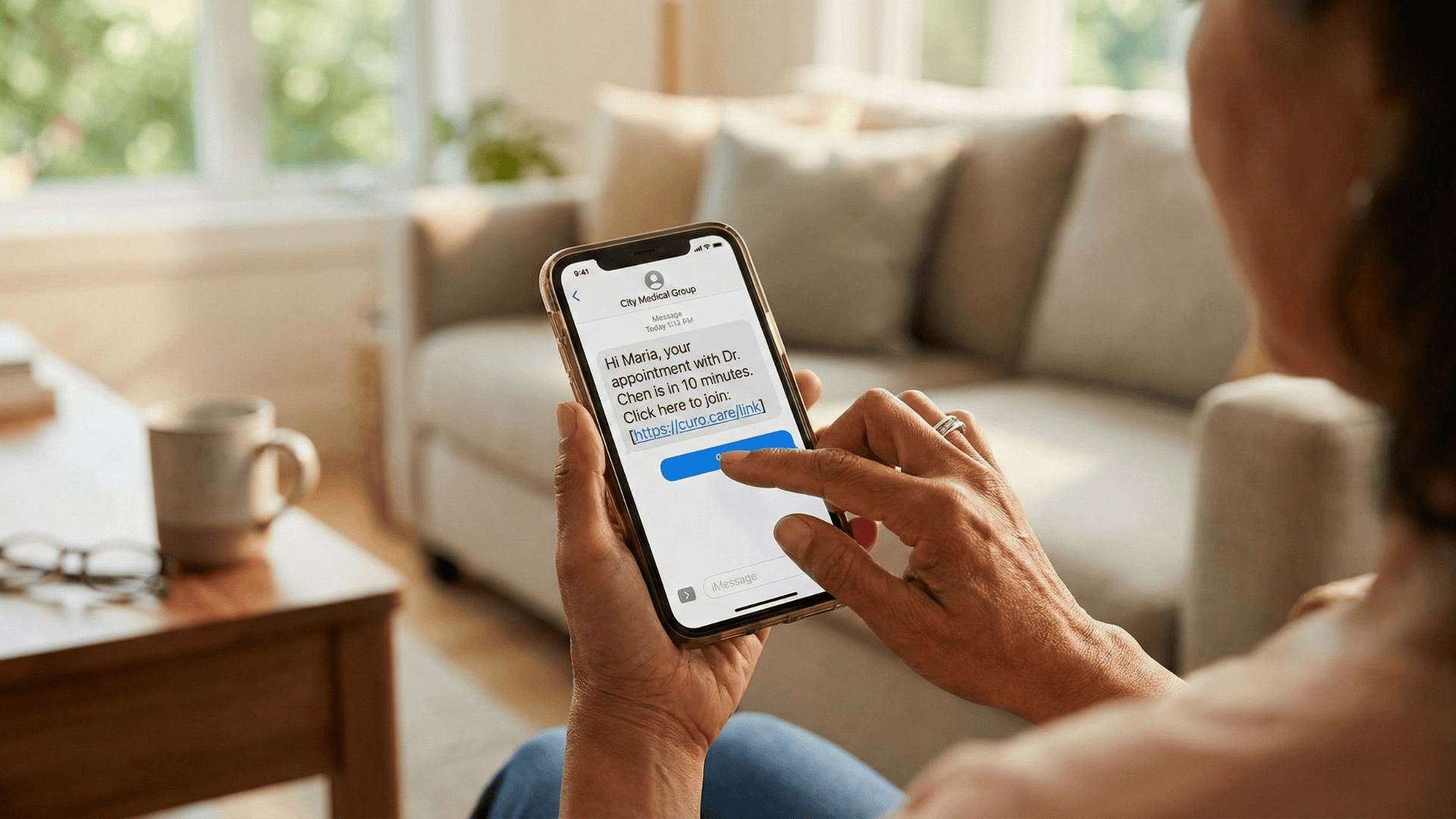
The best virtual visit systems work in the background. Patients get a text message with a secure link. They click it. The video call starts. Simple.
This approach transforms the telehealth patient experience. Instead of fighting with technology, patients focus on their health. Your staff spends less time troubleshooting and more time caring for people.
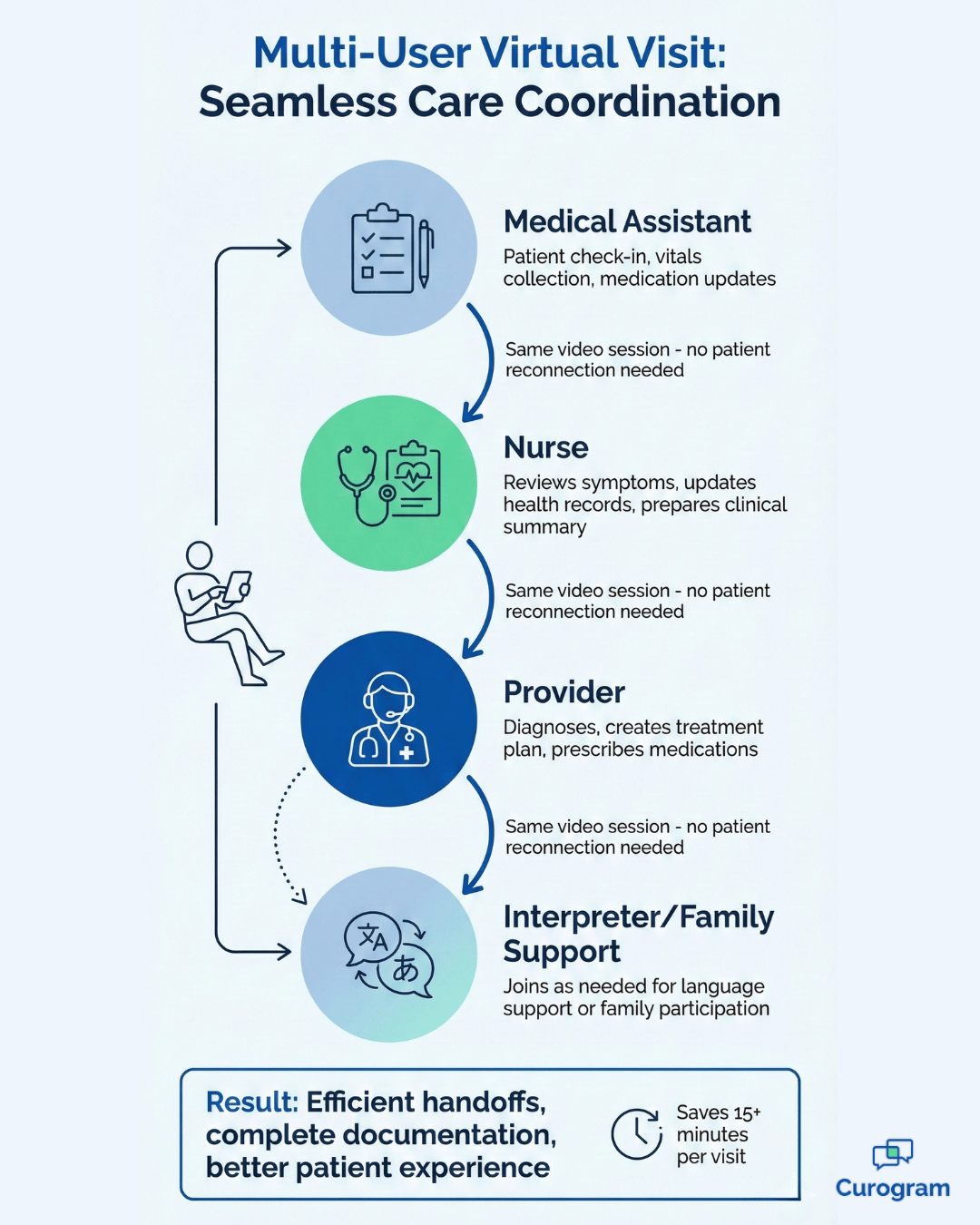
Smart automation also helps with coordinated telehealth care. When your whole team can access the same virtual room, handoffs become smooth. A nurse can start the visit, gather information, then bring in the doctor without making the patient rejoin.
The goal isn't just to offer virtual visits. It's to create a workflow that feels as natural as an in-person appointment. When automated virtual visit links arrive at the right time, patients show up ready. When your EMR and telehealth system work together, your clinical data stays organized.
This guide shows you how to build a virtual care clinical workflow that actually works. You'll learn how automation removes barriers, how to coordinate care across your team, and how to make telehealth fit seamlessly into your practice.
Most telehealth problems start before the video call even begins. The technology gets in the way of care instead of supporting it. Patients and providers face obstacles that make virtual visits feel frustrating and inefficient.
From complicated login instructions to disconnected systems, these issues slow down care, reduce engagement, and even lead to missed appointments. When the workflow is clunky, patients may feel anxious or confused, staff spend extra time troubleshooting, and your practice loses revenue while struggling to deliver quality care.
Patients face a common struggle with app downloads. They need to install new software for a single appointment. Many don't have the storage space on their phones. Others lack the tech skills to navigate app stores and permissions. This creates frustration that leads to missed visits.
The app download requirement acts like a villain in your virtual care story. It blocks access instead of opening doors. When patients can't figure out the technology, they skip their appointments. Your practice loses revenue, and patients miss important care.
Communication silos create another major problem. Many practices use standalone video tools that don't connect with their EMR. This means staff enter the same information twice. Appointment details live in one system. Clinical notes go in another. This wastes time and creates mistakes.
Your team shouldn't need to jump between platforms to deliver care. When systems don't sync, important details slip through the cracks. A patient's updated phone number might be in the EMR but not in the video plxatform. Then automated virtual visit links go to the wrong place.
Regulatory complexities add stress to virtual visits. HIPAA compliance matters just as much online as it does in person. But managing patient privacy in a virtual setting gets tricky fast. Which platforms are secure? How do you document consent? What happens if data gets exposed?
These challenges pile up until virtual care feels like more trouble than it's worth. But it doesn't have to be this way. The right virtual care clinical workflow removes these barriers completely.
Smart automation transforms complicated processes into simple ones. Instead of asking patients to prepare for technology, the technology prepares for them, res and making virtual care effortless.
Automated link delivery makes virtual visits feel natural. The system sends secure telehealth links via text exactly when patients need them—sometimes 10 minutes before the appointment, sometimes 24 hours ahead with a reminder.
You control the timing based on what works for your practice. This approach removes the guesswork: patients don’t need to search email for login instructions, remember passwords, or navigate portals. The link arrives right when they’re ready to connect.
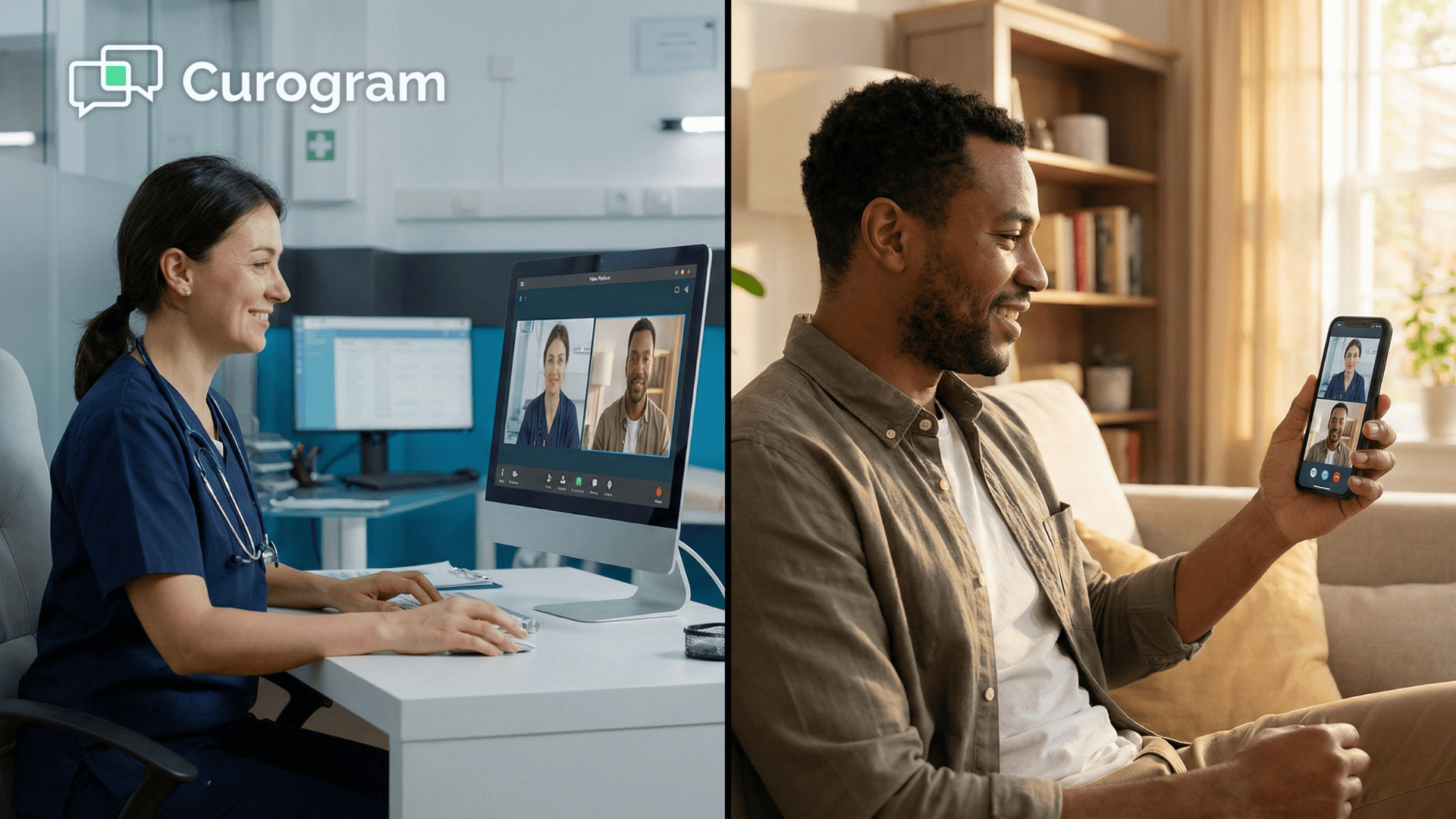
Mobile-first accessibility meets patients where they are. Most people keep their phones nearby all day, so a simple text with a video link aligns with their habits. One click launches the visit in their phone’s browser—no apps, no downloads, no confusion.
This simplicity improves the telehealth patient experience dramatically. Patients feel confident rather than anxious, knowing they can connect without tech support, which translates into fewer no-shows.
Automation also enhances patient interaction:
Patients can text questions before their visit and receive quick responses.
Video links connect instantly when clicked, ensuring a seamless experience.
The result is a workflow powered by workflow automation that empowers both patients and providers. Patients gain easy access to care, and providers can focus on medical decisions instead of technical troubleshooting. Everyone benefits when smart automation handles the logistics, creating virtual visits that feel effortless and reliable.

Virtual care works best when your whole team can participate seamlessly. A well-designed virtual care clinical workflow, enhanced with workflow automation and HIPAA-compliant texting, supports multiple staff members working together, reducing friction and improving the patient experience.
Coordinated telehealth allows different team members to join the same virtual visit without requiring the patient to reconnect. For example, a nurse can start the appointment, take vitals, update medications, and ask screening questions, then hand off to the provider in the same video room.
This mirrors the workflow in a physical office but keeps everyone in one place while the technology adapts to your processes instead of forcing you to adapt to it.
Medical assistants can document in real-time while providers speak with patients, saving time and reducing errors. Nothing gets lost in translation between team members, and care is delivered more efficiently.
Some patients need extra support during virtual visits, and multi-user features make this possible:
Interpreters can join calls to ensure patients fully understand their diagnosis and treatment plan.
Family members can participate, whether it’s an adult child helping an elderly patient or a partner attending a child’s appointment.
Making space for these additional participants shows respect for patients’ needs and ensures everyone leaves the visit with the same information. This thoroughness reduces miscommunication, improves adherence, and strengthens patient outcomes.
Different medical specialties also require tailored workflows. Cardiologists might use video visits for post-procedure follow-ups, reviewing test results while talking with patients. Dermatology clinics often ask patients to submit photos beforehand, which are securely reviewed during the appointment.
Primary care practices may conduct monthly virtual check-ins for chronic disease management, reviewing logs, and adjusting medications as needed. The same core automation supports all these workflows; the key is customizing the details to fit each practice’s style and patient population.
Coordinated telehealth empowers both patients and providers. By supporting multiple participants, enabling real-time documentation, and flexing to specialty-specific needs, a well-designed virtual care workflow ensures seamless, high-quality visits every time.
The best telehealth platforms don’t replace your existing systems—they connect with them. This integration creates a seamless virtual care clinical workflow that your staff can learn quickly, while keeping all your existing processes intact.
By building on systems your team already uses, telehealth becomes a natural extension of care rather than a disruptive add-on.
Direct EMR sync keeps all your data in one place. When patients schedule virtual visits, those appointments appear in your EMR automatically. When visits end, notes go straight into patient charts. This eliminates the double-entry work that wastes staff time.
Your EMR becomes the single source of truth. Patient demographics, insurance information, and medical history all live there. The telehealth system pulls what it needs without creating duplicate records. This prevents conflicts and reduces errors.
Key benefits of EMR integration include:
The integration also helps with billing. Virtual visit codes flow into your billing system just like in-person visits. Your revenue cycle stays intact. Nothing about the payment process changes just because the visit happened online.
Reduced administrative burden comes naturally with good automation. Your front desk staff doesn't need to manually send video links. The system handles that based on appointment schedules. Staff members spend less time on routine tasks and more time on complex patient needs.
This efficiency matters more as your practice grows. Adding telehealth shouldn't mean adding administrative work. The right tools scale with you, handling more patients without requiring more staff hours.
Training time matters when you introduce new technology. Complex systems can take weeks to master. But platforms designed for front desk staff work differently. Most people can learn the basics in less than 10 minutes.
This quick adoption happens because the system mimics familiar workflows. Sending a text message with a video link feels natural. Checking appointment schedules works the same way it always has. The interface doesn't fight against your team's instincts.
When new staff join your practice, they get up to speed fast. The telehealth patient experience doesn't suffer during transition periods. Patients receive the same reliable service regardless of who's working that day.

A well-designed virtual care clinical workflow creates measurable improvements across your practice. These changes show up in your numbers and in patient feedback.
Reaching remote populations becomes possible with simple technology. Patients in rural areas often lack reliable internet for video calls on computers. But most have smartphones with data plans. SMS-based virtual visit links work on basic connections.
This accessibility matters for healthcare equity. Elderly patients who struggle with computers can handle text messages. People with limited English skills can navigate one-click video links. The technology barrier drops low enough that more people can access care.
Your practice serves a wider community when virtual care works simply. Patients who couldn't make in-person visits can now connect. This expands your patient base while filling appointment gaps from cancellations.
Seamless virtual transitions maintain the personal touch of your practice. When a patient calls with urgent symptoms, your staff can quickly switch to a video visit. The coordinated telehealth care happens in minutes instead of days.
Post-procedure follow-ups become more convenient for everyone. Instead of asking patients to drive in just to check healing progress, you can do a quick video check. This saves patient time while letting you monitor recovery closely.
Patients appreciate this flexibility. They feel cared for without feeling burdened. Virtual visits fit into their work schedules and family obligations. This convenience builds loyalty and improves satisfaction scores.
Positive and secure care builds trust with patients. When automated virtual visit links come from familiar phone numbers, patients recognize your practice. When video connections work reliably, patients trust the technology. When you explain HIPAA protections, patients feel safe sharing health information.
This sense of security encourages long-term telemedicine adoption. Patients who try virtual visits once will use them again. They tell family and friends about the convenience. Your telehealth program grows through positive word-of-mouth.
The data backs up these improvements:
These outcomes prove that smart automation works. The right virtual care clinical workflow delivers real, measurable value for your practice and your patients.
Building an effective virtual care clinical workflow starts with choosing the right tools. You need a platform that automates the complicated parts while keeping the patient experience simple.
Look for systems that integrate directly with your current EMR. This connection ensures data flows smoothly without creating extra work for your team. The telehealth patient experience improves when technology works in the background.
Prioritize mobile-first solutions that work via text message. Automated virtual visit links should arrive when patients need them and launch with one click. This accessibility removes barriers and reduces no-shows.
Consider how the platform supports coordinated telehealth care across your team. Can multiple staff members join visits? Can you include interpreters or family members when needed? These features matter for comprehensive care delivery.
Think about your specialty-specific needs. Does the workflow support your unique requirements? Can you customize automated messages and visit types? Flexibility helps the system grow with your practice.
Most importantly, choose a platform that respects HIPAA requirements. Security and compliance should be built in, not added on. Your patients trust you with their health information. The technology should protect that trust.
The right virtual care clinical workflow transforms how you serve patients. Virtual visits become just another appointment type, not a separate complicated process. Your staff feels confident. Your patients feel cared for. Your practice runs more efficiently.
Virtual care should simplify healthcare delivery, not complicate it. When you build smart automation into your virtual care clinical workflow, everything becomes easier. Patients click one link and connect. Staff members coordinate seamlessly across appointments. Data flows automatically between systems.
The key is removing unnecessary barriers. No app downloads. No confusing portals. No duplicate data entry. Just straightforward automated virtual visit links that arrive when needed.
This approach improves the telehealth patient experience while making your team more efficient. Practices reduce no-shows, expand access to care, and maintain the personal touch that defines quality healthcare. The technology supports your mission instead of distracting from it.
Your practice can achieve these results too. The right platform makes coordinated telehealth care possible without overwhelming your staff or patients. Virtual visits become a natural extension of your clinical workflow.
Ready to transform your virtual care workflow? Book a demo to see how Curogram's smart automation can simplify your telehealth delivery and enhance patient engagement. Discover how automated virtual visit links, EMR integration, and mobile-first accessibility create better outcomes for your practice and your patients.
An effective virtual care clinical workflow uses automation to remove technology barriers. It integrates with your EMR, sends automated virtual visit links via text, and requires no app downloads. The system should support your whole care team and maintain HIPAA compliance while making visits feel natural for patients.
Automated virtual visit links arrive via text message at the perfect time. Patients click once to join without downloading apps or remembering passwords. This simplicity reduces tech-related no-shows by up to 50%. When technology works easily, patients show up reliably.
Coordinated telehealth care means multiple team members can participate in the same virtual visit. A nurse might start the appointment for intake, then bring the provider into the same video room. You can also include interpreters or family members when needed. Everyone works together just like in-person visits.
Yes, when you use SMS-based virtual visit links. Most patients have smartphones even if they lack computers or reliable home internet. Text messages work on basic data connections. One-click video links launch in phone browsers without requiring app downloads. This accessibility helps serve elderly patients, rural communities, and anyone with limited tech skills.
Platforms designed for front desk staff typically require less than 10 minutes of training. The interface mimics familiar workflows like sending text messages. Staff can get up to speed fast because the system doesn't fight against their instincts. New hires adapt quickly too.
💡Not every process needs integration on day one. The key is knowing where to begin. By identifying the most painful parts of your...
💡 Medical practices lose thousands of dollars every month from missed appointments. Automated appointment reminders help solve this problem by...
Healthcare professionals (HCPs) consider finding a way to improve healthcare quality in the United States a critical undertaking to succeed in...