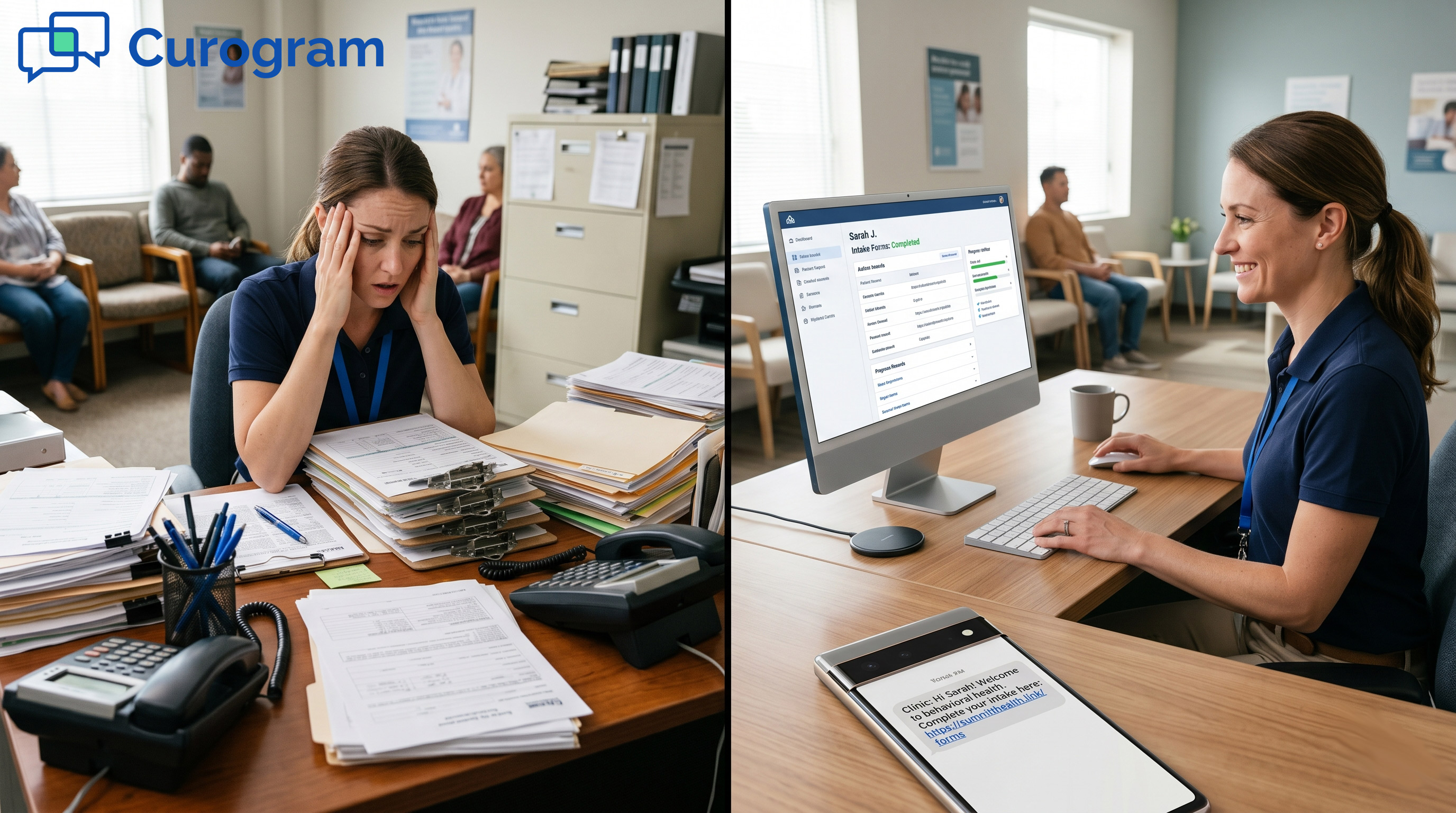

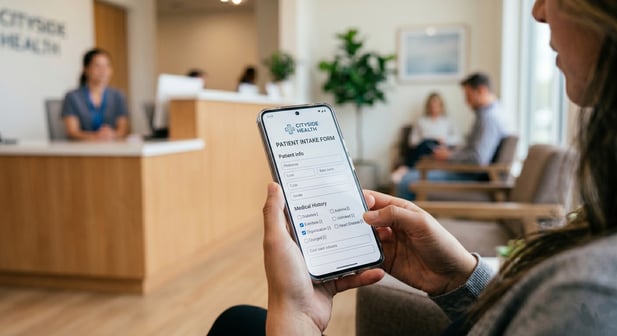

Curogram texts the form link to the client's phone. The client fills it out before the visit. The data lands on your dashboard, ready to review.
No Proven API is needed. Your team skips the paper packet, the clipboard, and the manual typing. Staff save 15+ minutes per new client, based on Curogram client data from clinical settings.
The forms cover consent, insurance, and screeners like PHQ-9 and GAD-7. You tailor each packet by program.
Curogram is HIPAA, SOC 2 Type II, and 42 CFR Part 2 compliant. Proven EHR runs your clinical notes, and Curogram handles the intake that feeds them.
Picture a normal intake day. A new client books a visit. Your front desk prints a thick packet. Then they ask the client to show up 20 minutes early to fill it out.
Some clients do. Many do not. People with anxiety or active addiction often skip that early window. A few skip the visit entirely.
When the client arrives, the real work begins for staff. Someone types every line from paper into the system by hand.
That takes 15+ minutes per new client, based on Curogram client data from clinical settings. Across a busy week, it adds up fast.
This is the data entry trap. Your team chose this field to help people, not to retype forms. Proven EHR powers your clinical notes and billing with strong AI tools. Still, it does not solve the paper-and-clipboard mess at the front door.
That gap is where automation helps. With Proven EHR intake form automation for staff workflow, forms go out by text the moment a client is scheduled.
Clients tap, type, and submit on their own phone. The answers flow straight to your dashboard, clean and ready.
No early arrival. No clipboard. No manual typing. This guide walks your staff through the setup, step by step.
You will see how to build the forms, trigger them on autopilot, and review them before each session. The goal is plain: less busywork, more care, and a calmer first visit for every client.
The Villain: The Data Entry Trap – 15 Minutes Per Client, Every Client
Every paper packet creates hidden work. The cost is not just paper. It is staff time, focus, and morale. Let us break down where it all goes.
The Cost of Manual Entry
Manual intake is a two-step chore. First the client writes on paper. Then a staff member types it all into the system. Nothing is gained in that second step except errors and lost minutes.
The Double-Touch Workflow
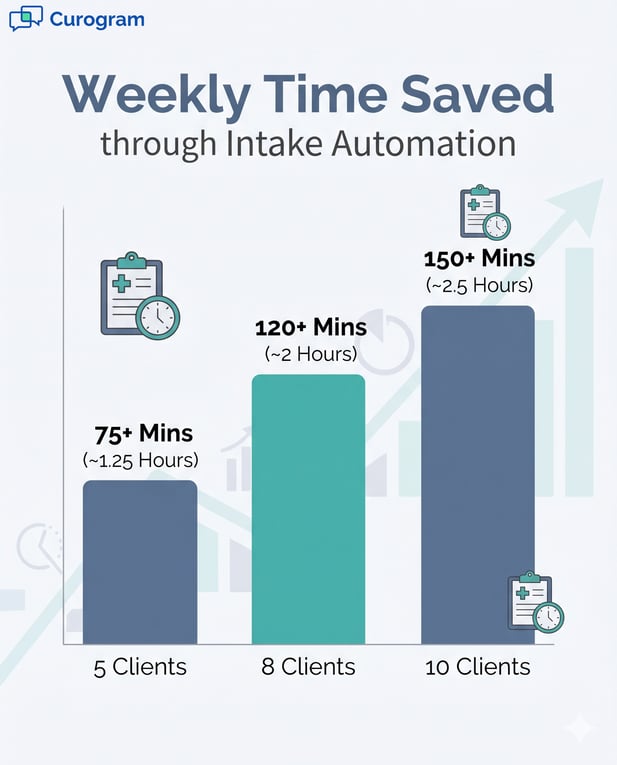
Print the packet. Hand it over. Collect it. Type it in. Each new client runs through this loop, and each loop eats 15+ minutes, based on Curogram client data from clinical settings. At 5 to 10 new clients a week, that is 1 to 2.5 hours lost to typing alone.
Errors That Spread
Hand-typed data is risky. A wrong digit on insurance can stall a claim. A misread score on a screener can skew the clinical picture. These small slips ripple into billing and care.
Why the Strain Hits Staff Hard
Peak intake days jam the front desk. Forms pile up. Staff rush, and rushing breeds mistakes. The bottleneck is real, and it shows up at the worst times.
There is a human cost too. Your team trained to support clients in crisis. Instead they spend hours as typists. The work feels hollow because the better way already exists.
This is the core problem the rest of this guide solves. When you automate intake forms alongside Proven EHR, the double-touch loop disappears.
The paperless intake setup for Proven EHR turns that lost hour into client time. Next, we will look at how the setup actually works.

The Guide: Curogram – Automate Intake, Eliminate Paper
The fix is a clear, fast setup. You build your forms once, then let them run. Here is how a digital intake workflow for behavioral health comes together.
Set Up Your Digital Forms
Setup happens in two simple moves. You build the packet, then you tell it when to send. After that, the forms work on their own.
Build the Form Library
Start with your standard packet. Add consent, the privacy notice, insurance, and screeners like PHQ-9, GAD-7, and AUDIT-C. Then tailor packets by program.
A psychiatry intake, a therapy intake, an IOP form, and a MAT form can each carry the right questions.
Trigger Forms by Schedule
Next, link form delivery to your booking events. When a new client is scheduled, the form goes out by text on its own. The client taps the link, fills it in on their phone, and submits. No login, no app, no paper.
It Works Alongside Proven EHR
Here is the part staff worry about most. You do not need a Proven API. You do not change a single setting in Proven EHR. Curogram runs beside it, not inside it.
Completed forms land on your Curogram dashboard. Staff scan them before each session. Then they continue clinical notes in Proven, as always. The two tools stay in their lanes and play well together.
The dashboard also tracks who is done and who is not. If a client has not finished, staff can send a quick text nudge.
This is intake form automation for a Proven practice without the tech headache. It is also how you eliminate paper intake so Proven EHR staff stop chasing clipboards.
The Success: Zero Paper, Zero Data Entry Errors
Once forms run on their own, the payoff shows up fast. Staff feel it in their day. The practice sees it in the numbers.
Time and Accuracy Wins
Two gains stand out right away. You win back hours, and you cut errors to zero. Both start the moment the first form goes digital.
Hours Back Each Week
The math is simple. Save 15+ minutes per client, then multiply by your weekly new clients. The table below shows the time you reclaim, based on Curogram client data from clinical settings.
|
New Clients per Week |
Minutes Saved |
Weekly Time Back |
|---|---|---|
|
5 |
75+ |
About 1.25 hours |
|
8 |
120+ |
About 2 hours |
|
10 |
150+ |
About 2.5 hours |
Fewer First-Session No-Shows
Digital forms also remove the early-arrival rule. Clients no longer dread a 20-minute paperwork window before a hard first visit.
That small change keeps anxious clients from backing out. Fewer first sessions slip away.
From Clipboard to Dashboard
The shift has a name: from clipboard to dashboard. Staff stop typing and start reviewing. The workflow is digital from the very first touchpoint.
Direct digital submission also kills transcription errors. There is no second hand-entry step, so there is nothing to mistype. Insurance details and screener scores arrive exactly as the client entered them.
That accuracy protects both billing and care. Clean data means cleaner claims. It also means a clearer clinical picture from the very first note.
Best of all, staff get their time back for real work. They greet clients instead of collecting forms. They prep for sessions instead of retyping pages. The first touchpoint feels calm, not chaotic.
Conclusion: Stop Printing, Start Texting
Paper intake is a habit, not a need. You can break it this week. The tools are ready, and the setup is quick.
Here is the short version. Automating intake beside Proven EHR clears the paper packet, the manual typing, and the early-arrival rule. Setup takes minutes. The savings grow with every new client you see.
Think about the two roles at play. Proven EHR runs your clinical notes and billing with strong AI. Curogram runs the intake that feeds those notes. One does not replace the other; they simply cover different jobs.
Digital intake is not a luxury anymore. It is the baseline for a modern practice. Clients expect to tap a link, not balance a clipboard. Staff deserve to spend their hours on care, not data entry.
Your team feels this shift first. The double-touch loop ends. The dashboard replaces the typing queue. Mornings start with review, not a stack of paper.
Clients feel it too. They fill out forms at home, in their own time. They arrive ready, with less stress before a hard first session. That calm can be the reason they come back.
The gains are easy to track. You save 15+ minutes per client and win back 1 to 2.5 hours each week. You also drop to zero transcription errors from direct digital submission. These figures come from Curogram client data from clinical settings.
So stop printing, and start texting. Pick one program and build its form packet first. Turn on the trigger, then watch the next intake run itself. From there, roll it out to the rest of your practice.
You do not need a big project to begin. Book a demo to see the whole flow, from text to dashboard.
Frequently Asked Questions
Forms send out by text the moment a new client is booked. The client fills them in on their phone and submits. The answers post to your Curogram dashboard, with no Proven API needed. Staff then review the data and keep documenting in Proven EHR as usual.
Many practices ask clients to arrive 20 minutes early to fill out paper. People with anxiety or active addiction often skip that window. Some skip the whole visit to avoid it. Removing the early-arrival rule lowers that drop-off.
Completed forms appear on the Curogram dashboard before each day's sessions. Staff scan them in seconds, not minutes. They can see consent, insurance, and screener scores at a glance. Then they move into Proven EHR for clinical notes.
Behavioral health intake leans heavily on screeners. The form builder supports PHQ-9, GAD-7, AUDIT-C, and custom tools. You can match each packet to the program, like therapy, psychiatry, IOP, or MAT. That way every client gets the right questions.
The dashboard flags any form that is still open. Staff can send a quick text reminder to nudge the client. If the client still arrives unfinished, they can complete it on a tablet or phone in the lobby. Either way, the front desk avoids printing a packet.