


10 min read

NextGen Intake Forms | Structured Write-Back, Not PDF Attachments

NextGen Intake Forms | Structured Write-Back, Not PDF Attachments
💡 NextGen Enterprise patient intake forms built on Curogram's Structured Write-Back Pipeline deliver text-based forms to patients before their visit. 

When patients tap the link and complete the form on their phone — no portal login, no app download — their responses map directly to structured chart fields in NextGen Enterprise: demographics, HPI, ROS, insurance, and consent.

For large ambulatory organizations managing 20 to 100+ providers across multiple locations, this eliminates the manual transcription bottleneck that has quietly been undermining the data architecture NextGen was built to support.

The result: 80%+ form completion rates, thousands of staff hours recovered every month, and a pre-visit chart that is ready for review — not data entry.

Think about what happens the moment a patient completes their intake form.

They fill out their name, date of birth, insurance ID, chief complaint, and medical history. They answer every question carefully. They hit submit and feel like they've done their part.

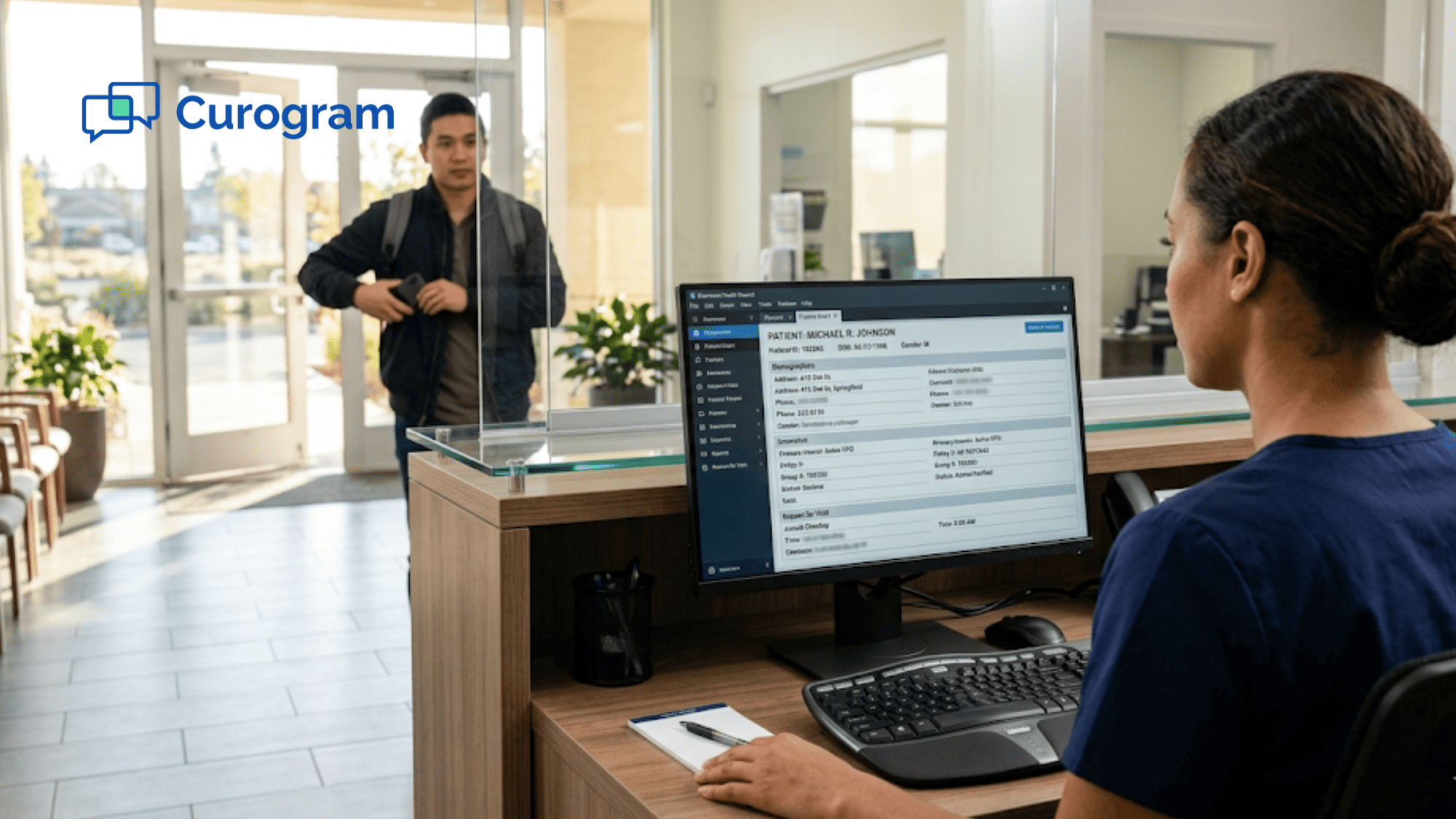
Then your front desk staff opens the submission — and instead of that data flowing cleanly into the patient's NextGen Enterprise chart, they see a PDF. A flat, static document sitting in the document bin, completely disconnected from the structured fields the chart actually needs.

So a staff member opens the PDF, reads the first entry, and starts typing it manually into the demographics module. Then HPI. Then ROS. Then insurance. One field at a time, one patient at a time, all day long.

It sounds simple. It isn't.

For a single patient, this manual transcription takes 5 to 15 minutes depending on form complexity. Across a 50-provider network processing 1,250 patients per day, you're looking at approximately 208 staff hours consumed by manual data re-entry — every single day.

Annually, at an average medical admin wage of $20 per hour, that's roughly $1.08 million per year spent copying information from a PDF into fields it should have populated automatically.

And the risks don't stop at wasted time. One transposed digit in an insurance ID triggers a billing denial.

A missed allergy doesn't make it into the chart. An incomplete ROS creates a documentation gap that affects MIPS quality reporting.

These aren't hypotheticals. They're happening in practices across the country, and the intake process is often where the damage starts.

The frustrating part is this: NextGen Enterprise was built for structured data. Your IT team has spent years configuring chart templates, KBM architectures, and specialty-specific fields.

The system is ready to receive clean, organized, field-specific information.

The problem is that intake — the very first step in the clinical workflow — keeps delivering something else entirely.

This article explains why NextGen Enterprise patient intake forms with structured data write-back are the solution, and how the right pipeline can eliminate manual entry across every location in your network.

Why Your NextGen Data Architecture Has an Intake Problem

NextGen Was Built for Structure. Intake Isn't Delivering It.

NextGen Healthcare Enterprise is, at its core, a structured data system. Your IT directors and clinical champions have invested real time configuring KBM templates, specialty-specific content, and chart architectures built around coded demographics, HPI elements, and ROS responses.

Every piece of that configuration was designed to receive clean, structured data — and to do something useful with it.

Then a patient submits their intake form. And it arrives as a PDF.

Whether that form was completed on paper, through the PxP portal, or via a digital submission, the data does not automatically populate the structured chart fields the clinical encounter requires.

It lands in the document bin — unstructured, unsearchable, and unusable until a staff member manually re-enters every response into the correct module.

That is the NextGen intake data quality gap. For large ambulatory organizations, it is not a minor inconvenience. It is a systemic operational failure running at scale.

The Hidden Cost of Manual Transcription

The math is uncomfortable once you lay it out.

If transcribing a single patient's intake averages 10 minutes, a 50-provider network seeing 25 patients per provider per day is processing 1,250 forms daily. That's roughly 208 staff hours per day spent on data entry alone.

At 250 working days per year, the annual labor cost attributable to manual intake transcription approaches $1.08 million.

Most organizations don't see this as a line item. It's just baked into "how things work."

But the cost is real, and it compounds every time a form is missed, a field is skipped, or an error makes it into the chart before anyone catches it.

When Transcription Becomes a Compliance Exposure

Manual transcription doesn't just consume time. It introduces errors that carry real consequences.

A transposed insurance ID creates a billing denial that ties up your revenue cycle team for days. A medication missed during re-entry creates a patient safety risk. An incomplete ROS creates a documentation gap that affects how your organization performs on MIPS quality measures.

For enterprise organizations accountable for data integrity across dozens of locations, the transcription step is a compliance vulnerability — one that often doesn't get surfaced until a denial hits the revenue cycle or an audit reveals the gap.

IT directors understand the architecture problem clearly. Clinical champions feel it in documentation quality. Operations leaders see it in front desk throughput.

The intake workflow is the weak link, and it's undermining everything else.

The Module Tax: Why NextGen Engage Isn't Always the Right Answer

NextGen Engage was designed to close the digital intake gap. But for many large organizations, it presents a familiar challenge: yet another separately licensed add-on on top of a stack that already includes EHR, PM, and several third-party tools.

Adding another module increases vendor complexity, extends implementation timelines, and raises total cost of ownership.

And when organizations ask the most important question — does the data write back to structured chart fields, or does it create another document requiring manual staff intervention? — the answer isn't always satisfying.

For organizations evaluating a NextGen Engage alternative, structured intake write-back through a purpose-built platform like Curogram typically deploys at lower cost and on faster timelines than adding another licensed module to an already complex stack.

IT directors who have been through integration promises before want to see field-level mapping verified before they sign anything.

What Changes When Intake Data Finally Lands Where It Belongs

Completion Rates That Reflect How Patients Actually Behave

Text messages have a 98% open rate. Email sits closer to 20%. And the friction involved in portal-based intake — creating credentials, remembering a password, navigating an unfamiliar interface — causes a large portion of patients to skip pre-visit forms entirely, arriving at the office with no information captured at all.

NextGen patient forms delivered via text before the visit remove all of that friction. The patient receives a message, taps a link, and completes the form in their phone's browser.

No login. No app. No extra steps.

The result is 80%+ form completion rates for organizations using Curogram — compared to portal-based adoption rates that many practices describe as frustratingly low. For your team, this means intake data is actually in the chart before the encounter begins, not missing from it.

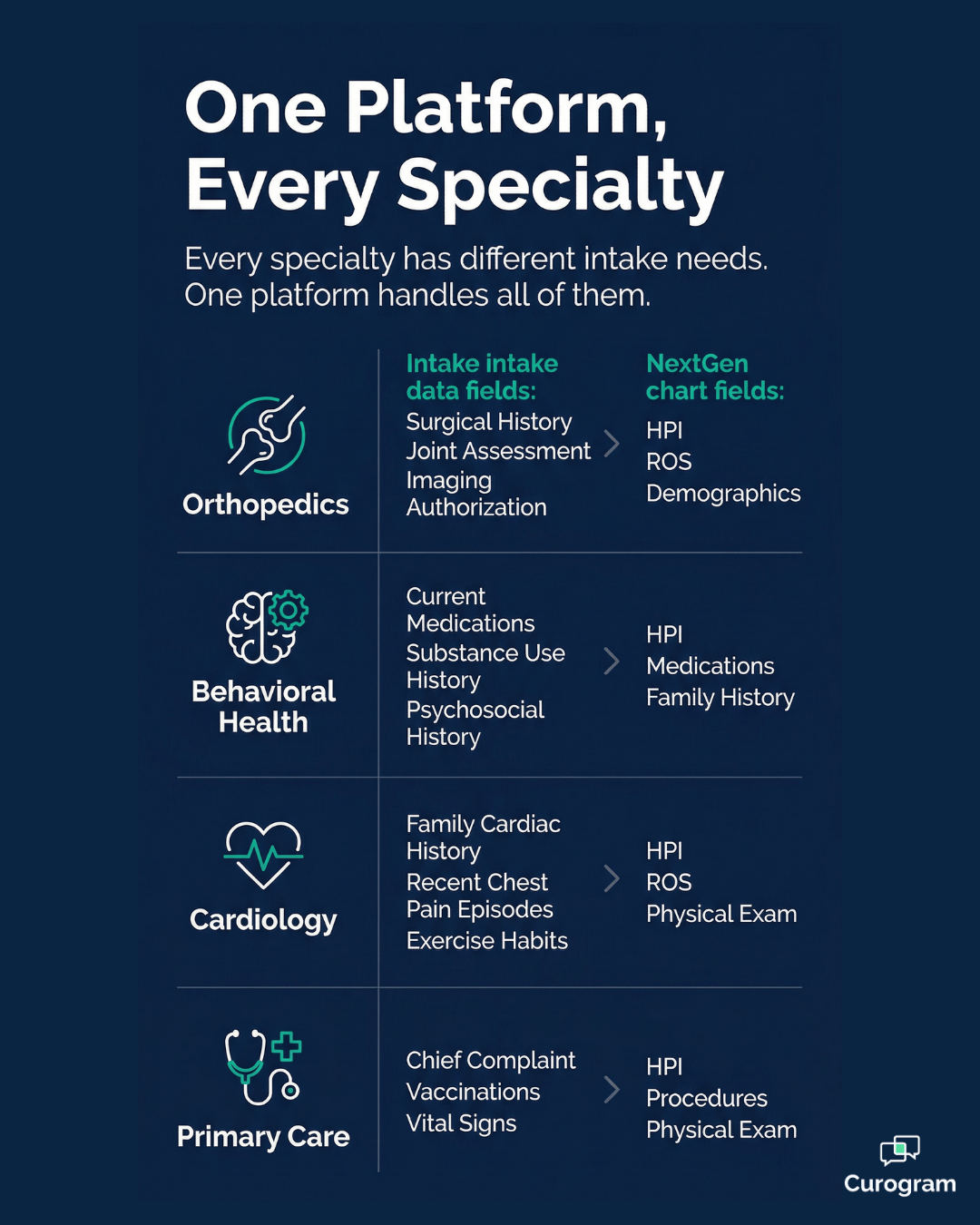
NextGen intake form fields mapped by specialty: orthopedics, behavioral health, cardiology, primary care

The Pre-Encounter Workflow Transforms

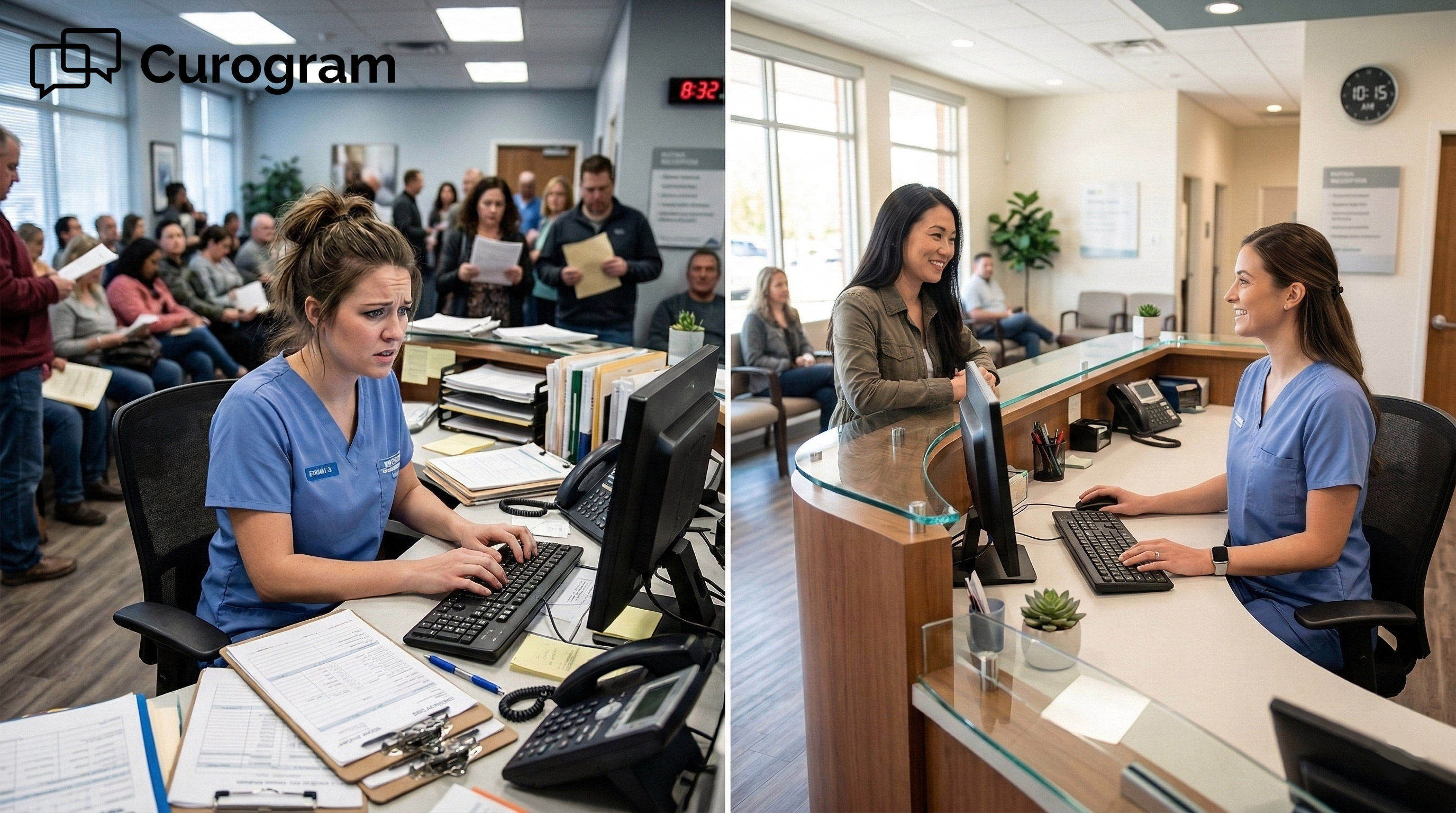
Think about what the morning looks like today.

Your staff arrives, pulls up overnight intake submissions, opens each PDF, and starts manually entering data into NextGen.

Clinicians begin their day waiting for charts to be ready — or they start encounters without complete information, filling in gaps during the visit itself.

The clinician is simultaneously delivering care and cleaning up an intake process that should have been finished hours earlier.

Now picture the same morning with the structured write-back pipeline running. The patient completed their form via text the evening before.

By the time the clinician arrives, demographics are in the demographics module. HPI is populated. ROS is complete. Insurance data is in the correct payer fields.

The clinician's role shifts from entering data to reviewing it. That is not a small change. It is the difference between starting an encounter prepared and starting it blind.

The Numbers Behind the Operational Shift

Scenario Staff Time per Patient Daily Time (1,250 patients) Annual Cost Estimate
PDF-based intake (manual transcription) ~10 min ~208 hrs ~$1.08M
Structured write-back pipeline < 1 min (review only) ~21 hrs ~$109K
Estimated annual savings ~187 hrs/day ~$971K

Illustrative estimate based on a 50-provider network, 25 patients per provider per day, 250 working days annually, at $20/hr average admin wage. Your results will vary.

What this means in practice: eliminating manual transcription at scale recovers nearly $1 million per year in labor costs for a network of this size. For your revenue cycle team, insurance data arriving in the correct payer fields reduces the risk of billing denials caused by transcription errors.

For your operations leaders, front desk staff spend more time supporting patients and less time copying data between systems.

And for clinicians who currently spend evenings charting because the intake data was never captured correctly the first time — that after-hours burden decreases significantly when the data is already in the right fields before the visit begins.

Structured Intake Supports Quality Reporting, Too

For MIPS-reporting organizations, the value of structured intake extends beyond the front desk.

When ROS responses and HPI elements arrive as structured, coded data in the correct chart fields, they support quality measure documentation without requiring post-encounter retrospective review.

Staff do not need to go back through chart notes searching for data that should have been captured at intake. It is already there, in the right format, available for reporting.

As quality reporting requirements continue to expand under CMS programs and payer-specific frameworks, organizations that depend on structured data for submissions and reporting need that data to be reliable from the start.

And that reliability begins with how intake is captured.

NextGen Enterprise patient intake forms structured data write-back chart fields text delivery eliminate manual entry multi-location - landscape

How Curogram Fixes the Flow

What the Pipeline Actually Does, Step by Step

Curogram's Structured Write-Back Pipeline takes a fundamentally different approach to NextGen intake forms.

Instead of generating an output that staff must manually process, it maps each patient response directly to the corresponding structured field in the NextGen Enterprise chart.

The patient experience is frictionless. Before the visit, they receive a text message with a form link. They tap it. The form opens in their phone's browser — no app to download, no portal login, no credentials to manage. They complete the form in 2 to 5 minutes and submit.

From there, the pipeline does the work automatically:

  • Demographics data maps to the demographics module
  • HPI responses map to the HPI section
  • ROS answers map to the ROS elements in the chart
  • Insurance payer data maps to the insurance module
  • Consent signatures map to the consent record

When the clinician opens the chart, the data is already there — structured, pre-populated, and ready for review. Not ready to transcribe.

Field-Level Mapping Is Where the Difference Lives

Most intake tools produce a flat-file output — a document or generic submission that lands in the chart as an unstructured record. Curogram's Field-Level Mapping Engine works differently.

Each form is configured to match your specific NextGen Enterprise chart architecture. That means your KBM templates, your specialty-specific content, and your chart field structure are all mapped during implementation.

Orthopedic intake maps differently than behavioral health intake, which maps differently than primary care. The system accounts for all of it.

IT directors can audit the field-level mapping before the deployment goes live. There is no guesswork about where patient responses land once a form is submitted — and no surprises when your clinical team opens a chart for the first time.


What Enterprise IT Teams Need to See

Structured data writes to NextGen Enterprise via API-based integration. No PDFs entering the document bin. No flat files requiring manual import. No scanned images that analytics tools cannot parse.

The integration supports audit logging for every write-back, role-based access controls, and encryption at rest and in transit. Curogram holds SOC 2 Type II certification, giving your security and compliance teams a concrete standard to evaluate.

The integration also runs independently of NextGen's desktop performance, so intake data continues to flow even when screens are running slow.

These are not nice-to-haves for enterprise IT directors managing a network of this size. They are requirements.

One Platform Built for Multi-Specialty, Multi-Location Networks

Multi-location, multi-specialty organizations face a real challenge with intake: one configuration does not fit every context.

The intake requirements for an orthopedic network — surgical history, joint-specific assessments, imaging authorizations — look entirely different from a behavioral health network running PHQ-9 and GAD-7 screenings, which looks different from a primary care group collecting comprehensive demographics, HPI, ROS, and insurance data.

Text-first digital intake forms through Curogram are fully configurable per specialty and per location.

Each form maps to the corresponding KBM template for that specialty, and your multi-location chart sync operates consistently across every site. One platform. Specialty-specific configuration. Deployed everywhere.

This consistency also matters for data standardization.

When intake data arrives in structured fields reliably — regardless of which location a patient visited — your analytics, quality reporting, and billing teams are working from clean, comparable data across the entire organization.

Your Chart Architecture Is Ready. Make Sure Intake Is Too.

NextGen Enterprise was built to handle structured data. Your IT team made sure of that. The KBM templates are configured. The specialty-specific fields are in place.

The chart architecture is designed to receive clean, coded, field-specific information — the kind that supports better clinical decisions, cleaner billing, and more reliable quality reporting.

The intake workflow is the last piece.

When NextGen intake forms arrive as PDFs in the document bin, you are undermining everything your EHR was designed to do.

Every manual transcription step introduces time loss, error risk, and compliance exposure.

Every form that goes uncompleted because the portal was too complicated to navigate leaves a gap in pre-visit data.

Every hour your staff spends re-entering information is an hour not spent supporting patients or running the practice.

Curogram's Structured Write-Back Pipeline gives your intake the architecture it deserves. Patients receive a text with a form link — no app, no portal login, no friction.

They complete it before their visit. Their responses write directly to the structured chart fields in NextGen Enterprise: demographics, HPI, ROS, insurance, consent.

No PDFs. No manual re-entry. No document bin.

For large ambulatory organizations managing 20 to 100+ providers across multi-location networks, this is not a feature upgrade. It is a workflow correction that brings your intake process in line with the data architecture your organization already depends on.

The outcomes are specific. Form completion rates above 80%. Manual transcription eliminated at scale. Pre-populated charts ready for review before the encounter begins. Billing data arriving in the correct payer fields.

Quality measure documentation supported from the first point of contact. And front desk staff doing work that actually moves the practice forward.

NextGen Enterprise is the system of clinical record. Curogram is the system that populates it — with the data quality, field-level precision, and automation that your chart architecture was designed to receive.

Stop transcribing intake data into the fields it should have populated automatically.

Schedule a demo today to see structured write-back running in your NextGen Enterprise environment.

Frequently Asked Questions

Does Curogram's write-back actually populate structured fields, or does it create another document in the bin?

Structured fields. This is the core differentiator. Curogram's Field-Level Mapping Engine maps each patient response to the corresponding structured field in your NextGen Enterprise chart: demographics, HPI, ROS, insurance, consent. Not a PDF. Not a scanned document. Not a flat file. Structured data in structured fields. Your IT team can audit the field-level mapping during implementation to verify the integration before go-live.

Can intake forms be customized for different specialties and locations?

Yes. Forms and field-level mapping are fully configurable per specialty and per location. Your orthopedic intake captures different data than your behavioral health screening, which captures different data than your primary care demographics. Each form maps to the corresponding KBM template and chart architecture used by that specialty. One platform, specialty-specific configuration, deployed across every location in your network.

Do patients need an app or portal login to complete intake forms?

No. Patients receive a text message with a form link. They tap the link, the form opens in their phone's browser, they complete it, and the data writes back to the chart. No app download. No PxP portal login. No credentials required. The entire experience is mobile-native and takes 2 to 5 minutes. Text delivery drives 80%+ completion rates because the channel has a 98% open rate and the experience requires zero patient-side setup.

How long does it take to deploy Curogram's structured write-back integration with NextGen Enterprise?

Implementation timelines vary based on the number of locations, specialties, and form configurations your organization requires — but Curogram is designed to deploy faster than adding a new licensed module to your NextGen stack. During the Enterprise Assessment, your IT team reviews field-level mapping for your specific KBM templates before any deployment begins. That upfront mapping review is what keeps go-live timelines short and post-launch surprises minimal. Most organizations are running structured write-back across their network well before a comparable NextGen module expansion would even finish procurement.

Is Curogram HIPAA-compliant, and how is patient data protected during the intake process?

Yes. Curogram is fully HIPAA-compliant and holds SOC 2 Type II certification. Patient intake data is encrypted in transit and at rest throughout the entire pipeline — from the moment a patient taps the text link to the moment the structured data writes to their NextGen Enterprise chart fields. The platform supports role-based access controls and generates audit logs for every write-back event, giving your compliance and IT teams a clear record of exactly when data moved and where it landed. Patients complete their forms through a secure mobile browser session, with no PHI stored on their device after submission.


Secure Online Forms for eClinicalWorks | Structured Data Intake

Secure Online Forms for eClinicalWorks | Structured Data Intake

💡 eClinicalWorks secure online forms with structured data intake for enterprise networks replace clipboard-based check-in with text-delivered...

Read More
How the Text-to-Chart Pipeline Ends the Paper Clipboard

How the Text-to-Chart Pipeline Ends the Paper Clipboard

💡 Practice Fusion digital intake forms, powered by Curogram's Text-to-Chart Pipeline, replace paper clipboards with text-linked mobile forms...

Read More
PF Digital Intake Forms | Eliminate Front Desk Data Entry

PF Digital Intake Forms | Eliminate Front Desk Data Entry

💡 Practice Fusion front desk data entry is one of the biggest time drains in small clinics. When a patient fills out a paper form, and staff have...

Read More