8 min read
Complete Your Vascular Intake Form by Text Link on Your Phone
Mira Gwehn Revilla
:
May 13, 2026
- Faster check-in (3-5 minutes vs. 20-30 minutes)
- More time with your doctor
- Safer care from accurate, complete records
- No portal logins or passwords needed
- Your data goes straight into your medical chart
A cardiac or vascular procedure can feel stressful before you even arrive. You worry about the prep, your meds, and whether the team has the right details. On top of that, the old way of checking in adds more delay. You sit with a clipboard and try to recall every pill, surgery, and allergy from memory.
There's a better way now. Many cardiology and vascular offices send a short text link a few days before your visit. You tap the link, answer simple questions, and you're done. No login. No portal. No password reset emails.
This guide walks you through what to expect. You'll see why your provider asks for forms in advance and how the process keeps your data safe. We'll also show you each step, so nothing feels new on the day of your appointment.
The vascular patient intake form text link phone no clipboard Medstreaming setup was built with you in mind. It's quick, clear, and works on the device you already use. If you've ever felt rushed at the front desk, this fixes that. You'll know your team has your full history before you walk in.
By the end, you'll feel ready. You'll know what to bring, what to share, and how your data stays safe. Most of all, you'll have more time with your doctor and less time in the waiting room. That's the whole point.
Why Your Healthcare Provider Uses Pre-Appointment Forms
Your office isn't asking you to fill forms early just to save staff time. The real goal is better care for you, faster visits, and fewer mistakes. Here are the three biggest reasons your team chose this approach.
Faster Check-In Means You See Your Doctor Sooner
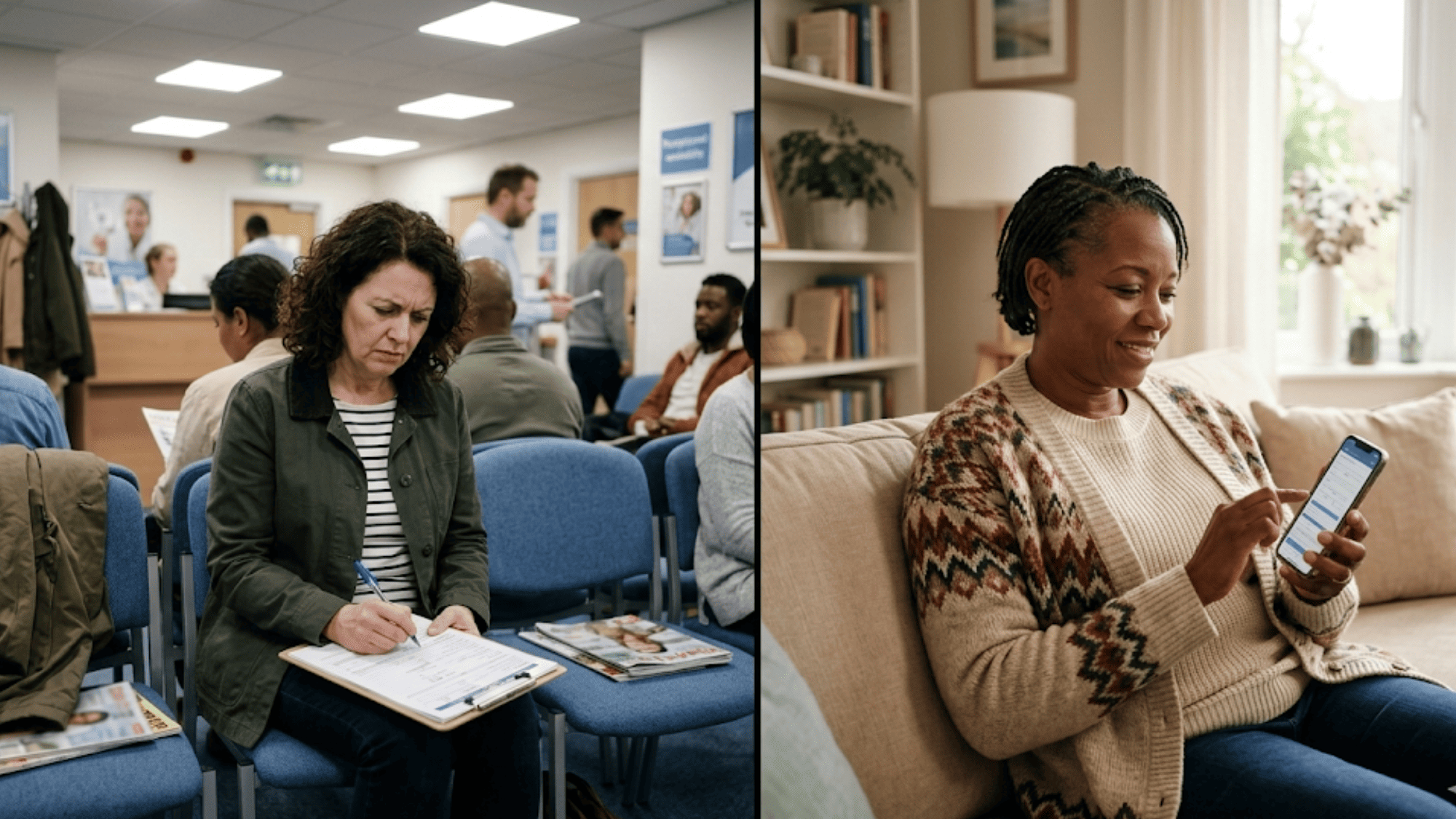
The old way of checking in slows everything down. You arrive 20 minutes early, sign in, and get a thick stack of paper. You write down meds, surgeries, and dates from memory while other patients wait behind you. By the time you finish, your blood pressure is up and your visit hasn't even started.
Pre-appointment forms flip the script. You fill them out at home with your pill bottles in hand. When you arrive, the front desk just verifies your details and brings you back. Check-in drops from 20-30 minutes to about 3-5 minutes.
That saved time goes somewhere good. Based on our internal data, practices using two-way SMS see staff productivity rise by more than 30%. For you, that means a calmer waiting room and more face time with your doctor. Vascular patient paperless check-in turns the start of your visit into something simple.
Your Medical Information Is Complete and Accurate
Handwritten forms cause errors, and errors can hurt you. A staff member might misread your med name or skip a line about a past stent. When your chart is wrong, your care suffers.
Digital forms fix this in three clear ways:
|
Old Paper Forms |
Digital Forms on Your Phone |
|
Hard-to-read handwriting |
Typed, clear text |
|
Easy to skip questions |
Required fields prevent gaps |
|
Photo of insurance taken at desk |
You upload a clear photo at home |
|
Staff retypes into your chart |
Data flows straight into Medstreaming |
When you type your meds, you're looking right at the bottle. When you upload your insurance card, the office gets a sharp image. Your cardiac and vascular history stays clear and complete. Your doctor spends less time guessing and more time treating.
Your Data Is Secure and Protected by Institutional Standards
Many patients worry about safety when they hear "fill it out on your phone." That's fair. The good news: your office uses the same security standards as major hospitals.
Here's how your data stays protected:
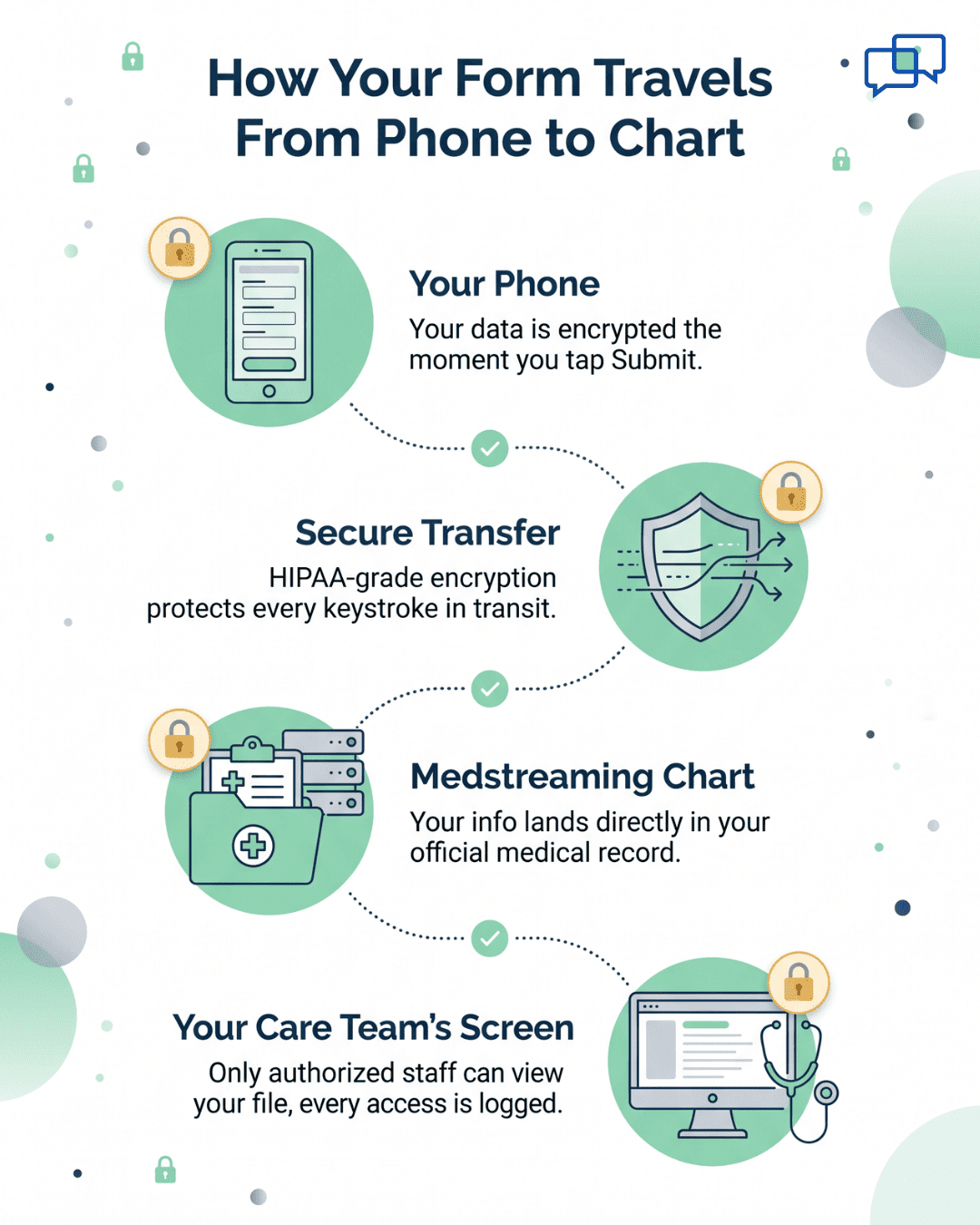
- Your form is encrypted from the moment you start typing
- Information lands only in your official medical record
- No copy is stored on a public website or third-party app
- Only your care team and billing staff can view it
- Every view is logged and audited
This is why Medstreaming patient forms no portal options work so well. You don't need a login because the link itself is unique and secure. It works only for you, only for this visit, and only once you tap it. Your privacy stays intact while your care team gets what they need.

How to Complete Your Intake Form in 5-10 Minutes
The process is shorter than making coffee. Here's exactly what happens, step by step, so you know what to expect from start to finish.
Step 1: You'll Receive a Text Message
About 3-5 days before your visit, a text arrives on your phone. It looks like this:
"Hi [Your Name], your appointment is Tuesday at 9 AM. Please complete your intake form here: [link]. Call us at [number] with questions."
The link is unique to you and your visit. No one else can open it. The text uses your real name and visit details, so you know it's from your provider and not spam. If anything feels off, just call the office number listed.
Step 2: Click the Link and Start the Form
Tap the link, and the form opens in your phone's web browser. There's no app to download. The text is large and easy to read, even if you wear reading glasses.
This is what makes elderly patient digital intake work so well. The buttons are big. The questions are short. There's no jargon, no medical codes, and no confusing menus. Just plain English in a clean layout.
Step 3: Share Your Medical History
The form starts with simple Yes/No questions. Have you had a heart attack? High blood pressure? Diabetes? A stroke? If you answer "No," you move on. If you answer "Yes," the form asks one or two follow-ups, like "When?" and "Did you have treatment?"
Then it asks about past procedures. List any stents, bypass surgeries, ablations, or angiograms. Add the year if you can recall it. If you're not sure, just write what you remember. Your team can fill in gaps during your visit.
Step 4: List Your Current Medications
This is where having your pill bottles nearby really helps. The form asks for each med by name and dose. Type what's on the label, even if the name is hard to spell. The form is forgiving and your team will sort it out.
Don't skip the small stuff. Include:
- Daily prescriptions (blood thinners, statins, blood pressure pills)
- Over-the-counter meds (aspirin, ibuprofen, antacids)
- Supplements (fish oil, vitamin D, magnesium)
- Herbal remedies (turmeric, garlic pills, ginkgo)
Even "harmless" supplements can react with contrast dye or anesthesia. Your care team needs the full picture to keep you safe.
Step 5: Report Allergies and Sensitivities
Take this section slowly. List every drug allergy you know about. The form asks what happened when you had the reaction, so be specific. Did you get a rash, swelling, or trouble breathing? Each answer helps your team plan around it.
Don't forget contrast dye allergies. This matters a lot for cardiac and vascular procedures. Latex, tape, and certain antibiotics also belong here. If you've ever felt unwell after a med, write it down.
Step 6: Upload Your Insurance Card and ID
Now grab your insurance card and your driver's license or passport. The form will ask you to take a photo of each one. Just open the camera, snap a clear shot, and tap upload.
A few tips for sharp photos:
- Use good lighting (a sunny window works great)
- Lay the card flat on a dark surface
- Hold your phone steady and centered
- Make sure the text is clear, not blurry
The images load straight into your chart. The office no longer needs to copy your cards at the front desk. That's one more step saved on the day of your visit.
Step 7: Submit and You're Done
Hit Submit, and your form gets encrypted and sent to your medical record. A confirmation message pops up: "Thank you! We'll see you on [date]." That's it. You can close the browser and go on with your day.
This last step is what makes the cardiac intake form mobile experience so smooth. Total time, start to finish? Usually 5-10 minutes. Compare that to 30 minutes of clipboard work in a waiting room, and the choice is easy. You've prepped your team, and they're ready for you.

What to Have Ready Before You Tap the Link
A little prep makes the form faster and easier to finish. Most patients spend longer hunting for their pill bottles than actually filling out the form. Set yourself up first, then start.
Gather these five items before you tap the text link:
- All your prescription pill bottles (so you can read names and doses)
- Over-the-counter meds and supplements (aspirin, fish oil, vitamins)
- Your current insurance card (front and back)
- A photo ID like a driver's license or passport
- A list of past procedures with rough dates if you can recall
Find a quiet spot with good lighting. The kitchen table or a desk works better than the couch. Good light helps when you take photos of your insurance card and ID. A flat surface keeps your hand steady, so the images come out sharp.
Have your reading glasses nearby if you wear them. The form uses large fonts, but small details like dosages on pill bottles can still be tricky. A glass of water and 10 quiet minutes are all you really need.
Why does prep matter so much? Based on our internal research, patients who gather their materials first finish the form in 5-7 minutes. Those who start cold and search mid-form take 15-20 minutes. The form is the same. The difference is just having your stuff in front of you.
If you can't find a med bottle or insurance card, don't panic. Type what you remember and add a note in the comments box. Your care team will sort it out at the visit. The goal is progress, not perfection.
How Curogram Powers Secure, Simple Patient Intake for Medstreaming Practices
Curogram works as a built-in helper for offices using Medstreaming. Instead of replacing your provider's system, it plugs right in. The forms you fill out flow straight into your chart with no double-typing by staff. That's why your office picked it: it saves time without changing what works.
The OBL patient check-in text approach is what makes Curogram different. Office-based labs (OBLs) and outpatient cardiac centers see lots of patients in tight time slots. A 10-minute delay at check-in can ripple across the whole day. Curogram's text-first design clears that bottleneck. Patients arrive ready, and the team stays on schedule.
Based on our internal data, practices using Curogram see appointment confirmation rates above 75%. That's a strong sign that text-based outreach works far better than older portal systems. When your office reaches you on the channel you already use, you respond. Your forms get done, your visit stays on time, and your care team has what they need.
Curogram also keeps things HIPAA-compliant from end to end. Your data is encrypted in transit and at rest. Only your authorized care team can view it. Every action is logged and tracked. You get the speed of texting with the safety of a hospital-grade system. That's the whole promise: easy for you, safe for your records, and simple for your provider.
Conclusion
You've now seen the full picture. Pre-appointment forms aren't just a nice-to-have. They're how your team gets ready to give you the safest, fastest care possible.
The next time a text link lands on your phone, you'll know what to do. Tap it, set aside 5-10 minutes, and answer the questions with your meds and insurance card nearby. You're not just filling out paperwork. You're helping your team make the right calls during your procedure.
Your data stays private and protected the entire time. No portal, no login, no clipboard, no problem. Just a clear link that does its job and gets out of your way.
The result is what matters most: less stress before your visit, faster check-in on the day of, and more time with your doctor in the room. You'll feel prepared, your team will feel prepared, and your care will be better for it. That's worth 10 minutes of your time.
Give your cardiac and vascular patients the calm, clear intake they deserve before every procedure. Book a demo today and see see secure, no-portal forms in action.
Frequently Asked Questions
Your information goes directly into your secure medical chart, encrypted the whole way. It is not stored on a separate website or shared with outside companies. Only your care team and billing staff can view it.
Sit with them and walk through each question together. The form is built for large fonts and simple Yes/No answers, so most steps are quick. If they prefer, call the office for a phone-based intake instead.
Bringing the physical card adds a backup in case the upload didn't go through clearly. Staff can also verify any updates on the spot. It's a small step that prevents billing problems later.