10 min read

Patient No-App Telemedicine Experience in GE Centricity Practices

Patient No-App Telemedicine Experience in GE Centricity Practices
💡 Patient experience with no-app telemedicine SMS video visit GE Centricity accessibility removes the barrier of downloading multiple apps to attend virtual visits. Patients get a simple text link, click it, and join the call in seconds.

This matters most for elderly patients and FQHC populations. Many face patient app fatigue in healthcare, struggle with app stores, or lack device storage for several telehealth apps. The “App Gauntlet” of Doxy.me, Zoom, and other platforms pushes them away from virtual care.

A no-app telemedicine for elderly patients approach uses one SMS video visit link. Based on our internal data, this lifts patient show rates by 2 to 3 times. It supports telehealth adoption for underserved populations and finally makes FQHC population virtual visit accessibility real.

An 82-year-old woman with a cardiology visit on Tuesday gets a text: “Download Zoom for Healthcare.” On Friday, her psychiatry visit needs Doxy.me.

Next month, her urgent care visit needs a third app. She gives up and asks for a paper appointment slip.

This is the daily reality in many GE Centricity practices. The COVID-era rush left clinics with 3 to 5 separate video tools. Each one asks the patient to download, sign up, and remember a new password.

For tech-savvy adults, this is a small chore. For elderly patients and underserved groups, it is a wall.

Patient app fatigue in healthcare is a measured problem, not a feeling. Many older patients do not feel safe in app stores. FQHC patients often use older phones with limited storage and data. When a video visit demands one more app, they skip the visit.

They drive to the clinic instead, or worse, they go without care. That is where the patient no-app telemedicine SMS video visit GE Centricity accessibility approach steps in. The patient gets a text link. They tap it.

A video room opens right in the browser. No app store. No login. No password reset. Based on our internal data, this single change lifts show rates by 2 to 3 times.

This post breaks down how the no-app model works in real Centricity practices. We will look at the “App Gauntlet” your patients face today.

We will show how SMS video visit link patient experience changes outcomes. And we will share what no-app telemedicine for elderly patients means for FQHC population virtual visit accessibility and telehealth adoption for underserved populations. 

The Villain: The App Gauntlet

Most GE Centricity practices did not plan their current telehealth setup. It happened in waves during 2020 and never got cleaned up.

Each department picked the tool that worked for them at the time. The patient was the one left to manage the mess.

The Download Burden Adds Up Fast

A new telemedicine patient gets their first text in March. “Download Zoom for Healthcare to join your visit.”

They do it. In June, a second specialty sends them to Doxy.me. By October, they have three medical apps on their phone. Each app needs its own login and password.

The patient does not know which app is for which doctor. They open the wrong one and panic when the doctor is not there. They miss the visit window while searching for the right link. Staff then field angry phone calls asking for help.

Why Patients Stop Trying

Most adults will tolerate one app download. Two feels like a lot. Three feels like a job. After the third install, many patients just stop using virtual visits at all.

They request an in-person slot or skip care entirely. This is patient app fatigue in healthcare in plain terms. It is not about laziness. It is about the limit of what a busy person can manage on their phone.

The Elderly Struggle Is Real

Older patients gain the most from virtual visits. They face transport hurdles, mobility issues, and longer in-office waits.

A simple video chat from home should be a gift. App downloads turn that gift into a chore.

Many elderly patients have never used an app store. They worry about charges, scams, and broken phones.

They ask family members for help, but family is not always nearby. The visit time arrives, and the app is still not installed.

What This Costs the Practice

When an elderly patient gives up, the slot goes empty. Staff did the booking work for nothing. The chart still needs the visit, and now someone has to call and reschedule. Over a month, this adds up to dozens of lost hours.

The FQHC Reality

FQHC populations bring a different problem. Many patients use older phones with low storage. A new medical app may not even install. Some patients are on prepaid data plans where every download costs money.

These are the same patients FQHCs work hardest to reach. They face transit barriers, long work hours, and limited childcare. Virtual visits should close the gap. The App Gauntlet keeps it wide open.

The Adoption Cost in Numbers

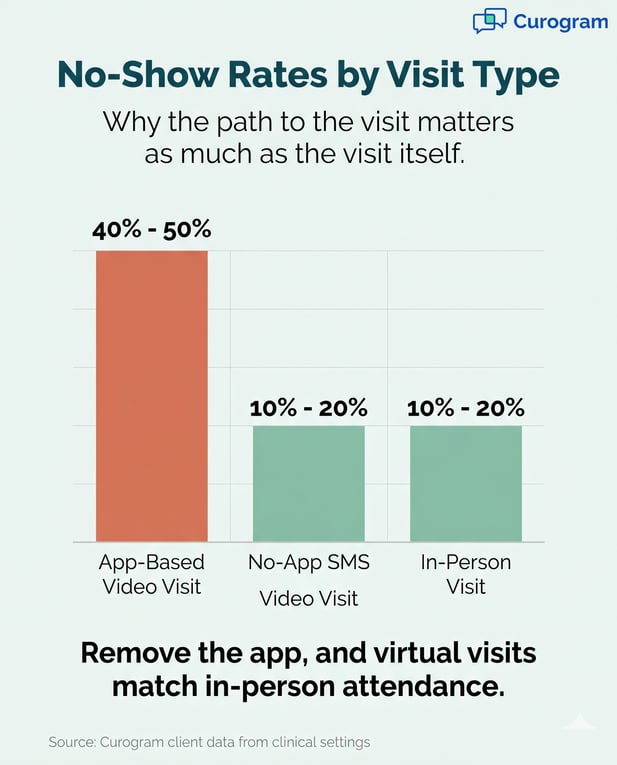
Based on our internal data from clinical settings, app-dependent virtual visits show no-show rates near 40% to 50%. In-person visits sit at 10% to 20%. That is a huge gap, and it tracks straight back to app friction. The fix is to take the apps out of the path. 


Telehealth infographic comparing no-show rates: App, SMS, and In-Person

The Guide: The No-App Video Visit Bridge

The fix for the App Gauntlet is simple in design and powerful in result. You stop asking patients to download anything at all.

You meet them where they already are, which is their text inbox and their browser.

How the No-App Visit Works in Practice

A patient books a virtual visit with their Centricity provider. The system sends one SMS at the right time.

The text reads: “Hi Maria, your visit with Dr. Lee starts at 2 PM. Tap here to join.”

That is the whole flow on the patient side.

When the patient taps the link, a video room opens in the browser. The provider is already there or arrives in seconds. No login screen blocks the way. No password prompt stops the visit.

Click, Wait 3 Seconds, You Are Connected

The patient is not learning new software. They are using the same browser they use for email and recipes. The interface feels familiar, even to someone who has never done a video visit before.

This is the SMS video visit link patient experience in real life. It is short, calm, and focused on the visit itself. The tech disappears, which is the point.

The Technical Reality

The video runs over WebRTC, which is the same engine used in many modern video tools. It works on phones, tablets, laptops, and most desktop computers. Quality matches dedicated apps in normal lighting and signal.

Curogram handles the heavy lifting on the back end. The session links to the right provider, the right time, and the right Centricity chart. Staff see one dashboard for all visits, not five separate platforms.

Why the Browser Approach Holds Up

Browsers update on their own. Patients do not have to install patches. Practices do not have to support five different app versions across iOS and Android.

This makes the no-app model lower risk over time. There are fewer moving parts that can break. There are also fewer security patches to chase across multiple vendors.

The Accessibility Win

This is where no-app telemedicine for elderly patients earns its keep. If a patient can tap a text and open a webpage, they can join a visit. That is a much lower bar than app store sign-ins.

The same is true for FQHC population virtual visit accessibility. Older phones can open a browser even when they cannot install new apps. Patients on tight data plans use less of it because nothing has to download first.

Patients with low digital literacy follow the flow on their first try. They do not need a family member or a staff member walking them through setup. The visit happens because the path was short enough to follow.

One Link, Many Visit Types

The same SMS link format works for primary care, cardiology, psychiatry, and urgent care. Patients learn the flow once. Every future visit feels the same.

The Success: The Inclusive Virtual Visit

When you remove app friction, the change shows up fast. Patients who never joined a virtual visit before start doing it. Staff stop spending half their morning on tech support. The schedule fills up instead of falling apart.

Show Rates Climb Across All Groups

Based on our internal data, practices that switch to no-app video visits see show rates rise by 2 to 3 times. That gain is biggest for the groups that used to skip virtual care the most. Elderly patients and FQHC populations lead the jump.

The shift makes sense once you watch a few visits. The barrier was never the visit itself. It was the path to get there.

A Quick Look at the Numbers

Visit Type

Typical No-Show Rate

Show Rate Gain

App-based video visit

40% to 50%

Baseline

No-app SMS video visit

10% to 20%

2 to 3 times higher

In-person visit

10% to 20%

Matches no-app


These ranges come from Curogram client data from clinical settings. The pattern stays steady across small clinics and large enterprise systems.

From “Download This App” to “Click This Link”

The patient call has changed in tone. Before, staff spent time guiding patients through app stores. Now, staff confirm the visit time and answer clinical questions instead. The work feels more like care and less like IT support.

Patients also feel the shift. They stop dreading virtual visits. They start asking for them when an in-person trip would be hard.

What Patients Say After the Switch

Most patients describe the new flow in one word: easy. They mention being surprised that nothing broke. Many say they will use video again for routine follow-ups.

This is the kind of feedback that telehealth promised in 2020. The no-app model finally delivers it. The bar moves from tech-savvy patients only to anyone who can tap a text.

Telehealth Adoption for Underserved Populations Finally Grows

Telehealth adoption for underserved populations has lagged behind for years. The gap is not about interest.

Studies show these patients want virtual options for the same reasons everyone else does, like time, travel, and cost.

The gap was about access tools. App-based platforms left these patients behind on day one. No-app video visits close that gap with one design choice.

What This Means for FQHCs

An FQHC running no-app visits sees a deeper shift. Patients who were skipping follow-ups now keep them. Chronic care plans hold together. Outcomes improve because the visit actually happens.

The Schedule Effect

Empty virtual slots used to be a daily drain. With no-app visits, those slots fill at near in-person rates.

Providers see more patients in less time, with fewer gaps. This is what the post-COVID telemedicine vision was always supposed to look like.


Security and Privacy in No-App Visits

A common worry about no-app video visits is security. People assume that if there is no app, there must be no protection.

The opposite is closer to the truth. No-app visits often have a smaller attack surface than app-based ones.

Encryption Is the Same Standard

Every video stream uses end-to-end encryption. The audio and video data are scrambled in transit. Only the patient and the provider can read it.

This is the same standard used by HIPAA-compliant app-based tools. The browser does not weaken the encryption. It just changes the doorway.

Identity Checks Happen Before the Room Opens

When a patient taps the SMS link, the system checks the link's unique token. It confirms the visit, the provider, and the time. If anything is off, the room does not load.

This step blocks shared or forwarded links from working twice. It also stops bad actors from guessing at room URLs. The check happens in milliseconds, so the patient never notices it.

The Simplicity Bonus

No-app visits skip the parts of security that often go wrong. There is no account password to leak. There is no app database storing patient names and chart numbers on the phone. There is no auto-login feature that could grant the wrong person access.

The patient's device holds no lasting record of the visit. When the call ends, the browser tab closes. Nothing stays behind.

Why This Reduces Risk Over Time

Most healthcare data breaches start with stolen credentials or unpatched software on patient devices. A no-app model removes both of those risks at the patient end. The patient has nothing to lose because they had nothing to install.

This is a quieter security win, but a real one. Fewer doors mean fewer locks to manage.

HIPAA Compliance Without the App Layer

HIPAA does not require an app. It requires safeguards for protected health information. Encryption, access control, audit logs, and Business Associate Agreements are what matter. Curogram covers each of these as part of its Centricity integration.

Visit logs flow back into the Centricity chart. Audit trails track who joined which visit and when. Staff actions inside the platform get recorded too. None of this needs an app on the patient side.

What Practice Leaders Should Verify

Any vendor offering no-app video visits should show you their BAA, encryption details, and audit log access.

Ask how identity is checked at the link. Ask where the video data travels and where it does not get stored.

Flexibility Is a Security Feature

Patients can join from any device they have. A grandmother can use her daughter's tablet. A worker on a job site can use a borrowed laptop. None of these devices need preset software.

This flexibility helps in real emergencies too. A patient whose phone broke last week can still make their visit on a library computer. The visit happens, and care stays on track. That is what accessible, secure telehealth should look like.

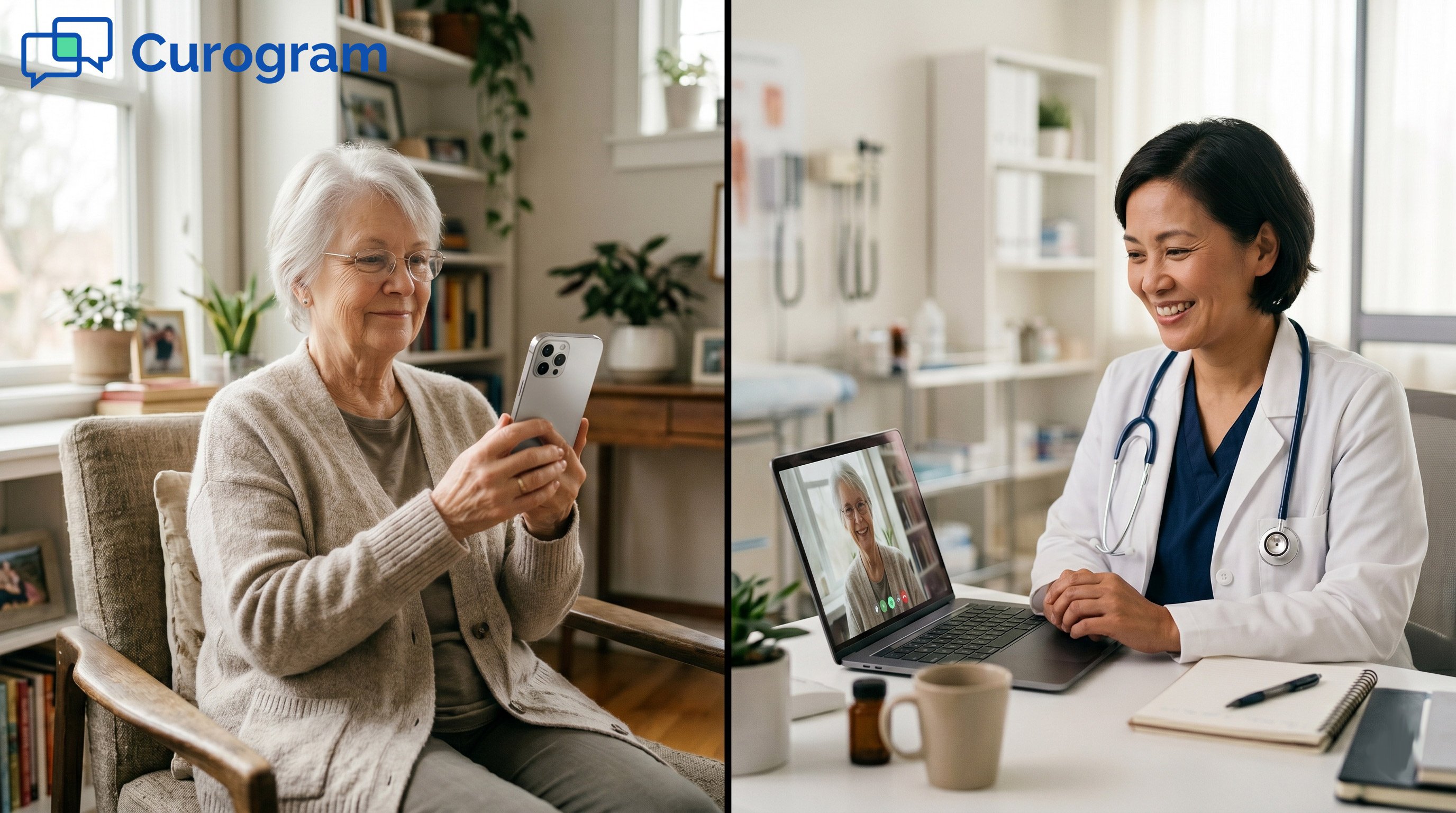
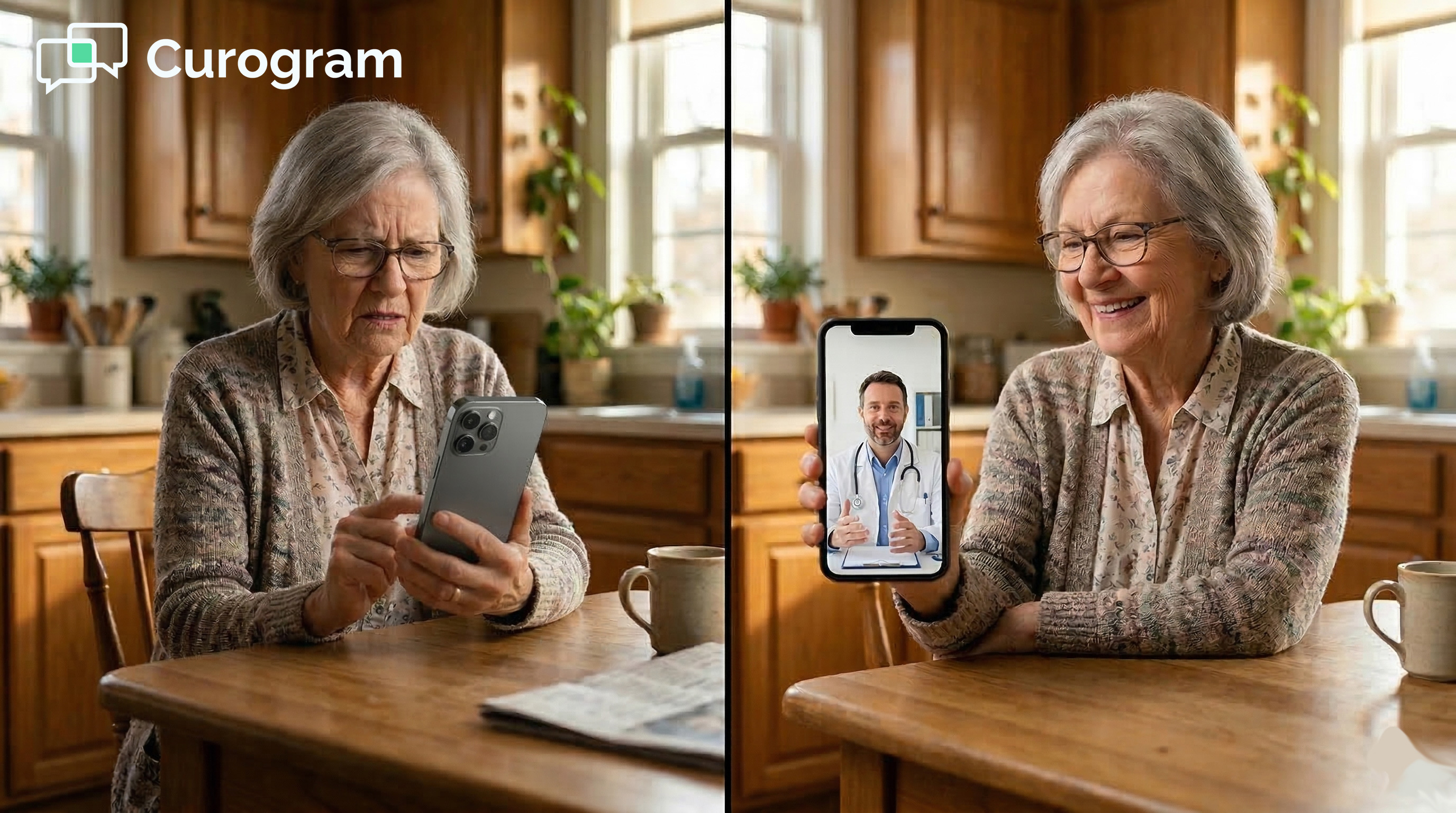
Senior patient and doctor connecting via SMS telehealth

Conclusion: Telemedicine Should Be Accessible to Everyone

Telemedicine made a big promise in 2020. It said care would reach more people in more places. For tech-savvy patients, that promise held up. For elderly patients and underserved groups, it often did not.

The block was rarely the visit itself. It was the path to get there. The App Gauntlet pushed away the very patients who needed virtual care the most.

A patient no-app telemedicine SMS video visit GE Centricity accessibility setup closes that gap. The patient gets one text, taps one link, and joins one video room. No store. No login. No support call to figure it out.

Based on our internal data, no-app visits raise show rates by 2 to 3 times. They cut no-shows close to in-person levels. They also free staff from daily tech support work and let them focus on patient care.

The biggest gains land on the populations that telehealth was supposed to reach first. Elderly patients keep their follow-ups. FQHC patients hold their care plans together. Chronic conditions get steadier attention.

If your current telemedicine stack still asks patients to download apps, you are leaving outcomes on the table. The 40% to 50% no-show rate for app-based visits is not the patient's fault. It is the design of the path.

The no-app model is mature and tested. It runs inside the browser that patients already use. It plays well with Centricity workflows your staff already know.

If you are scheduling a video visit and your provider asks you to download an app, you can ask if they offer a no-app option. Many practices now do. If yours does not yet, share this idea with them.

You should not have to manage three medical apps to get care. One text link is enough. Care should bend toward you, not the other way around.

Ask your GE Centricity practice about no-app telemedicine. If they still require app downloads, they may be ready for a change but unsure where to start. Sharing the no-app approach can open that door.

Practice leaders ready to explore this shift can schedule a consultation with Curogram. The integration with GE Centricity deploys in 2 to 4 weeks. Patients feel the change on day one. 


Frequently Asked Questions

How does a no-app video visit actually start on the patient's phone?

The patient gets a single text message before their visit. They tap the link inside it, and a video room opens right in their browser. No app store visit happens, and no account setup is needed. The whole flow takes a few seconds from tap to provider.

Why do elderly patients drop out of app-based telemedicine more often?

Older patients often face two hurdles at once with apps, which are unfamiliar app stores and password setup. Each step adds a chance to get stuck and give up. Many do not have nearby help when they need it. No-app visits skip both hurdles, so the path stays short.

How does no-app telemedicine help FQHC patients in real ways?

Many FQHC patients use older phones with limited storage and tight data plans. App downloads can fail or eat into their monthly data. A browser-based visit uses far less data and no storage at all. This is why FQHC population virtual visit accessibility improves so much under a no-app model.


Why is patient app fatigue in healthcare growing right now?

Patients see different apps from each specialty and feel pressure to manage them all. The mental load adds up across cardiology, psychiatry, urgent care, and more.

Many patients hit a limit and start skipping virtual visits to cope. No-app video visits remove that load and reset the patient relationship with virtual care.

How does no-app telemedicine support telehealth adoption for underserved populations?

Underserved patients often want virtual care just as much as anyone else, but app barriers block them at the door. Removing the app step lowers the entry bar to a single tap. Show rates rise sharply once that bar drops. Care plans then hold together because the visits actually happen.