
End Phone Tag at Your eCW Front Desk | Texting
 Aubreigh Lee Daculug : Jul 7, 2026, 10:00:00 AM
Your eCW front desk loses hours to phone tag. Use one shared inbox for routine texts and reclaim up to 8 hours a day.
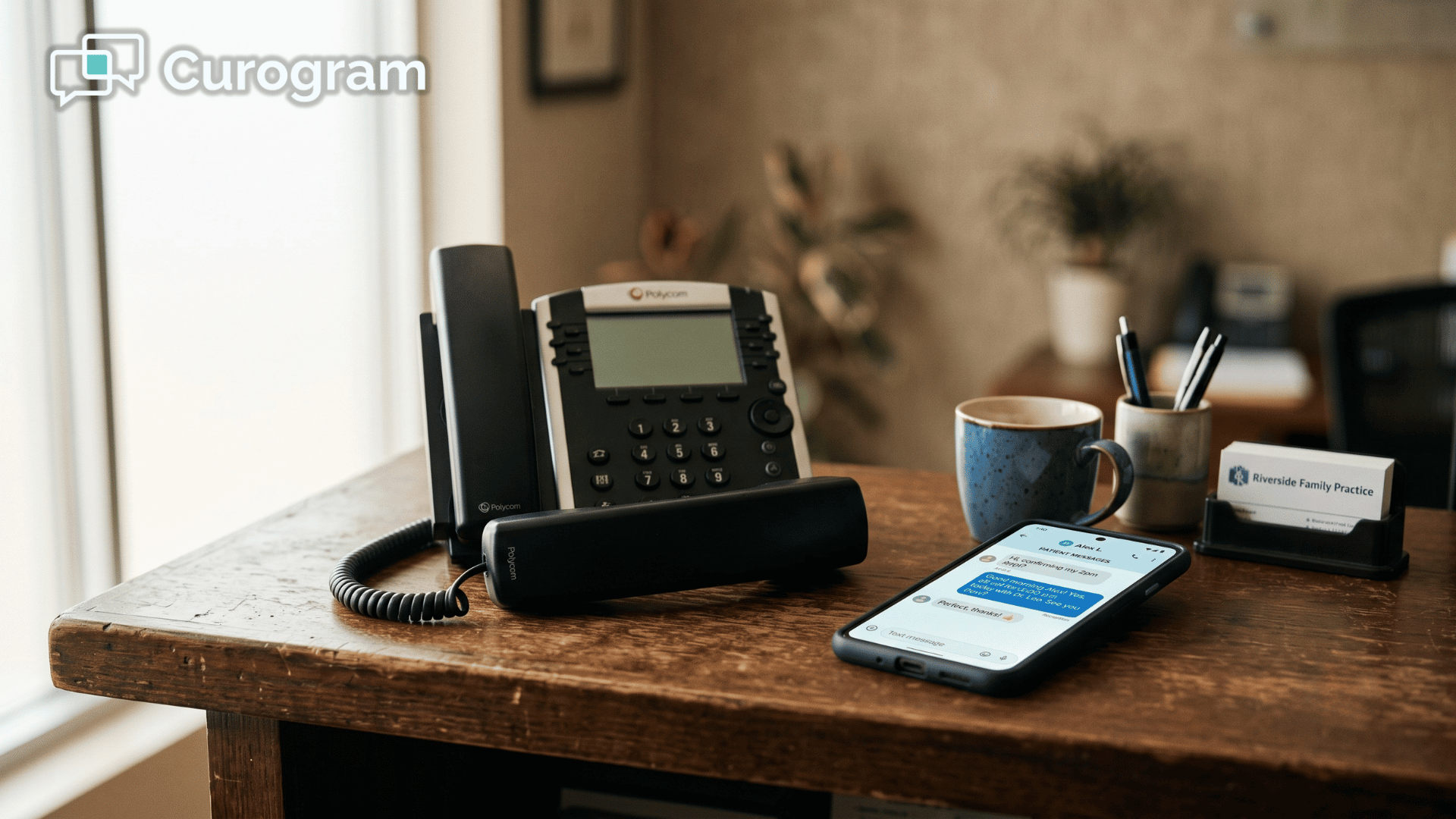
The phone rings again. Your front-desk staff already have a patient waiting at the counter, a fax coming through, and two voicemails stacking up. Now a caller wants to know whether their prescription is ready yet.
It sounds simple. It isn't.
Most eClinicalWorks practices lose several hours every day to calls exactly like this one.
They are rarely emergencies, and almost never complicated clinical questions. They are routine asks: appointment confirmations, directions, billing questions, and the familiar "do I need to fast before my labs?"
None of these tasks required a live voice, yet they still manage to bury the front desk.
Your EHR is not the villain here. eClinicalWorks handles your clinical record beautifully, but it leaves a noticeable gap in how patients reach you. The portal and the healow app both exist, yet most patients won't download an app or hunt down another login. So they call, and call, and call.
The math adds up quickly. A busy practice fields between 80 and 120 routine calls a day, each running three to five minutes. That works out to four to eight hours of staff time disappearing daily, which is nearly one full-time role spent on hold music and phone tag.
There is a better way forward, and it does not involve hiring anyone.
The smarter move is to reduce front-desk phone calls in your eClinicalWorks practice by shifting those routine questions over to text. Your patients already text everyone else in their lives, so messaging their doctor's office feels natural to them.
This guide explains why the phones ring so much, why the portal never fixed it, and how two-way texting quietly absorbs the calls that wear your team down.
By the end, you will understand how to turn down the noise without turning away a single patient.
Here is the uncomfortable truth about eClinicalWorks:
It manages your clinical record about as well as anything on the market. But a great EHR does not answer the phone.
That job lands on your front desk, and it quietly fills every spare moment of the day.
The portal was supposed to ease this. So was the healow app. In practice, though, most patients will not download software or memorize yet another password. They reach for the one tool they already trust, which is the call button.
So the calls stack up relentlessly. Watch the front desk for five minutes and the exhausting pattern becomes obvious.
The phone rings, and a patient asks whether their prescription is ready. The line beeps again, and someone else wants to confirm an appointment.
A third caller needs directions, while a fourth leaves a voicemail that triggers a callback landing in their voicemail. It is phone tag all day long, for tasks that never needed a voice.
None of it is clinical, and yet all of it is quietly draining.
Now consider what that lost time actually costs the practice.
80–120 |
| Routine calls your front desk fields every day |
3–5 minutes |
| The average length of each one |
4–8 hours |
| Staff time swallowed by the phone daily |
That adds up to something bigger than a busy day. Four to eight hours is close to a full shift, which means roughly one full-time role gets quietly spent on hold music and phone tag.
Nobody was hired for that job, yet the practice pays for it anyway. Push good people through it long enough and they start to burn out.
The Practice Manager ends up feeling responsible for everything yet able to fix almost nothing. The Clinical Leader watches patients wait in the lobby while staff sit trapped on the phone.
From the outside, the practice looks busy and healthy. On the inside, it feels fragile.
So what actually quiets the phones?
A teammate that handles the routine conversations for you, one text at a time.
Curogram works like a virtual front-desk assistant. It sits alongside eClinicalWorks and takes on the repetitive back-and-forth that used to ring through, which frees your staff to focus on the people standing in front of them.
Two-way texting on your eClinicalWorks front desk uses your practice's existing phone number. Patients text the same number they have always called, and your staff answer from one shared dashboard.
Every conversation stays organized by patient, so there are no sticky notes and no confusion about who was supposed to call back.
Because this is HIPAA-compliant patient texting for eCW, your team messages from a secure, controlled platform instead of personal cell phones. That keeps every thread protected and fully auditable.
This is not a rip-and-replace project. eClinicalWorks stays your clinical system of record, while Curogram simply manages the patient conversation on top of it.
There is no fighting your EHR and no brand-new workflow to learn from scratch.
In plain terms, it delivers eCW patient communication without the portal getting in the way. If you have been searching for a healow app alternative for patient texting, this is it, with the same goal and none of the download friction.
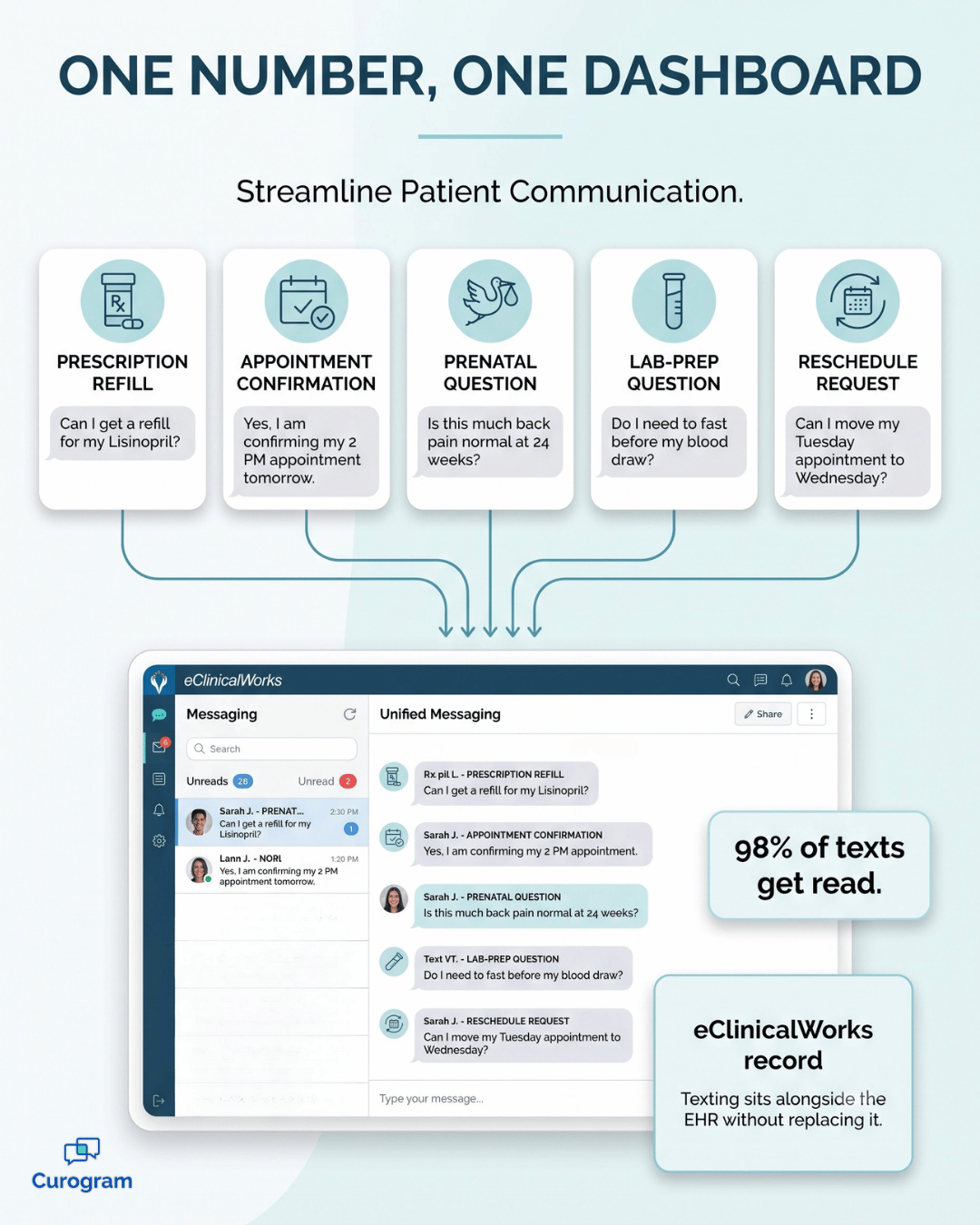
Texting simply meets people where they already are.
A few quick examples make the point:
Texting does not feel less personal to these patients.
For many of them, it feels more personal, because it respects their time and fits neatly into their day.
So what actually changes once those routine calls finally move over to text?
The numbers tell a remarkably clear story.
24% |
| Drop in phone-call volume at a multi-site community health center after moving patient communication to two-way texting |
Up to 50% |
| Reduction in routine call volume reported across practices |
98% |
| Of text messages get opened, so your reminders and replies actually land |
Let me translate that first figure.
A 24% drop at a practice fielding 100 calls a day means 24 fewer calls to answer every single day.
Across a full week, that is more than 100 conversations your team no longer has to stop and handle.
This kind of eCW practice phone volume reduction does more than shave minutes off the clock. Your front desk stops behaving like a bank of answering machines and starts working like a team of patient coordinators.
The hours that once vanished into hold queues flow back into greeting patients and supporting your providers.
The patients who still call benefit too. With routine questions handled by text, the line stays open, which helps reduce hold times eClinicalWorks callers have quietly learned to dread.
And the whole day simply feels different. The phone rings roughly half as often, every question sits in one tidy thread, and the front desk actually leaves on time, because a big share of the busywork answered itself.
There is a quieter win here as well, and it shows up in staff retention.
When the phones stop grinding your team down, people are far more likely to stay.
$3,000–$7,000 |
| The cost of replacing one burned-out front-desk hire, a bill you stop paying when the job feels manageable again |
For your practice, that is real money kept in the door, plus all the hard-won knowledge that would otherwise walk out with every resignation.
Imagine you get a voicemail asking you to call the pharmacy about a refill. You are at work, so it waits. By the time you are free, the office has closed, and the whole thing rolls to tomorrow.
Now imagine that same question arriving as a text. You glance at it between meetings, tap a quick reply, and it is handled in ten seconds.
That gap is exactly why patients lean toward texting. It fits into a busy life instead of interrupting it.
Most of your patients already run their whole day by text. They confirm dinner plans, reschedule the dentist, and check in with family the same way. Reaching your practice by text simply feels normal to them, not like some new tool they have to learn.

Texting also reaches the patients a ringing phone tends to miss:
These are not rare edge cases. Together they make up a big share of your panel, and texting is often the only channel that reliably gets through to them.
Think about what that does to your reminders.
When 100 patients get a text, nearly all of them will actually see it, which is something a voicemail can never promise.
For your practice, that means fewer missed appointments, fewer empty slots, and steadier daily revenue, without adding a single phone call.
By now you might be wondering which calls this actually replaces. Not every conversation belongs in a text thread, and that is completely fine. The point is to move the routine, repeatable questions to text and leave the complex ones for a real conversation.
Here is how the most common front-desk calls tend to shift:
| The call you field today | How texting handles it |
|---|---|
| "Is my prescription ready?" | A quick two-way text, answered between other tasks |
| "Can you confirm my appointment?" | An automatic confirmation the patient replies to |
| "What are your hours and directions?" | A saved reply sent in seconds |
| "Do I need to fast before my labs?" | A prewritten answer, ready to send |
| "I need to reschedule." | A short text exchange, with no hold time |
Say your practice handles 100 routine calls a day, and roughly 70 of them are the simple types above. Move those to text and you have pulled 70 calls off the phone before the afternoon even starts.
At three minutes each, that is about 3.5 hours of staff time returned every day. Over a five-day week, that adds up to nearly 18 hours, which is more than two full workdays handed back to your team.

The calls that stay are the ones that truly need a voice.
A worried parent, a tangled billing issue, or a patient who simply prefers to talk.
Those conversations finally get the calm, unhurried attention they deserve, because the noise around them has cleared.
At this point the question usually shifts from whether to do it to how hard it is to set up. The honest answer is that it is far easier than most practices expect. There is no server to install, no new number to publish, and no eCW workflow to tear apart.
Here is what getting started actually looks like:
That is the entire lift. Most practices are answering patient texts within days, not months, and the front desk feels the relief almost right away. Because nothing about your clinical workflow changes, there is no risky cutover and no downtime to schedule.
The payoff is a change your team notices by the end of the first week, not the first quarter.
The fastest relief for an overwhelmed eClinicalWorks front desk is not another hire. It is simply moving your routine calls over to text.
Think about what that actually changes for everyone involved.
The same questions still get answered, including refills, confirmations, directions, and billing. They just stop interrupting your team every few minutes throughout the day. eClinicalWorks keeps doing what it does best, which is holding your clinical record safely.
The old model asked your staff to be reachable by phone all day, every day, which was never sustainable. One person effectively became a full-time operator, and when they eventually burned out, you paid a real cost to replace them and start the cycle over again.
Texting quietly breaks that cycle for good. Patients simply reply from the phone already in their pocket, while your team answers calmly from one shared dashboard. Hold times shrink, threads stay organized, and the busywork that used to eat entire afternoons gradually starts to answer itself.
You have already seen the numbers. There was a 24% drop at one community health center, up to 50% fewer routine calls across practices, and a 98% open rate that means the messages actually get read. Those figures are not just statistics on a page.
They represent real hours handed back to your front desk and a lobby that finally feels calm.
So stop letting the ringing phone set the pace of your entire day. Your staff did not train in healthcare to play phone tag, and your patients did not choose your practice so they could sit on hold.
The best way to understand it is to watch it run on your own number. Schedule a Demo and we will show you two-way texting working directly with eClinicalWorks, with no IT project or disruption to your workflows.
 Aubreigh Lee Daculug : Jul 7, 2026, 10:00:00 AM
Your eCW front desk loses hours to phone tag. Use one shared inbox for routine texts and reclaim up to 8 hours a day.
 Aubreigh Lee Daculug : Apr 8, 2026, 11:00:01 AM
Skip the app and portal. Just text your Cloud 9 orthodontist. Curogram enables direct messaging—no login, no downloads, no friction.
 Aubreigh Lee Daculug : Jul 7, 2026, 11:00:00 AM
Patients won’t download an app to reach you. See how eClinicalWorks practices let patients text — no healow login, no portal — and cut calls up to...