11 min read

DrChrono Google Review Requests: The Best Updox Alternative

DrChrono Google Review Requests: The Best Updox Alternative
💡 DrChrono practices can automate Google review requests without Updox or a separate reputation tool. Curogram plugs directly into DrChrono to send post-visit review links by text.
  • Sends a Google Business Profile link right after checkout
  • Routes unhappy patients to a private form before they post online
  • Works across chiro, PT, mental health, and urgent care
  • Replaces standalone tools like Review Wave or Birdeye
  • One platform for texting, reminders, forms, and reviews
Based on our internal data, one multi-location practice collected 1,064 new 5-star reviews in just 3 months. No extra vendor, no extra login, no extra fee.

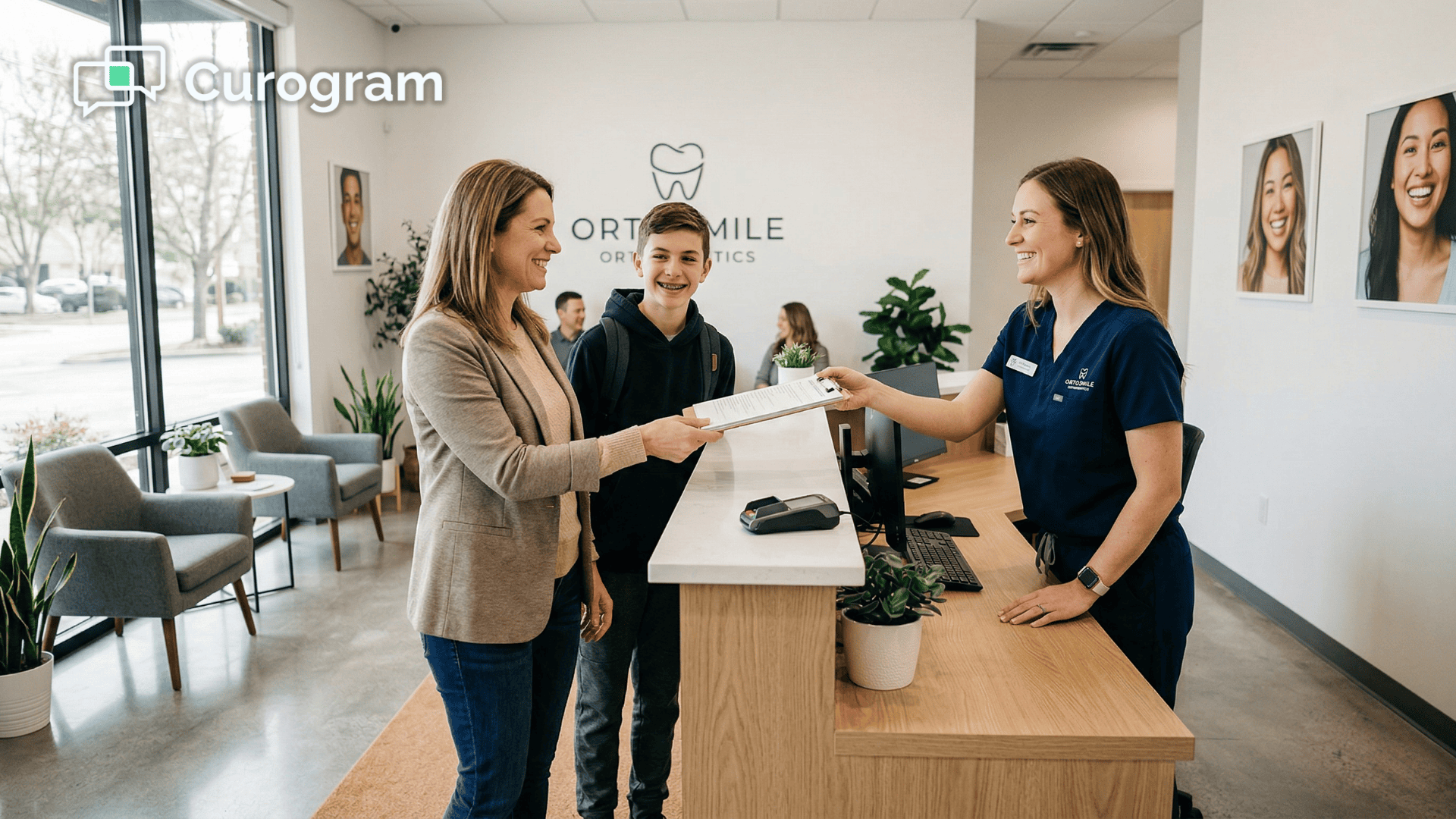
Picture this. A patient walks out of your office smiling. The visit went great. They love your care. And then—nothing happens.

No text. No prompt. No easy way to leave a review. That moment of goodwill fades by the time they reach their car. Your Google profile stays stuck at 28 reviews, half of them from 2019.

Meanwhile, the practice down the street has 312 fresh ratings. Same level of care. Very different online presence.

This is the reputation blind spot. DrChrono is a strong EHR. It handles charting, scheduling, and clinical notes with ease. Updox adds texting and reminders. But neither one offers a way to turn happy patients into Google reviews.

That gap costs you patients every single day.

Here's what makes it worse: 90% of new patient leads check your Google Business Profile before they ever visit your website. Based on our internal research, that stat holds true across nearly every specialty. If your profile looks thin, they scroll past you.

But it doesn't have to be this way. DrChrono automated Google review requests make it possible to capture feedback right when it matters most—seconds after a visit ends. With the right setup, your practice can send a review link by text, route negative feedback to a private form, and grow your profile on autopilot.

No fifth vendor. No fifth login. No fifth monthly bill.

In this guide, we'll walk through why DrChrono and Updox leave reputation on the table, how to fix it with one platform, and what real results look like. One multi-location practice grew from 993 to 8,159 total reviews using this exact approach—with 1,064 new 5-star ratings in just 3 months.

Let's break it down.

The Villain: The Reputation Blind Spot

DrChrono is built for iPad-first clinical work. It's great for charting, notes, and scheduling. Updox fills in the gaps with texting and reminders. But when it comes to DrChrono online reputation, there's a hole neither tool fills.

No feature in DrChrono or Updox helps you ask for Google reviews. None. Zero.

That's a problem because Google Business Profile reviews are the top source new patients check before they pick up the phone. If your listing has fewer than 30 reviews—or if most of them are old—potential patients move on fast.

Let's walk through what this looks like in real life:

A patient comes in for a chiro adjustment or a PT session. Everything goes well. They're happy. They leave. And then? Silence. There's no text that says, "Thanks for your visit—leave us a review!" There's no link that takes them straight to your Google profile.

That positive feeling fades fast. By the time they get home, they're busy. By tomorrow, they've forgotten. The review never happens.

Now think about the practice across town. They have a system that sends a review request within 30 minutes of checkout. It's a simple text with a direct link. The patient taps it, writes two sentences, and hits submit. Done in 30 seconds.

Six months later, you're still at 28 reviews. They're at 312. Same quality of care. But they show up first in every "near me" search.


The Workaround Tax

DrChrono's App Directory lists tools like Review Wave and Birdeye. These are solid standalone products. But they come with real costs:

  • Separate fees, often $299 or more per month
  • Separate logins and dashboards
  • Separate training for your front desk team
  • No deep sync with your EHR data

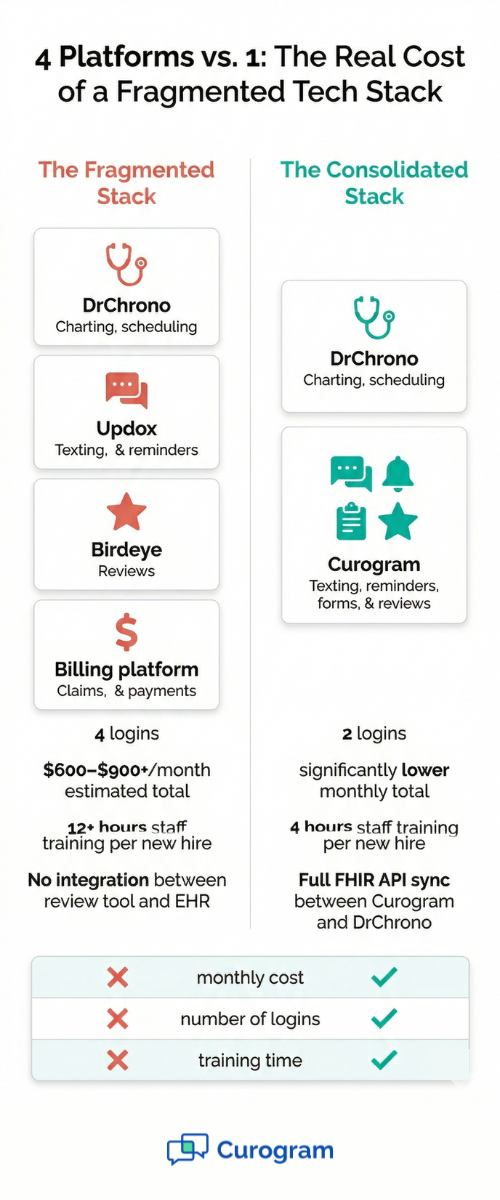
Your staff now juggles four platforms: DrChrono for charting, Updox for texting and reminders, a billing system, and a fourth tool just for reviews. Every extra login eats into their time. Every gap between systems creates room for error.

And the cost adds up fast. If you're paying for Updox and a standalone reputation tool, you could be spending $500 or more each month on platforms that don't talk to each other.

Two healthcare clinics on the same street with contrasting online review visibility and patient volume

The Result: Your Profile Stalls

You plateau at 28 to 50 reviews. Competitors build profiles with 300-plus fresh ratings. Patients searching for "chiropractor near me" or "PT near me" see your competitor first—not because their care is better, but because their visibility is.

This is the Updox reputation management alternative gap in action. It's not a care problem. It's a visibility problem. And it turns into a patient acquisition problem over time.

Think of it this way: every patient who doesn't leave a review is a missed chance to attract a new one. Over weeks and months, those missed chances stack up. The practice with more reviews wins more clicks, more calls, and more new patients.

The reputation gap becomes a revenue gap.

And the worst part? Most practices don't even realize it's happening. They assume patients will leave reviews on their own. Some will. Most won't. Without a system, you're leaving your online presence to chance.

The Guide: The Review Generation Engine

So how do you close the gap? You need a system that works inside the tools you already use. That's where DrChrono patient feedback automation comes in—powered by Curogram's direct API connection.

Here's how it works, step by step:

  • Step 1: The visit ends. When a patient checks out in DrChrono, the system syncs appointment data to Curogram through a FHIR API connection. This includes the patient's phone number, the visit status, and the provider.

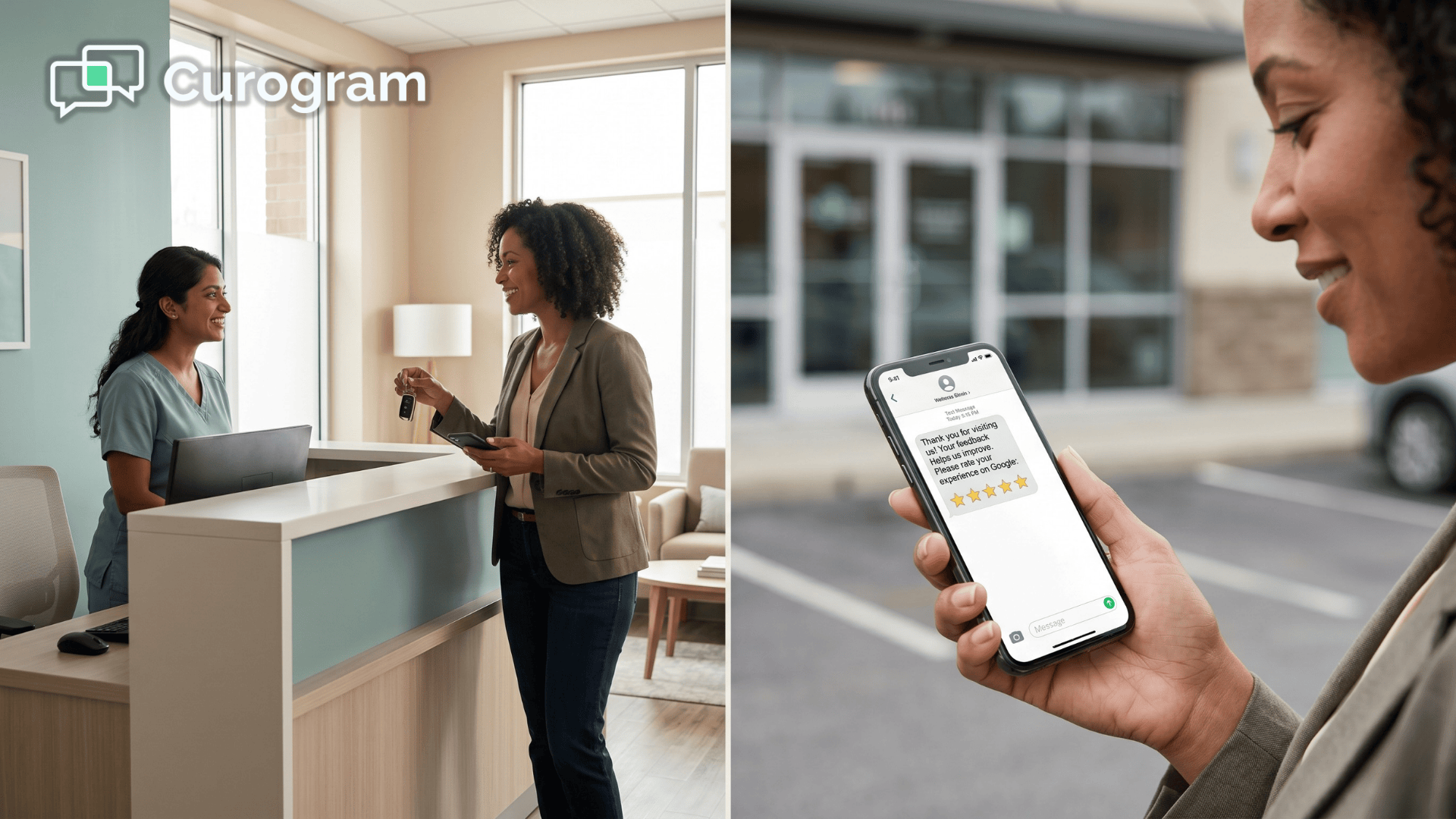
  • Step 2: A text goes out. Within minutes of checkout, the patient gets a short, friendly text. Something like: "Thanks for visiting Dr. Smith today! We'd love your feedback." The message includes a direct link to your Google Business Profile.

  • Step 3: The patient taps and reviews. No app to download. No form to fill out. Just a tap, a few words, and a star rating. The whole thing takes about 30 seconds.

No staff action is needed. No one has to remember to send the text. No one has to copy and paste a link. It's fully automated.

The Smart Part: Review Routing

Not every patient leaves happy. And the last thing you want is for a frustrated patient to post a 1-star review on Google before you've had a chance to fix the issue.

Curogram uses smart review routing to handle this. After the visit, the patient gets a quick feedback prompt. If they indicate they had a great experience, they're sent straight to the Google review link. If they express a concern, they're routed to a private feedback form instead.

This means:

  • Happy patients leave public 5-star reviews
  • Unhappy patients share concerns privately
  • Your team gets a chance to follow up and fix things
  • Your public profile stays protected

It's one system with two outcomes. Reviews go up. Complaints get handled before they go public.

Infographic comparing fragmented DrChrono tech stack with consolidated Curogram platform for reviews and texting

The Integration Runs Deep

This isn't a bolt-on tool that sits outside your workflow. Curogram syncs with DrChrono so that feedback and reviews route back into the patient record. Your clinical team can see patient sentiment right in the Notes tab. No data gets lost. No manual exports needed.

And because Curogram already handles two-way texting, appointment reminders, and digital intake forms, adding DrChrono Google reviews is just one more feature in the same dashboard. There's no new vendor to onboard. No new login to manage.

This matters for every specialty because:

  • Chiro and PT practices live and die by "near me" searches. Review count and star rating are direct ranking factors on Google Maps.
  • Mental health providers build trust through reviews. Every 5-star rating acts as a testimonial from a real patient.
  • Urgent care clinics compete in high-volume, high-turnover markets where visibility drives walk-ins.
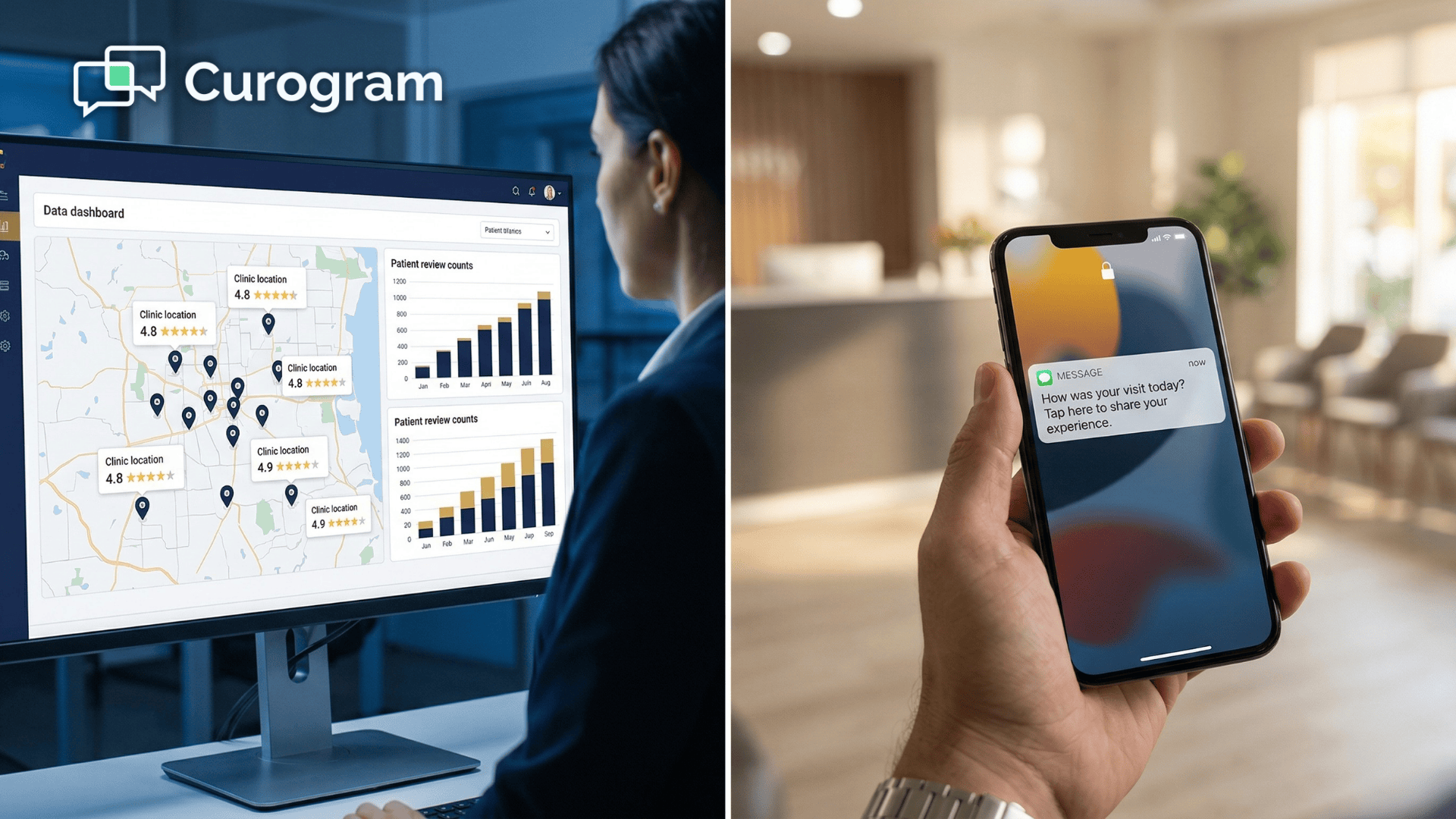
  • Multi-location practices can scale EverCommerce review generation across all sites at once—same system, same dashboard.

Whether you have one location or twenty, the setup is the same. The automation runs in the background. Reviews flow in without your staff lifting a finger.

This is what a true review generation engine looks like. Not a separate tool. Not a manual process. Just a quiet, reliable system that turns every good visit into a visible 5-star review on your DrChrono practice reviews Google Business Profile.

The Success: Reviews on Autopilot

Let's talk about what happens when the review generation engine is live and running.

Based on our internal data, one multi-location practice went from 993 total reviews to 8,159—collecting 1,064 new 5-star reviews in just 3 months. That's not a typo. Over a thousand fresh, positive ratings in 90 days.

And 90% of the patients who received a post-visit review request left a 5-star rating. That conversion rate isn't luck. It's the result of timing, simplicity, and smart routing working together.

Before and After: A Real Shift

Before Curogram, this practice had the same problem most DrChrono offices face. Their profiles across locations had stale reviews—many from years ago.

Staff would occasionally email a third-party vendor to request a batch of review invites. It was slow, manual, and inconsistent.

The reviews trickled in. Maybe two or three a month per location. Not enough to move the needle on search rankings. Not enough to stand out when a patient searched "chiropractor near me" or "PT near me."

After switching on automated review requests through Curogram, the change was dramatic:

Metric

Before

After (3 Months)

Total reviews

993

8,159

New 5-star reviews

~10/month

1,064 in 3 months

Staff effort

Manual emails to vendor

Zero—fully automated

Review platforms used

Separate tool + login

Same dashboard as texting

Patient review rate

Low, inconsistent

90% left 5-star ratings


These numbers tell a clear story. When you ask at the right time, in the right way, patients respond.

Why Timing Matters

The secret isn't asking patients to review you. It's when you ask. Right after a visit, a patient's experience is fresh. They remember the friendly front desk. They remember the provider who listened. They're in a good mood.

Wait a day, and that feeling fades. Wait a week, and they've moved on. The window for a genuine, positive review is short—often less than an hour after checkout.

That's why the automated text goes out within minutes. Not hours. Not days. Minutes. And the link goes straight to Google—no extra steps, no detours.

The Compound Effect on Local Search

Google's local search algorithm weighs three things heavily: review count, star rating, and recency. A profile with 300 fresh 5-star reviews from the past 6 months will outrank a profile with 50 reviews that hasn't been updated in a year.

This is where the autopilot effect kicks in. Every week, new reviews roll in. Your profile stays fresh. Google sees consistent activity and rewards you with better placement in Maps and local search results.

For DrChrono practices that rely on local patient volume, this is a game-changer. You don't need to run paid ads to show up first. You just need a steady flow of genuine reviews from real patients.

How This Changes Patient Acquisition

When a potential patient searches for care in your area, they see a list of providers. They glance at star ratings. They check review counts. They read the first few reviews.

If your profile has a 4.8-star average with 300-plus reviews, you get the call. If your profile has a 3.9-star average with 28 reviews, they scroll past you.

Based on our internal research, practices using automated review requests see a clear shift in how new patients find them. Instead of hearing "my doctor referred me," they start hearing "I saw your Google reviews." Referral patterns change. Organic discovery grows.

And the math works in your favor. Every new 5-star review lowers your cost per patient acquisition. You're spending less on ads because your Google profile does the selling for you. Reputation compounds into free, organic growth.

What About Negative Reviews?

This is the question every practice owner asks. "If I send review requests to everyone, won't I get more negative reviews too?"

The answer is no—and here's why. Curogram's smart review routing catches unhappy patients before they post. If a patient gives low feedback in the initial prompt, they're directed to a private form.

Your team sees the concern and can follow up directly. The patient feels heard. The issue gets resolved. And no negative review hits your profile.

Does this mean you'll never get a bad review? Of course not. But the ratio shifts heavily in your favor. When 90% of your reviews are 5-star, the occasional 3-star barely makes a dent.


How Curogram Turns Every Good Visit Into a 5-Star Review


Most practices know they need more Google reviews. The question is how to get them without adding work for your team.

Curogram solves this by plugging directly into DrChrono through a FHIR API connection. When a visit ends, the system fires a text to the patient—no staff action needed.

The message includes a direct link to your Google Business Profile. One tap, a quick rating, and a short comment. Done in 30 seconds.

But what sets Curogram apart from a basic review request tool is the smart routing layer. Not every patient had a perfect visit. Curogram screens for that. Patients who give positive feedback get the public review link. Patients who express a concern get routed to a private form instead.

This protects your profile while still capturing honest feedback. Your team sees the private responses and can follow up fast. The patient feels heard. The issue gets fixed. And your public star rating stays strong.

Based on our internal data, 90% of patients who received a review request through this system left a 5-star rating. That's not because the system filters out bad reviews. It's because the timing is right. Asking right after a good visit, when the experience is still fresh, produces genuine positive responses.

And since Curogram already runs your texting, reminders, and intake forms, the review feature lives in the same dashboard. No new vendor. No new login. No new training.

For DrChrono practices looking for a real Updox reputation management alternative, this is it. One platform. One integration. One monthly cost. And a review profile that grows on its own, every single day.

Conclusion: Reputation Is Your Silent Salesperson

Your Google profile works around the clock. It answers questions before patients call. It builds trust before they walk in. And it shapes their choice before they even know your name.

But only if it's active, fresh, and full of genuine reviews.

DrChrono gives you a strong EHR. Updox adds communication basics. But neither one helps you capture the goodwill of a happy patient and turn it into a visible 5-star review. That gap has cost practices thousands of potential patients over time.

Now you can close it—without adding a fifth tool, a fifth login, or a fifth monthly fee.

Curogram brings reputation management into the same platform you already use for two-way texting, appointment reminders, and digital intake forms.

One integration with DrChrono. One dashboard for your staff. One system that sends review requests on autopilot, routes negative feedback privately, and grows your profile every day.

Based on our internal research, the results speak clearly. A multi-location practice grew from 993 to 8,159 total reviews. They captured 1,064 new 5-star ratings in just 3 months. Their "near me" rankings climbed. New patients started saying "I found you on Google" instead of "my doctor referred me."

That's the power of automated DrChrono practice reviews Google Business Profile growth. Not ads. Not referrals. Just a steady stream of real reviews from real patients.

Stop letting review requests get lost in the DrChrono-Updox shuffle. Consolidate your communication and reputation into a single platform.

Your competitors are collecting reviews while you read this. Schedule a demo and see how Curogram turns every good visit into a 5-star review — automatically.


Frequently Asked Questions

Is automated review solicitation compliant with Google's policies?
Yes. Google explicitly allows automated review requests as long as they are triggered by a legitimate customer experience (a completed appointment in your case) and do not include incentives for positive reviews. Curogram's system sends requests only post-appointment, links directly to Google Business Profile (not a third-party review aggregator), and includes no language promising discounts for 5-star reviews. 
What happens if a patient leaves a negative review anyway?
Curogram's Smart Review Routing catches dissatisfied patients before they post publicly. Patients who rate your appointment less than 5 stars receive a private feedback form instead of a public review link. This gives you a chance to address concerns (follow-up call, additional care, service recovery) before negative feedback reaches Google. 
How does Curogram compare to review wave or birdeye for DrChrono practices?

Both Review Wave and Birdeye are excellent standalone reputation tools—but they require separate subscriptions ($299–$500/month), separate logins, and separate training. Curogram's advantage is consolidation: you already have a platform for texting, reminders, and forms; reputation management is simply another automation that lives in the same interface, syncs with DrChrono's FHIR API, and costs less. If you want a best-in-class reputation-only tool, Review Wave excels. If you want one platform for all practice communication, Curogram is the fit.

How does consolidating texting, reminders, and reviews into one platform reduce costs?

Standalone reputation tools like Review Wave or Birdeye cost $299 to $500 per month on top of what you already pay for Updox. Curogram bundles reviews with texting, reminders, and forms in one plan—eliminating the extra subscription and saving $3,500 or more per year.

Why do Google review counts directly affect how many new patients call your practice?

Google's local search algorithm ranks profiles partly by review volume and recency. Practices with more fresh reviews appear higher in Maps and "near me" results. Patients trust profiles with hundreds of ratings over ones with a handful, so more reviews lead to more clicks and more calls.