10 min read
Easy One-Tap Google Review Requests for DrChrono Practices
Mira Gwehn Revilla
:
April 10, 2026
- Curogram sends an automated review request text within hours of checkout
- Patients tap one link that opens the Google review form directly
- Unhappy patients get routed to a private feedback form instead
- One practice gained 1,064 new 5-star reviews in just 3 months
- 90% of new patients see your Google profile before your website
Your patients love you. They say so in the exam room, at checkout, even in the parking lot. But when a new patient searches for your practice on Google, those kind words are nowhere to be found.
Instead, they see 28 reviews — half of them old, a few of them angry — and a 4.1-star rating that doesn't match reality. Meanwhile, the clinic down the street has 300+ reviews and 4.8 stars. Guess who gets the call?
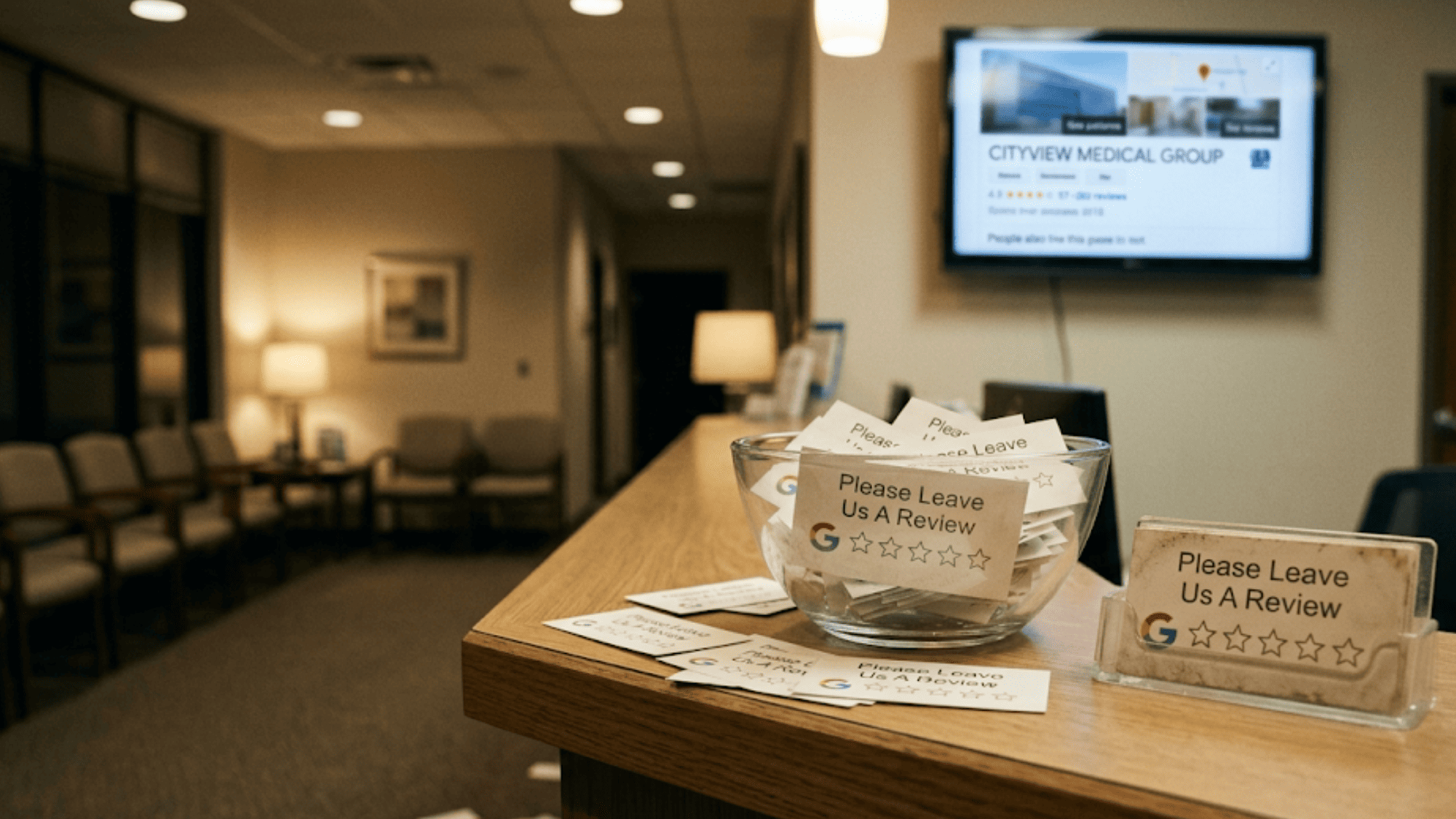
This is the hidden cost of happy patients who never leave reviews. They walk out the door feeling great, but nobody asks them to share that feeling on Google. Or worse, someone hands them a card and says, "Leave us a review when you get a chance." That card ends up in a junk drawer. The review never happens.
The problem isn't that your patients don't care. It's that the process is too slow, too clunky, or too late. By the time an email lands in their inbox two days later, the visit is a blur. The moment of peak joy is gone.
There's a better way. What if you could text patients a direct Google review link right after their visit — while they still feel the relief of a good session? What if that link opened the review form in one tap, with no searching, no extra steps?
That's how DrChrono practices use Curogram to capture post-visit patient feedback and turn it into real, public proof. Based on our internal data, one multi-location practice went from 28 reviews to over 8,000 — adding 1,064 new 5-star reviews in just 3 months.
This article shows you exactly how it works, why timing matters more than anything, and how to build a review engine that runs on autopilot.
The Villain: The Happy Patient Who Never Said a Word
Picture this. A patient walks out of your clinic after a great visit. Their back pain is gone. They feel heard and cared for. They'd happily tell the world about your practice — if someone just asked.
But nobody does. And within a few hours, that urge to share fades.
The Missed Window
Peak joy happens right after a good visit. The patient is still in your parking lot, texting a friend about how great they feel.
But your practice waits two days to send an email. By then, the patient has moved on to work, errands, and life. The moment of peak advocacy is gone for good.
This is why email-based review requests fail so often. They land in a crowded inbox at the wrong time. The patient sees it, thinks "I'll do it later," and never does. Or the email goes straight to spam and is never seen at all.
The Friction Problem
Let's say a patient does want to leave a review. What do they have to do?
-
They open Google.
-
Then they search for your practice name.
-
They scroll through results.
-
Find your Google Business Profile and click on it.
-
Find the review button.
-
Start typing from scratch.
That's six steps — and most people give up after two. The "Leave us a review" card at the front desk is even worse. It gets stuffed in a pocket, tossed in a bag, and forgotten by dinner.

The Angry Patient
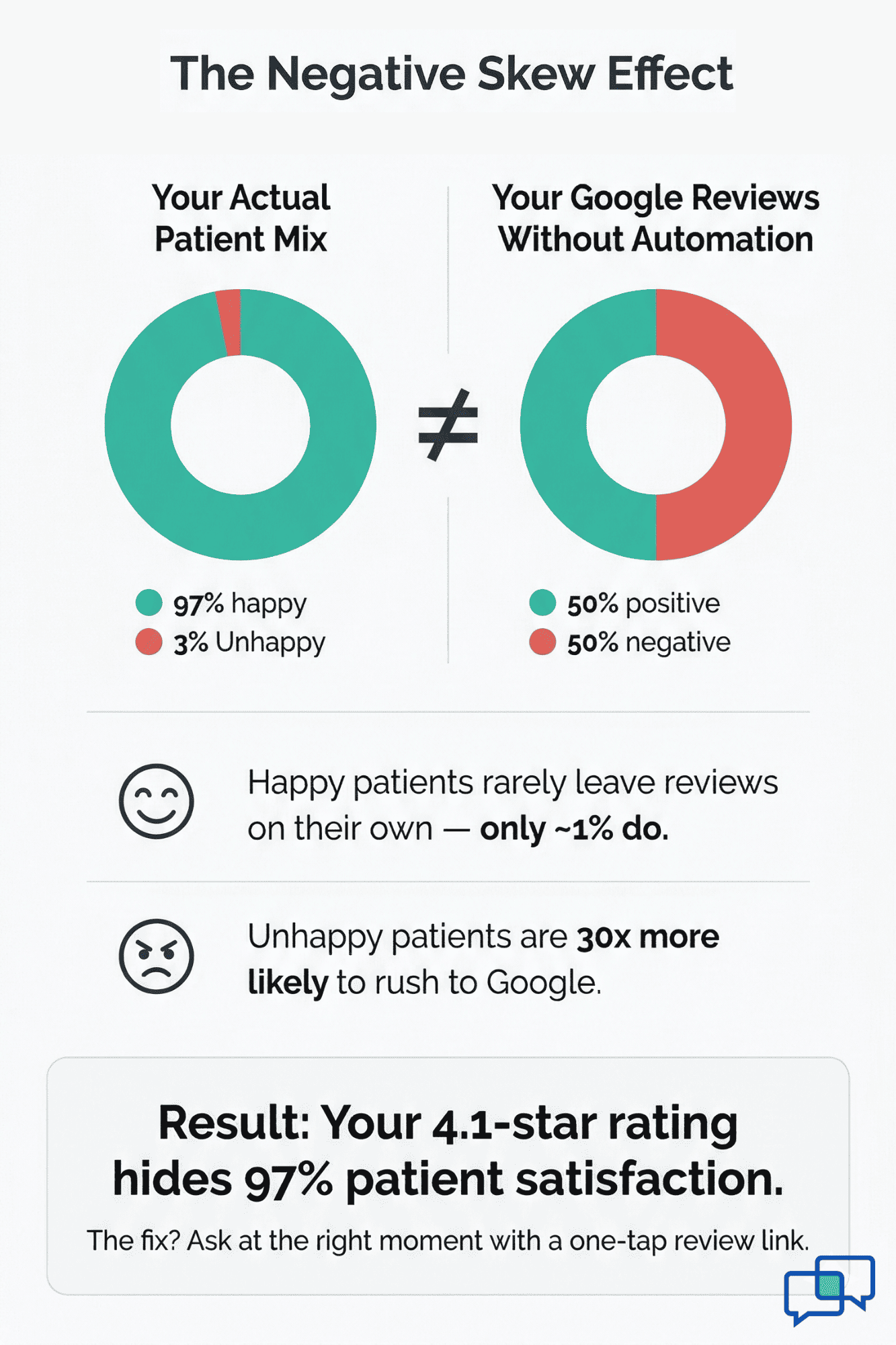
They don't need a card or an email. They're already on Google within the hour, typing a 1-star review about a billing mix-up or a long wait time. Angry patients are self-driven. They don't need a nudge. They don't need a shortcut. They rush to Google on their own.
This creates what you might call the negative skew effect. Your Google profile fills up with complaints while hundreds of good visits go unspoken. The result? A star rating that looks far worse than your actual care.
Here's a simple way to see the math:
|
Review Type |
Patients per Month |
Likely to Review (No Prompt) |
Reviews Posted |
|
Happy patients |
450 |
~1% |
~5 |
|
Unhappy patients |
15 |
~30% |
~5 |
In this case, you'd get roughly equal 5-star and 1-star reviews each month — even though 97% of your patients were happy. Your Google profile tells a story that is completely wrong.
The damage goes beyond star ratings. When a new patient sees 4.1 stars and 28 reviews, they don't call your office.
They scroll to the next result. They pick the practice with 4.8 stars and 300 reviews. Your practice loses patients — not because of bad care, but because of invisible good care.
This is the core issue that DrChrono patient reviews can solve when paired with the right tool. The problem was never the quality of care. It was always about timing, friction, and the fact that satisfied patients need a path that takes less than 30 seconds.
That's where the easy review process for healthcare practices comes in — and it starts with one well-timed text.
The Guide: The 30-Second Review Experience
The fix for silent happy patients is simple: ask at the right time, and make it dead easy.
Here's how it works with Curogram and DrChrono: When a patient checks out of their visit, DrChrono logs that checkout time. Curogram reads that data and triggers a text within 2–4 hours. The patient gets a short, friendly message on their phone:
"Hey Sarah, thanks for your visit today! We'd love your feedback. [Tap here to leave a review]"
That link isn't a generic URL. It's a one-tap Google review link that opens the patient's browser right on your Google Business Profile review form. No searching. No extra clicks. No app to download.
The patient taps the link, types a quick note — "Great visit, felt so much better after" — and hits submit. Done. The whole thing takes about 30 seconds from the time they read the text.
Why Does This Work So Well?Because it removes every barrier that stops reviews from happening.
|
But what about unhappy patients?
This is where the system gets smart. Curogram can add a quick check before the review link. The text asks, "How was your visit?" with a thumbs-up or thumbs-down option.
If the patient taps thumbs-up, they go straight to Google. If they tap thumbs-down, they're sent to a private feedback form instead. Your team gets the feedback to fix the issue — but a negative review doesn't land on your public profile.
This is called sentiment routing, and it's a game-changer for DrChrono patient satisfaction reviews. It protects your online image while still giving you honest, useful feedback behind the scenes.

How It Fits Any Kind of Practice
A chiropractic patient texts "5 stars, best session ever" from their car, while the relief is still fresh. A physical therapy patient reviews from their couch while icing their knee. A mental health patient waits until they're ready — the link sits in their texts with no pressure.
Every type of practice benefits from an automated review request text that meets patients where they are. The review moment isn't forced. It's offered — and the patient decides when and how to respond.
This is what makes the system feel human, not robotic. It sends one message, at the right time, with one link. No follow-ups. No nagging. Just a thank-you and an easy path to share their experience.
The Success: Reviews Come with Minimal Effort
Once the system is running, you don't have to think about it. That's the whole point. Reviews come in while your team focuses on patient care — not on begging for feedback.
Let's look at what happens in the real world when this gets put into action.
Based on our internal data, a multi-location practice using Curogram with DrChrono went from about 8 reviews per month to more than 28 per month.
In just 3 months, they added 1,064 new 5-star reviews. Of those new reviews, 90% were 5 stars — all from patients who were asked at the moment of peak joy.
Before Curogram, their Google profile sat at a few dozen reviews with a rating that didn't tell the real story. After three months, their profile became a magnet for new patients. In fact, 90% of their new patient leads said they found the practice through Google search.
Why Does Autopilot Matter?
Because manual review efforts always fail over time. Think about it. You tell your front desk to ask patients for reviews. It works for a week. Then things get busy. A new hire forgets. A hectic Monday means nobody asks. By month two, the effort fades.
With an automated system, the text goes out every single time — whether it's a calm Tuesday or a packed Friday. Your busiest days become your biggest review days, because more patients means more texts means more reviews.
And here's a detail that matters: recent reviews carry more weight. Google's search results favor profiles with fresh, steady review activity. A profile that gets 5 new reviews every week looks more active — and ranks higher — than a profile with 200 old reviews and no new ones.
This means the automated review request text doesn't just grow your count. It keeps your profile alive in search results.
Say, you're a chiropractic clinic that sees 40 patients a day across two locations. With Curogram, all 40 get a text after checkout.
Even if only 25% leave a review (a solid rate for text-based asks), that's 10 new reviews per day. In one month, that's about 300 new reviews. In three months, you've added nearly 1,000 reviews.
Compare that to asking at the front desk, where maybe 1–2 patients per day follow through. That's 30–60 reviews in three months. The gap is massive.
|
Method |
Daily Reviews |
Monthly Reviews |
3-Month Total |
|
Front desk verbal ask |
1–2 |
30–60 |
90–180 |
|
Email follow-up (2 days later) |
2–3 |
60–90 |
180–270 |
|
Curogram text (same-day) |
8–10 |
240–300 |
720–900 |
These are rough estimates, but they show the scale of the change. The automated system doesn't just do better — it does 5–10x better.
From Silent Satisfaction to Visible Proof
Think about what a new patient sees when they search for your practice. Before, they saw a handful of old reviews and a few complaints. Now, they see dozens of fresh, specific reviews from the past few weeks.
They read things like, "Just had my appointment today — amazing care." Or "Best PT session I've had in years." These aren't vague. They're real and recent. That's what builds trust with someone who's never been to your clinic.
This is what post-visit patient feedback looks like when it's captured at the right moment. The reviews aren't just positive — they're detailed, emotional, and specific.
A patient who just walked out 20 minutes ago writes with feeling. A patient who gets an email three days later writes a flat "Good experience." If they write anything at all.
The Ripple Effect on New Patient Growth
When your Google profile shows 4.8 stars and 300+ recent reviews, you rank higher in local search. You show up in Google Maps. You appear in the Google "3-pack" — the top three results that show up before organic listings. That's where most clicks happen.
New patients who land on your profile see social proof right away. They don't need to be convinced by your website or an ad. The reviews already did the selling. The front desk picks up the phone, and the patient on the other end is already sold. They just need an open slot.
This is the full circle of an easy review process for healthcare practices. The patient gets great care. They get a text. They leave a review. A new patient reads that review. They call. They get great care. And the cycle starts again — with zero effort from your staff.
That's what "reviews on autopilot" really means. It's not just about collecting stars. It's about building a system that turns your best asset — happy patients — into your strongest growth engine.
How Curogram Makes Getting Patient Reviews So Easy
Most review tools send emails. Emails get buried. Emails get ignored. Curogram takes a different path — it uses text messages, the one channel patients actually check.
Here's what sets it apart. Curogram plugs right into DrChrono. When a patient checks out, the system sees it. Within 2–4 hours, the patient gets a short, warm text with a one-tap Google review link. No searching. No app. No login. One tap and they're on the review form, ready to type.
The text uses the patient's first name, so it feels like a quick note from the office — not a mass blast. Patients don't feel nagged. They feel thanked.
And it's smart about who gets sent where. If a patient signals that their visit wasn't great, Curogram routes them to a private feedback form. Your team gets the heads-up to fix the issue, but the public profile stays clean. Happy patients go straight to Google.
This matters because DrChrono patient satisfaction reviews depend on two things: timing and ease. Curogram nails both. The text lands while the visit is fresh, and the review takes 30 seconds. That's it.
Your front desk doesn't lift a finger. There are no cards to hand out, no scripts to follow, no awkward "Would you mind leaving us a review?" moments. The system runs in the background, every day, for every patient.
The result? A steady stream of real, recent, 5-star reviews that build your Google profile week after week. Based on our internal data, practices using Curogram see a dramatic jump in review volume — and 90% of those reviews are 5 stars.
If your patients are happy but your Google profile doesn't show it, Curogram closes that gap.
Conclusion: Your Patients Love You, They Just Haven't Told Google Yet
Let's bring it all together.
Your practice is doing great work. Patients leave happy. They tell friends and family. But when someone new searches for a clinic online, none of that matters — unless it's on Google.
The gap between how patients feel and what Google shows is the biggest missed chance in healthcare marketing today. And the fix is not more ads, not a better website, and not a rebrand. It's simply this: ask happy patients to share their experience, right after they have it, with one tap.
DrChrono powers your clinical side — the charts, the scheduling, the checkout flow. Curogram powers the other side — the word-of-mouth engine that turns every happy visit into a public 5-star review. Together, they create a full-circle patient experience: smooth care inside the clinic, and visible proof of that care outside of it.
The key insight is this: you don't need to change how you deliver care. You just need to capture the proof that's already there. Every day, dozens of patients leave your practice ready to say something nice. Without a prompt and a simple path, they never will.
And the stakes are high. Based on our internal research, 90% of new patient leads see your Google Business Profile before they ever visit your website. If your profile doesn't match the quality of your care, you lose them before they even pick up the phone.
Your happy patients are ready to speak up — they just need the right nudge at the right time. Schedule a demo to see how Curogram turns every good visit into a 5-star Google review.
Frequently Asked Questions
Within 2-4 hours of checkout in DrChrono. Curogram reads the appointment check-out time from your EHR and triggers the text during that optimal window — when the patient is still home, reflecting on the visit, still feeling the benefits.
The system uses sentiment routing — patients who signal a bad experience get directed to a private feedback form, so your team can respond without a public 1-star review.
Just one. Curogram sends a single, friendly message after the visit. There are no follow-ups or reminders, so patients never feel spammed.