11 min read

Stop Manual Asking: Automate Google Reviews With DrChrono

Stop Manual Asking: Automate Google Reviews With DrChrono
💡 Automated review requests remove the awkward ask and build your Google reputation on autopilot — with zero staff involvement.
  • Curogram sends text review requests after every DrChrono appointment
  • Satisfied patients are routed to your Google Business Profile
  • Concerned patients are routed to a private feedback channel
  • Staff never has to ask for a review again
  • A real practice grew from 993 to 8,159 Google reviews using this system
If you use DrChrono and want more 5-star reviews without adding to your team's workload, automated review requests are the fastest path to a stronger online reputation.

Your front desk staff has a full plate. They check patients in, handle calls, chase down forms, and update schedules. Now add one more task: ask every patient to leave a Google review on their way out.

It doesn't happen. And when it does, it feels forced.

That's the core problem with manual review requests. They rely on your busiest people to do one more thing at the worst possible time. The result? Happy patients walk out in silence. Upset patients go online and vent. Your Google profile tells a story that doesn't match the care you give.

This gap between real patient experience and your online reputation is costing you new patients every day. People search for care on Google. They look at your star rating, read a few reviews, and make a choice — often before they ever visit your website.

For practices running DrChrono, the issue is even more clear. DrChrono handles your clinical side well — scheduling, charting, billing. But it doesn't send review requests. Neither does Updox. That means you're either asking by hand, paying for a separate tool, or doing nothing at all.

Curogram changes that. It connects to DrChrono and sends automated review requests by text after every appointment. No staff effort. No extra logins. No awkward asks. Patients get a simple text with a link to your Google Business Profile.

Based on our internal data, one multi-location practice grew from 993 to over 8,159 total Google reviews — adding 1,064 new 5-star reviews in just three months. No staff member asked a single patient.

This article walks through why manual asking fails, how automated review requests work inside the DrChrono workflow, and what real results look like when you stop relying on your team and start relying on a system.

The Villain: The Ask Nobody Wants to Make

Let's be honest. Asking a patient for a Google review right after a visit feels weird. A chiropractor just finished an adjustment. A therapist just wrapped a sensitive session. A PT just guided someone through a tough rehab set. Pivoting to "Hey, could you leave us a review?" breaks the moment.

It turns a care interaction into a business ask. And most staff know it, which is why they don't do it.

The Awkwardness Factor

Think about the last time someone asked you for a favor right after doing their job. It changes the tone. For healthcare providers, that shift is even worse. Patients come in for help, not to be pitched. When staff feel like salespeople, they pull back — and the ask never gets made.

Mental health providers feel this the most. Asking for a public review after a therapy session crosses a line that most clinicians won't touch. Even in general practice, the ask feels out of place. The reputation management staff burden falls on people who already wear too many hats.

The Consistency Problem

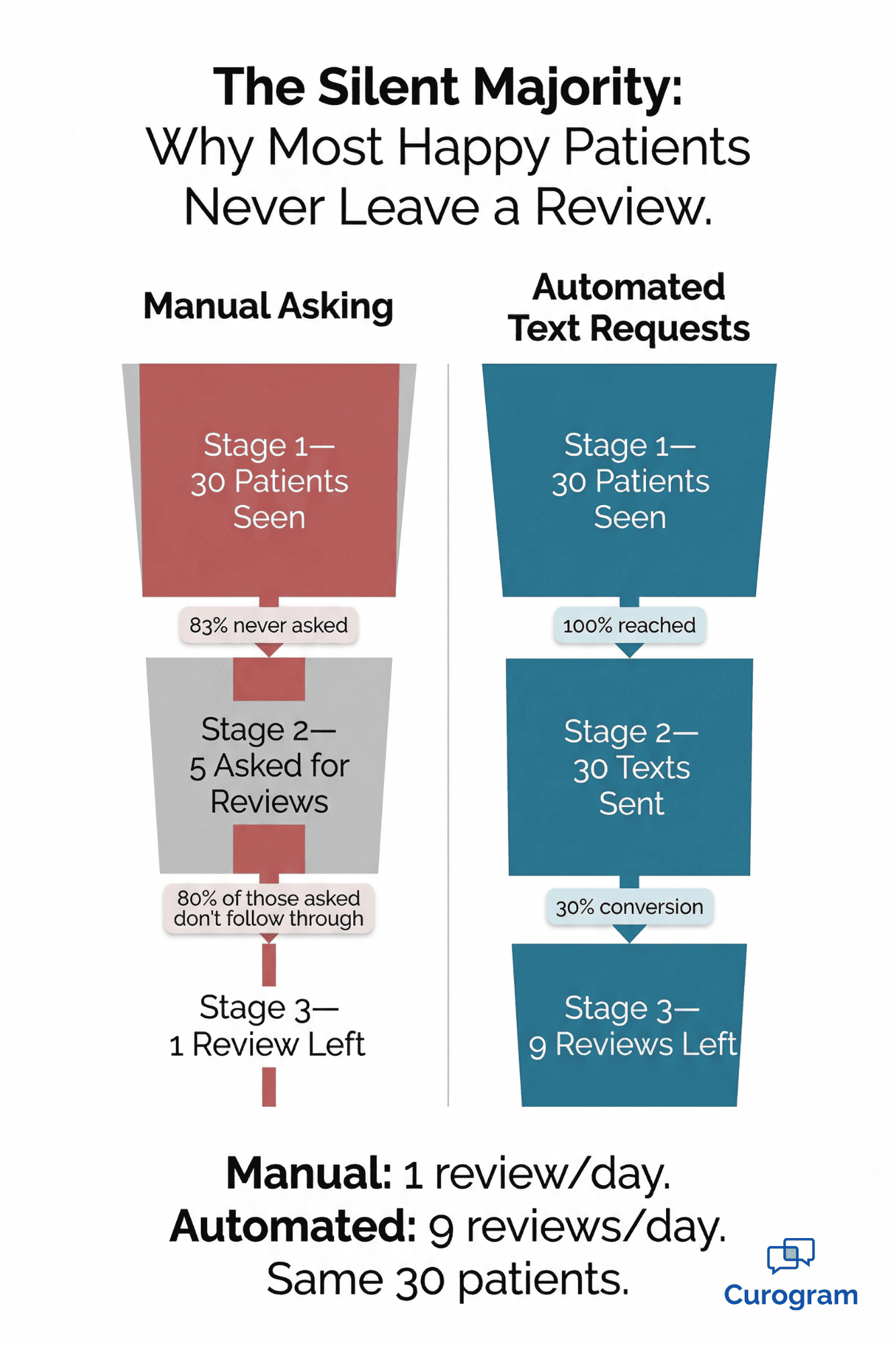
Even when some staff do ask, it's not consistent. It depends on who's at the front desk, how busy the day is, and whether anyone remembers. On a packed Tuesday with 30 patients, maybe five get asked. The other 25 walk out without leaving a trace.

Here's what that looks like in practice:

Scenario

Patients Seen

Patients Asked

Reviews Left

Busy day, short-staffed

30

3

1

Normal day, full team

25

8

2

Light day, one motivated staffer

12

10

4


The pattern is clear. Manual asking is random. It depends on mood, memory, and bandwidth — not a system.

The Negative Skew

Here's the part that hurts the most. Without consistent review requests, only unhappy patients leave reviews on their own. They're the vocal few. Your 27 satisfied patients leave in silence while three frustrated ones go straight to Google.

Over time, your profile starts to look like "mostly upset" — even though most of your care is great. Meanwhile, a competitor down the road with a review workflow automation healthcare system in place has 200+ reviews and a 4.7-star rating. You're stuck at 30 reviews and 3.8 stars.

New patients don't know the full story. They just see the numbers. And they pick the practice that looks more trusted.

The Solo Provider Trap

For solo practitioners or small office managers who do everything — charting, billing, scheduling, front desk — "review asker" never makes the to-do list. It's another unpaid task in an already packed day.

When the schedule gets busy (which is always), review generation drops to zero. Weeks pass. Then months. Your Google profile collects dust while your competitors climb.

The real issue isn't that your staff doesn't care. It's that manual asking is a broken system. It depends on human effort that's already stretched thin. No amount of training or reminders will fix it, because the problem isn't people — it's the process.

What you need is a way to request reviews from every patient, after every visit, without anyone on your team lifting a finger. That's not a dream — it's a workflow that already exists.

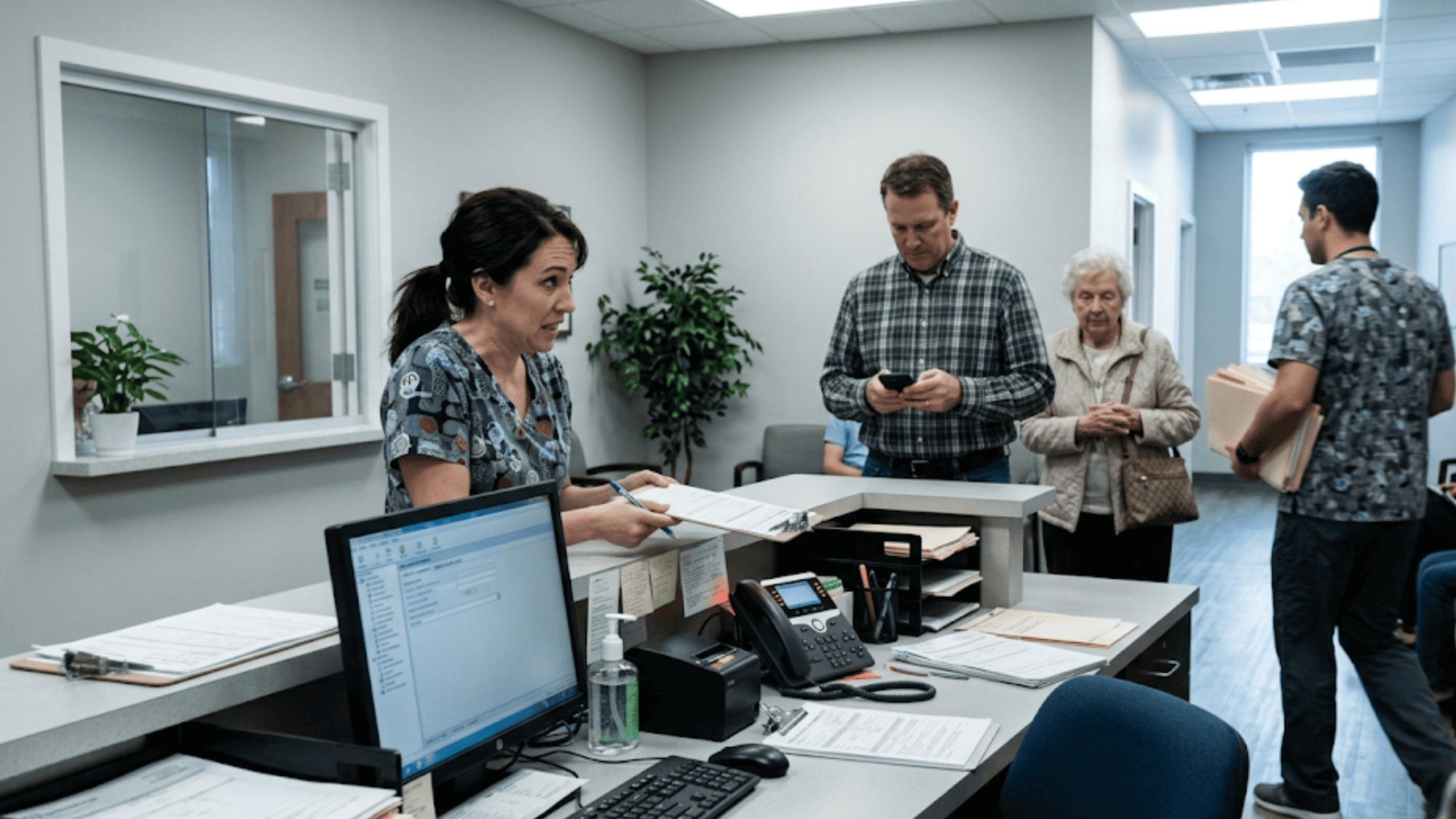
Busy medical clinic front desk staff juggling phone calls and patient check-ins with no time to ask for reviews

The Guide: The Set-and-Forget Reputation Workflow

The fix is simple in concept: send every patient a text after their visit with a link to leave a Google review. No staff involvement. No awkward asks. Just a quiet, automatic message that goes out after every appointment.

Curogram makes this happen by connecting directly to DrChrono through the FHIR API. When an appointment is marked complete in DrChrono, Curogram fires a trigger and sends a text to the patient. The message includes a direct link to your Google Business Profile. Staff never touches it.

How It Works, Step by Step

  1. A patient finishes their visit and checks out in DrChrono.
  2. Curogram detects the completed appointment through the FHIR API.
  3. A text message goes out to the patient with a review link.
  4. The patient taps the link and leaves a review on Google.

That's it. No front desk script. No sticky note reminders. No extra app to open. The system handles text review requests to Google profiles in the background while your team focuses on the next patient.

Smart Review Routing

Not every patient will be happy. That's where smart review routing makes a real difference.

When patients respond with positive signals — a thumbs up, happy language, or a clear five-star intent — they're directed to Google. This helps you build your public profile with real, positive feedback.

But if a patient flags a concern or gives neutral feedback, the system routes them to a private channel instead. This gives you a chance to respond one-on-one, recover the relationship, and fix the issue before it becomes a public review.

This split is key. It separates public reputation building from internal quality work. You grow your Google presence while also catching problems early — without airing them online.

Visual breakdown of why automated review requests outperform manual asking in healthcare practices

The Dashboard: Your Reputation at a Glance

Curogram's reputation dashboard gives you a clear view of how your review engine is running. From one screen, you can track:

  • Review velocity — how many reviews you're getting per day or week
  • Sentiment trends — the share of positive versus concerned responses
  • Response rates — how many patients engaged with the text versus left a review

For a billing manager or practice owner, this data ties directly to growth. Every week of steady review generation means more people finding your practice on Google and choosing you over a competitor.

When you can see review velocity climbing week over week, the connection between reviews and new patient calls becomes hard to ignore. That's when most practice owners start to grasp the potential ROI for boosting your practice's reputation. The dashboard makes the math simple — more reviews mean more visibility, and more visibility means more revenue.

Built for Every Specialty

The beauty of review workflow automation in healthcare is that it works no matter your specialty. A solo chiropractor can send 20 review requests per day without lifting a finger. A PT clinic can track review growth across three locations — by location, by therapist, even by time of day.

Mental health practices benefit from consent-aware messaging that respects patient privacy. Urgent care clinics compete on "near me" review count and speed, where every new review helps them rank higher in local search.

Automatic review generation through DrChrono staff workflows means your team spends time on clinical work and patient care — not on asking for favors at checkout.

Why This Beats a Separate Tool

Some practices pay for standalone reputation tools. The problem? That's another login, another subscription, and another workflow your team has to learn. It lives outside your EHR, which means it often gets ignored.

Curogram lives inside the same ecosystem as your reminders, forms, and two-way texting. It pulls data from DrChrono, so there's nothing extra to set up or maintain. One platform, one workflow, and reviews that grow on their own.

The Success: The Reviews Running Itself

Numbers tell a story that opinions can't. When a practice switches from manual asking to automated review requests, the shift shows up fast — in the data, in the star rating, and in new patient calls.

Let's look at what happened when one multi-location practice turned on Curogram's review automation system.

The Before Picture

Before Curogram, this practice had around 993 total Google reviews. Their star rating sat near 3.2 stars. Not terrible, but not great. The low score wasn't because the care was bad. It was because only upset patients were leaving reviews.

Staff tried to ask patients to leave feedback, but it was hit or miss. On busy days, no one remembered. On lighter days, some front desk staff would ask, but most patients politely nodded and never followed through.

The practice was stuck in a cycle: great care, quiet patients, and a Google profile that didn't reflect reality.

The Switch

Once Curogram connected to their DrChrono system, every completed appointment triggered a text message to the patient. The message was short, friendly, and included a direct link to the correct Google Business Profile for that location.

No training was needed. No workflow changes for staff. The system ran in the background from day one.

The Numbers

Based on our internal research, the results were striking:

Metric

Before Curogram

After 3 Months

Total Google reviews

993

8,159

Star rating

~3.2

4.8

New 5-star reviews (3 months)

~15 (manual)

1,064

Staff time spent on review requests

Hours per week

Zero


That's over 8X growth in total reviews within one quarter. The practice went from a profile that scared away new patients to one that attracted them.

Breaking Down the Math

Here's how the numbers worked. Over 90 days, Curogram sent more than 3,500 review requests across all locations. About 30% of patients engaged — they either clicked the link or replied to the text.

Of those who engaged, based on our internal data, 90% left 5-star reviews. That math looks like this:

  • 3,500 requests sent
  • 30% engaged (1,050 patients)
  • 90% left 5-star reviews (about 1,064 five-star reviews — with rounding from the full dataset across all locations)

Compare that to manual asking, which was producing maybe 5 reviews per month on a good month. That's a jump from 5 to roughly 355 reviews per month — a 70X increase in practice review velocity tracking.

Why 30% Engagement Is Actually Great

You might think 30% sounds low. But consider this: these are text messages sent after a medical visit. Patients are busy

They're driving home, picking up kids, or heading back to work. A 30% response rate for a post-visit text is strong — especially when there's no staff follow-up involved.

And because the system sends a request after every single appointment, even a 30% rate adds up fast. Volume and consistency beat high response rates from a handful of manual asks every time.

The Star Rating Shift

Going from 3.2 to 4.8 stars is a massive leap. Here's why it matters.

Most patients won't book with a practice below 4.0 stars. A profile at 3.2 stars sends a signal — rightly or wrongly — that something is off. Patients skip it and scroll to the next option.

At 4.8 stars with thousands of reviews, the signal flips completely. The practice looks trusted, busy, and well-liked. New patients feel confident booking before they even call.

This shift also boosts local search rankings. Google favors profiles with more reviews, higher ratings, and recent activity. A profile going from 993 reviews to 8,159 reviews gets a real bump in visibility on Google Maps and local search results.

What Staff Actually Noticed

The front desk team noticed something simple: they stopped getting asked to ask. No more morning huddles about "don't forget to mention reviews." 

Instead, they checked the reputation dashboard once a week and saw the numbers climbing. One office manager said the best part was that reviews were coming in from patients they never would have asked — the quiet ones, the ones who left without chatting, the ones who came in after hours.

The system captured feedback from the silent majority. That's the group manual asking always misses.

The No-Show Connection

An added bonus: no-show follow-up reviews through DrChrono became possible too. Patients who missed an appointment and then rebooked could still receive a review request after their next completed visit. This closed a gap that most practices don't even think about.

When a patient no-shows, they often feel guilty. When they return and have a good visit, they're more willing to leave a positive review — but only if someone asks. Curogram asks automatically, and the timing couldn't be better.

What This Means for Your Practice

You don't need thousands of patients to see results. Even a solo provider seeing 15 patients a day can generate 90+ review requests per week. At a 30% engagement rate, that's 27 new reviews per week — over 100 per month.

In three months, a small practice could go from 20 reviews to over 300. That kind of growth changes how you show up on Google, how patients perceive your practice, and how many new calls you get each week.

The key insight is this: reputation management doesn't require more staff time — it requires a system that runs on its own. When every appointment leads to a review request, your profile grows whether you have a team of 20 or a team of one.


How Curogram Turns Every Appointment into a Review Without Staff Effort


Curogram works because it removes every friction point between a completed visit and a Google review. There's no middleman. No clipboard. No verbal ask. Just a text message, sent at the right time, with the right link.

Curogram is built into the same platform your practice already uses for two-way texting, appointment reminders, and digital forms. It's not a standalone app with a separate login. When you open Curogram, you see your messages, your reminders, and your review dashboard — all in one place.

The system is smart about who gets routed where. Patients who show positive intent get sent to your Google Business Profile. Patients who express concern get a private channel to share feedback directly with your team. This means your public profile only grows with genuine positive reviews, while your internal team catches problems before they go public.

It works across multiple locations. If you run three PT clinics or five urgent care centers, Curogram reads the location data from DrChrono and sends the review request to the right Google profile for that site. Your dashboard breaks down review velocity by location, so you can see which offices are thriving and which need support.

The timing is flexible. Some practices send the review text right after checkout. Others wait 24 hours to let the positive experience settle. You can also set quiet hours — no texts after 8 PM, for example — and pause requests during special events or high-volume days.

The data backs it up. Based on our internal research, 90% of patients who engaged with review requests left 5-star reviews, and one practice added 1,064 new five-star reviews in just three months. That's the power of removing staff burden from the equation and letting the system do the work.

For practices using DrChrono, this is the missing piece. DrChrono handles your clinical data. Curogram handles your patient communication — and now, your reputation. Together, they create a full practice workflow with no gaps and no extra tools.

Conclusion: Automate Your Reputation, Not Your Care

Your online reputation should reflect the quality of care you provide — not the memory of your front desk staff. When reviews depend on who remembers to ask, the system breaks down. Happy patients leave in silence. Your Google profile tells the wrong story.

Automated review requests fix this by turning every completed appointment into a chance for feedback. No scripts. No awkward asks. No extra tools to learn.

DrChrono powers the clinical side of your practice — scheduling, charting, and billing. Curogram powers the communication side — reminders, forms, two-way texting, and now reputation. Together, they give you one seamless workflow where nothing falls through the cracks.

The results speak clearly. Based on our internal data, practices using automated review requests saw their Google profiles grow from a few hundred reviews to thousands — with star ratings climbing above 4.8. All without adding a single task to a staff member's day.

If your current approach to Google reviews is "hope someone asks," it's time to switch. Every day without a system in place is a day your competitors collect reviews while your satisfied patients walk out without leaving one.

Stop losing reviews to silence. Stop asking your team to do one more thing. Start building a reputation that matches the care you give.

Stop relying on your front desk to remember the ask. Book a demo and see how automated text review requests build your reputation on autopilot — zero staff effort required.


Frequently Asked Questions

How much staff training is required to set up automated review requests?
None. Curogram connects to DrChrono via your existing FHIR API integration. Once connected, you set the timing (immediately after appointment completion, or X minutes/hours after), customize the message text if desired, and click 'enable.' Staff never touches it again.
Can we customize the review request message and timing?
Yes, completely. Some practices prefer the review request to go immediately after check-out. Others wait 24 hours (letting the positive experience settle). You can customize the text ('Share your experience on Google' vs. 'Rate us on Google' vs. 'Help other patients find us'), adjust timing per practice location, and set quiet hours (no texts after 8 PM).
What if we have multiple locations — can we route reviews to different Google profiles?

Yes. Curogram recognizes appointment location data from DrChrono and routes review requests to the corresponding Google Business Profile. A 3-location PT clinic sees review requests sent from Location A to Google A's profile, Location B to Google B's profile, and so on. 

Why does smart review routing matter for my Google profile?

It keeps negative experiences off your public profile. Happy patients go to Google. Concerned patients go to a private channel where you can respond directly. This protects your star rating while still catching feedback you need to hear.

How quickly can a practice see results after turning on automated review requests?

Most practices see a clear increase in review volume within the first two to three weeks. Based on our internal data, one multi-location practice added over 1,000 new 5-star reviews in just 90 days — starting from the day they enabled the system.