
Patient Portal vs. Texting: Improve Patient Engagement Faster
 Aubreigh Lee Daculug : 8/5/26, 10:00 AM
Learn why patient portals see low engagement while texts reach 98% open rates, and when each channel works best.
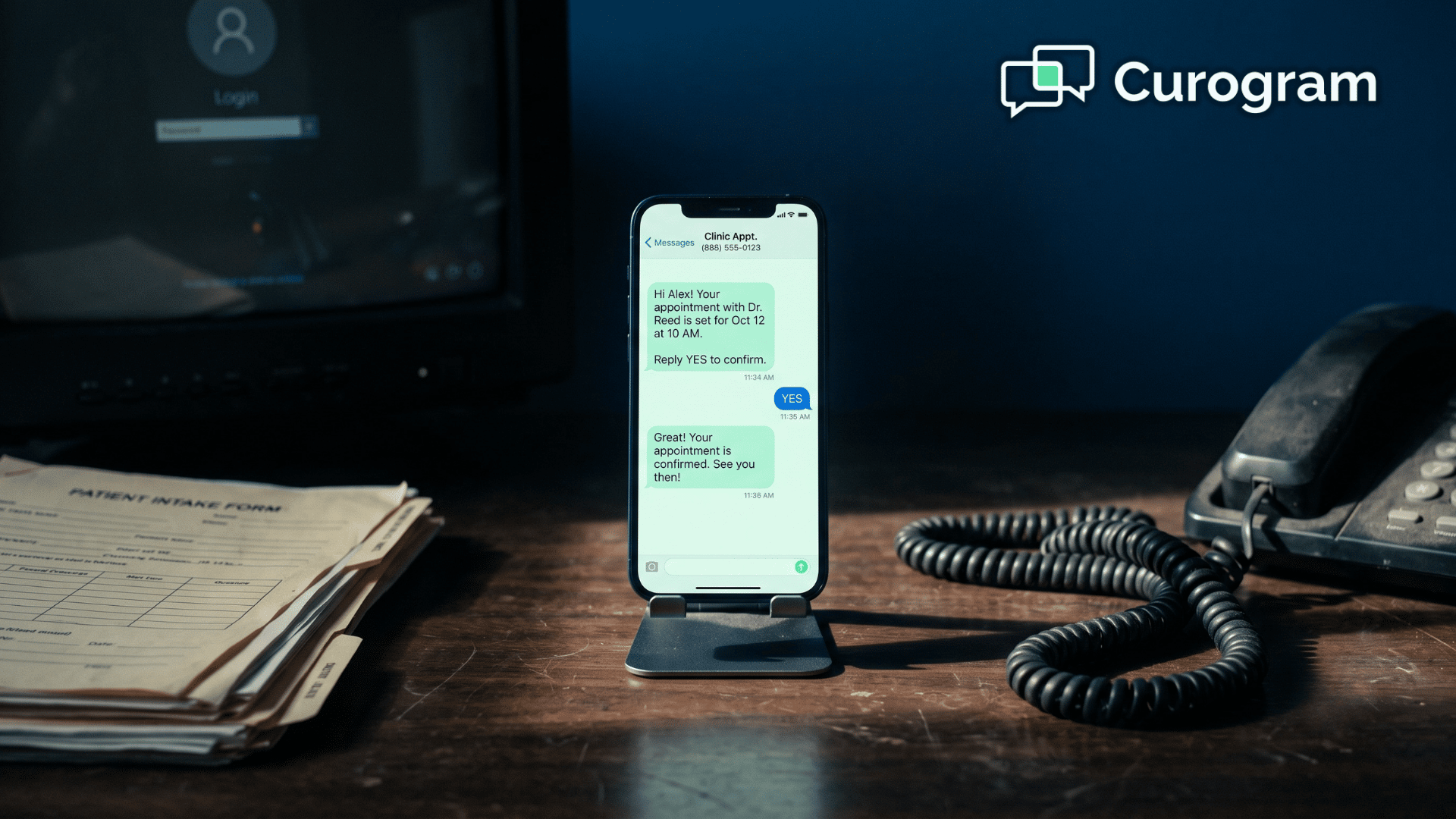
You paid for a texting tool because your patients kept asking for one. A few months later, adoption stalled, your front desk drifted back to phone tag, and the software became one more tab that nobody opens.
If that sounds familiar, you are in good company. Most clinic patient communication platforms do not fail because the technology is weak. They fail because the rollout hits the same handful of walls almost every time.
Before you blame the vendor, it helps to see the wider landscape. Our roundup of HIPAA-compliant texting platforms shows how much these tools have matured, and how much they differ once you look under the hood.
Here is the frustrating part, and it is worth sitting with.
The obstacles are predictable. Compliance feels murky. The tool refuses to talk to your records, staff inherit one more inbox to watch, and patients ignore whatever login you built for them.
None of these problems are minor. Together they drain hours from your week and revenue from your bottom line, because a message that goes unread becomes an appointment that never happens. And a missed appointment is a gap in your schedule you may never fill.
The good news is that every barrier has a clear, practical fix. Once you can name the real reason a rollout stalls, you can solve it instead of guessing at symptoms.
This guide walks through the four reasons clinics struggle with texting, in plain, practical terms. You will learn why each one happens, what it quietly costs you, and how a HIPAA-compliant, app-free approach removes it for good.
We will also cover the checklist to look for, so your next tool sticks this time. By the end, you will know what to fix first, and how to spot a platform truly built to last.
The first wall is almost always compliance, and it is a big one. Sending a patient a text feels casual. Doing it in a HIPAA-safe way is anything but simple.
Plenty of teams freeze right here, and it usually comes down to three questions nobody can answer with confidence:
With no clear answers, teams either stall the rollout for months or quietly fall back on personal phones and consumer chat apps.
That second choice is the riskier one. A consumer messaging app was never built to protect health information, and it will never sign a business associate agreement with your practice.
Consider what is at stake here:
$50,000 — the top statutory penalty for a single HIPAA violation
1 — the number of unencrypted messages needed to trigger a reportable breach
0 — the audit trail your practice keeps when staff text from personal phones
Here is what that means for your team. Compliance should never be the thing that slows you down. The right healthcare communication software manages consent tracking, encryption, and the business associate agreement for you.
That keeps every message safe by default, and it lets your staff finally use texting the way patients keep asking them to.
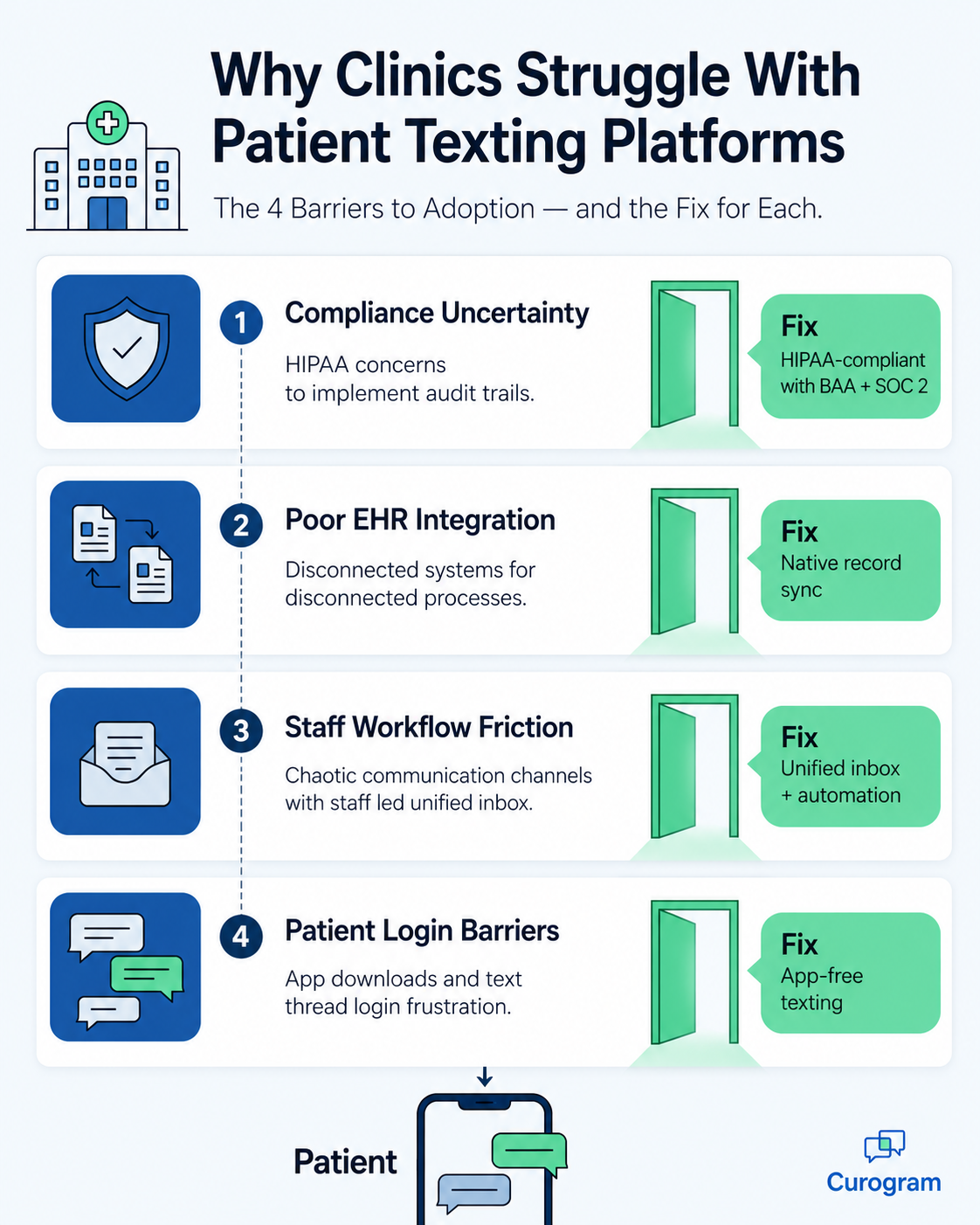
The second wall is integration, or the frustrating lack of it. Many clinic texting systems sit inside their own silo, cut off from the medical chart. That gap creates work nobody agreed to do.
When a message thread lives outside your records, someone has to bridge the two systems by hand. Appointment changes get entered twice, new patient details get re-keyed, and the conversation history ends up stranded where your chart cannot see it.
| Task | Disconnected texting tool | Integrated platform |
|---|---|---|
| Appointment updates | Typed twice, in two systems | Synced automatically |
| New patient details | Re-keyed by staff | Flow into the record |
| Message history | Stranded outside the chart | Attached to the patient |
Let us attach real numbers to that problem.
Imagine your front desk re-enters information for 40 patients a day, at roughly 3 minutes each.
That adds up to 2 hours daily, or about 10 hours every week, lost to duplicate data entry.
For your team, that is more than a full workday each week spent copying information between two screens. A properly integrated platform hands those hours back, because the text thread and the chart stay in sync on their own. Nobody has to play messenger between systems.
The third wall is workflow friction, and it tends to be sneaky. Even the best patient engagement tools will fail the moment they add work instead of removing it. An unplanned inbox becomes clutter, not progress.
Three problems tend to show up together:
Automation is where the biggest relief comes in. Without it, someone on your team has to send every one of your patient appointment reminders by hand, one patient at a time. That quickly becomes hours of repetitive work that software should be handling.
A unified inbox fixes the ownership problem, and automation fixes the volume problem. Reminders, confirmations, and recall messages go out on a reliable schedule. Your team only steps in when a real conversation needs a human, which is exactly where their time belongs.

The fourth wall is the one clinics blame on their patients, even though the tool is usually the real culprit. When replying takes real effort, most people will not bother.
Patient portals ask for a username and password that most people forgot months ago. Every login screen is another chance to give up. Response rates fall the moment you put a wall between the message and the reply.
Asking patients to download an app is an even steeper request. Many people will not install one more app for a clinic they visit twice a year. The message you sent never gets read, and you wrongly assume the patient ignored you.

The fix is refreshingly simple. Let patients reply from the same text thread they use with friends and family, with no login and no download. This is why telehealth messaging works best when it feels like an ordinary conversation, since a plain text meets patients where they already are.
Curogram client data shows SMS open rates near 98%.
You do not need a bigger budget to make texting work. What you need is a platform that clears all four walls at once.
Use this checklist when you evaluate your options:
Start with whichever barrier costs you the most.
For many clinics that turns out to be phone volume, since fewer inbound calls free up the front desk fast.
Our guide on how to cut patient call volume shows where those hours go.
From there, compare your options before you commit. Our clinics listicle lines up the leading platforms side by side, so you can see which one fits your workflow. Get these four pieces right, and texting stops being a project you manage and becomes a system that runs itself.
Patient texting is not hard because the idea is complicated. It is hard because four quiet barriers get in the way, and most clinics never name them out loud.
Compliance feels risky, so rollouts stall. The tool does not sync with your records, so staff key everything twice. The inbox has no clear owner, so messages pile up, and patients ignore a login they never wanted in the first place.
Every one of these problems has a fix, and none of them require magic. You just need software that is HIPAA-compliant by default, connected to your records, easy for staff to run, and simple enough that patients reply from an ordinary text thread.
When those four elements line up, the whole dynamic shifts. Confirmations go out on their own, no-show rates drop, and your front desk stops chasing people by phone so it can help the patients in front of them. Patients show up, staff breathe easier, and your schedule stops leaking revenue.
That is the difference between a tool that collects dust and one your whole team relies on. The technology fades into the background, and the patient relationship moves back to the front where it belongs.
If you have tried texting before and watched it fizzle out, the problem was almost certainly never you. It was a platform that added friction instead of removing it.
You deserve one that does the opposite, and the fastest way to see the difference is to watch it work with your own schedule and your own front desk. See how quickly those four barriers fall away once the right pieces are in place.
Ready to stop fighting your texting tool and start using it?. Book a Demo with Curogram toay, and see how simple patient communication can be for your whole team.
 Aubreigh Lee Daculug : 8/5/26, 10:00 AM
Learn why patient portals see low engagement while texts reach 98% open rates, and when each channel works best.

 Carylee Gali : 3/8/22, 7:00 AM
Patient communications is critical to a successful healthcare business. Learn how to communicate with your patients without violating HIPAA.

Using mobile devices offers healthcare professionals advantages in patient engagement and providing quality care, but you must comply with HIPAA.