
Why Clinics Struggle With Patient Texting Platforms
 Aubreigh Lee Daculug : 7/27/26, 10:00 AM
Learn why patient texting platforms fail and how to overcome compliance, EHR integration, workflow, and patient login barriers.
There is a message sitting in a patient's portal inbox right now. It has been there nine days. It is about the appointment they missed Tuesday.
That same patient answered a text from their pharmacy in under a minute.
Nothing about your portal is broken. The message was encrypted, delivered, logged, and tied to the chart exactly as designed. It simply was not read.
This is the quiet frustration behind the patient portal vs texting engagement question. You bought a portal because it was the responsible choice, and it was. Then you watched routine messages disappear into it while your phone lines stayed just as busy as before.
So the front desk goes back to calling. Someone spends the morning leaving voicemails for tomorrow's schedule. The portal keeps collecting unread notices, and the calendar keeps developing holes nobody saw coming.
Here is what most vendor comparisons get wrong. This is not a fight between two tools, and the portal is not the villain. The two channels were built for different jobs, and the trouble starts when you ask one of them to do the other's work.
A portal is a filing cabinet. It is secure, permanent, and searchable, and it is where a lab result or a full chart belongs. A text is a tap on the shoulder. It is fast, it is disposable, and it is where a Thursday reminder belongs.
Ask the filing cabinet to tap someone on the shoulder and you will wait a long time.
In this article, we will look at what portals do well and where they fall short, what national engagement data actually shows, and which message types belong in which channel. Then we will show what the numbers look like when a practice stops choosing between the two and starts running both.
Let's start where most comparisons refuse to. Your portal is doing real work, and a texting platform cannot replace it.
Portals were designed to solve a problem that used to eat entire afternoons: giving patients access to their own health information without a phone call, a fax, or a trip to the front desk. On that job, they deliver.
National data shows 77% of people were offered online access to their health information in 2024, and 65% used it at least once that year.
Think about what the alternative used to look like. A patient wanted a copy of a lab result, so they called. Someone pulled the chart, printed the pages, and either faxed them or left them at the front desk for pickup. That cycle typically consumed several days and at least two staff members.
The portal collapsed all of that administrative effort into a single login, which is a genuine improvement worth defending whenever someone tries to sell you a replacement.
Here is where a portal earns its keep:
Portals have also improved considerably in the last few years, and it is worth acknowledging that. Most patients now reach their records through a smartphone app rather than a desktop browser, with 57% using an app in 2024 compared to 42% who stayed web-only. The experience is meaningfully less painful than it was in 2019.
Caregiver access has grown even faster. The share of people accessing a portal on behalf of someone they care for more than doubled between 2020 and 2024, climbing from 24% to 51%. For practices treating older adults or pediatric patients, that adult child or spouse managing the account is often your most reliable reader.
Portals also perform better when you push them. The same national data found that 89% of patients offered access were encouraged by their provider to use it, and 87% of those patients logged in at least once. Among patients who were not encouraged, only 57% did.
That is a 30-point swing based on nothing more than staff mentioning it at checkout. If your portal adoption looks weak, the first fix is usually a scripted prompt at the front desk, not a new vendor.
There is one more thing portals do that gets overlooked. They create a written record. When a patient asks six months later what they were told about a dosage change, the answer is right there, timestamped and attached to the chart.
That is not a small thing. It is the reason no serious practice should treat the portal as optional.
So the problem was never that portals are bad. The problem is what happens when a tool built for depth gets handed a job that runs on speed.
Keep that distinction in mind through the next section, because it explains almost everything that follows. None of the failures below are arguments for abandoning your portal. They are arguments for being deliberate about what you ask it to carry.
Source: ASTP/ONC Data Brief No. 77, "Individuals' Access and Use of Patient Portals and Smartphone Health Apps, 2024" (June 2025).
Now the harder part. A portal is excellent at storing information and poor at getting someone's attention today.
Every portal message asks for the same thing before it delivers any value. Find the app or the website. Remember the username. Reset the password you forgot.
Then clear the two-factor step and read a message that says your appointment is Thursday at 10.
That is four steps of friction for four seconds of information. A text takes zero steps.
The deeper issue is directional. A portal is a pull channel, meaning the patient has to decide to go get the information. A text is a push channel, meaning the information arrives whether or not anyone went looking for it.
Almost every message a practice sends about scheduling depends on push. If a patient has to remember that a message might be waiting, you have already lost the reminder.
The notification email does not solve it either. Most portals send a message that says a new message is waiting and then asks the patient to log in to read it. The alert arrives, the content does not, and the patient decides whether the mystery is worth a password reset.
Usually it is not, so the message remains there indefinitely, marked delivered on your end and unread on theirs.
This is the reason patient portal engagement rates look strong on paper and weak in practice. The same 2024 national survey that found 65% of people accessed their records at least once also found that only 34% logged in six or more times all year. Six logins a year is roughly one every two months.
What that means for your schedule:
If you have 3,000 active patients, national averages suggest fewer than 1,100 of them are checking a portal with any regularity. The other 1,900 or so may not open a reminder you send on Tuesday until long after Thursday's slot has come and gone.
There is a second cost hiding in that number, and it lands on the patient. Someone who never saw the reminder does not experience a delivery failure. They experience a practice that charged them a missed-visit fee for something they were never told about.
That gap is easy to miss because your reporting will not show it as a failure. The message was sent successfully. It just never reached anyone in time to change what happened on the schedule.
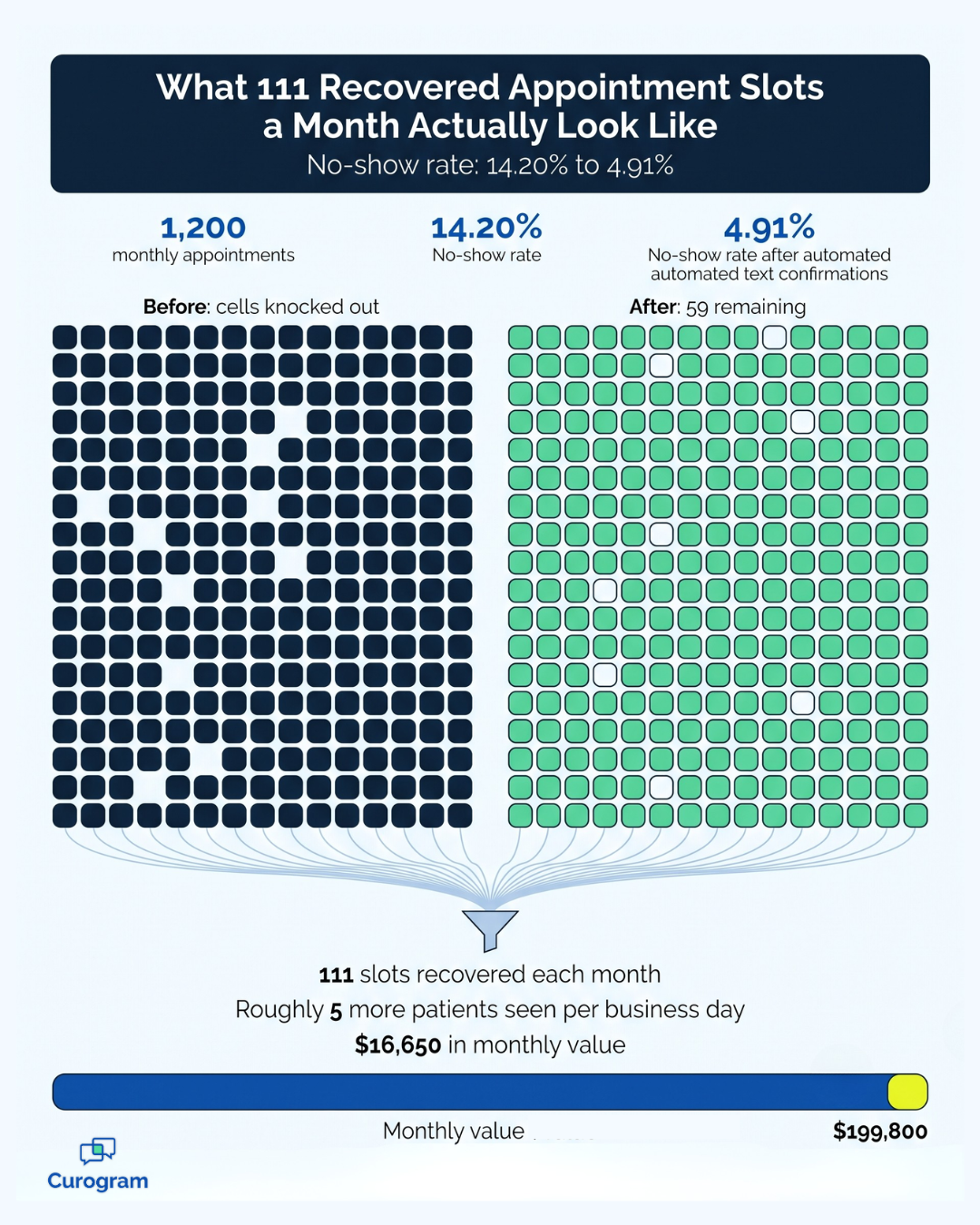
When researchers ask why patients don't use portals, the answers are rarely about broken software.
A national survey published in the Journal of Medical Internet Research found that nearly 59% of respondents had not adopted a portal at all. Among those non-adopters, 64% said they simply preferred to speak with someone directly, and 49% saw no need for it.
Roughly 19% pointed to trouble logging in. About 9% said they had too many portals to keep track of, which is what happens when a patient sees a primary care doctor, a specialist, and an imaging center that all use different systems.
The pattern also varies across your patient panel in ways worth planning for. Older patients, patients with limited English proficiency, and patients without reliable home internet consistently show lower portal adoption in the research. Those are frequently the same patients whose appointments are hardest to reschedule.
Relying on a single channel therefore concentrates your no-shows in the populations you can least afford to lose. A second, lower-friction channel is not a convenience feature for those patients. It is often the only reliable way to reach them.
Read those numbers again, because they reframe the whole problem. The top two barriers are preference and perceived value, not broken technology. Patients are not failing to use the portal; they are deliberately choosing not to, for reasons that make perfect sense to them.
That last one deserves a name. This is the portal fatigue patients describe when they say they gave up somewhere around the fourth password reset.
And that fatigue accumulates. Every additional login a patient is asked to maintain makes all of the others slightly less likely to be checked, including yours.
Think about what the portal is actually being asked to carry in most practices. Appointment reminders and confirmation requests. Intake forms and balance notices. Recall messages for patients overdue for follow-up.
Every one of those is time-sensitive, low-complexity, and needs an answer within a day or two. Every one of those is competing with a login screen.
When the message does not land, the work does not disappear. It moves to your front desk. Someone starts calling, leaving voicemails, and calling again the next morning, which is the most expensive way a practice can confirm an appointment.
So you end up paying twice: once for the portal that delivered the message, and again for the staff hours spent working around it.
The compounding effect is what makes this expensive rather than merely annoying. An unread reminder becomes a missed appointment, which becomes a rescheduling call, which becomes an open slot that nobody filled. One unopened message quietly generates three more tasks.
Multiply that across a month of reminders and you are no longer describing a communication problem. You are describing a staffing problem and a revenue problem wearing a communication problem's clothes.
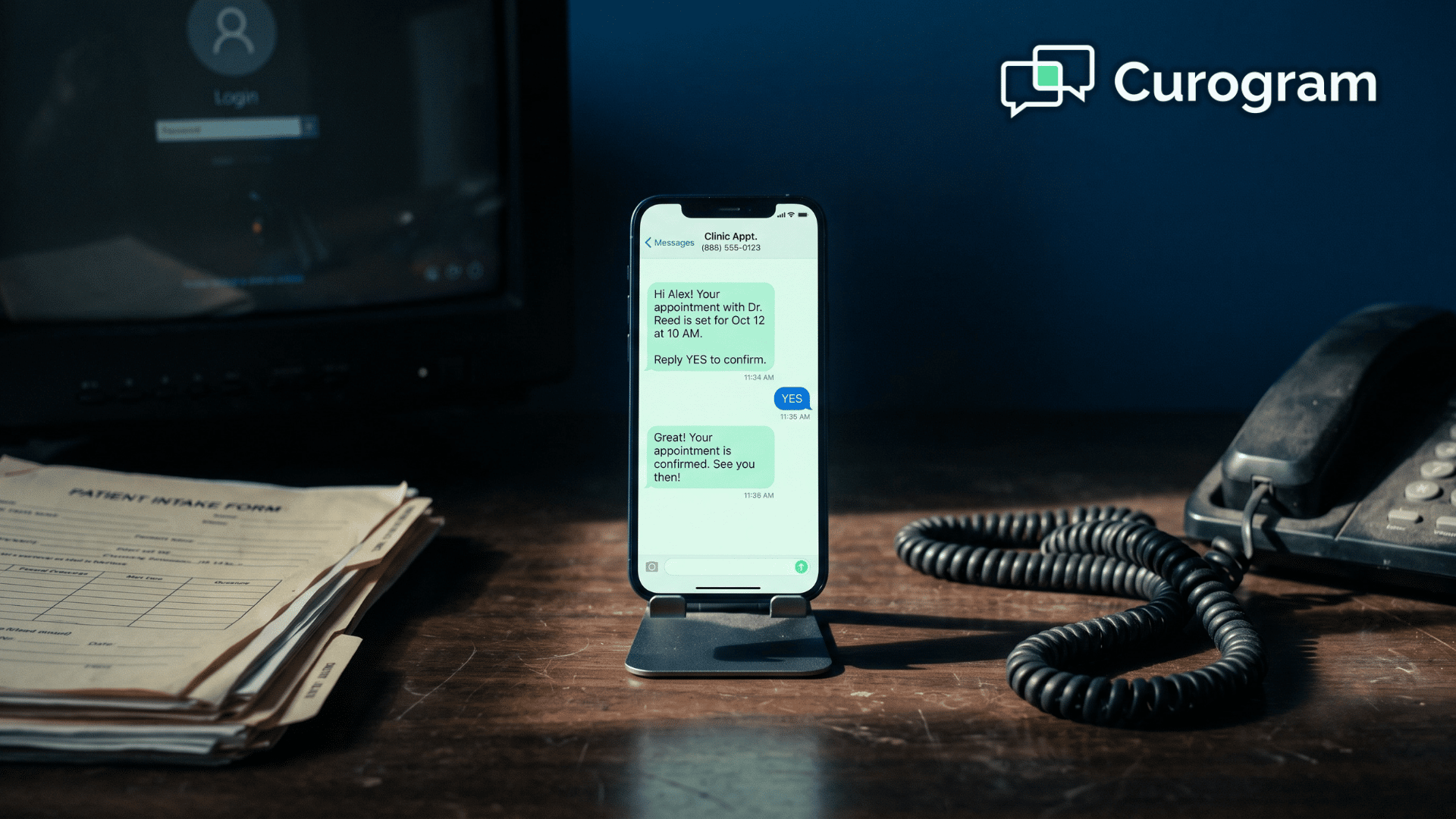
Meanwhile, the channel with a 98% open rate sits unused in the corner.
Most SMS vs portal messages healthcare comparisons end by picking a winner. That framing does not survive contact with a real front desk.
The practices that solve this are not picking a side. They are sorting messages by job. Anything that needs a fast answer goes out by text, and anything that needs a permanent, documented home stays in the portal.
Nobody has to be talked out of the tool they already trust.
It also helps to remember why the front desk keeps reaching for the phone. Staff do not call because they distrust the portal. They call because they need an answer today and experience has taught them the portal will not produce one.
Give them a channel that reliably produces answers and the calls stop on their own. No policy memo required.
The sorting exercise is simpler than it sounds. Pull the last 30 days of outbound portal messages and put each one into a pile: needs an answer this week, or needs to exist forever. Most practices find that the first pile is far larger than they expected, and almost all of it is logistics.
One caution before the table. Sorting by speed does not mean texting everything that is convenient to text, and some information genuinely belongs behind a login regardless of how quickly you want it delivered.
Detailed diagnostic results, sensitive clinical findings, and anything a patient would not want visible on a lock screen should stay in the portal. The text can announce that something is ready without carrying the content itself.
Here is the split that works:
| Message type | Best channel | Why it works there |
|---|---|---|
| Appointment reminders and confirmations | Text | Needs a reply within hours, not days |
| Rescheduling and waitlist offers | Text | Open slots have a short shelf life |
| Digital intake and consent forms | Text link | Patients finish them before arrival, not in the lobby |
| Balance reminders and payment links | Text | Collections improve when paying takes one tap |
| Recall and overdue follow-up outreach | Text | Reaches patients who stopped logging in months ago |
| Lab and imaging results | Portal | Needs context, permanence, and chart attachment |
| Full records and document downloads | Portal | Built for secure storage and retrieval |
| Detailed clinical questions | Portal | Belongs in the documented record |
| Care plans, referrals, and instructions | Portal | Long-form content patients revisit later |
Notice the pattern. Text handles the traffic. The portal handles the record.
The handoff between them matters too. A text can carry a secure link that drops a patient into the portal for the one task that belongs there, which removes the search and keeps the record where it should be. The channels perform considerably better connected than they do competing.
This also respects something practices tend to overlook: patient communication channel preferences vary by age, by visit type, and by how urgent the message feels. A 34-year-old confirming a physical and a 71-year-old reviewing a care plan are not doing the same task, and they should not be forced down the same path.
The cleanest way to handle that is to ask. Capture a preferred channel at intake, store it, and route around it. Patients who prefer a telephone call still receive one, and nobody has to guess.
Sorting messages this way is not a cosmetic change. It shows up on the schedule.
Curogram clients average appointment confirmation rates above 75% and run no-show rates 53% lower than the industry average.
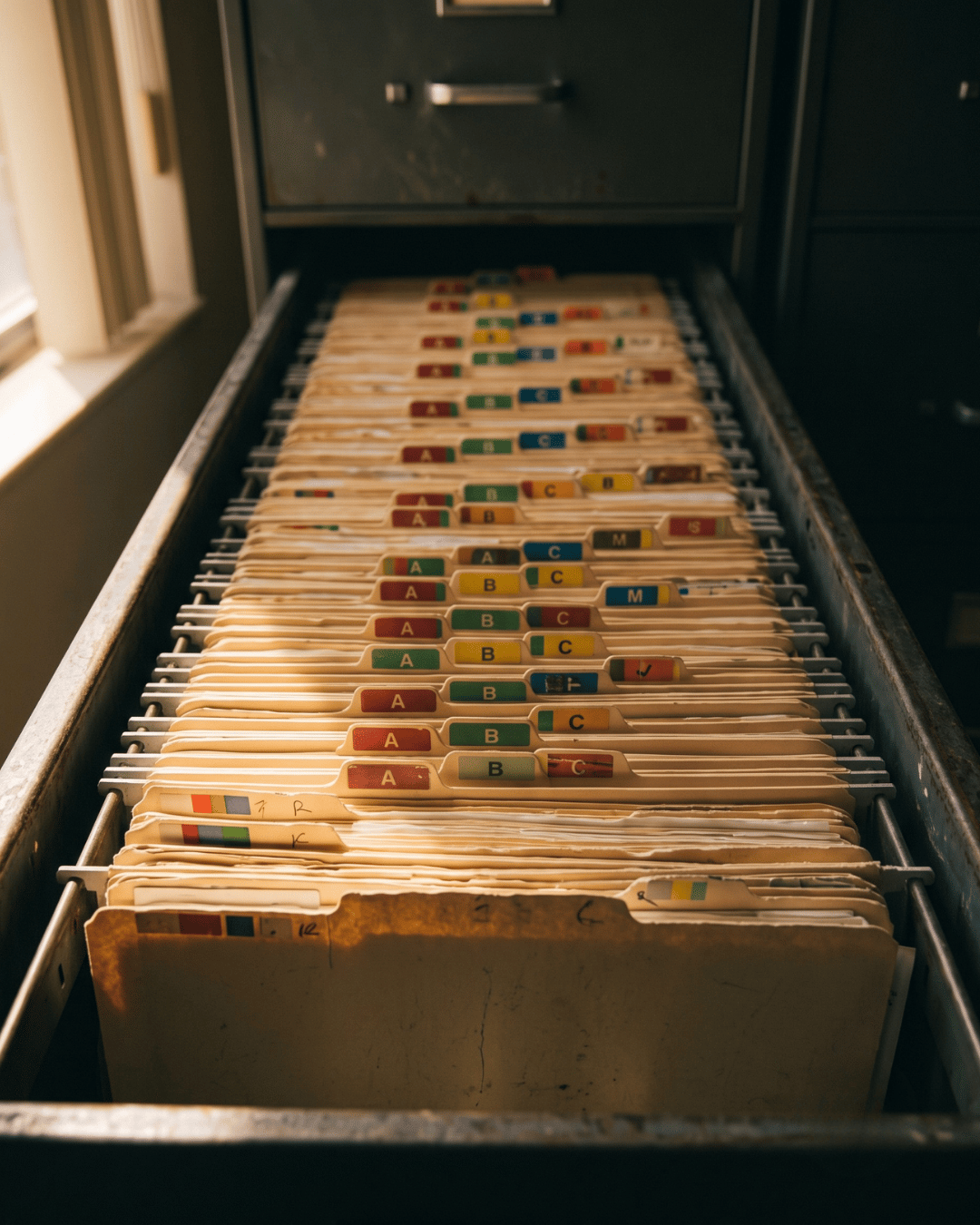
Atlas Medical Center cut no-shows from 14.20% to 4.91% in three months.
Covina Arthritic Clinic now confirms more than 1,100 appointments a month.
Here is what that kind of shift looks like for a mid-sized practice. The example below is illustrative, using Atlas Medical Center's verified improvement applied to a sample appointment volume.
| Metric | Before | After |
|---|---|---|
| Monthly appointments scheduled | 1,200 | 1,200 |
| No-show rate | 14.20% | 4.91% |
| Missed appointments per month | 170 | 59 |
| Slots recovered per month | — | 111 |
| Value at $150 per visit | — | $16,650 |
| Value per year | — | $199,800 |
In practice:
111 recovered slots a month is not abstract. It is roughly five extra patients seen per business day, in rooms you already staff and already pay rent on.
At a $150 average visit value, that is close to $200,000 a year that was walking out the door as empty time.
And that is before you count the phone calls your team stops making. Curogram practices report phone volume dropping by as much as 50%, which is the difference between a front desk that answers calls and a front desk that returns them at 4:45.

Put a rough number on that too. If your team calls to confirm 1,200 appointments a month and each attempt takes three minutes with dialing, voicemail, and callbacks, that is 60 hours of staff time every month. Automating the confirmations at a 75% response rate hands most of those hours back.
It is worth separating the two kinds of return here, because they get budgeted differently. The recovered appointments show up as revenue, which finance departments recognize immediately. The reclaimed staff hours show up as capacity, which usually gets absorbed invisibly into work that was already overdue.
Both are real, but only one of them appears on a monthly report. Practices that evaluate this decision on revenue alone consistently undercount what they are actually buying.
For your team:
That is not a line item anyone tracks, but everyone feels it. It is the difference between a receptionist who greets the person in front of them and one who is stuck on hold while the lobby fills up.
There is a name for what is happening here, and it shows up in nearly every practice running a modern EMR.
The Portal Paradox:
]The channel holding your most important patient information is the channel your patients check least often.
The paradox is not a design flaw. It is the direct result of doing security correctly. The same login that protects a full medical record is the login that stops someone from glancing at a reminder while waiting in line for coffee. You cannot remove the friction without weakening the protection, and you should not want to.
Naming it matters more than it sounds. Teams that cannot name the paradox tend to blame the wrong thing, usually the patients for not checking or the staff for not pushing harder. Neither explanation is accurate, and neither situation improves with additional effort.
So you stop attempting to resolve it from the inside. You leave the portal to the work it was built for, and you put a low-friction channel in front of it for everything else.
The severity varies by practice, and it is worth estimating yours honestly. A specialty practice with engaged chronic-care patients who log in monthly experiences a milder version of this than a high-volume primary care office with a largely transactional patient panel. The paradox is universal; its cost is not.
Each EMR expresses this paradox a little differently depending on how its portal is built, and we cover those differences in our EMR-specific integration guides. The underlying pattern is the same everywhere.
Your portal is not the problem, and replacing it is not the goal. The goal is to stop asking a secure archive to do the work of a doorbell.
Sort your messages by the job they do. Reminders, confirmations, intake forms, balance notices, and recall outreach belong in a channel patients already check dozens of times a day. Results, records, care plans, and documented clinical conversations belong behind a login, attached to the chart, exactly where they are today.
When practices make that split, the results are consistent. Confirmation rates climb past 75%. No-shows fall well below the industry average. Phone volume drops sharply, and the staff time that used to go into voicemail chains goes back to the people at the desk.
Curogram is built for this. It is HIPAA compliant and SOC 2 Type II certified, and it works alongside the EMR and portal you already use rather than replacing either. Two-way texting, automated reminders, digital intake, text-to-pay, and recall campaigns run through one platform, and everything patients send stays documented and secure.
Your team does not learn a new system to replace the old one. They get a faster lane for the messages that were never a good fit for the portal in the first place.
The patient portal vs texting engagement debate ends the moment you stop treating it as one. Patients will use both. They just use each one for different things, and your workflows should reflect that.
If you want to see what this looks like inside your practice, with your appointment volume and no-show rate, we can walk you through it. Book a Demo and we will show you which messages should move, what stays in the portal, and what the numbers look like on the other side.
 Aubreigh Lee Daculug : 7/27/26, 10:00 AM
Learn why patient texting platforms fail and how to overcome compliance, EHR integration, workflow, and patient login barriers.
 Aubreigh Lee Daculug : 10/1/26, 6:00 PM
Four failures behind broken clinic texting: personal phones, no BAA, no audit trail and no opt-out record. What each exposes and how to close it.

.jpg?width=30&name=square-formal-photo%20(1).jpg) Mira Gwehn Revilla : 3/14/26, 1:00 PM
Mira Gwehn Revilla : 3/14/26, 1:00 PM
Explore the patient communication evolution from phone-only to multi-channel. Learn text, email, portal, and app strategies with implementation...