
Best HIPAA-Compliant Patient Texting Platforms 2026
 Jo Galvez : 3/7/26, 11:00 AM
Compare the best HIPAA-compliant patient texting platforms for 2026—Curogram, Spruce, TigerConnect, Klara, Weave, and Updox by fit, setup, and price.
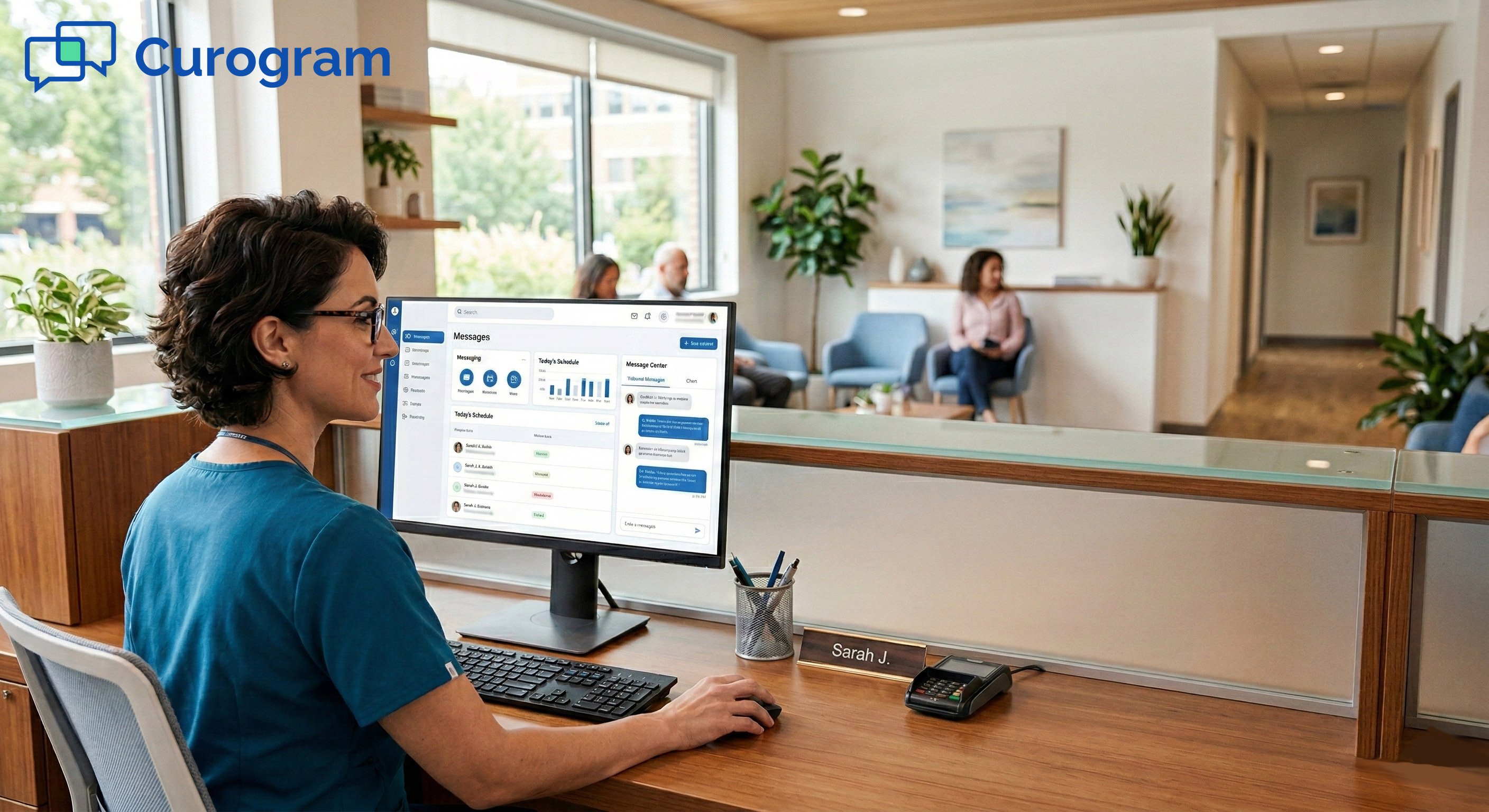
Picking the right patient communication platform is one of the most impactful choices your practice will make. It shapes how your staff spends their day, how your patients show up, and how your budget holds up over time. The wrong pick can lead to wasted money, burned-out staff, and patients who slip through the cracks.
That is why we put together this honest, head-to-head look at four leading platforms. This is not a sales pitch. We want to show you the real strengths and trade-offs of each tool so you can decide with facts, not hype.
In this guide, we compare Curogram, Luma Health, Klara, and Artera. We break down features, pricing, ease of use, support, and more. Whether you run a solo practice or manage a growing group of fifty-plus providers, these are the names that come up most when practices search for a Curogram alternative.
We also dig into the factors that are easy to miss, like setup time, hidden costs, and how each tool handles your EMR. A platform that looks great in a demo can still fall short in your daily workflow. The details matter.
By the end of this guide, you will know which platform fits your budget, your team, and your patients. You will also know the right questions to ask before signing a contract.
Your patient communication platform touches every part of your daily work. It shapes how your front desk handles calls, how patients confirm visits, and how your team stays in sync. A poor fit can drain your staff and push patients away.
Staff time is one of the biggest costs in any practice. Based on our internal data, practices that switch to two-way texting and auto reminders save 15 to 30 hours per week on phone calls alone. That is time your team can spend on patient care instead of phone tag.
No-show rates shift based on how well your platform works. The industry average sits between 18% and 25% for most clinics. But the right tool can cut that number in half. Our internal research shows that Curogram users see no-show rates 53% lower than the industry average, with some clinics dropping from 14% to under 5% in just three months.
Long-term contracts and total cost matter. Setup fees, training time, and per-message charges can pile up fast. Before you sign, you need to know exactly what you are paying for.
The right platform should pay for itself in saved time and gained revenue. For a closer look at the numbers, see our article on ROI for patient communication tools.
Before we dive into features and pricing, here is a quick look at each platform. All four serve medical practices, but they differ in who they target and how they approach patient engagement.
Curogram is a HIPAA-compliant two-way texting platform built for practices of all sizes. Staff can learn it in about ten minutes. It works with any EMR system thanks to its patented linking method. Core tools include auto reminders, patient forms, text-to-pay, surveys, broadcast messaging, and Google review requests.
Curogram serves solo providers, mid-size groups, and multi-location clinics alike. Its platform scales without forcing you to switch tools as your practice grows. It focuses on core features that deliver quick results rather than packing in complex tools most teams never use.
Luma Health is a full patient success platform with AI-powered workflows. Its Spark engine uses NLP and smart automation to manage reminders, scheduling, and outreach. It connects to over 70 EHR systems.
Luma targets mid-size to large practices and health systems. It works best for groups that want broad automation and can invest in a longer setup process. When practices compare this as a Luma Health alternative to Curogram, they often weigh cost and timeline.
Klara acts as a messaging hub that brings patient texts, web chats, and voicemails into one place. It also offers telehealth video visits, call-to-text tools, and message routing. A Klara alternative comparison often centers on these messaging strengths versus cost and support.
Klara fits practices that need strong internal team messaging and a single inbox for all contact. It is popular in fields like skin care and aesthetics where photo sharing and quick replies matter most.
Artera is an AI-first platform with virtual agents for text and voice. Its Flows Agents handle 94% of patient chats with no staff input. The platform also includes co-pilot tools and supports over 100 languages. Practices researching Curogram vs Artera pricing quickly notice the gap in entry-level costs.
Artera is built for large health systems, hospitals, and federal agencies. With over 1,000 provider clients and a minimum annual cost of $15,000, it targets groups with big budgets and complex needs.
A head-to-head look at features helps you spot the gaps that matter most for your practice. The table below breaks down core functions across all four platforms.
|
Feature |
Curogram |
Luma Health |
Klara |
Artera |
|
Two-Way Texting |
Yes |
Yes |
Yes |
Yes |
|
HIPAA Compliant |
Yes |
Yes |
Yes |
Yes |
|
Appointment Reminders |
Yes |
Yes |
Yes |
Yes |
|
EMR Integration |
Any EMR |
70+ EMRs |
50+ EMRs |
Major EMRs |
|
Patient Portal Required |
No |
Yes |
No |
Yes |
|
Internal Team Messaging |
Yes |
Basic |
Strong |
Basic |
|
AI Automation |
Smart Automation |
Advanced (Spark) |
Moderate (AI Asst.) |
Most Advanced (Agents) |
|
Telehealth |
Integration |
Built-In |
Built-In |
Integration |
|
Broadcast Messaging |
Yes |
Yes |
Yes |
Yes |
|
Mobile App |
Yes |
Yes |
Yes |
Yes |
|
Payment Collection |
Text-to-Pay |
LumaPay |
Limited |
Integrated Billing |
|
Multi-Location Support |
Yes (Centralized) |
Yes |
Yes |
Yes |
|
Google Review Automation |
Yes |
Yes |
Limited |
Limited |
The biggest gaps show up in EMR reach, AI depth, and cost. Curogram is the only platform that works with any EMR. Artera limits itself to major systems like Epic and Oracle Health. When you compare Curogram vs Klara features, the key split is that Curogram offers stronger review automation and payment tools, while Klara excels at team chats and telehealth.
Curogram also stands out with central management for multi-location practices. You can run one, five, or fifty locations from one place without changing platforms. For a broader look at patient texting tools, especially Curogram. see our patient engagement software guide.
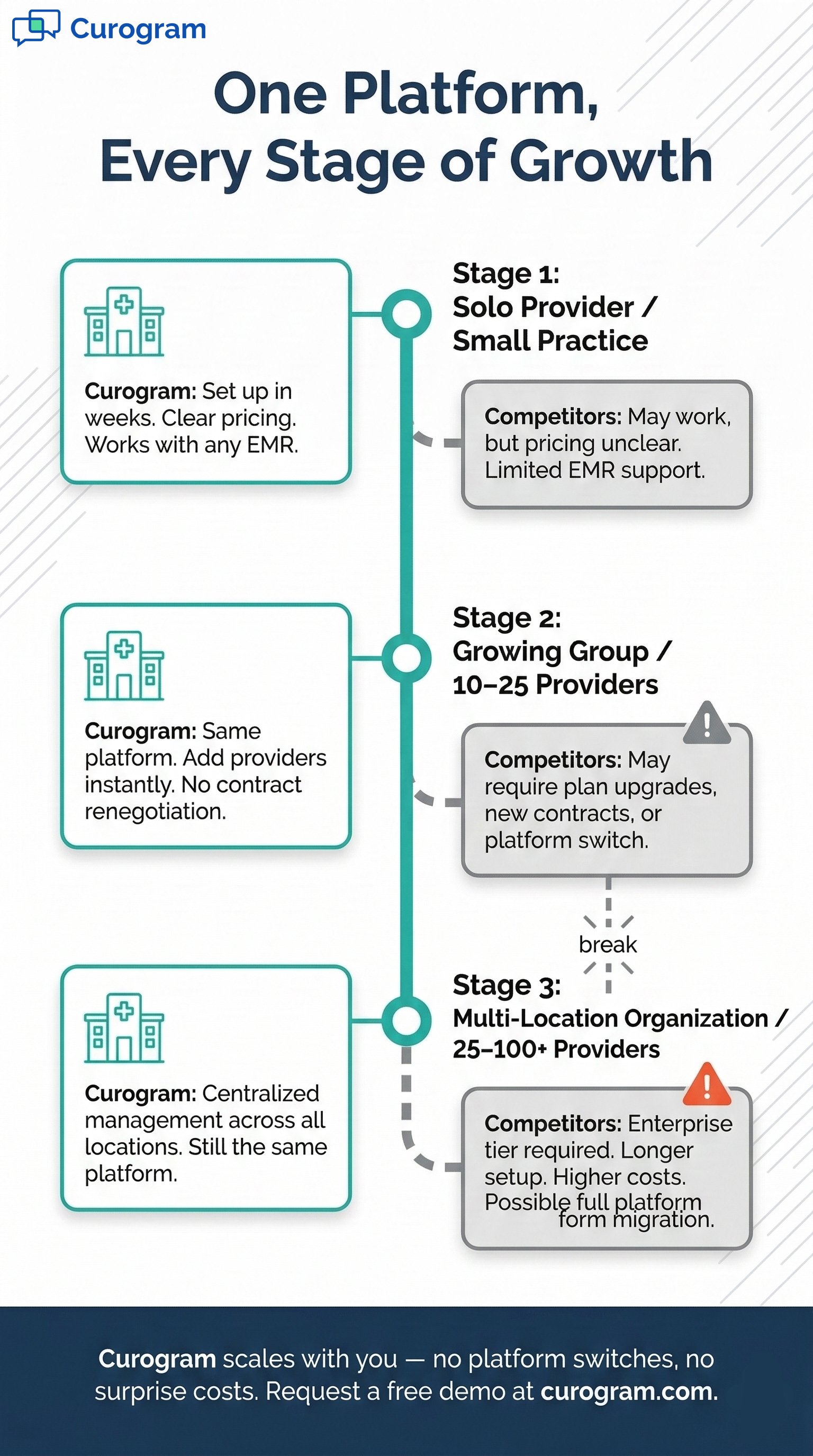
Price is often the first thing practices look at, but the sticker price only tells part of the story. Hidden setup fees, training costs, and per-message charges can change the math in a hurry.
Curogram plans range from $200 to $400 per month with clear, per-provider pricing. There are no per-message fees, and setup is included. Most practices go live in two to four weeks. Pricing scales smoothly as you add providers or locations.
For a five-provider practice, three-year costs land between $7,200 and $14,400. Curogram delivers strong features without the sticker shock of enterprise-tier platforms. You get clear pricing without needing a sales team to quote you.
Luma Health uses custom pricing not listed on its website. Reports suggest plans start around $250 per month but climb much higher for larger groups. You must request a demo to get a quote. This is an important part of any Curogram vs Luma Health comparison since Curogram lists its rates openly.
Setup can take six to twelve weeks, which adds staff time costs. Some users also note that add-on features raise the monthly bill beyond what they expected at sign-up.
Klara does not share prices openly. User reviews on G2 and Capterra note that many find it pricey for what it offers. The exact cost depends on practice size and features chosen.
Several reviewers point out that Klara costs more than expected. Since there is no public rate card, you must book a demo to learn your price.
Artera starts at $15,000 per year, or about $1,250 per month minimum. This makes it the most costly platform in this group by a wide margin.
Large health systems with fifty-plus providers see the best return from Artera. For most practices, the price is hard to justify unless you can fully use its AI agent tools at scale.
|
Factor |
Curogram |
Luma Health |
Klara |
Artera |
|
Monthly Cost |
$200–$400 |
Custom (est. $250+) |
Custom (high) |
$1,250+/mo ($15K/yr) |
|
Pricing Model |
Per Provider |
Per Provider/Flat |
Subscription |
Enterprise Contract |
|
Per-Message Fees |
No |
Varies |
Varies |
Varies |
|
Setup Fees |
Included |
May Apply |
May Apply |
Custom |
|
Setup Time |
2–4 Weeks |
6–12 Weeks |
4–8 Weeks |
8–16 Weeks |
|
3-Year TCO (5 Providers) |
$7.2K–$14.4K |
$15K–$50K+ |
$15K–$40K+ |
$45K+ |
How a platform links with your EMR defines how smooth your daily work will be. A weak link means double data entry, lost records, and frustrated staff.
Curogram uses a patented system that links with any EMR or EHR on the market. It supports API and HL7 with two-way data sync. Setup takes two to three weeks on average, whether you have one clinic or dozens.
Many practices use niche or older EMR systems. Other platforms may not reach them. Curogram removes that barrier so you never need to switch your EMR just to get better texting. For a deeper look, read our EMR integration guide.
Luma connects to over 70 EHR systems with deep, two-way links. Data flows back and forth in near real time. The quality of the link is strong for supported systems.
Expect four to eight weeks for a full Luma setup. Larger health systems may need more time based on how many locations are involved.
Klara works with over 50 EMR systems. It performs well for common platforms, but some users report limits with image sharing and less common EHRs.
Klara setups take three to six weeks in most cases. If your EMR is well supported, the process is fairly smooth.
Artera connects with major platforms like Epic, Oracle Health, NextGen, and athenahealth. Its links run deep and are built for large-scale use. If your practice runs a smaller EMR, Artera may not fit.
Artera takes the longest to set up at eight to twelve weeks or more. The process targets large systems with many moving parts.
The best features in the world do not help if your team cannot use them. Speed of setup and ease of daily use are often what make or break a platform.
Staff can learn Curogram in about ten minutes. The mobile app works just like personal texting, so the learning curve is almost flat. This holds true whether you are training five people or fifty across many locations.
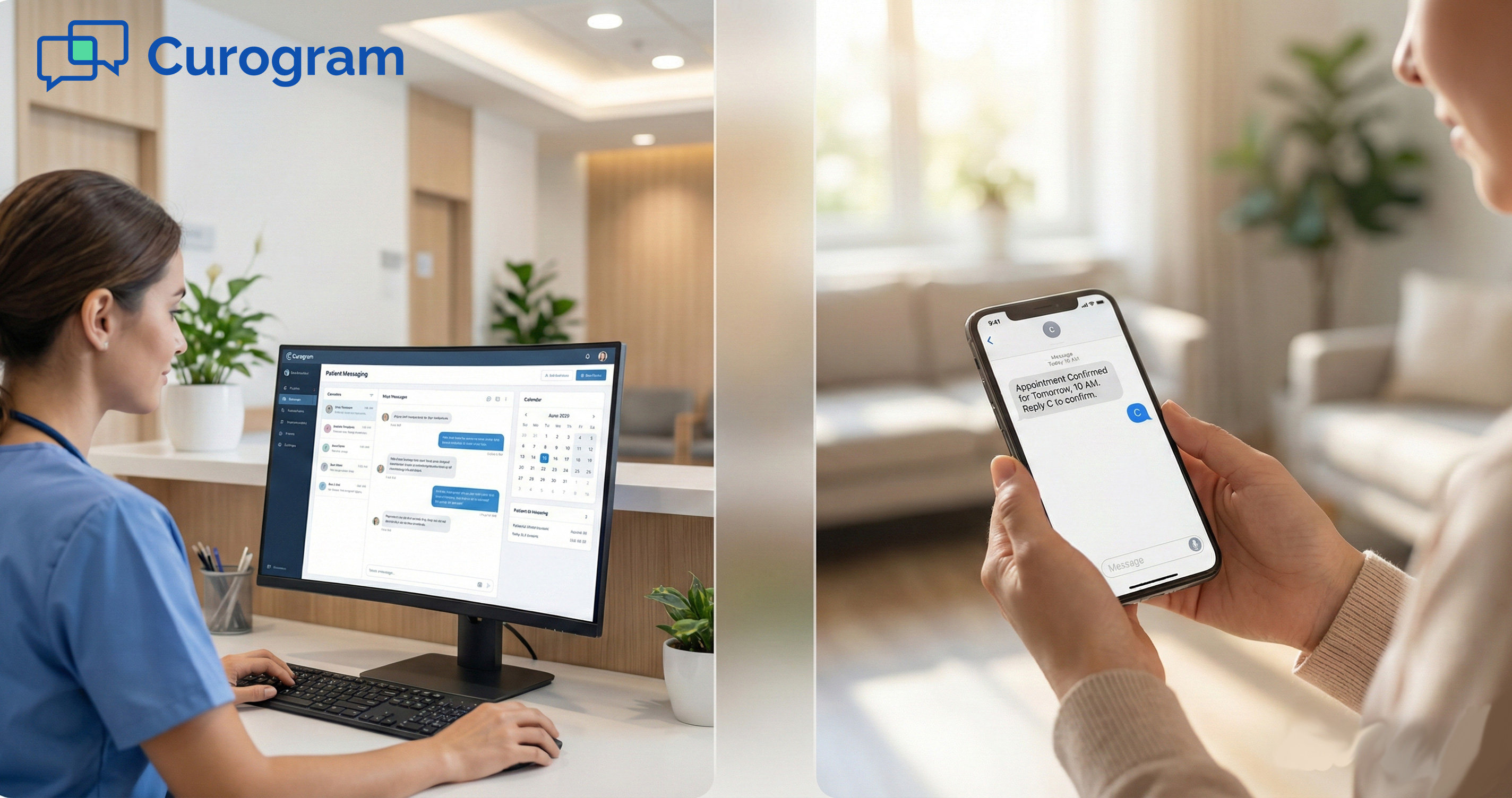
Front desk staff send and receive texts, check confirmations, and review surveys from one screen. The simple layout means fewer clicks and faster replies. Patients find it easy too, since there is no app or portal to download.
Luma takes one to two hours of training for most staff. The platform is more complex but praised for being clear once learned.
Staff use dashboards to track outreach, manage waitlists, and check AI-driven reminders. The learning curve is moderate but most teams adjust within a few days.
Klara needs about one to two hours of training. Its chat-based layout feels natural to staff who use messaging apps daily.
Messages from all channels land in one inbox. Staff can route chats, share photos, and launch video visits from the same screen.
Artera takes four to eight hours of training because of its AI agent setup. Staff need to learn how to manage self-running workflows and co-pilot tools.
For large systems, Artera handles much of the patient contact on its own. But getting to that point takes time, planning, and ongoing tweaks.
Every platform offers some level of automation. The real question is how much you truly need and whether your team will actually use it.
Curogram uses smart automation for reminders, follow-up texts, surveys, forms, and broadcast messages. These cover the tasks that drive the most value for practices of any size. The focus is on tools your staff will actually use every day.
Because setup is fast and costs are low, most practices see a return within the first month. Based on our internal data, clinics using Curogram see a 10–20% revenue boost from fewer no-shows and recovered slots. For tips on cutting missed visits, check out our guide on reducing no-shows with text reminders.
Luma offers advanced AI flows through its Spark engine. This includes NLP-powered messaging, smart waitlists, and complex multi-step workflows.
If your practice handles thousands of visits per month and needs tailored outreach by patient segment, Luma's AI can deliver strong results. For groups with fewer visits, it may add more complexity than value.
Klara automates message routing, voicemail transcription, and call-to-text conversion. Its AI assistant handles common questions and routes them to the right team member.
Klara shines where team messaging and fast patient replies are the top goals. It does less on scheduling and recall compared to other tools in this group.
Artera leads the pack in AI with fully self-running agents that complete 94% of patient chats with no staff help. It also offers co-pilot tools and supports over 100 languages.
For many practices, Artera's agent tools go unused. The ROI only works when you have the patient volume and budget to take full advantage of the system.

Even the best platform can fall flat if support is slow or set-up drags on. Here is how each company handles onboarding and ongoing help.
Curogram is known for fast, hands-on support with a dedicated success team. The team walks you through setup and stays close during the first weeks. Support scales as your practice adds locations or providers.
Most practices go live in two to four weeks. The short ramp-up means you see value almost right away. To learn more, read our guide on how to roll out patient texting software.
Luma assigns dedicated success managers who guide the rollout. Users praise their team for being proactive and informed.
Luma takes six to twelve weeks to fully deploy. The longer timeline reflects the platform's depth, but it can test patience for teams that need results fast.
Klara relies largely on email-based support. Some users report slow response times, though most say issues get resolved once they reach the right person.
Expect four to eight weeks for a full Klara setup. The process is middle-of-the-road in both speed and depth.
Artera offers enterprise-level support with dedicated teams for large clients. Its security meets federal standards, which matters for government health agencies.
Artera has the longest setup at eight to sixteen weeks. The process involves deep system work and an AI workflow setup that takes time to do right.
A platform that works today should still work three years from now. If you plan to grow, you need a tool that keeps pace without forcing a costly switch.
Curogram is built to scale. The same platform works for a solo provider and a multi-location group. You can add providers and locations without platform changes or contract talks. Central management lets you run all sites from one place.
Because pricing is per provider, your costs rise in a steady, clear way. There are no surprise jumps when you cross a threshold. This makes budget planning simple at every stage of growth.
Luma scales well for large systems. It handles high patient volumes and complex workflows across many sites.
You may need to renegotiate your contract as you add providers. This can slow things down and add costs you did not plan for.
Klara offers good scaling for mid-size practices. Some features work best at that level and may feel limited for very large groups.
Custom pricing means your costs could shift as you expand. Ask for clear terms on what happens when you add locations.
Artera is built for large-scale use from day one. It handles millions of patient contacts across vast networks.
Complexity grows along with your scale. Larger setups need more AI tuning, more training, and more time to manage.
Not every platform is right for every practice. The best choice depends on your goals, budget, and the tools you truly need. Here is a clear split.
Practices of all sizes that want a proven, reliable tool. Solo providers who need quick wins. Multi-location groups that want central management across sites. Any clinic running any EMR system, including older or niche platforms.
If you want fast adoption, clear pricing without sales talks, and a platform that grows with you, Curogram is the best match. It pairs ease of use with strong core tools that deliver results from day one.
Groups that want a full patient success platform. Practices with budgets for premium AI and the time for a complex rollout.
If you need deep AI workflows and can invest $1,000 to $3,000 per month or more, Luma is a strong fit. Be ready for a longer setup and a steeper learning curve.
Teams that need a unified messaging hub. Specialty clinics in skin care or aesthetics where photo sharing and quick chats are key.
If internal team collaboration and a single inbox are your top needs, Klara is worth a close look. Just be ready for pricing that may run higher than expected.
Large health systems, hospitals, and federal agencies with fifty-plus providers. Groups with yearly budgets of $15,000 or more for patient contact tools.
If you need cutting-edge AI agents, federal-grade security, and the ability to handle millions of contacts per year, Artera is the leader in that space.
No platform is perfect. Here is a fair look at the strengths and weak spots of each tool, based on public reviews and feature analysis.
Clear, affordable pricing with no per-message fees.
Works with any EMR system.
Staff learn it in ten minutes.
Setup takes just two to four weeks.
Scales from a single provider to dozens of locations with central management.
Based on our internal research, practices see over 75% auto-confirmation rates and no-show rates three times better than the industry average.
Focused on core communication features rather than complex AI agents.
Does not include a separate patient portal, though one is not required for texting.
Best for teams that want high-impact tools without added layers of complexity.
Full patient success platform with advanced AI through Spark.
Over 70 EMR links.
Strong name and scale for growth.
In 2025, Luma reported saving over two million hours of staff time across clients.
Higher cost with custom pricing that is not shown up front.
Complex setup that takes six to twelve weeks.
Some users note limited options for message tailoring.
May be more than many practices need.
Great for team collaboration and internal chats.
Chat-based layout feels natural.
Built-in telehealth with video visits.
Good fit for niche specialties.
Many reviewers report pricing that feels high.
Support is mostly email-based, which can be slow. Some EMR links have limits.
Less advanced automation compared to Luma or Artera.
Most advanced AI agents on the market.
Enterprise-grade security with federal clearance.
Supports over 100 languages.
Handles 94% of patient chats without staff.
Named 2026 Best in KLAS for Patient Communications.
Most costly at $15,000 per year minimum.
Longest setup at eight to sixteen weeks.
Too complex for most practices.
Enterprise focus means smaller groups may feel overlooked.
Review sites like G2, Capterra, and Software Advice give us a window into what real users think. Here are the common themes for each platform.
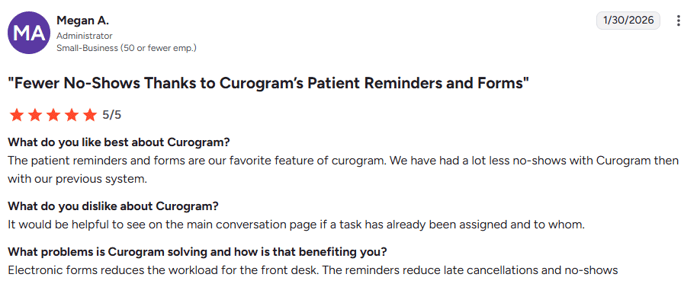
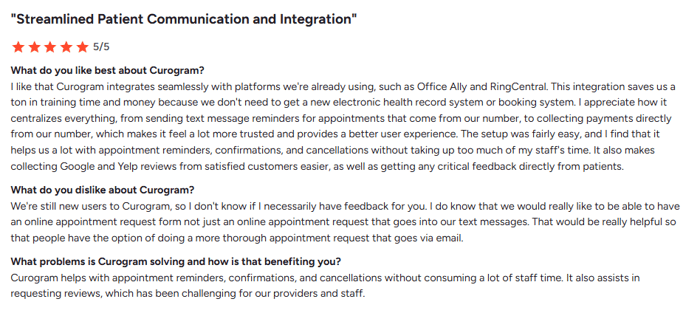
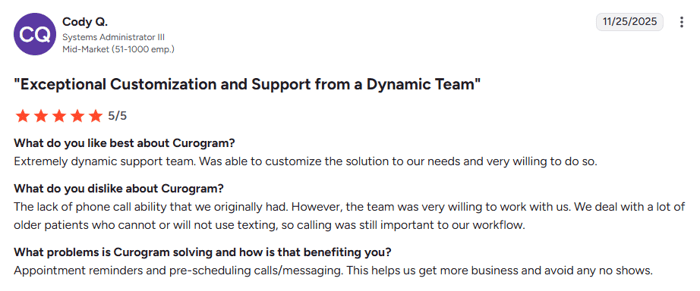
Users praise Curogram for being easy, affordable, and fast to set up. Many note how it works with their EMR without any fuss. The texting experience feels natural for both staff and patients, no matter the practice size.
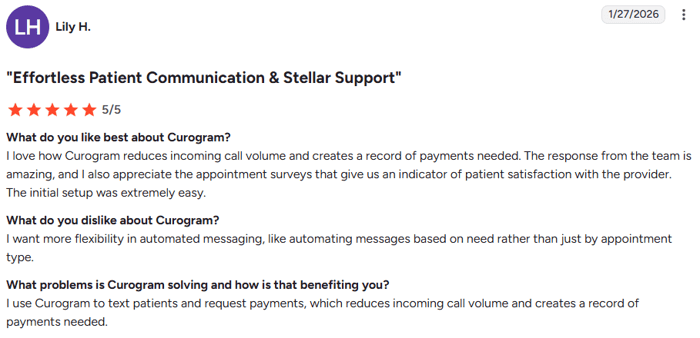
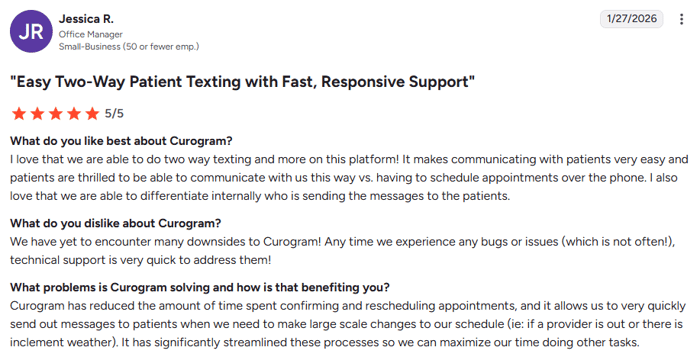
Some users wish for more advanced AI features. But most agree that for the price and ease of use, Curogram delivers strong results.
Based on our internal data, 90% of patients at one multi-location practice left five-star reviews after using Curogram's automated survey tool, resulting in over 1,000 new reviews in just three months.
Reviewers give Luma high marks for features, AI tools, and engagement results. The platform holds a 4.7 rating on many review sites.
Some users note that setup took longer than planned. Others say that custom options for patient messaging can feel limited. Cost concerns come up often for smaller groups.
Users love the ease of texting patients and the built-in telehealth tools. The conversation-based layout gets frequent praise.
Glitches and slow updates are common complaints. Several reviewers say support response times could be faster. Some also flag higher-than-expected costs.
Large health systems praise Artera for its AI tools and scale. Users report strong results once the platform is up and running.
Setup complexity is the top concern. Smaller clients sometimes feel the platform was not built with them in mind. The high price tag also comes up in many reviews.

Choosing the right tool comes down to three things: your practice size, your budget, and the features that matter most to your team.
You want a platform that works whether you have one provider or a hundred. Clear pricing without enterprise sales talks. A tool your staff can learn in minutes and that connects with any EMR. A solution that grows as your practice grows.
Request a demo of Curogram to see how the platform fits your workflow. Most practices are live within weeks, not months.
A full patient success platform with advanced AI. A budget of $1,000 to $3,000 per month or more. The patience for a six-to-twelve-week setup.
Book a Luma demo and ask about the total cost, including setup and training time.
You want a single messaging hub for your team. Telehealth is a core part of your practice. You are comfortable with mid-to-high pricing and a custom quote process.
Ask Klara for a full cost breakdown. Test the platform's EMR link with your system before you commit.
The most advanced AI agents for enterprise health systems. Federal-level security. A budget of $15,000 or more per year.
Work with Artera's team to scope the project. Make sure your IT staff is ready for the setup effort.
Red flags to watch for during demos: vague pricing, pressure to sign long contracts, no live reference clients, and no clear answer on EMR compatibility.
Always ask what happens if you want to leave. For guidance on how texting fits into your overall tech strategy, see our article on building a patient communication technology stack. If you want a deeper look at how professional texting works in healthcare, check out our guide to professional text communication in medical practices.
Switching platforms does not need to be painful, but it does take planning. Here is what to expect if you decide to make a move.
The top reasons are high costs, poor support, missing features, and EMR issues. If your current tool cannot keep up with your growth, it may be time to explore new choices.
Map out your data transfer needs early. Decide which patient records must move and which can stay. Talk to your new vendor about data migration help before you sign.
Give your staff at least two weeks of notice before the change. Send patients a message through both old and new systems so they know what to expect. Curogram offers hands-on migration support for practices switching from other tools.
Most switches take four to eight weeks. Choose a vendor that offers active help during the move. Always ask about data export options and contract exit terms so you avoid vendor lock-in.
For patient communication tips during a platform switch, our article on empathetic text messaging in healthcare can help you craft the right tone.
There is no single best platform for every practice. Your choice should match your team size, your budget, and the features that will make the biggest impact on your daily work.
Curogram offers the best mix of value, ease of use, and the ability to scale. Its ability to work with any EMR, combined with clear pricing and ten-minute staff training, makes it a strong fit whether you are a solo provider or running thirty locations. The platform grows with you, so you never outgrow your tools.
That said, Luma Health, Klara, and Artera each have real strengths for specific needs. If you need deep AI or built-in telehealth, they deserve a look. The key is to match the platform to your workflow, not the other way around.
Take the time to demo every option that makes your short list. Ask hard questions about hidden costs, support speed, and long-term contracts. The best platform is the one your staff will actually use well every day. That effort now will pay off in better patient care, smoother work, and a stronger bottom line.
Ready to see Curogram in action? Request a free demo and find out how two-way texting can transform your practice.
Frequently Asked Questions
 Jo Galvez : 3/7/26, 11:00 AM
Compare the best HIPAA-compliant patient texting platforms for 2026—Curogram, Spruce, TigerConnect, Klara, Weave, and Updox by fit, setup, and price.
 Jo Galvez : 2/21/26, 3:00 PM
Master professional SMS communication in healthcare. Learn HIPAA-compliant messaging, timing strategies, templates, & best practices for medical...
 Jo Galvez : 3/8/26, 4:00 PM
Detailed ROI analysis of patient texting with Curogram. Real practice data, cost savings breakdown, 12-month projections, and interactive ROI...