Skip to the main content.

12 min read

Medical SMS Messages: How Practices Use Texting to Save Time

Medical SMS Messages: How Practices Use Texting to Save Time
 💡 Medical SMS messages are text messages sent between a healthcare practice and its patients through a secure, HIPAA-compliant platform. They are used for appointment reminders, billing nudges, post-visit instructions, and office updates — without picking up the phone.

Practices that use medical SMS consistently see fewer no-shows, lower call volumes, and more time freed up for clinical work. Based on our internal data, practices using automated text reminders reduce no-show rates by up to 75% and cut phone call volume by as much as 50%.

The best medical messaging platforms offer two-way texting, EMR integration, template management, and automated scheduling — all in one place. Curogram is built specifically for this.

Think about the last time a patient no-showed without warning.

No call. No cancellation. Just an empty slot on the schedule — and a gap in your day that nobody can fill on short notice. Now multiply that by five, ten, or fifteen times a month.

That's not a minor inconvenience. That's revenue walking out the door before anyone even notices it's gone.

The frustrating part? Most of those patients didn't forget because they don't care. They forgot because nobody reminded them in a way that actually worked.

Phone calls get sent to voicemail. Voicemails go unheard. Your front desk staff spends hours chasing confirmations for appointments that should have taken thirty seconds to confirm. Meanwhile, the waiting room backs up, the phones keep ringing, and your team is stretched thin before noon.

There's a better way — and it fits in your patient's pocket.

Medical SMS messages have quietly become one of the most effective tools in modern practice management. Not because texting is new, but because patients actually respond to it. Studies consistently show that SMS open rates hover around 98%, compared to roughly 20% for email.

That's not a small difference. That's the gap between a reminder that works and one that doesn't.

This article walks you through exactly how medical practices use texting today, what message types get the best results, what to look for in a platform, and how to get started without disrupting your existing workflow.

Whether you're just exploring the idea or ready to make a switch, you'll leave with a clear picture of what's possible — and what it can mean for your practice.

What Exactly Are Medical SMS Messages?

Medical SMS messages are text messages sent from a healthcare practice to its patients through a secure, HIPAA-compliant platform, often referred to in research as medical SMS interventions in patient communication. That last part matters more than it might seem.

Unlike a general notification tool or a marketing platform bolted onto a website, a proper medical messaging system is purpose-built for clinical environments. It handles patient data with the same care you'd expect from any other piece of your healthcare technology stack — with encryption, access controls, and a clear audit trail built in from the start.

Why Personal Texting Won't Work Here

This is not the same as texting from your personal phone. Regular SMS has no privacy protections, no audit trail, and no compliance built in, which aligns with findings on risks of unsecured mobile health communication.

Sending patient information over standard texting apps exposes your practice to serious HIPAA liability — even if the message itself seems harmless, like confirming an appointment time.

The risk isn't just theoretical. HIPAA violations tied to unsecured communication have resulted in significant fines for practices of all sizes. And the problem is easy to stumble into — a well-meaning staff member texting a patient from their personal device is enough to create exposure.

Medical messaging, by contrast, happens through a dedicated platform that encrypts data, logs all communication, and operates under a signed Business Associate Agreement (BAA).

It looks like texting to the patient. On the backend, it's a fully compliant system.

That distinction — simple for patients, compliant for your practice — is what makes it work.

Channel Avg. Open Rate Typical Response Time
SMS ~98% Under 3 minutes
Email ~20% Hours to days
Phone / Voicemail ~30% listen rate Often never

When a channel has a 98% open rate, every message you send actually lands.

That changes what's possible for your team. It also means the investment you put into crafting the right message — the right reminder, the right instructions, the right billing prompt — actually reaches the person you're trying to reach.

How Practices Are Already Using SMS to Communicate with Patients

The use cases for medical SMS are broader than most people expect. It's not just appointment reminders. Practices are using it across the entire patient journey — before the visit, during it, and well after the patient has left.

What surprises most practice managers is how much of their current phone volume is driven by things that don't need a phone at all. Appointment confirmations, directions, balance due reminders, care instructions after a procedure — these are all tasks that patients would rather handle on their own, in their own time, without waiting on hold.

From Scheduling to Recall — The Full Communication Loop

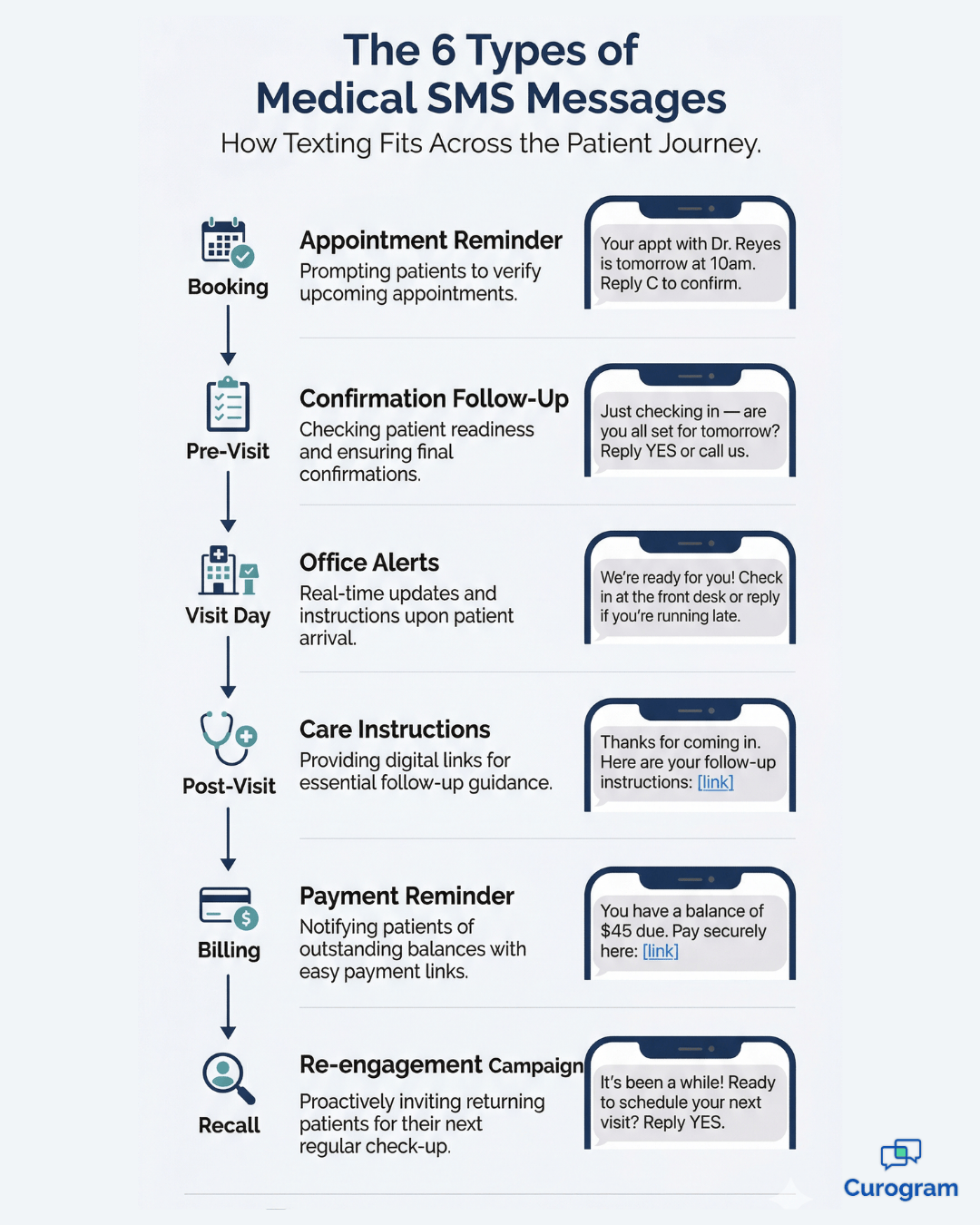
Here's a quick look at where SMS fits across the patient lifecycle:

  • Appointment reminders and confirmations — Automated texts go out 48 and 24 hours before a visit, prompting patients to confirm, cancel, or reschedule without involving staff.
  • Post-visit instructions — Instead of a printout that gets lost in the parking lot, you send a link or plain-text message patients can pull up anytime.
  • Test result notifications — For non-sensitive results, a quick text directing patients to their portal is faster than a callback and less disruptive for your clinical team.
  • Billing reminders — A short, direct text with a secure payment link clears balances faster than mailed statements.
  • Office closure alerts — Keep patients informed about schedule changes before they show up to a locked door.
  • Recall campaigns — Re-engage patients who haven't been in for a while with a single outbound message.

That last one tends to surprise practices the most. One multi-location practice using Curogram sent SMS recall messages to lapsed patients and saw 35% of them schedule an appointment within a month — 1,240 patients seen from text messages alone.

That's not a marketing campaign. That's just smart communication.

35%

Of patients who received an SMS recall message scheduled an appointment within 30 days. 1,240 patients were seen from recall texts alone at a single multi-location practice. Based on Curogram internal data.

What makes this powerful isn't any single use case in isolation — it's how they compound.

When reminders reduce no-shows, instructions reduce callback volume, billing texts shorten collection cycles, and recall campaigns bring patients back without any manual outreach, the result is a communication system that runs largely on its own.

Your staff stops chasing and starts focusing on the work that actually requires their attention.

The Message Types That Perform Best

Not all medical SMS messages are created equal. Some prompt immediate action. Others go ignored.

The difference usually comes down to two things:

Relevance and timing.

A lot of practices send the right message at the wrong moment — or worse, send a generic blast with no clear next step and wonder why response rates are low. The message types that consistently perform best are the ones that are specific, expected, and easy to act on.

When Timing Matters as Much as the Message

A billing reminder sent the same day as a visit rarely lands well. A recall message sent to someone who was just seen last week feels like a system error. Getting the message right means getting the timing right first. Think of each message type as having its own optimal window — miss it, and even a well-written text becomes friction instead of help.

Here's a breakdown of the top-performing message types, with examples and timing guidance:

Message Type Example Best Timing
Appointment Reminder "Hi [Name], your appt with Dr. Reyes is tomorrow at 10am. Reply C to confirm or R to reschedule." 48 hrs and 24 hrs before
Billing Reminder "You have an outstanding balance of $45. Pay securely here: [link]" 7–14 days post-visit
Post-Visit Instructions "Thanks for your visit today. Here are your care instructions: [link]" Within 1 hour of discharge
Test Result Notification "Your lab results are ready. Log in to your patient portal to view them." Same day results are available
Office Closure Alert "Our office will be closed on [date]. Call us at [number] for urgent needs." 24–48 hrs in advance
Recall Campaign "It's been a while since we've seen you! Would you like to schedule a visit? Reply YES to get started." Based on last visit date

Follow each message with a clear call to action. "Reply C to confirm" gets better results than leaving patients to figure out what to do next.

One more thing worth noting:

Message length matters. Texts that get read and acted on are short, direct, and free of clinical jargon.

Patients aren't looking for a paragraph — they want to know what's needed, what to do, and how to do it. If you can't say it in two to three sentences, it probably belongs in an email or a portal message instead.

Medical SMS message types across the patient journey — appointment to recall

The Real Benefits of Using a Medical Texting Service

The time savings alone make the case for most practices. But the financial impact is what really gets attention — and it shows up in more ways than most people expect when they first start exploring medical texting.

It's not just about cutting costs. It's about recovering value that's already being lost — to missed appointments, slow collections, high call volumes, and the kind of staff burnout that doesn't show up on a balance sheet until someone quits.

What Happens to Your Staff's Day

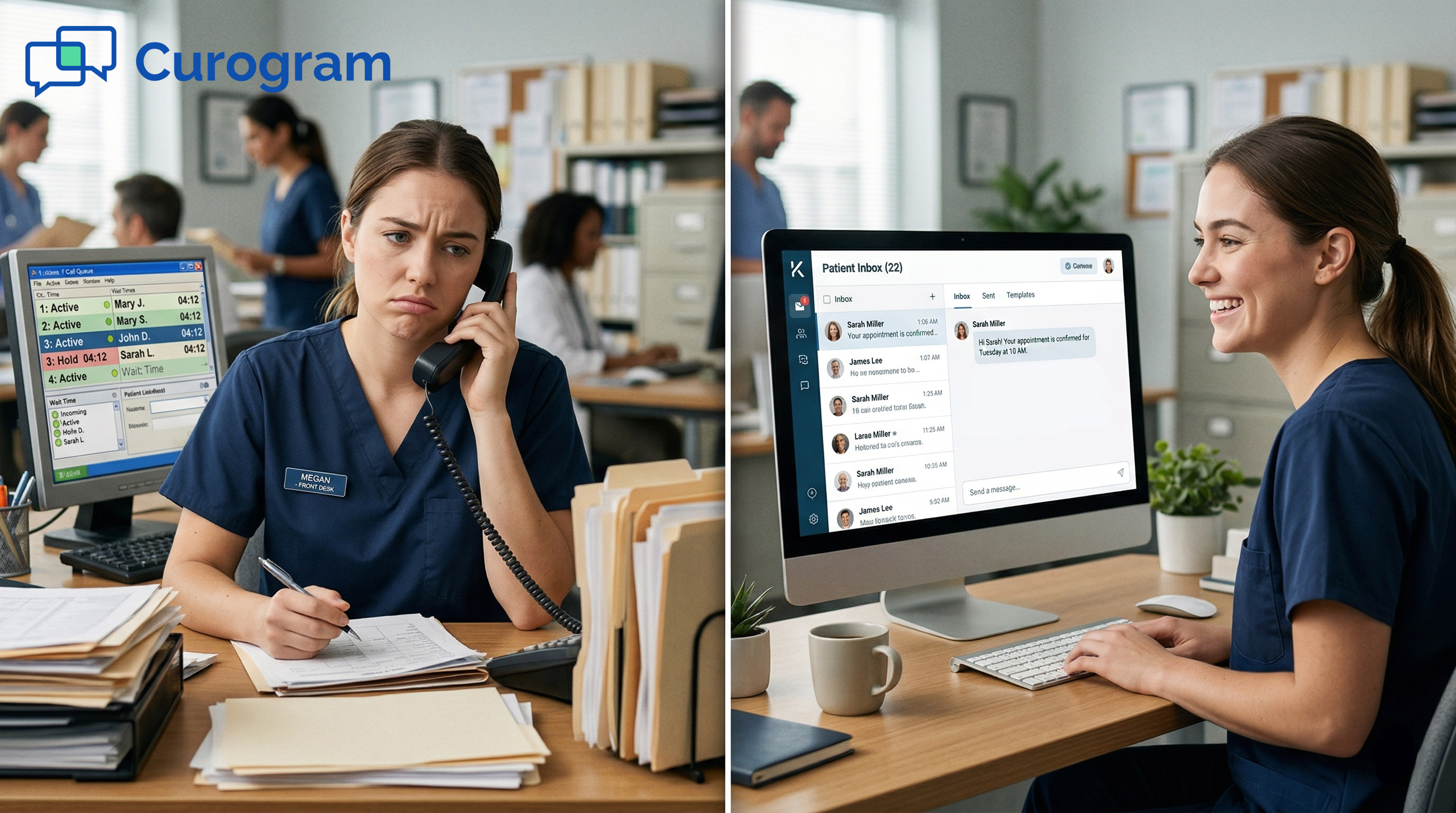
Based on our internal data, practices using a medical texting service reduce phone call volumes by up to 50% and increase staff productivity by more than 30%.

For a front desk team fielding 80–100 calls per day, cutting that volume in half means your staff can redirect hours of work toward tasks that actually require human judgment — intake, insurance questions, complex scheduling, patient callbacks that genuinely need a real conversation.

That shift in workload doesn't just reduce burnout. It makes the entire operation run smoother. Staff who aren't buried in routine confirmation calls have the bandwidth to catch scheduling errors, follow up on outstanding paperwork, and actually greet patients at the desk instead of being stuck on the phone when they walk in.

The downstream effects on morale are real, too. Repetitive, low-value call volume is one of the top frustrations cited by front desk staff. Removing it doesn't just free up time — it changes the texture of the workday in a way that staff notice immediately.

The No-Show Revenue Gap

The no-show impact is even sharper. Atlas Medical Center dropped its no-show rate from 14.2% to 4.91% in just three months using Curogram's automated reminder system.

That's 3x better than the industry average — and it translated directly into recovered revenue and tighter scheduling.

Atlas Medical Center cut its no-show rate from 14.2% to 4.91% in just 3 months. That's 3x better than the industry average — and Curogram practices run no-show rates 53% lower than the national benchmark overall. Based on Curogram internal data.

Fewer no-shows mean more revenue without adding a single new patient to your panel.

Every recovered slot is an appointment your team was already set up to handle.

And when those slots fill consistently, the scheduling team spends less time scrambling to backfill last-minute gaps and more time managing a predictable, functional calendar.

Patient satisfaction also improves. Patients prefer texting, which is consistent with research on mobile technology improving healthcare delivery. They respond to it faster, complain less about it, and feel more informed when it's done well. That's not a soft benefit — it shows up in reviews, in retention, and in referrals.

A patient who gets a clear post-visit text with their care instructions is far less likely to call the office the next morning with questions that could have been answered the night before.

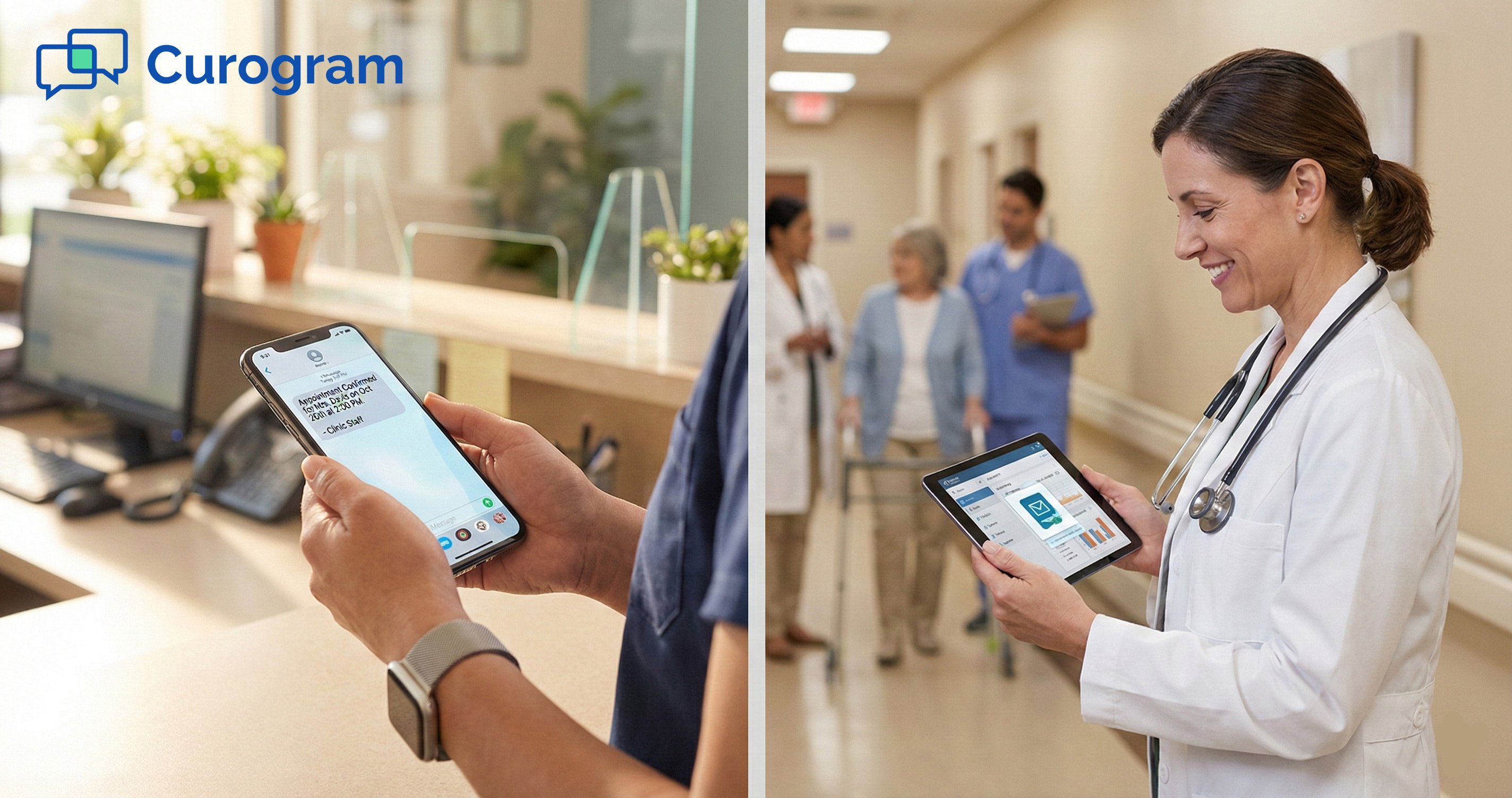
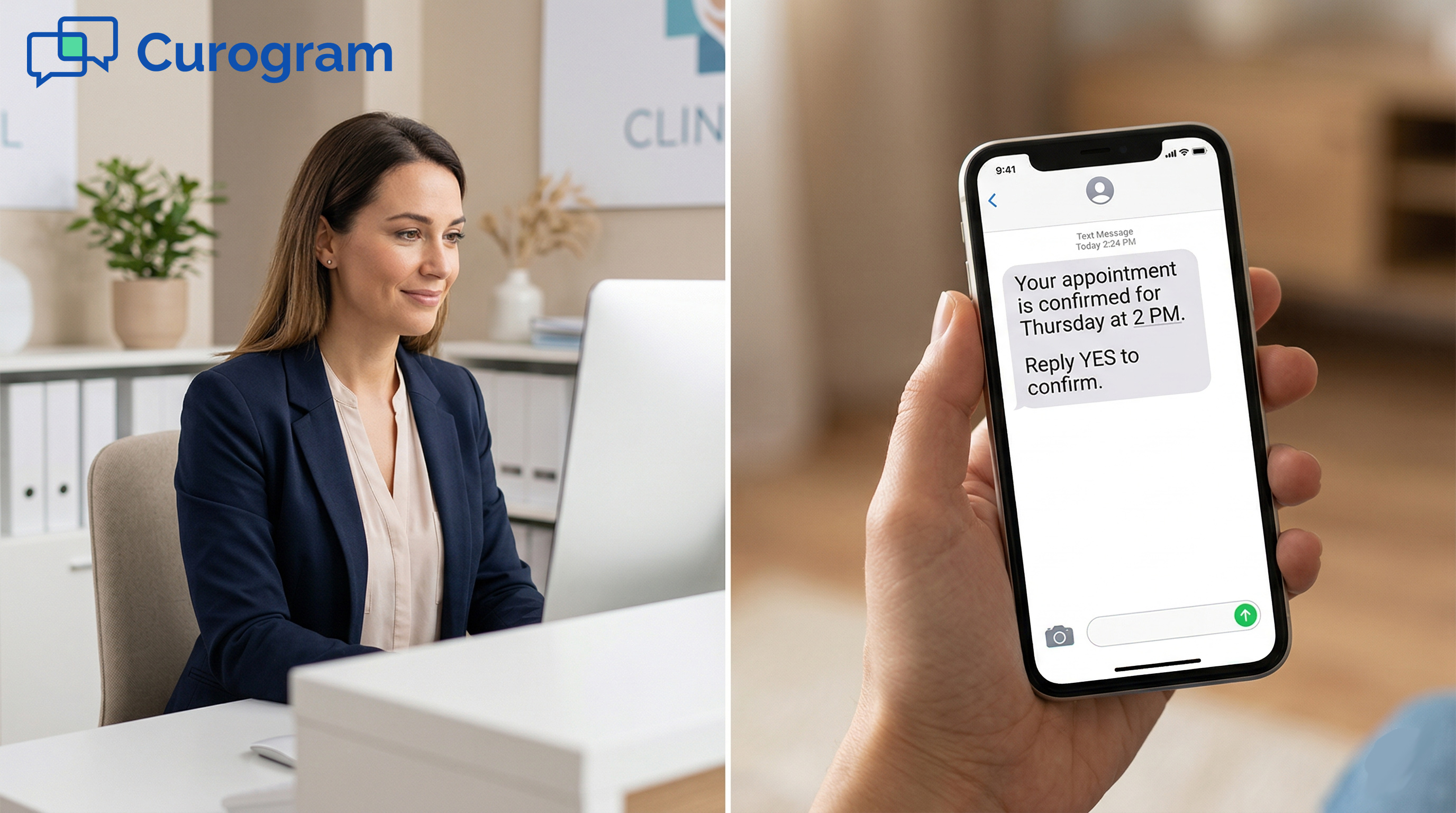
Patient reading a medical text message reminder on his phone in a clinic

What to Look for in a Medical Messaging System

Not every texting tool is built for healthcare. A system that works for a retail store won't cut it in a clinical setting. When evaluating a platform, it helps to separate what you can't compromise on from what makes the day-to-day experience actually work.

It's also worth being skeptical of tools that look similar on the surface. A lot of generic business texting platforms check a few of the right boxes — they send SMS, they have templates, maybe they even have a two-way inbox — but they weren't designed with healthcare workflows in mind.

The gaps tend to show up quickly once you're live:

Data doesn't sync with your EMR, there's no BAA on offer, or the reporting is too shallow to act on.

The Non-Negotiables

Two things are baseline requirements before anything else:

  • HIPAA compliance and a signed BAA — If a vendor won't sign a BAA, stop the conversation there.
  • Two-way messaging — This is what separates a real medical communication app from a one-way broadcast tool. Patients should be able to reply, and your team should be able to respond — right from the platform.

Without these two, you don't have a medical messaging system. You have a liability. The BAA, specifically, is what creates legal accountability between your practice and the vendor. It's not just paperwork — it defines what happens to patient data, how it's protected, and who's responsible if something goes wrong.


Features That Do the Heavy Lifting

Once compliance is confirmed, the features that drive real day-to-day value are:

  • EMR integration — The best platforms pull patient data directly from your existing system, so staff aren't manually entering names, numbers, or appointment times. Curogram integration with virtually any EMR, which means no double entry and no data gaps.
  • Template management and automated scheduling — Build your message library once, set your triggers, and let the system run. Consistency matters more than creativity when it comes to reminders.
  • Reporting and analytics — Open rates, response rates, no-show trends. You need visibility to know what's working and where to improve.

None of these features work well in isolation. A great template library means nothing if the platform can't pull patient data from your EMR to personalize it. Strong reporting is useless if the system isn't sending messages at the right time. The best platforms tie all of it together so your team sets it up once and trusts it to run.

When you're evaluating cloud-based business communications solutions for healthcare, these features aren't optional extras.

They're the foundation.

Practices using a properly integrated medical texting service reduce phone call volumes by up to 50% and increase staff productivity by more than 30%. Based on Curogram internal data.

A platform that checks all these boxes isn't just a texting tool — it's a patient communication infrastructure built to run quietly in the background while your team focuses on care.

How to Start Using Medical SMS in Your Practice

Getting started doesn't require a full technology overhaul. Most practices are up and running within a few days. The process is more straightforward than it sounds — the key is sequencing it correctly.

A lot of practices put off making the switch because they assume it will be disruptive. In reality, the biggest obstacle is usually internal — getting staff aligned, deciding where to start, and making sure someone owns the rollout.

The technology side tends to be the easy part.

  1. Choose a compliant patient text messaging service. Look for HIPAA compliance, two-way messaging, and EMR integration. Confirm the vendor will sign a BAA before anything else.
  2. Sign a BAA with your vendor. This is a legal requirement, not a formality.
  3. Build your template library. Start with your highest-volume message types — appointment reminders and confirmations. You don't need to build everything at once.
  4. Collect patient consent at intake. Add a texting consent line to your intake forms. Most patients will say yes without hesitation.
  5. Test before full rollout. Run the system with a small group of patients first. Confirm messages are sending correctly, responses are routing properly, and staff know how to manage the inbox.

Staff training is worth mentioning here — not because it's complicated, but because it's often what makes or breaks early adoption.

With the right platform, training should take minutes, not days. Curogram, for example, is designed to feel like everyday texting, which means most staff are confident using it from day one without needing a formal training session.

One Last Thing Before You Launch

You don't have to build a perfect system on day one. Start with reminders. Add billing texts. Expand to recall campaigns. Let the results guide your next step — because once the data starts coming in, the priorities usually become obvious on their own.

The practices that get the most out of medical SMS aren't necessarily the ones with the most sophisticated setups. They're the ones that started simple, stayed consistent, and made small adjustments over time. That's a process any practice can follow, regardless of size, specialty, or how much experience your team has with healthcare technology.

For more on how to structure your messaging strategy, check out our guide on patient text messaging best practices.

Conclusion

Medical SMS messages are one of the simplest, highest-return investments a practice can make. They cost very little to run. They save hours of staff time every week. And they work — not because patients suddenly became more attentive, but because texting meets them where they already are.

The average person checks their phone within three minutes of receiving a text. Compare that to the voicemail that sits unheard for three days, and the choice becomes obvious.

Practices that have adopted a structured approach to medical SMS aren't just saving time — they're running leaner operations, recovering thousands in lost revenue, and keeping patients more informed and more engaged.

Based on our internal data, that combination consistently leads to 10–20% revenue increases as recovered appointments start filling schedules that used to have gaps.

The question isn't whether texting works in healthcare. It does. The question is whether your practice is set up to use it well.

Curogram makes that straightforward. It's HIPAA-compliant, integrates with virtually any EMR, and your team can be trained and sending in under ten minutes.

There's no complex implementation, no long onboarding, and no reason to wait.

If you're ready to cut call volume, reduce no-shows, and give your staff their time back, the next step is simple.

Start Sending Smarter Medical SMS Messages with Curogram — Book a Demo. 


Frequently Asked Questions

What are medical SMS messages?

Medical SMS messages are text messages sent between a healthcare practice and its patients through a HIPAA-compliant platform. They are used for appointment reminders, billing alerts, care instructions, and more — and they require proper patient consent and a Business Associate Agreement with the texting vendor. Unlike personal texting, medical SMS runs through a secure system designed specifically for healthcare communication.

Are medical SMS messages HIPAA compliant?

They can be, but only if you use a platform specifically designed for healthcare. Personal texting apps are not HIPAA compliant. A dedicated medical messaging platform with a signed BAA is required to send patient-related communications via SMS legally and safely. Before choosing a vendor, always confirm they are willing to sign a BAA and that their platform encrypts data both in transit and at rest.

Do patients actually respond to medical text messages?

Yes — and at much higher rates than phone calls or email. SMS open rates consistently run around 98%. Most patients prefer texting for appointment-related communication, and response times are significantly faster than with voicemail or email follow-up. In practice, this means fewer no-shows, faster confirmations, and less time your staff spends chasing patients down for routine information.

How do medical practices get patient consent to text?

Consent is typically collected at intake, either through a paper or digital form. Adding a simple consent line to your existing intake paperwork is the standard approach. Most patients agree without hesitation — especially when you explain that texts will be used for reminders, care instructions, and billing updates rather than marketing.

Can I integrate a medical texting service with my existing EMR?

Yes, and you should. Platforms like Curogram integrate with virtually any EMR, so patient data flows directly into the texting system. This eliminates double entry and keeps your records accurate without extra staff effort. It also means messages can be triggered automatically based on appointment data, so your team doesn't have to manually queue up every reminder.