9 min read
How to Switch from Luma Health to Curogram Migration in 4 Weeks
Mira Gwehn Revilla
:
June 1, 2026
Curogram's bi-directional EHR sync runs alongside Luma during the move, which protects patient communication and reduces risk. Practices replace AI-heavy configurations with predictable, staff-managed workflows. They keep core features like reminders, intake, waitlists, and recall messages.
Many add new tools, such as text-to-pay and automated Google Reviews. Based on our internal data, clients reach 75%+ confirmation rates and cut no-shows by up to 53% versus industry averages. The four-phase model keeps practices running with zero gaps.
Many specialty and multi-location practices are rethinking their patient engagement tools. They are not unhappy with what these platforms can do. The real frustration comes from the daily upkeep behind the scenes. Complex AI rules and IT dependencies eat up time that should go to patient care.
The choice to switch patient engagement platform healthcare tools often follows a clear pattern. A practice adopts a tool to reduce manual work. Months later, the platform has added new layers of work instead. Reminder logic shifts, small changes need IT tickets, and the system feels harder to manage.
This is the main reason behind a Luma Health alternative migration. Orchestration platforms try to do a lot at once. The trade-off is more daily drag for staff. Curogram takes a simpler path with direct automation, a unified inbox, and staff-owned workflows.
This guide walks you through the switch from Luma Health to Curogram migration in clear, ordered phases. It covers the audit, parallel setup, data transition, and go-live phases in order. Each phase is built to protect patient communication while the move is happening. Each step gives staff more control without breaking workflows already in place.
You will see how this Luma Health to Curogram transition guide breaks down every step. The goal is not just to swap one tool for another. It is to simplify the day-to-day for your front desk, billing, and clinical staff. Real benchmarks from active Curogram clients show how fast the gains arrive.
Based on our internal data, clients hit 75%+ confirmation rates and cut no-shows by 53% below industry averages. One client scaled to 1,100+ confirmations a month after rapid deployment. Another saw 90% of patients leave 5-star reviews. These results are well within reach for any practice planning a Curogram onboarding from Luma Health.
Why Practices Are Moving from Orchestration to Unified Automation
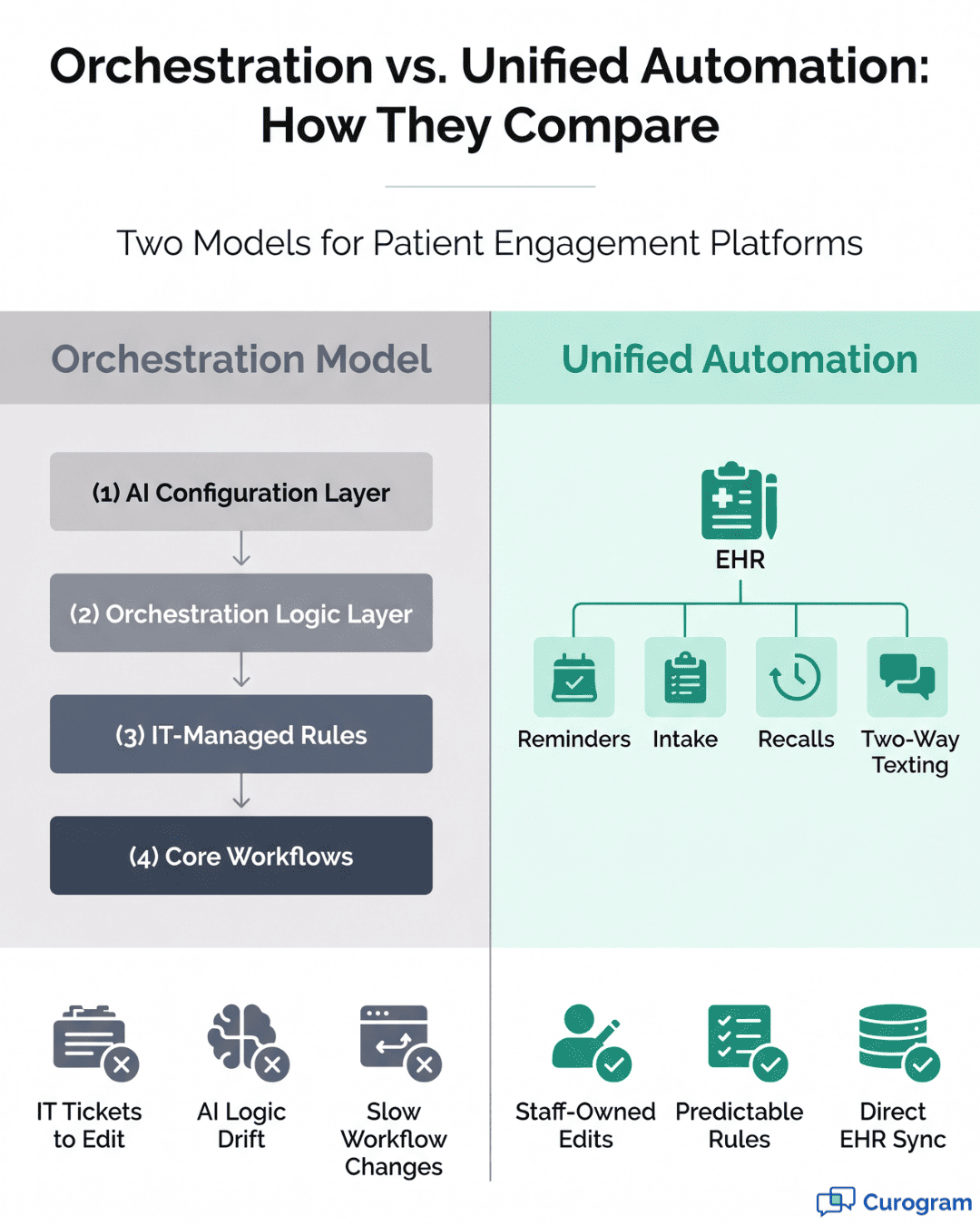
Patient engagement platforms come in two main models: orchestration and unified automation. Luma Health uses an orchestration model that runs AI-driven layers on top of your core workflows. Spark and Bedrock try to coordinate every patient touchpoint with smart logic. The platform aims to handle complexity for you behind the scenes.
Curogram uses a unified automation model instead, by design. Each workflow is direct, rule-based, and easy to predict. Staff can edit reminders, intake forms, and templates without filing an IT ticket. The platform connects to your EHR through a single, two-way sync.
The shift toward this simpler model has several clear drivers. Practices that migrate from Luma Health orchestration often cite the same set of issues. AI logic can shift after platform updates, and small changes spread in unexpected ways. Front desk staff lose time fixing reminders instead of helping patients in the lobby.
Unified automation removes most of these friction points right away. There is no AI black box to debug when something looks off. The reminder you set today runs the same way next month and the month after. Workflow ownership returns to the people who use the system most each day.
Migration is also a chance to clean up unused configurations from past projects. Many orchestration setups carry dormant rules that add risk without adding value. By rebuilding workflows in Curogram, practices keep what works and drop what does not. The result is a leaner tech stack with fewer points of failure.
There is also a real upside in scope and revenue capture. Curogram clients gain features that Luma lacks natively, including text-to-pay and SMS recall campaigns. Based on our internal data, one client earned 1,064 new 5-star reviews in just three months. Those gains often pay for the platform on their own within the first year of use.

Migration Assessment — Mapping Orchestration Workflows to Deterministic Automation
The first phase of any migration is a full workflow audit. Map every active Luma Health workflow to its Curogram equivalent. This covers appointment reminders, waitlist management, intake automation, and patient messaging sequences. The audit gives you a clear picture of what to keep, change, or drop before the switch.
A solid audit covers four core areas:
- Orchestration rules and triggers: List every active rule, its trigger, and the outcome it drives.
- Workflow ownership: Note which workflows are managed by IT and which run from the staff dashboard.
- EHR integration touchpoints: Track every sync, webhook, and patient field that updates between Luma Health and your EHR.
- Feature parity check: Match Luma-specific features to direct Curogram equivalents and flag any gaps.
This step alone often reveals workflow sprawl that has built up over months. Many orchestration setups carry dormant rules that were configured but rarely fire. They add complexity without delivering value. The migration is the right time to retire them for good.
Most core workflows map cleanly to Curogram. Confirmations, recalls, intake, two-way texting, and waitlists all have clean direct equivalents. Others, like Spark AI prompt logic, may need a redesign as a rule-based flow. The gain is full predictability; the trade-off is rebuilding a few orchestration scripts as direct rules.
Curogram's bi-directional EHR sync replaces every touchpoint you mapped. Accuracy in the audit saves time when you reconfigure on the new platform. Note any custom field, mapping, or trigger that depends on a Luma-specific shape. These details often slip during a switch and are painful to find later.
End the audit with a written workflow inventory. Each row should list the Luma workflow, its purpose, the Curogram equivalent, and the migration owner. This single document drives the next phase. It also gives leadership a clear view of what changes during the move.
Parallel Deployment — Reducing Risk Through Phased Activation
Curogram's rapid deployment model supports a parallel-run strategy. Practices do not have to execute a hard cutover from Luma Health to Curogram. Instead, both platforms run side by side during a defined transition window. This sharply reduces the risk of communication gaps during the move.
The first activation is Curogram's bi-directional EHR sync. Run it alongside the existing Luma integration and verify data fidelity for one to two weeks. Watch for missed updates, duplicate records, and field mapping issues. Once data sync is clean, you have a stable base for every workflow that follows.
Activate appointment confirmation workflows next. Send confirmations through Curogram while Luma's equivalent stays live as a backup. Monitor confirmation rates across both systems for a few days. Based on our internal data, current Curogram clients average 75%+ confirmation rates, with one specialty practice scaling to 1,100+ confirmations a month.
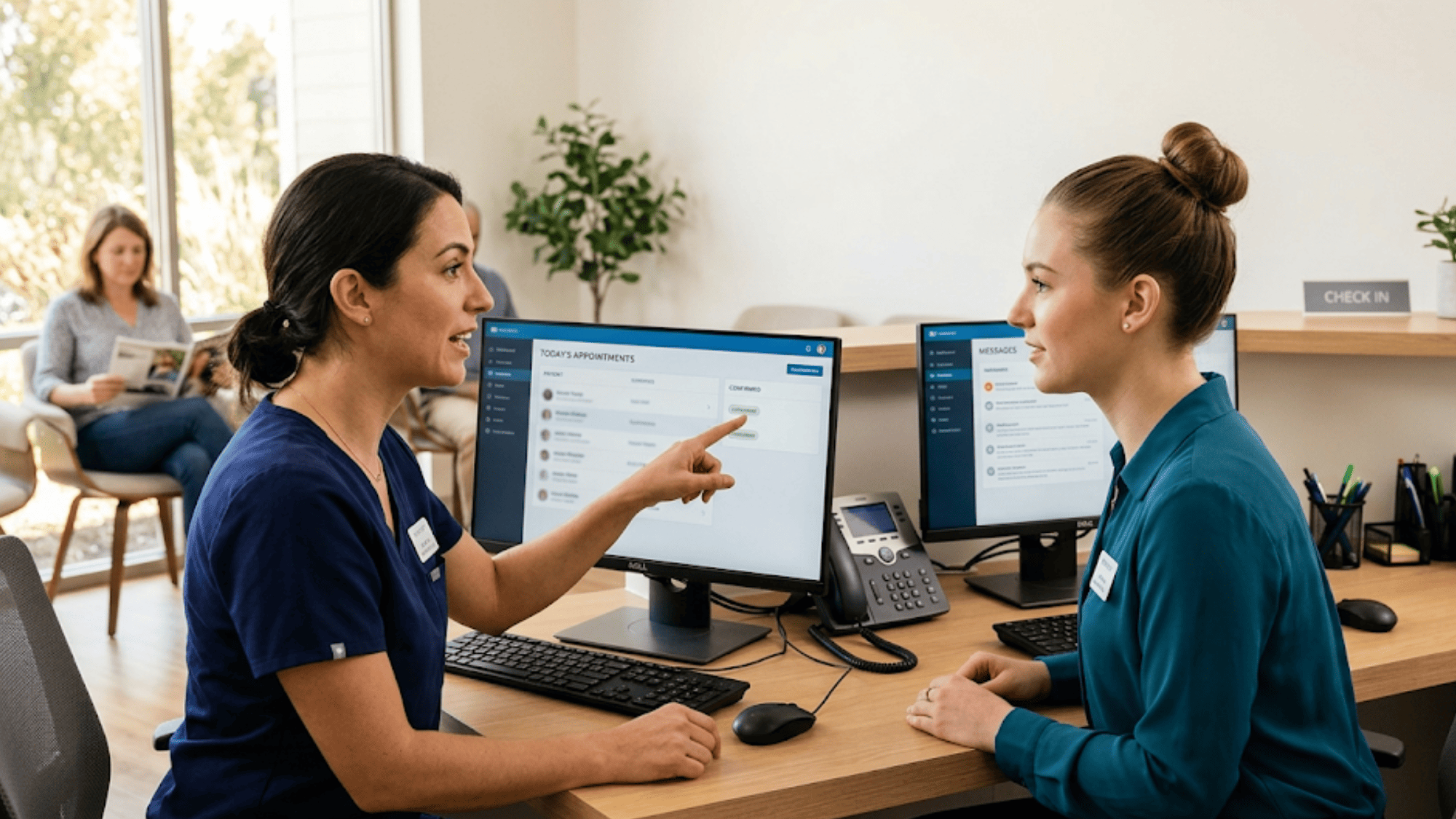
Move staff to Curogram's unified inbox for new patient communications. Existing Luma threads stay open until they are resolved. This keeps in-flight conversations safe and gives the team time to learn the new tool without pressure. Front desk staff often need only 10 to 15 minutes of training to start replying confidently.
The rule-based model is the key to a low-risk parallel run. Once a Curogram workflow is activated, it executes the same way every time. There is no AI variability that can complicate the transition. Compare this to AI-driven orchestration tools, where logic shifts can change results without warning.
Real-world timelines back this up. Atlas Medical Center reached full operational deployment and a measurable no-show drop within three months.
Their no-show rate fell from 14.20% to 4.91%, three times better than the industry average, based on our internal data. That kind of result is hard to achieve without a phased, side-by-side approach.

Migration Timeline and Milestone Comparison
A phased timeline turns a stressful switch into a predictable project. The four-week plan below maps the standard switch from Luma Health to Curogram migration. Each week has clear activities, owners, and a success metric. Treat it as a baseline, not a rigid script.
|
Migration Phase |
Timeline |
Key Activities |
Success Metric |
|
Phase 1: Workflow Audit |
Week 1 |
Document all Luma orchestration rules; map to Curogram equivalents; identify dormant workflows |
Complete workflow inventory with Curogram mapping |
|
Phase 2: Parallel Config |
Week 2 |
Activate Curogram EHR sync; configure core workflows; begin staff orientation |
Bi-directional sync verified; core workflows active |
|
Phase 3: Data Transition |
Week 3 |
Migrate patient communication history; transition active conversations; verify data integrity |
Zero data loss; all active threads transitioned |
|
Phase 4: Go-Live |
Week 4 |
Decommission Luma workflows; full staff adoption; activate review and recall automation |
Staff independently managing workflows; confirmation rates ≥75% |
Phase 1 is where most projects succeed or stall. A clean audit makes every later phase faster and safer. Skipping detail here forces rework in Phase 2 and beyond. Plan for at least two working sessions with the front desk team during week one.
Phase 2 and Phase 3 should overlap by design. The bi-directional EHR sync from Phase 2 keeps running into Phase 3 as you move active threads. This overlap is what makes the parallel run safe. No data goes dark during the switch.
Phase 4 is the most visible week of the move. Staff use only Curogram, and Luma workflows are decommissioned in a planned order. Start with the lowest-traffic workflows and end with the highest. By the end of the week, the practice should hit a confirmation rate of 75% or higher.
Adjust the timeline to match your size and complexity. A solo specialty practice might compress this to two weeks. A multi-location group with custom orchestration may need six. The phase order stays the same in every case.
Post-Migration — Measuring Success and Expanding Automation
The transition from Luma Health to Curogram does not end at go-live. It ends when the practice can show real, measurable improvement. Set benchmarks before the switch so the post-migration data has clear comparisons. Track both daily metrics and patient-facing outcomes.
Four post-migration benchmarks matter most:
- Appointment confirmation rate: Target 75% or higher within 30 days of go-live.
- Workflow changes without IT escalation: Track how often staff edit templates and reminders on their own.
- Patient communication response time: Measure the time from inbound message to staff reply.
- No-show rate trend: Compare the first 90 days of Curogram against the prior 90 days on Luma Health.
Curogram's automation set extends well past appointment confirmations. Once the core migration is stable, layer in features that drive new revenue and time savings. Many of these were not part of the Luma stack to begin with. Each one is a quick win for staff and patients alike.
Three high-impact features to activate after go-live:
- Text-to-pay: Roughly 20% of paper statements get paid; SMS payment links lift that conversion sharply.
- Automated SMS recall campaigns: Based on our internal data, one multi-location client saw a 35% reconversion rate, with 1,240 patients booked from recall messages alone.
- Post-visit Google Review automation: One Curogram client logged 1,064 new 5-star reviews in just three months.
Treat the first 90 days as a learning window. Hold a workflow review at day 30, day 60, and day 90. Each review should ask three questions: what is working, what is not, and what should we add next? Staff feedback is the best signal here, since they touch every workflow daily.
Long-term, the goal is a steady drop in daily drag. Each new workflow should remove a manual task, not add one. Curogram's rule-based model makes that easy to verify.
Conclusion
The decision to switch from Luma Health to Curogram migration is not just a software change. It is a shift in how your practice runs day to day. You move from layered orchestration to direct, staff-owned automation across every patient touchpoint. The result is fewer IT tickets, faster fixes, and more time for actual patient care.
The four-phase plan in this guide is the safest way to move. Audit your workflows in week one. Run Curogram in parallel with Luma in week two. Move data and active threads in week three, then go live and decommission Luma workflows in week four.
Each phase is built around one core idea: protect patient communication during the change. Curogram's bi-directional EHR sync runs alongside Luma until you trust it fully. Staff-managed workflows replace IT-dependent setups one at a time. By go-live, the team owns every reminder, recall, and intake form on the platform.
The benchmarks tell the rest of the story. Based on our internal data, current Curogram clients hit 75%+ confirmation rates and reduce no-shows by 53% versus industry averages. One client logged 1,100+ confirmations a month after deployment. Another earned 1,064 new 5-star Google reviews in just three months.
These results are not unique to a few high-performing practices. They are what unified automation makes possible when the platform fits the workflow, not the other way around.
The platform handles the heavy lifting, and your team handles the edits and exceptions. Both sides win, and patients feel the difference in faster, clearer messaging every day.
Bring your Luma workflow inventory to a Curogram demo and get a custom 4-week migration timeline. Talk to an expert and watch a real bi-directional EHR sync, unified inbox, and confirmation workflow in action.
Frequently Asked Questions
A structured switch from Luma Health to Curogram migration usually follows a four-week timeline. Week one is the audit, week two is parallel setup, week three is data transition, and week four is full go-live and decommission.
Most core workflows map cleanly: confirmations, recalls, intake, waitlists, and two-way texting. Practices often gain features Luma lacks, such as text-to-pay and automated Google Review prompts. A few orchestration scripts may need redesign as rule-based flows.
Curogram's bi-directional EHR sync runs in parallel with Luma's integration during the move. This lets you verify data fidelity before decommissioning Luma. The direct API model removes the multi-layer Bedrock and Spark processing, giving more predictable, staff-managed sync.
Orchestration platforms add daily drag through AI-driven layers and IT-dependent configuration. Small workflow changes often need tickets, and AI logic can shift after platform updates. Practices want predictable, staff-owned workflows that free up clinical time and reduce friction.
Train front desk and billing staff first since they touch the most workflows daily. Most teams need only 10 to 15 minutes per core feature to start. Schedule a refresher after week two of go-live to lock in habits.