9 min read
Switch from Updox to Curogram Migration: Full Transition Guide
Mira Gwehn Revilla
:
May 11, 2026
Curogram then runs alongside Updox during a parallel deployment phase, so patient communication is never disrupted. Once the new platform is live and verified, Updox is retired. Practices that complete the switch from Updox to Curogram migration gain tools they never had before, like two-way texting, missed-call-to-text, text-to-pay, and automated Google Reviews.
Based on our internal data, clinics see no-show rates drop from 14.20% to 4.91% and confirmation rates exceed 75% after the transition.
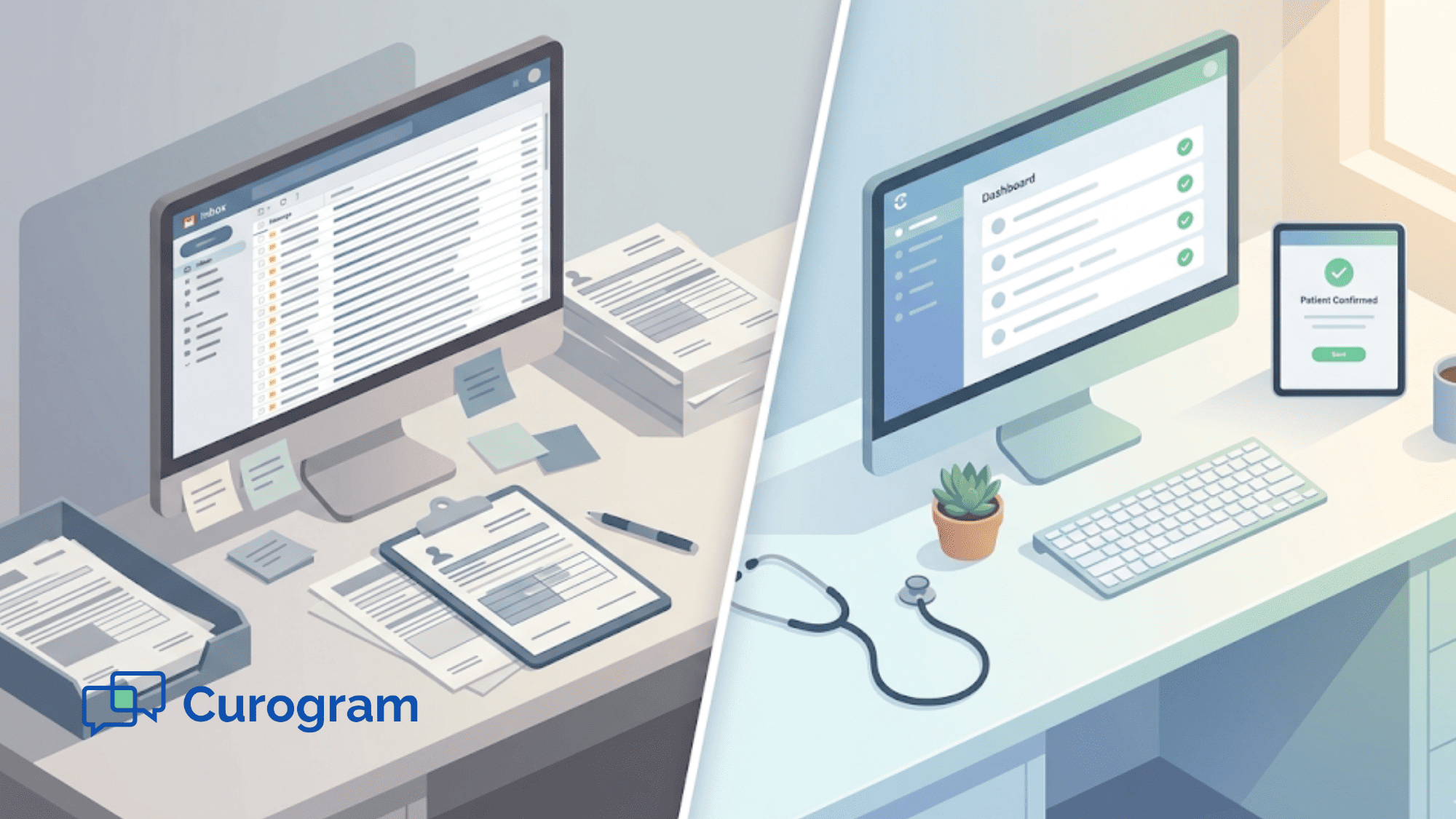
Your front desk staff opens Updox each morning to a crowded inbox. Faxes need sorting. Forms need to be matched to patient charts by hand. Confirmation replies sit in a queue, waiting for someone to type them into the EHR.
Sound familiar? You're not alone.
Thousands of medical practices started with Updox because it promised to bring their paperwork online. And it did — sort of. It moved paper into a digital inbox. But it still left your team doing the same manual work, just on a screen instead of a desk.
That's the core problem. Updox is built around documents. Everything flows through an inbox that staff must sort, map, and push to the right place. Over time, the labor adds up. You hire more people or stretch your current team thin. You add extra tools for texting, payments, or reviews. Before long, you're paying more and working harder than you should be.
This is why more practices now seek an Updox alternative for their modern medical practice needs. They want a platform that doesn't just store documents — it acts on data.
This Updox to Curogram transition guide walks you through the full process, step by step. You'll learn how to audit your current Updox setup, run both systems side by side during the switch, and go live on Curogram in just four weeks.
Whether you're tired of the manual grind or ready to unlock tools like two-way texting, text-to-pay, and automated reviews, this guide covers it all. The switch from Updox to Curogram migration is not just a platform swap. It's a shift from document handling to clinical automation — and it changes how your whole practice runs.
Let's break it down.
Why Practices Upgrade from Document Management to Clinical Automation
When practices first adopt Updox, the appeal makes sense. It moves faxes, forms, and messages into one place. Staff can see everything in a single inbox. But as the practice grows, cracks start to show.
That inbox becomes a bottleneck. Every form that comes in must be matched to a patient by hand. Every confirmation reply must be typed into the EHR. Every fax must be read, sorted, and filed. None of this happens on its own. Staff do it all, one task at a time.
The decision to switch from document management to clinical automation usually comes from a simple truth: the manual work now costs more than the platform saves. Front desk teams spend hours each day on tasks that a modern system handles in seconds.
Think of it this way. Updox is like a digital filing cabinet. It holds your documents, but you still have to open each drawer, find the right folder, and file things yourself. Curogram works more like a smart assistant. It reads the data, knows where it goes, and puts it there without being asked.
This is the real reason practices make the move. It's not about swapping one tool for another. It's about gaining a whole new set of tools that document-based systems were never built to offer.
Features like real-time EHR write-back, two-way patient texting, missed-call-to-text, digital payments, and automated reviews all come native with Curogram.
The upgrade also matters for patient experience. When staff spend less time on data entry, they spend more time on care.
Patients get faster replies, shorter wait times, and smoother visits. Based on our internal research, practices using Curogram see no-show rates drop by more than 65% — from 14.20% to 4.91% in one case — within just three months.
If your team is buried in inbox tasks, it's not a staffing problem. It's a platform problem. And the fix starts with moving beyond document routing.

Migration Assessment — Cataloging Document Workflows and Manual Processes
Before you start the switch, you need a clear picture of what you're working with. The first phase of the Curogram onboarding from Updox process is a full audit of your current workflows. This step is often skipped, but it's the most important part of the entire migration.
Why? Because you can't measure the impact of a new platform if you don't know where you started.
What to Document
Start by listing every way your practice uses Updox today. This includes HIPAA fax lines, secure messaging, broadcast reminders, and any form submissions. Write down each one, along with who handles it and how often.
Next, catalog the manual steps your staff takes for each workflow. For example, when a patient confirms an appointment via Updox, what happens next?
In most cases, someone on your team must open the message, find the patient in the EHR, and manually update the status. That's three steps for one confirmation. Multiply that by dozens of patients per day, and the labor cost becomes clear.
Quantify the Manual Effort
This is where the audit gets powerful. Track how many hours per day your staff spends on inbox triage, document-to-patient matching, and form data entry. Even a rough count helps.
For example, if one staff member spends two hours per day on these tasks, that's 40 hours per month — basically a part-time hire. For a larger team, the total could be 80 to 120 hours per month. This is what we call the "document management tax." It's the hidden labor cost of running an inbox-based platform.
Inventory Your Extra Tools
Many Updox practices also rely on outside tools to fill gaps. You might use a separate service for text-to-pay, another for review requests, and yet another for patient recall.
List every add-on, its monthly cost, and what it does. These are costs that go away when you migrate from an inbox platform to an API-driven system like Curogram, where all of these features are built in.
This baseline becomes your scorecard. After migration, you'll compare every metric against it — hours saved, tools retired, revenue gained.

Parallel Deployment — From Document Routing to Discrete Automation in Four Weeks
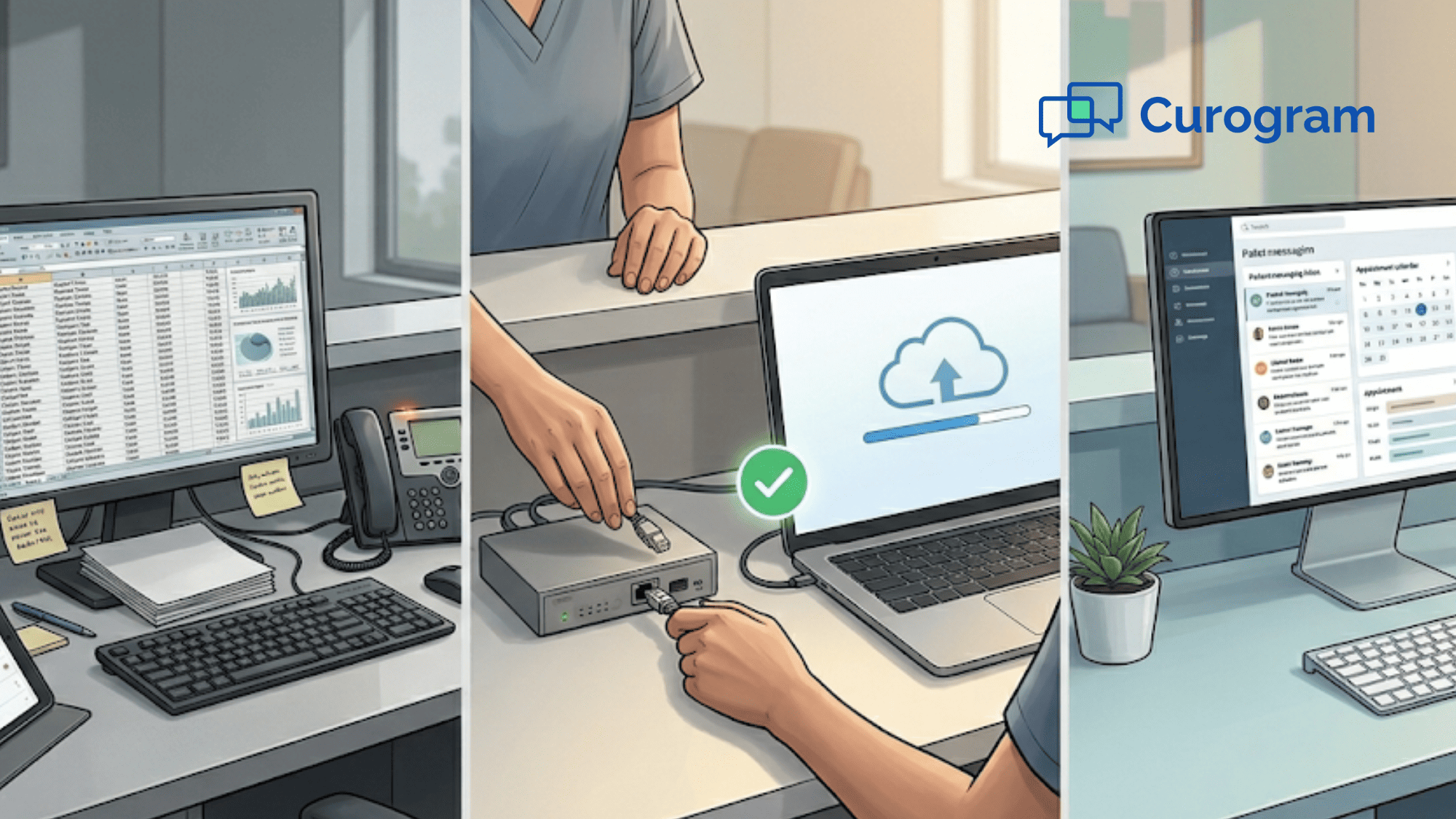
One of the biggest fears practices have about switching platforms is downtime. What if patients don't get their reminders? What if messages fall through the cracks? Curogram solves this with a parallel deployment model. Both systems run at the same time during the transition, so nothing is lost.
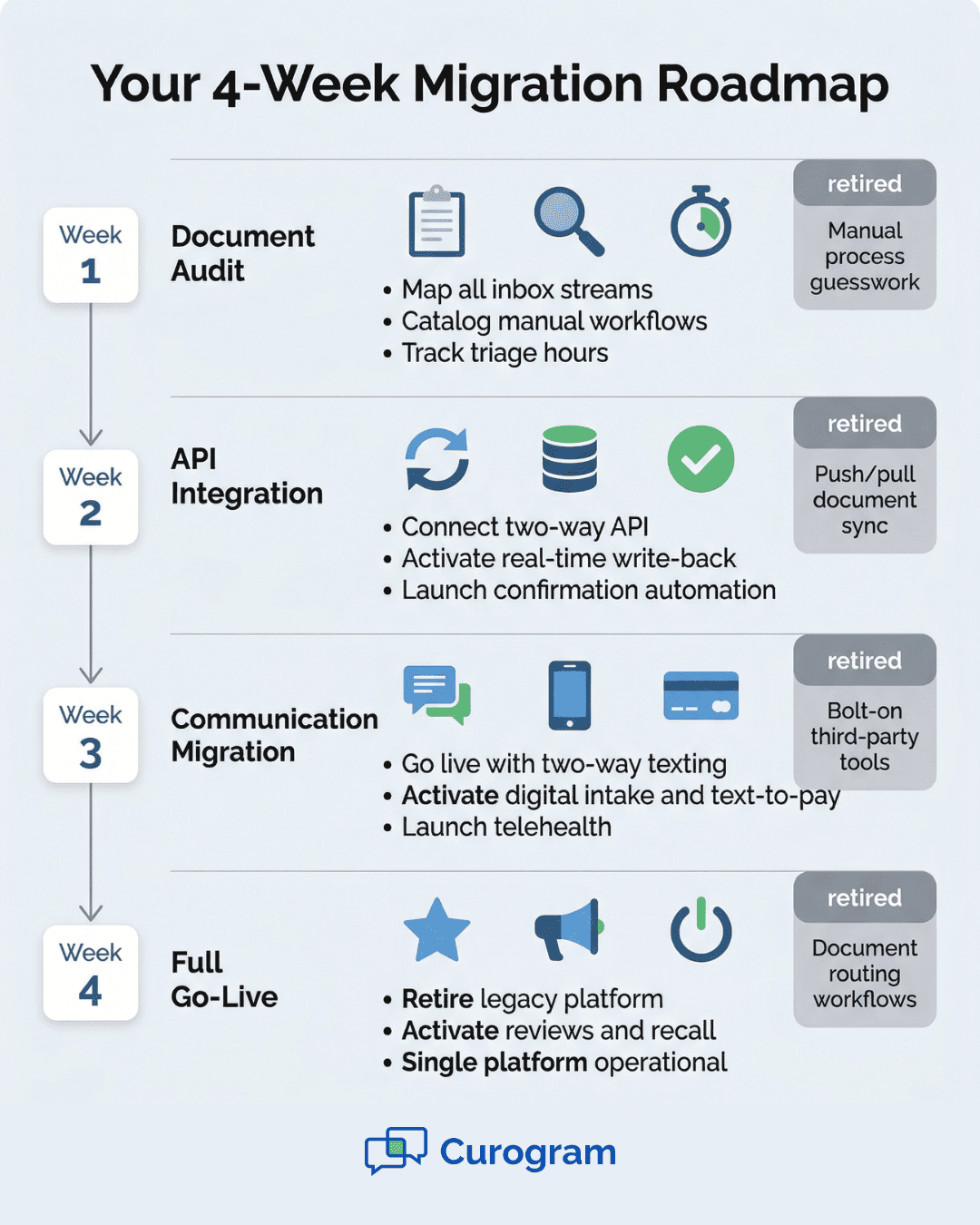
Week 1: Document Audit and Process Inventory
This is the assessment phase we just covered. Your team and Curogram's onboarding crew review every workflow, flag every manual step, and set the baseline for improvement. The goal by the end of Week 1 is a complete map of every document-based process your practice runs through Updox.
Week 2: API Integration and Write-Back Activation
This is where the shift gets real. Curogram connects to your EHR through a direct, two-way API. Unlike Updox's push/pull document model, this connection sends and receives data in real time.
What does that mean in practice? When a patient confirms an appointment, Curogram writes that update straight into the EHR. No one on your staff needs to touch it. When a patient fills out an intake form, the answers land in the right chart fields on their own. Staff notice the change right away — the inbox triage work simply stops.
Week 3: Communication Migration and Capability Expansion
Now your practice starts moving patient-facing messages to Curogram. Two-way texting, appointment reminders, and digital intake forms go live. At the same time, new features activate — tools your practice has never had before.
These include missed-call-to-text (so no patient inquiry goes unanswered), text-to-pay for faster bill collection, and automated Google Review requests after visits. Based on our internal data, one multi-location practice gained 1,064 new five-star reviews in just three months after turning on automated review requests.
Week 4: Full Go-Live and Legacy Retirement
By the final week, every patient-facing workflow runs through Curogram. Your team retires Updox and all the bolt-on tools that came with it. The result is a single, unified platform — no more juggling three or four separate logins.
The parallel approach means zero gaps in patient communication. Updox stays active until Curogram is fully tested and running. Only then is the old system turned off.
Migration Timeline and Milestone Comparison
Here's a clear view of what each phase covers and how you'll know it's working:
|
Migration Phase |
Timeline |
Key Activities |
Success Metric |
|
Phase 1: Document Audit |
Week 1 |
Map all inbox streams; catalog manual workflows; track triage hours; list bolt-on tools |
Complete workflow map with labor cost baseline |
|
Phase 2: API Integration |
Week 2 |
Connect Curogram's two-way API; validate real-time write-back; activate confirmation automation |
Live data sync verified; push/pull no longer needed; EHR updates are automatic |
|
Phase 3: Communication Migration |
Week 3 |
Move patient outreach to Curogram; launch two-way texting, intake forms, text-to-pay, telehealth |
All patient messages flow through Curogram; new tools are active |
|
Phase 4: Full Go-Live |
Week 4 |
Retire Updox and bolt-ons; activate review and recall tools; end document routing |
Confirmation rate at 75%+; zero manual data entry; single platform running |
This table serves as your migration checklist. Each phase builds on the last, so your team is never asked to change everything at once. The step-by-step approach keeps stress low and results high.
Notice the success metrics column. These aren't vague goals — they're clear markers that tell you the migration is on track.
For example, by the end of Week 2, your staff should no longer need to manually update confirmation status in the EHR. If they still are, that's a signal to troubleshoot before moving on.
Based on our internal research, Covina Arthritic Clinic scaled to over 1,100 monthly confirmed appointments after completing this same process. That kind of volume would have buried a document-routing inbox. With Curogram's automation, it runs hands-free.
The four-week timeline works for most practices, but your Curogram onboarding team can adjust it based on your size and complexity. Larger groups with multiple locations may extend Phase 1 to cover more workflows, while smaller clinics often move faster.
Post-Migration — Measuring the Platform Upgrade Impact
Once the switch from Updox to Curogram migration is complete, the real wins start to show. But you need to track them against your Phase 1 baseline to see the full picture.
Cost Reductions
Start by revisiting the manual labor hours you logged during the audit. Compare them to your current state. How many hours per day does your staff now spend on inbox triage? In most cases, the answer is close to zero.
The savings stack up fast. If your team was spending 80 hours per month on document mapping, data entry, and form pushing, and that labor is now handled by automation, you've freed up the equivalent of a half-time employee.
You can reassign that time to patient care, phone calls, or outreach — tasks that grow the practice.
You'll also see savings from retiring bolt-on tools. If you were paying for a separate review platform, a payment tool, and a recall service, those monthly fees are gone. Curogram includes all of these features natively.
Revenue Gains
The revenue side is where the impact gets exciting.
With confirmation rates above 75%, your schedule stays full. Based on our internal data, Atlas Medical Center cut no-shows from 14.20% to 4.91% — that's three times better than the industry average. Every recovered appointment is revenue that would have been lost.
Patient recall campaigns bring back people who are overdue for care. Our data shows that 35% of patients who received an SMS recall message scheduled a visit within a month. One practice alone saw 1,240 patients return from recall messages.
Automated review requests boost your online presence without any staff effort. One multi-location practice collected 1,064 new five-star Google reviews in three months, driving new patient volume through search.
The Bigger Picture
Post-migration benchmarks should measure more than just cost savings. Track confirmation rates, no-show rates, recall conversion rates, review volume, and patient response times. Compare every number to your Phase 1 audit.
What you'll see is not just a platform switch. It's the compound effect of moving from an inbox-first document management model to full clinical automation. Every month, the gap between the old way and the new way gets wider — in your favor.
Conclusion
Switching platforms can feel risky. You've built workflows around Updox. Your team knows the system. Change means learning something new, and that takes time.
But here's what the data shows: the cost of staying is higher than the cost of moving.
Every hour your staff spends sorting an inbox, matching documents to patients, or typing form data into the EHR is an hour they could spend on patient care. Every month you pay for separate tools to handle texting, payments, and reviews is money that could stay in your pocket.
The switch from Updox to Curogram migration is built to reduce that risk. The parallel deployment model means your current workflows keep running while Curogram goes live alongside them.
Nothing breaks. No patient messages fall through the cracks. And by Week 4, your team is working on a single, modern platform that handles what used to take three or four separate tools.
This Updox to Curogram transition guide is designed to give you the exact steps and the exact timeline. Phase 1 shows you what you're spending now. Phase 2 replaces manual sync with real-time automation. Phase 3 expands what your practice can do. Phase 4 retires the old system and its costs.
The results speak for themselves. Practices that complete this process see no-show rates drop to under 5%, confirmation rates climb above 75%, and new revenue from recalls, payments, and reviews start flowing in within weeks.
If you've been looking for the right time to move, this is it. The longer you wait, the more you pay in manual labor and missed features. Curogram's onboarding team is ready to walk you through every step — from your first audit to your last day on Updox.
Ready to retire the bolt-on tools and manual data entry? Book a demo and we'll show you the exact steps to go live on Curogram in under a month.
Frequently Asked Questions
A structured migration follows a four-week phased timeline: document workflow audit and manual process inventory (Week 1), bi-directional API integration and discrete write-back activation (Week 2), communication migration and capability expansion (Week 3), and full go-live with legacy decommission (Week 4). By Week 2, push/pull document routing is replaced by real-time discrete automation.
The parallel deployment model maintains Updox’s active communication workflows during the transition window. Curogram workflows are activated alongside Updox, validated for accuracy, and then Updox is decommissioned only after Curogram’s modern automation is confirmed operational. This ensures zero gaps in patient communication during the platform upgrade.
Curogram adds bi-directional EHR API with discrete field-level write-back (replacing push/pull document routing), native two-way messaging with unified inbox, missed-call-to-text automation, deterministic appointment confirmation with automatic EHR updates, native telehealth with virtual waiting room, text-to-pay digital payments, automated Google Review generation, and SMS patient recall campaigns.
Curogram runs alongside Updox during the transition. Patient messages and reminders continue through Updox until Curogram's workflows are tested, verified, and confirmed live — only then is Updox turned off.
Curogram uses a direct, two-way API that writes data into specific EHR fields in real time. Updox pushes documents that staff must manually open, read, and enter into the chart — a slower, labor-heavy process.