9 min read

How to Switch from TeleVox to Curogram: Complete Migration Guide

How to Switch from TeleVox to Curogram: Complete Migration Guide
💡 To switch from TeleVox to Curogram migration, practices follow a four-week phased plan. Week one audits all legacy broadcast setups, batch-file steps, and bolt-on tools. Week two connects Curogram's cloud API to the EHR for real-time, two-way data sync — ending batch-file uploads for good.

Week three moves all patient outreach to Curogram and turns on new tools like two-way texting, digital intake, and text-to-pay. Week four is full go-live, where TeleVox and its add-ons are shut down.

The switch runs in parallel, so patient messages never stop during the change. Based on our internal data, practices see no-show drops from 14.20% to 4.91% and over 75% appointment confirmation rates after the move. This is not just a platform swap — it is a full upgrade from legacy broadcast to modern clinical automation.

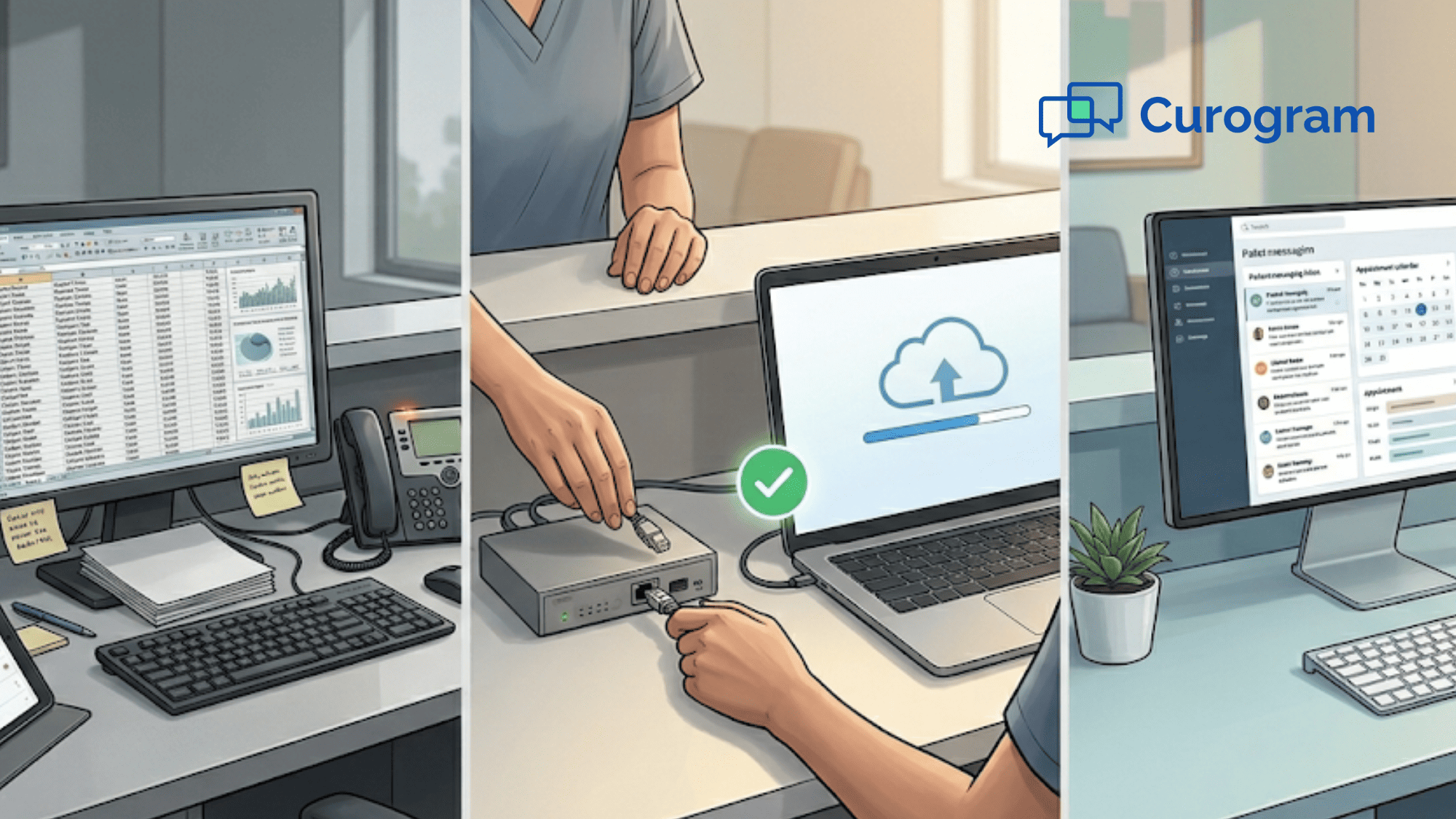
Your front desk staff spends hours each week on tasks that should take minutes. They build batch files. They upload data by hand. They check the EHR to see if a patient replied to a reminder. Then they update the schedule — one slot at a time.

That is the daily reality of running TeleVox in 2026.

TeleVox was built in the 1990s for one job: send outbound voice calls and text blasts. It does that. But modern clinics need far more. They need real-time EHR sync. They need two-way patient texting. They need digital intake, online payments, and telehealth — all in one place.

That gap is why so many practices now look for a TeleVox alternative for their modern medical practice. The platform still works, but the manual labor to keep it running costs more than it saves.

This TeleVox to Curogram transition guide walks you through the full move, step by step. You will learn how to audit your current setup, run both platforms side by side, and go live on Curogram in four weeks — with zero gaps in patient outreach.

The switch from legacy telecom to clinical automation is not just about swapping vendors. It is about gaining a whole new set of tools your practice has never had. Think missed-call-to-text, automated review requests, SMS recall campaigns, and text-to-pay — all tied to your EHR in real time.

Based on our internal research, practices that complete this move see no-show rates drop from 14.20% to 4.91% within three months. Confirmation rates climb above 75%. And staff hours spent on manual tasks drop to near zero.

This guide covers every phase. Let's start with the reason most clinics begin the switch in the first place.

Why Practices Upgrade from Legacy Broadcast to Modern Clinical Automation

The decision to switch from TeleVox to Curogram migration is rarely about one single problem. It is about the total weight of small problems that add up over time.

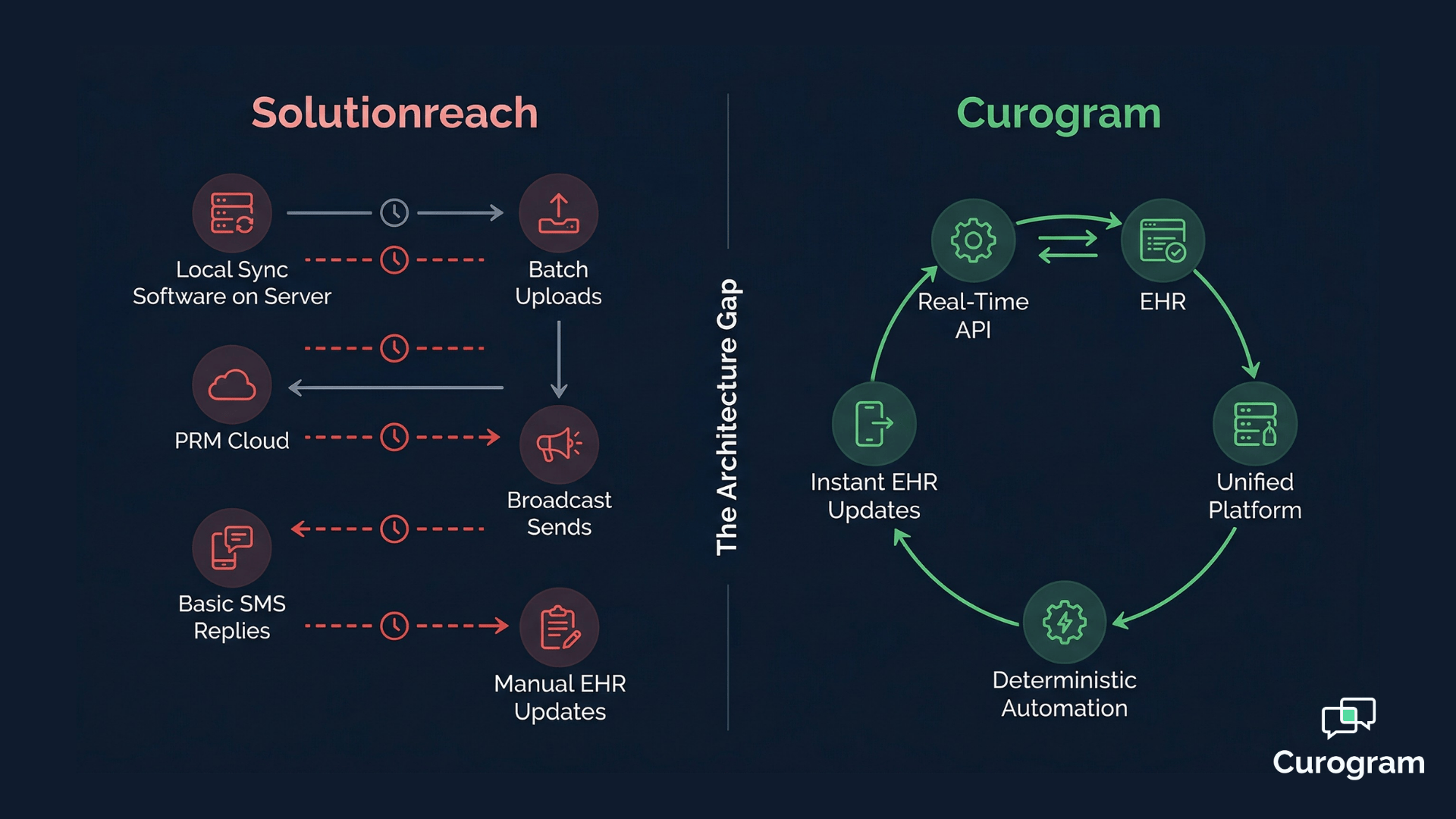
TeleVox runs on a broadcast model. The system sends one-way voice calls and text blasts based on batch files your staff creates and uploads. When a patient confirms, someone on your team must log into the EHR and update the status by hand. There is no real-time data flow. There is no two-way conversation.

This means your staff does double work for every reminder. They set up the broadcast, then they chase down the results.

Based on our internal data, practices that rely on this kind of manual process spend hours each week on tasks that a modern platform handles in seconds.

The bigger issue is what TeleVox cannot do at all. It has no native two-way texting. It has no built-in telehealth. It offers no digital intake forms that write data straight into your EHR. For each of these needs, you must add a bolt-on tool — each with its own login, its own cost, and its own support team.

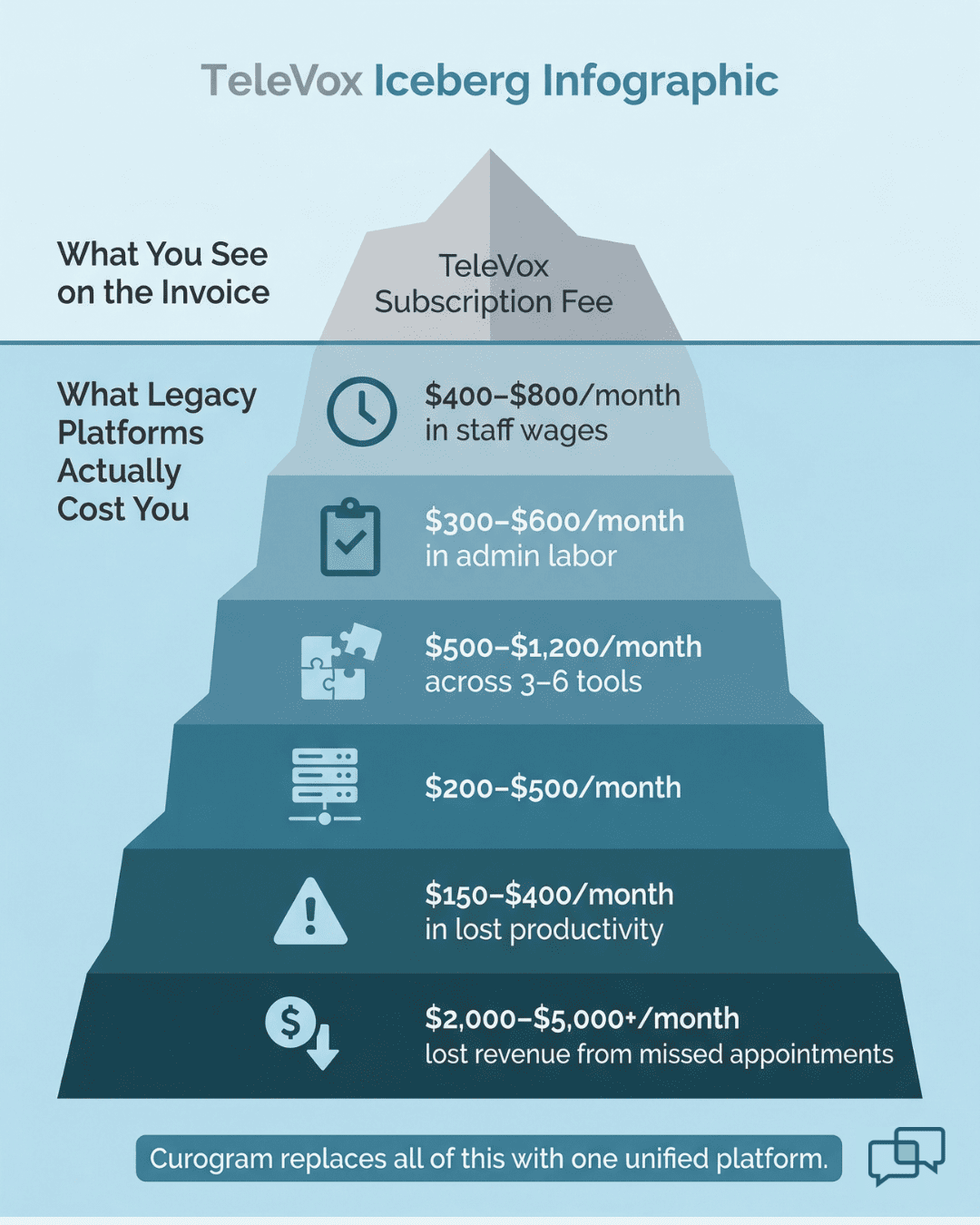
Over time, you end up with a patchwork of five or six tools held together by manual effort. That is the legacy infrastructure tax.

When practices migrate from legacy patient engagement to a modern platform, they do not just replace reminders. They gain an entirely new category of tools.

Curogram onboarding from TeleVox gives you one unified system for messaging, intake, payments, telehealth, reviews, and recall — all synced to your EHR through a live API.

The upgrade is not about doing the same things faster. It is about doing things your old platform was never built to do.

That shift is what makes this a generational upgrade, not a simple vendor swap.

Hidden costs of TeleVox and legacy telecom platforms visualized as an iceberg with subscription fee above the waterline and staff labor, bolt-on tools, and server maintenance costs below

Migration Assessment — Cataloging Legacy Dependencies and Manual Processes

Before you unplug anything, you need a clear picture of what you are working with. The first phase of any TeleVox to Curogram transition guide is a full audit of your current setup.

Start by listing every active broadcast in TeleVox. This includes voice call reminders, SMS appointment alerts, recall campaigns, and mass notification blasts. Write down the type, the schedule, and the patient volume for each one.

Next, map out your batch-file workflow. Who creates the files? How often? Where do they upload them? How long does each cycle take?

This step alone often shocks practice managers. Many find that one or two staff members spend five to ten hours a week just on file prep and upload tasks.

Then, count the hours your team spends on manual confirmation checks. Each time a patient responds to a TeleVox message, someone must open the EHR and mark the status by hand. Multiply that by your daily patient volume and you have a real labor cost figure.

After that, list every bolt-on tool you use alongside TeleVox. This might include a separate telehealth app, a review request service, a payment portal, or a digital forms tool. Note the monthly cost of each one.

Finally, check for on-premise needs. Does TeleVox depend on a local server, a scheduled task on a workstation, or a specific network setup? These need to be flagged for shutdown planning.

Here is a simple way to organize your audit:

Audit Area

What to Document

Why It Matters

Active broadcasts

Type, schedule, volume

Defines what Curogram must replace on day one

Batch-file workflow

Steps, staff involved, hours per week

Shows the manual labor cost to eliminate

Confirmation process

Time per confirmation, daily volume

Reveals hidden staff burden

Bolt-on tools

Name, function, monthly cost

Maps total legacy spend for ROI comparison

On-premise setup

Servers, scheduled tasks, network needs

Flags items to shut down at go-live


This audit creates your baseline. Every gain you measure after the move ties back to these numbers.

Parallel Deployment — From Legacy to Modern in Four Weeks

The smartest way to switch from legacy telecom to clinical automation is to run both systems at the same time during a short window. This parallel setup means your patients never miss a message.

Week 1: Legacy Audit and Process Inventory

This is the audit phase from Section 2 put into action. Your team maps all TeleVox workflows, bolt-on costs, and manual tasks. The goal is a complete picture of your legacy setup with a clear labor cost baseline.

Week 2: API Integration and Automation Activation

Curogram connects to your EHR through a two-way cloud API. This replaces TeleVox's one-way flat-file model.

Staff see the change right away — confirmations write back to the EHR on their own. Intake data lands in the right fields with no retyping. Schedule updates show up in real time. Batch-file uploads stop on this day.

Week 3: Communication Migration and New Tools Go Live

Patient outreach shifts to Curogram. Two-way texting, digital intake, telehealth with a virtual waiting room, and text-to-pay all turn on.

TeleVox broadcasts stay active during overlap, but Curogram handles the real work. New tools like missed-call-to-text and automated Google review requests also go live — features your practice has never had before.

Week 4: Full Go-Live and Legacy Shutdown

TeleVox and all its bolt-on tools are turned off. On-premise servers and scheduled tasks are retired. Your practice now runs on a single, modern platform.

Based on our internal research, practices that follow this four-week plan see fast results. Atlas Medical Center cut no-show rates from 14.20% to 4.91% within three months of going live. Covina Arthritic Clinic scaled to over 1,100 monthly confirmations — volumes that batch-based broadcast platforms simply cannot match.

The parallel approach keeps patients in the loop while your team learns the new system.

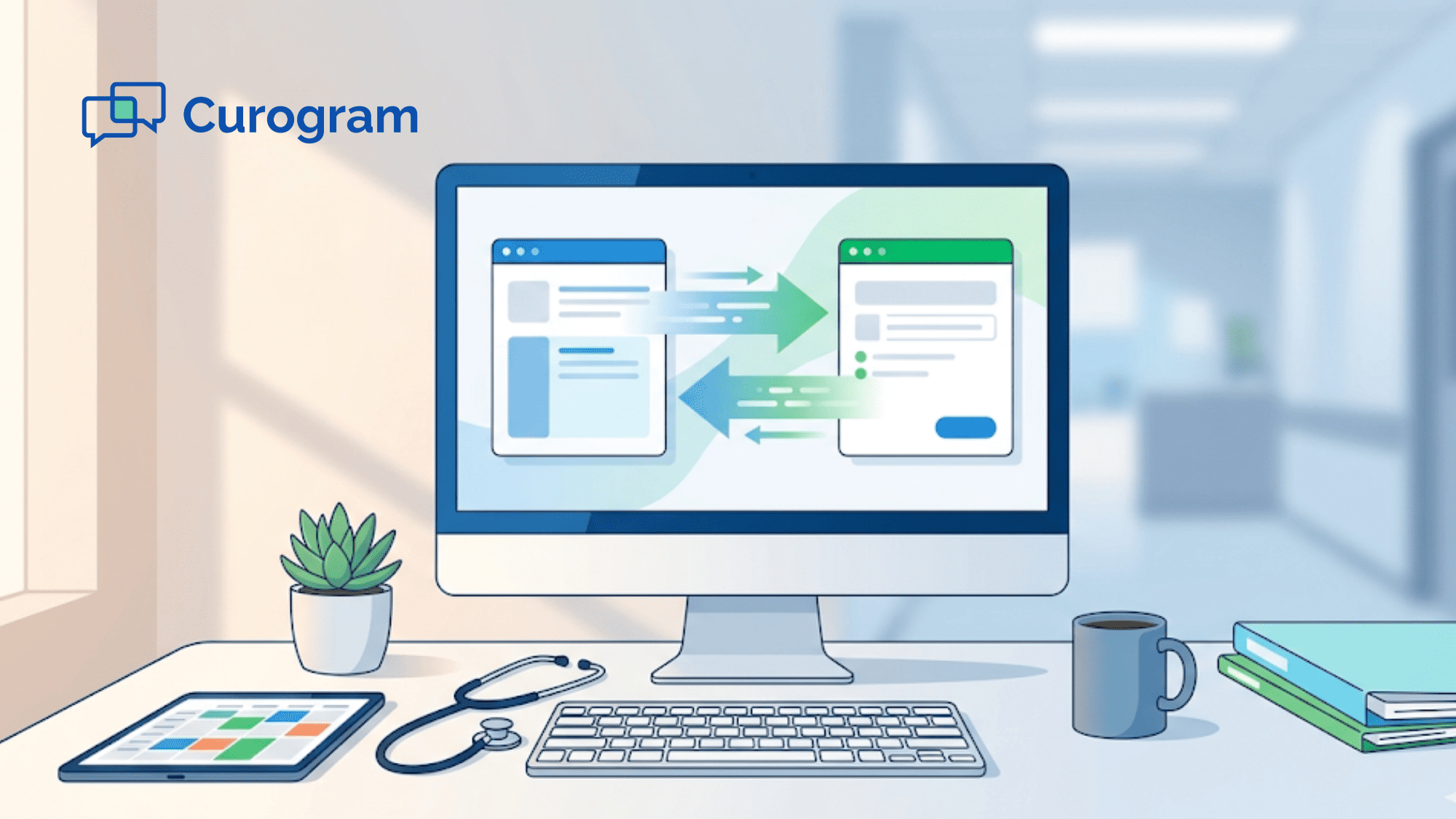
Medical office administrator at a clean modern desk with a box of decommissioned legacy phone equipment pushed aside after completing a platform migration

Migration Timeline and Milestone Comparison

A clear timeline keeps every team member on the same page. Below is the four-week phased plan with specific goals for each stage.

Migration Phase

Timeline

Key Activities

Success Metric

Phase 1: Legacy Audit

Week 1

Document all broadcasts; map batch-file steps; count manual confirmation hours; list bolt-on tools

Complete legacy map with labor cost baseline

Phase 2: API Integration

Week 2

Connect Curogram's two-way API to EHR; validate real-time write-back; turn on confirmation automation

Real-time sync verified; batch files retired; confirmations auto-update EHR

Phase 3: Communication Migration

Week 3

Shift patient outreach to Curogram; activate two-way texting, intake, text-to-pay, telehealth

All patient messages flow through modern platform; new tools are live

Phase 4: Full Go-Live

Week 4

Shut down TeleVox and bolt-ons; activate reviews and recall; retire on-premise servers

Confirmation rate at or above 75%; zero batch processing; single platform in use


Notice how each phase builds on the one before it. You audit first, integrate second, migrate third, and go live last. No step is skipped.

The biggest shift happens in Week 2. That is the moment your team stops uploading batch files and starts working with live data. Based on our internal data, this single change can cut hours of weekly admin work to near zero.

By Week 3, your staff has access to tools they never had with TeleVox. Two-way messaging lets patients reply to texts. Digital intake means no more paper forms. Text-to-pay collects copays before the visit.

Week 4 is the finish line. Your practice runs on one platform, with one login, one support team, and one bill. The patchwork of bolt-on tools is gone.

This timeline is not a rough guess. It is the standard Curogram onboarding from TeleVox path that practices follow every day.

Post-Migration — Measuring the Generational Upgrade Impact

Once TeleVox is off and Curogram is live, the real gains come into focus. The key is to measure every result against the baseline from your Phase 1 audit.

Start with staff time. How many hours per week did your team spend on batch-file prep, uploads, and manual confirmations? That number should now be close to zero. Curogram's live API and auto write-back handle these tasks with no human input.

Next, look at confirmation rates. Based on our internal data, Curogram clients average above 75% confirmation rates — fully automated, with no phone calls or manual follow-ups needed. Compare that to TeleVox's broadcast model, where staff still had to chase down replies.

No-show rates are the clearest ROI signal. Atlas Medical Center's drop from 14.20% to 4.91% shows what happens when patients get timely, two-way reminders instead of one-way blasts.

Curogram's no-show rates run 53% lower than the industry average. Each recovered slot means direct revenue — a 10-20% revenue lift is typical based on our internal research.

Then, track the new revenue streams that did not exist before the move. Automated Google review requests helped one multi-location practice earn 1,064 five-star reviews in just three months, with 90% of patients leaving top ratings.

SMS recall campaigns brought back 35% of overdue patients — that is 1,240 patients seen from recall messages alone at one practice.


Post-migration benchmarks show more than a platform swap. They show a generational upgrade from 1990s broadcast tools to modern clinical automation — and the compounding returns that follow.

Conclusion

The switch from TeleVox to Curogram migration is not a small tweak. It is a full generational leap from legacy broadcast tools to a modern, unified clinical platform.

TeleVox served its purpose in a time when one-way voice calls were enough. But clinics today need real-time EHR sync, two-way patient texting, digital intake, online payments, telehealth, and automated outreach — all in one system. No number of bolt-on tools can turn a 1990s broadcast platform into that.

This guide showed you the path. It starts with a clear audit of your current setup. You map every broadcast, every batch file, every manual step, and every bolt-on cost. That baseline becomes the yardstick for every gain that follows.

From there, a four-week parallel deployment keeps patients in the loop while your team steps into the new platform. By the end of Week 2, batch files are gone.

By Week 3, your staff uses tools they have never had — missed-call-to-text, text-to-pay, and automated review requests. By Week 4, TeleVox is off for good.

The results speak for themselves. No-show rates that are 53% lower than the industry average. Over 75% appointment confirmation with zero manual effort.

A 35% recall conversion rate that brings overdue patients back through the door. And more than 1,000 five-star reviews earned in just three months.

These are not projections. They are real outcomes from real practices, based on our internal data.

If your team still spends hours each week on batch files, manual confirmations, and bolt-on juggling, the cost of staying on TeleVox is already higher than the cost of moving. The four-week timeline in this guide proves the shift is fast, structured, and safe.

The only question left is how much longer you can afford to wait.


Stop spending staff hours on manual confirmations and file uploads every week. Request a demo and see real-time EHR sync and two-way texting in action.

Frequently Asked Questions

How long does the migration from TeleVox to Curogram take?

A structured migration follows a four-week phased timeline: legacy audit and manual process inventory (Week 1), bi-directional API integration and automation activation (Week 2), communication migration and capability expansion (Week 3), and full go-live with legacy decommission (Week 4). By Week 2, batch-file processing is eliminated and real-time automation is active.

Will migrating from TeleVox disrupt existing patient reminder workflows?

The parallel deployment model maintains TeleVox's active broadcasts during the transition window. Curogram workflows are activated alongside TeleVox, validated for accuracy, and then TeleVox is decommissioned only after Curogram's modern automation is confirmed operational. This ensures zero gaps in patient communication during the generational upgrade.

What capabilities does Curogram add that TeleVox does not provide?

Curogram adds bi-directional EHR API with discrete write-back (replacing one-way HL7 flat files), native two-way messaging with unified inbox, missed-call-to-text automation, deterministic appointment confirmation with automatic EHR updates, native telehealth with virtual waiting room, text-to-pay digital payments, automated Google Review generation, and SMS patient recall campaigns. These represent a full generation of clinical automation capabilities beyond TeleVox's broadcast telephony model.

How does Curogram's EHR connection differ from TeleVox's integration model?

Curogram uses a live, two-way cloud API that reads and writes data to your EHR in real time. TeleVox relies on one-way batch files that require manual uploads and do not write confirmations back.

Why should practices audit bolt-on tools before starting the migration?

Each bolt-on has its own cost, login, and support contract. Listing them gives you a true total cost of your legacy setup, which is the baseline you need to measure ROI after the move to a single unified platform.