
The 10 Best Patient Check-in System & Software Solutions
Compare the best patient check-in system options for your practice, and see how the top ten platforms rank on integration, cost, and real patient...
6 min read

A paper intake packet changes hands at least four times. Your front desk hands it over. The patient fills it out on a clipboard, someone checks it for blanks, and someone else types or scans it into the chart.
All of that happens after the patient walks in. A missed field sends the clipboard back across the counter. A hard-to-read date of birth turns into a guess, or a phone call the next day. Meanwhile, the next patient is waiting to check in.
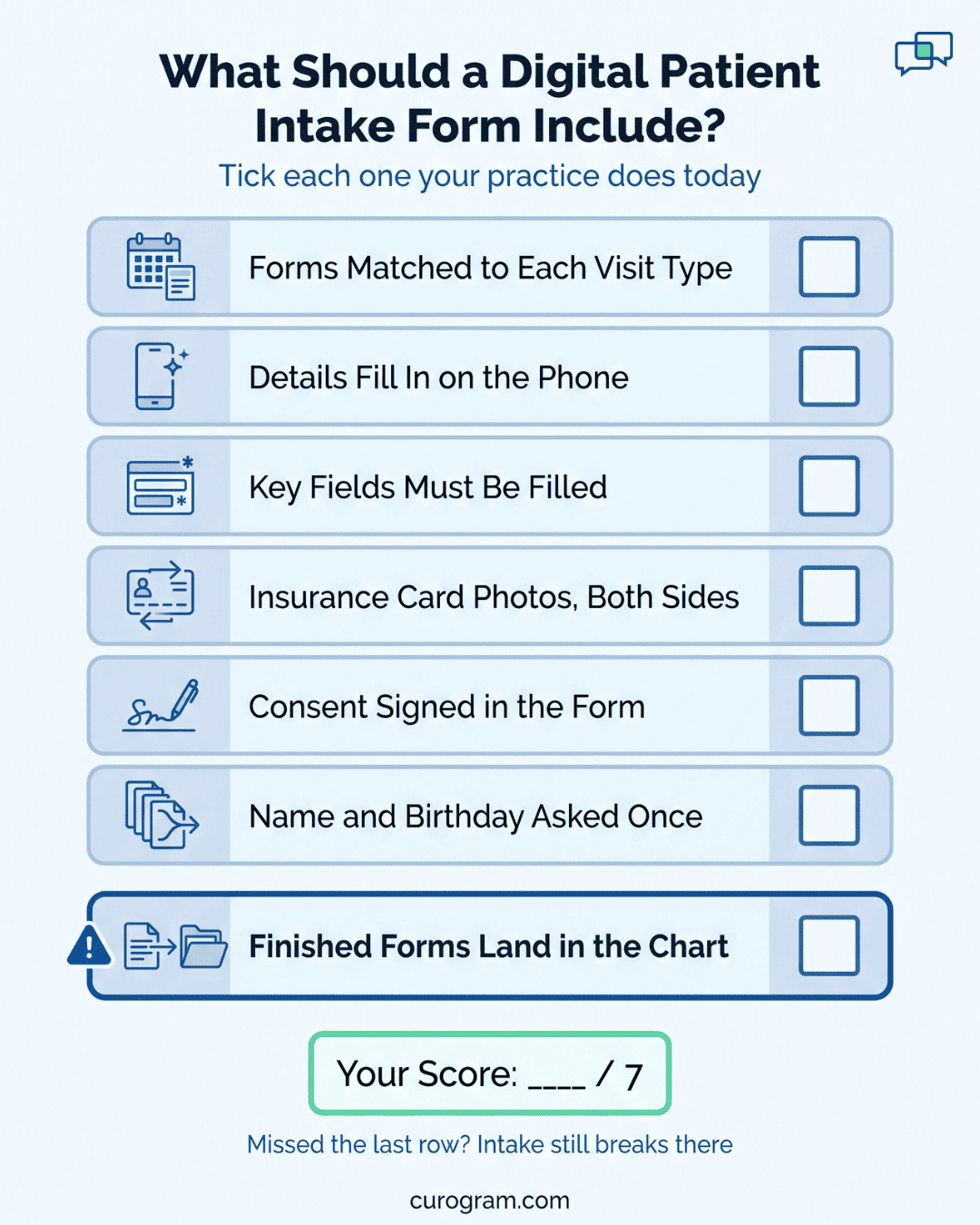
Online patient forms move most of that work to the days before the visit. The patient gets a text with a link, fills out the form on a phone or computer, and sends back typed answers.
Required fields keep forms from coming in half done. Insurance card photos and consent signatures come in through the same link.
Intake paperwork is the easiest delay in a visit to remove. It happens before the patient sees a provider, and your practice controls every step of it.
The payoff shows up in four places: how forms reach patients, how fast check-in moves, how clean the data is, and how easily you can change a form.
Curogram’s Patient Forms covers each one. It picks forms by appointment type, saves each submission as a PDF, and can send it to your EMR.
It also solves a smaller problem that annoys patients. When a packet holds four forms, nobody should have to type their name and birthday four times. Combining them into one long form fixes that.
Paper intake costs your staff time before the visit, during check-in, and long after the patient leaves. Online patient forms take work out of each of those steps.
Before the visit, the patient gets a text with a link to the forms they need. They fill them out at home. Nobody at your desk hands out clipboards or chases a missing page at the window.
Your staff also skips the cleanup work. No one has to guess at messy handwriting or feed sheets through a scanner one at a time.
When the forms are already done, check-in goes faster. Patients spend less time in your lobby, and the line at the window keeps moving.
Patients get more privacy, too. Without the form, nobody has to write out their health history on a clipboard in a full waiting room, rushing because their name could be called any second.
Patients can open the forms on their phones. Autofill drops in common details like name and address, so they don’t have to type the same thing on every page.
You can also make fields required. The form won’t submit until each required field is filled in, so incomplete forms never land in your queue.
Accuracy improves as a result. Fewer errors mean fewer callbacks to patients and less time spent fixing records later.
You choose what each form asks for. Common requests include:
Updates are simple. On paper, a new question means fixing old copies by hand or paying to reprint. An online form can be changed quickly and cheaply, so the information you collect stays current.
Some practices also ask for photos before the visit. This lets providers see the concern ahead of time and plan for it.
| Practice type | Photo to request | How it helps |
|---|---|---|
| Botox | Face at rest and smiling | Shows which areas need treatment |
| Dermatology | The skin issue | Lets the provider review it early |
| Orthodontics | The teeth | Shows tooth structure before the exam |
Photo uploads speed up the first review. They also make intake faster for your staff and your patients.
Patient Forms is a feature in the Curogram dashboard. It texts each patient a link to the forms that match their visit.
When the patient submits, it saves the forms as a PDF and, for many EMR systems, uploads them to the chart. Setup starts with the paper forms you already use.
Patient Forms sends an automated text with a link to the form. Patients fill it out on their phone or computer, whichever is easier for them.
You choose when the text goes out, at set times before the visit. You can also edit the wording, and each message is addressed to the patient by name. A typical text looks like this:
Dave, for your appointment with Anderson Family Practice, please click on [form link] and fill out your form before you come in to save time in the waiting room.
Our platform reads the Appointment Type from your Electronic Medical Records (EMR) or Electronic Health Records (EHR) system. It uses that type to decide which forms each patient gets.
For example, a New Patient booking for a certain Appointment Type might trigger a New Patient Package. That package could hold an Insurance form and a Financial Policy form, both ready to fill out on a phone or computer.
Once the patient hits submit, the form is saved to the Document Section in Curogram as a clean, easy-to-read PDF. Curogram also works with many EMR systems to upload the form straight into the EMR. How far that goes depends on which EMR your practice uses.
You can send a form by hand at any time:
The patient gets the same kind of text shown above, with a link to that form.
For compliance reasons, each form has to collect certain basics, such as first and last name, date of birth, and email.
With separate forms, a patient filling out four of them types their name and birthday four times. Curogram can combine those forms into one long form so the basics are asked only once.
| Individual forms | One long form | |
|---|---|---|
| Name, date of birth, email | Entered on every form | Entered once |
| Number of links to open | One per form | One |
| Time to finish | Longer | Shorter |
Patients finish faster, and fewer of them give up partway through a stack of repeat questions.
Send us your current forms as Word or PDF files. Curogram will turn them into digital forms ready to send.
Of all the delays in a patient visit, intake paperwork is the easiest to remove. It happens before the patient sees anyone, and it’s fully in your hands.
Once forms go out by appointment type before the visit, patients show up with the work already done. Check-in at the window is a quick confirm. Your staff isn’t typing up handwriting, and each submitted form is stored securely as a PDF or sent to your EMR.
That reclaimed time goes back to care. Patients wait less and spend their visit on their health and their provider. Your front desk spends less of the morning on paper and more of it on the people standing at the counter.
If your intake still starts with a clipboard, book a demo with Curogram. We’ll walk you through Patient Forms on appointment types like yours, from the first text to the finished PDF.

Compare the best patient check-in system options for your practice, and see how the top ten platforms rank on integration, cost, and real patient...

Nurture patient relationships with conversational AI for patient follow-up and engagement—personalized, HIPAA‑friendly touchpoints patients actually...
%20-%20fetaured.png)
What is patient experience in healthcare? Learn its meaning, why it matters for clinics, and how to improve it with reminders, messaging, and intake...