13 min read

Welligent Telemedicine Integration for Behavioral Health Agencies

Welligent Telemedicine Integration for Behavioral Health Agencies
💡 The best Welligent telemedicine integration for behavioral health is Curogram. It lets agencies run 1-click, app-free video visits through secure SMS.
  • Clients tap a text link to join—no app download or portal login needed
  • Works on any phone with a basic web browser, even older models
  • Tracks session times for billing and grant reports inside Welligent
  • Meets HIPAA and 42 CFR Part 2 standards for full privacy
  • Turns routine field visits into fast, high-quality virtual check-ins
Curogram removes the tech barriers that stop at-risk clients from showing up. It gives case managers a faster way to reach more people without burning out.

Picture this. A case manager drives 90 minutes to a group home for a 15-minute wellness check. The client isn't there. The trip is wasted. The next client on the list waits another week.

Now picture this instead. That same case manager sends a text. The client taps a link. A video call starts in seconds—no app, no portal, no password. The check-in is done before the first drive would have been halfway there.

That's the gap between how most agencies use Welligent today and how they could use it. The truth is, many staff still rely on in-person visits or clunky portals that clients struggle to access. And when clients can't get through the tech, they drop off the plan of care.

This is a real problem in human services. The people who need care the most often have the least access to it. They may not own a laptop.

They may share a phone. They may not have the storage space to install one more app. So when the system asks them to download software or log into a portal, it's asking too much.

Welligent telemedicine integration for behavioral health should solve this problem, not add to it. It should make the door to care wider, not narrower.

That's what this article is about. We'll break down why the app-download barrier is the silent villain in virtual care for at-risk groups.

We'll show you how app-free virtual care for human services changes the game. And we'll walk through how your agency can run frictionless remote interventions that save time, cut costs, and keep clients engaged.

If your team uses Welligent, this is for you.

The "App Barrier": Why Traditional Telehealth Fails the Vulnerable

Most telehealth tools were built for one type of user. They were made for people with new phones, strong Wi-Fi, and email they check every day. They work great in private practice. But they fall apart in human services.

Here's the hard truth: the clients your agency serves are not the same as patients in a family clinic. They may be foster youth with no stable address.

They may be adults in crisis living in shelters. They may have a prepaid phone with 2 GB of storage left. Asking these people to download an app, set up a login, and join a video call through a portal is like asking them to climb a wall just to walk through a door.

What the Typical Telehealth Flow Looks Like

Think about what a standard platform like Welligent Connect asks a client to do. First, they need an email or a portal login. Then they need to find the right link.

Then they may need to download an app. Then they need to grant camera and mic access through the app. If any one of those steps breaks, the call never happens.

For a stable, tech-savvy user, this takes a minute. For a 17-year-old in foster care using a hand-me-down phone, it can take 20 minutes—or it never works at all.

The Cost of No-Shows in Behavioral Health

When clients can't join a session, the harm goes beyond a missed slot on the calendar. The entire plan of care stalls. Case notes don't get updated. Goals get pushed back. Risk factors go unchecked.

And from a budget view, it's just as painful. Based on our internal data, Curogram clients see no-show rates that are 53% lower than the industry average. That means the tech itself plays a major role in whether clients show up or not. When you remove the friction, people connect.

Now, flip that. When tech is the barrier, your staff still spent time prepping for the call. They blocked the slot. They reviewed the file. And the client never joined. Multiply that by five or ten sessions a week, and your agency is bleeding hours.

The Cycle That Traps Agencies

This creates a vicious cycle. Clients miss sessions because the tech is too hard. Staff lose faith in virtual care and go back to field visits. Field visits eat up the day. The caseload stays flat. Funding stays tight.

Meanwhile, the agency director is looking at reports that show low session counts and high travel costs. They know there's a better way, but every platform they've tried still asks clients to do too much.

This is what the app barrier really is. It's not just a tech issue. It's a care-access issue.

What Agencies Need Instead

The fix isn't a better app. The fix is no app at all. What agencies need is a way to bypass the Welligent Connect portal for video sessions and replace it with something any client can use. A tool that meets clients where they are—on a basic phone, with a text message, in one tap.

That means no extra hardware. No email needed. No storage needed. No training needed on the client side.

When you remove every single step between "I got a text" and "I'm on a video call with my case manager," you stop losing clients to the tech. And that's the first step to running a virtual care model that actually works for at-risk groups.

Meeting Clients Where They Are: 1-Click Native Video

Equity in care isn't just about who gets a session. It's about who can access the session in the first place. If your virtual care tool only works for people with the latest iPhone and a Gmail account, it's not equitable. It's exclusive.

Curogram takes a different approach. Instead of asking clients to install software, it sends a secure video link through a simple SMS.

The client taps the link. The call opens right away in their phone's built-in browser—Safari, Chrome, whatever they have. That's it. One click. No login. No download. No friction.

How the 1-Click Flow Works in Practice

Let's say a case manager at a foster care agency has a weekly check-in with a 16-year-old in a group home. In the old model, the worker would need the youth to log into a portal, find the session link, and maybe install an app first.

If the youth has a shared tablet or a basic Android phone, that process could fail before it starts.

With Curogram, the case manager sends a text right from the Welligent-linked dashboard. The youth gets a message. They tap the link. The call opens in their native browser. The whole thing takes under 10 seconds.

That's what mobile-first behavioral health video looks like. It meets the client on the device they already have, using the tools that already work.

Why Native Browser Matters

App-based tools need storage space, updates, and often a user account. Every one of those is a drop-off point. Native browser calls skip all of that. The browser is already on the phone. It already has camera and mic access. There's nothing new to learn.

This also means app-free virtual care for human services works on almost any device. Older phones, budget phones, and even some feature phones with a basic browser can handle the call. That reach is critical when you serve people who don't have the newest tech.

Real-World Impact on Session Rates

When clients can join calls this easily, your agency sees more completed sessions. Based on our internal research, practices using Curogram maintain an average appointment confirmation rate above 75%. While that stat covers all types of visits, the trend holds even more for virtual sessions where the link is sent by text.


Think about what that means for a case manager with 30 clients a week. If even 10% more clients show up thanks to simpler tech, that's 3 more sessions per week. Over a month, that's 12 extra touchpoints—12 more chances to track progress, catch warning signs, and update plans of care.

Bridging the Digital Divide

The phrase "digital divide" gets used a lot. But in human services, it's not a concept. It's a daily wall your staff hits. When a client in rural housing can't join a session because they don't have the right app, the divide is real and the cost is personal.

Curogram acts as a bridge. It brings virtual care to the people who were locked out by the old model. And it does this without asking IT to roll out new devices or train staff on a new platform.

For case managers, the learning curve is almost flat. For clients, there is no learning curve at all. You send a text. They tap it. Care begins.

That's the kind of tool that closes the gap between the plan of care and the people who need it.

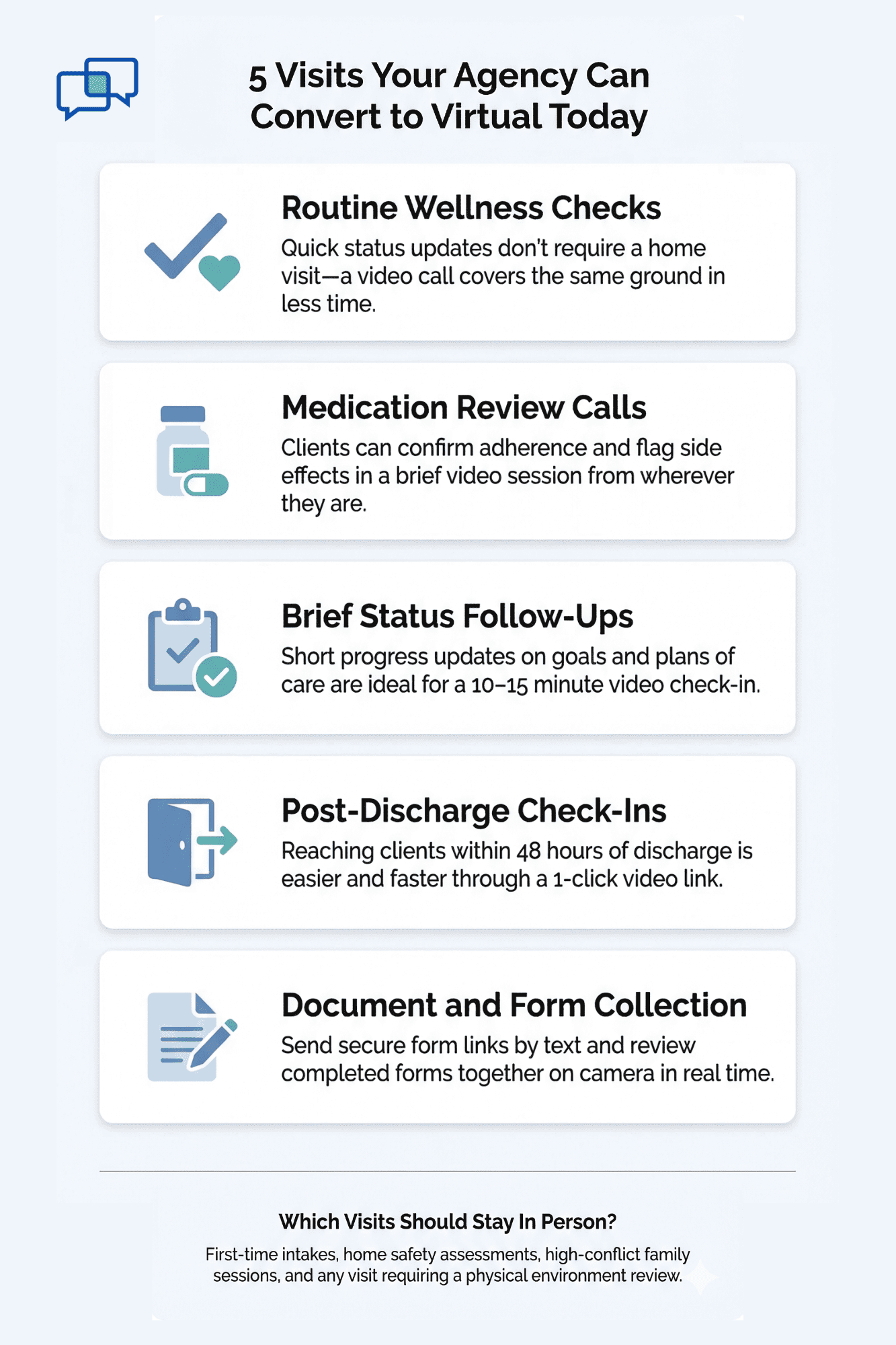
Visual list of wellness checks, medication reviews, and follow-ups that work as virtual visits for human service agencies

Operational Efficiency: Virtual Field Visits and Wellness Checks

Every agency director has seen the same math. One case manager. One car. Four hours of driving. Two 15-minute check-ins. That's a full morning spent on travel for 30 minutes of actual face time. It's not scalable, and it's not sustainable.

Frictionless remote interventions give agencies a way out of this trap. When a case manager can convert even a portion of field visits into video sessions, the impact on the daily schedule is dramatic.

The Real Cost of a Field Visit

Let's walk through an example: Say, your agency serves a rural county where homes are spread across a 60-mile radius. A case manager has five wellness checks this week. Each visit takes about 15 to 20 minutes of face time. But the drive to each site averages 45 minutes one way.

Here's what that looks like:

Task

Time per visit

Total for 5 visits

Drive time (round trip)

1.5 hours

7.5 hours

Face time with client

20 minutes

1.7 hours

Prep and wrap-up notes

15 minutes

1.25 hours

Total

~2.25 hours

~10.5 hours


That's over 10 hours for less than 2 hours of direct service. Nearly 70% of the time is just driving.

Now compare that to virtual sessions:

Task

Time per visit

Total for 5 visits

Drive time

0

0

Video session

20 minutes

1.7 hours

Prep and wrap-up notes

15 minutes

1.25 hours

Total

~35 minutes

~3 hours


The savings are clear. By moving to video for even half of those visits, your team gets back hours every single week. Those hours can go toward more sessions, better notes, or simply less burnout.

Expanding Capacity Without Expanding Headcount

Hiring new staff is expensive. Posting the role, running interviews, onboarding, and training—it all takes time and money. For most agencies, the budget simply doesn't stretch that far.

But what if you didn't need to hire? What if you could see more clients with the team you already have?

That's the power of virtual visits. When you cut the drive time, you unlock more open slots in the day. A case manager who used to fit in 4 visits per day might now fit in 7 or 8. That's a real boost to your monthly session counts—and it doesn't cost an extra dime in salary.

Let's say your agency has 10 case managers:

Each one saves 5 hours a week by doing virtual check-ins instead of field visits. That's 50 extra hours a week across the team. At a modest rate of 2 sessions per hour, that's 100 more client contacts per week. Over a year, that's over 5,000 added touchpoints—with zero new hires.


Protecting Grant Dollars and Proving ROI

Grant-funded agencies know this pain. Every dollar has to be tracked. Every hour has to be justified. When a case manager spends half the day in a car, the cost-per-session goes up fast.

Virtual care flips that equation. Fewer miles driven means lower fuel costs, lower mileage claims, and less wear on agency vehicles. But it also means more sessions logged per grant period. When it's time to report, your numbers look stronger.

Based on our internal data, clients using Curogram's tools see a 10–20% increase in revenue because more slots get filled. For grant-funded agencies, that same logic applies to service units. You don't need more money—you need more output from the money you already have.

When In-Person Still Makes Sense

Virtual care doesn't replace every visit. Some moments need to happen face to face. A first intake meeting. A home safety check. A family session with high tension. Those calls still deserve the drive.

The goal isn't to go 100% virtual. The goal is to stop driving when a video call will do the same job. Routine wellness checks, brief follow-ups, med review calls, and quick status updates are prime targets for virtual conversion.

When you make that shift, your in-person visits become more focused. Staff show up to the visits that truly need a physical presence. And they arrive less drained because they didn't spend the morning behind the wheel.

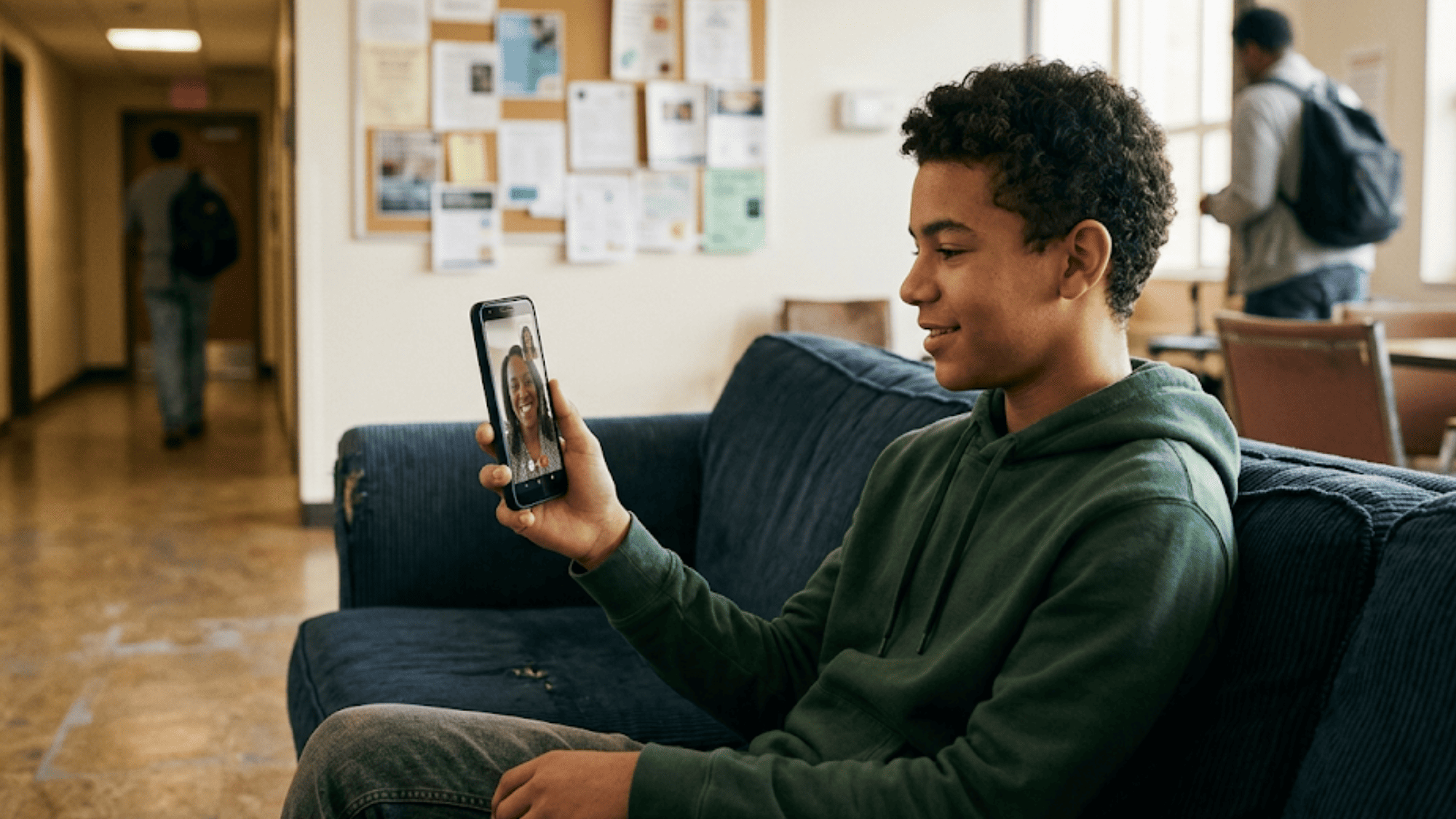
Young client in transitional housing on a candid virtual check-in call with his case manager using app-free video

How Welligent Fits into this Workflow

Curogram connects with your Welligent system so that session data flows back into the record. Case managers don't need to switch between tools. They can see the client on video, take notes, and log the session—all in one loop.

That means less double entry. Less chance of a missed note. And a cleaner audit trail when it's time for review.

The time savings stack up at every level. Directors get better reports. Supervisors see more complete caseloads. And case managers stop feeling like they're always one step behind.

A Smarter Way to Manage Growing Caseloads

Caseloads are growing. Staff are stretched thin. Drive time is eating up the day. This isn't a new problem—but now there's a better answer.

By layering frictionless remote interventions into your existing Welligent workflow, your team gets room to breathe. They can serve more clients, close more goals, and still log off at a decent hour.

That's not just efficiency. That's a healthier agency.

Privacy Without a Footprint: 42 CFR Part 2 Compliance

In behavioral health, privacy isn't a nice-to-have. It's the foundation of trust. If a client doesn't feel safe, they won't talk. If they don't talk, the session fails. And if a video call leaves traces on their phone, that feeling of safety is gone.

Why Privacy Matters More Here

Think about who your clients are. A person in a substance use program may be hiding treatment from an employer.

A foster youth may not want a group home peer to see a therapy app on their phone. A domestic violence survivor may share a device with the person they're trying to leave.

In these cases, a visible app icon or a call log entry can put the client at risk. It's not just about data—it's about physical and emotional safety.

That's why 42 CFR Part 2 compliant telehealth is so critical in this space. The federal rule known as 42 CFR Part 2 sets strict limits on how substance use treatment data can be shared. It goes well beyond HIPAA. And any tool your agency uses for video sessions must meet this standard.

How Curogram Protects Client Privacy

Curogram uses peer-to-peer video calls that leave no footprint on the client's device. There is no app to show up in the app drawer. There is no call log saved to the phone. And because the session happens in the native browser, once the tab is closed, the session is gone.

No recording is stored on the device. No data is cached. The only record of the call lives in your agency's Welligent system—where it belongs, behind your secure login.

This discreet design is what makes the platform a fit for 42 CFR Part 2 compliant telehealth. It meets the rules not just on paper, but in practice. The client's identity, treatment status, and session history stay fully protected.

Encryption that Matches the Mandate

Curogram's video calls are encrypted in transit. This means the data stream between the client and the case manager is secure from start to finish. No third party can listen in. No server stores a copy of the video.

For agency IT teams, this is a big win. You don't need to build a new security layer or manage a separate system. The platform handles the compliance piece, so your team can focus on care.

What this Looks Like for the Client

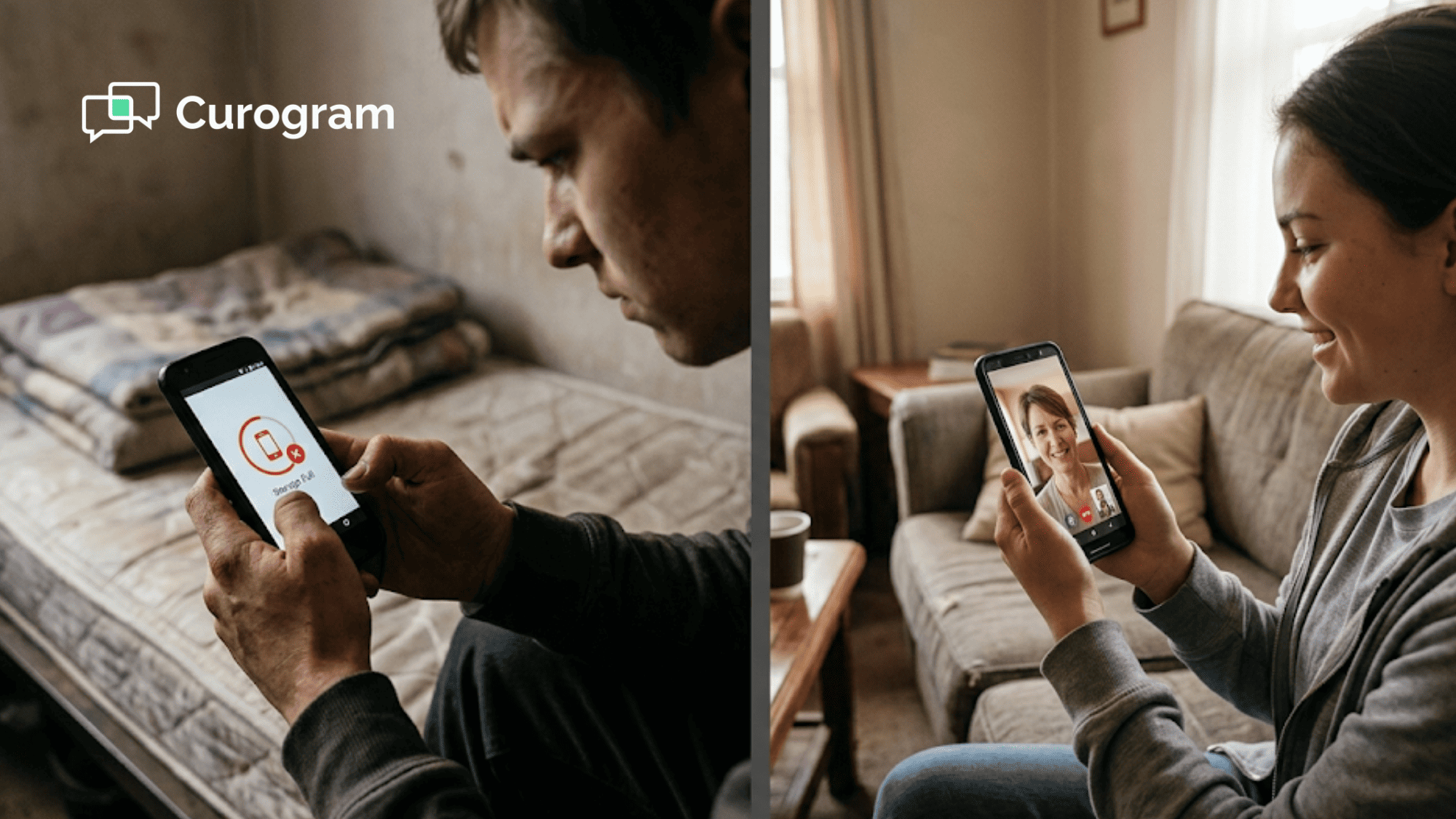
From the client's side, the experience is simple and private. They get a text. They tap it. The call starts. When it's over, they close the tab. There's no sign of the call on their phone. No trace left behind.

That level of discretion matters deeply in behavioral health. It means a client can join a session from a shelter lobby, a parked car, or a shared bedroom—and no one else would know.

It's care without a footprint.


How Curogram Makes Virtual Behavioral Health Sessions Safer and Simpler

Curogram was built for the real world of human services—not for the ideal one. Most platforms assume every client has a strong phone, a stable email, and the patience to learn a new app. Curogram assumes none of that.

Instead, it meets clients where they are: on a basic phone, through a text message, with one tap to join. The video call runs in the phone's built-in browser. No download. No login. No trace left on the device after the call ends.

For case managers, the value is just as clear. The platform connects to Welligent so that visit data flows right back into the record. There's no need to toggle between systems or re-enter session notes. Start time, end time, and session details can be logged in one place.

This means better records for audits, faster notes for supervisors, and stronger data for grant reports.

On the privacy side, Curogram supports both HIPAA and 42 CFR Part 2 rules. The peer-to-peer video stream is encrypted, and no footage is stored on the client's device. For clients in substance use programs or sensitive living situations, this privacy is not a bonus—it's a lifeline.

Agencies also benefit from lower no-show rates. When there's no barrier to join a call, more clients show up. Based on our internal data, Curogram users see no-show rates that are 53% lower than the industry average. For agencies working with at-risk groups, that kind of engagement can make or break a plan of care.

Curogram doesn't ask the client to adapt to the system. It builds the system around the client. That's what makes mobile-first behavioral health video work in the real world.

Conclusion

The biggest threat to virtual care in human services isn't a lack of funding. It's not a shortage of tools. It's the gap between what the tech asks of clients and what clients can actually do.

When a foster youth can't join a session because they don't have enough phone storage for an app, that's a system failure. When a case manager drives four hours for a check-in that could have been a video call, that's a budget failure. And when a platform leaves visible traces on a device shared by a domestic violence survivor, that's a safety failure.

Welligent telemedicine integration for behavioral health should fix these problems—not create them. And with Curogram, it does.

Your agency gets app-free video calls that work on any phone. Your case managers get tools that flow right into Welligent. Your clients get a private, simple way to stay engaged in care. And your directors get the data they need to prove the value of every session.

No portals. No downloads. No extra costs. Just care that reaches the people who need it most.

Ready to cut the app barrier, reduce drive time, and serve more clients with the staff you have? Book a demo and see how 1-click virtual care works inside your Welligent system.


Frequently Asked Questions

How does a client join a Curogram video session without an app?
The client receives a secure text message with a link. They tap the link, and the video call opens instantly in their phone's built-in browser. No app download, portal login, or email is needed.
How does Curogram track session times for billing and grant reports?
Curogram logs the start and end time of each video session. This data can be documented back into Welligent, giving your team the records they need for billing, audits, and grant reporting.
How can case managers send intake forms during a virtual visit?

Curogram lets staff send secure form links—like the PHQ-9—through text before or during the call. The clinician can review the client's responses in real time while the session is still active.

Why is app-free video better for clients in crisis or unstable housing?

Clients in these situations often have limited phone storage, shared devices, or no email. App-free video removes every tech barrier so they can join a session with just one tap on a text link.

How does Curogram meet 42 CFR Part 2 privacy requirements?

Curogram uses encrypted peer-to-peer video that stores no data on the client's device. Once the browser tab is closed, the session leaves no trace—fully meeting the strict privacy standards of 42 CFR Part 2 and HIPAA.


Drop the App: Telemedicine for Behavioral Health in Welligent

Drop the App: Telemedicine for Behavioral Health in Welligent

💡 The best way to offer app-free telemedicine for behavioral health in Welligent is through Curogram's browser-based video platform. Sends a...

Read More
Rural Patient Video Visits by Text | No App | Azalea Health + Curogram

Rural Patient Video Visits by Text | No App | Azalea Health + Curogram

💡 Rural patients using Azalea Health clinics can now attend a video visit with their doctor by tapping a single link in a text message. No app...

Read More
How One-Tap Telemedicine Reaches the Patients Apps Leave Behind

How One-Tap Telemedicine Reaches the Patients Apps Leave Behind

💡 eClinicalWorks patient telemedicine without app downloads works through a single text message link. Patients tap it, their phone browser opens,...

Read More