12 min read

Drop the App: Telemedicine for Behavioral Health in Welligent

Drop the App: Telemedicine for Behavioral Health in Welligent
💡 The best way to offer app-free telemedicine for behavioral health in Welligent is through Curogram's browser-based video platform.
  • Sends a secure SMS link that opens video in the client's phone browser — no app needed
  • Lets agencies bypass the Welligent Connect portal and its login friction
  • Works on older, low-cost, and prepaid phones common among at-risk clients
  • Meets HIPAA and 42 CFR Part 2 standards for substance abuse and mental health records
  • Supports group therapy, family sessions, and one-on-one visits through a single text link
Curogram removes the app download barrier so agencies can deliver equitable remote interventions to homeless, transient, and foster-system clients who might otherwise miss care.

Picture this. A case manager sends a video link to a 17-year-old in foster care. The teen taps the link. Within seconds, they're face-to-face with their therapist.

No app to download. No portal to log in to. No lost passwords.

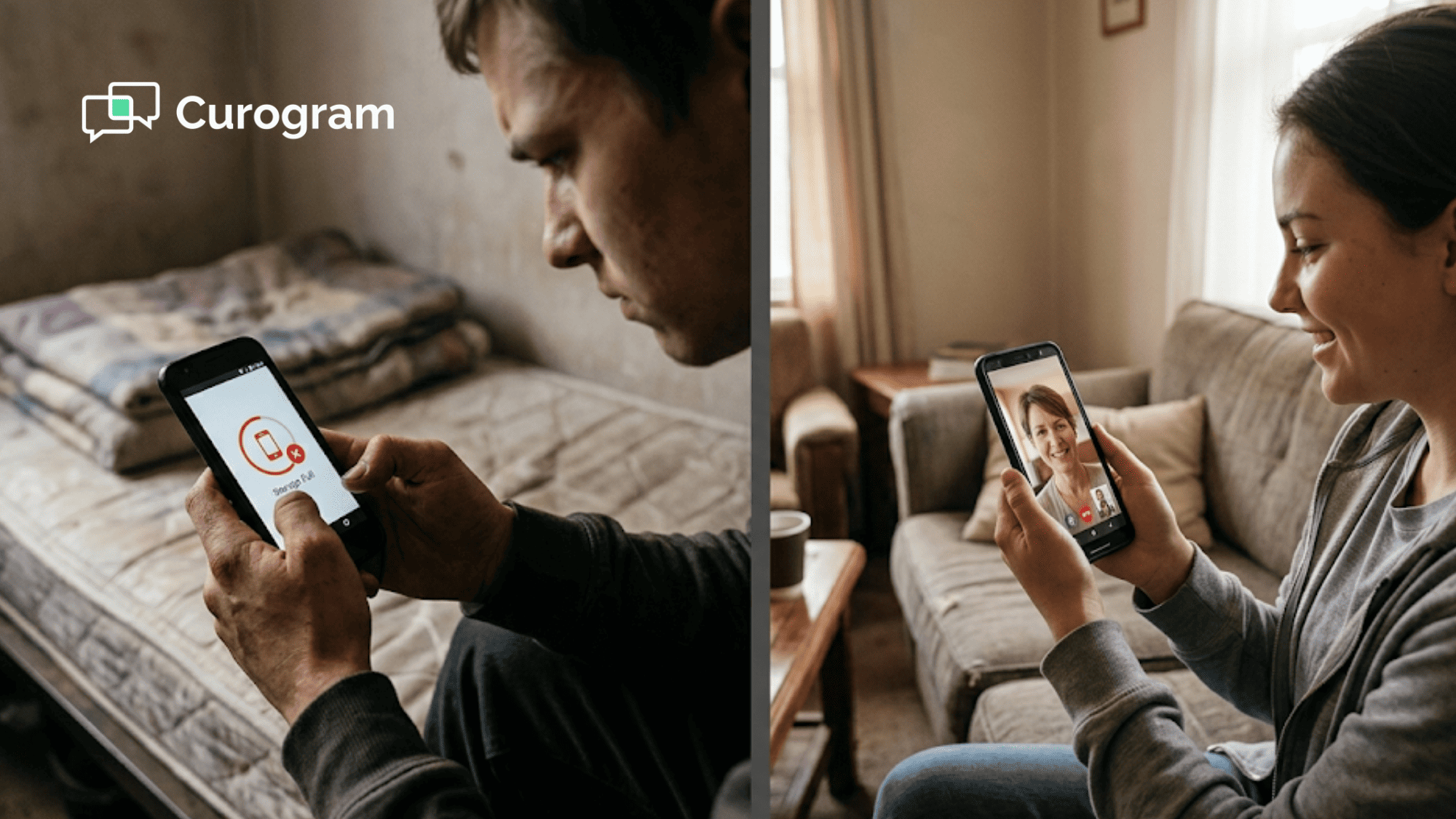
Now picture the opposite. The same teen gets a message to join a session through an app. Their phone — a hand-me-down with 500 MB of free storage — can't fit it. The session never happens. A window of trust closes.

This is the reality for thousands of clients in behavioral health agencies across the country. The "app download" step, so small for most of us, is a wall for people who need care the most.

For agencies that rely on Welligent as their EHR, the problem runs even deeper. The Welligent Connect portal asks clients to create accounts, set passwords, and navigate a web-based system. For someone in a mental health crisis, that's not a minor task. It's a deal-breaker.

The fix isn't to train clients harder or hand out better devices. The fix is to remove the barrier.

That's the core idea behind app-free telemedicine for behavioral health in Welligent. When you strip away the app, the portal, and the logins, you're left with what matters: a client and a clinician, face-to-face, in seconds.

In this article, we'll break down why the app download is one of the biggest — and most ignored — threats to equitable virtual care. We'll show you how agencies are solving it today.

And we'll walk through how Curogram makes it possible to reach at-risk youth through telehealth, serve homeless clients, and stay fully compliant — all without asking anyone to download a single thing.

The Digital Divide: Why Apps Are a Barrier to Equity

Most of us don't think twice about apps. We tap "Install," wait a few seconds, and move on. But for the clients your agency serves, this simple step can end a care plan before it starts.

The Reality of the Population

For clients who live without stable housing or youth in the foster system, a phone is often the only link to the outside world. But that phone is rarely new. It's often a prepaid device, a hand-me-down, or a free government-issued phone with strict limits.

These devices tend to have small storage, slow processors, and limited data plans. Asking someone on this kind of phone to download, install, and set up a telehealth app is like asking them to clear a hurdle before they can even get to the starting line.

Consider a real-world example:

A case manager at a community mental health center schedules a video check-in with a client who just left a shelter. The client gets a text telling them to install an app. But their phone only has 200 MB of free space. The app needs 150 MB. To make room, they'd have to delete photos, contacts, or other apps they rely on daily.


Most won't do it. And you can't blame them.

The "No Storage" Problem

Storage is only one piece. Many at-risk clients also deal with limited data plans that cap at 1-2 GB per month. A large app download could eat 5-10% of their monthly data in one shot. On top of that, apps often push updates, which drain even more.

This is not a rare case. Based on our internal research, agencies that switched from app-based platforms to browser-based video saw higher session completion rates, particularly among transient and low-income populations.

Think about what this means for virtual care for homeless clients. If someone doesn't have a fixed address, they may not have Wi-Fi. Their only connection is a limited cell signal. Every megabyte counts. An app is a luxury they can't afford.

The Portal Friction

Even when an app isn't required, many EHR-linked systems still force clients through a patient portal. Welligent's Connect portal, for example, asks clients to create an account, set a password, and log in before they can reach a video link.

For a stable, tech-savvy user, this takes 2-3 minutes. For a client in the middle of a mental health crisis? It can take forever — or more likely, it doesn't happen at all.

Here's how this typically plays out:

Step

What the Client Must Do

Where It Breaks Down

1

Receive the session link via email or text

Client may not check email or may have changed numbers

2

Open the Welligent Connect portal

Portal page loads slowly on older devices

3

Enter username and password

Client forgot credentials or never set them up

4

Navigate to the video session

Confusing layout leads to wrong pages

5

Join the call

Client gives up before reaching this step


Each step is a point of failure. And each missed session doesn't just waste a time slot. It chips away at the trust between a client and their provider. For youth in foster care or clients in recovery, that lost trust can take weeks — or months — to rebuild.

When agencies bypass the Welligent Connect portal and use a direct SMS video link instead, they remove every one of these steps. The client taps one link. The video opens. That's it.

This is what equitable remote interventions look like in practice. Not better training. Not fancier devices. Just fewer barriers between a person and their care.

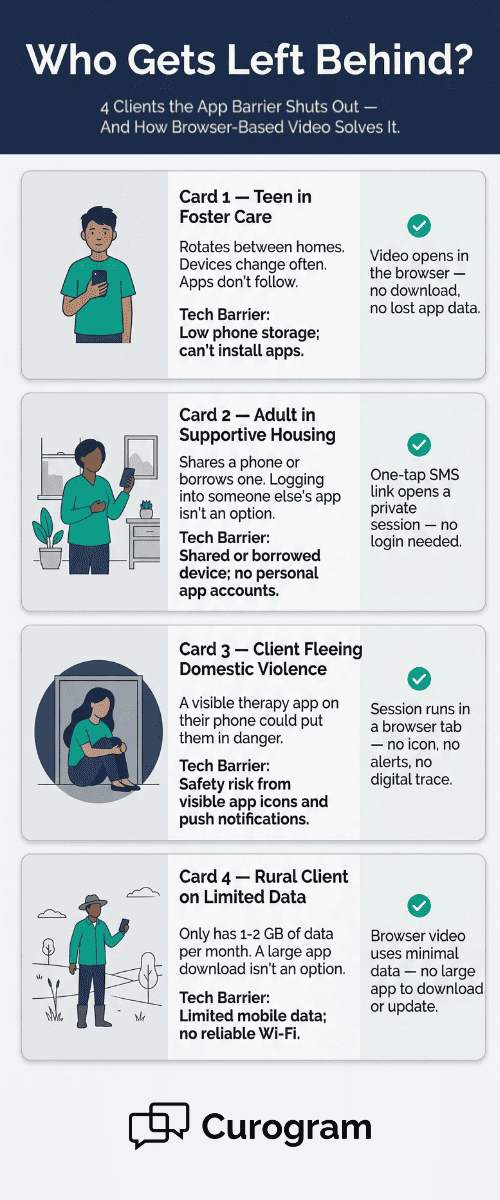
Profile cards of at-risk clients and how browser-based video removes tech barriers to virtual care

1-Click Access: Meeting Clients Where They Are

If the app barrier is the problem, the fix has to be radical in its simplicity. Not "simpler." Not "easier." Zero friction.

That's the design idea behind Curogram's approach to app-free telemedicine in behavioral health settings that use Welligent. Instead of asking a client to download, install, log in, or navigate, the entire process is reduced to a single tap.

The Solution

True equity-first technology doesn't just lower the bar — it removes it. Curogram works as the most direct door to care. There's nothing to download. There's nothing to log in to. There's no portal standing between the client and the session.

What does this look like day-to-day? Here's a concrete example.

A case manager at a youth-focused behavioral health agency has a weekly check-in with a 16-year-old in a group home.

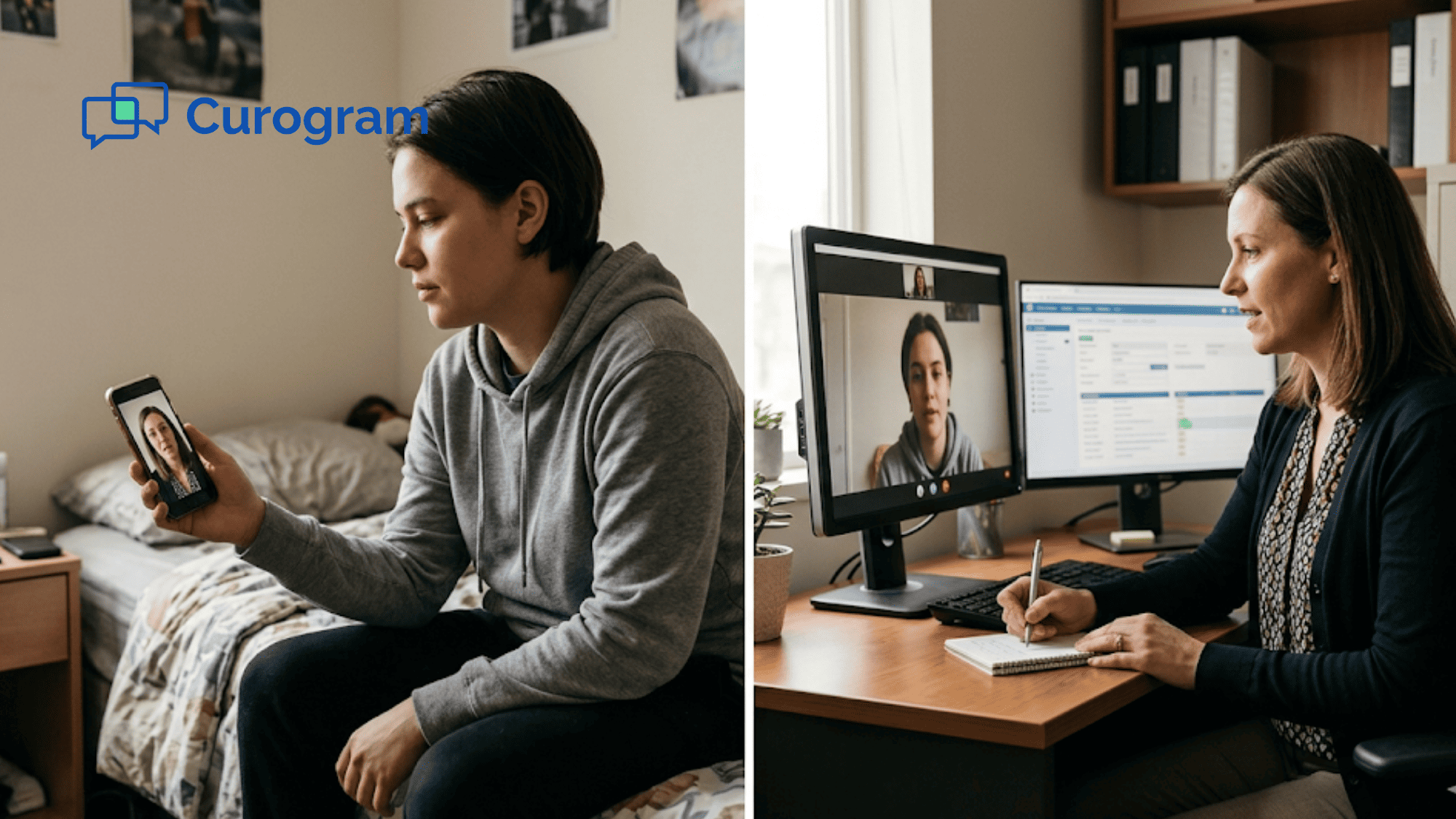
The teen has a basic Android phone with Chrome installed. The case manager opens Curogram, clicks "Start Video," and the system sends a secure text link to the teen's phone.

The teen taps it. Chrome opens. The video session starts. Total time from text to face-to-face: under 10 seconds.

The Workflow

The steps are simple enough to list on one hand:

  1. The clinician or case manager opens Curogram and selects the client.
  2. They click to send a secure video link via SMS.
  3. The client receives the text on their phone.
  4. The client taps the link.
  5. The video call opens in Safari or Chrome — whichever browser is on the phone.

That's the entire workflow. No account creation. No portal. No app store.

Compare this to a typical portal-based session:

Feature

Portal-Based (Welligent Connect)

Curogram (App-Free SMS Video)

App download needed

Sometimes

Never

Login required

Yes

No

Steps for client to join

4-5

1

Works on prepaid phones

Often no

Yes

Average time to connect

3-5 minutes

Under 10 seconds


The gap isn't small. It's the difference between a session that happens and one that doesn't.

The Benefit

By using the native browser on any phone — Safari on iPhones, Chrome on Android — Curogram makes sure virtual care is open to anyone with a basic phone and a cell signal.

This matters most for the hardest-to-reach populations:

  • Homeless clients who may only have a government-issued phone with no app store access
  • Youth in foster care who rotate through devices and can't keep apps installed
  • Clients in rural areas with weak data connections who can't afford large downloads
  • People in crisis who need care now, not after a 5-minute setup process

Based on our internal data, no-show rates tend to drop sharply when you remove the steps between a client and their session. One clinic saw their no-show rate drop from over 14% to under 5% within three months of using SMS-based tools — an improvement three times better than the industry average.

When agencies aim to reach at-risk youth through telehealth, the key isn't better outreach. It's fewer steps. The teen who taps a link and sees their therapist in 10 seconds is far more likely to keep coming back than the one who has to fight through a portal every single week.

This is what meeting clients where they are really means. Not in a metaphor. In a browser. On a phone they already own.

Safety and Compliance in the Field

Removing barriers is only half the story. Agency directors and clinical leads rightly ask: "If we make it this easy, are we sacrificing security?"

The short answer is no. The longer answer is that Curogram was built with the most sensitive populations in mind — and its security model reflects that.

Privacy is Protection

In behavioral health, privacy isn't just a legal box to check. It's a safety issue. For many clients, the simple presence of a mental health app on their phone can create real danger.

Think about a client in a domestic violence situation. If an abuser picks up their phone and sees a therapy app, that could trigger a confrontation.

Or consider an adolescent in a volatile home environment. A visible app labeled "Telehealth" or "Behavioral Health" could out them for seeking help they don't want others to know about.


This is why the "no app" approach isn't just about convenience. It's about protection. When a session runs through a browser, there's no app icon sitting on the home screen. There's no push notification that says "Your therapy session starts in 10 minutes." There's no digital trail that puts a client at risk.

For virtual care for homeless clients, the stakes are similar. Many share or borrow devices. An app tied to a previous user's account can expose sensitive data — or block access entirely because the "wrong" person is logged in.

A browser-based session avoids all of this. Once the call ends, the browser tab closes, and there's nothing left behind.

The Curogram Standard

So how does Curogram keep these sessions private and secure without an app?

The answer is peer-to-peer encryption. When a client taps the SMS link and the video call begins, the audio and video data streams directly between the client's browser and the clinician's screen. The data doesn't pass through a third-party server where it could be stored or intercepted.

Here's a simple way to think about it:

Traditional App-Based Video

Curogram Browser-Based Video

Data routes through a central server

Data streams peer-to-peer

App stores session metadata

Browser stores nothing after the tab closes

App icon visible on client's phone

No icon, no trace

Requires account and login

No account needed

Updates may prompt password re-entry

No updates needed


This matters deeply for agencies that serve clients in substance abuse recovery or domestic violence programs. In these settings, the technology has to be invisible. It has to leave no trace. And it has to work every single time — because in many cases, there's no second chance.

Regulatory Peace of Mind

For agency directors, the fear of a compliance violation can be just as powerful as the fear of a missed session. The good news: Curogram's "frictionless" model doesn't cut corners on regulations. It exceeds them.

HIPAA compliance is the baseline. Every video session through Curogram meets the standards set by the Health Insurance Portability and Accountability Act. This includes encryption in transit, access controls on the clinician side, and secure storage of session records.

But for behavioral health agencies — especially those that treat substance use disorders — HIPAA alone isn't enough. That's where 42 CFR Part 2 comes in.

42 CFR Part 2 is a federal rule that provides extra privacy protections for people receiving substance abuse treatment. It's stricter than HIPAA in several ways:

  • It limits who can access client records without written consent.
  • It restricts how treatment information can be shared, even between providers.
  • It imposes strict penalties for unauthorized disclosures.

Curogram's platform is built to meet these 42 CFR Part 2 compliant video SMS standards. The video sessions are encrypted. The SMS links expire after use. And the system doesn't store video content on the client's device.

For directors who worry about audits or state reviews, this means peace of mind. The technology is designed so that the agency stays in compliance without needing extra steps, manual logs, or workarounds.

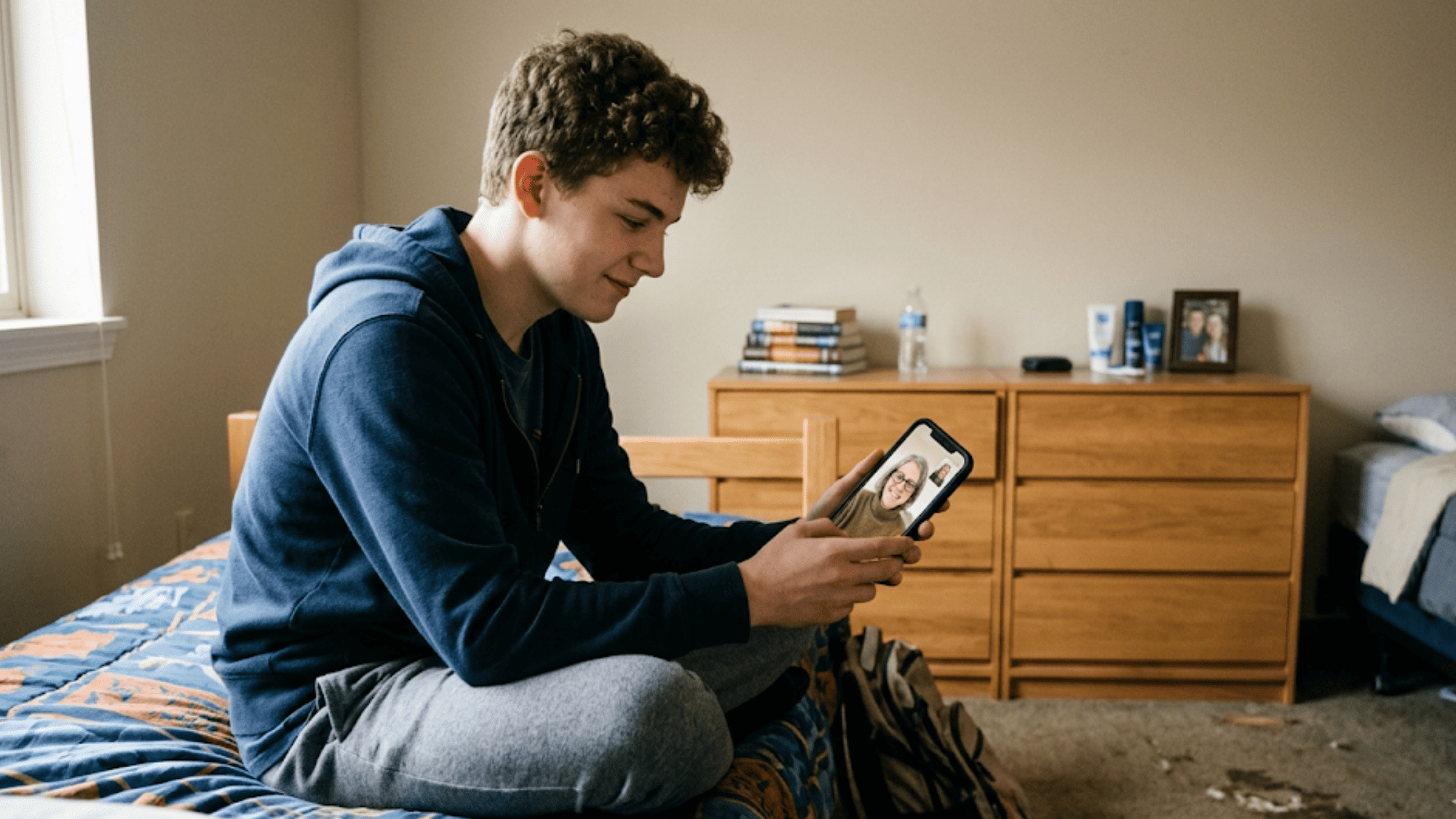
Teenager in a group home bedroom attending a therapy session through a browser-based video call on a basic smartphone

What This Looks Like in Practice

Let's walk through a real-world use case to tie this all together.

  • Scenario: A community behavioral health agency in California serves a caseload that includes youth aging out of foster care, clients in outpatient substance abuse programs, and adults in supportive housing. The agency uses Welligent as its EHR.

  • Before Curogram: Clinicians would schedule sessions through the Welligent Connect portal. Clients needed to log in with a username and password. About 30% of scheduled sessions were missed because clients couldn't access the portal, forgot credentials, or didn't have the required app installed.

  • After Curogram: Clinicians now send a single SMS link. The client taps it, and the video opens in their phone's browser. The agency reported that missed sessions dropped by more than half within the first 60 days. Staff also spent less time on tech support, freeing up hours that went back to direct care.

  • Compliance Check: The agency passed its annual state audit with no findings related to telehealth privacy. The encrypted, portal-free sessions met both HIPAA and 42 CFR Part 2 standards.

This is what equitable remote interventions look like when safety and access work together. The client is protected. The agency is covered. And the care happens.

A Note for Clinical Supervisors

If you're a clinical supervisor reading this, you may be wondering about documentation. Curogram integrates with Welligent, so session records can be linked back to the client's chart without manual data entry. The clinician doesn't have to choose between "easy for the client" and "good for the records."

The whole point is that security, compliance, and simplicity don't have to be at odds. With the right tool, they all happen at once.

Empowering the Access Provider

Your staff didn't go into behavioral health to fix tech problems. They became clinicians, case managers, and counselors because they want to help people. But too often, they spend their limited time acting as IT support for a clunky app or a portal that doesn't work.

The Empathy

Think about what happens when a client can't join a session. The clinician texts them. Calls them. Walks them through the download step by step. By the time the video actually starts — if it starts — both parties are frustrated, and 15 minutes of a 30-minute session are gone.

This isn't a one-time thing. For agencies that serve transient or at-risk populations, this plays out every single day. Multiply one failed login by a caseload of 40-60 clients, and the lost time is staggering.

The Success

When the technology just works, something powerful happens. The client feels respected. They feel like the system was designed for them, not against them.

That's the foundation of a strong therapeutic bond. A teen in foster care who taps a link and sees their therapist in seconds is far more likely to trust that person than one who spends 10 minutes fighting an app. The tech becomes invisible — and the care becomes the focus.

Based on our internal data, practices that streamline their virtual visit workflow report significant gains in staff output and client retention. When staff spend less time on tech issues, they can see more clients per day without burning out.


How Curogram Makes Virtual Behavioral Health Care Truly Accessible

Curogram was built with a simple belief: the hardest-to-reach clients shouldn't need the most complex tools. That's why every feature is designed around access, not assumptions.

At its core, Curogram sends a secure video link through a standard text message. The client taps the link. The session opens in their phone's browser. There's no app. No portal. No login. This alone removes the single biggest barrier that keeps vulnerable clients from showing up.

But it goes further than video. Curogram's two-way texting feature lets clinicians and case managers carry on secure text-based conversations with clients between sessions. If a client is in distress, a text exchange can escalate to a live video call in seconds. This is especially valuable for agencies that serve homeless populations or youth in unstable living situations.

The platform also supports multi-party video. That means group therapy, family sessions, and multi-disciplinary team meetings can all happen through the same simple text link — no separate tools needed.

For agencies using Welligent, Curogram plugs directly into the existing workflow. Clinicians don't have to switch between systems or do double data entry. Session info flows back to the client chart, keeping records clean and audit-ready.

From a compliance standpoint, Curogram meets both HIPAA and 42 CFR Part 2 standards. Sessions are encrypted. Links expire after use. No data is stored on the client's phone.

Based on our internal data, Curogram clients typically see over 75% of appointments confirmed through automated SMS tools. When you apply that kind of reliability to virtual visits, the results speak for themselves.

Curogram isn't just a tool. It's the access layer that sits between your agency and the people you serve — making sure nothing stands in the way.

Conclusion

The app download barrier is not a minor inconvenience. For the populations your agency serves, it is the reason sessions don't happen, trust doesn't build, and care doesn't reach the people who need it most.

Every time a client can't join a session because of a login, a portal, or a required download, your agency loses more than a time slot. You lose momentum in a care plan. You lose the chance to intervene at a critical moment. And your clinicians lose time they'll never get back.

App-free telemedicine for behavioral health in Welligent is not a nice-to-have feature. It's the most direct path to equitable care. When a client can go from a text message to a live video session in under 10 seconds, barriers disappear. Sessions happen. Outcomes improve.

Curogram makes this possible by meeting clients exactly where they are — on the phone they already carry, in the browser they already have. No downloads. No logins. No portals. Just care.

The agencies that are closing the digital divide aren't doing it with bigger budgets or better devices. They're doing it by choosing tools that work for the people they serve, not against them.

Ready to see the difference for yourself? Book a demo now and discover how Curogram can help your agency reach more clients — especially the ones you've been missing.


Frequently Asked Questions

How does Curogram work on older phones or government-issued devices?
Curogram runs in the phone's built-in browser, so it doesn't need storage space or a modern operating system. Any phone with Chrome or Safari and a basic data or Wi-Fi connection can join a video session.
Why is a browser-based session safer for clients in sensitive situations?
Because the session opens in a browser tab, it leaves no app icon, no push alerts, and no visible trace on the phone. This protects clients in domestic violence, substance recovery, or other high-risk settings from unwanted exposure.
How does Curogram handle compliance with 42 CFR Part 2 for substance abuse programs?

Curogram uses peer-to-peer encrypted video, expiring SMS links, and zero on-device data storage. These features are designed to meet and exceed both HIPAA and 42 CFR Part 2 requirements for protected health information.

How can a text-based conversation turn into a live video call with Curogram?

A clinician can escalate any two-way text exchange to a video session by sending a secure video link in the same conversation thread. The client taps the link, and the video call starts instantly in their browser.

Why does removing the app barrier lead to fewer missed sessions?

Each extra step — downloading an app, creating a login, navigating a portal — is a point where clients drop off. By cutting all of those steps down to a single tap, agencies see a direct drop in no-shows and a rise in completed sessions.