12 min read

How Welligent Mass SMS Staff Efficiency Saves 10 Hours a Week

How Welligent Mass SMS Staff Efficiency Saves 10 Hours a Week
💡 The fastest way to boost Welligent mass SMS staff efficiency during sudden schedule changes is to use Curogram's broadcast texting tool.
  • Filter the day's Welligent schedule by provider, location, or time slot
  • Send a single mass text to 50–100 affected clients in under 30 seconds
  • Replace hours of manual phone calls with one quick, compliant broadcast
  • Keep every message private using blind-send architecture for full HIPAA and 42 CFR Part 2 compliance
  • Free staff to handle the actual crisis instead of dialing and leaving voicemails
Curogram plugs directly into your Welligent system so your team can manage any behavioral health schedule pivot without burning hours on the phone tree. Book a demo to see how it works.

It's 7:45 a.m. Your lead group therapy provider just called in sick. You have 60 clients on the books. And every single one of them needs to know right now.

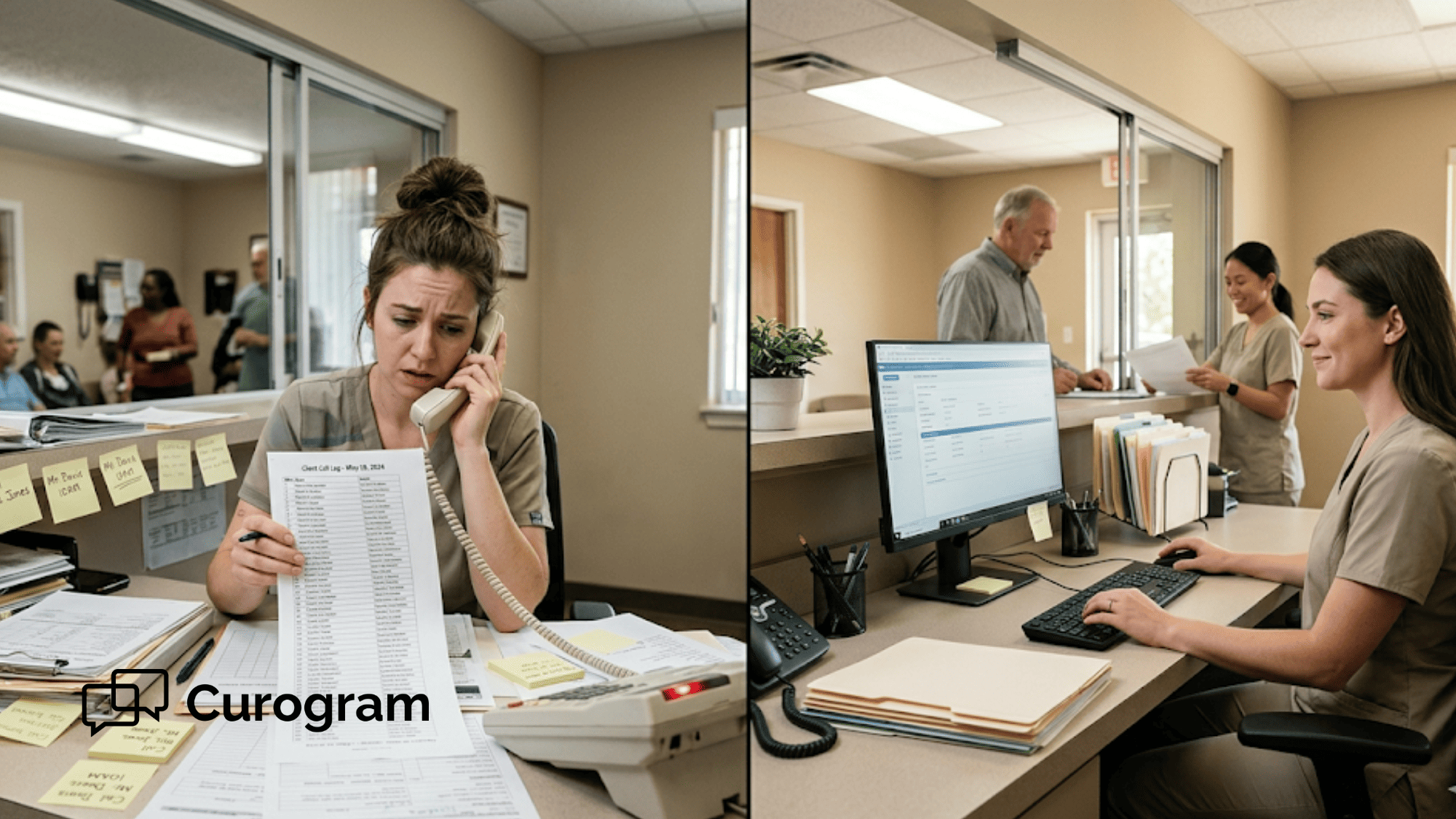
So what happens next? Your front desk team prints a list from Welligent. They start dialing. One by one. Call after call. Voicemail after voicemail. Three hours later, they're only halfway through the list — and the lobby phone hasn't stopped ringing.

This is the phone tree. And if you run a human services agency, you know it all too well. It's the thing that eats your morning, drains your staff, and pulls your best people away from work that matters.

But here's the thing: it doesn't have to be this way.

When you pair Curogram with your Welligent system, you can turn that 10-hour manual dialing marathon into a 30-second task. One filter. One message. One click. Every affected client gets a native text alert on their phone — no voicemails, no phone tag, no chaos.

That's what Welligent mass SMS staff efficiency looks like in practice. It's not a buzzword. It's the difference between a front desk team buried in calls and a team that's free to manage the actual crisis.

In this article, we'll walk through exactly how mass messaging helps agencies eliminate the phone tree in human services settings.

We'll cover the real costs of manual outreach, how Curogram filters your Welligent schedule for a quick broadcast, and how your team handles the replies that come after. We'll also show you why this approach keeps you safe under strict 42 CFR Part 2 rules.

Let's get into it.

The Exhaustion of the Manual Phone Tree

If you've worked in a busy human services agency for more than a week, you've lived this scene. A provider calls out. A pipe bursts at a clinic site.

A storm rolls in and the building has to close. The reason doesn't matter — the result is always the same. Someone on your admin team has to start calling clients.

The Chain Reaction Starts Fast

Within minutes, your front desk person pulls up the Welligent schedule and prints the list. Maybe it's 50 names. Maybe it's 100. Each name means a phone call. Each phone call means time.

Let's do some quick math:

Say, you have 75 clients to reach. Each call takes about 3 to 5 minutes when you factor in dialing, waiting, leaving a voicemail, or having a short exchange. At 4 minutes per call, that's 300 minutes. That's 5 full hours of staff time — just to tell people not to come in.


And that's the best-case version. In reality, calls go unanswered. Clients call back at random times. Staff play phone tag for the rest of the day. Some clients never get the message and show up anyway, frustrated and confused.

The Rest of the Office Falls Apart

While your team is stuck on the phone, no one is at the front desk. Walk-ins don't get checked in. Incoming calls go to voicemail. Insurance forms sit in a pile. Other providers who are still seeing clients that day get no support.

This is what makes the phone tree so costly. It's not just the time spent dialing. It's the ripple effect across your entire operation.

Here's a simple look at how those hours add up over a month:

Schedule Disruption

Clients to Notify

Time per Call

Total Staff Hours

1 provider out sick

25

4 min

1.7 hrs

Group session canceled

50

4 min

3.3 hrs

Clinic closure (half-day)

75

4 min

5.0 hrs

Full-day site closure

100

4 min

6.7 hrs


If your agency deals with even two of these events per month — and most do — you're looking at 8 to 12 hours of lost staff time just on outbound calls. That doesn't count the callbacks, the no-shows, or the time spent calming upset clients who didn't get the memo.

Layer in the Human Cost

Your admin staff didn't sign up to be a call center. They're trained case managers, intake workers, and office leads. When they spend half their day on repetitive calls, morale drops. Burnout creeps in. Turnover goes up.

Based on our internal research, agencies that rely on texting instead of phone calls can reduce phone volume by as much as 50% and boost staff output by over 30%. That's not a small shift. That's a whole new way of running the front desk.

The bottom line? The manual phone tree is more than a hassle. It's a drain on your budget, your people, and your mission. Every hour your team spends dialing is an hour they're not spending on the clients in front of them.

And in a field where every dollar and every minute counts, that's a cost you simply can't afford to keep paying.

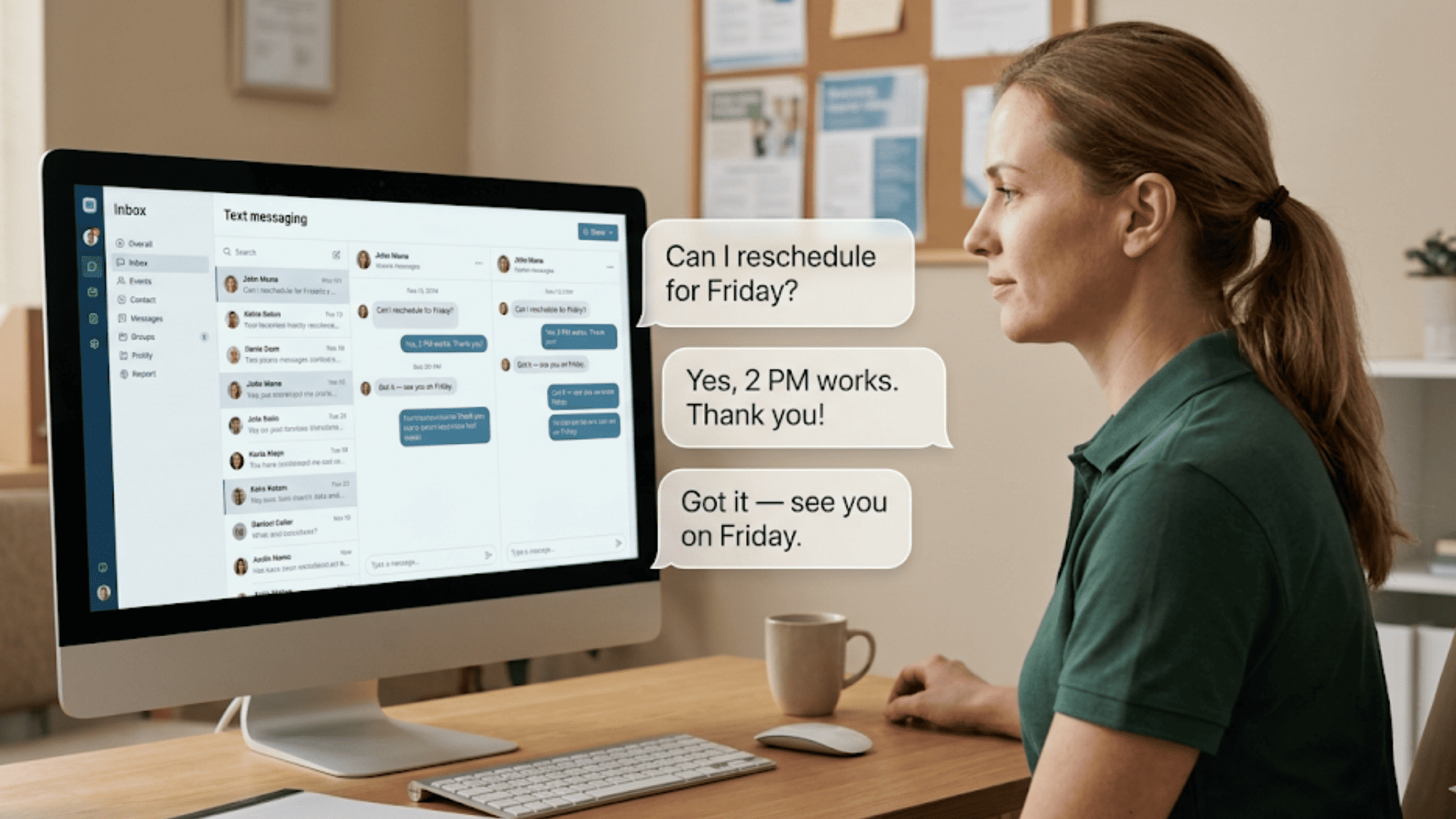
Front desk admin managing multiple client rescheduling texts on screen

The 30-Second Pivot: Filtering the Welligent Vault

Think of your Welligent system as a vault. It holds all your schedule data, client records, and provider info. The problem isn't the data — it's how fast you can act on it when things go sideways. That's where Curogram steps in as the door to that vault.

What the Process Looks Like with Curogram

Instead of printing a list and picking up the phone, your staff member opens the Curogram dashboard. Because it plugs into your Welligent schedule, all of today's sessions are already there. No exports. No copy-paste. No guesswork.

Let's say Dr. Ramirez called out sick this morning. Your admin clicks into the filter and selects "All clients with Dr. Ramirez today." In seconds, the platform pulls up every person on that list — names, phone numbers, session times. Done.

Next comes the message. Your staff member can type a short, clear text. Something like:

"Hi, this is [Agency Name]. Dr. Ramirez is unable to see clients today. Your session has been canceled. Please reply to this text to reschedule. We're sorry for the short notice."

Or, even faster — they pick a pre-written template that was built for exactly this kind of event. One that's already been reviewed and approved for compliance.

Then they hit send.

Within 30 seconds, every affected client gets a text on their phone. Not a voicemail they may never check. Not an email buried in spam. A real, native SMS that pops up on their screen like a message from a friend.

What it Means to Automate a Clinic Closure Text in Welligent

It's not a complex process. It doesn't need IT support or a special login. It's built for your front desk team to use, right now, under pressure.

Let's compare the two paths side by side:

Task

Manual Phone Tree

Curogram Mass Text

Pull the client list

Print from Welligent (5–10 min)

Auto-filtered in dashboard (10 sec)

Compose the message

Freestyle each call

Select a template or type once

Deliver to 75 clients

5+ hours of dialing

30 seconds, one click

Confirm delivery

No way to verify voicemails

Text delivery tracked in real time

Handle replies

More phone calls, more tag

2-way text inbox, side by side


The difference is stark. And it matters most in those high-stress moments when your team doesn't have hours to spare.

Filtering Doesn't Stop at Provider Names

You can also sort by clinic site, date range, or session type. So if only one of your three sites needs to close, you're not blasting every client on the books. You're reaching the right people — and only the right people.

This kind of smart filtering also helps you reduce the administrative burden that comes with mass text outreach. There's no risk of sending the wrong message to the wrong group. The data comes straight from your Welligent schedule, so it's always current.

Your staff goes from panicked to productive in under a minute. They notify 75 clients, then move on to the next task. No sticky notes. No call logs. No stress spiral.

That's the power of pairing Curogram with Welligent. It doesn't replace your EMR. It makes your EMR useful in a crisis — turning stored data into real-time action.

Unlocking the Budget: Time Is Money

If you're running a county agency or a nonprofit clinic, you already know the truth: there's never enough money. Budgets are tight. Staff roles overlap. And every hour of payroll matters.

So when your team spends 5, 8, or even 10 hours a week on manual phone calls to handle a behavioral health schedule pivot, that cost doesn't just vanish. It shows up on your payroll report. It shows up in overtime. And it shows up in the work that didn't get done while everyone was stuck on the phone.

Let's break this down with real numbers:

Say your agency pays a front desk admin $20 per hour. If that person spends 10 hours a week on manual calls related to schedule changes, that's $200 in payroll — just for dialing and leaving voicemails. Over a month, that's $800. Over a year, that's $9,600.

Now, double it. Because in most agencies, it's not one person making those calls. It's two or three. That puts the annual cost somewhere between $15,000 and $25,000 — all spent on a task that could take 30 seconds with the right tool.


But the cost isn't only about money. It's about mission.

Your admin staff and case managers were hired to support clients. To process intakes. To handle walk-ins. To answer the phone for people who need help today.

When those same people spend their morning chained to a call list, the clients who are present — the ones sitting in your lobby — get less attention.

Think about what happens during a typical site closure event. The phone tree takes over, and the rest of the workflow stops. New referrals sit in a queue. Forms don't get filed. Follow-up tasks from yesterday pile up. The whole office is running behind before lunch.

Based on our internal data, practices that switch to text-based outreach can see staff output rise by more than 30%. That's not just about sending texts faster. It's about giving your team the space to do the rest of their job.

The Clients Who Fall Through the Cracks

When you rely on phone calls, some clients will never answer. Some don't have voicemail set up. Some screen every unknown number.

For clients in a behavioral health setting, this is especially risky. A missed message could mean a missed dose, a missed group session, or a missed chance at a critical check-in.

Text messages change that math. SMS open rates in healthcare sit well above email and voicemail. When your agency sends a clear, simple text, most clients see it within minutes. They don't need to check voicemail. They don't need to call back. They just read the message and respond.

That matters for client outcomes. And it matters for your agency's standing with funders, auditors, and partners who want to see that you're reaching people effectively.

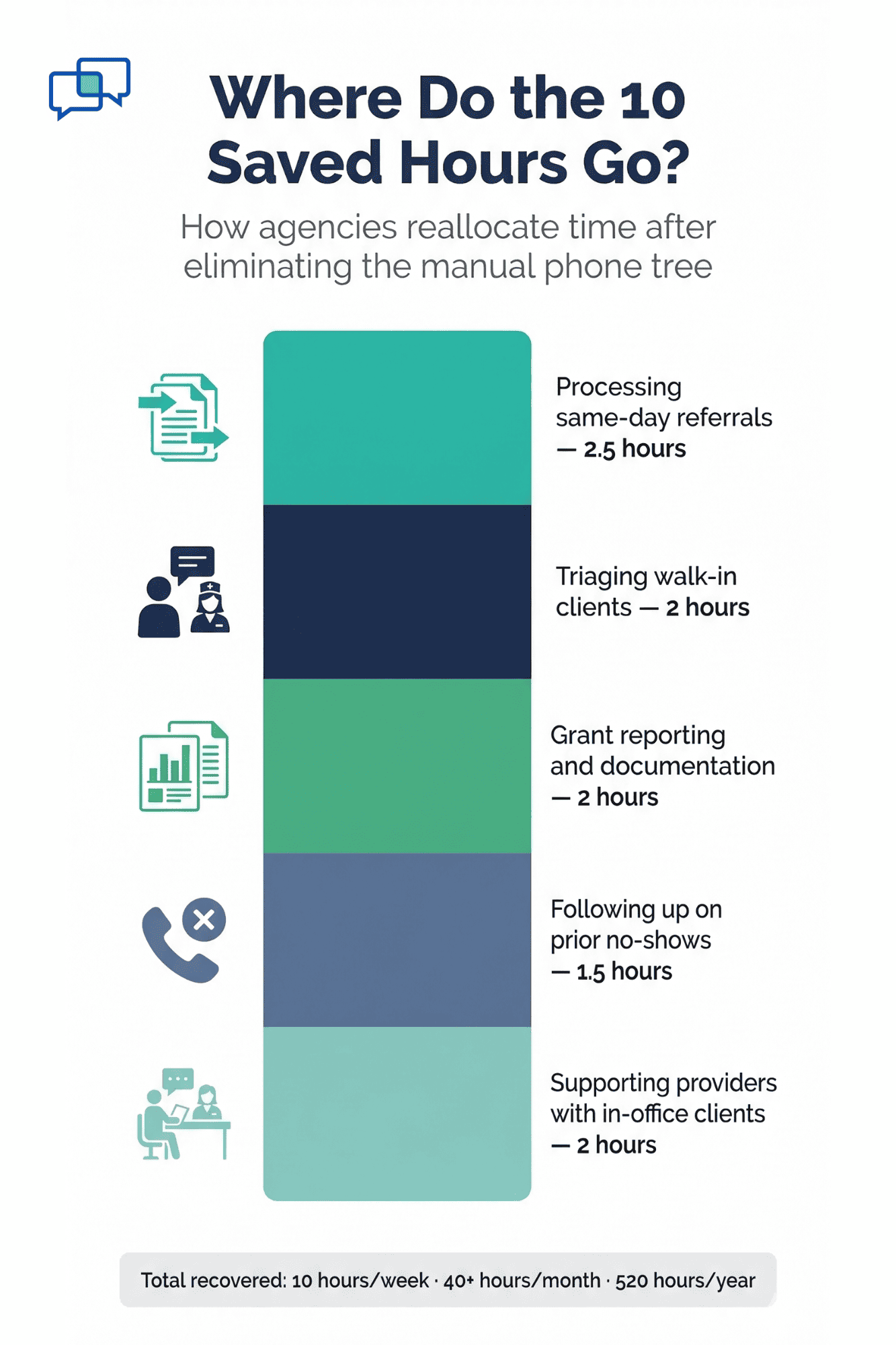
Infographic breaking down 10 recovered staff hours per week into referrals walk-ins grant reporting and follow-ups

The Hidden Cost of Turnover

Staff burnout in human services is not a small problem. When your best front desk person quits because they're tired of spending their day on repetitive calls, you lose more than a body in a chair. You lose training time. You lose knowledge. You lose continuity.

Hiring and training a new admin can cost anywhere from $3,000 to $7,000 when you factor in recruiting, onboarding, and lost output during the ramp-up.

If the phone tree is a factor in that decision — and for many admin staff, it is — then the true cost of not fixing this workflow is even higher.

By using Curogram to handle mass outreach, you protect your team from the repetitive, high-stress tasks that drive burnout. You give them tools that respect their time. And you keep your best people in their seats, doing the work they were trained for.

So where should the saved hours go?

This is the part that matters most for agency directors. When you silence the phone tree, you don't just save time. You recover time. And that time has real value.

Here are just a few ways agencies can put those hours to better use: managing the actual crisis at hand, triaging walk-in clients, processing same-day referrals, following up on no-shows from the previous week, or catching up on grant reporting.

None of those tasks happen when your team is buried in outbound calls. All of them happen when the phone tree is gone.


The math is simple. The choice is clear. And the budget impact is real. Whether your agency runs on county funding, Medicaid contracts, or private grants — every dollar saved on manual outreach is a dollar that can go back into serving clients.

That's the real return on investment here. Not just fewer phone calls. Fewer wasted hours. Fewer burned-out staff. And more time doing the work your agency was built to do.

Managing the Fallout: Handling Private Replies

Sending the mass text is only half the job. Once 75 clients get a message saying their session is canceled, the replies start rolling in. "Can I come tomorrow?" "What about my group on Thursday?" "I need to talk to someone today."

This is the part that scares most agencies. They think mass texting means mass chaos. But with Curogram, it's the opposite.

Here's how the reply system works:

When a client gets your mass text and replies, their message does not go to a group chat. It doesn't show up in front of other clients. Instead, it routes straight into Curogram's 2-way texting inbox as a private, one-on-one thread.

Your front desk staff sees each reply in its own lane. It's like having 10 private text chats open at once — all from one screen. No phone ringing. No hold music. No juggling sticky notes.

Let's say Maria texts back, "Can I reschedule for Friday?" Your admin types, "Yes, Dr. Ramirez has a 2 p.m. slot on Friday. Want me to book it?" Maria replies, "Yes, thanks." Done. The whole exchange takes under a minute. No call needed.

Now, multiply that across 20 or 30 clients. If each reply takes about 60 seconds to handle via text, your staff can resolve 30 rescheduling requests in 30 minutes. Try doing that on the phone.

This is where the real time savings kick in.

The broadcast gets the word out. The 2-way inbox handles the fallout. Your team stays seated, focused, and in control — all without picking up a single phone receiver.

And because every text thread lives in the Curogram inbox, nothing gets lost. There's a clear record of what was sent, what was received, and how each client was handled. That's useful for your team, and it's useful for your compliance records.

The entire flow — from the initial behavioral health schedule pivot to the final rescheduled session — happens through one platform. No switching between tools. No extra steps. Just clean, quiet, efficient follow-through.


How Curogram Keeps Mass Texts Compliant Under 42 CFR Part 2


Compliance is the biggest concern for any agency that serves behavioral health clients. And for good reason. Under 42 CFR Part 2, patient identity and treatment details are protected at a higher level than standard HIPAA rules.

One slip — one group text where clients can see each other's numbers — and you've got a serious problem.

Curogram solves this with a blind-send system. When your staff sends a 42 CFR Part 2 compliant broadcast, each client receives the text as if it were a direct message just for them. No other phone numbers are visible. No group thread is created. No client can see that anyone else received the same message.

Think of it like the "BCC" line in email, but for SMS. The message goes out to many, but every person sees only their own copy.

This matters because most standard texting tools aren't built for this. If you send a regular group text from a phone, every number shows up. That's a violation waiting to happen. Curogram was built with this in mind from the start.

Your agency also gets a full audit trail. Every text sent — who received it, when it was delivered, and how they replied — is logged in the system. That means if an auditor or funder asks how you handled a specific event, you can show them the exact chain.

Based on our internal data, no-show rates drop by as much as 53% below the industry average when agencies use text-based alerts instead of phone calls. That's a result that helps both your compliance record and your bottom line.

With Curogram, your team can send fast, safe, and fully compliant mass texts — without worrying about who can see what.

Conclusion

The manual phone tree has had its run. For years, it was the only way to handle sudden schedule changes. But now, it's one of the biggest drains on your agency's time, budget, and staff morale.

Every hour your team spends dialing and leaving voicemails is an hour they're not spending on clients. Every unanswered call is a client who might show up to a closed office. And every burned-out admin who quits is a cost your agency can't afford.

Curogram gives you a faster, simpler path. Filter your Welligent schedule. Pick your clients. Send one text. Handle replies from a single inbox. The whole process — from crisis to resolution — takes minutes, not hours.

It's built for the pace of human services work. It's built for tight budgets and lean teams. And it's built to protect client privacy at every step, whether you're under HIPAA or the stricter 42 CFR Part 2 rules.

Your staff deserve better tools. Your clients deserve faster updates. And your agency deserves a workflow that keeps up with the chaos instead of adding to it.


Ready to give your front desk their time back? Book a demo to learn how agencies like yours are saving 10+ hours a week on schedule pivots.


Frequently Asked Questions

How does Curogram filter clients from the Welligent schedule for a mass text?
Staff open the Curogram dashboard and filter by provider, site, or date. The system pulls matching clients from Welligent in real time — no exports, no manual lists, no extra steps needed.
Why is blind-send texting important for behavioral health agencies?
Because clients in substance use or mental health programs have extra privacy rights under 42 CFR Part 2. Blind-send ensures no client can see another person's number or learn they received the same message.
How do staff handle client replies without the phones ringing nonstop?

Each client reply lands in Curogram's 2-way text inbox as a private thread. Staff can manage dozens of conversations at once from one screen — quietly, quickly, and without a single phone call.

How quickly can an agency start using Curogram with Welligent after setup?

Based on our internal data, staff training takes as little as 10 minutes. Most teams are sending their first mass text within the first day of going live with the platform.

How does switching to mass texting help reduce staff turnover at agencies?

Repetitive phone calls are a top source of burnout for admin staff. By removing hours of manual dialing each week, agencies give their teams more meaningful work — which leads to higher morale and lower quit rates.


Welligent 2-Way Texting for Case Managers | Barrier-Free Access

Welligent 2-Way Texting for Case Managers | Barrier-Free Access

💡 The best 2-way texting add-on for Welligent is Curogram. It lets case managers text clients by SMS with no app or portal login needed. Clients...


Read More
Welligent Automated Appointment Reminders SMS | Cut No-Shows

Welligent Automated Appointment Reminders SMS | Cut No-Shows

💡 The best way to set up Welligent automated appointment reminders SMS is through Curogram, a platform that sends text-based reminders to clients...

Read More
How to Intercept Negative Feedback in Behavioral Health Using SMS

How to Intercept Negative Feedback in Behavioral Health Using SMS

💡 The best way to intercept negative feedback in behavioral health is with automated SMS surveys tied to your Welligent system. Curogram sends a...

Read More