
Text-to-Pay for Prime Clinical | Collect Faster & Cut Costs
💡 Text-to-pay for Prime Clinical Systems lets medical practices send secure payment links to patients by SMS. Instead of mailing paper bills, your...
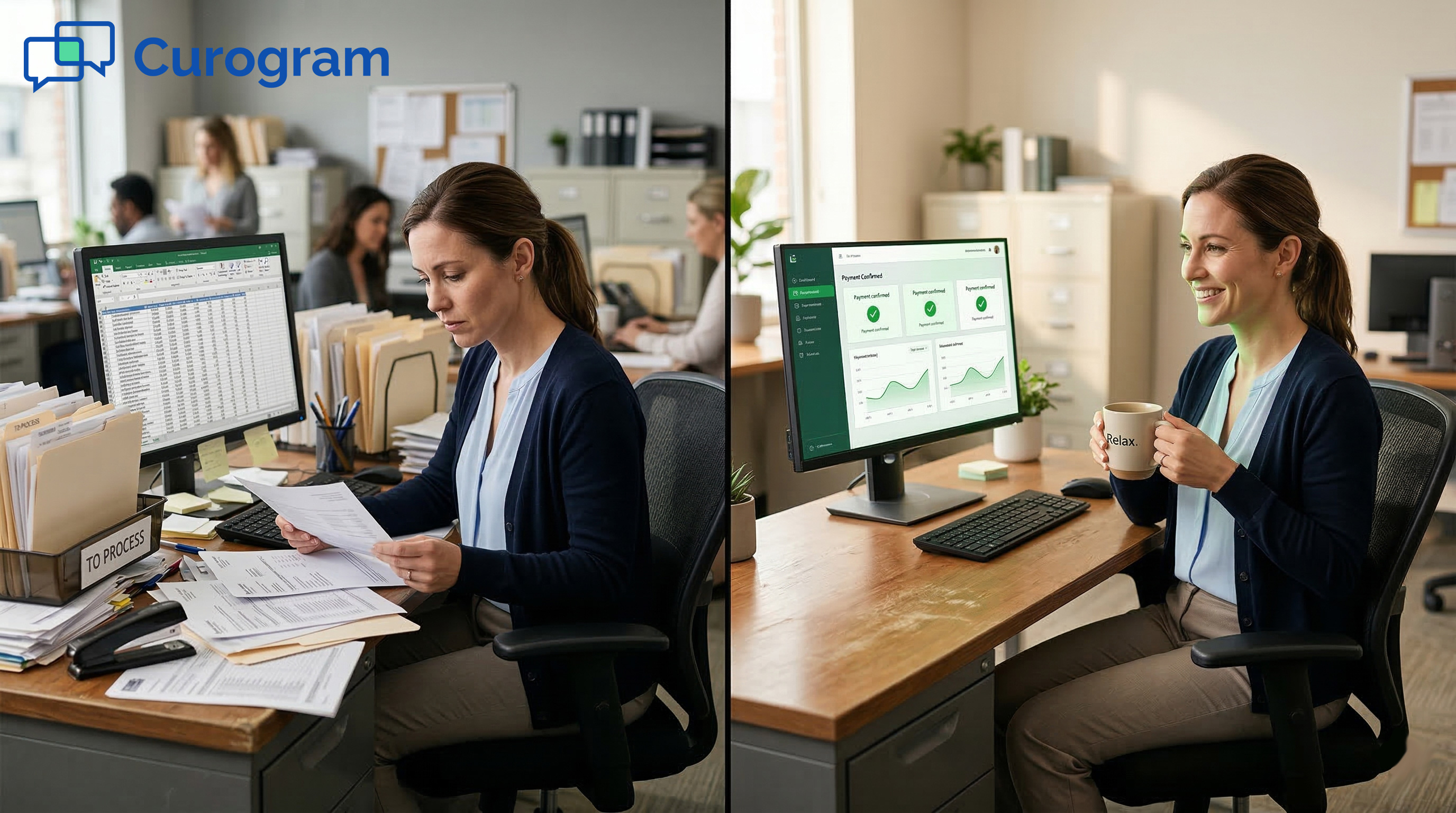
Here’s a truth most rehab clinic owners already know but rarely say out loud: you’re running a lending service you never signed up for.
Every time a patient walks out of your clinic, and a paper bill gets dropped in the mail two weeks later, you’ve just given that person a free, no-interest loan. And you’re the one paying for postage.
The gap between the point of care and the point of payment is one of the biggest cash flow killers in physical therapy. Services are given today. Claims take weeks to sort out.
Then a paper statement goes out. It sits on a counter. It gets lost. Another one goes out. Before you know it, 60-plus days have passed—and you still don’t have your money.
WebPT does an excellent job handling the claims side. It manages schedules, tracks notes, and pushes claims through.
But when it comes to the patient-owed portion—co-pays, deductibles, aged balances—the process often stalls. That’s where practices bleed cash.
Text-to-pay patient collections for WebPT solve this problem by moving the payment step to the one device your patients never put down: their phone.
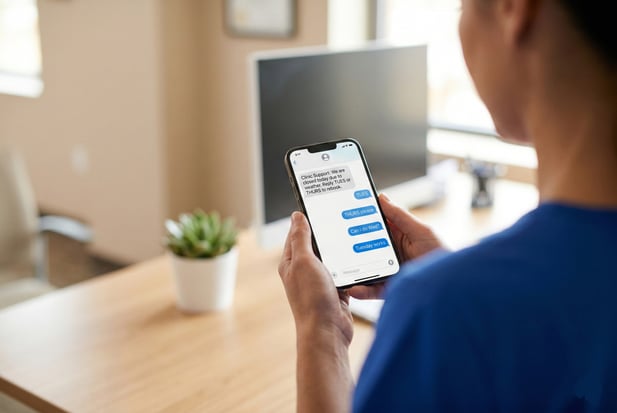
With Curogram, you can send a secure SMS link the moment a balance shows up. The patient taps, pays, and you’re done. No portal. No login. No stamps.
This article breaks down exactly how the old paper-based system drains your revenue, how a 10-second text payment works in real life, and what kind of results clinics like yours can expect.
If you want to reduce AR days in physical therapy, this is where to start.
Paper billing has been the default in healthcare for decades. But what used to be standard is now a serious drag on your bottom line.
To fix the problem, you first need to see just how broken the old system really is. Let’s trace the journey of a typical patient statement and count up the damage.
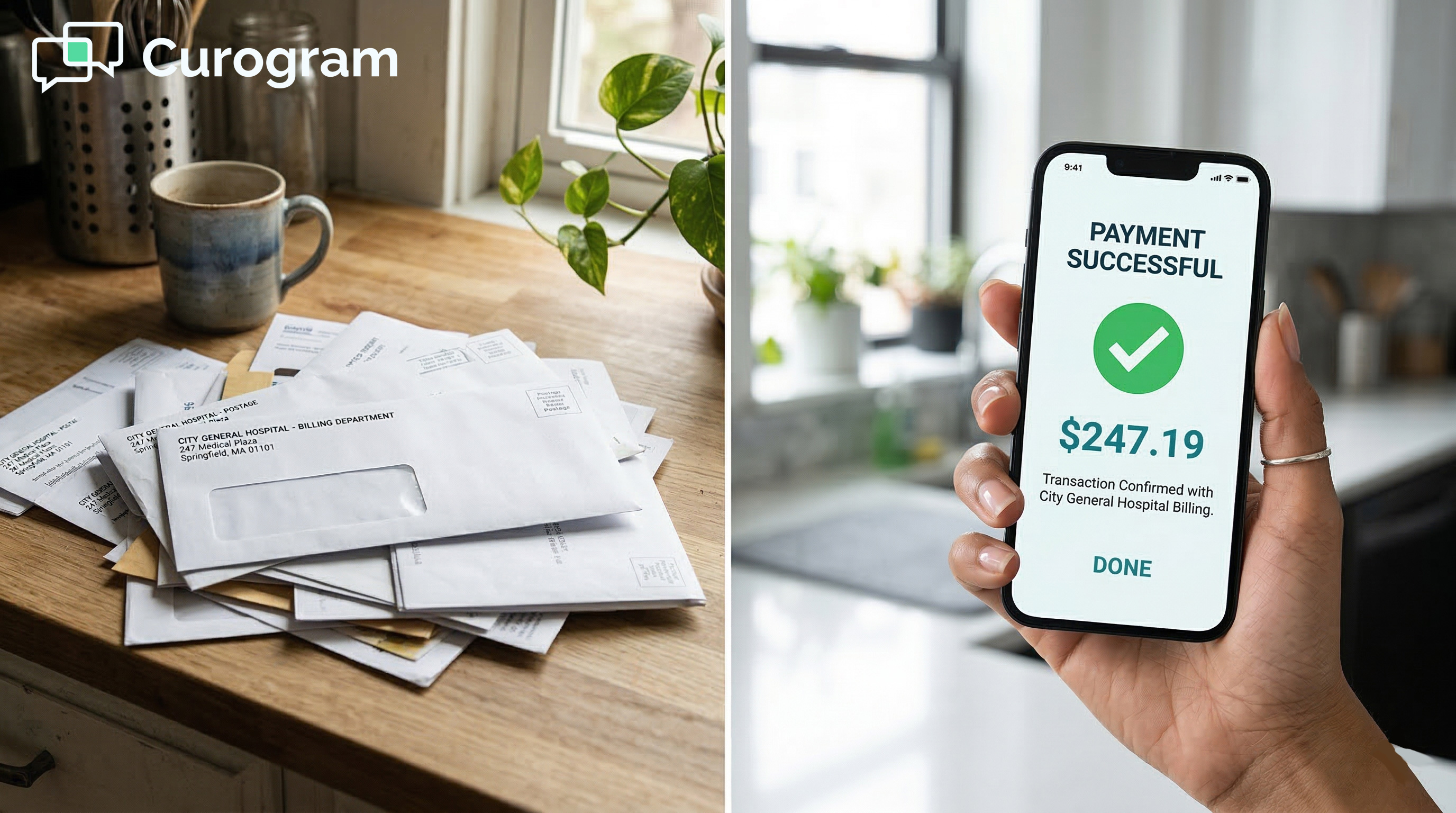
Most practice owners think of a paper bill as a minor expense—just ink, paper, and a stamp. But the real cost goes far beyond that.
When you factor in staff time, print runs, and postage, each statement can cost between $0.75 and $1.25 to send. Multiply that by hundreds of patients each month, and the numbers add up fast.
Your billing team doesn’t just press “print.” They review balances, sort statements, stuff envelopes, and run them through the mail.
If a bill bounces back due to a bad address, they start over. Based on our internal data, this cycle eats up hours of staff time each week that could be spent on higher-value tasks.
Think about a mid-sized rehab clinic that sends 500 statements a month. At roughly $0.80 per statement, that’s about $400 in postage alone every single month.
That’s just the first round. Resends for lost or ignored bills can double that figure. When you try to eliminate paper statements in rehab, these savings show up right away.
The trouble with paper bills isn’t just what they cost you. It’s what they ask of your patients. A mailed statement requires people to open it, read it, find a checkbook, or go online, and then take action. Most people just don’t.
The more steps between “I owe this” and “I paid this,” the less likely a patient is to follow through. Paper statements ask for too many steps. The bill arrives days later.
It lands in a pile of other mail. It gets shoved in a drawer. By the time the patient thinks about it again, another month has gone by.
People pay for coffee, rides, and food with a single tap on their phone. They expect the same from their doctor’s office. A paper bill in 2025 feels out of step.
Offering mobile payment for PT clinics meets patients where they already are—on their phones, ready to tap and go.
Let’s be clear: WebPT is a strong EMR. It handles charts, scheduling, and claim filing well. Partners like Therabill round out the billing side nicely.
But when the claim is done, and a patient balance is left over, the tools for collecting that money are often manual or clunky.
The WebPT billing integration handles the payer side with ease. But patient-owed amounts sit in the system with no easy, direct path to the patient’s wallet. Many clinics still rely on portals that patients never log into, or phone calls that go to voicemail.
Without a mobile-first payment tool tied to your EMR, balances just linger. What should be a same-day payment turns into a 30-, 45-, or even 60-day wait.
This is the gap Curogram fills—turning that stale balance into an instant text message and a paid invoice.
Fixing a broken payment process doesn’t mean ripping out your whole system. It means adding a smarter layer on top of what you already use.
That’s what Curogram does for WebPT clinics. Here is exactly how it works and why it takes just seconds for patients to pay.
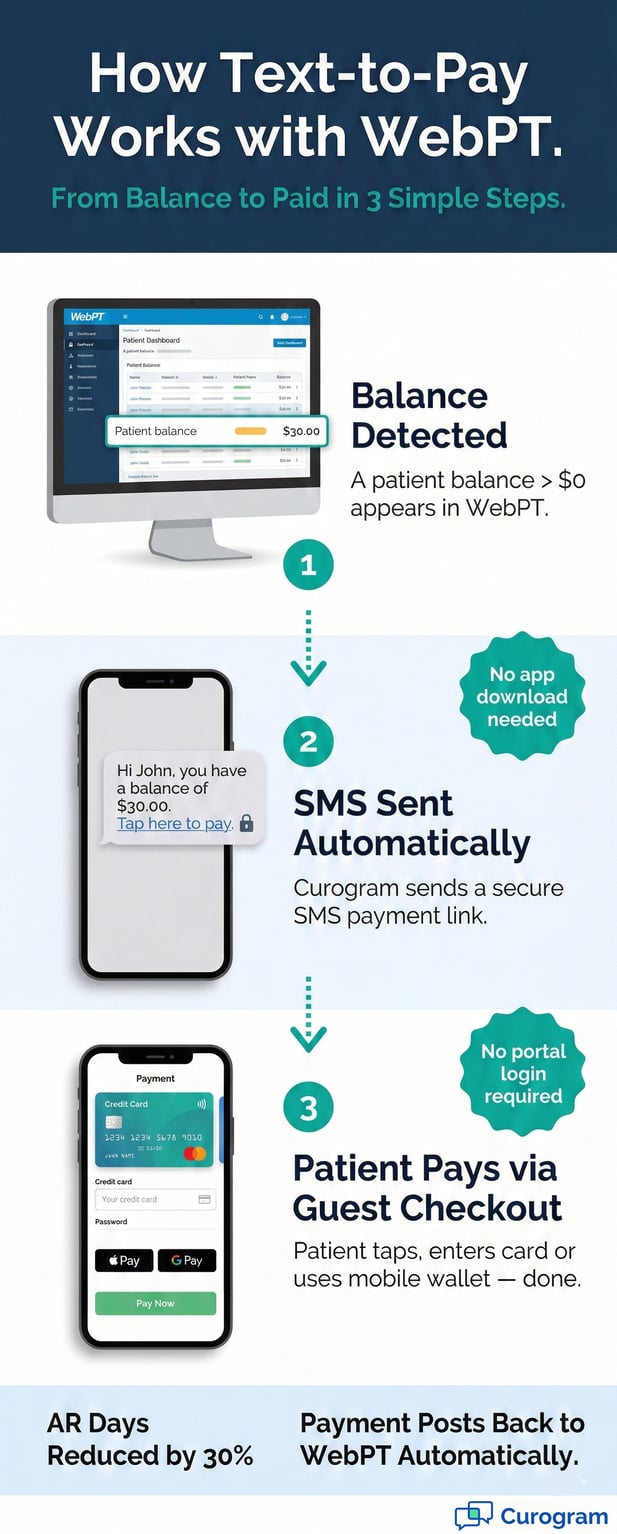
The beauty of this system is that it’s simple. There are only three steps between a patient owing money and that money landing in your account. No paper. No phone call. No waiting.
As soon as a patient has a balance greater than $0 in WebPT, the system flags it. Curogram detects that balance through its direct tie to your WebPT data.
You can set rules for when to trigger a text—right away, after a set number of days, or only for amounts above a certain dollar value.
Curogram sends a short, clear SMS to the patient. The message might say something like: “Hi John, you have a balance of $30.00 from PT Associates. Tap here to pay.”
It’s friendly, direct, and includes a secure link. No app to download. No account to create.
One of the biggest reasons patients don’t pay online is the hassle of logging in. Portals ask for usernames, passwords, and security questions.
Most patients forget their login after the first visit. Guest checkout removes all of that.
When a patient taps the link in their text, they land on a clean, secure payment page. They enter a card number—or use Apple Pay, Google Pay—and they’re done.
This is the model people use every day for things like ride-share apps and food delivery. It feels normal. It feels fast.
Based on our internal research, the time from text to paid is often under 10 seconds. That’s not a goal, it’s what happens when you remove every barrier.
No portal, no stamps, no waiting rooms. Just a tap. When you can collect co-pays via SMS WebPT, speed becomes your biggest asset.
Speed means nothing if it’s not safe. Patients need to trust the process, and your practice needs to stay on the right side of the rules. Curogram is built with both in mind.
All payment data is encrypted in transit and at rest. Curogram never stores raw credit card numbers. Instead, it uses token-based processing.
This is the same method used by major payment apps. This keeps your clinic safe and your patients’ data locked down.
Curogram meets PCI standards for card data and HIPAA standards for patient info. That means every text, every link, and every payment is handled within a framework built for healthcare. You don’t have to worry about fines or data leaks.

Switching from paper to text-based payments is not just about saving time on the admin side. It changes your entire revenue picture.
Here’s what happens when you close the gap between treatment and payment.
AR days are the number-one metric that tells you how fast money comes in. The lower the number, the healthier your cash flow. Curogram’s text-to-pay system attacks this number head-on.
Based on our internal data, practices that use Curogram’s text-to-pay see a 30% drop in AR days. Money that used to take two months to arrive now comes in within minutes.
For a mid-sized rehab clinic, this means tens of thousands of dollars freed up each quarter. The ability to reduce AR days in physical therapy is a direct result of meeting patients where they are.
Think of the typical paper billing cycle. You treat the patient on day one. The claim process takes over three weeks. A statement goes out.
The patient gets it five days later. Maybe they pay in two weeks—maybe they don’t.
With text-to-pay, the request goes out the moment the balance posts. Payment often follows within hours, not months.
Paper Billing vs. Text-to-Pay: A Side-by-Side Look
|
Factor |
Paper Billing |
Text-to-Pay |
|
Time to Payment |
30–60+ days |
Minutes to hours |
|
Cost Per Bill |
$0.75–$1.25 |
Near zero |
|
Patient Effort |
Open, read, write check, mail |
Tap link, enter card, done |
|
Follow-Up Needed |
Often 2–3 resends |
Auto reminders via SMS |
|
Portal Login Required |
Yes (often forgotten) |
No — guest checkout |
|
AR Day Impact |
High (60+ days) |
Low (same-day possible) |
Beyond speed, the cost savings are hard to ignore. When you stop printing and mailing bills, the savings hit your budget right away.
If your clinic sends 500 patient statements a month, you’re spending close to $400 just on postage. Add in paper, ink, and envelopes, and you’re looking at $500 or more.
That’s $6,000 a year going to a process that barely works. Switching to text-to-pay drops the cost to nearly zero.
Your front desk team spends hours each week sorting, printing, and mailing statements. With text-to-pay, those hours go back to patient care, scheduling, and follow-ups.
Based on our internal research, practices using Curogram see staff time savings of up to 30% on billing-related tasks.
Below are the most common questions practice owners ask about using 2-way broadcast texting for clinic closures. If you don't see your question here, reach out to our team for a quick answer.
No, and that's by design. Curogram does not move appointments in WebPT on its own. Auto-scheduling could lead to double bookings, missed provider preferences, or patients placed in the wrong time slot. Those kinds of clinical errors create bigger problems than the ones you're trying to solve.
Curogram handles the conversation. It sends the broadcast, collects patient replies, and keeps the thread open so staff can confirm details.
Once the patient picks a day, your team moves the slot in WebPT with a simple drag and drop. The whole exchange takes seconds, not minutes.
This setup keeps the human in the loop. Your staff reviews each change before it hits the schedule.
That means no surprises, no conflicts, and no risk of placing a patient in a slot that doesn't match their care needs.
In healthcare, accuracy is non-negotiable. Automated scheduling tools can miss nuances like provider-specific requirements or time-sensitive treatment windows.
By keeping the final confirmation step with your staff, you protect both the patient experience and your clinical integrity.
That's a fair concern, and it comes up often. Not every week has room to absorb 60 extra visits.
But that doesn't mean those patients have to be left hanging. There are two strong options to keep them engaged and on their care plan.
Use your broadcast to offer displaced patients first priority on your waitlist. If a cancellation opens up in the next few days, they get the slot before anyone else.
This keeps the patient connected to your practice and shows them you value their time. It also feeds your smart waitlist system, which fills gaps before they become lost revenue.
For certain visits, a virtual session may work. Home exercise reviews, progress check-ins, or patient education can often happen over video.
This won't replace every in-person session, but it keeps the patient moving forward. It also protects the visit count for the week, which matters for PT practice revenue continuity.
Yes. By a wide margin. Email and text serve different purposes, and when it comes to urgent rebooking, text wins every time. Here's why.
|
Channel |
Open Rate |
Avg. Response Time |
|
|
~20% |
Hours to days |
|
SMS Text |
~98% |
~90 seconds |
That table says it all. Email sits in an inbox that patients check once or twice a day, if that. A text message pops up on their screen within seconds.
When you need patients to act fast, SMS is the only channel that matches the urgency.
Think about your own behavior. If your dentist emails you about a rescheduled visit, you might read it tonight. If they text you, you read it now. Your patients are no different.
When revenue is on the line, and patient care hangs in the balance, you need the channel with the highest open rate and the fastest response time. That's text. Every time.

At the end of the day, your practice exists to help people heal. But you can’t do that if your cash flow is stuck in a broken billing cycle. Let’s bring this home.
Every day a patient balance sits unpaid, you’re giving out a free loan. You covered the cost of care. You paid your staff. You kept the lights on. And now you’re waiting to get paid for work you already did.
You didn’t go into healthcare to run a credit line. But that’s what paper billing turns you into. The longer a balance ages, the less likely it is to be paid at all. Moving to text-based collections puts an end to that cycle.
The data is simple. The harder you make it to pay, the less likely you are to get paid.
One tap on a phone is easier than finding a checkbook, writing a check, and mailing it back. When payment is easy, people pay.
If you’ve read this far, you already know the paper billing model is failing your clinic. The fix is clear, and it doesn’t take months to roll out.
Text-to-pay patient collections for WebPT aren’t a nice-to-have anymore. They’re the new baseline for clinics that want to stay ahead.
Schedule a demo today and send your first "Aged Balance" campaign to see immediate cash flow.
💡 Text-to-pay for Prime Clinical Systems lets medical practices send secure payment links to patients by SMS. Instead of mailing paper bills, your...
💡 Improving patient payment experience for Lytec practices starts with one change: remove the friction. Paper bills sit in piles because patients...
💡 Clinics using Osmind EMR can boost their Osmind EMR ROI for patient payments by switching from paper billing to secure SMS payment links....